
10 Best AI Data Analysis Tools & Software In 2026
If you want software that reads your company data and tells you what moved and why, an AI data analysis tool is what you're shopping for.
The category has split in two since last year, between products where the agent is the whole point and platforms that bolted an agent onto a reporting suite.
Below I'll work through all 10, with the features that matter, what each one charges, and the point where each runs out of road.
TL;DR
- Dot is the best AI data analysis tool in 2026 for teams that want a written investigation delivered into Slack, Microsoft Teams, email or a browser tab, business definitions governed by an agent that proposes changes for review, and a bill that meters analysis work with no seat charge attached.
- ThoughtSpot, Tellius, Zenlytic and Supaboard were built around the agent first. In each, the conversational layer runs through the whole product and isn't confined to one corner of it.
- Microsoft Power BI, Tableau, Domo and Sigma came the other way. Each fitted agentic capability to a platform that already had a large installed base and deep authoring tools behind it.
- Omni is the semantic-layer specialist of the group, with an agent called Blobby answering from curated datasets that a second agent helps the data team write.
What are the best AI data analysis tools in 2026?
Dot takes the top spot among AI data analysis tools in 2026, running the investigation against your warehouse and reporting back through Slack, email, Microsoft Teams or the Dot web app, with ThoughtSpot second for search-led agentic analytics and Tellius after that for automated root cause work.
Here's the full shortlist, with the buyer each tool suits and the figure you'd be quoted.
Tool | Use case | Price |
Dot | Takes a business question in everyday language and investigates it across your warehouse, then reports back in prose with a recommendation. | Free plan; Pro from $180/month. |
ThoughtSpot | Search-led analytics where the Spotter agent builds the analysis and the dashboard from a typed question. | Essentials from $25/user/month, annual. |
Tellius | Works out what caused a change and which factors drove it, for teams that keep asking why a number moved. | Quoted by sales; 30-day trial. |
Zenlytic | A governed agent that answers inside Claude, ChatGPT, Slack and Teams with human-approved fields marked. | Pricing not published. |
Supaboard | Fast AI analytics for teams without a data engineer, with viewers free and editors billed. | From $83/seat/month, annual. |
Domo | One vendor covering ingestion through to agents that act on the numbers they find. | 30-day trial; consumption credits priced on quote. |
Microsoft Power BI | Copilot inside the reporting stack a Microsoft-licensed organization already owns. | Free tier; Pro at $14/user/month. |
Tableau | Agentic analytics reaching prep, cataloguing, authoring and metric digests, sold as its own product line. | From $15/user/month; Tableau Next from $40/user/month. |
Sigma | Governed execution layer for AI agents, fronted by the spreadsheet grid Sigma is known for. | Pricing not published. |
Omni | Semantic-layer analytics where an agent helps write the model the AI then answers from. | Pricing not published. |
Four tests decided which tools made the cut:
- The AI has to perform analysis, not decorate it: Summarizing a chart somebody else built didn't qualify. The tool needed to take a business question and hand back a finding, working out the query on its own along the way.
- The agent has to reach governed business logic: Every tool here connects to a governed layer of some kind, whether that's a semantic model, a metric store, a context repository or a documented schema, and its AI reads from that before answering.
- Pricing has to be describable: Published rates were preferred, though a documented meter I can explain honestly was enough.
- It has to be purchasable today: Every product here is generally available and on sale, though I've flagged the individual features still in preview or beta as they come up.
➡️ A note on scope before the list: I kept the criteria wide enough to take in tools that work from uploaded files, and the shortlist still came out warehouse-heavy, because that's where the serious analysis work in this category currently happens.
#1: Dot
Dot offers the best AI data analysis tool, as the deliverable is a finished investigation, the business context behind it is governed in one reviewable place, and the invoice tracks analysis work with no per-seat charge anywhere on it.
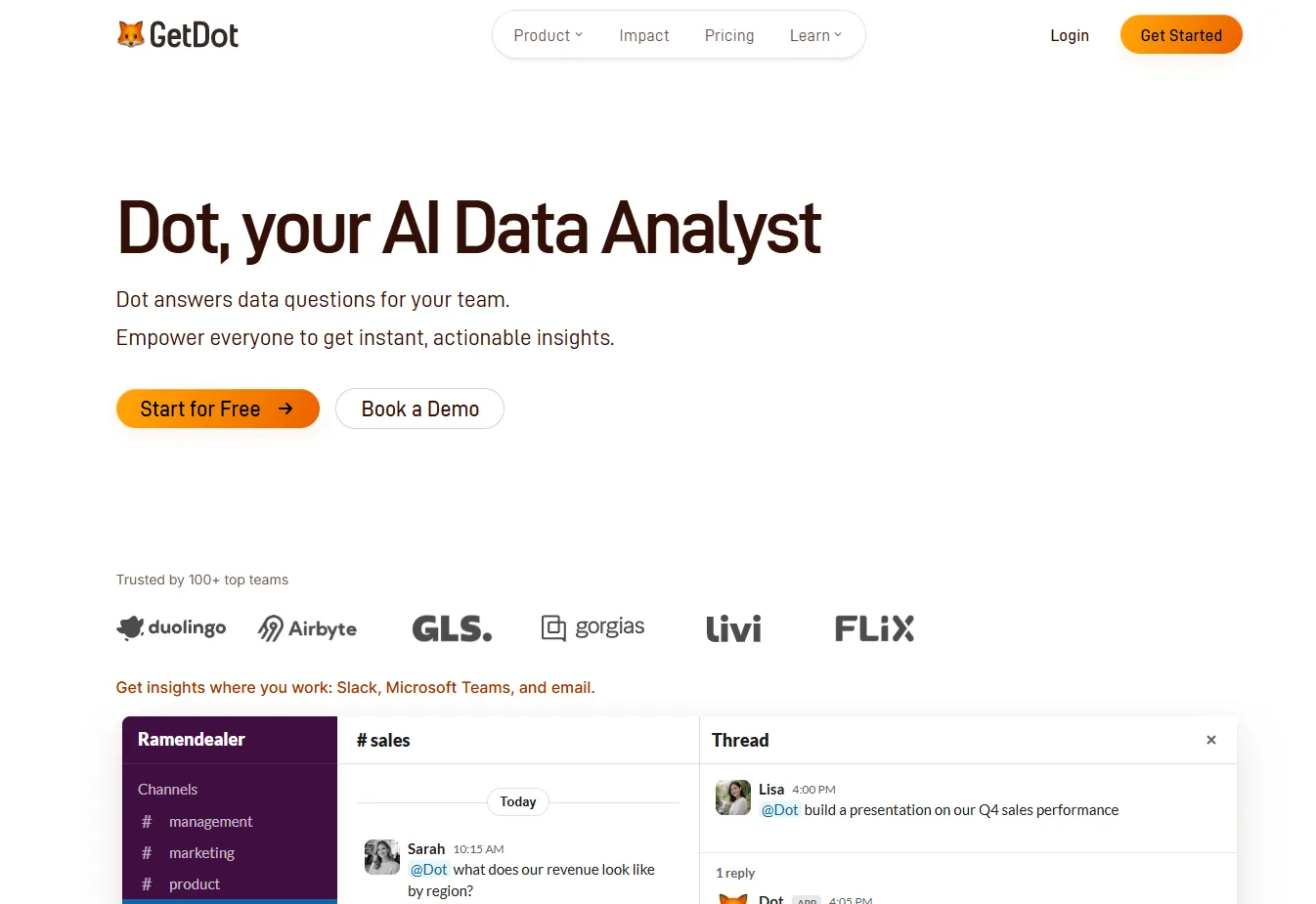
Disclaimer: Dot is our own product, so read this section with that in mind. The case for ranking our AI data analyst first still has to be made, so here it is.
Adding one more chat box to a market already full of them was never the plan.
What we set out to do is narrower.
We wanted to catch the question before it becomes a ticket for the data team, then answer it against data the analysts already govern, with the reasoning left visible underneath.
Here's how that plays out: 👇
Chat handles everyday lookups without anyone leaving Slack or Teams
Chat is the mode for lookups that one query settles, and it works in Slack, Microsoft Teams, email and Dot's own web app.
A marketing manager asking for active premium suppliers in Paris last March gets the number, a visualization if they asked for one, and the query behind it.
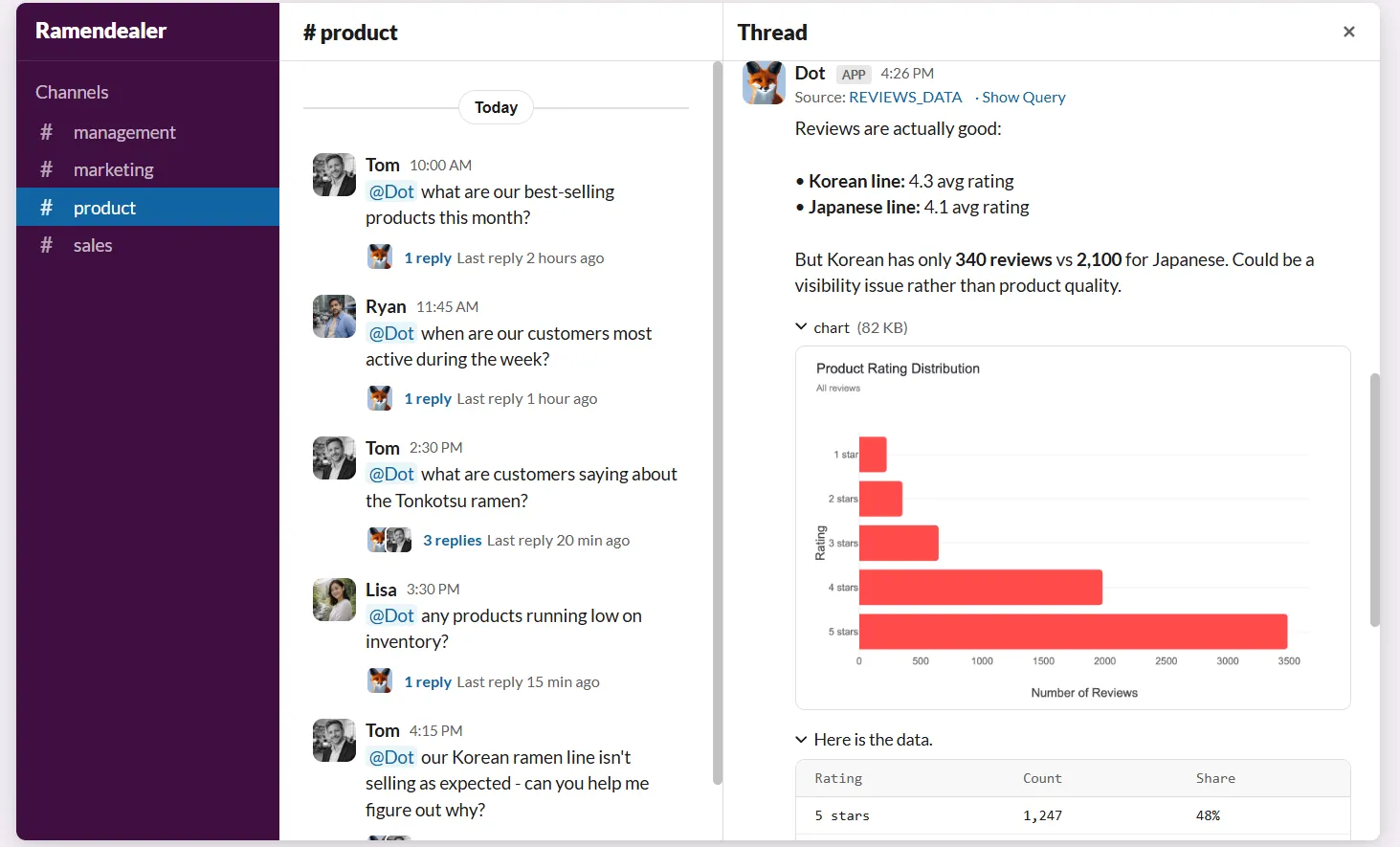
Dot answers from the data it's connected to and won't fill a gap with a number it made up.
What happens when an answer does miss is the part I'd point at.
Saying "try again" makes Dot approach the question by another route, since the underlying models are statistical and a second attempt often lands.
Feedback then feeds the model itself:
- A thumbs up stores that generated query so Dot can reuse it on similar questions later, though an admin has to select it on the Model page before it goes into service.
- A thumbs down flags a gap for admins to close, and the History view marks any conversation with a dislike as a problem and any liked conversation as a success.
Deep Analysis runs an investigation before it commits to an answer
Deep Analysis is Dot's research mode, and it runs an autonomous investigation in place of a single lookup.
A question like "what's driving the increase in churn?" sends Dot through a sequence of queries. It validates what each one returns, then writes up a structured report with charts and recommendations.
You watch each query and each tool call happen in real time while it works.
Runs typically finish in two to ten minutes, depending on how complex the question turns out to be.
Here are a few specifics:
- The report has a fixed anatomy: one quantified finding at the top, an executive summary of two or three insights, supporting sections with embedded charts and tables, specific recommendations, and an assumptions block naming the time periods and definitions it used, along with any caveats.
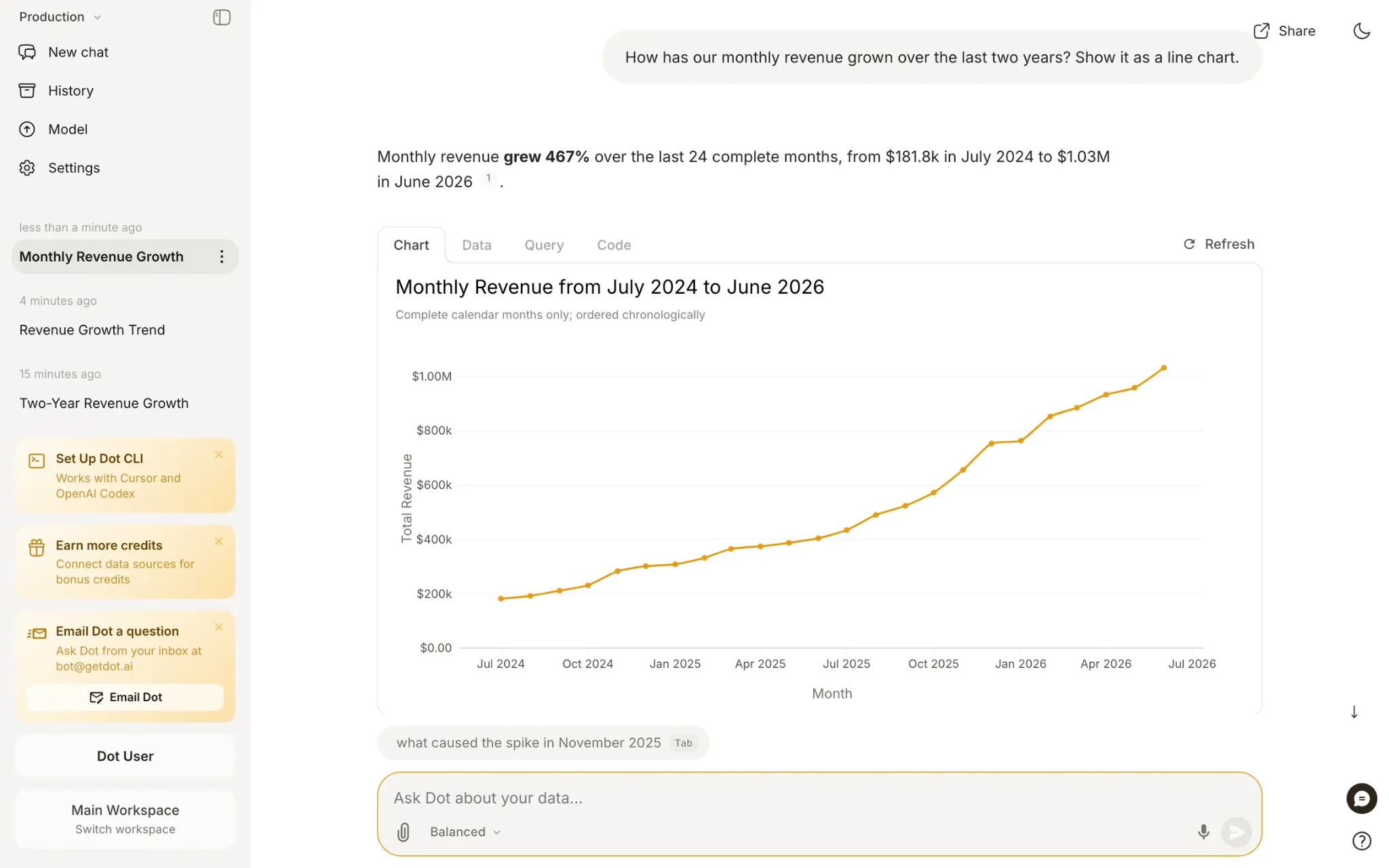
- Every claim links to its source data: anyone reading can check any figure without asking you where it came from.
- Follow-ups keep context: "drill deeper into EMEA" or "show the top 10 customers driving this" continues the same investigation.
- Reports export as slides: a Download as Presentation button turns the analysis into PowerPoint, and a shareable link covers colleagues who'd rather read it in the browser.
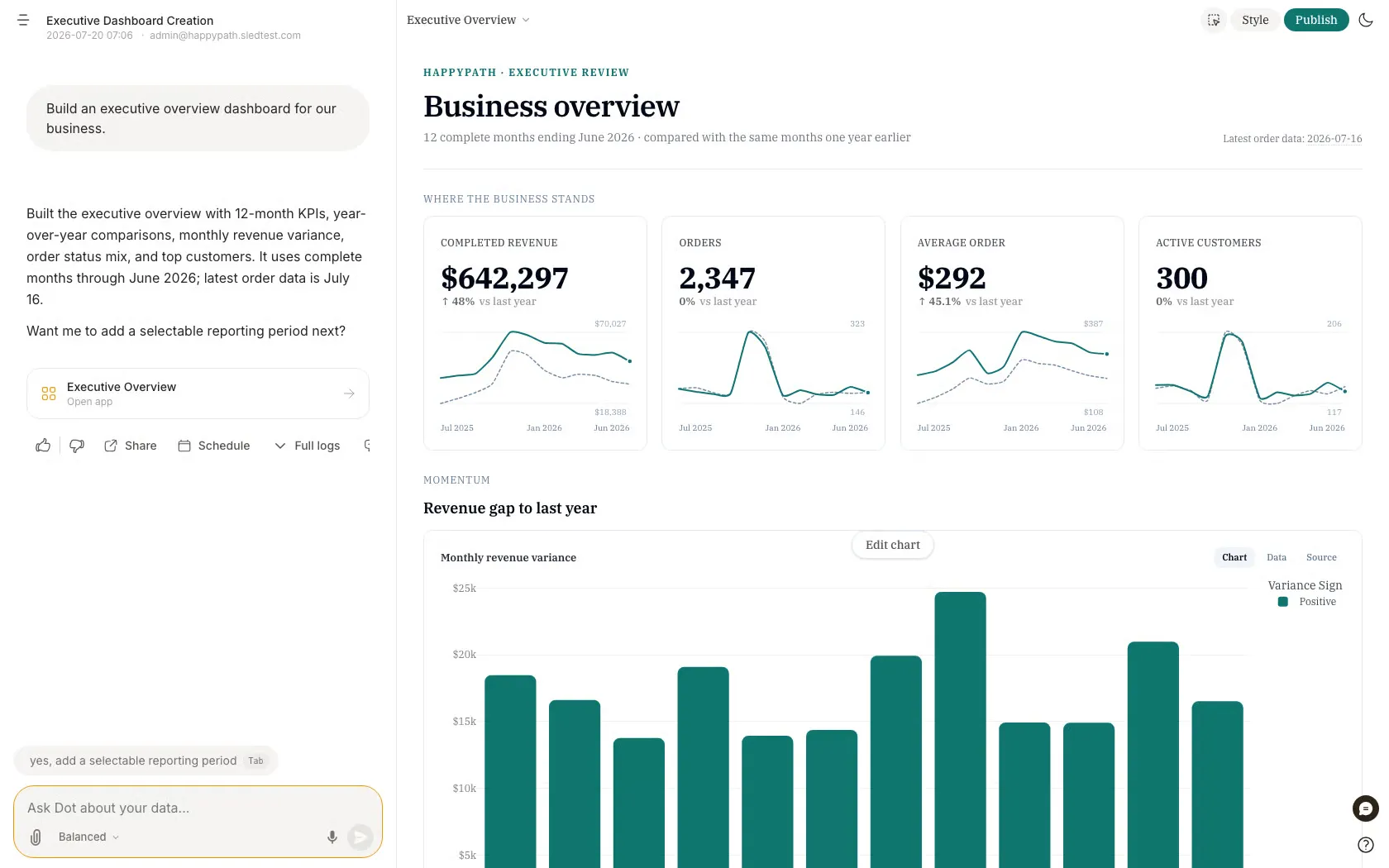
- Admins configure the behavior: intelligent triggering detects a complex question and switches modes on its own, Power Mode routes to more capable models, and a custom appendix appends your own disclaimers or contact details to every report.
Root documents your business so Dot has something to reason from
Root is Dot's Context Agent, and it builds your documentation for you, without waiting for someone on your team to write it.
It runs in an isolated sandbox with access to your databases, your BI dashboards, your past Dot conversations, the web, and your existing notes.
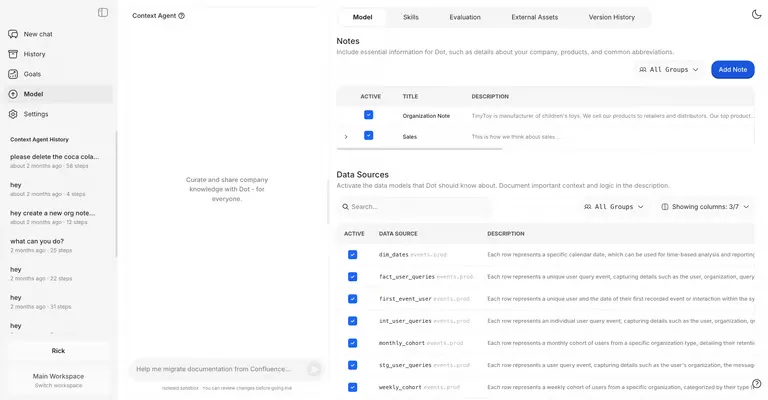
Nothing it produces goes live until you merge it.
A common first job is a metric glossary built from the five Metabase dashboards your team trusts most.
It connects through the BI tool's API and pulls out the calculations and filters buried in those dashboards, then writes standardized definitions Dot can use.
Root will also interview you.
For a process too tangled to explain upfront, letting it ask questions works better than trying to document everything from a blank page.
Every change arrives as a diff.
You approve tool use while Root works, then review what changed and either merge to production or discard it, with git-based versioning underneath so you can pause and resume.
Alongside Root, four kinds of note carry context that no database contains:
- Organization notes: Wikipedia-style background on your company, the products you make, the customers you sell to and the internal processes you follow, aimed at the things still true in two years.
- Agent operating principles: instructions written in strong language, such as "always filter out internal users" or "never answer questions about split tests, refer people to the experiments wiki."
- Playbooks: the tribal knowledge behind a recurring analysis, encoded so the agent can replicate how your team actually reviews a campaign.
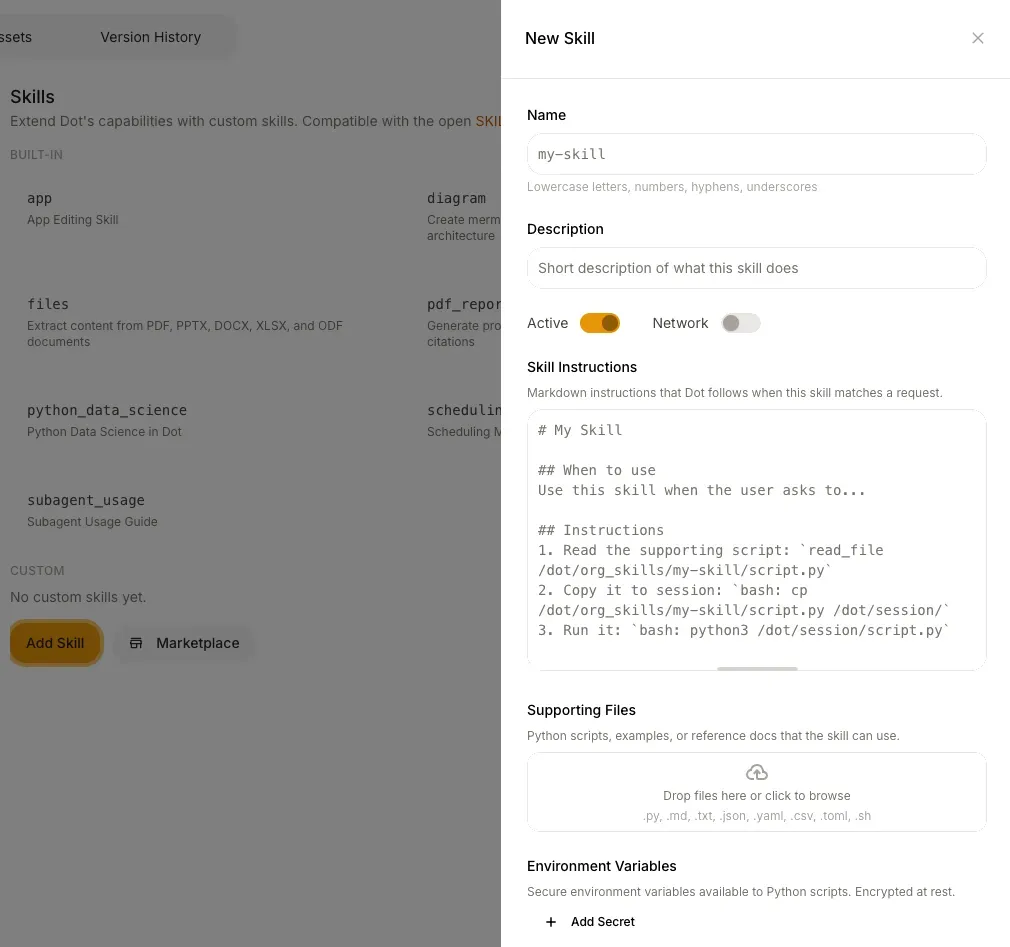
- Metric glossary: each important KPI listed with its name, a short description with synonyms, and the query that calculates it, which Dot then applies when answering.
Reports arrive on schedule, and permissions follow whoever asked
Scheduling turns any Deep Analysis into a recurring delivery, and the setup is two clicks from a report you've already run.
Delivery goes by email, or into Slack and Microsoft Teams, and frequency runs from daily up to monthly, with weekly deliveries pinned to a chosen day.
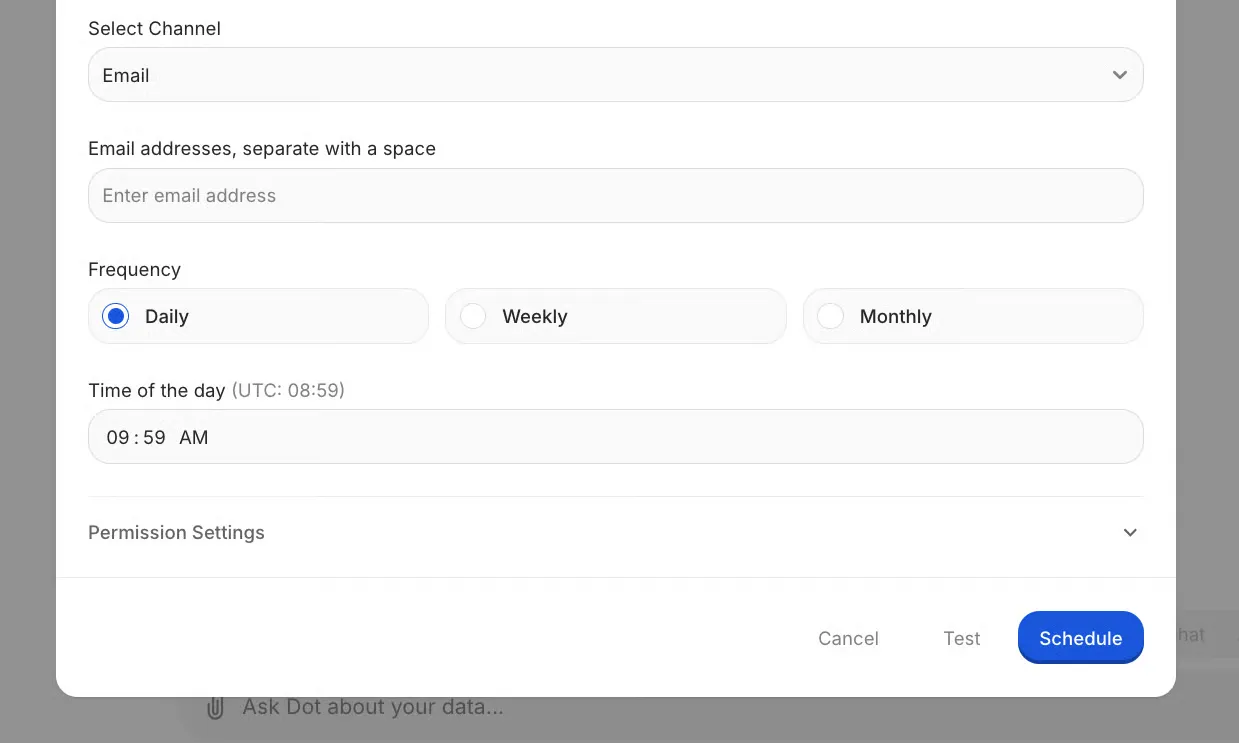
A Test button sends a preview before you commit anyone to it.
Each scheduled run costs 1 Agent Compute Credit, the unit Dot's documentation uses for agent work, and the maximum frequency is twice a day.
Admins can also run a schedule as another user. The report then arrives under that person's data permissions.
Permissions themselves work through groups.
A user reaches a table when they share a group with it. New tables and new users both land in the all_users group by default, and an admin can stop new users joining it automatically where the organization runs on need-to-know.
Row-level filtering uses the same groups: toggle it on a table, write a where clause containing the ${groupname} placeholder, and Dot substitutes the requesting user's group at query time.
Workspaces go further, walling off users and data connections from each other while billing stays shared. Permissions are scoped per workspace too, and Slack or Teams channels can be routed to a particular one.
The security posture behind all of it is SOC 2 Type II, with data hosted on AWS in the United States or Europe, encryption at rest and in transit, and a commitment that nothing sent to OpenAI or Anthropic is ever used for model training.
What makes Dot different from the other AI data analysis tools?
Dot's difference is the stopping point: most tools on this list hand back an answer, and Dot hands back an investigation with a recommendation and an audit trail attached.
Nearly every platform here starts from a surface somebody builds on, whether that's a search bar, a workbook, a canvas or a modeling language, then puts an agent in front of it.
In practice, the agent speeds up the assembly work you were doing anyway.
Dot begins at the finished deliverable.
You receive prose accounting for the movement, a recommendation about what to do next, and the query plus its lineage sitting one click under any figure.
On price, the gap is wider still.
Every other tool here with a published rate charges by the person somehow, whether that's a per-user price, a cap on plan membership, or a free-viewer threshold you have to spend your way up to.
- Supaboard makes viewers free but bills every editor.
- ThoughtSpot prices per user and caps Spotter queries at 25 a month on Pro.
- Power BI needs a paid seat for anyone opening a shared report until you reach Fabric capacity.
People go uncounted on Dot's paid tiers.
Analysis work is the meter, so the fiftieth colleague wanting a figure never triggers a procurement request.
There's a cost attached to that trade, and naming it beats pretending otherwise.
Dot needs a warehouse or database underneath it, and the product performs best where a data team already looks after dbt models or a documented schema.
Dot pricing
Dot opens free with 300 one-time credits, and the cheapest paid tier runs $180 a month.
Credits are drawn down by the analysis Dot performs. Headcount plays no part in what a paid plan costs.
- Free: $0, carrying 300 credits granted once and full Pro functionality behind them. That budget is sized to let you connect a real warehouse and form your own view.
- Pro: $180 monthly for an allowance of 150 credits, with anything beyond that at $1.80 apiece. Over 35 connectors, scheduled email and Slack delivery, the Context Agent, priority email support, and no user limit.
- Team: $720 monthly against an allowance of 800 credits, and overage drops to $1.44. Governance arrives at this tier through single sign-on, row-level security, embedding, brand customization, dedicated support, and help moving your existing BI reports over.
- Enterprise: quoted individually. Credits stop being capped, volume rates come into play, and self-hosted deployment, audit logging, an SLA and a named account manager all become available.
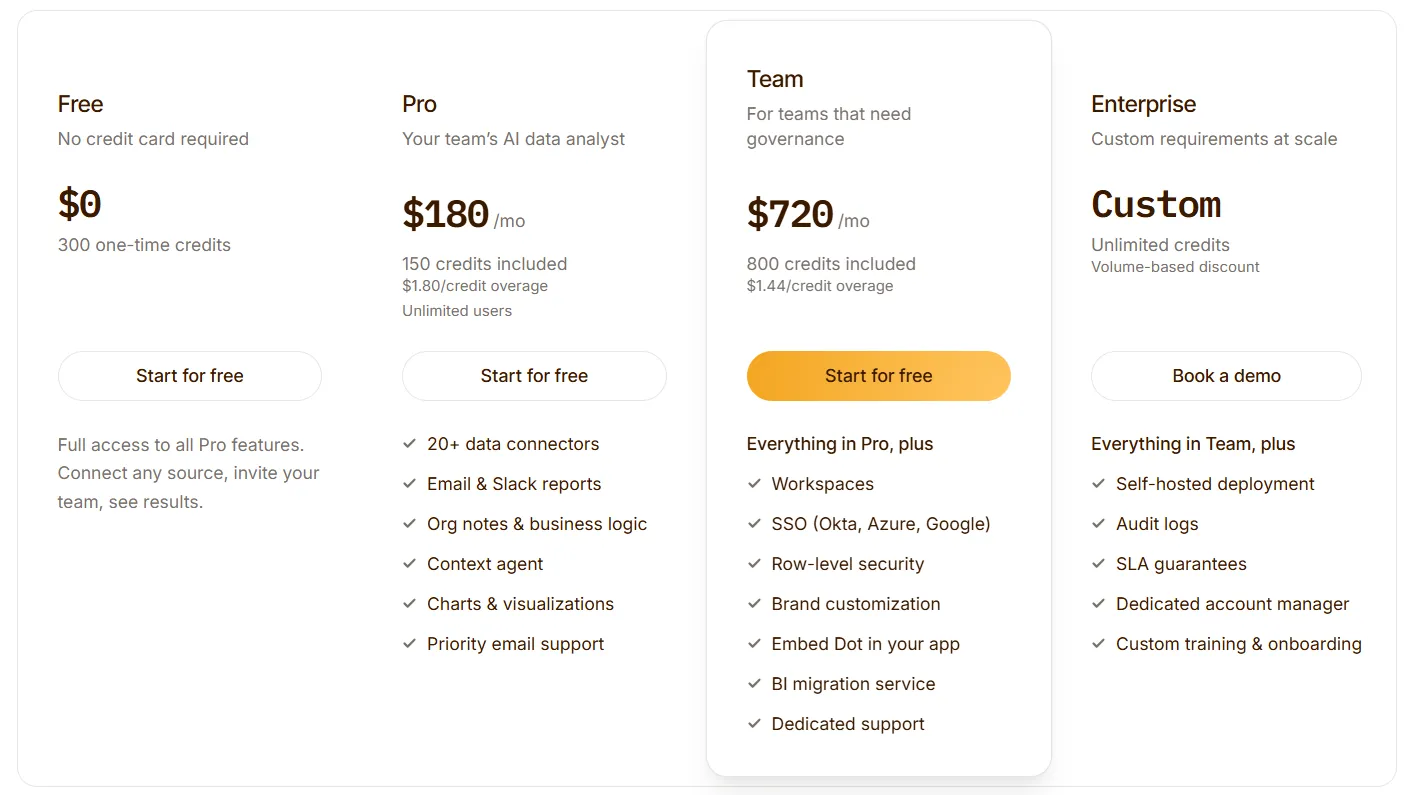
Yearly billing knocks 10% off whichever tier you land on.
Dot pros and cons
✅ The output is a written investigation with a recommendation attached. Nothing is left for the reader to interpret off a chart.
✅ Every figure opens onto the SQL behind it and the models upstream of it.
✅ Seats go uncounted on every paid tier. Read-only stakeholders never reach the invoice.
✅ Root writes your metric glossary from dashboards you already trust, and every change it proposes goes through a diff and an admin approval before production sees it.
✅ Custom Skills run your own Python inside a Deep Analysis, chained into the investigation and not bolted beside it.
❌ A warehouse or database has to exist underneath it.
❌ Custom Skills are gated behind a sales conversation.
#2: ThoughtSpot
Best for: Organizations where hundreds of business users need to ask their own questions without a dashboard being built for each one.
Similar to: Tellius, Zenlytic.
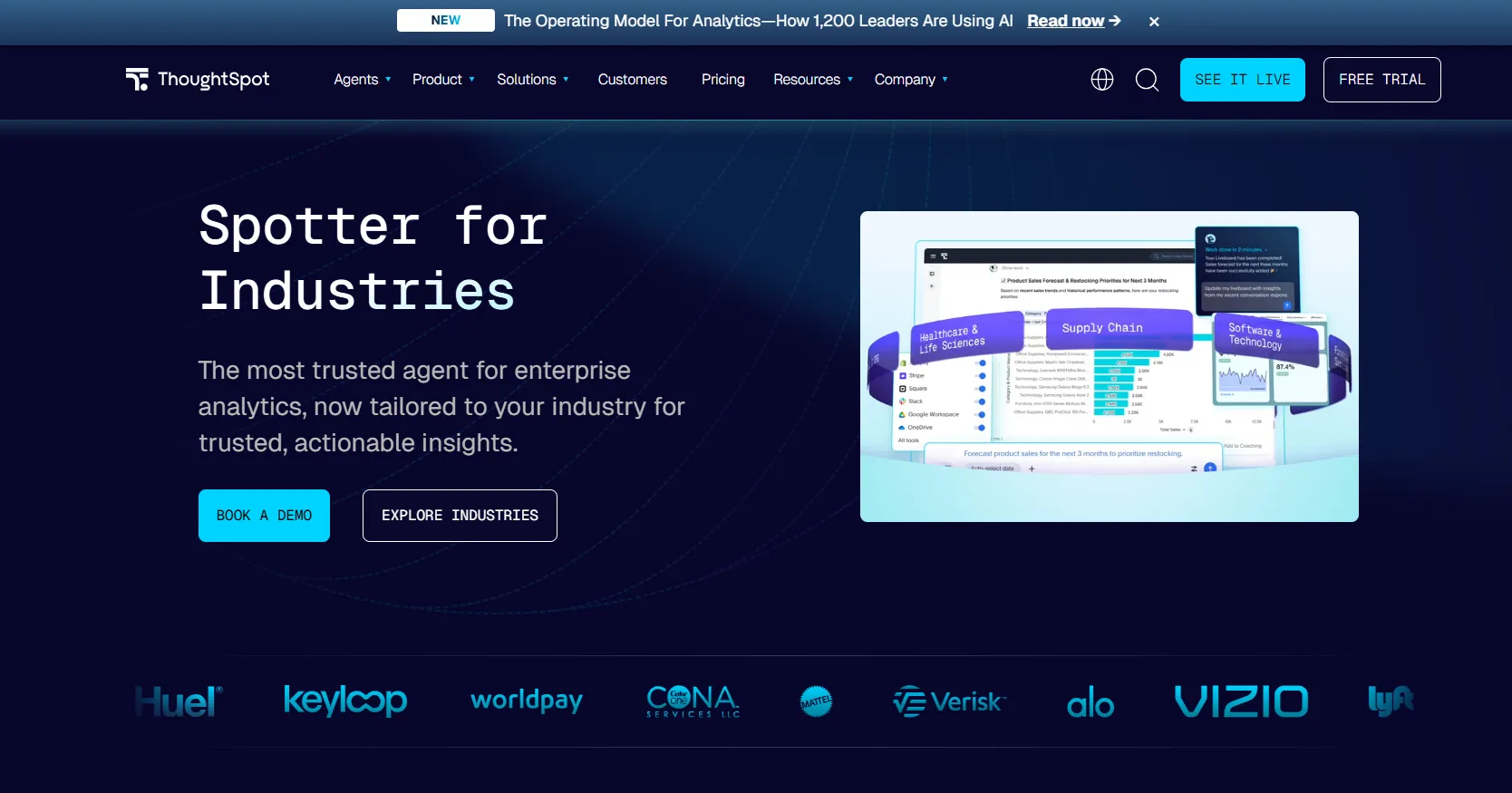
ThoughtSpot is an analytics platform whose entry point is a typed question, not a report somebody authored in advance.
It suits companies that want the reporting backlog to shrink because business teams stopped filing requests.
ThoughtSpot's top features
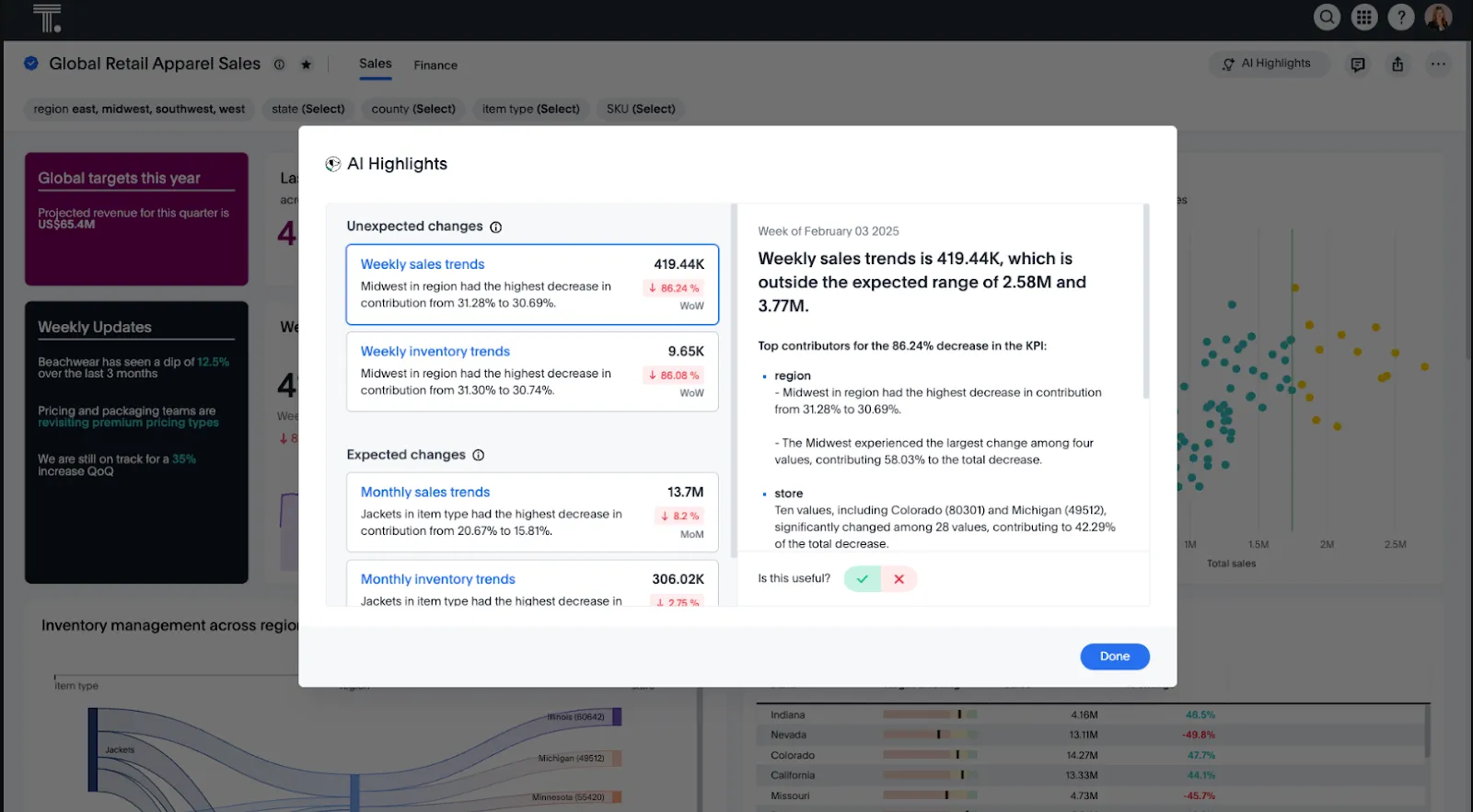
- Spotter: ThoughtSpot's AI agent generates the analysis and the dashboard from a request, and it reaches unstructured data alongside modeled tables.
- Natural language search: Typed questions resolve against live data with your governance applied, and the result stays consistent with whatever your model already treats as true.
- SpotterViz: A complete styled dashboard gets assembled from your data without anyone configuring a layout or picking chart types.
- Analyst Studio: A SQL workspace with AI Assist writing queries in real time, included on the usage-based Pro option and above.
ThoughtSpot pricing
ThoughtSpot offers two separate products: ThoughtSpot Analytics for internal BI and ThoughtSpot Embedded for building analytics into applications - each with flexible pricing depending on scale and usage:
- ThoughtSpot Analytics:
- Essentials: From $25 per user per month (billed annually), for teams of 5-50 users, includes dynamic interactive dashboards and AI-powered insights and supports up to 25M rows of data.
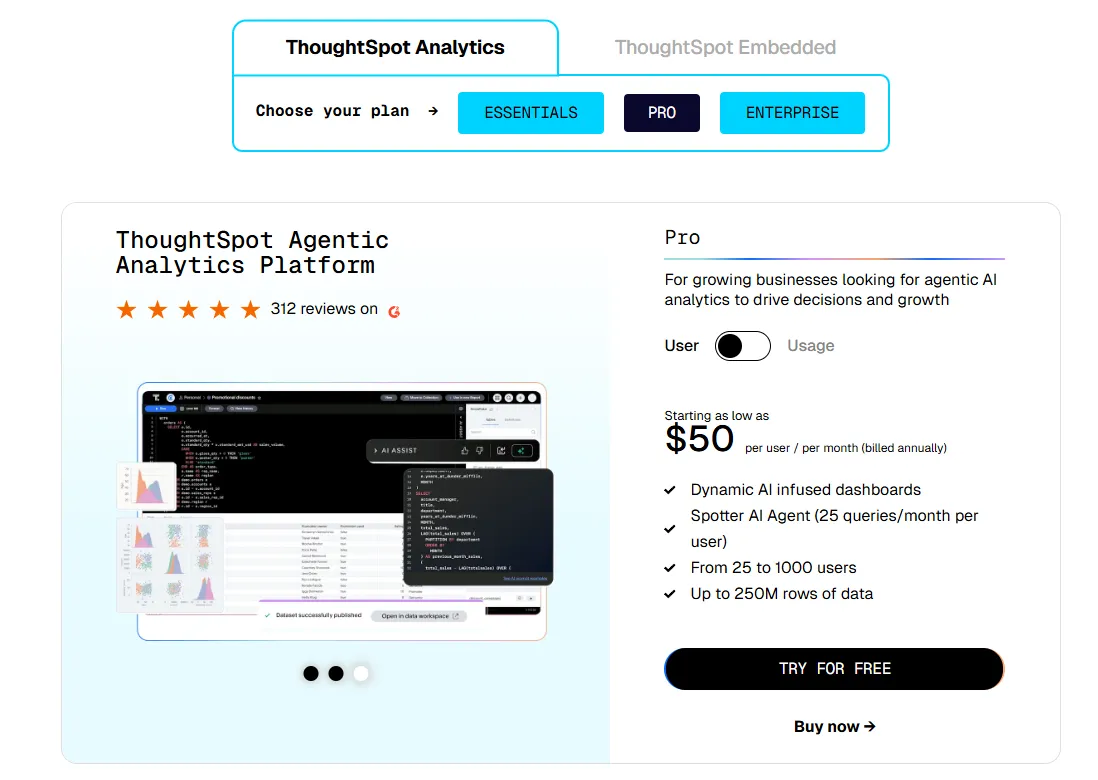
- Pro (per user pricing): From $50 per user per month (billed annually), for 25–1,000 users, includes everything in Essentials, plus AI-infused dashboards and Spotter AI Agent (25 queries per user/month), and supports up to 250M rows of data.
- Pro (usage-based): From $0.10 per query, includes everything in Pro per user, and adds Analyst Studio.
- Enterprise (user or usage-based): Custom pricing, includes everything in Pro, plus unlimited users and data.
- ThoughtSpot Embedded:
- Developer: Free for 1 year, includes embeddable AI analytics, dashboards, and visualizations, APIs and SDKs, up to 10 users and 25M rows of data.
- Enterprise (user-based): Custom pricing, includes everything in Developer, plus unlimited data.
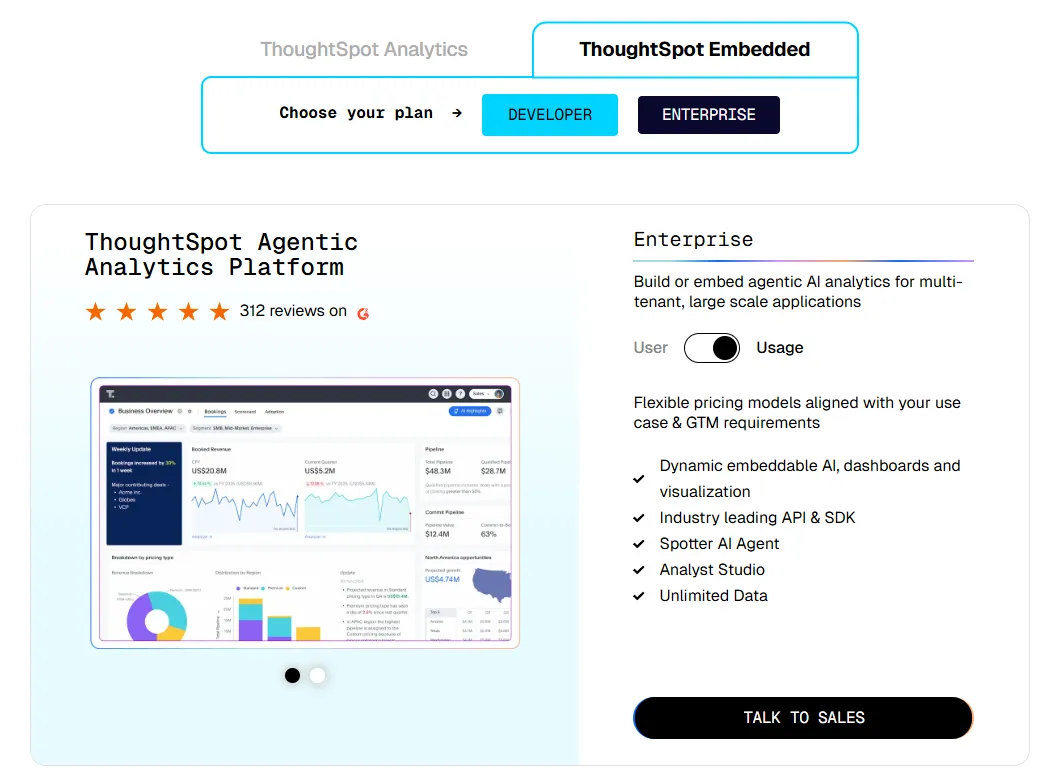
- Enterprise (usage-based): Custom pricing, everything in Enterprise, plus Spotter AI Agent and Analyst Studio.
ThoughtSpot pros and cons
✅ Business users get productive quickly, because search is the interface and no dashboard has to exist first.
✅ Unstructured sources are in scope for Spotter as well as warehouse tables, and the question set widens accordingly.
❌ Two pricing structures (per user vs. usage-based) can get confusing at scale.
#3: Tellius
Best for: Analytics teams in data-heavy industries who need the driver behind a number explained, not just the number reported.
Similar to: ThoughtSpot, Domo.
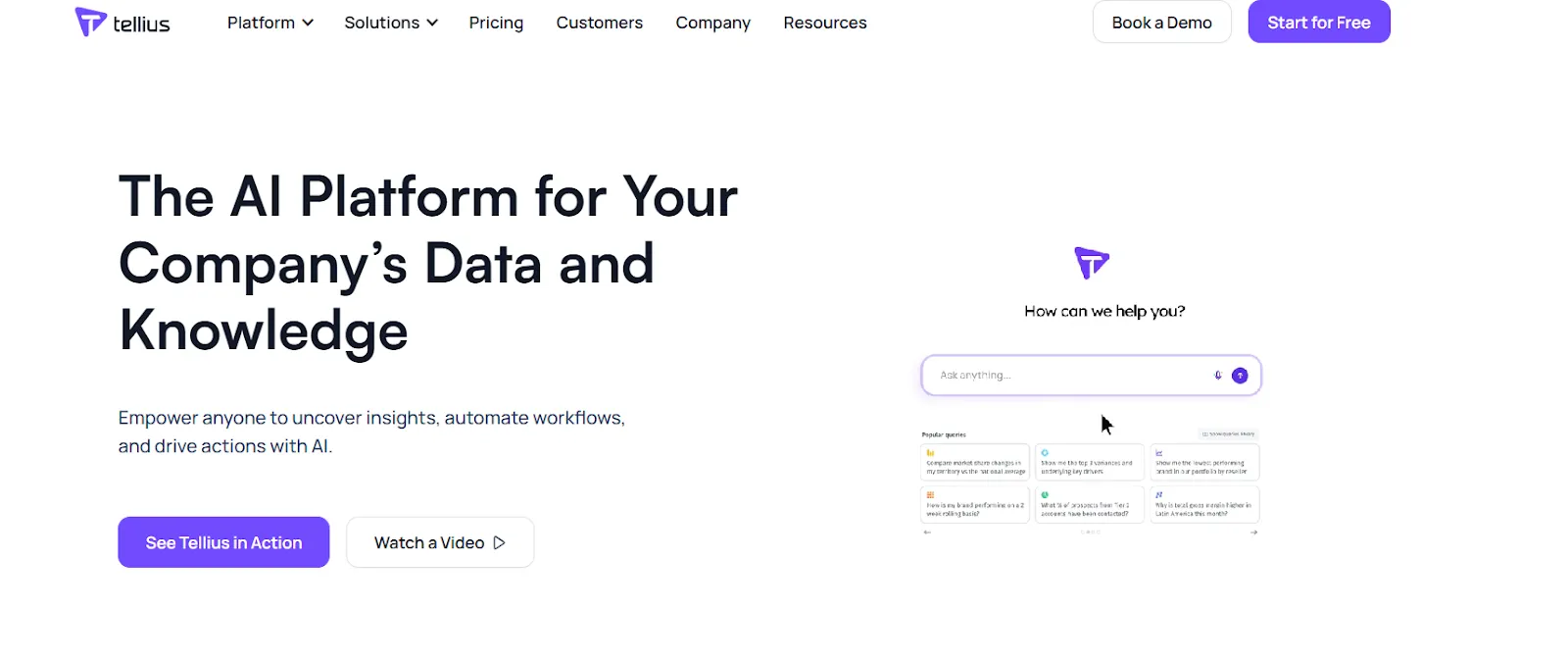
Built for teams that keep asking why a figure moved, Tellius pairs conversational analytics with automated work on what caused the change and which factors drove it, run across billions of data points.
Tellius sells into pharma, consumer goods, healthcare and financial services among other sectors, and names Novo Nordisk and Bayer among its customers.
Tellius's top features
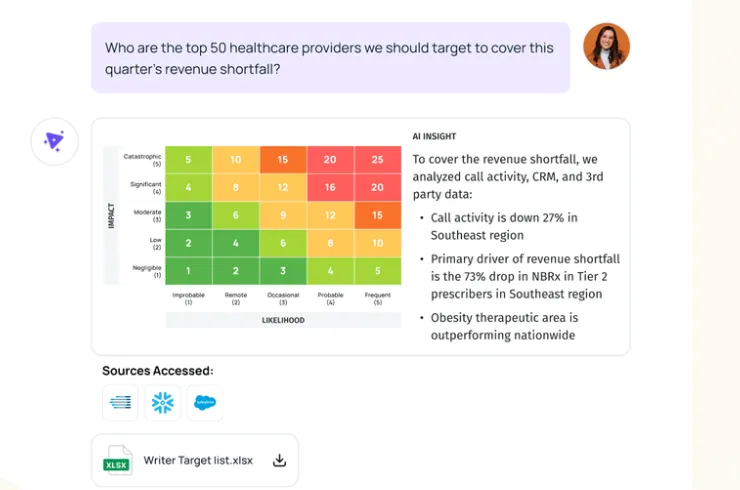
- Kaiya: Tellius's GenAI and agentic layer takes a question in natural language, establishes what happened and why, then puts a course of action on the table.
- AI Insights: Guided analysis runs on its own to surface what drove a change, which segments moved, where the outliers are and how cohorts diverged, with an explanation attached to each finding and proactive alerting switched on at Enterprise.
- GenAI narratives: Completed analyses get written up as stories teams can read and share, with visualizations generated alongside the prose.
- Agentic workflow configuration: Multistep workflows get built without code. A recurring investigation then runs identically every time.
Tellius pricing
No figure appears against either Tellius plan, so the entry price is whatever your scope gets quoted at.
A 30-day free trial is available, and you can start it without talking to sales first.
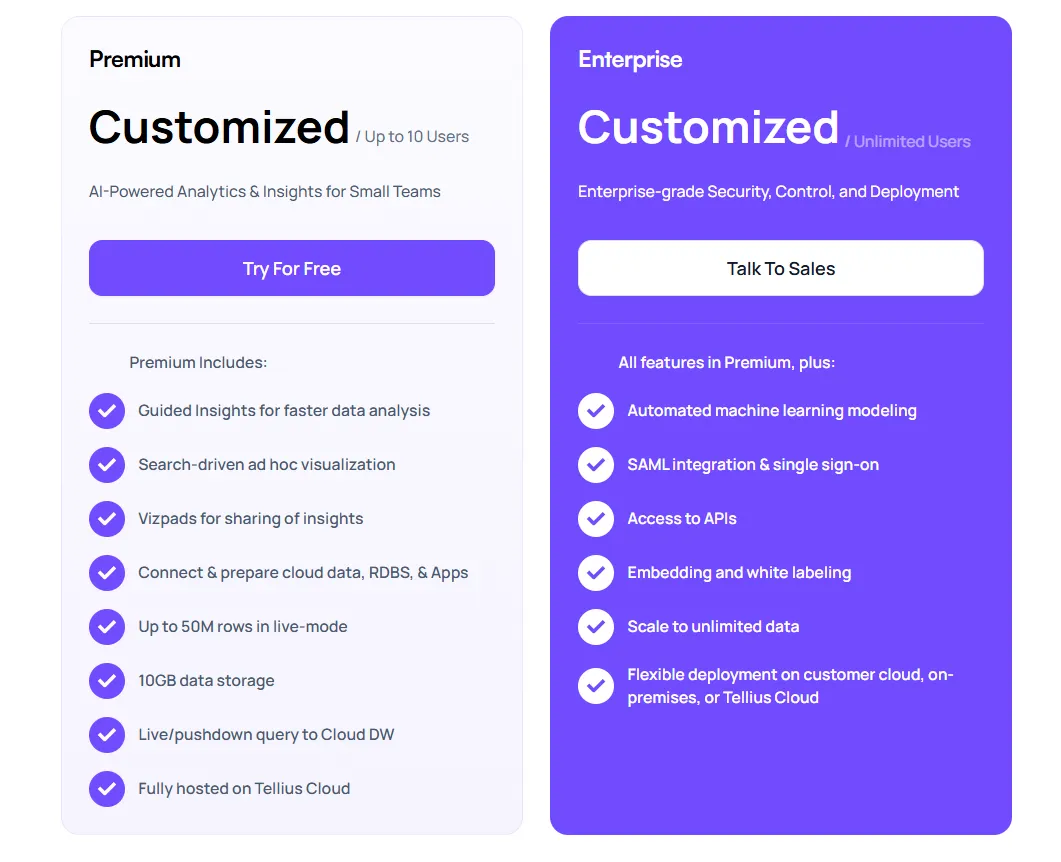
- Premium: customized pricing for up to 10 users. It covers guided insights, ad hoc charts built from a search box, Vizpads for sharing what you find, connectivity to cloud and relational sources, 50 million rows in live mode, 10 GB of in-memory cache, and hosting on Tellius Cloud.
- Enterprise: customized pricing with no user ceiling. Automated machine learning arrives here, along with SAML single sign-on, open API access, white-labeled embedding, data volumes that stop being capped, and the choice to deploy on your own cloud or on-premises.
Volume discounts and term commitments are both available on request.
Tellius pros and cons
✅ Root cause and key driver analysis run automatically, which is the harder half of the job for most analytics teams.
✅ Tellius says Kaiya holds one consistent answer wherever the question is raised, in the app or in the tools your team already uses.
✅ The 30-day trial is self-serve. No sales call to begin.
✅ AutoML and explainable AI come built in. Predictive work that normally demands its own platform stays here.
#4: Zenlytic
Best for: Enterprise data teams who want the AI answering inside Claude or ChatGPT while their governance still applies.
Similar to: Omni, ThoughtSpot.
Zoë, the AI data analyst behind Zenlytic, answers questions across Claude, ChatGPT, Slack, Microsoft Teams and Zenlytic's own app, returning the same governed answer in each one.
Zenlytic's top features
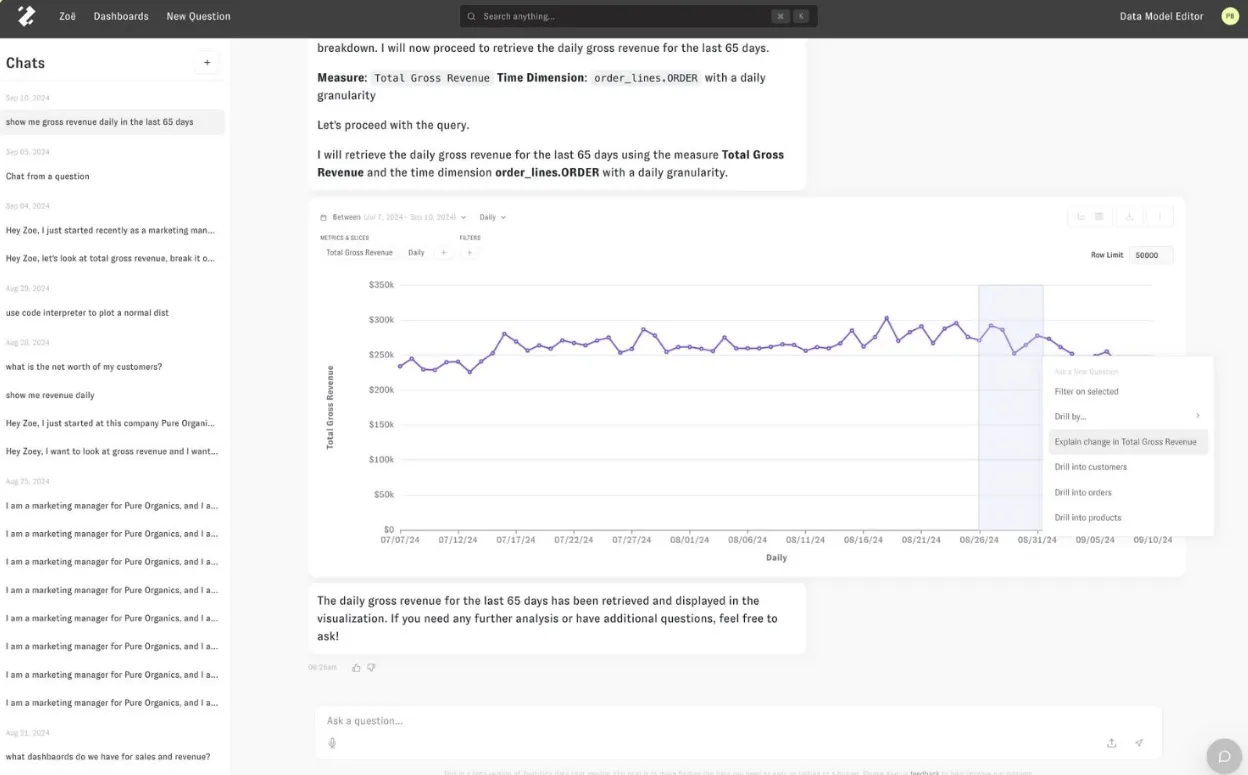
- Zoë Self-Learning: Context capture reads the LookML and DAX files you already have, assembles the semantic layer from them, then keeps learning from what people ask.
- Deterministic validation: Zenlytic decompiles the agent's SQL and flags which fields a human signed off on. A reader can judge the answer without opening the query at all.
- Observability: An admin view shows every question asked, the share answered on governed fields, and the gaps worth building next.
- Live artifacts: Published reports re-run their governed queries on every refresh under role-based access controls. A board deck can't quietly drift away from the warehouse between viewings.
Zenlytic pricing
Zenlytic keeps its rates private, and a demo booking is the route in.
Zenlytic pros and cons
✅ One answer serves Claude, ChatGPT, Slack and Teams alike, with the governance applied in each.
✅ Marking human-approved fields separately from generated ones gives non-technical readers a way to judge how much to trust an answer.
❌ No public pricing to compare against.
#5: Supaboard
Best for: Small and mid-sized teams without a data engineer who want AI analytics running this week.
Similar to: Sigma, Zenlytic.
Where most platforms ask you to model your data before anything useful happens, Supaboard connects to a source and starts building agents, dashboards, reports and shareable pages from a description of what you need.
Supaboard's top features
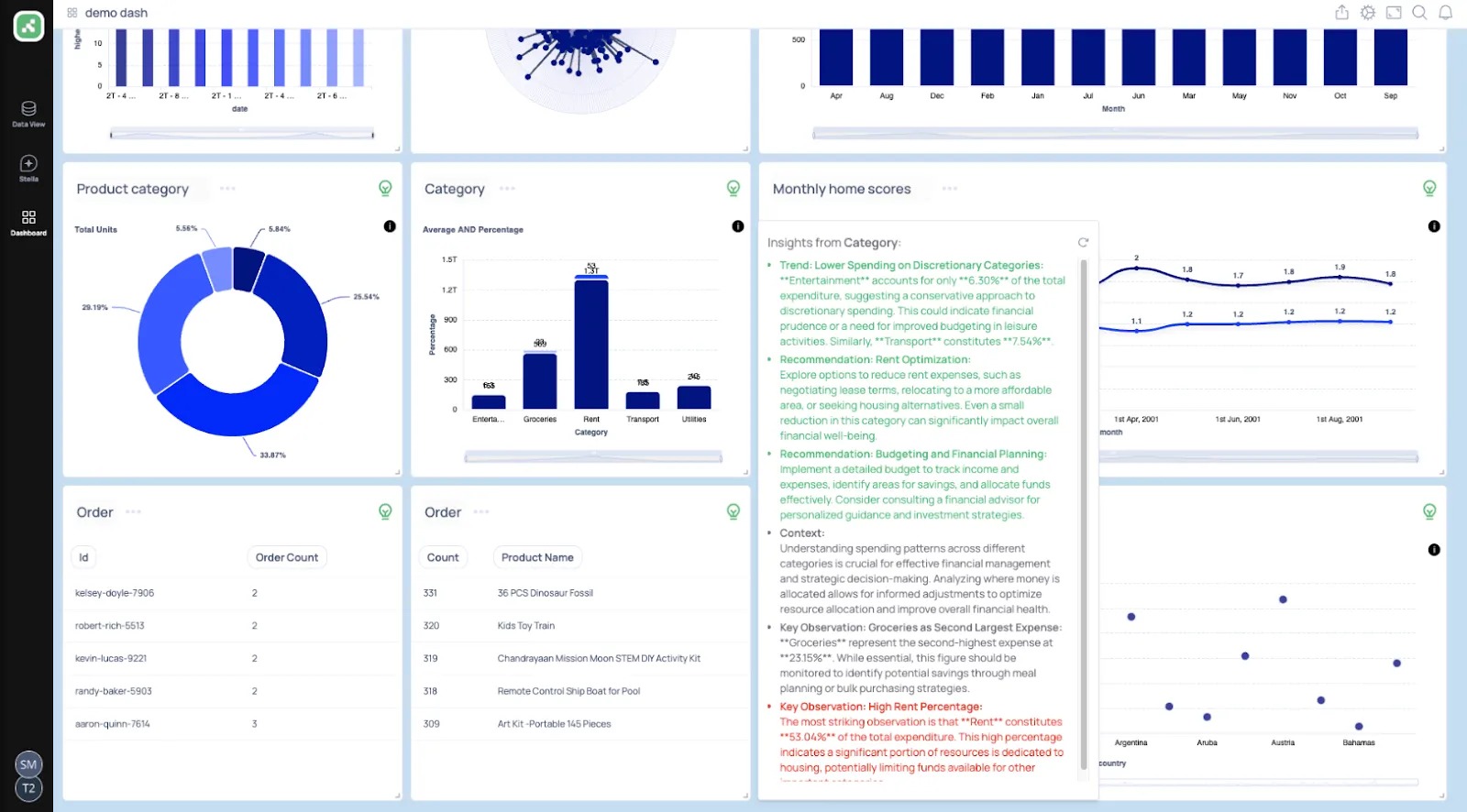
- Custom data agents: Each agent learns the rules your business runs on: how you define a metric, which SLAs apply and what counts as normal, so answers match how your company measures things and never how a generic model guesses.
- Ask Analysts: Questions in natural language return metrics, charts, explanations and recommended actions, with follow-ups handled in the same conversation.
- Datasites: Generated HTML dashboards get shared as live pages or embedded, with Decks turning the same content into a presentation.
- Artifacts and automations: Analyses export as PowerPoint or Excel artifacts on the Business tier, where scheduled reports and alerts also become unlimited.
Supaboard pricing
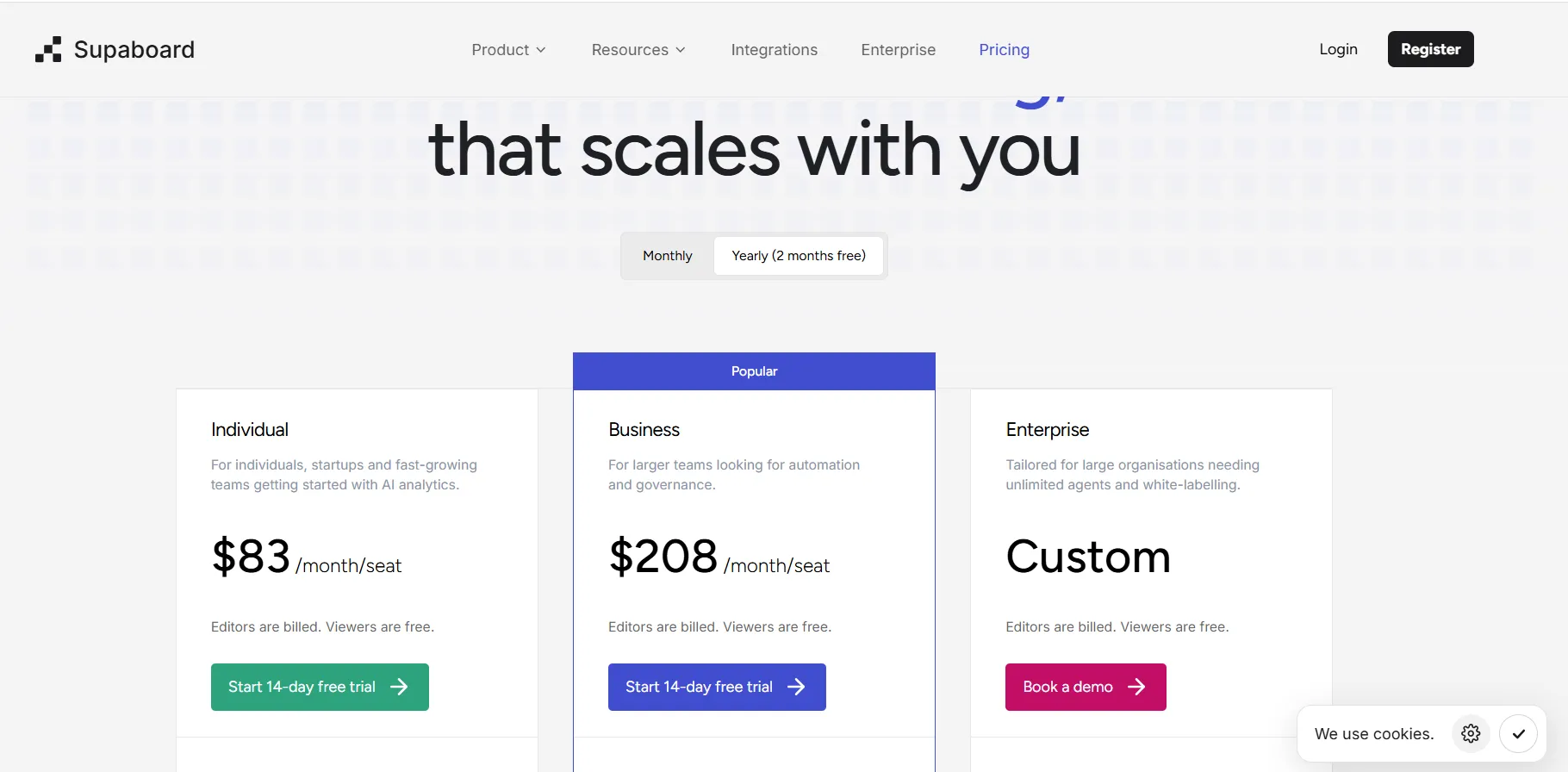
Supaboard starts at $83 per seat per month on annual billing, and only the people who build are billed.
Viewers are free with no limit on them, and every plan includes a 14-day trial with no card required.
- Individual: $83/month, includes a single user, default AI agent, advanced AI models, static embeddings, unlimited dashboards, and email support.
- Business: $208/month, includes everything in Individual with multiple users, custom agents, AI embeddings, Slack and team bot integration, and dedicated support.
- Enterprise: Custom pricing, includes everything in Business with unlimited users and agents, AI embeddings with white-labeling, custom integrations, a dedicated account manager, and bespoke onboarding.
Supaboard pros and cons
✅ Viewers are free and unlimited. Anyone who only reads a dashboard costs nothing.
✅ Databases are queried live at question time, and reviewers report setup is measured in hours.
✅ On Enterprise, you bring your own model keys for Anthropic, OpenAI, Google Vertex or any OpenAI-compatible endpoint, and inference stays inside your own contracts.
✅ Both monthly and annual rates are published for every seated tier.
❌ Limited dashboard customization options are implied by a G2 review.
#6: Domo
Best for: Mid-market and enterprise teams wanting ingestion through to agent-driven action held on a single contract.
Similar to: Microsoft Power BI, Tellius.
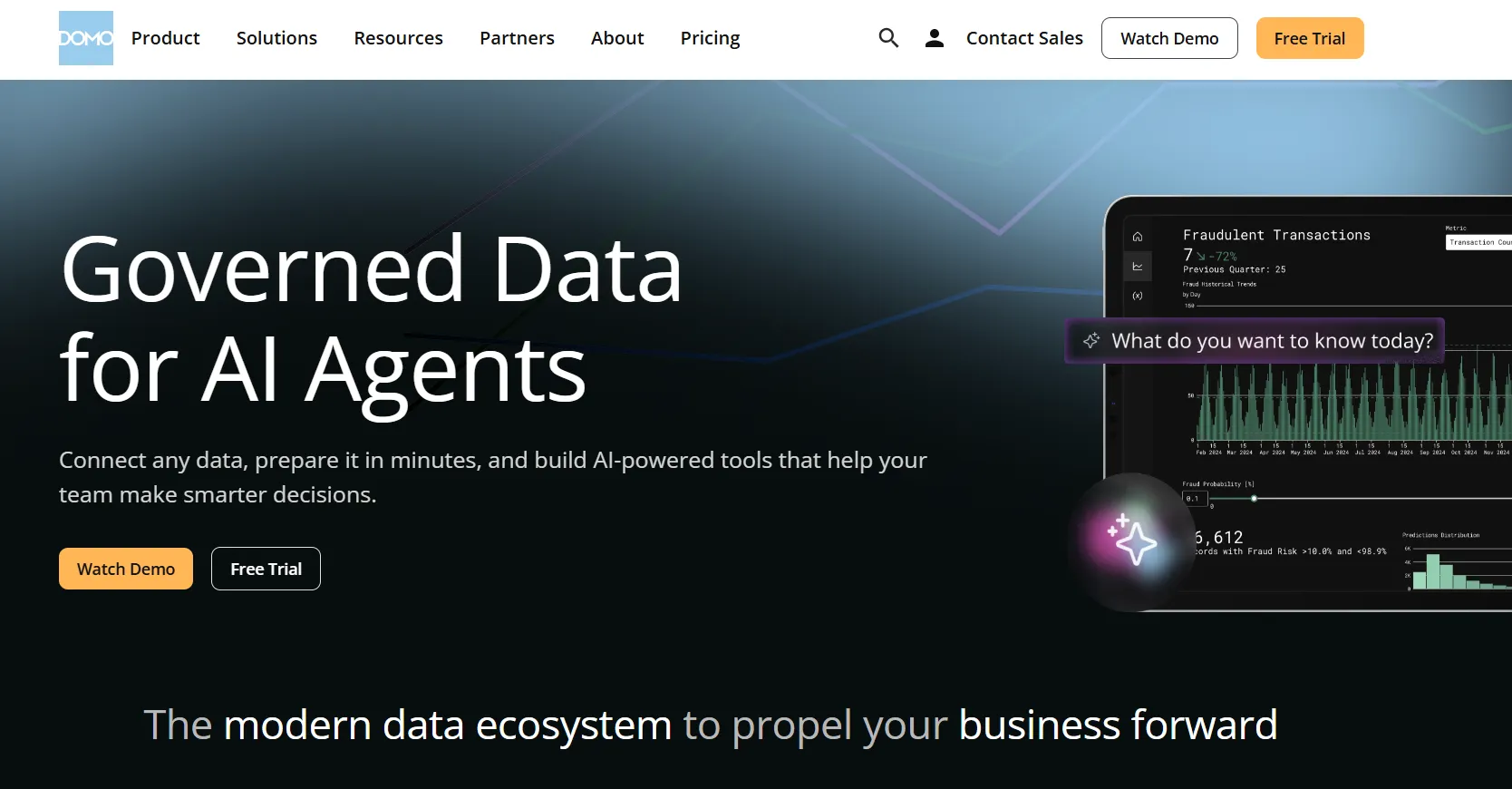
Domo bundles data ingestion, transformation, dashboards, AI chat and agent building into a single hosted platform, so the path from a source system to an agent acting on it never leaves the vendor.
Its AI work has moved well past a chat box, with Agent Catalyst positioned as the hub where organizations build and govern their own agents.
Domo's top features
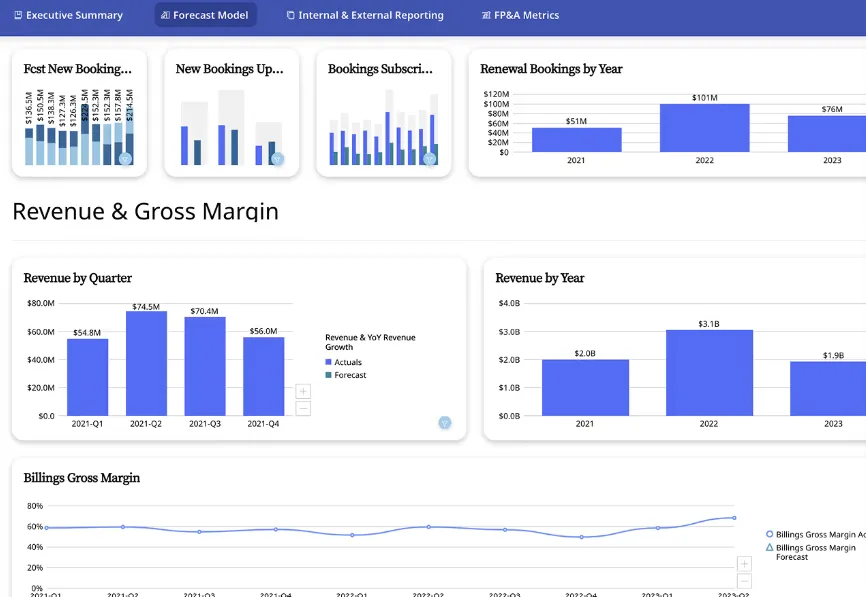
- AI Chat: Questions run across multiple datasets in one conversation, returning explanations and generated visualizations, with suggested next actions attached.
- Agent Catalyst: A no-code hub for building agents, where you bring your own large language model, set instructions, attach knowledge sources, and give the agent approved tools to act with.
- DomoGPT and the AI Library: Models and agents get managed in one place alongside AI Toolkits, with Anthropic models among the options and multi-step reasoning supported.
- Connector library: More than 1,000 connectors span accounting, billing, CRM and payment systems, most of them a few clicks to configure.
Domo pricing
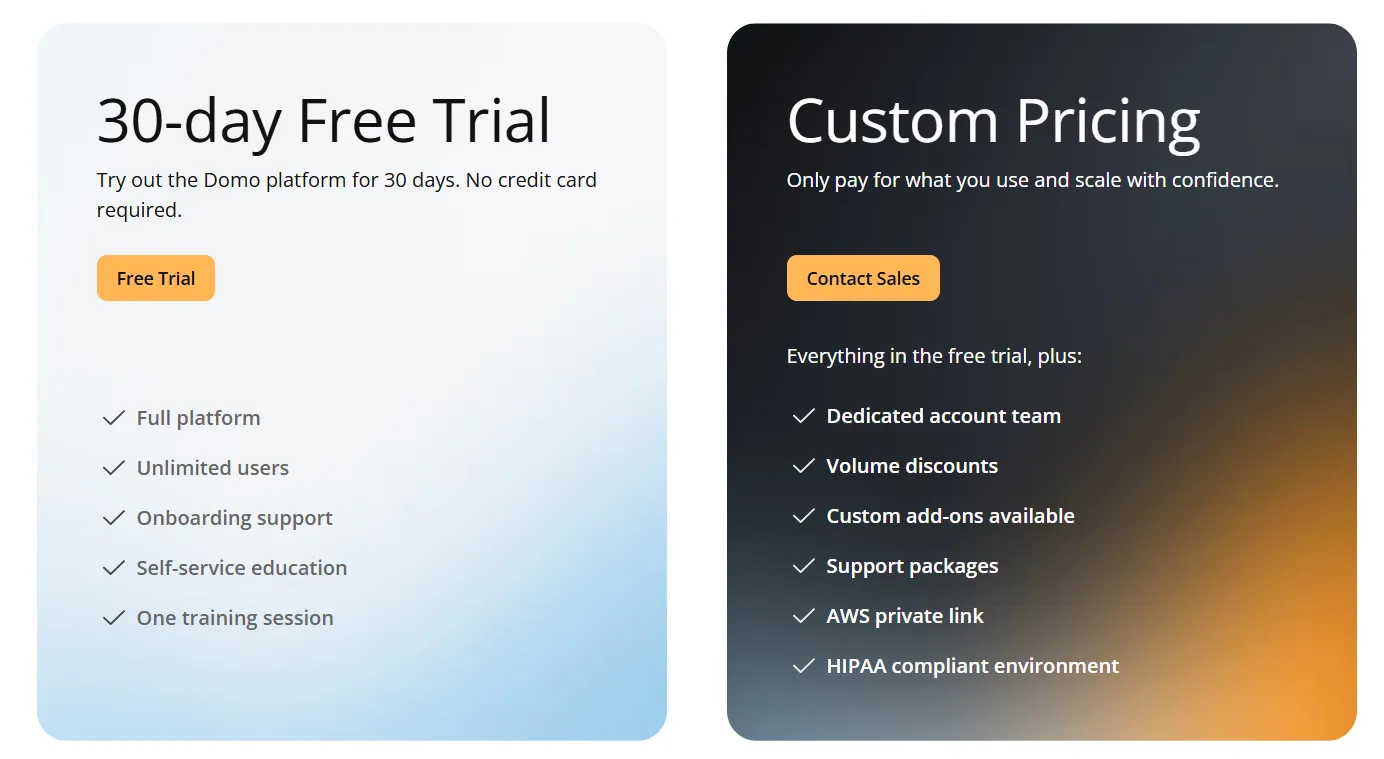
Domo publishes no rates, and the only entry point without a sales conversation is a 30-day trial.
That trial asks for no credit card and caps neither credits nor users, and it includes onboarding support with one training session.
- Free trial: 30 days, no credit card needed, with full platform access for unlimited users and a guided training session.
- Paid plan: usage-based pricing that scales with analytics needs, adding a dedicated account team, volume discounts, and support packages.
➡️ We work through what the credit model does to a budget in ourDomo pricing guide.
Domo pros and cons
✅ One vendor carries the whole route, from the raw source system to an agent taking action on what it found.
✅ The credit consumption rules are published activity by activity, more disclosure than most usage-priced vendors offer.
#7: Microsoft Power BI
Best for: Microsoft-licensed organizations that want AI analysis from a vendor already on the contract.
Similar to: Tableau, Domo.
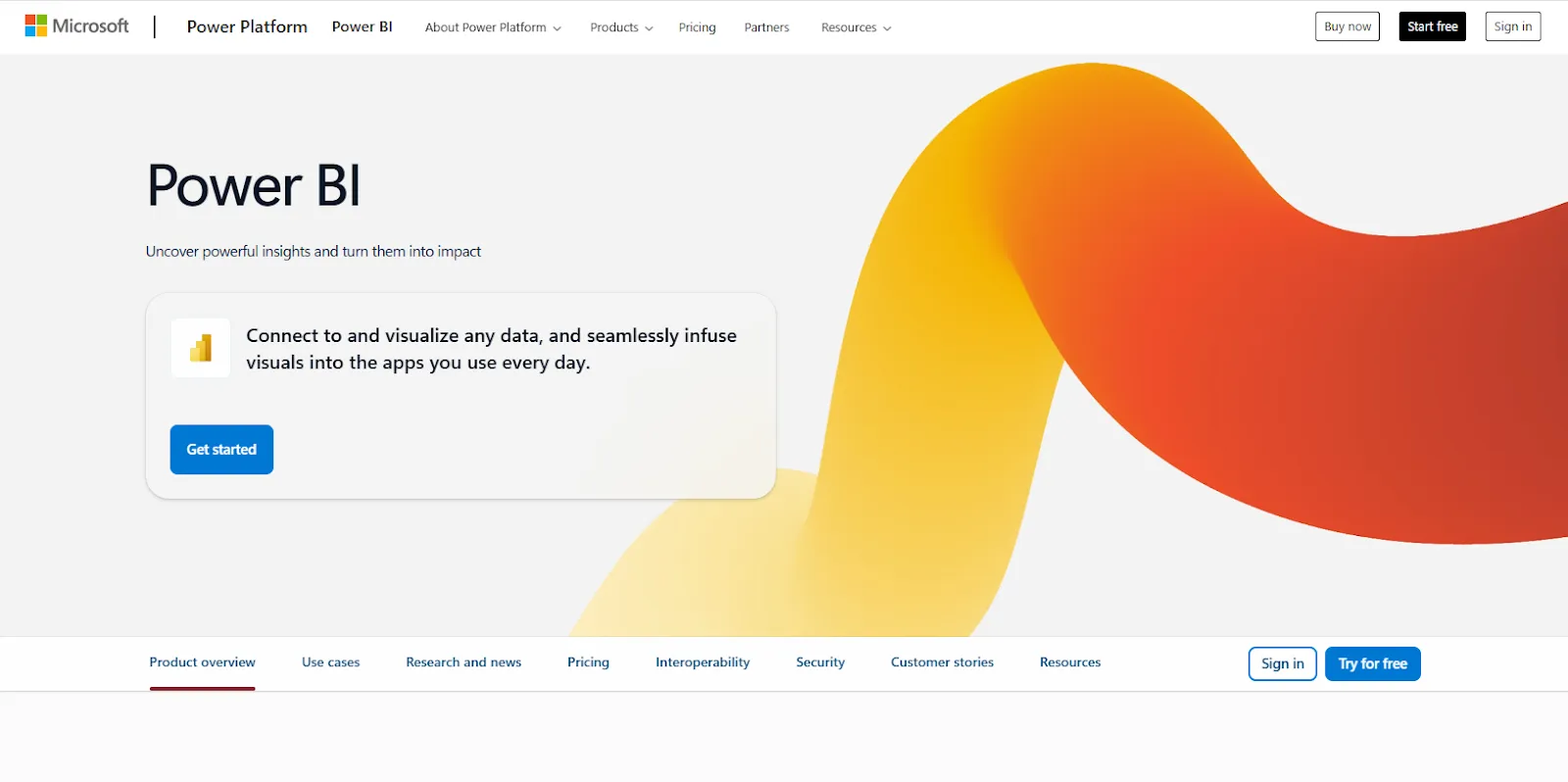
Copilot is the AI layer in Microsoft Power BI, and it drafts DAX for authors while answering business questions against the semantic model underneath.
Microsoft Power BI's top features
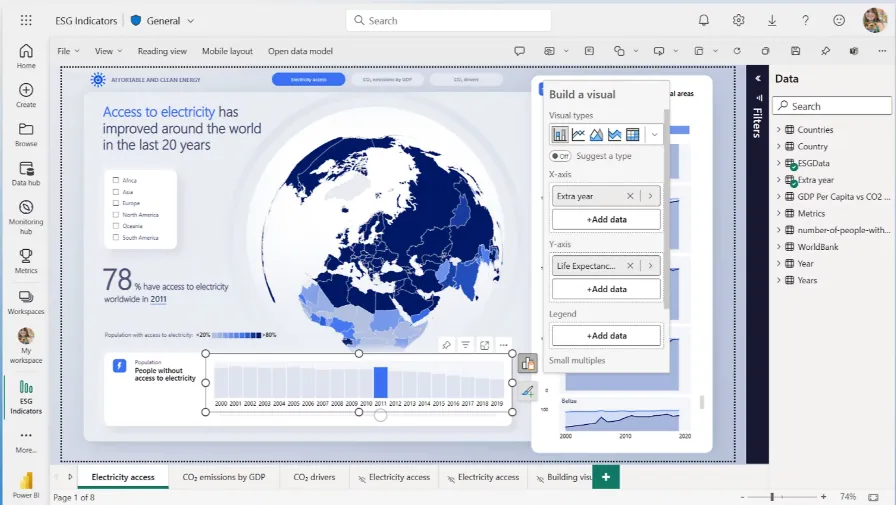
- Copilot in Power BI: Report summaries and question answering both resolve against the semantic model, so how carefully your measures, field descriptions, hierarchies and synonyms were written decides how good the answers come back.
- Copilot in Power BI Desktop: Authors get the same assistance locally, though it only activates once they hold at least contributor access to a workspace on a qualifying capacity.
- Fabric data agents: One agent connects up to five sources across lakehouses, warehouses, Power BI semantic models and KQL databases, then publishes an API endpoint that Copilot Studio and your own applications can call. It remains in public preview.
- Fabric Copilot capacity: Designating one capacity for Copilot billing routes every user's AI consumption to it, which spares admins from assigning capacity person by person.
Microsoft Power BI pricing
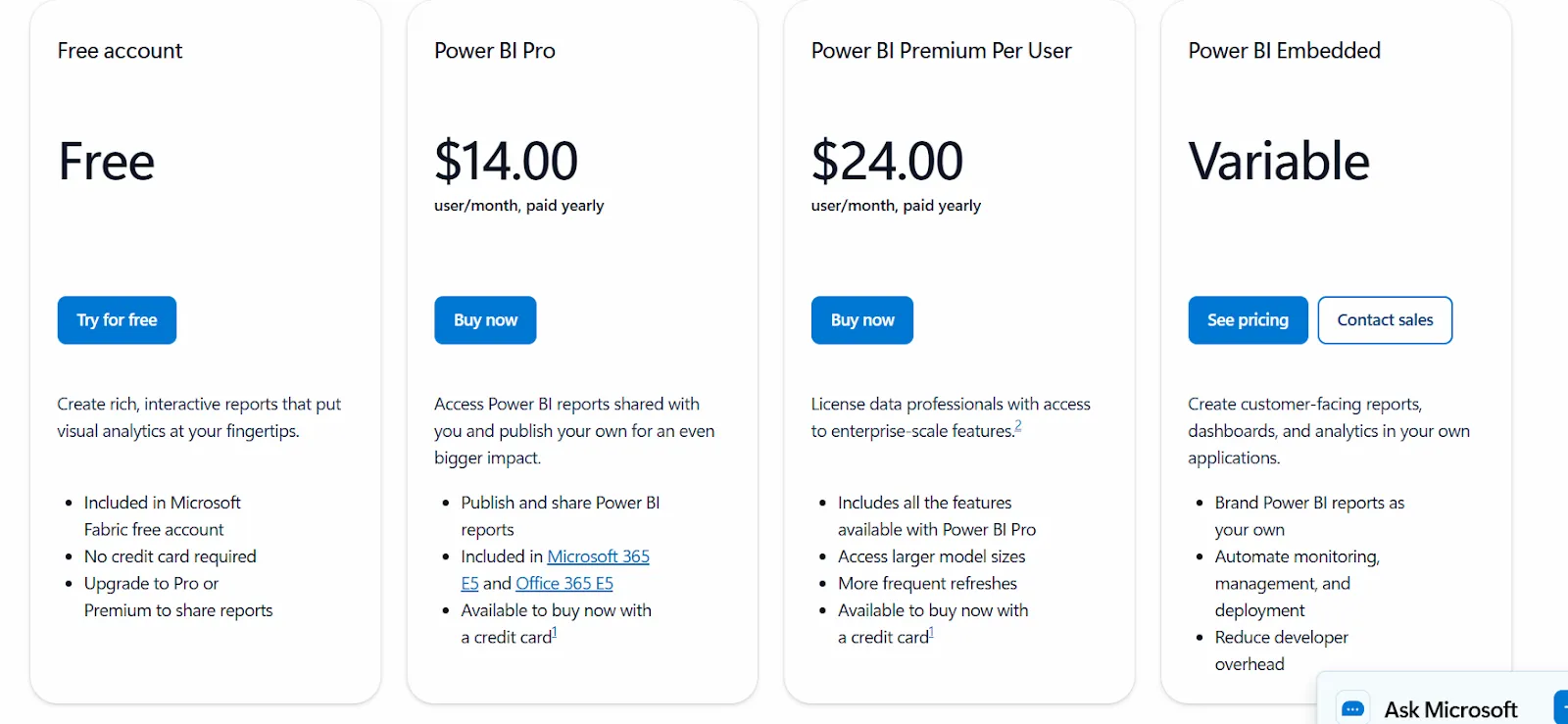
Power BI uses a per-user and capacity-based model:
- Free: build personal reports and dashboards, with no sharing.
- Power BI Pro: $14/user/month, with publishing, workspace sharing, and Teams or SharePoint embedding.
- Power BI Premium Per User: $24/user/month, adding larger models, more refreshes, and AI features.
- Power BI Embedded: custom pricing for customer-facing analytics in your own apps.
Microsoft Power BI pros and cons
✅ A Pro license already ships inside Microsoft 365 E5 and Office 365 E5, which settles the budget question before it gets asked.
✅ Nothing else on this list works as closely with Excel and Teams for an organization standardized on Microsoft.
❌ Below Fabric F64, every person opening a report needs a paid seat, and we run those numbers in ourPower BI pricing guide.
#8: Tableau
Best for: Enterprises wanting agentic analytics layered onto visual analysis their teams already know.
Similar to: Microsoft Power BI, ThoughtSpot.
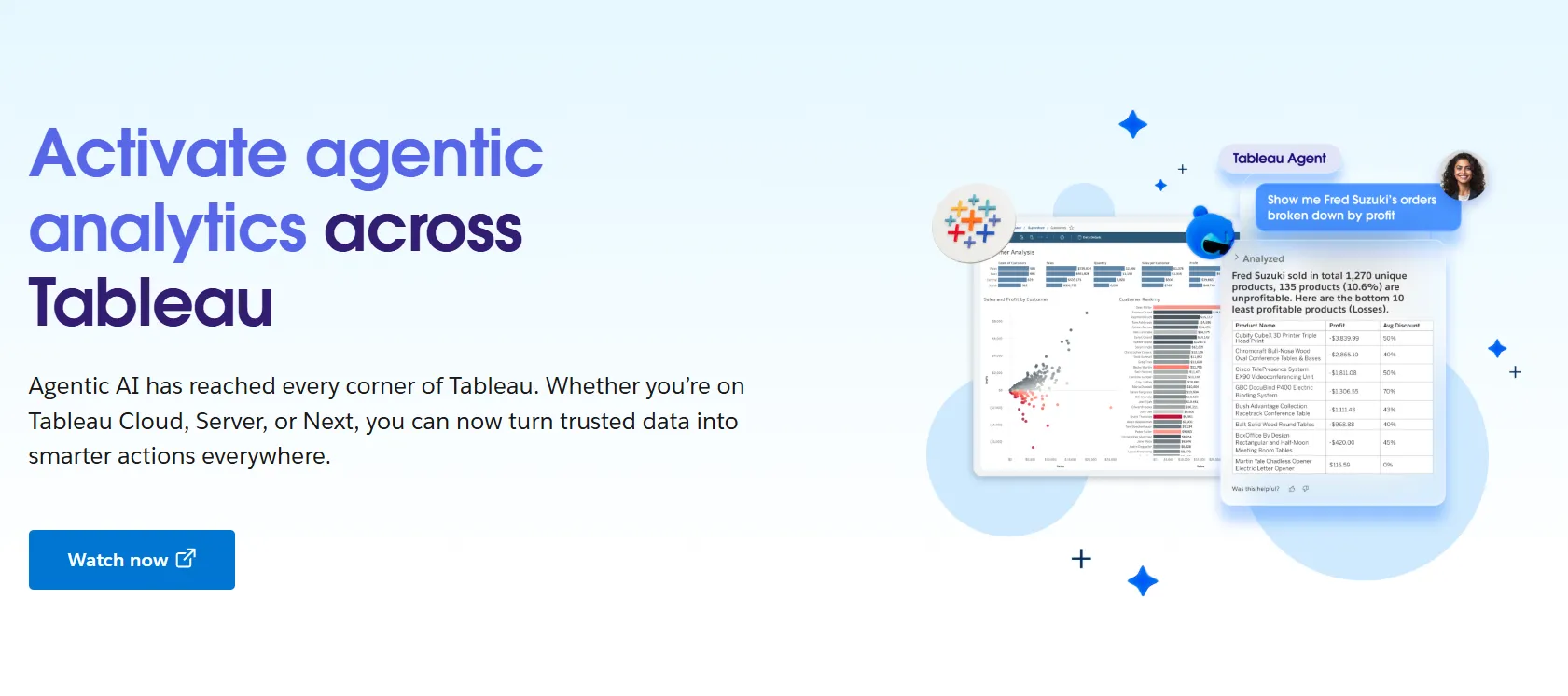
Salesforce reframed the whole Tableau portfolio as an agentic analytics platform during 2026, pulling Data 360, Tableau Next, Tableau Cloud and a set of new agentic components under a single umbrella.
For buyers, that means the AI conversation and the visualization conversation now happen across two product lines with separate rate cards.
Tableau's top features
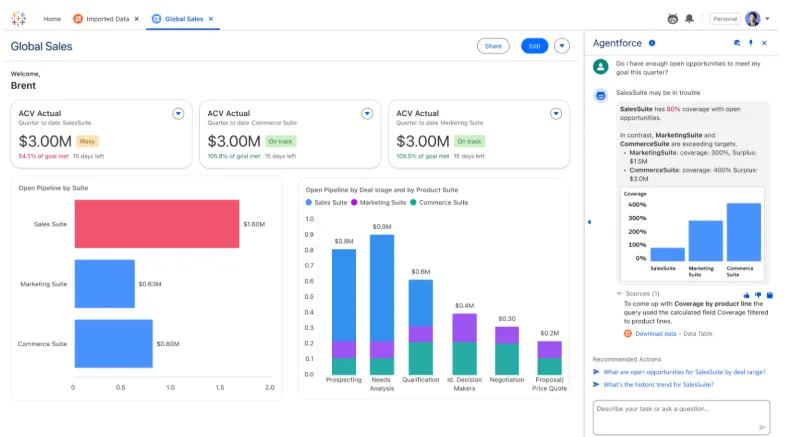
- Tableau Agent: The agentic layer reaches Prep, Catalog, Pulse, Desktop and browser-based authoring, and it became generally available on Tableau Cloud with the Cloud+ edition.
- Tableau Next: A separate product line built on the agentic platform, licensed through Creator and Consumer types, with native Slack integration included at the entry tier.
- Tableau Semantics: The shared metric layer the agents read from, available through Data 360 and carried into Tableau Next.
- Tableau Pulse: Licensed users receive metric digests describing what moved, which reaches colleagues who almost never open a dashboard themselves.
Tableau pricing
Tableau uses per-user, per-month pricing, with separate plans depending on whether you deploy Tableau in the cloud, on your own servers, or as part of its newer AI-driven offering:
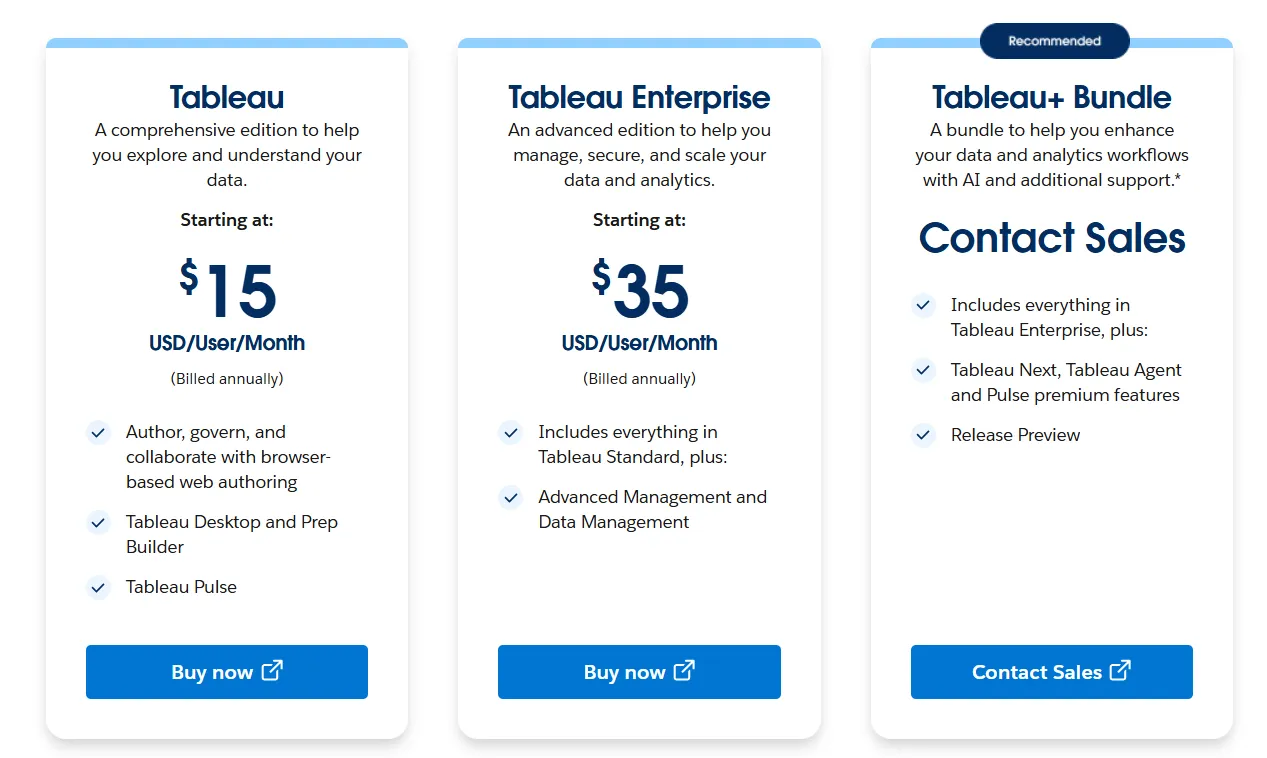
- Tableau Cloud has three pricing plans:
- Tableau Standard: Starts at $15/user/month, which includes browser-based authoring and collaboration, Tableau Desktop and Prep Builder, Tableau Pulse for metrics and insights.
- Tableau Enterprise: Starts at $35/user/month and includes everything in Standard, plus Advanced Management and Data Management for governance and scale.
- Tableau+ Bundle (Cloud + AI): Custom pricing, includes everything in Tableau Enterprise, plus Tableau Next, Tableau Agent, and Pulse premium features, with access to release previews and early AI capabilities.
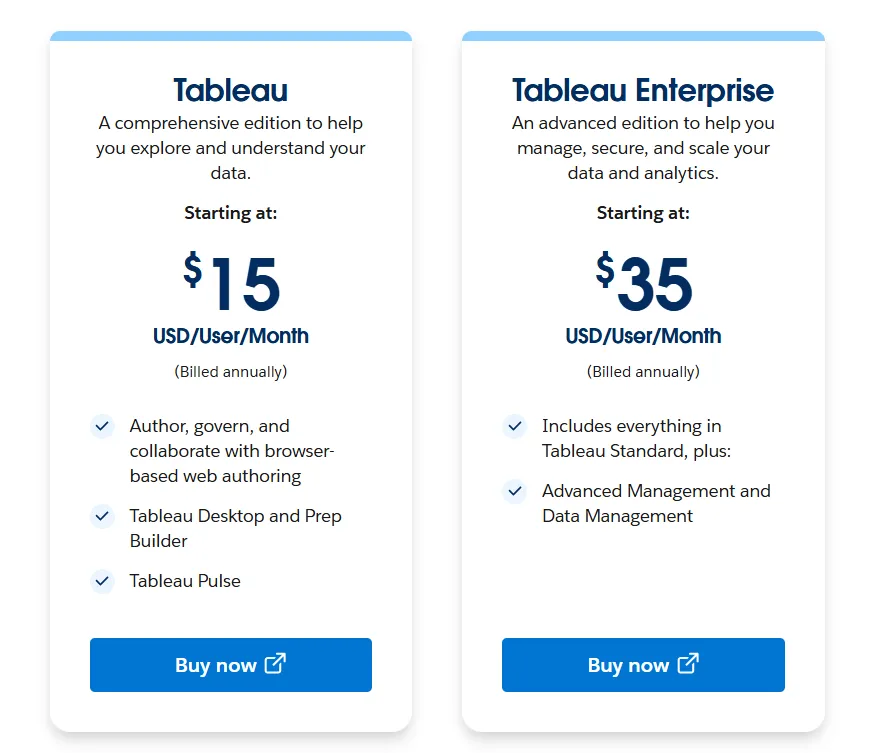
- Tableau Server has two pricing plans:
- Tableau Standard: Starts from $15 per user/month, which includes authoring, governance, and collaboration and Tableau Desktop and Prep Builder.
- Tableau Enterprise: Starts from $35 per user/month, which includes everything in Standard, plus Advanced Management, Data Management, and eLearning.
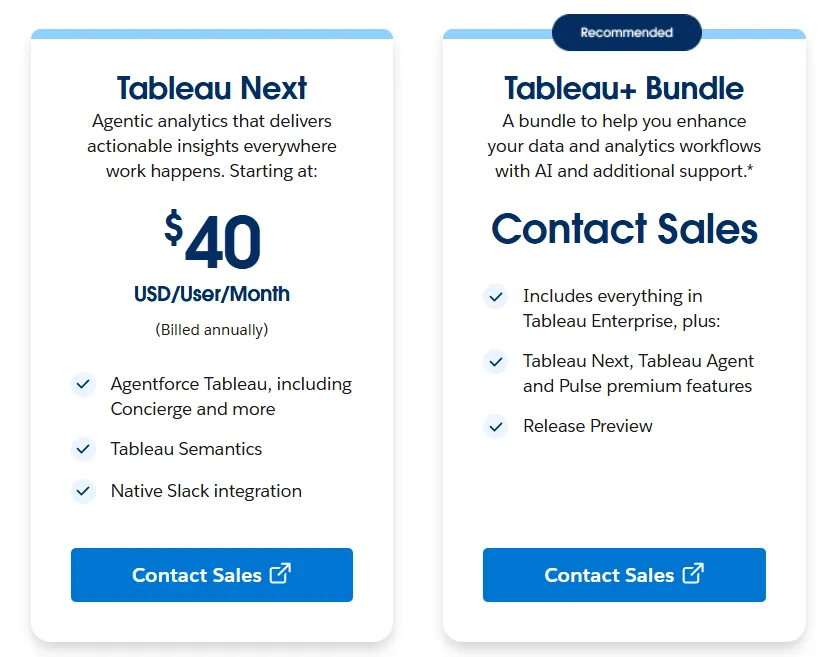
- Tableau Next (agentic analytics) has 2 plans:
- Tableau Next: Starts from $40/month/seat, and includes Agentforce Tableau, Tableau Semantics, and its Native Slack integration.
- Tableau + Bundle: Custom pricing, which includes everything in Tableau Enterprise, plus Tableau Next, Tableau Agent and Pulse premium features.
➡️ The two-axis licensing model gets worked through properly in ourTableau pricing guide.
Tableau pros and cons
✅ Visual depth few platforms match, with an installed base of people who already know the tool.
✅ Tableau Next publishes an entry price that already covers the agent and the semantic layer, unusually clear disclosure for this vendor.
✅ Splitting licenses by role means a large read-only audience is served at the Viewer rate, well below what a Creator costs.
✅ Server deployment stays available for organizations with data residency requirements they can't hand to a vendor.
❌ Per-user pricing can scale fast for organizations rolling out broadly.
#9: Sigma
Best for: Teams whose analytical skill is spreadsheets, and who want agents working on the same governed warehouse data.
Similar to: Omni, Supaboard.
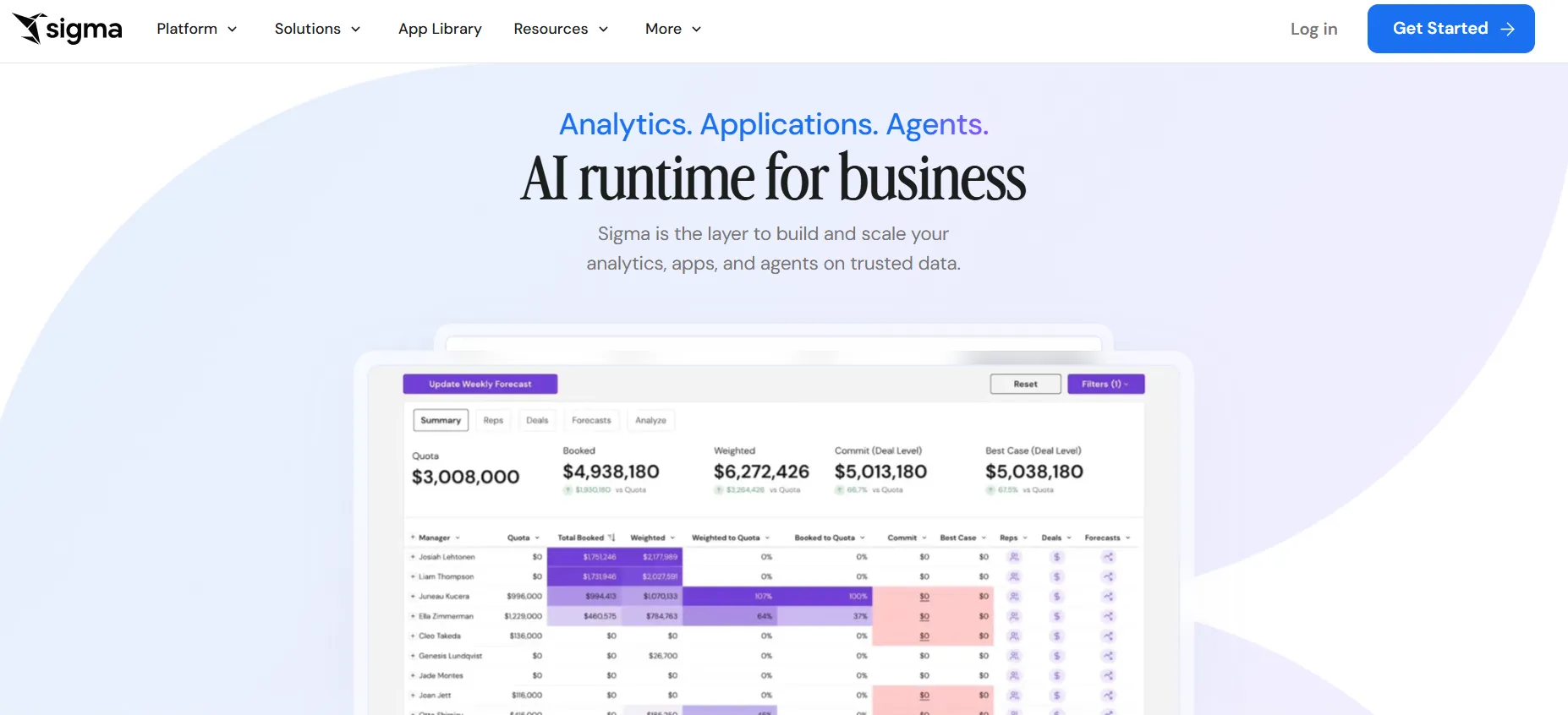
Sigma now positions itself as the place AI apps and agents run against warehouse data that stays governed, with a single control plane covering who can see what, what got queried, where each number came from, and how changes get released.
The spreadsheet grid that made its name hasn't gone anywhere, and formulas and pivots still execute over billions of warehouse rows.
Sigma's top features
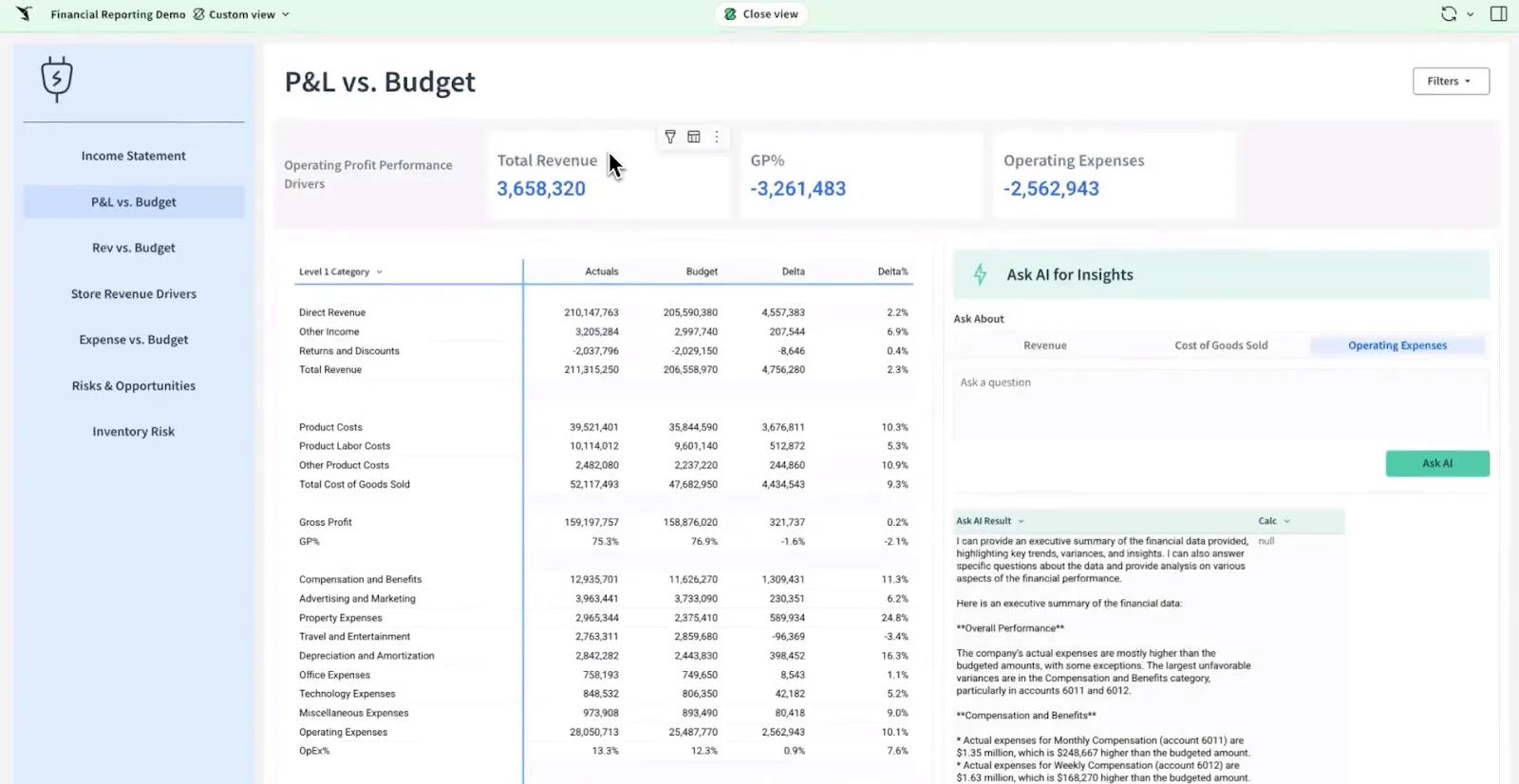
- Ask Sigma: An agentic interface for analysis that walks through each step of its reasoning, showing which analytical methods it chose and why, and the path to the answer stays inspectable.
- AI Columns: An everyday-language prompt runs against every row to enrich or classify data, governed and cached, with no code involved, and it's in beta for Snowflake and Databricks.
- Bring your own warehouse models: Ask Sigma runs on AI models inside Snowflake or Databricks with no external API key needed, and inference never leaves the warehouse you already run.
- AI cost monitoring: An admin dashboard tracks AI usage and data quality, a control that matters once agents outnumber people as the source of queries.
Sigma pricing
There is no rate card on Sigma's pricing page, only a contact form standing in for the numbers.
Sigma pros and cons
✅ Ask Sigma shows its decision logic step by step, and you can audit the reasoning alongside the result.
✅ Running inference on Snowflake or Databricks models keeps prompts and data inside infrastructure you already govern.
✅ Anyone fluent in Excel will find the interface familiar from the first session.
✅ The admin dashboard meters AI spend, which becomes the number to watch once agents are writing the queries.
❌ No rate card. Every evaluation includes a scoping conversation.
#10: Omni
Best for: Data teams who want a governed semantic model and an agent that helps write it.
Similar to: Sigma, Zenlytic.
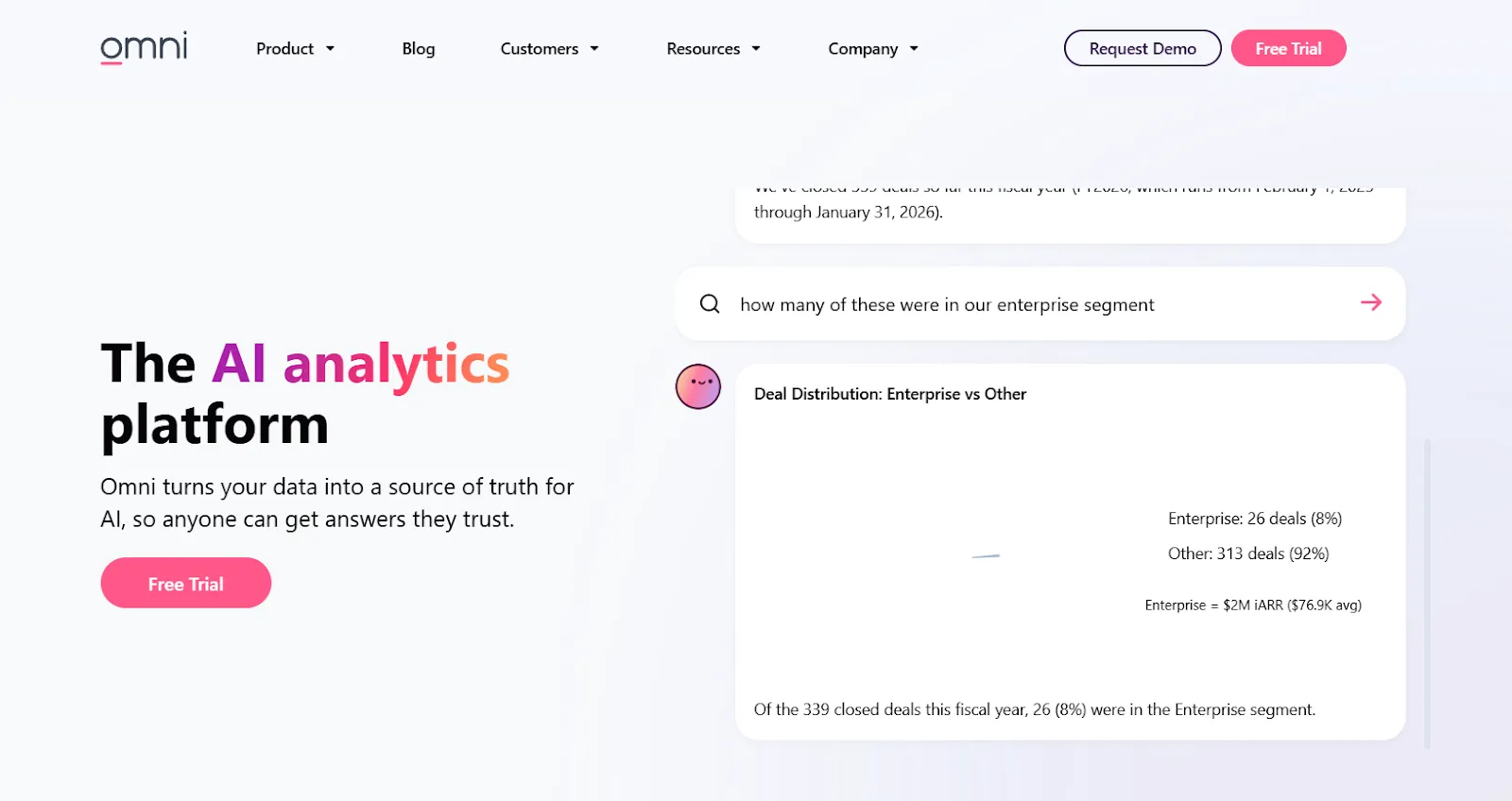
Omni pairs a centralized semantic model with an AI agent that answers only from curated datasets the data team has defined.
The angle that separates it from the rest of this list is that a second agent helps build the model the first one reads.
Omni's top features
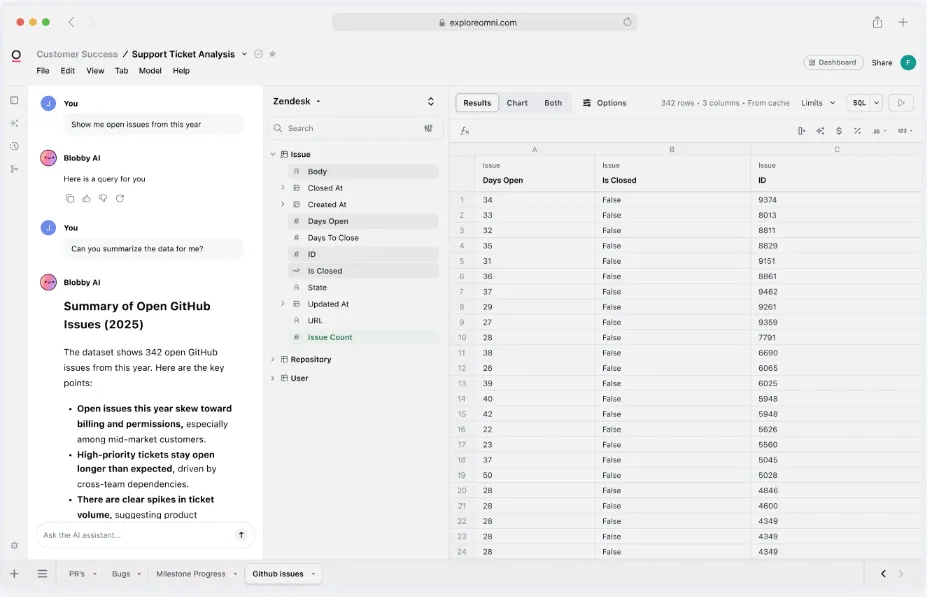
- Blobby: Omni's AI agent answers natural-language questions through the semantic layer, so finance and sales get the same number for revenue because both queries resolve against the same definition.
- Modeling Agent: Requests to create views or define joins come back as YAML that your team reviews and commits.
- Topics: Curated datasets that spell out the join paths and separate metrics that look alike, while setting the boundary of what each dataset should be asked. Canonical queries then show the agent the shape a good answer takes.
- AI usage visibility: Admins see row-by-row detail on what the team asked, which tells them which queries are worth endorsing and where the context gaps still are.
Omni pricing
Every Omni plan begins with a demo call, and no price is attached to any of them publicly.
Omni pros and cons
✅ The Modeling Agent drafts the semantic modeling work that normally has to be finished before an AI rollout can start.
✅ Warehouse and dbt metadata feeds the agents automatically, and logic written in Omni can be pushed back upstream.
❌ No public pricing.
Get started with Dot for free
That's the field of 10 AI data analysis tools worth a shortlist in 2026, split between agents designed for the job from the first line of code and agentic layers fitted to platforms that predate the category by a decade.
Most of them will do good work for a data team, and a few handle things we've decided not to build.
Dot’s starting point is the other one.
The write-up shows up finished, wherever your colleagues happen to be working, built from whatever your analysts have already modeled.
Here's what that gives a team:
- A "why has this moved" question handed to Deep Analysis, which investigates properly and returns a quantified finding alongside recommendations, with its own assumptions stated.
- Replies arriving in the Slack thread, Teams channel, inbox or tab the question came from.
- Root assembling your metric glossary from dashboards your team already trusts, with each proposed edit diffed and waiting on an admin before it reaches production.
- Recurring reports written to explain a change, addressed to specific people and run under their data permissions.
- Warehouse and database connections spanning Snowflake, BigQuery, Redshift, Databricks, Postgres and ClickHouse, semantic layers including dbt and Power BI, SOC 2 Type II underneath all of it, and no tier that caps your user count.
➡️ Get started for free with Dot's free plan, or schedule a demo to see how it works with your data.
⚠️ Disclaimer: This article was last updated on September 17, 2026. If you spot any inaccuracies, please do contact us, and we'll fact-check it.
Theo Tortorici
Theo writes about AI-powered analytics, data tools, and the future of business intelligence at Dot.