
10 Best Sigma Computing Alternatives In 2026
In this article, I'll cover the 10 best Sigma Computing alternatives and competitors in 2026 across AI-native analytics platforms, warehouse-native BI tools, and enterprise BI platforms, with features, pricing, and pros and cons for each.
TL;DR
- Dot is the best Sigma Computing alternative with its AI-driven business analysis, scheduled executive reports, a Context Agent for shared metric definitions, and a full audit trail behind every insight.
- For teams set on the AI-native direction, ThoughtSpot and Domo pair a mature BI engine with their own agent layers.
- If you'd rather stay in the warehouse-native lane that Sigma defined, Omni, Hex, Looker, and Metabase cover most of the shortlist.
- For larger organizations standardized on traditional dashboarding, Tableau, Microsoft Power BI, and Qlik Sense are the platforms most enterprises already run.
What are the best Sigma Computing alternatives in 2026?
The best Sigma Computing alternatives are: Dot, ThoughtSpot, and Domo.
Here's the breakdown:
Tool | Use Case | Price |
Dot | An AI data analyst that delivers written analysis, recommendations, and automated executive reports instead of workbooks. | Free plan; Paid from $180/month. |
ThoughtSpot | Search-first AI analytics with embedded options for both internal and customer-facing use. | From $25/user/month (annual). |
Domo | All-in-one cloud BI bundling ingestion, dashboards, automation, and downstream AI agents. | Custom pricing (30-day free trial). |
Omni | Modernized warehouse-native BI with a flexible semantic layer for governed self-service. | Custom pricing (free trial). |
Hex | Notebook-and-app workspace that mixes SQL, Python, no-code, and AI cells in one product. | Free plan; Paid from $36/editor/month. |
Looker | Google Cloud's BI platform built on LookML for code-defined, governed metrics at scale. | Custom pricing. |
Metabase | Open-source BI for fast self-serve analytics and embedded dashboards on a tight budget. | Free (Open Source); Cloud from $100/month. |
Tableau | Long-running visual analytics product now layering Agentforce-driven agents on top. | From $15/user/month. |
Microsoft Power BI | Standardized dashboards and reporting inside the Microsoft ecosystem. | Free plan; Pro from $14/user/month. |
Qlik Sense | Associative engine that lets users move across dimensions instead of predefined drill paths. | Custom pricing. |
What are the best AI-native analytics platforms?
The AI-native group includes platforms that treat conversation or agent-style analytics as the primary interface, instead of adding AI onto an existing dashboarding product.
Three names sit at the top of this category in 2026:
#1: Dot
Dot is built around one outcome: a question goes in, a written answer comes out.
Not a workbook to interpret or a chart to read into, the actual analysis, with the reasoning, the math, and a pointer to what's worth doing next.
That's the part that makes Dot a meaningful alternative to Sigma Computing for teams whose actual analytics work is reading and acting on answers rather than constructing the dashboards, apps, and agents that produce them.
Sigma covers a lot of ground: warehouse-native workbooks, governed data models, AI Apps, Sigma Agents, embedded analytics, and pixel-perfect reports, all running on the same platform.
Dot isn't trying to be that. It's trying to do one thing well: give you the answer right there in your workspace.
Here's how it plays out across the product: 👇
Written analysis in Slack, not just a chart
Most analytics tools answer a question by showing you the data. Dot answers by writing the analysis itself.
The flow is straightforward:
You type a question into Slack the way you'd ask a colleague. Something like "why did SMB churn jump in October?"
A few minutes later, a structured reply lands in the channel.
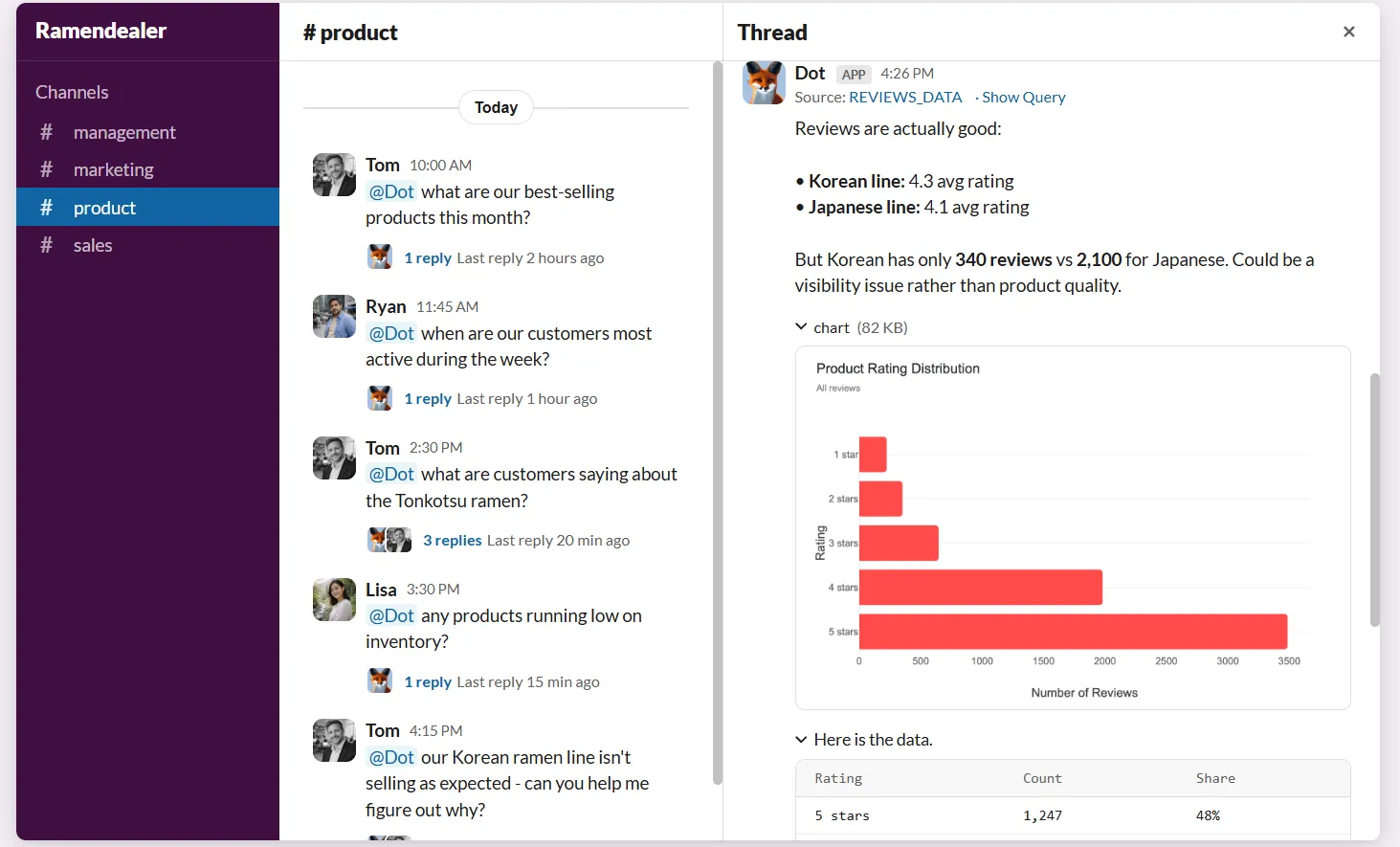
It walks through which cohorts drove the spike, what those customers had in common, what their support and usage patterns looked like in the 60 days before they left, and what the most likely root cause is.
The response covers what the data shows, the segments and regions driving the result, and the SQL that produced the numbers.
So, instead of routing through a separate tool or waiting on the data team, the analysis lands inside the same thread where the decision is being discussed.
Recurring reports that build themselves
Picture your weekly revenue review.
The deck is the same shape every Monday. Last week's numbers, the variance to plan, the accounts that moved, and the commentary explaining what changed and why.
Someone on the data team writes that commentary every week. It probably eats four to six hours of their time.
Dot writes it.
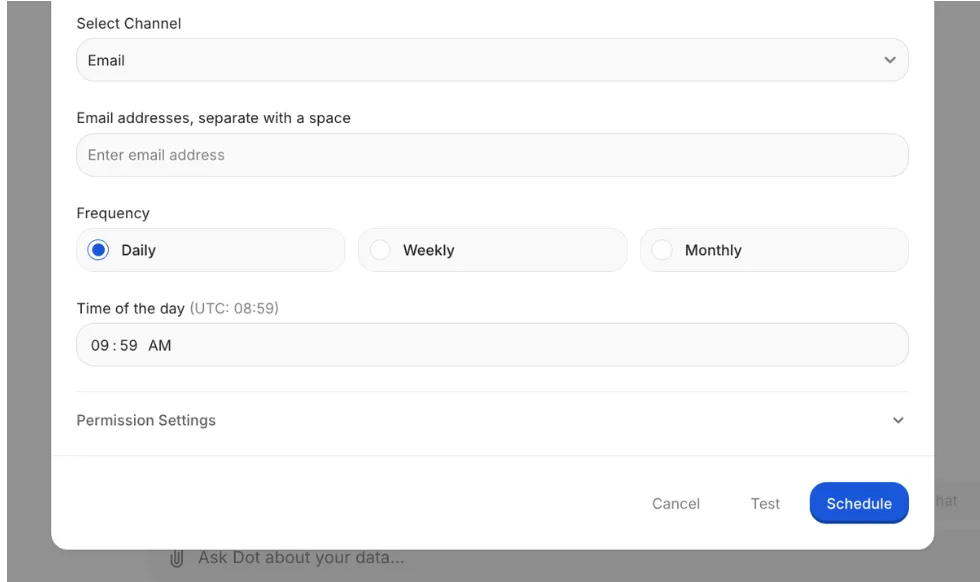
You configure the report once, and it runs forever. You can schedule it weekly, monthly, or in custom cadences, and it can be delivered to Slack channels or email.
The full report includes charts, tables, and written insights, and you can ask follow-up questions directly in the Slack thread.
The way Dot ensures accuracy is by connecting directly to your dbt models, data catalogs, and documentation.
Every number in every report traces back to the source of truth in your warehouse, and you can inspect the exact SQL and data behind any insight.
One source of truth for what metrics mean
Many analytics platforms have the same governance gap. A metric ends up defined inside one dashboard, slightly differently inside another, and, thirdly, in the spreadsheet that finance uses to close the month.
The disagreement doesn't show up in the tool. It shows up in the meeting where two leaders quote different numbers for the same KPI.
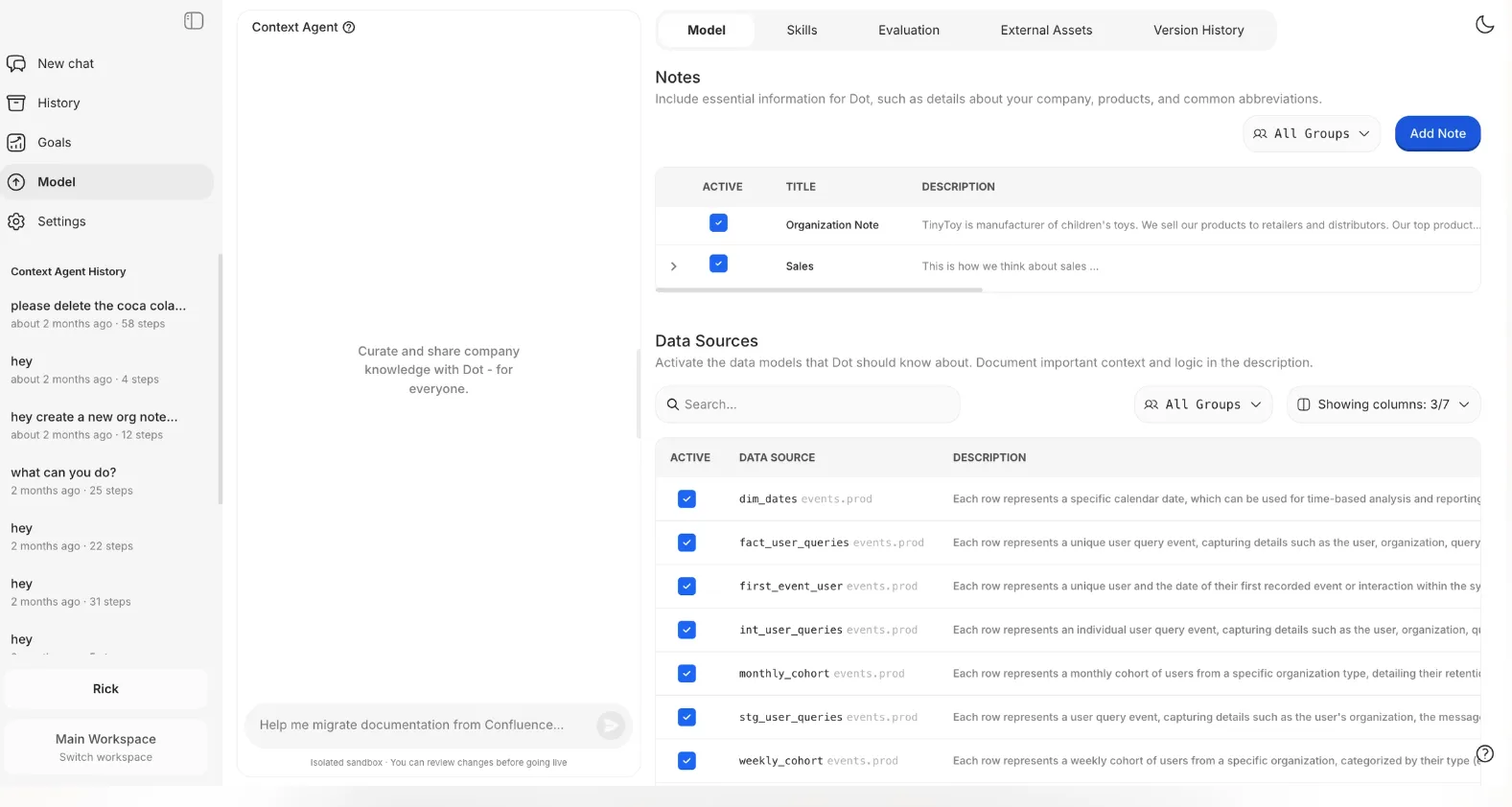
Dot's Context Agent sits one layer below the analysis itself.
It indexes dbt, your data catalog, Confluence, and any documentation it can reach. From all of that, it builds a definition layer every Dot answer pulls from.
- If "gross revenue" is defined in three places with three slight variations, the agent flags the inconsistency and asks which one should be canonical.
- If a metric isn't defined anywhere yet, the agent drafts a definition based on how it's actually used in queries, and the data team confirms it.
Where Dot connects
Dot is built to drop in on top of the stack your team already has, not replace it.
It connects directly to cloud warehouses (Snowflake, BigQuery, Redshift, Databricks) and operational databases (Postgres, MySQL, SQL Server, and a few others) where most analytics data already lives.
For semantic layers, Dot reads from dbt, Looker, and Power BI models, so the modeling work your team has already done stays in use rather than getting rebuilt inside another tool.
Answers and reports show up in Slack, Microsoft Teams, email, or the Dot web app, depending on where your team prefers to work.
And if Sigma, Tableau, or Looker is already powering specific workflows in your stack, Dot operates alongside them. No tool needs to get deprecated.
What is the difference between Dot and Sigma?
Sigma is a build-it platform.
The spreadsheet UI, governed data models, AI Apps, Sigma Agents, embedded analytics, and pixel-perfect reports give teams a toolkit to construct governed analytics applications on top of the warehouse.
The end deliverable is a workbook, a published AI app, a paginated report, or an agent that monitors conditions and takes action when thresholds are crossed.
Users get the deepest value when they're actively building.
Dot is an ask-and-receive platform.
The interface is a Slack message, a Teams chat, an email, or the web app.
The deliverable is a written analysis with the reasoning, charts, the SQL behind it, and the conclusion already drawn.
You’ll get the value without building anything yourself.
A couple of practical consequences worth flagging:
- First, Sigma's data models keep metric definitions consistent within Sigma's ecosystem.
Dot's Context Agent indexes documentation across the broader stack (dbt, the data catalog, Confluence, and other sources it has access to) and grounds every answer in shared definitions, so when finance and product ask the same question through different tools, both resolve through the same underlying definition.
- Second, Sigma's primary AI surface is inside the Sigma application, with notifications and alerts dispatched to Slack or email via agents.
Dot's primary surface is Slack, Teams, and email itself, where the question-and-answer loop happens in the channels teams already use to make decisions.
Dot pricing
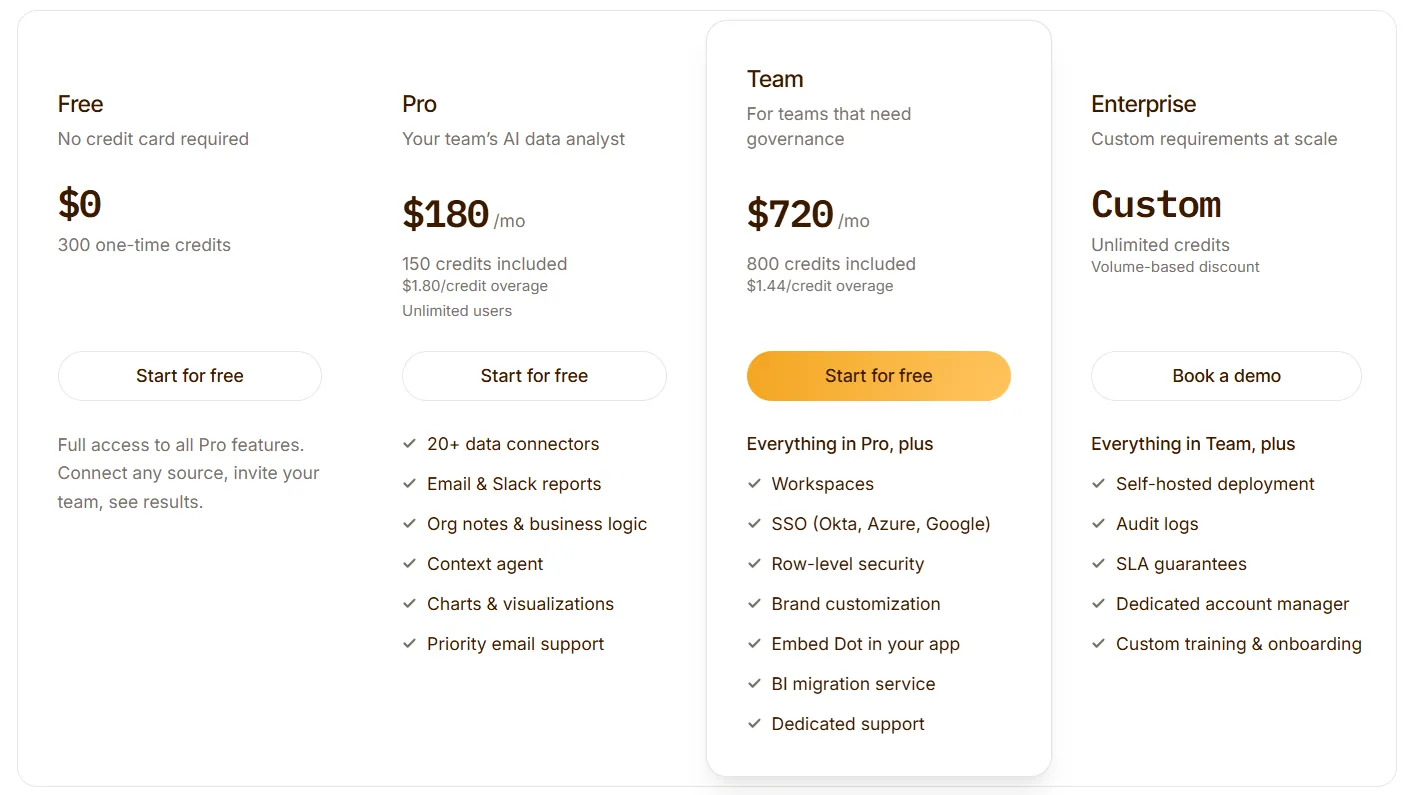
Dot offers a free plan with 300 one-time credits and full access to Pro features, so teams can run real analyses before committing to anything.
There are three paid plans:
- Pro: $180/month, 150 credits included, $1.80/credit overage, unlimited users.
- Team: $720/month, 800 credits included, $1.44/credit overage, SSO, row-level security, embedded analytics, BI migration service, dedicated support.
- Enterprise: Custom pricing, unlimited credits, volume-based discount, self-hosted deployment, audit logs, SLA guarantees, dedicated account manager.
➡️ Annual billing saves 10% on every paid plan.
Dot pros and cons
✅ Written analysis, not a chart to read.
✅ Recurring reports built and delivered end-to-end.
✅ Audit trail behind every number.
✅ Context Agent centralizes metric definitions.
✅ No migration required.
✅ Usage-based pricing, not per-seat.
❌ Requires a connected warehouse.
#2: ThoughtSpot
Best for: Business teams that want fast, natural-language access to data without leaning on analysts or learning SQL.
Similar to: Dot,Julius AI.
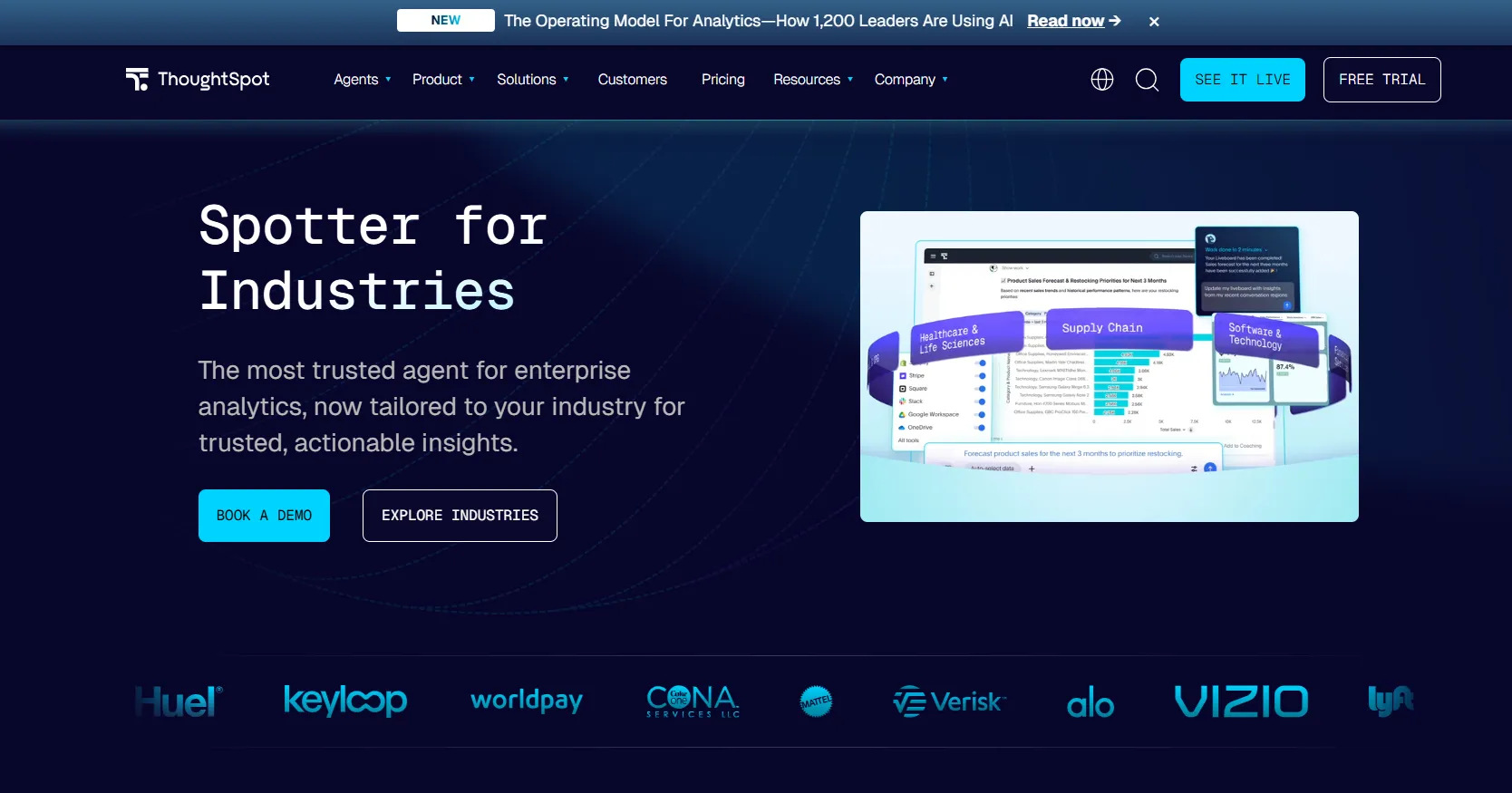
Search-based analytics is what ThoughtSpot is best known for, and the company has spent the last decade adding an AI layer directly on top of that original interface.
ThoughtSpot's top features
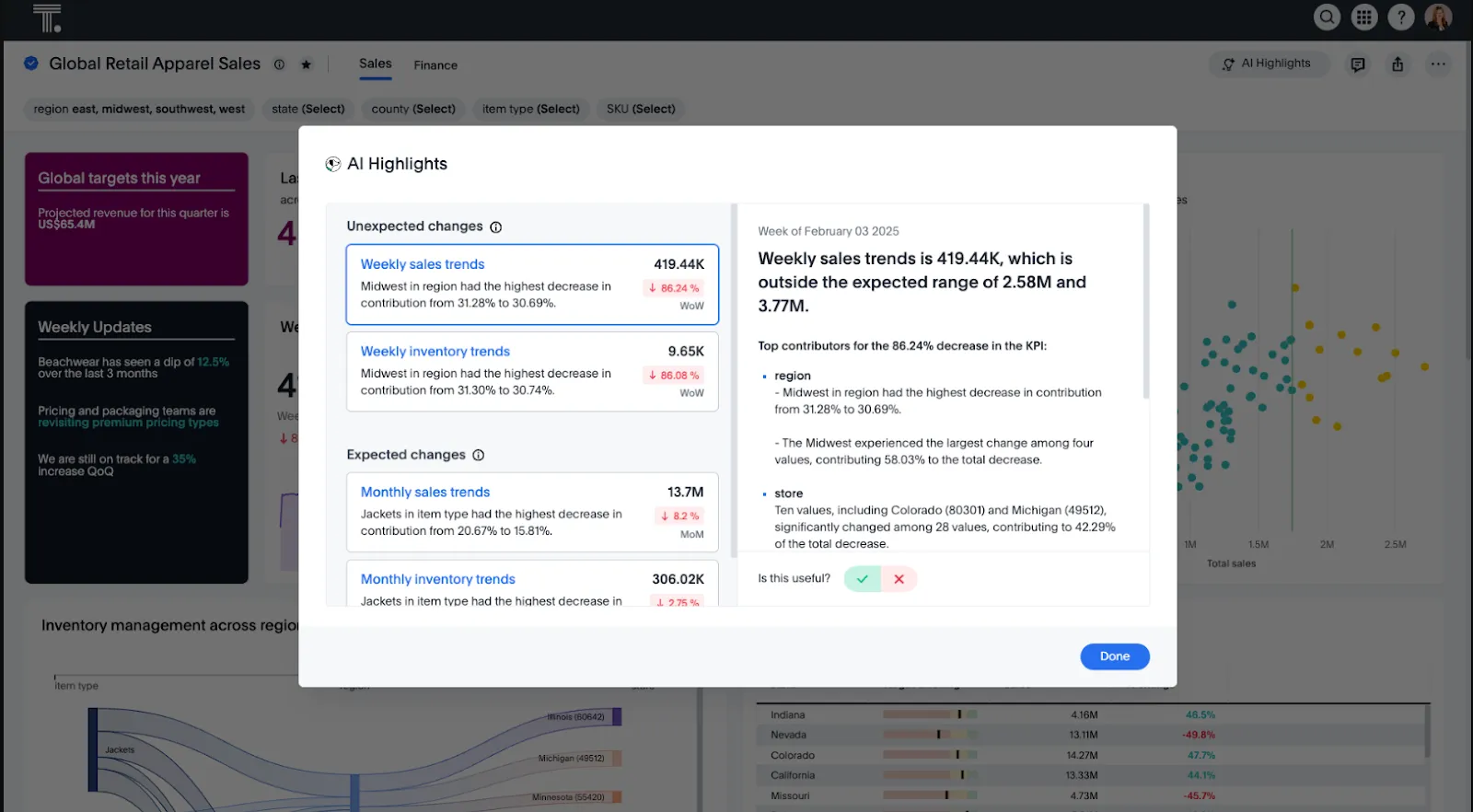
- Search-based analytics: Type a question into the search bar and get a visualization back, with drill-downs available without writing SQL.
- Spotter AI agent: A multi-turn agent that handles follow-up questions and explanations inside the analytics experience.
- Application embedding: Drop ThoughtSpot's search and dashboards into customer-facing products with full theming and SDK control.
ThoughtSpot pricing
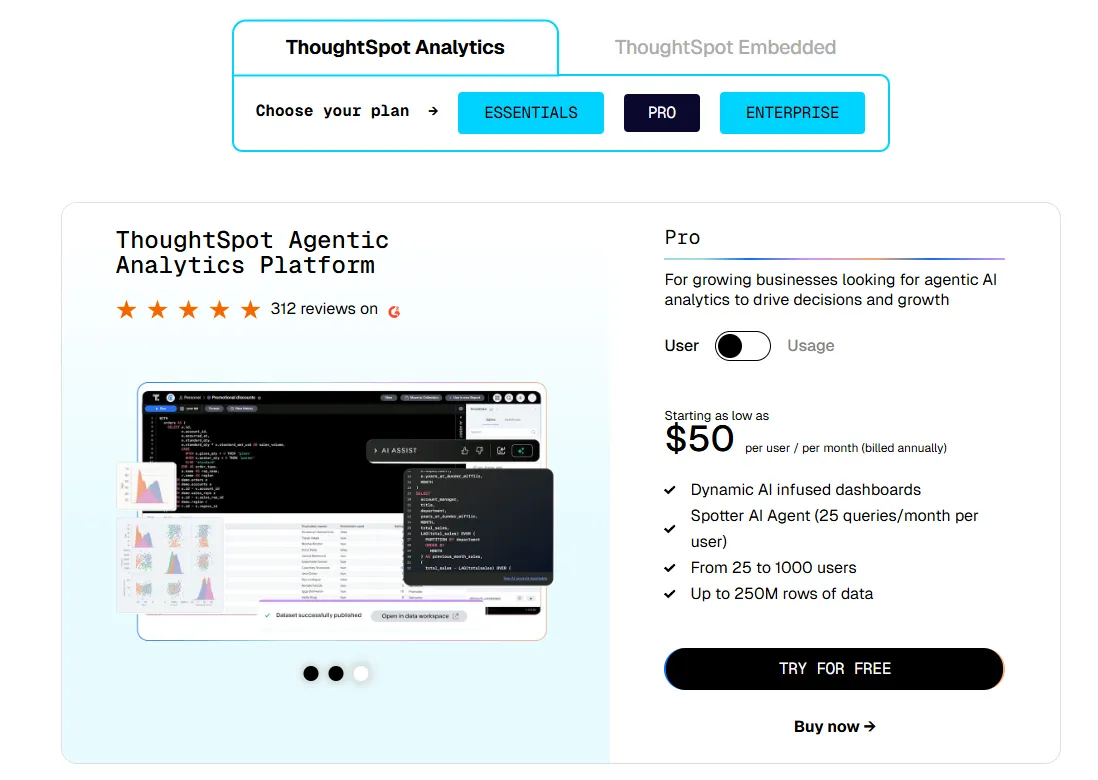
ThoughtSpot offers two separate products: ThoughtSpot Analytics for internal BI and ThoughtSpot Embedded for building analytics into applications - each with flexible pricing depending on scale and usage:
- ThoughtSpot Analytics:
- Essentials: From $25 per user per month (billed annually), for teams of 5-50 users, includes dynamic interactive dashboards and AI-powered insights and supports up to 25M rows of data.
- Pro (per user pricing): From $50 per user per month (billed annually), for 25–1,000 users, includes everything in Essentials, plus AI-infused dashboards and Spotter AI Agent (25 queries per user/month), and supports up to 250M rows of data.
- Pro (usage-based): From $0.10 per query, includes everything in Pro per user, and adds Analyst Studio.
- Enterprise (user or usage-based): Custom pricing, includes everything in Pro, plus unlimited users and data.
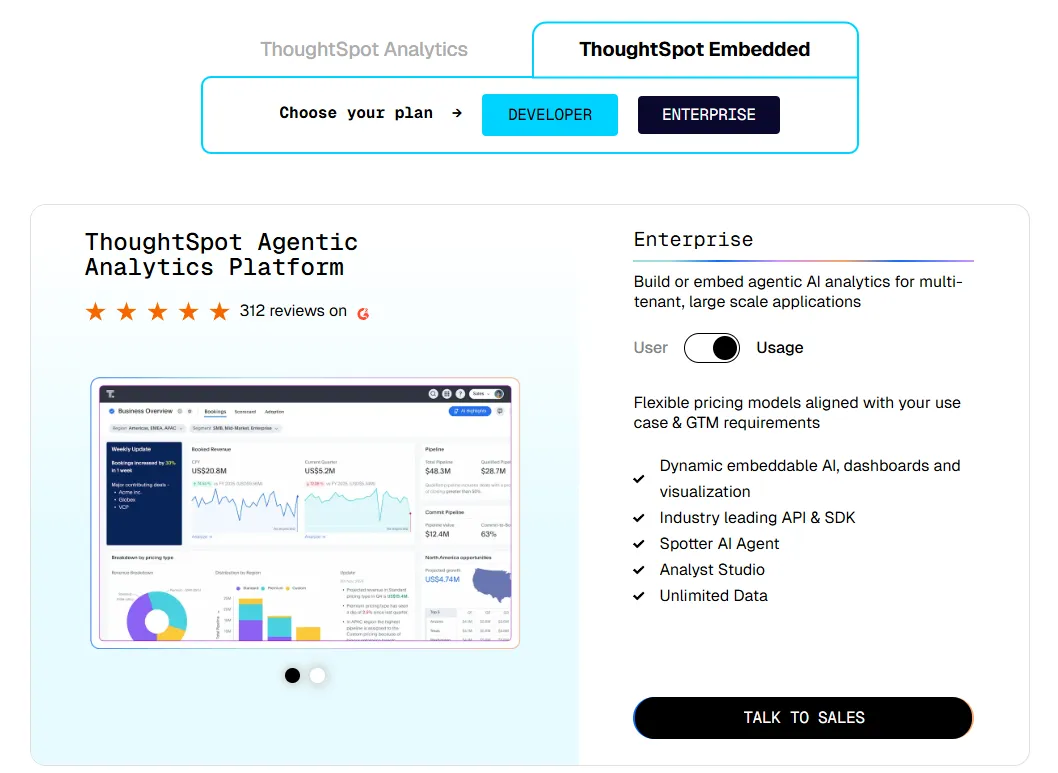
- ThoughtSpot Embedded:
- Developer: Free for 1 year, includes embeddable AI analytics, dashboards, and visualizations, APIs and SDKs, up to 10 users and 25M rows of data.
- Enterprise (user-based): Custom pricing, includes everything in Developer, plus unlimited data.
- Enterprise (usage-based): Custom pricing, everything in Enterprise, plus Spotter AI Agent and Analyst Studio.
ThoughtSpot pros and cons
✅ Search-first interface.
✅ Strong enterprise governance.
❌ Two pricing structures (per user vs. usage-based) can get confusing at scale.
#3: Domo
Best for: Mid-to-large teams that want one cloud BI product that covers ingestion, dashboards, automation, and AI-driven actions.
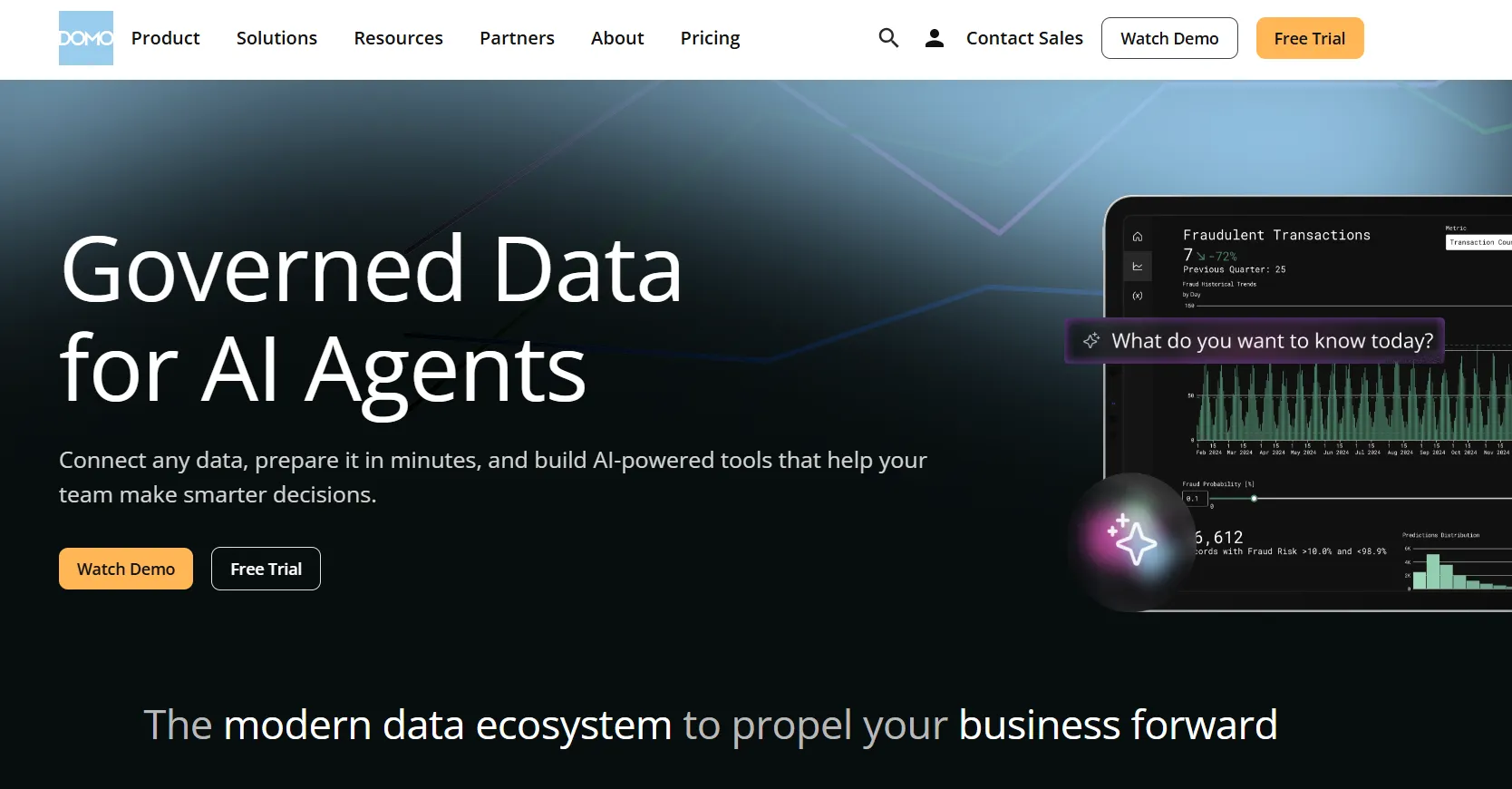
Domo's pitch is consolidation. One product where most teams would otherwise buy a BI tool, a workflow automation layer, and an ETL stack.
What sets it apart in this category is how far the AI layer reaches: it can trigger actions in downstream systems, not just surface insights.
Domo's top features
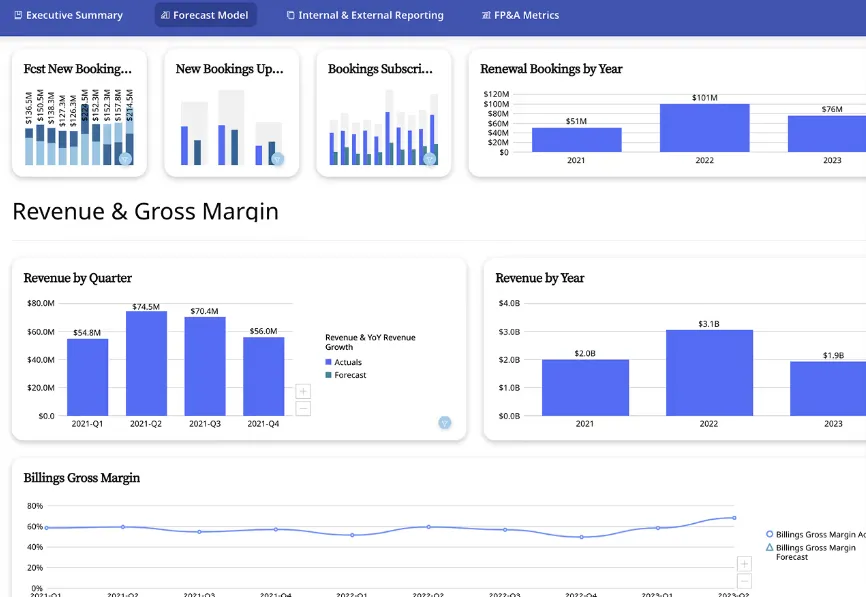
- Cards and dashboards: Reports get organized into modular Cards that snap into dashboards, get embedded into apps, or get shared across departments.
- Drag-and-drop app builder: Build custom data apps for forecasting, planning, or monitoring without writing code.
- AI Chat and agents: Ask questions in natural language, get trend explanations, and route AI agents to trigger downstream actions like alerts or system updates.
Domo pricing
Domo has one paid plan and a free trial:
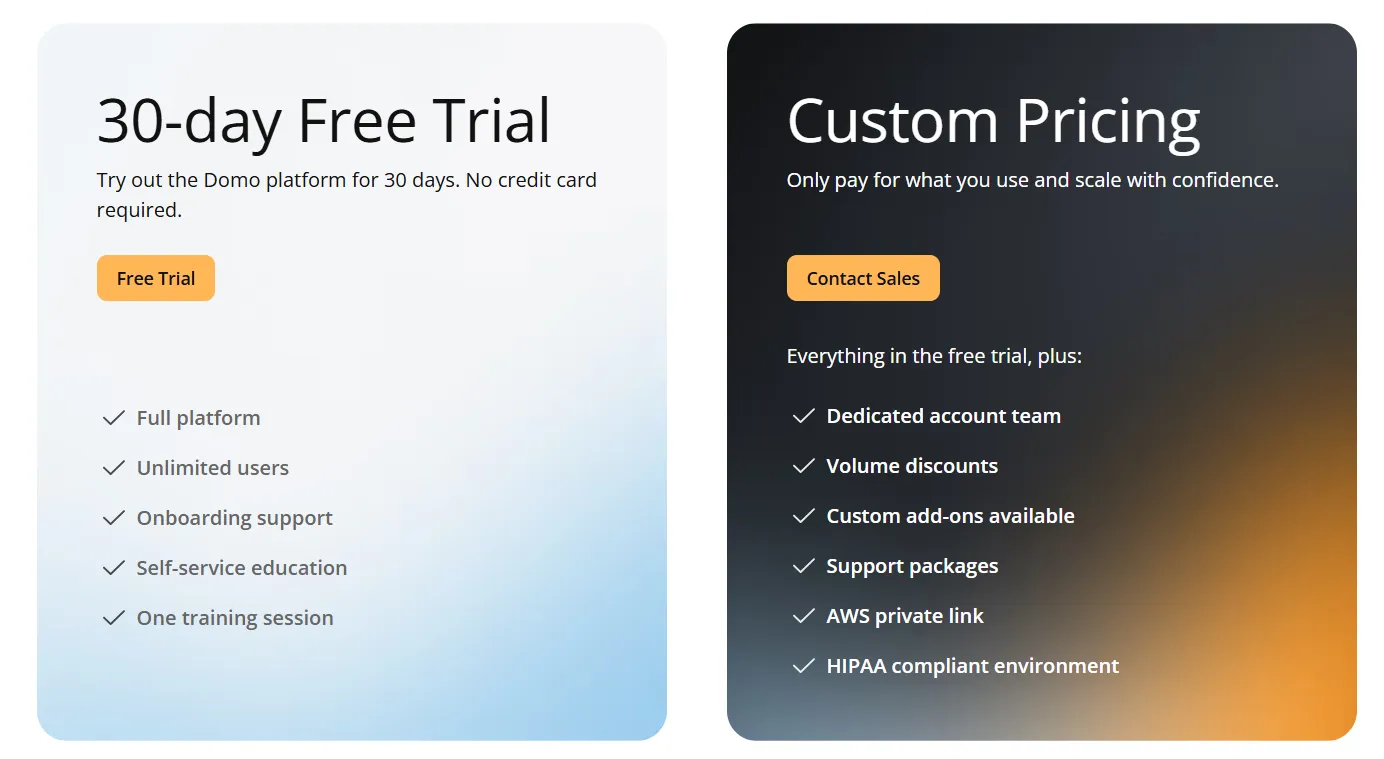
- Free trial: 30 days, no credit card required, includes unlimited users, full platform access, onboarding support, self-service education, and one guided training session.
- Paid plan: Usage-based pricing that scales with analytics needs, adds a dedicated account team, volume discounts, custom add-ons, and support packages.
Domo pros and cons
✅ One product covers ETL, modeling, dashboards, and automation.
✅ Big connector library.
❌ Pricing is not disclosed. We covered affordable options in our Domo alternatives breakdown.
What are the best warehouse-native BI platforms?
This is the lane Sigma defined. Warehouse-native BI tools that query live data, keep governance at the source, and give business teams a way to explore without exporting anything.
The four below differ mostly on interface choice and how they handle the semantic layer:
#1: Omni
Best for: Data teams that want a modern semantic layer paired with self-service exploration on live warehouse data.
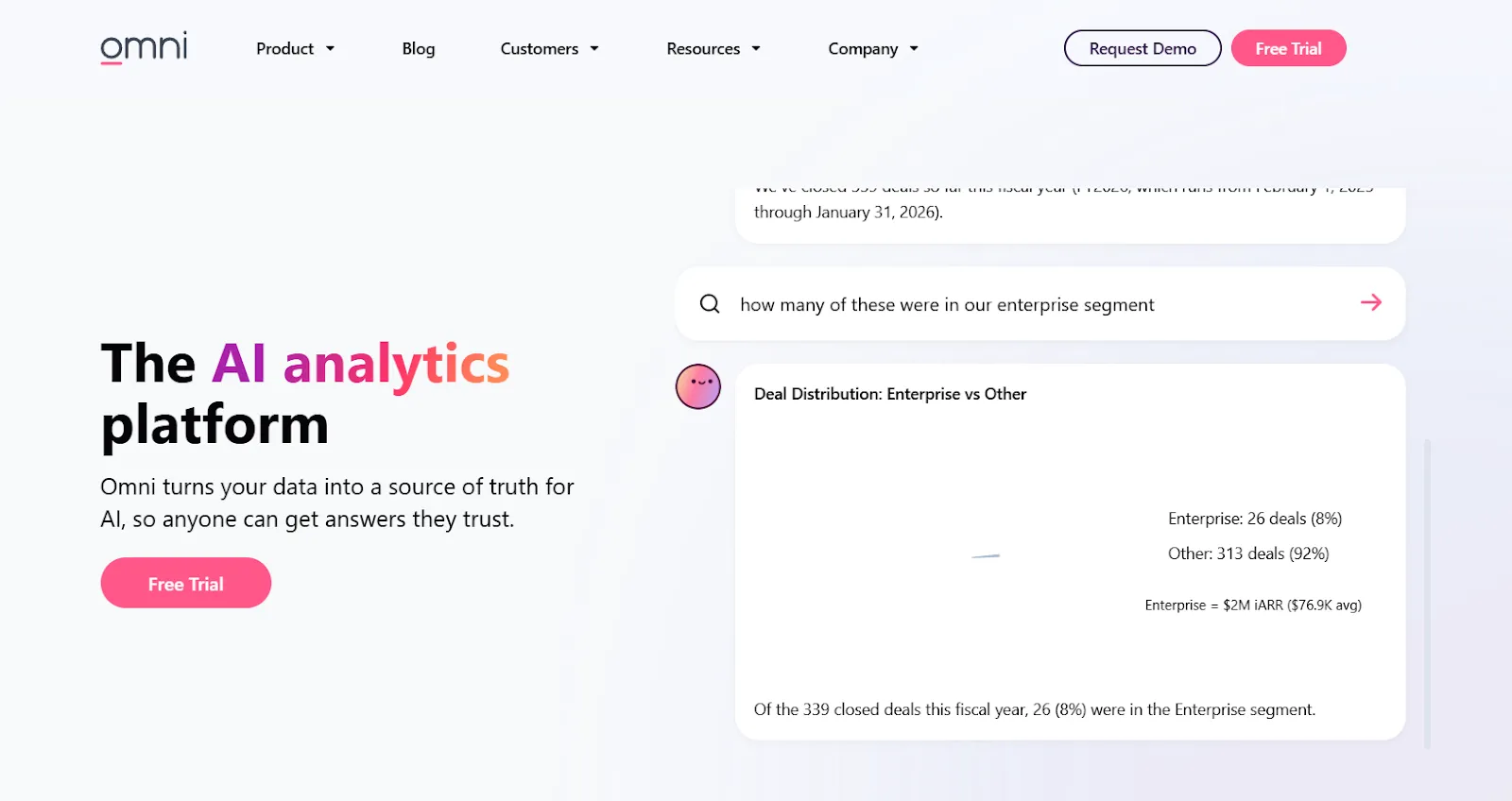
Omni reads as a modernized take on the Looker model. Same governed-metrics philosophy, but more flexibility in how the model gets built and modified.
Teams that wanted Looker's discipline without LookML's rigidity tend to find Omni a comfortable middle ground.
Omni's top features
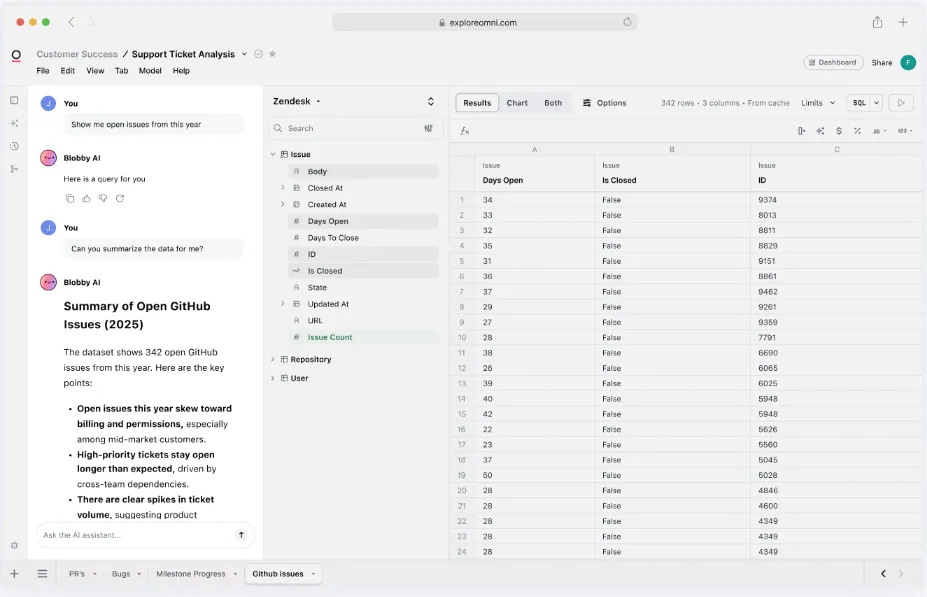
- Metrics-first modeling: Define metrics once in a centralized model with governed, reusable calculations.
- AI in dashboards and workbooks: Built-in AI summarizes charts, generates queries, explains trends, and recommends next steps inside the exploration layer.
- Spreadsheet-style exploration: Analyze live warehouse data through a spreadsheet interface while keeping governed metrics intact.
Omni pricing
Omni doesn't publish pricing. You can request a free trial on their website and get a quote.
Omni pros and cons
✅ Approachable drag-and-drop interface.
✅ Strong dbt integration.
#2: Hex
Best for: Data and analytics teams that work in SQL, Python, and notebooks and want one workspace for exploration plus published apps.
Similar to: Mode,Basedash.
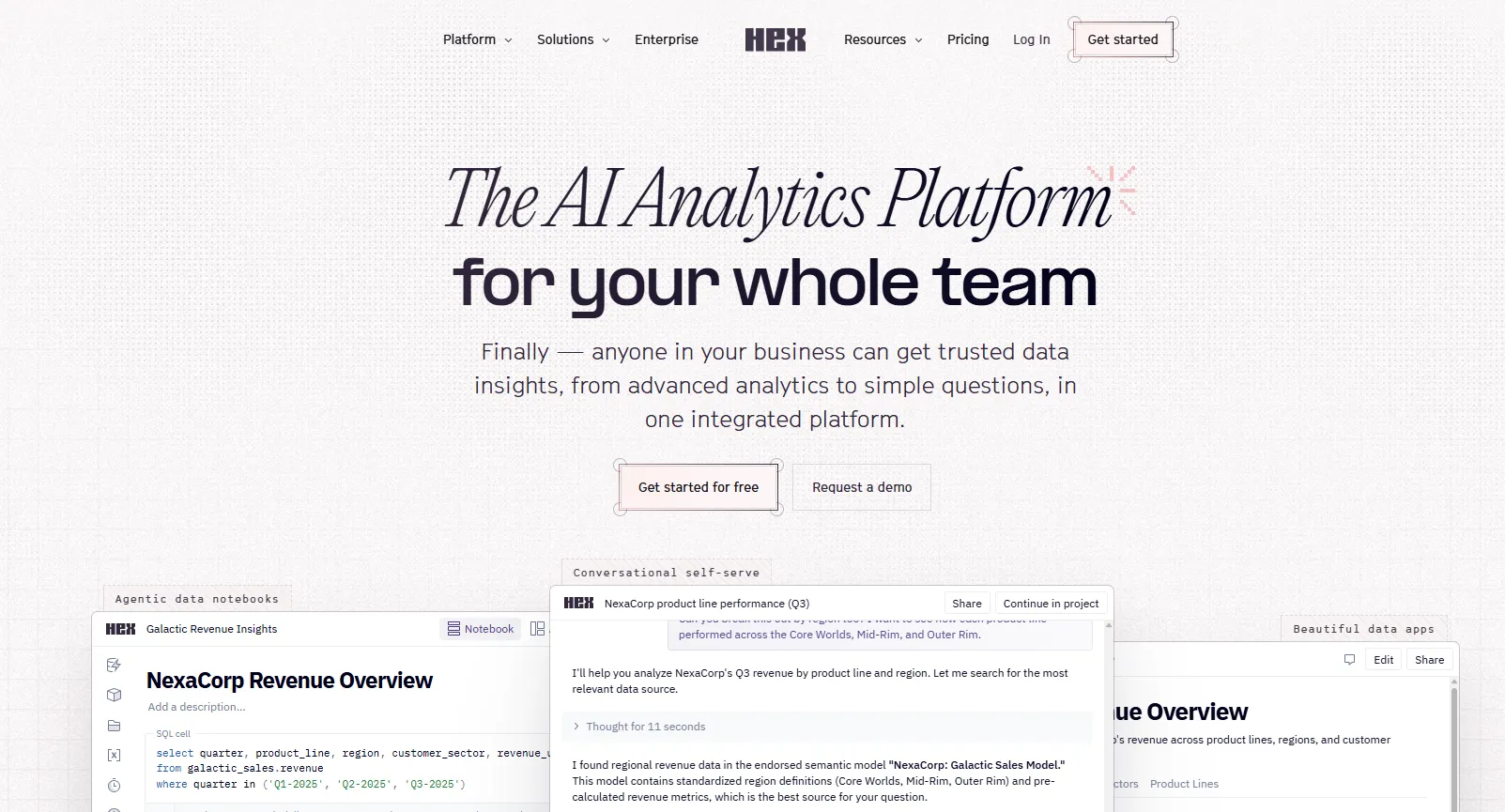
Hex started as a notebook product and has steadily expanded into a full analytics workspace.
Data teams pick it most often when they want a single workspace for both deep exploration and the polished artifacts that come out of it.
Hex's top features
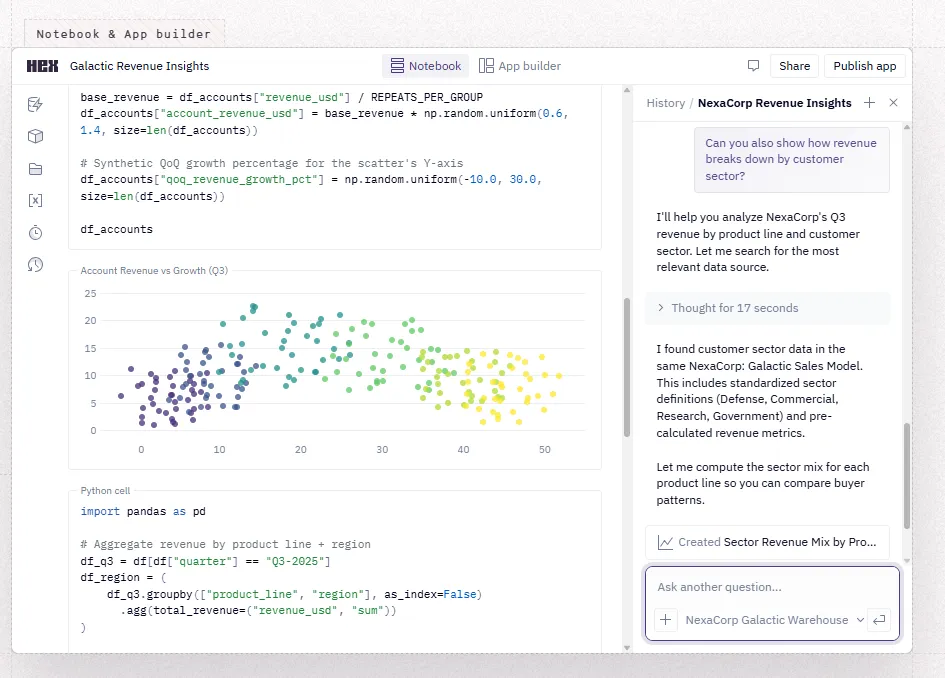
- Multi-language notebooks: Mix SQL, Python, no-code, and AI cells in the same notebook.
- Notebook Agent and conversational self-serve: Generate queries, fix code, explain results, and build apps from prompts inside the workspace.
- App builder: Turn any notebook into a published app with input controls and a polished UI.
Hex pricing
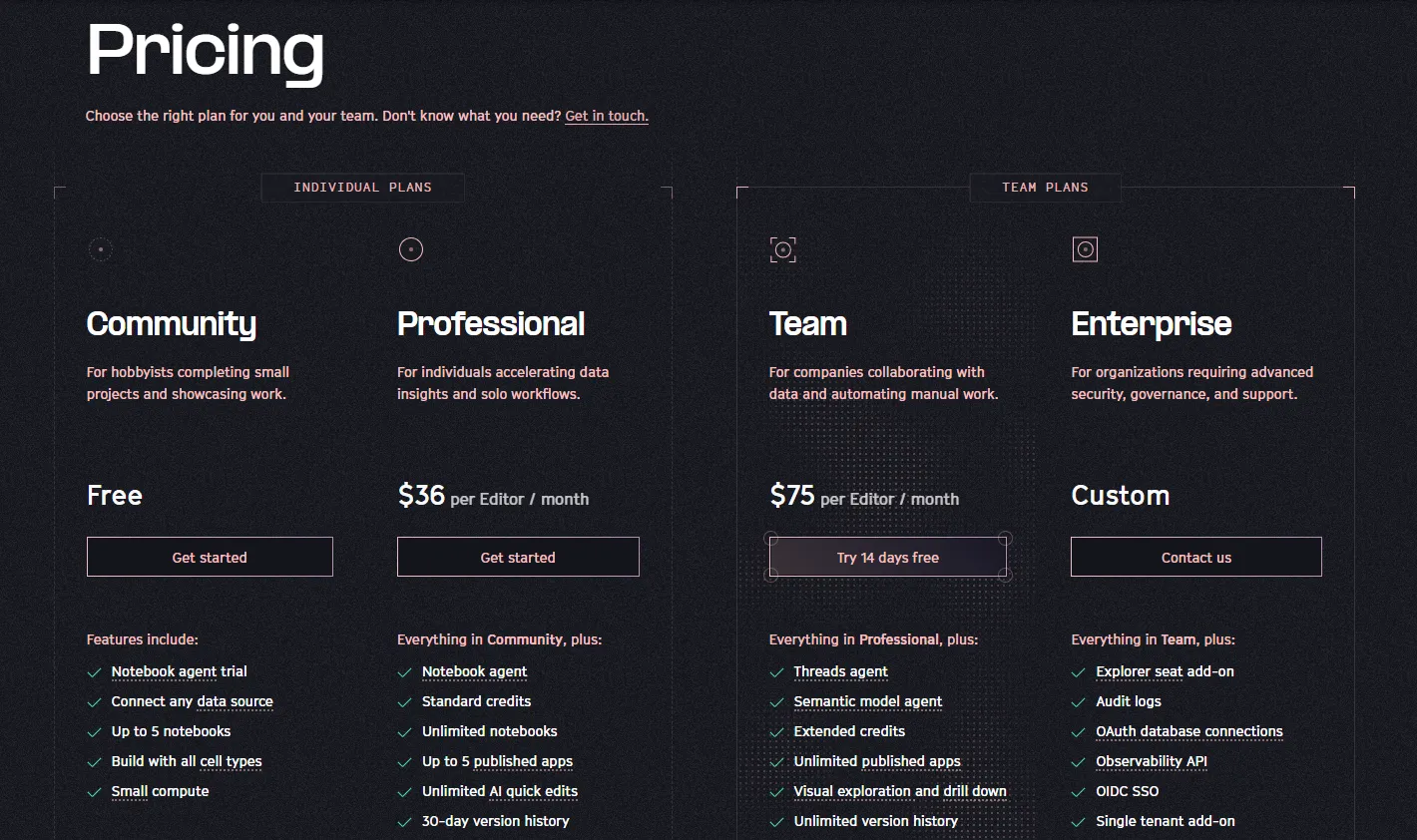
Hex offers four plans, billed per editor:
- Community: Free, for hobbyists and individual projects, includes notebook tools, SQL support, published apps, and small compute.
- Professional: $36/editor/month, for individuals accelerating data insights and solo workflows.
- Team: $75/editor/month, for companies collaborating on data work, includes shared workspaces, scheduled runs, and more AI usage. Free 14-day trial available.
- Enterprise: Custom pricing, for organizations needing advanced security, governance, and support.
Medium compute is included on paid plans, with pay-as-you-go billing for larger compute profiles and GPUs.
Hex pros and cons
✅ Fits SQL- and Python-fluent teams well.
✅ Notebooks and published apps in one tool.
❌ Notebook-first roots can mean teams without any technical users will get less out of it than teams with at least a few SQL or Python practitioners.
#3: Looker
Best for: Data teams that want a code-defined semantic layer with governed metrics rolled out across the company.
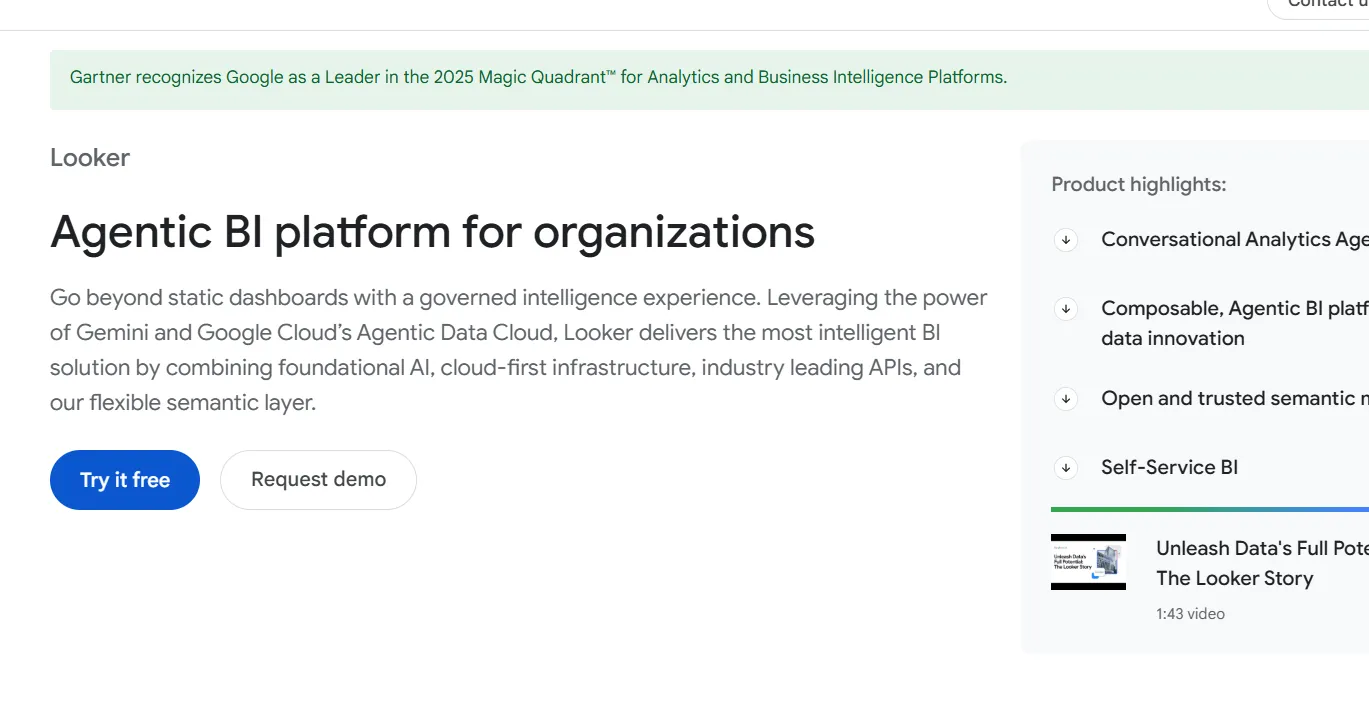
Looker, now part of Google Cloud, is the original of the modern semantic-layer category. The whole tool revolves around LookML, a code-based modeling language that defines metrics, dimensions, and joins once and reuses them everywhere.
Companies with meaningful data engineering capacity tend to favor it for the discipline it forces. Smaller teams sometimes find the same discipline excessive.
Looker's top features
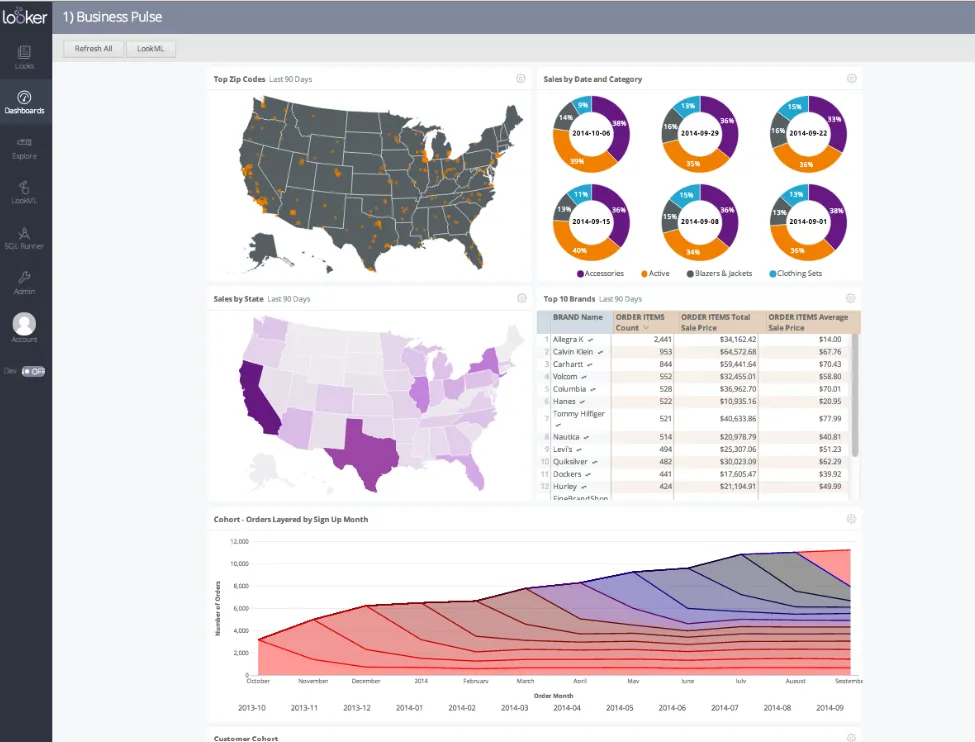
- LookML semantic layer: Define metrics, joins, and dimensions in version-controlled code and reuse them across the company.
- Explores and dashboards: Business users self-serve from governed models without breaking the underlying definitions.
- Looker Studio integration: Pair governed Looker data with Looker Studio for lightweight reporting on the same metrics.
Looker pricing
Looker uses a custom, contract-based pricing model made up of two parts: platform pricing (the cost of running a Looker instance) and user licensing (the cost per user type).
Pricing is annual for all plans.
- Platform editions:
- Standard: Designed for small teams or organizations with fewer than 50 users, includes 1 production instance, 10 standard users + 2 developer users, up to 1,000 query-based API calls/month, and up to 1,000 admin API calls/month.
- Enterprise: Built for larger internal BI and analytics use cases, includes everything in Standard, plus enhanced security features, up to 100,000 query-based API calls/month, and up to 10,000 admin API calls/month.
- Embed: Designed for embedding analytics into external products or applications, includes everything in Standard, plus up to 500,000 query-based API calls/month and up to 100,000 admin API calls/month.
- User licensing:
- Developer users: Full access to Looker, including LookML development, administration, APIs, and advanced tooling.
- Standard users: Can explore data, build dashboards and reports, run SQL, and schedule content.
- Viewer users: Read-only access to dashboards and reports, with filtering and drill-down.
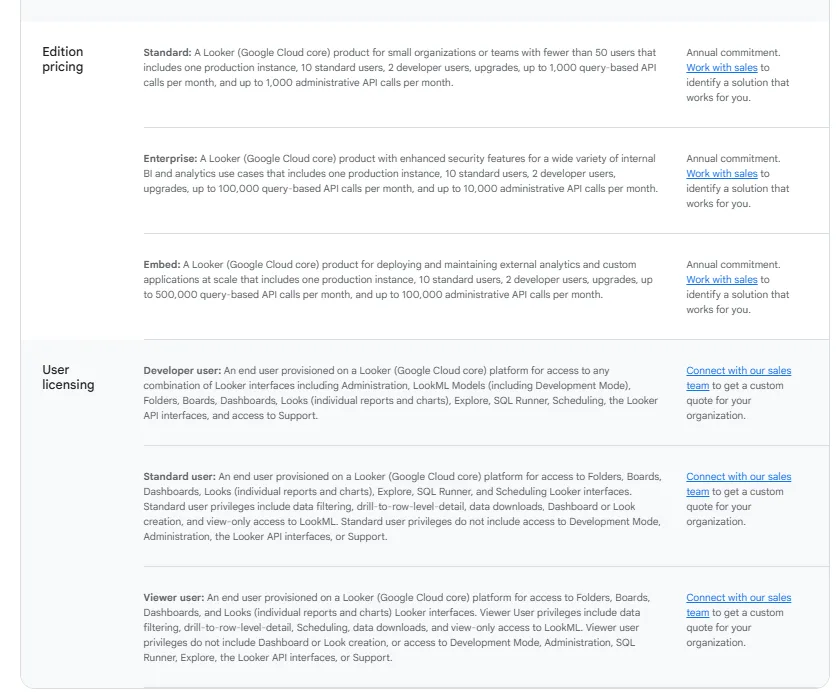
Pricing is custom on all plans and varies based on scale, permissions, and usage.
Looker pros and cons
✅ LookML enforces governance at the model layer.
✅ Tight integration with BigQuery and Google Cloud.
❌ There's a bit of a learning curve at first, which can require a bit more education upfront to maximize all of its capabilities, according to a G2 review.
#4: Metabase
Best for: Startups, product teams, and lean data orgs that want fast self-serve analytics and flexible embedding without enterprise BI overhead.
Similar to:Lightdash,Basedash.
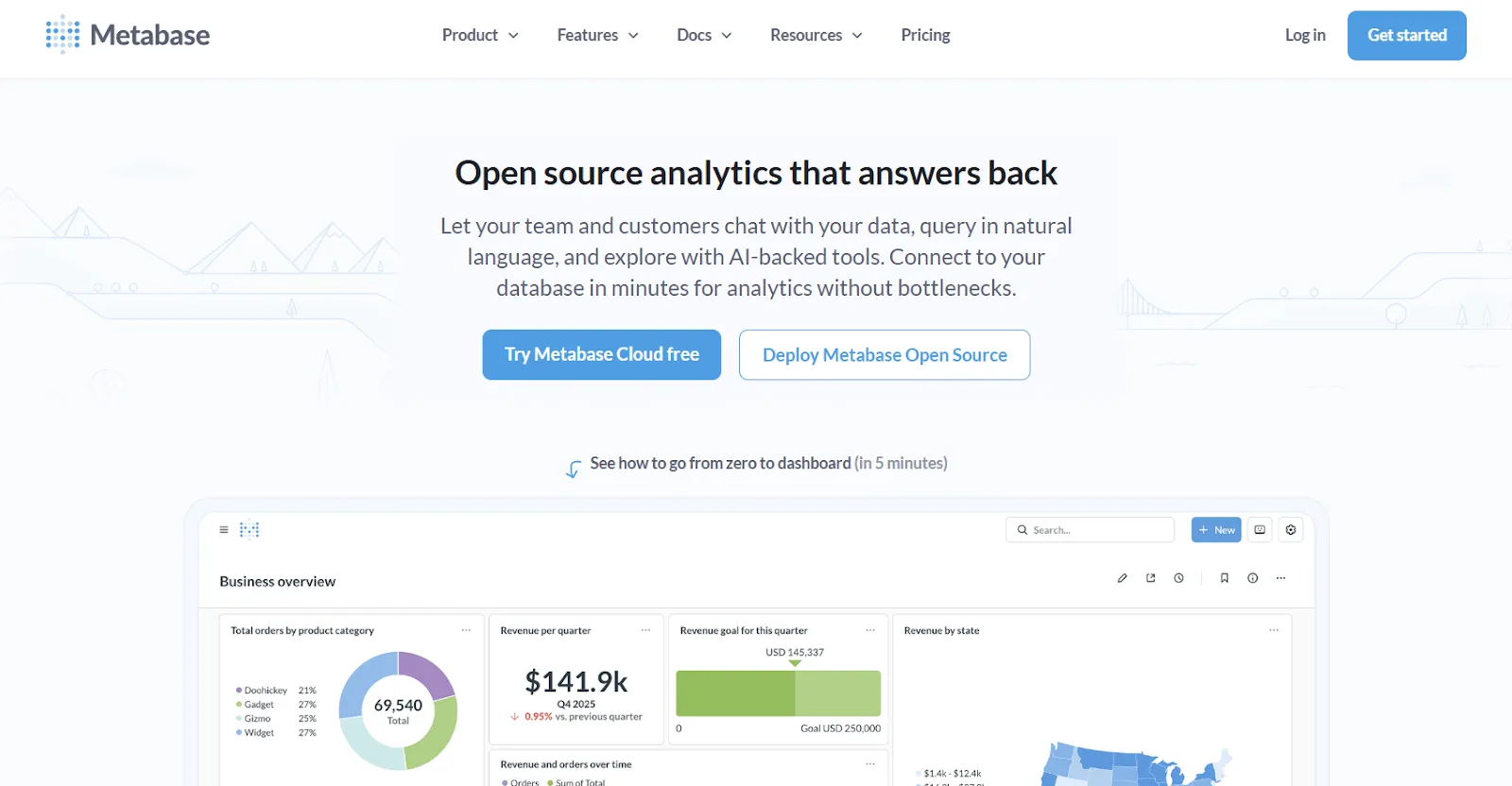
Open source at the core, Metabase is the BI tool many engineering-led teams install first.
It runs free if you self-host, the setup takes under an hour against a Postgres or MySQL database, and the question builder is usable without writing SQL.
The hosted product adds cloud convenience, embedded analytics, and a natural-language assistant called Metabot.
Metabase's top features
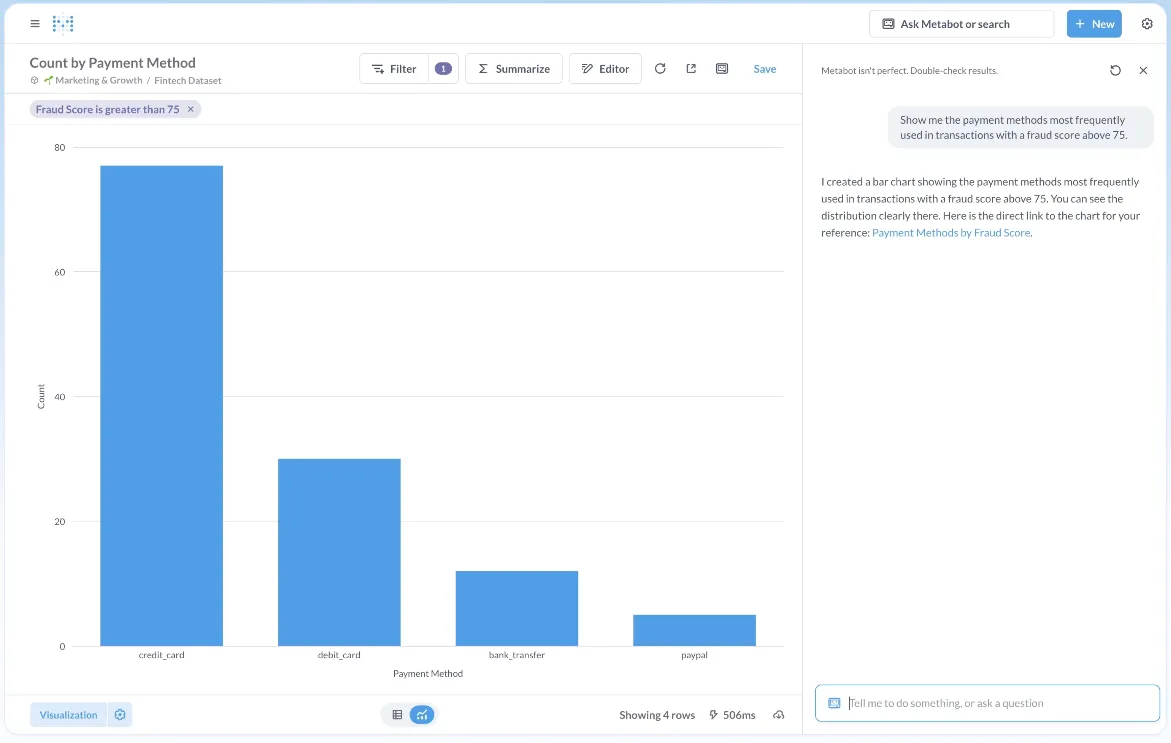
- Metabot AI: Ask data questions in plain English and Metabot generates the query and visualization.
- No-code question builder: Walk through joins, filters, and aggregations in a step-by-step UI, with the option to drop into raw SQL.
- Click-to-drill exploration: Click any chart to filter, segment, or pivot without rebuilding the question.
Metabase pricing
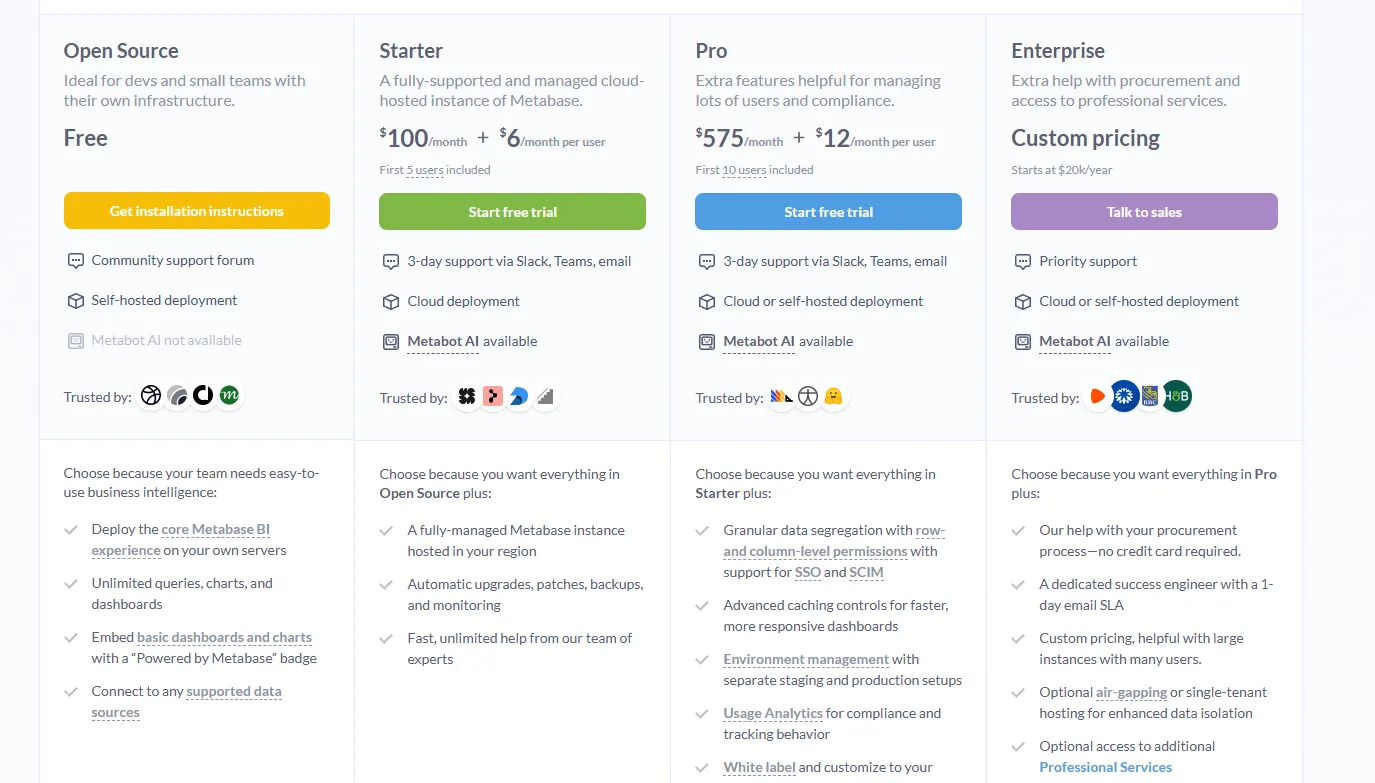
Metabase offers two pricing options depending on how you use the product: internal business intelligence or customer-facing embedded analytics.
- Business Intelligence:
- Open Source (Self-hosted): Free, self-hosted deployment, includes unlimited queries, charts, and dashboards, connects to all supported data sources, basic embedding with “Powered by Metabase” branding, community support only.
- Starter (Cloud-hosted): $100/month + $6/user/month, first 5 users included, includes everything in Open Source, plus option to include Metabot AI (charged extra), automatic upgrades, backups, and monitoring, support via Slack, Teams, and email (3-day SLA).
- Pro: $575/month + $12/user/month, first 10 users included, cloud or self-hosted deployment, includes everything in Starter, plus row- and column-level permissions, SSO and SCIM support, advanced caching and performance controls, staging + production environments, usage analytics and audit visibility, white-labeling, and embedded analytics capabilities.
- Enterprise: Custom pricing (starts at $20k/year), includes everything in Pro, plus priority support, dedicated success engineer (1-day email SLA), optional single-tenant or air-gapped deployment, and optional professional services.
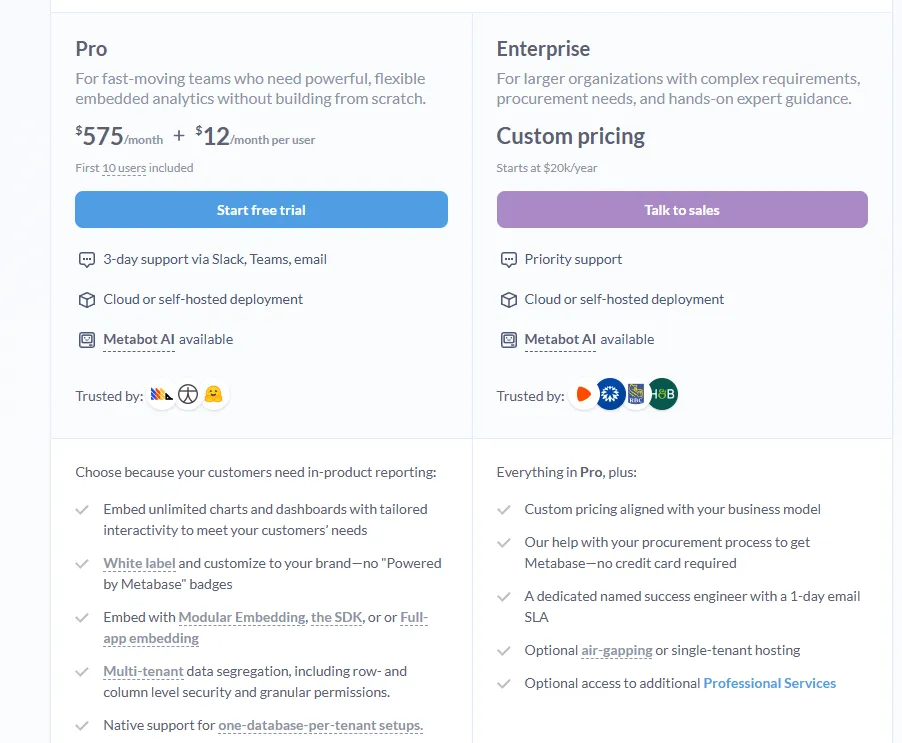
- Embedded Analytics pricing:
- Pro: $575/month + $12/user/month, first 10 users included, includes unlimited embedded dashboards and charts, full white-labeling, modular embedding, SDK, or full-app embedding, multi-tenant security (row- and column-level), one-database-per-tenant support, staging + production environments, usage analytics, internal BI for your team, and option to include Metabot AI (charged extra).
- Enterprise: Custom pricing (starts at $20k/year), includes everything in Pro, plus a dedicated success engineer, priority support, optional single-tenant or air-gapped hosting, and optional professional services.
Metabase pros and cons
✅ Free if self-hosted.
✅ Quick to install.
❌ A user on G2 believes that Metabase could benefit from having an AI assistant that understands the databases and assists in building queries
What are the best enterprise BI platforms?
These enterprise BI platforms have the biggest user bases, the largest partner ecosystems, and the deployment patterns most CIOs default to when standardizing analytics across a multi-department organization:
#1: Tableau
Best for: Data teams and enterprises that need advanced visual analytics, exploratory analysis, and flexible deployment across cloud and self-hosted environments.
Similar to:Power BI, Qlik Sense.
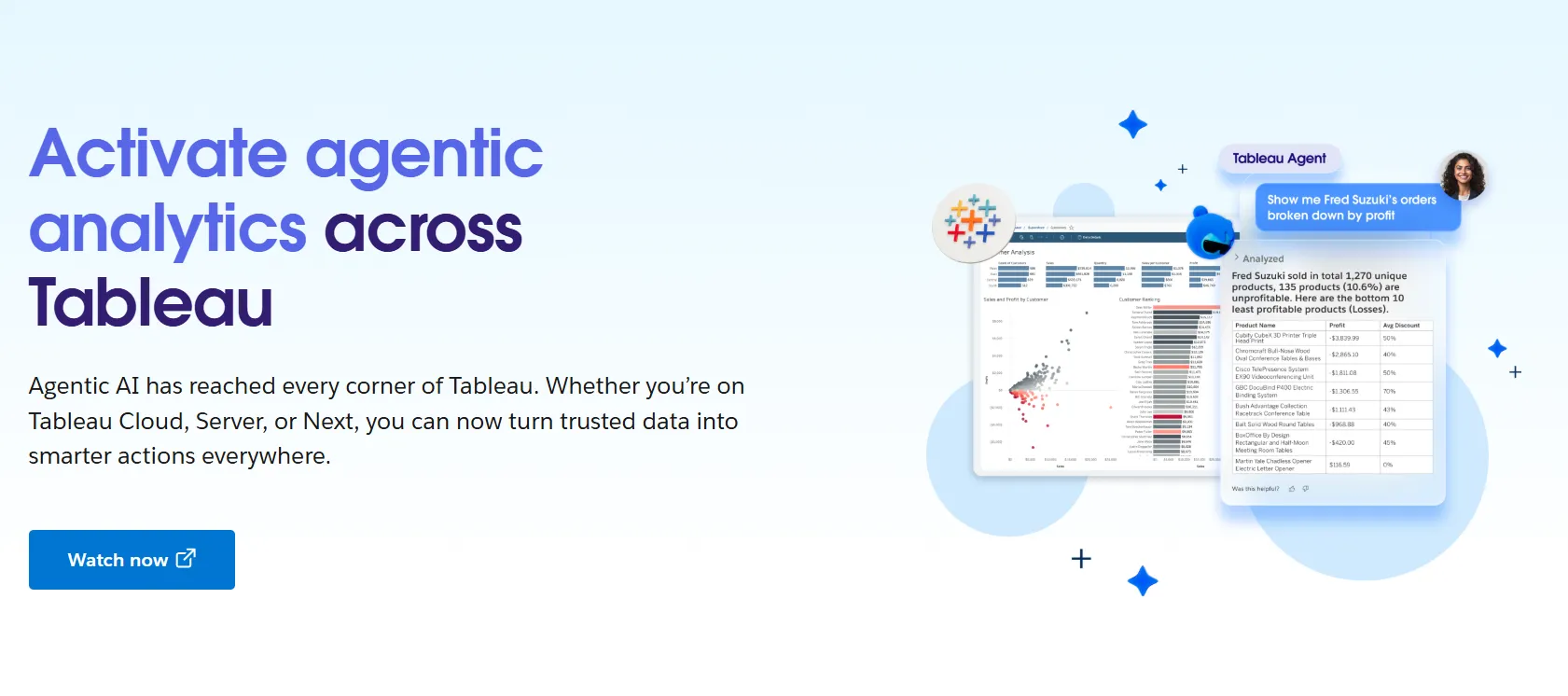
Tableau is the BI tool a generation of analysts learned visualization on, and the drag-and-drop canvas is still the reference point most people compare other dashboarding products to.
Salesforce now owns the platform, and Tableau Next is the company's bet on agentic analytics, built on Agentforce and a new semantic layer called Tableau Semantics.
Tableau's top features
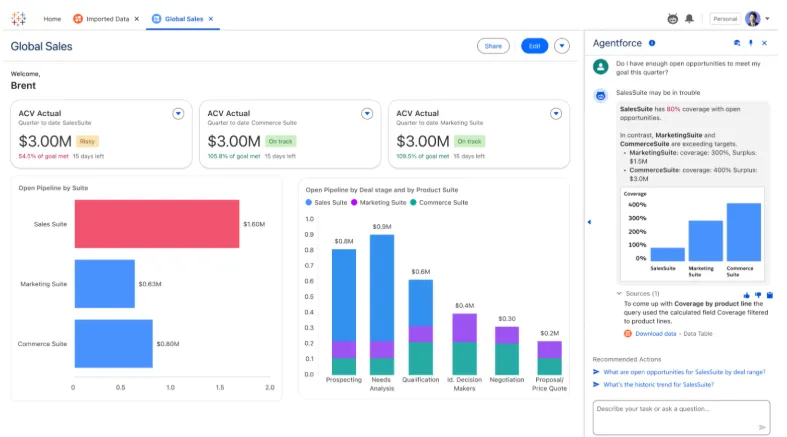
- Visual exploration: Drag fields onto a canvas to build interactive dashboards, with a wide chart library and inline filtering.
- Tableau Next agents: Ask natural-language questions and receive AI-generated answers and recommended next steps inside Slack or Salesforce.
- Tableau Pulse and governance: Centralize metric definitions, set role-based permissions, and manage data sensitivity across larger deployments.
- Cloud, server, or Tableau Next: Choose between hosted Tableau Cloud, self-hosted Tableau Server, or the agentic Tableau Next offering.
Tableau pricing
Tableau uses per-user, per-month pricing, with separate plans depending on whether you deploy Tableau in the cloud, on your own servers, or as part of its newer AI-driven offering:
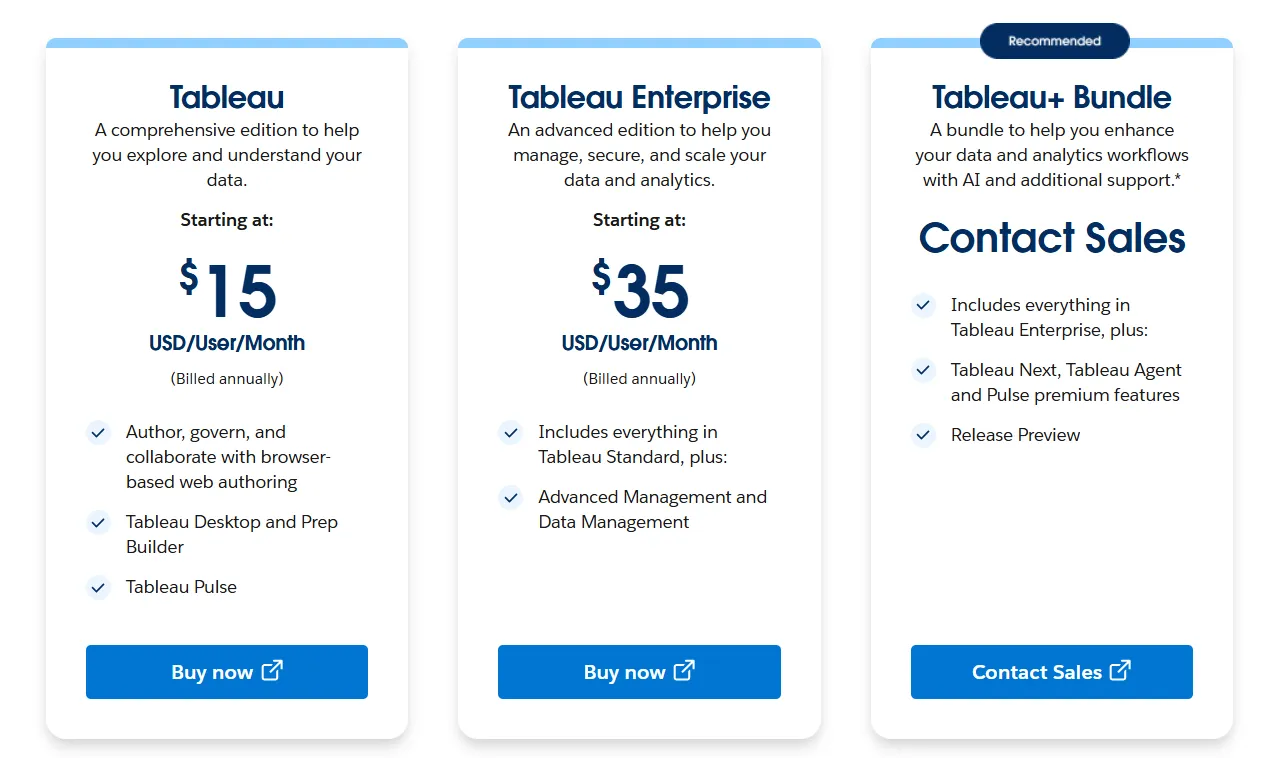
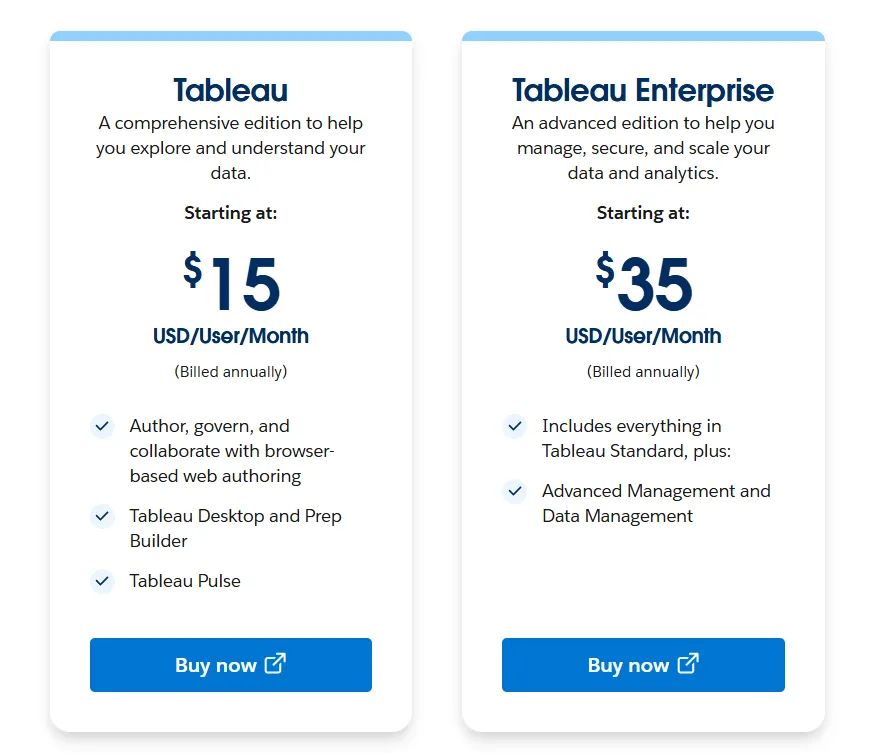
- Tableau Cloud has three pricing plans:
- Tableau Standard: Starts at $15/user/month, which includes browser-based authoring and collaboration, Tableau Desktop and Prep Builder, Tableau Pulse for metrics and insights.
- Tableau Enterprise: Starts at $35/user/month and includes everything in Standard, plus Advanced Management and Data Management for governance and scale.
- Tableau+ Bundle (Cloud + AI): Custom pricing, includes everything in Tableau Enterprise, plus Tableau Next, Tableau Agent, and Pulse premium features, with access to release previews and early AI capabilities.
- Tableau Server has two pricing plans:
- Tableau Standard: Starts from $15 per user/month, which includes authoring, governance, and collaboration and Tableau Desktop and Prep Builder.
- Tableau Enterprise: Starts from $35 per user/month, which includes everything in Standard, plus Advanced Management, Data Management, and eLearning.
- Tableau Next (agentic analytics) has 2 plans:
- Tableau Next: Starts from $40/month/seat, and includes Agentforce Tableau, Tableau Semantics, and its Native Slack integration.
- Tableau + Bundle: Custom pricing, which includes everything in Tableau Enterprise, plus Tableau Next, Tableau Agent and Pulse premium features.
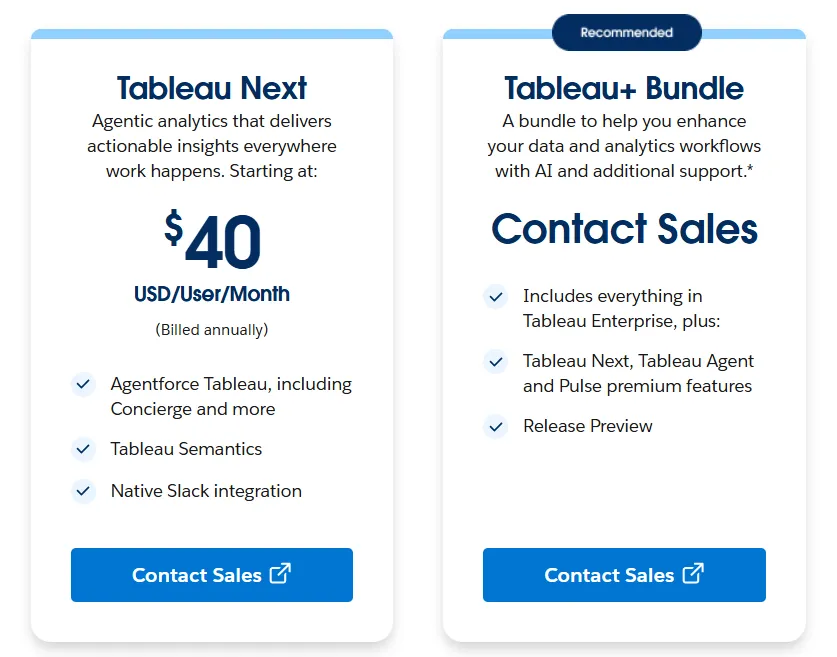
Tableau pros and cons
✅ Some of the deepest visual analytics capability in BI.
✅ Massive global community.
❌ Per-user pricing can scale fast for organizations rolling out broadly.
#2: Microsoft Power BI
Best for: Organizations already invested in the Microsoft ecosystem that want standardized dashboards, reporting, and self-service analytics at scale.
For organizations already running Microsoft 365, Power BI is usually the path of least resistance.
The procurement is simple, the integration with Excel and Teams is native, and the licensing model slots neatly into existing Microsoft enterprise agreements.
The product itself handles modeling, interactive dashboards, paginated reports, and Copilot-driven AI summaries.
Power BI's top features
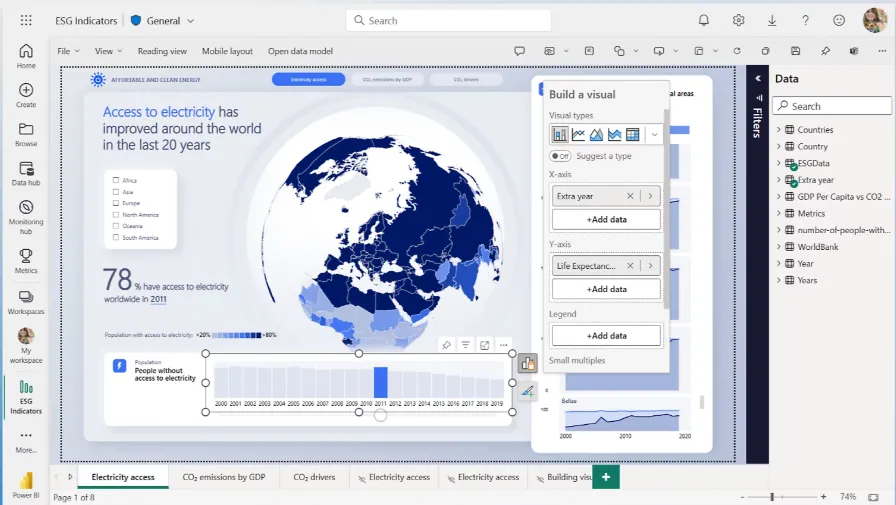
- Reports and dashboards: Combine visuals, filters, and drill-throughs to publish interactive reports across an organization.
- Enterprise governance: Apply row-level security, sensitivity labels, and Microsoft Entra ID controls.
- Copilot and quick insights: Surface unusual patterns, generate forecasts, and write summary commentary for reports.
Power BI pricing
Power BI uses a per-user and capacity-based model:
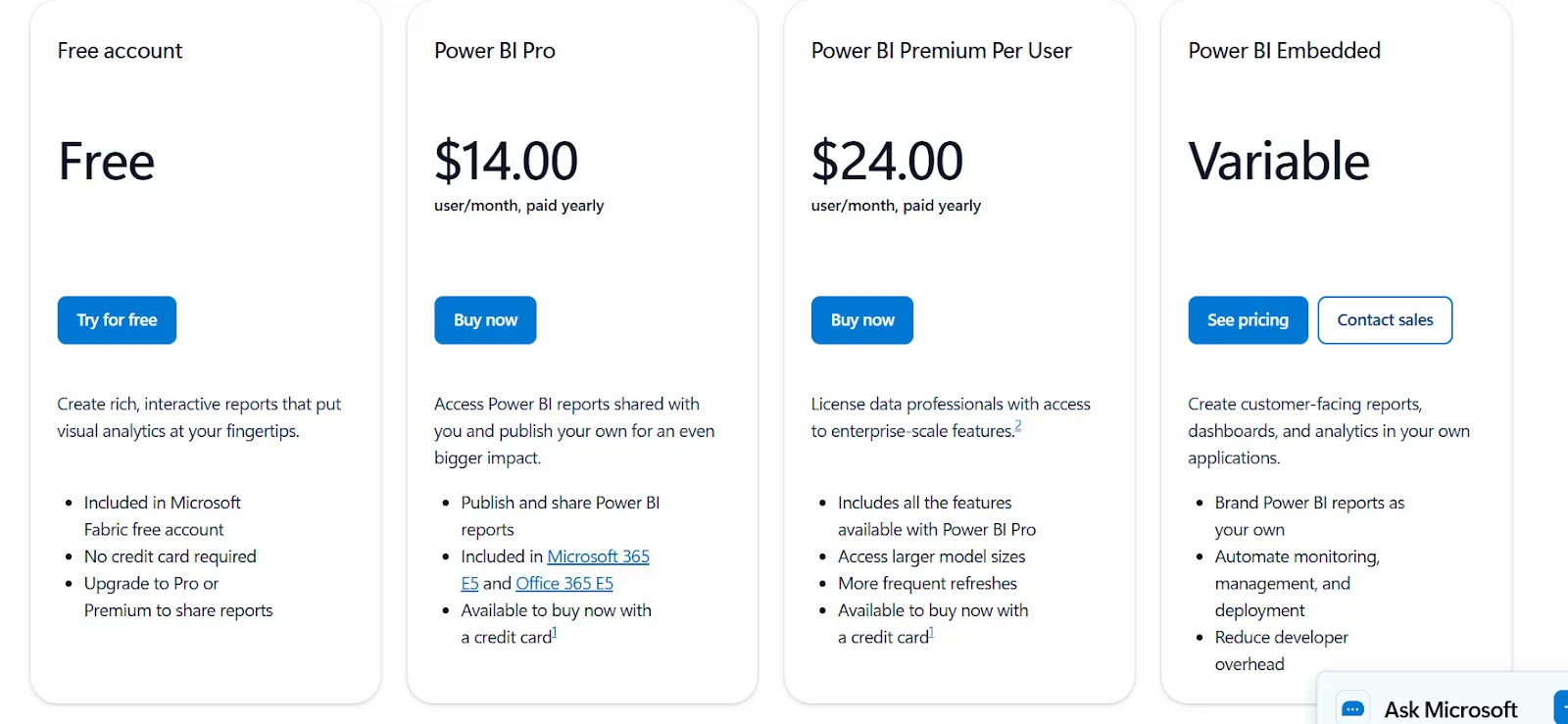
- Free: Build personal reports and dashboards, but no sharing or collaboration.
- Power BI Pro: $14/user/month, includes report publishing, workspace sharing, scheduled refresh, and Teams or SharePoint embedding.
- Power BI Premium Per User: $24/user/month, adds larger model sizes, more refreshes per day, paginated reports, and AI features.
- Power BI Embedded: Custom pricing for customer-facing analytics inside your own apps.
Power BI pros and cons
✅ Affordable entry at $14/user/month.
✅ Native Excel and Teams integration.
❌ For beginners, the learning curve can feel steep, particularly when you start working with data modeling and DAX formulas, according to a G2 review.
#3: Qlik Sense
Best for: Organizations that want interactive analytics for exploring complex data, especially regulated industries that prefer on-prem deployments.
Similar to:Power BI.
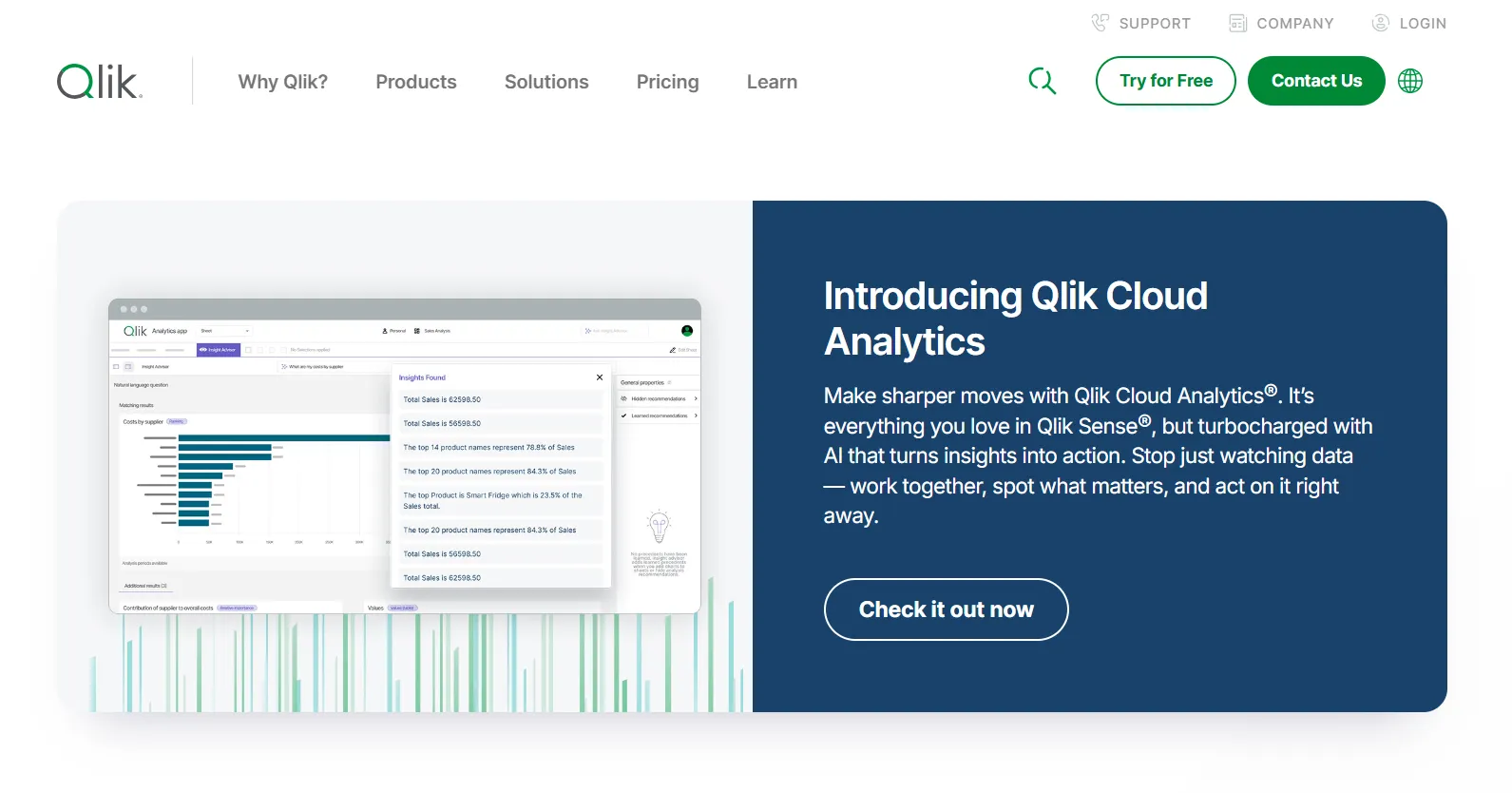
Qlik's associative engine doesn't really have a direct analog elsewhere. Selecting a value in one chart updates the entire dashboard around it, opening exploration paths that traditional drill-downs hide.
Regulated industries pick it most often, particularly when on-prem deployment is a hard requirement.
Qlik Sense's top features
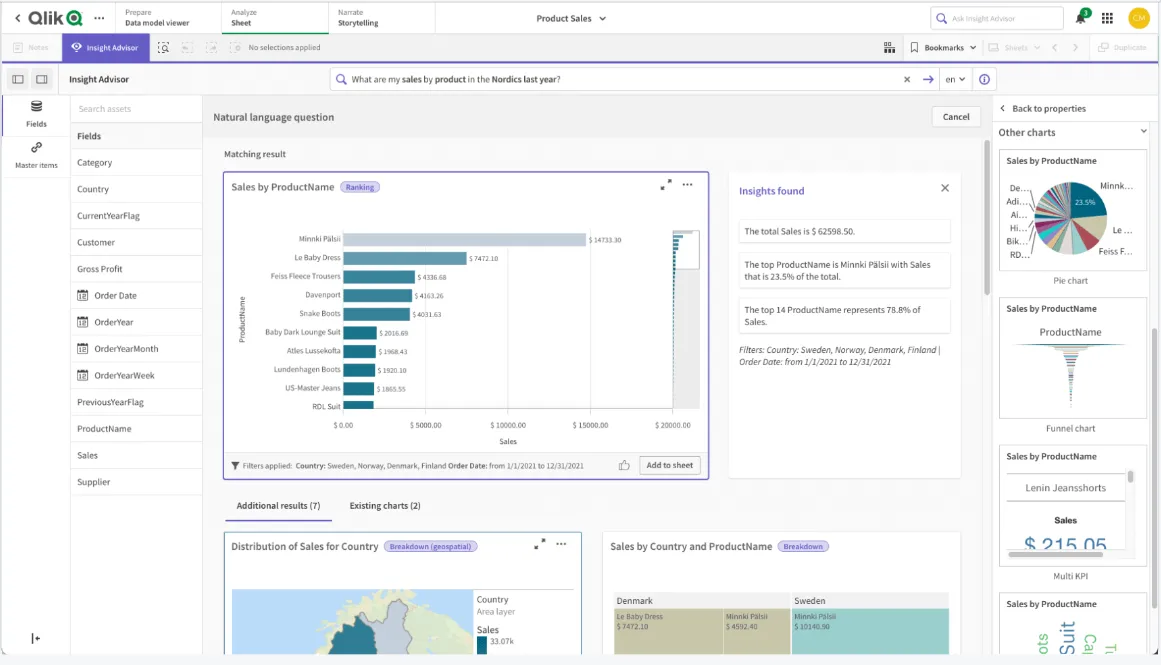
- Associative engine: A selection in one chart instantly updates everything else on screen.
- Insight Advisor: AI-driven insight generation, natural-language search, and predictive analytics built into the platform.
- Real-time alerts: Trigger notifications or downstream actions when monitored metrics cross defined thresholds.
Qlik Sense pricing
Qlik doesn't publish pricing for Qlik Sense. Contact their sales team for a custom quote.

Qlik Sense pros and cons
✅ Associative engine handles multi-dimensional exploration well.
✅ Strong fit for on-prem use cases.
❌ One user on G2 mentions that sometimes there are loading issues, especially when business intelligence is running updates.
Get started with Dot for free
Sigma is a strong product for teams whose work centers on building governed analytics applications on warehouse data, whether that's workbooks, AI apps, agents, or embedded experiences.
If that's the shape of your analytics, the swap probably doesn't make sense.
But if your team's actual job is reading and acting on data rather than building the artifacts that produce it, Dot operates at a different layer of the stack.
The output isn't another sheet to interpret. It's the analysis itself, delivered where decisions get made.
Here's what's included:
- Questions answered in Slack, Microsoft Teams, email, or the web app.
- Recurring business reviews built and delivered as scheduled PowerPoints.
- A Context Agent that centralizes metric definitions across teams.
- Audit trail behind every output, with one click back to the SQL, Python, and source tables.
- Connections to Snowflake, BigQuery, Redshift, Databricks, and a long list of other warehouses and databases.
- Compatibility with existing dbt, Looker, and Power BI semantic layers.
- SOC 2 Type II compliance and enterprise-grade access controls.
- Credit-based pricing that scales with usage, not seats.
➡️ Get started for free with Dot's free plan, or schedule a demo to see how it works with your data.
⚠️ Disclaimer: This article was last updated on the 15th of May, 2026, and if there's any misinterpretation of the information, please contact us, and we will fact-check it.
Theo Tortorici
Theo writes about AI-powered analytics, data tools, and the future of business intelligence at Dot.