
10 Best Omni Analytics Alternatives & Competitors In 2026
I'll walk through the 10 best Omni Analytics alternatives in 2026, grouped into AI-powered analytics platforms, enterprise BI tools, and warehouse-native or open-source solutions, with a closer look at each tool's features and tradeoffs.
TL;DR
- Dot offers the best Omni Analytics alternative with its AI-powered narrative analysis, automated executive business reviews, shared business context that keeps metric definitions consistent across teams, and credit-based pricing.
- Teams that need battle-tested enterprise dashboarding usually end up comparing Tableau, Microsoft Power BI, and Qlik Sense. All three have deep feature sets and enormous user bases, and most organizations past a certain size already have at least one of them deployed.
- Looker, Sigma, Holistics, and Metabase cover the warehouse-native and open-source end. Each one hands analysts and engineers more direct control over how data gets modeled, queried, and delivered to the rest of the company.
What are the best Omni Analytics alternatives in 2026?
The best Omni Analytics alternatives are: Dot, Tableau, and Looker.
Here's a breakdown:
Tool | Use Case | Price |
Dot | An AI data analyst that reads your warehouse and returns narrative insights, automated executive reports, and ad-hoc answers inside Slack or Teams. | Free plan; Paid from $180/month. |
Tableau | Visual analytics and interactive dashboarding for complex, large-scale data exploration. | From $75/creator/month. |
Microsoft Power BI | Standardized dashboards and self-service reporting tightly integrated with the Microsoft stack. | Free plan; Pro from $14/user/month. |
Qlik Sense | Associative analytics engine for free-form exploration across complex datasets. | Custom pricing. |
ThoughtSpot | Search-driven analytics with natural language, AI agents, and auto-generated dashboards. | From $25/user/month (annual). |
Supaboard | AI-generated dashboards and trainable agents for no-code, natural-language BI. | From $85/month. |
Looker | Warehouse-native BI built around the LookML semantic layer for governed, consistent metrics. | Custom pricing (annual contract). |
Sigma | Spreadsheet-style analysis on live warehouse data for finance, FP&A, and ops teams. | Custom pricing. |
Holistics | Semantic-layer BI with Analytics as Code and Git version control. | From $960/month. |
Metabase | Open-source BI with a visual query builder, lightweight dashboards, and Metabot AI. | Free (Open Source); Cloud from $100/month. |
What are the best AI-powered Omni Analytics alternatives?
Here are the best AI-powered Omni Analytics alternatives:
#1: Dot
Dot offers the best AI-powered Omni Analytics alternative on the market that lets you go from raw warehouse data to written, decision-ready analysis without modeling a single workbook.
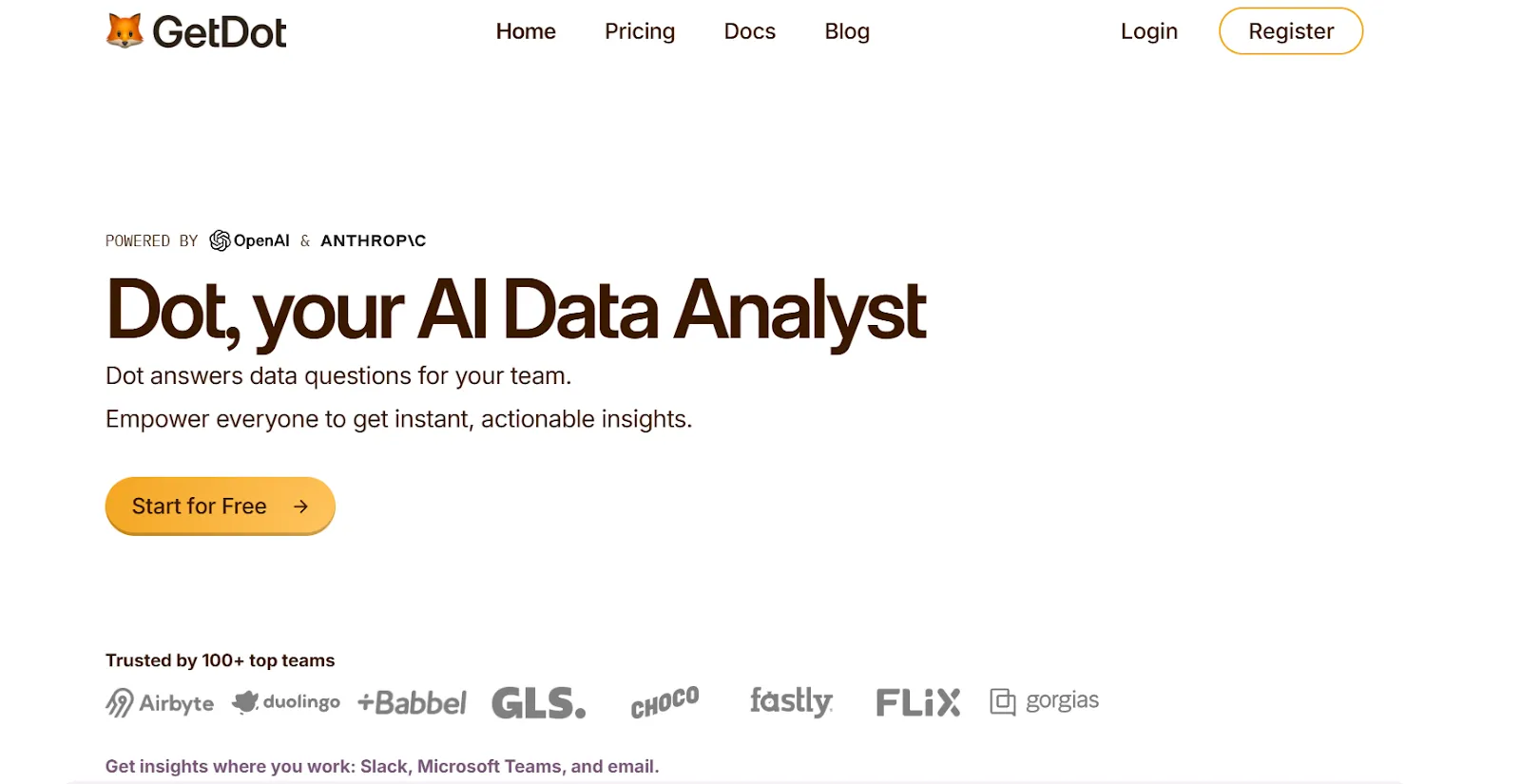
Full disclosure: Even though Dot is our solution, I’ll try to explain what makes our solution the best Omni Analytics alternative on the market.
Our platform is built around a different idea: the analysis itself should be automated, so the people who need answers can get them fast, and the people who usually produce those answers can finally stop living inside the ticket queue.
Here's what that looks like in practice: 👇
Get a full answer to any business question in the time it takes to grab a coffee
Picture this: your Head of Customer Success drops a question in Slack at 4 PM.
"Why did gross retention slip three points in the enterprise segment this month?"
In a classic BI setup, that becomes a ticket.
An analyst picks it up the next morning, opens two workbooks, writes a chunk of SQL, pivots against churn reasons, and finally sends a Loom video back two days later.
With Dot, the same question gets typed into Slack and answered inside the same thread.
A couple of minutes later, your CS lead has a structured response that breaks out retention by segment, flags the two accounts that drove most of the drop, and points out that contract length was the strongest correlating variable.
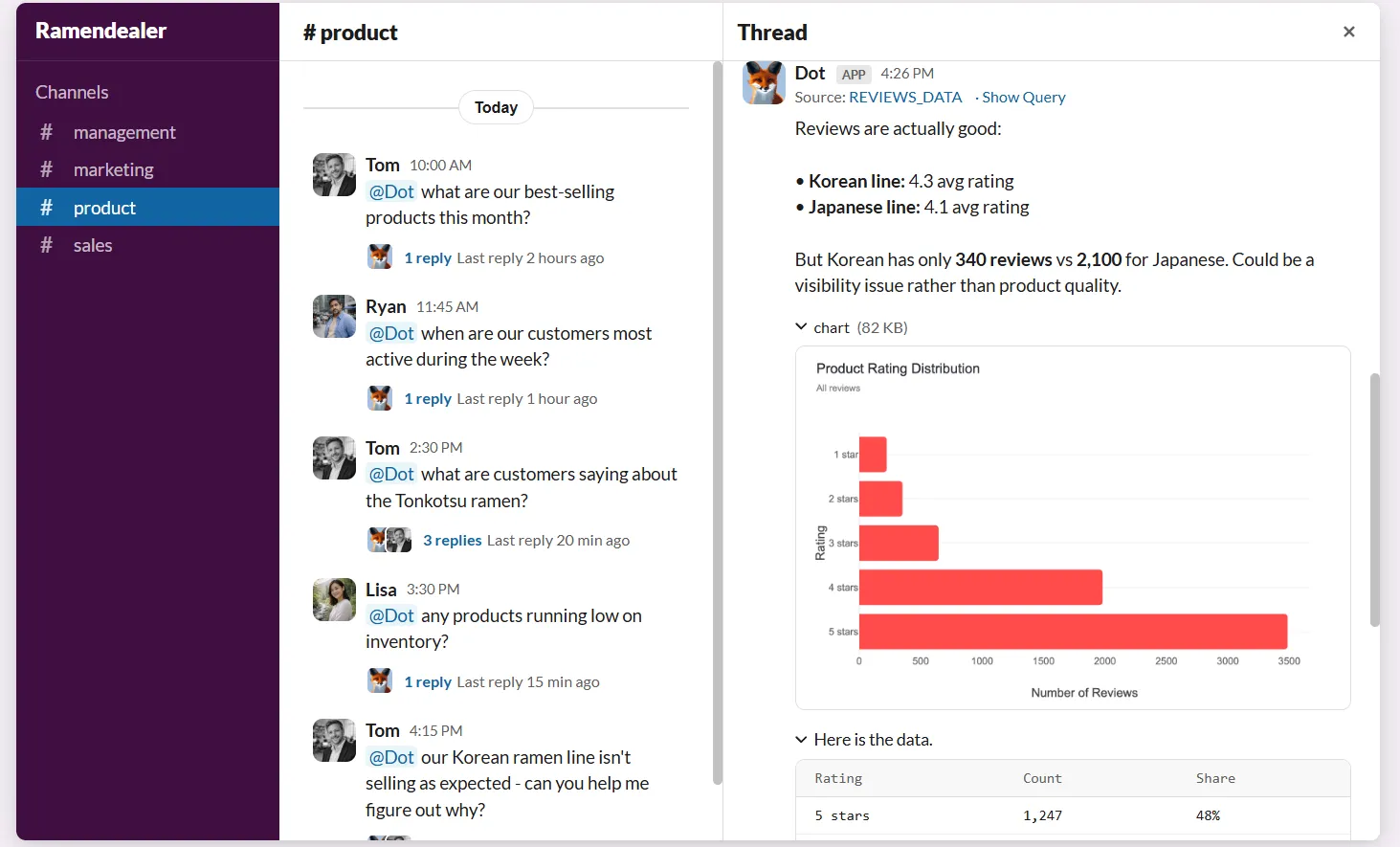
And the reply isn't a chart pasted into chat: it's a written analysis with the reasoning laid out, the numbers cited, and recommendations on what to investigate next.
Keep every team working from the same definitions, without constant cleanup
Metric definitions drift. That's the quiet truth of running analytics at any company past its first 50 people.
- Your RevOps lead pulls "qualified pipeline" from HubSpot.
- Your CFO pulls the same number from Salesforce.
- Your Head of Sales has a spreadsheet that somehow lands on a third figure.
Nobody's wrong, exactly. They're all using different filters and time windows that quietly drifted apart over the last two quarters.
Our Context Agent is built specifically to stop that from happening.
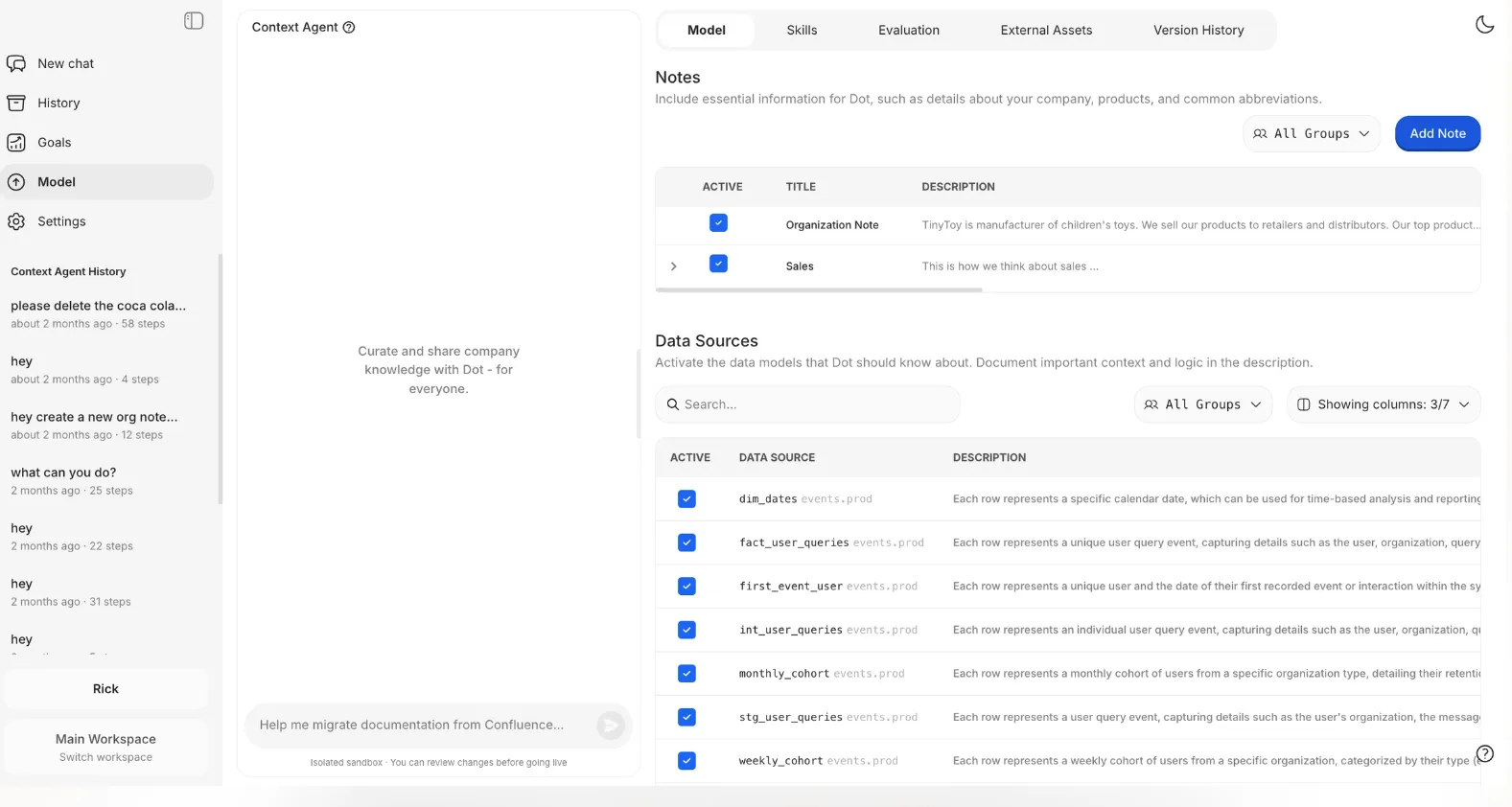
It crawls your existing dbt models, BI dashboards, Confluence docs, and semantic layers, then consolidates all of that into a single shared definition layer that every Dot answer references.
If a definition is missing, it writes one.
If two sources contradict each other, it raises the mismatch for someone to resolve.
The result is that every answer Dot produces, whether it's a Slack reply, a scheduled report, or an ad-hoc analysis, runs against the same business logic.
Your CFO and your Head of Growth end up looking at the same "qualified pipeline" number, whether they're asking on Monday morning or Thursday night.
Replace your weekly reporting ritual with a briefing that writes itself
Most data teams I've talked to share the same Friday-afternoon ritual.
An analyst is copying charts out of a workbook, pasting them into slides, and writing the commentary by hand so the leadership review is ready for Monday.
The dashboard has all the numbers. The analyst still has to turn those numbers into a story.
Dot handles this by generating fully written PowerPoint business review reports on a schedule you set.
Not screenshots of charts with captions underneath.
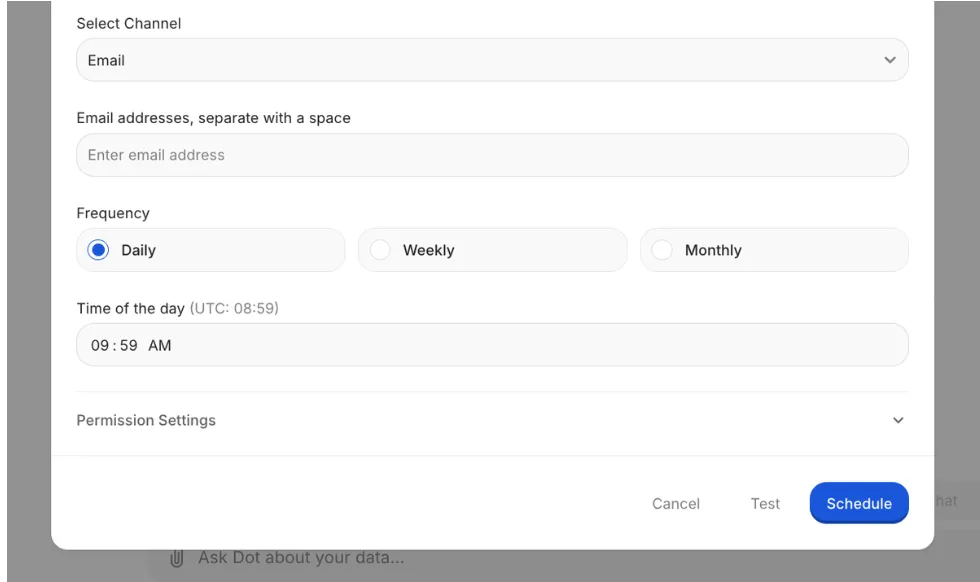
An actual written briefing that covers what moved, how it compares to last week, last month, and last quarter, which segments drove the change, and where leadership should focus attention next.
Your data team gets its Friday afternoon back.
Leadership opens a deck they can read in five minutes without asking, "wait, what's this chart showing?"
And because the report is regenerated live from the warehouse every cycle, the numbers are never stale.
Verify any number in the report, down to the exact query, in under a minute
A VP flags something strange in the board deck at 10 PM on a Sunday.
A revenue figure that doesn't match what they remember from the last all-hands.
In most BI setups, that kicks off a panicked Monday morning where someone reverse-engineers how the number was calculated, which dashboard it came from, and whether a data model changed in the past two weeks.
Every Dot output, whether it's a Slack reply or a scheduled report, carries a traceability layer built in.
You can click straight through to the underlying SQL, open the Python that ran any calculations, and inspect the specific tables and columns that fed the number.
It's an audit trail, not a source citation.
That changes the conversation from "I don't trust this number" to "I see exactly how this was calculated, and here's where the definition breaks down."
Trust stops being a judgment call.
Dot's integrations
Dot doesn't ask you to move data, re-model metrics, or abandon tools that already work.
It queries your warehouse directly, whether that's Snowflake, Databricks, BigQuery, Redshift, or a Postgres, MySQL, or SQL Server setup.
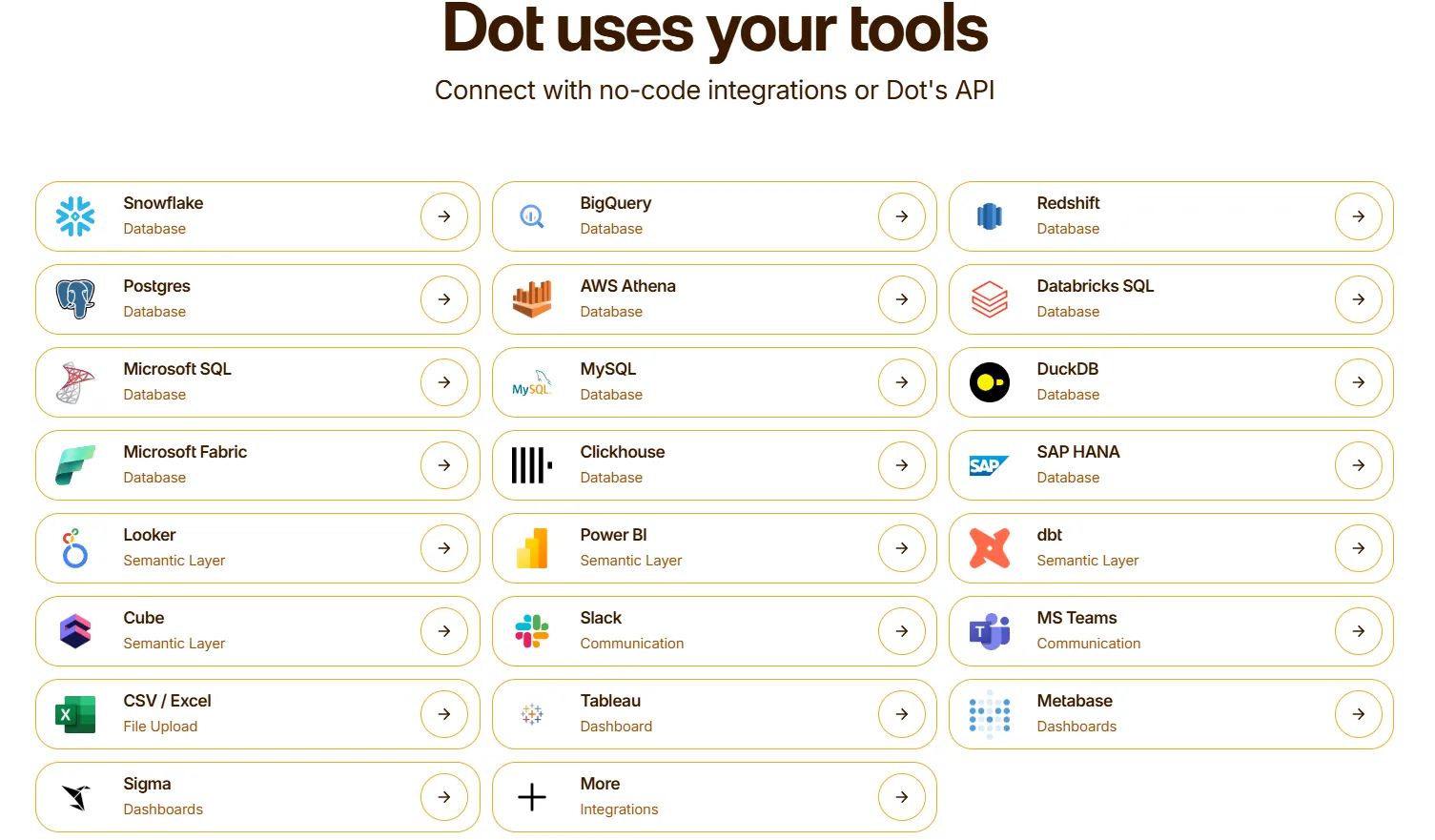
It also picks up metric logic from dbt, Looker, Power BI semantic models, and Cube, so the business definitions you've already built keep doing their job.
Insights show up wherever your team already communicates: Slack, Microsoft Teams, email, or the Dot web app.
And if your team wants to keep Omni, Sigma, or Tableau for specific workbook use cases, Dot runs alongside them rather than replacing anything.
Dot pricing
Dot's free plan comes with 300 one-time credits plus full access to Pro features, so you can run it against your warehouse without paying anything.
Three paid plans sit above that:
- Pro: $180/month, includes 150 credits per month, $1.80 per credit overage, and unlimited users.
- Team: $720/month, includes 800 credits per month, $1.44 per credit overage, SSO, row-level security, embedded analytics, BI migration support, and dedicated support.
- Enterprise: Custom pricing, includes unlimited credits, volume discounts, self-hosted deployment, audit logs, SLA, and a dedicated account manager.
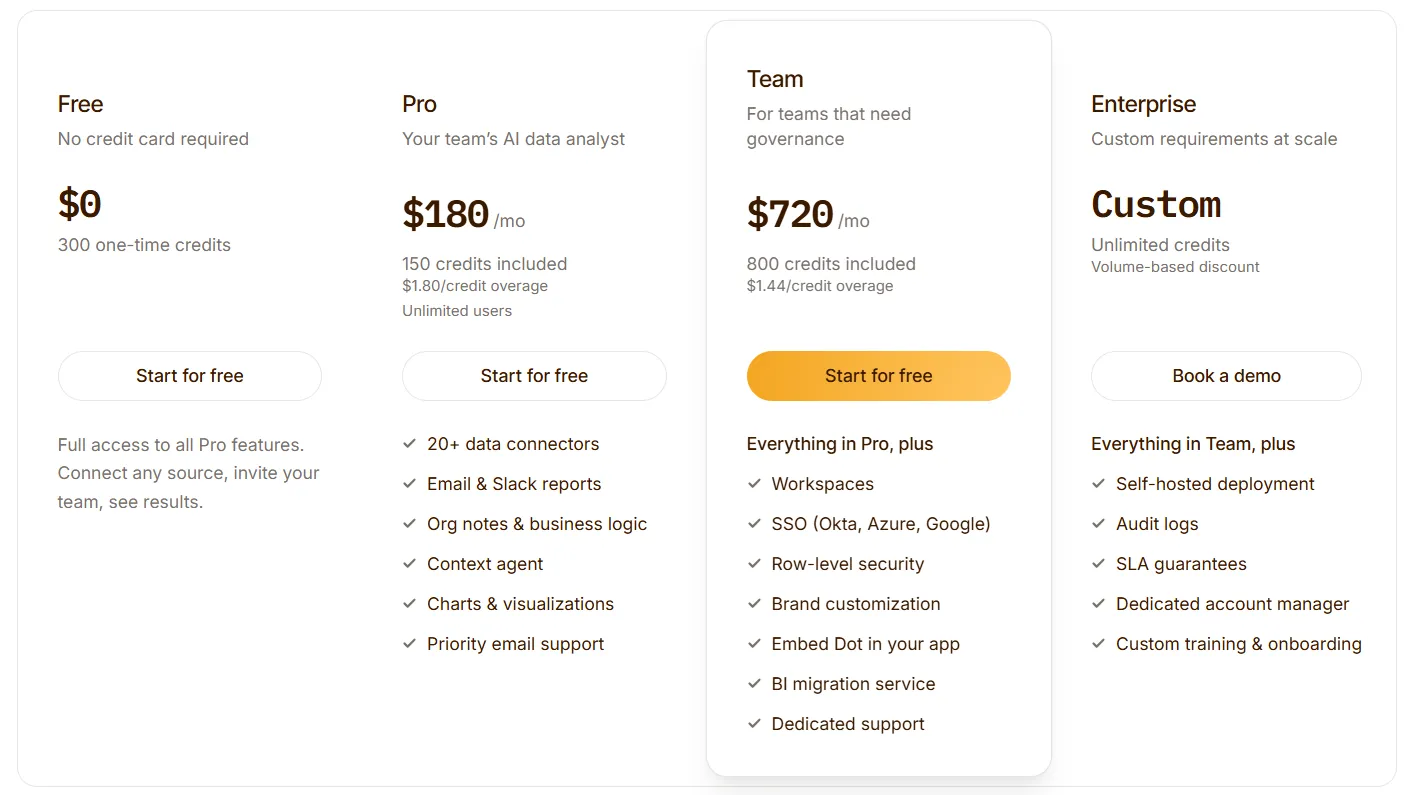
➡️ Annual billing saves 10% on every paid plan.
Dot pros and cons
✅ Raw warehouse data turned into written analysis with recommendations, not just charts.
✅ Scheduled PowerPoint briefings that replace hours of manual slide work each week.
✅ Full audit trail on every insight.
✅ Runs alongside your existing warehouse, semantic layer, and BI tools.
✅ Unlimited users on every paid plan.
❌ Not a traditional workbook tool.
❌ Needs a connected data warehouse to run, which rules out teams that haven't set up a modern data stack yet.
#2: ThoughtSpot
Best for: Business teams that want fast, natural-language access to governed data without going through an analyst or learning SQL.
Similar to: Dot, Supaboard.
ThoughtSpot's angle is that searching your data should feel like searching the web. You type what you want to know, and the system returns a chart and an explanation without making you build anything first.
Its AI layer, Spotter, has matured enough that teams treat it as a real analyst stand-in for the lighter questions.
ThoughtSpot's Top Features
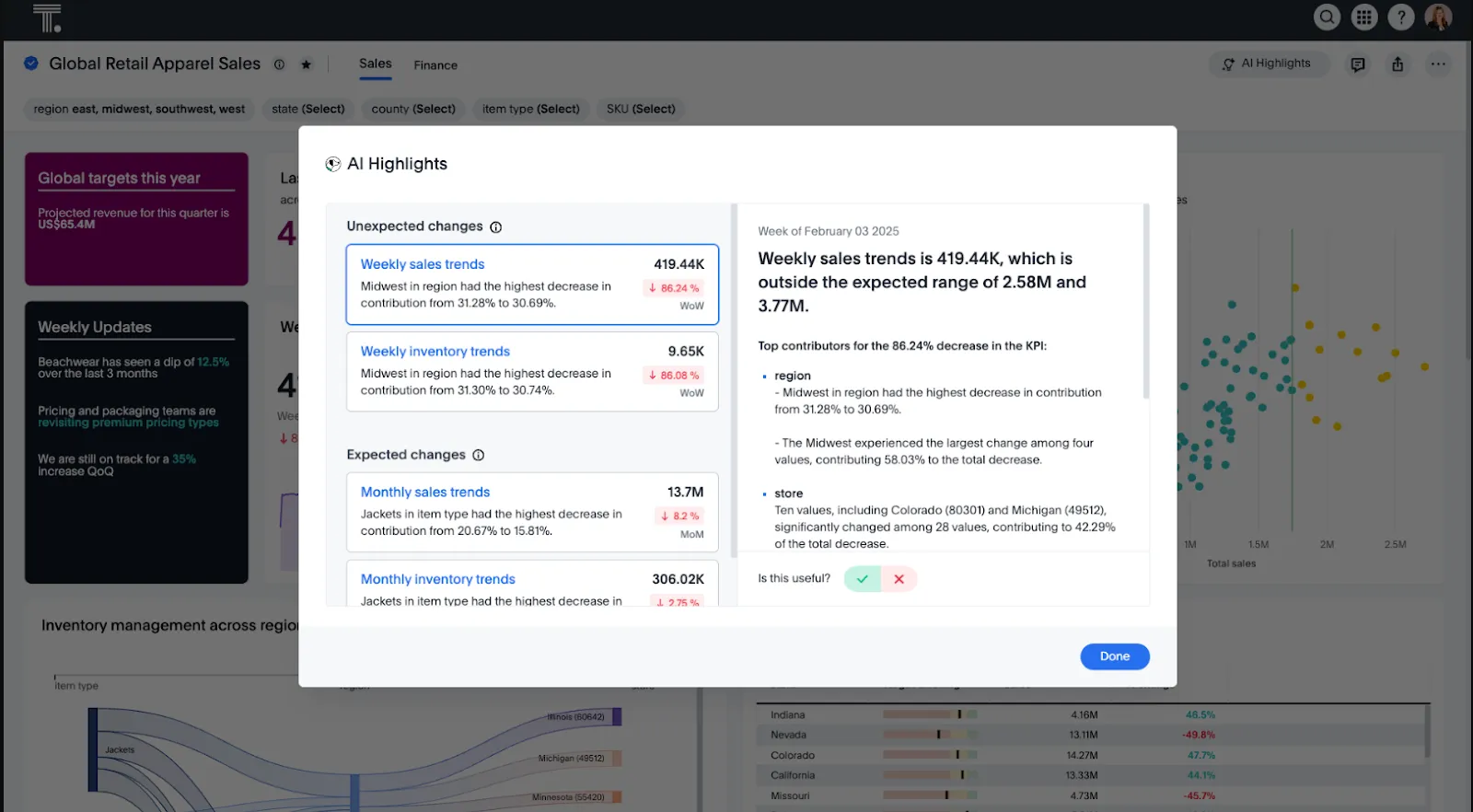
- Natural-language search: Ask questions in plain English and get governed, live-data answers back without opening a dashboard or writing SQL.
- Spotter AI Agent: An AI analyst that proactively surfaces trends, anomalies, and explanations across connected data sources.
- SpotterViz automated dashboards: Turn raw data into styled, complete dashboards automatically, skipping most of the manual layout work.
- Embedded analytics: Embed search-driven analytics into your own products or internal tools with full customization.
ThoughtSpot Pricing
ThoughtSpot offers two separate products - ThoughtSpot Analytics for internal BI and ThoughtSpot Embedded for building analytics into applications - each with flexible pricing depending on scale and usage:
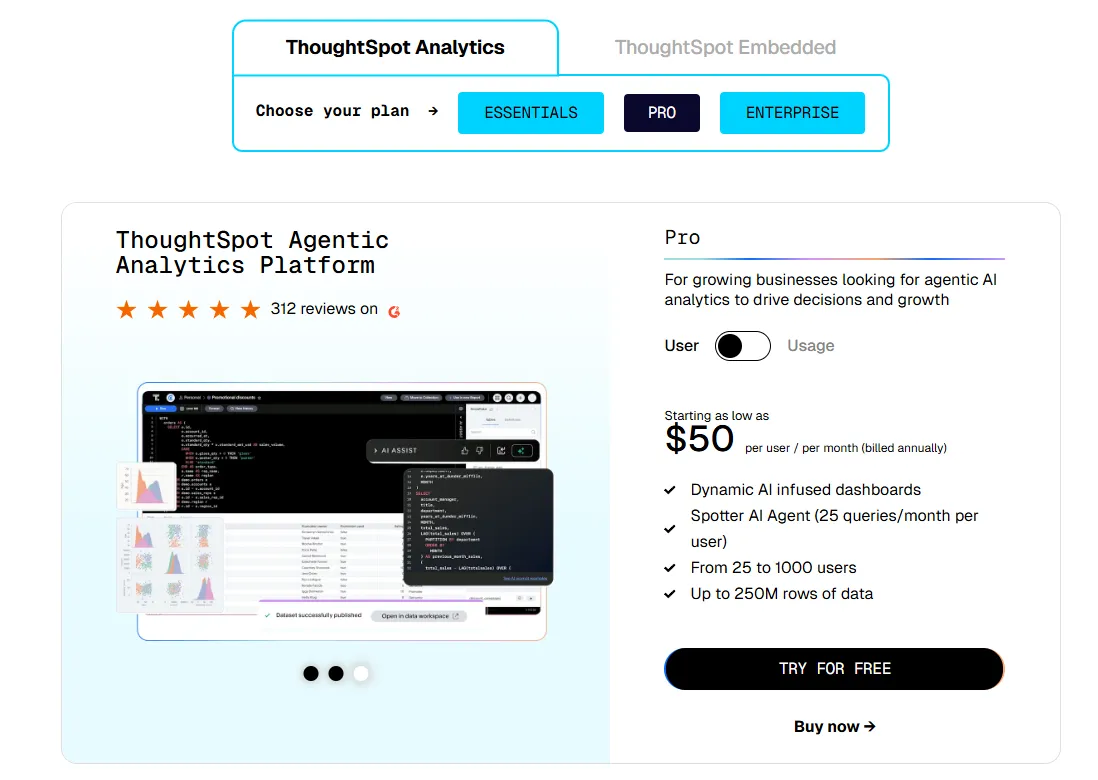
- ThoughtSpot Analytics:
- Essentials: From $25 per user per month (billed annually), for teams of 5-50 users, includes dynamic interactive dashboards and AI-powered insights and supports up to 25M rows of data.
- Pro (per user pricing): From $50 per user per month (billed annually), for 25–1,000 users, includes everything in Essentials, plus AI-infused dashboards and Spotter AI Agent (25 queries per user/month), and supports up to 250M rows of data.
- Pro (usage-based): From $0.10 per query, includes everything in Pro per user, and adds Analyst Studio.
- Enterprise (user or usage-based): Custom pricing, includes everything in Pro, plus unlimited users and data.
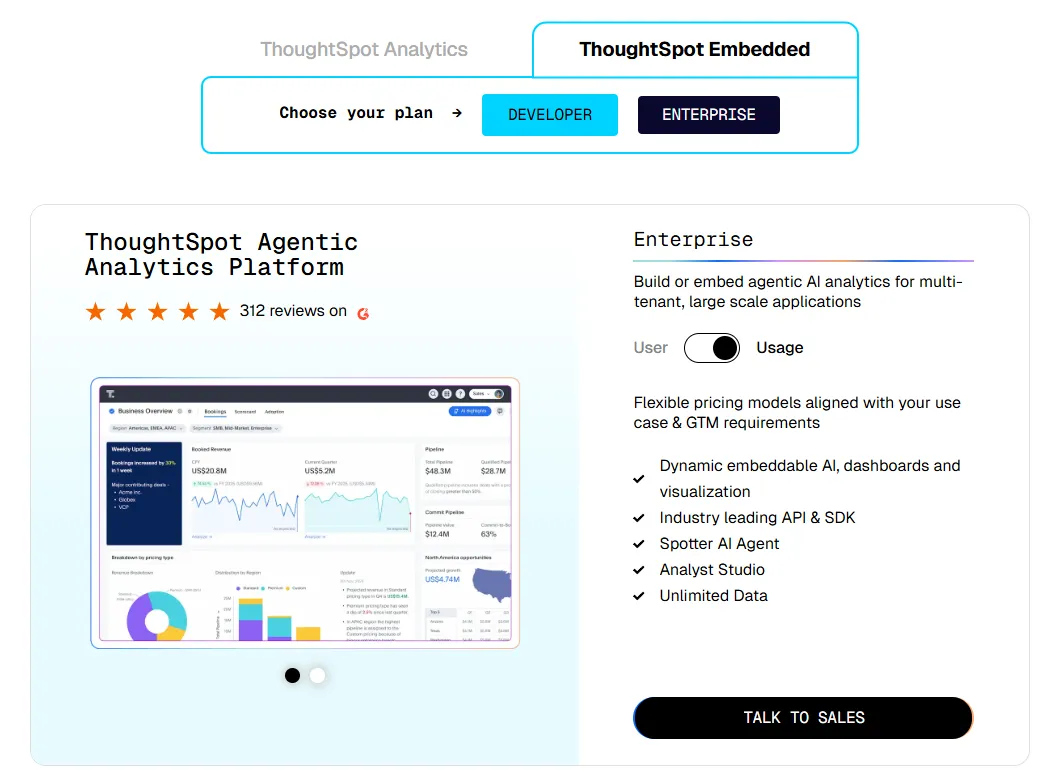
- ThoughtSpot Embedded:
- Developer: Free for 1 year, includes embeddable AI analytics, dashboards, and visualizations, APIs and SDKs, up to 10 users and 25M rows of data.
- Enterprise (user-based): Custom pricing, includes everything in Developer, plus unlimited data.
- Enterprise (usage-based): Custom pricing, everything in Enterprise, plus Spotter AI Agent and Analyst Studio.
ThoughtSpot Pros and Cons
✅ Easy for non-technical users.
✅ AI surfaces trends and anomalies faster than manual dashboard browsing.
✅ Mature embedded analytics for product teams. Also, a solid pick for teams exploring alternatives to lighter AI tools likeJulius AI.
❌ Two pricing structures (per user vs. usage-based) can get confusing at scale.
#3: Supaboard
Best for: Teams that want AI-generated dashboards, trainable agents, and natural-language analytics without building a semantic layer first.
Similar to: ThoughtSpot, Dot.
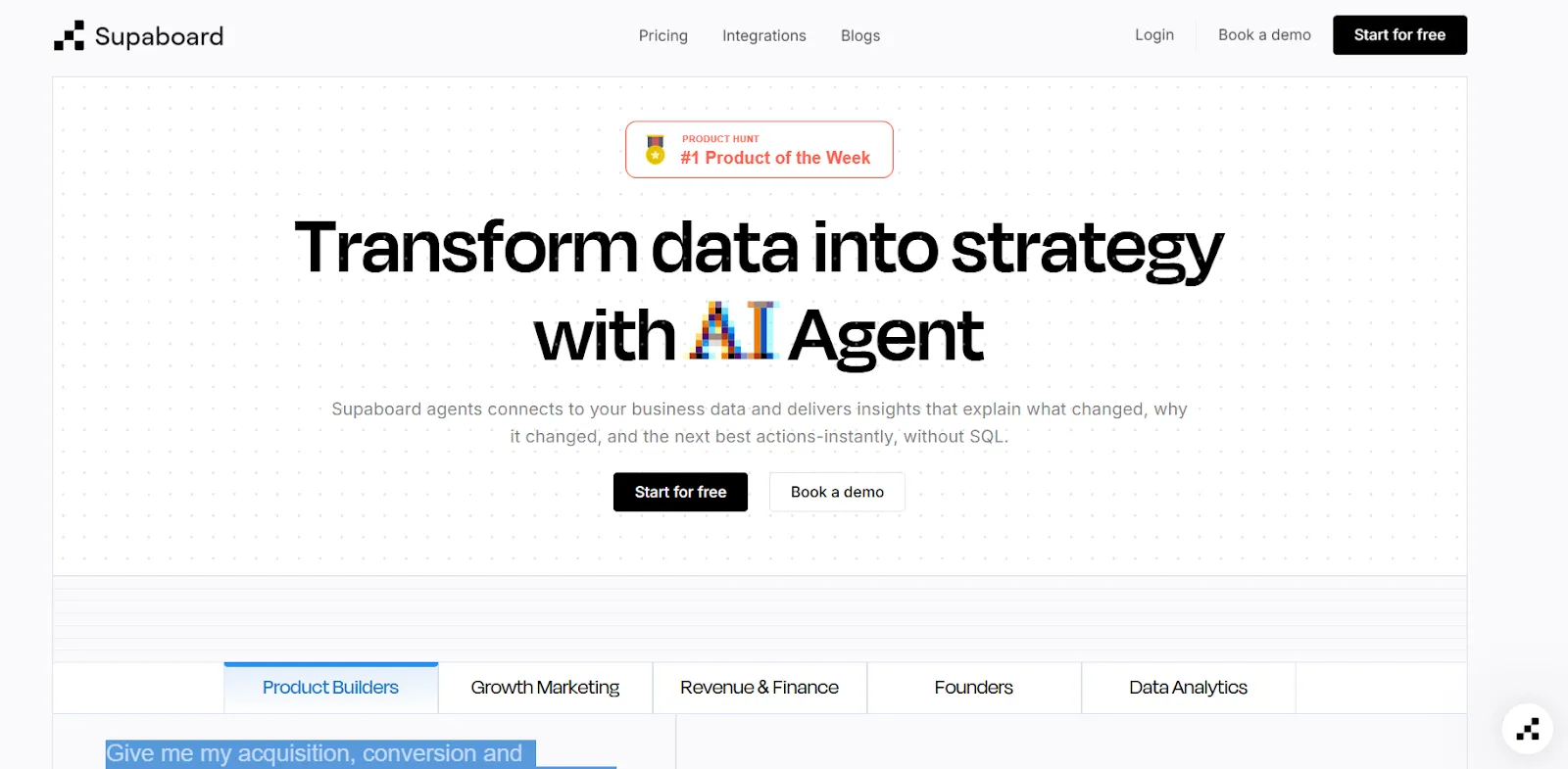
Supaboard is the "describe the dashboard you want, get the dashboard" crowd's pick.
Connect your data sources, prompt the system in plain English, and it builds KPIs, charts, and full dashboards from scratch.
Teams that have been experimenting with AI-SQL tools like Vanna AI sometimes land here when they want the output to be a dashboard, not a query.
Supaboard's Top Features
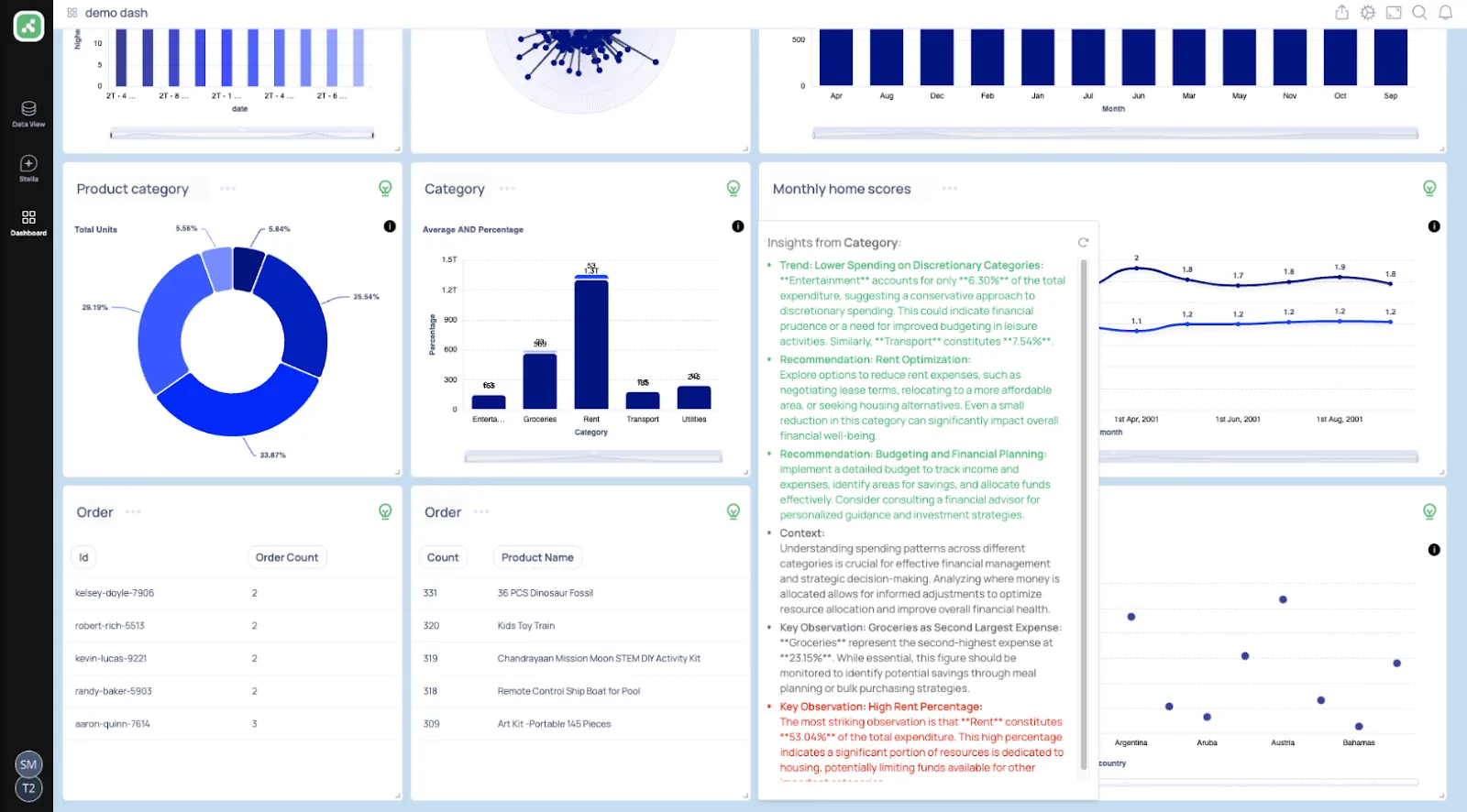
- Trainable AI agents: Build agents trained on your business logic, rules, and definitions so the analysis reflects how your team actually works.
- Natural-language data chat: Ask questions in plain English and get back metrics, charts, explanations, and recommended next steps.
- AI-generated real-time dashboards: Describe what you need and Supaboard builds it, complete with interactive KPIs and live data.
Supaboard Pricing
Three paid tiers, with a 14-day free trial on the first two:
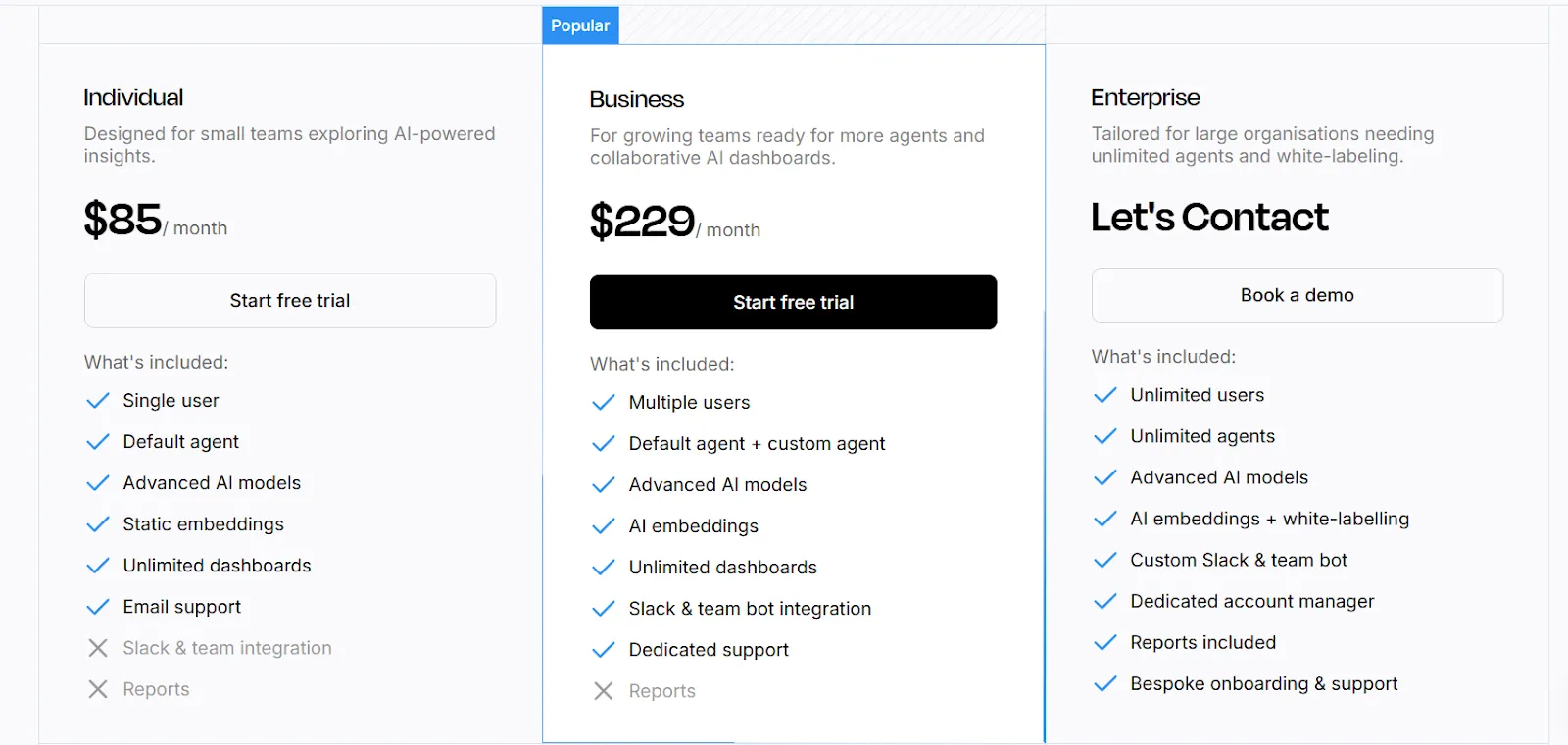
- Individual: $85/month, single user, default AI agent, advanced AI models, static embeds, unlimited dashboards, and email support.
- Business: $229/month, adds multiple users, custom agents, AI embeds, Slack and Teams bot integration, and dedicated support.
- Enterprise: Custom pricing, adds unlimited users and agents, white-labeling, custom integrations, a dedicated account manager, and bespoke onboarding.
Supaboard Pros and Cons
✅ Fast to connect to data sources, including large CSV and KPI files.
✅ Natural-language querying feels instant for business users.
✅ Pricing is transparent at the entry tiers.
❌ Still a relatively young product, so the integration roster might not be as deep as enterprise BI tools.
What are the best enterprise BI alternatives to Omni Analytics?
Here are the best enterprise BI alternatives to Omni Analytics:
#1: Tableau
Best for: Analysts and enterprise data teams that need advanced visual analytics, exploratory analysis, and flexible deployment across cloud and self-hosted environments.
Similar to: Looker, Qlik Sense.

Tableau built its reputation on visual analytics: the ability to click through big, messy datasets and actually see the shape of the data.
It's now layering in agentic analytics through Tableau Next, which brings natural-language questions and AI-triggered actions to the top of the classic dashboarding experience.
Tableau's Top Features
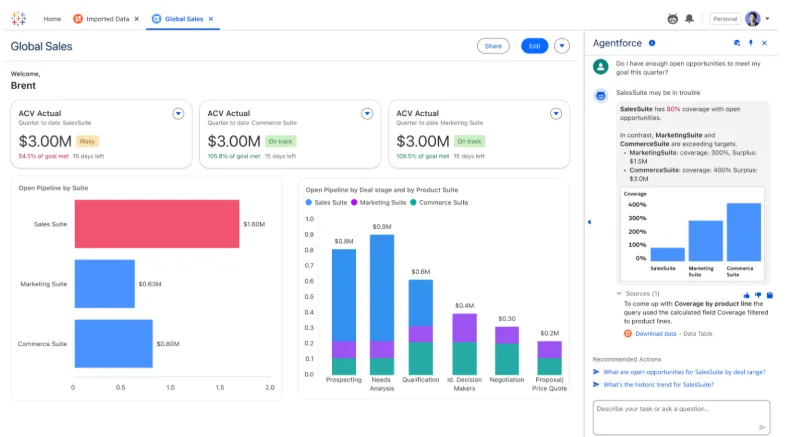
- Advanced visual analytics with VizQL: Build interactive dashboards using drag-and-drop analysis, rich visuals, and drill-downs that let analysts explore complex datasets.
- Agentic analytics with Tableau Next: AI-powered agents that deliver personalized insights, answer natural-language questions, and can trigger actions inside Slack and Salesforce workflows.
- Governance and security at scale: Centralized data governance, reusable metrics through Tableau Pulse, and Data Management features for rolling analytics out across large teams.
- Flexible deployment: Available as Tableau Cloud, Tableau Server (self-hosted), or the newer Tableau Next offering, depending on your infrastructure preferences.
Tableau Pricing
Tableau uses per-user, per-month pricing, with separate plans depending on whether you deploy Tableau in the cloud, on your own servers, or as part of its newer AI-driven offering:
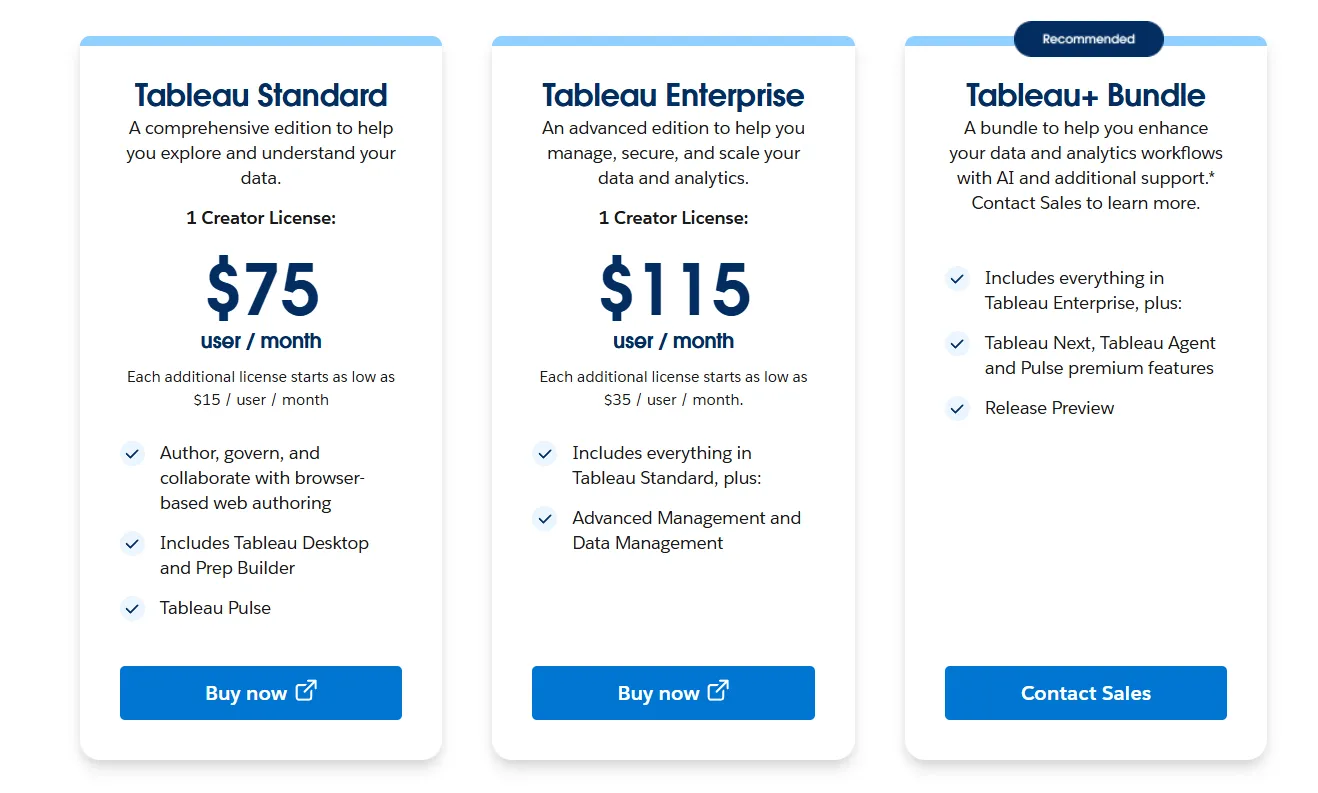
- Tableau Cloud has three pricing plans:
- Tableau Standard: $75 per 1 creator per month, with each additional license from $15 per user/month, includes browser-based authoring and collaboration, Tableau Desktop and Prep Builder, Tableau Pulse for metrics and insights.
- Tableau Enterprise: $115 per 1 creator per month, with each additional license from $35 per user/month, includes everything in Standard, plus Advanced Management and Data Management for governance and scale.
- Tableau+ Bundle (Cloud + AI): Custom pricing, includes everything in Tableau Enterprise, plus Tableau Next, Tableau Agent, and Pulse premium features, with access to release previews and early AI capabilities.
- Tableau Server has two pricing plans:
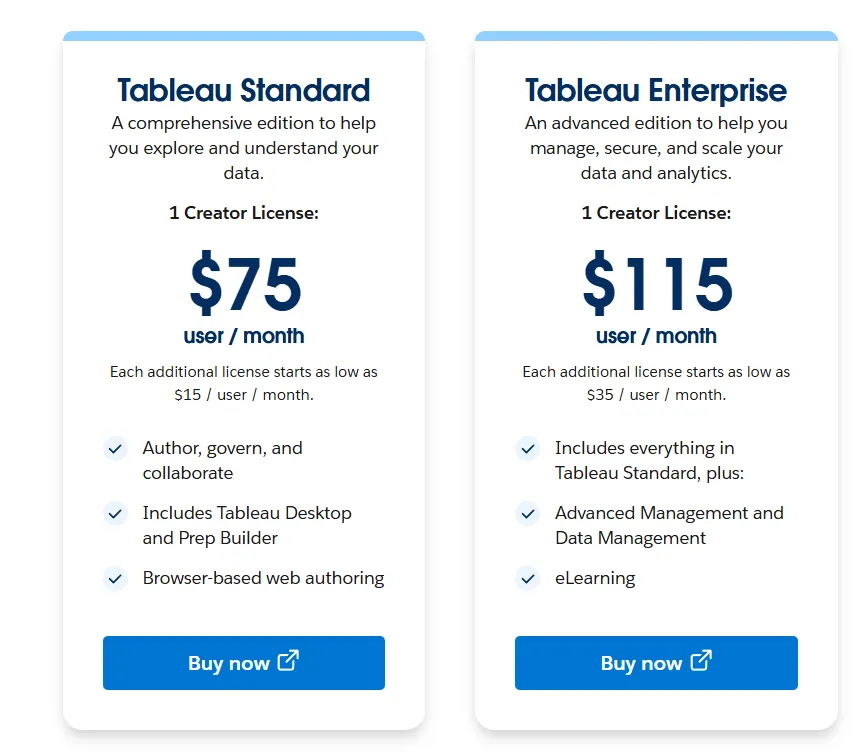
- Tableau Standard: $75 per 1 creator per month, with each additional license from $15 per user/month, includes authoring, governance, and collaboration and Tableau Desktop and Prep Builder.
- Tableau Enterprise: $115 per 1 creator per month, with each additional license from $35 per user/month, includes everything in Standard, plus Advanced Management, Data Management, and eLearning.
- Tableau Next (agentic analytics): Requires an annual contract, includes agentic analytics via Agentforce, Tableau Semantics, Tableau Pulse (including premium), and Data 360.
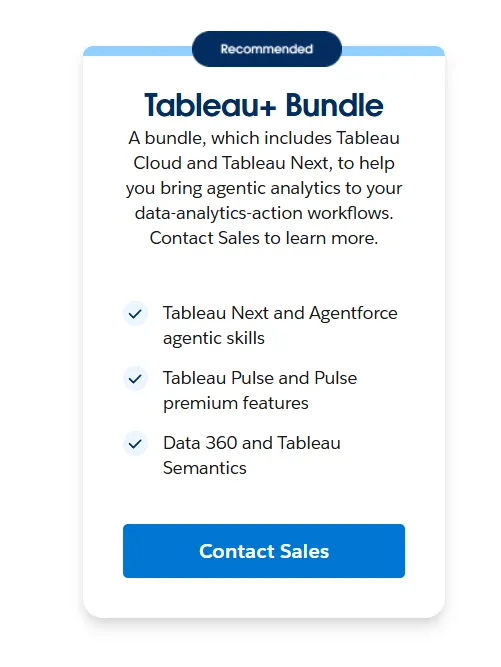
Tableau Pros and Cons
✅ Excellent visualization depth and data storytelling.
✅ Drag-and-drop analysis lets analysts iterate on dashboards quickly without heavy code.
✅ One of the biggest user communities in BI, with extensive learning resources.
❌ Per-user pricing can scale fast for organizations rolling out broadly.
#2: Microsoft Power BI
Best for: Organizations already running on Microsoft 365, Azure, or Fabric that want standardized dashboards and self-service analytics across thousands of users.
Similar to: Tableau, Looker.
Power BI is Microsoft's business intelligence solution designed for creating interactive dashboards, reports, and visualizations on top of structured data sources.
If your company already runs on Excel, Teams, SharePoint, Fabric, and Azure, Power BI slots in without a fight.
Power BI's Top Features
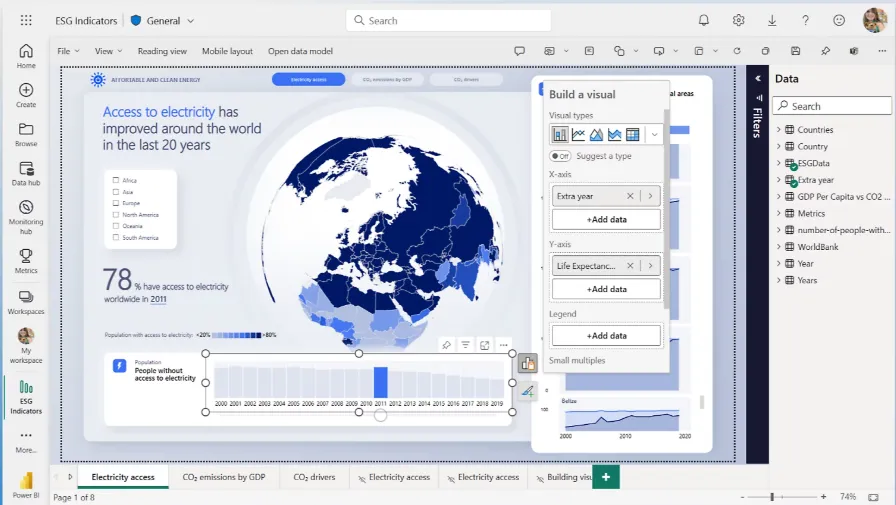
- Interactive dashboards and reports: Combine multiple visuals, filters, and drill-downs to explore data across teams and departments.
- Enterprise governance and security: Role-based access control, row-level security, data sensitivity labels, and Microsoft Entra ID integration for managing access at scale.
- AI-assisted insights with Copilot: Copilot, quick insights, forecasting, and anomaly detection surface patterns and trends directly in reports.
Power BI Pricing
Power BI uses a per-user and capacity-based pricing model:
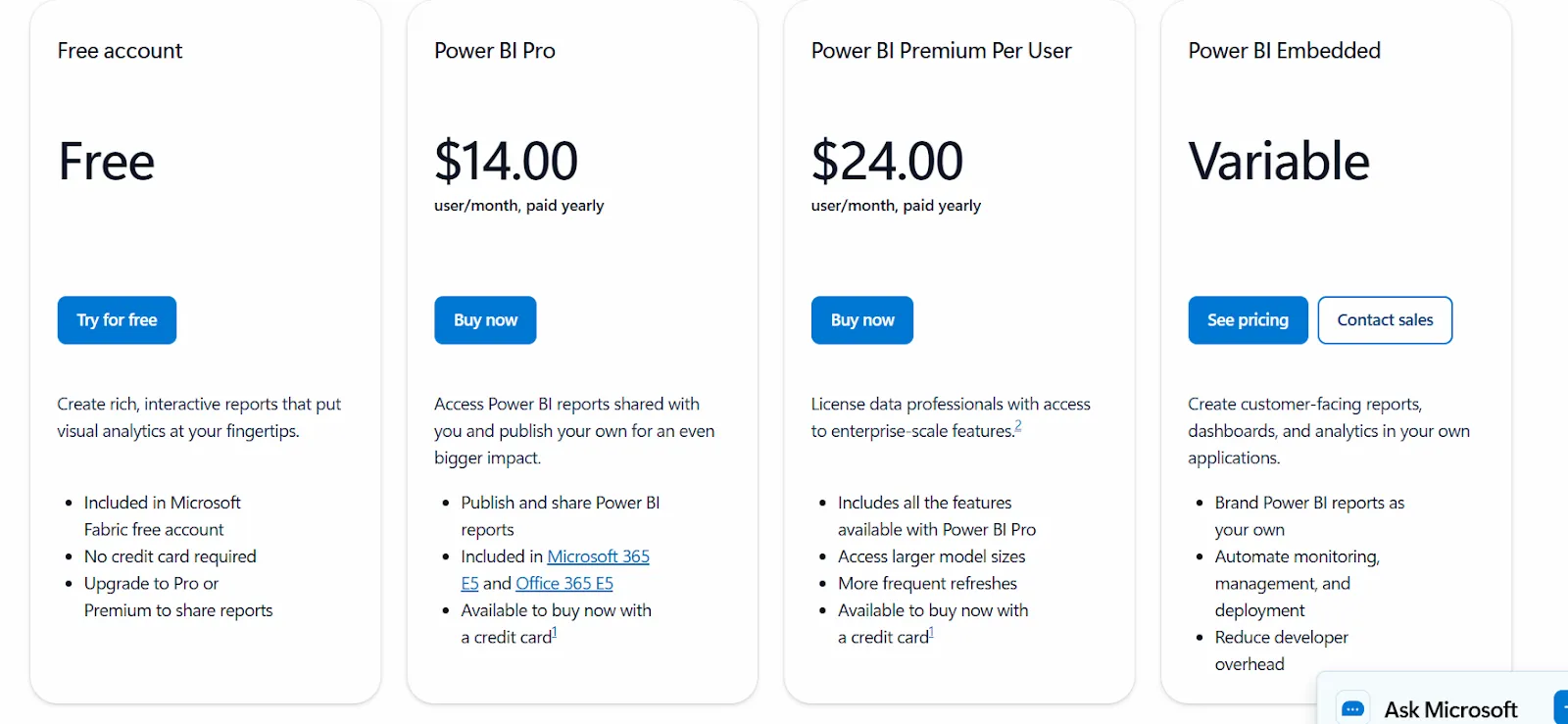
- Free: Build reports and dashboards for personal use, but no sharing or collaboration.
- Power BI Pro: $14/user/month, includes report publishing, sharing, workspace collaboration, and embedding in Teams and SharePoint.
- Power BI Premium Per User: $24/user/month, adds larger model sizes, more frequent refreshes, paginated reports, and advanced AI.
- Power BI Embedded: Custom pricing for customer-facing analytics in your own applications.
Power BI Pros and Cons
✅ Strong dashboarding and visualization for structured data.
✅ Deep integration with the Microsoft stack, including Teams, Fabric, and Entra ID.
✅ Affordable entry point at $14/user/month on Pro.
❌ For beginners, the learning curve can feel steep, particularly when you start working with data modeling and DAX formulas, according to a G2 review.
#3: Qlik Sense
Best for: Organizations in regulated industries that want free-form, interactive exploration plus the option of on-premise deployment.
Similar to: Tableau, Power BI.
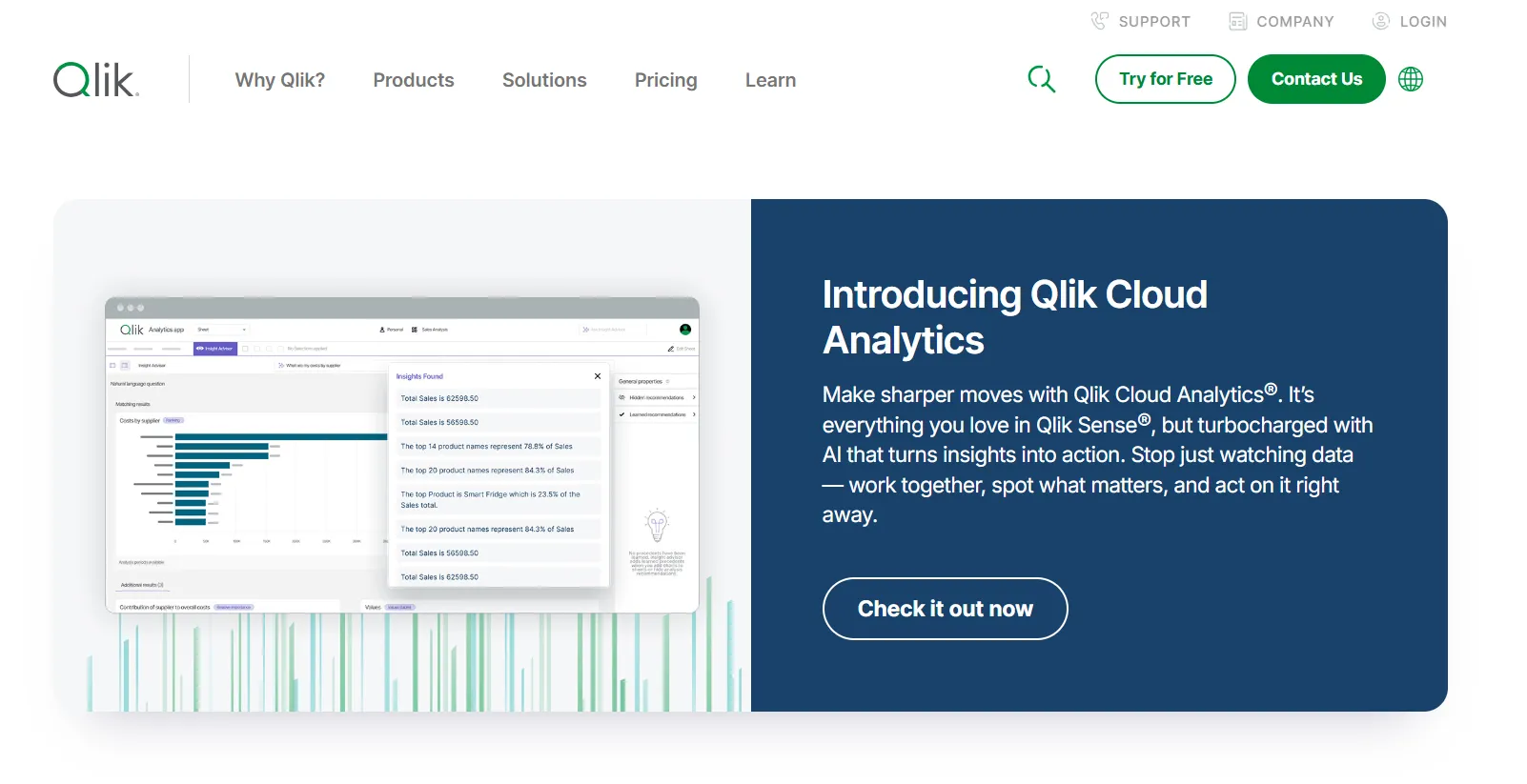
Qlik Sense's claim to fame is the associative engine underneath it.
Select any value on any chart, and the entire data model recalculates in real time.
No predefined query paths and no locked-in dashboard flows: just open-ended exploration with governance built-in.
Qlik Sense's Top Features
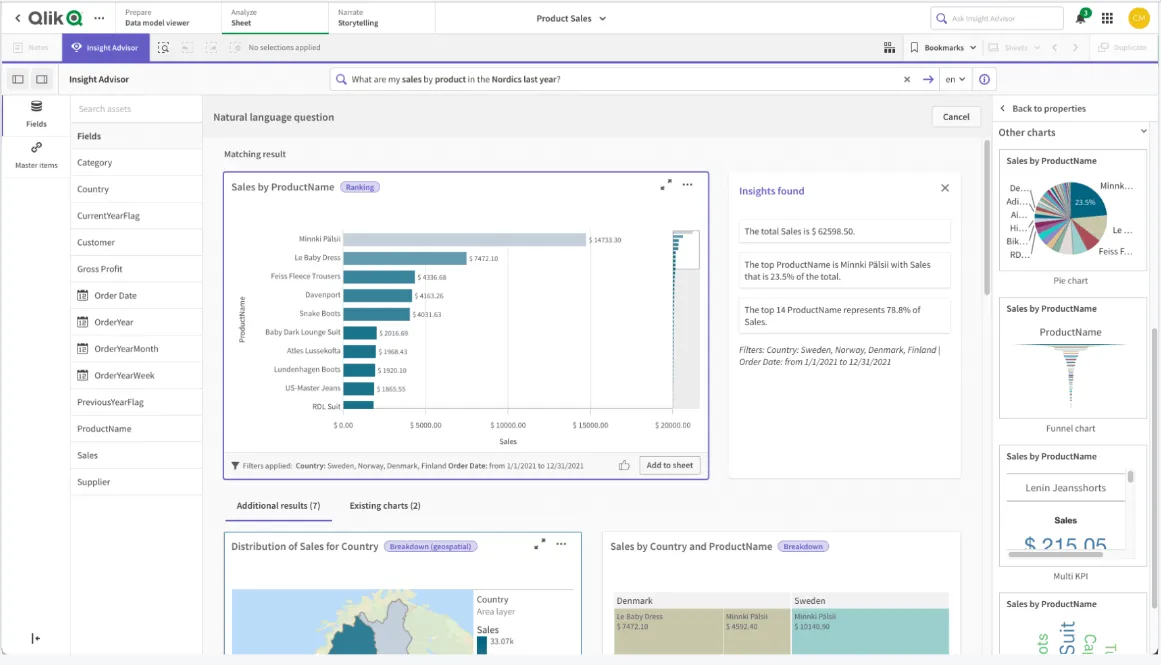
- Associative analytics engine: Explore data freely by selecting values across any chart, table, or field, with instant recalculations keeping everything in context.
- AI-powered augmented analytics: Built-in machine learning generates insights automatically, supports natural-language search, and enables predictive analytics without a dedicated data science team.
- Real-time alerts and automation: Monitor data changes with alerts and trigger automated actions when thresholds or events are hit.
Qlik Sense Pricing
Qlik keeps Qlik Sense pricing behind sales. You'd need to contact their team for a custom quote.

Qlik Sense Pros and Cons
✅ Flexible and customizable for complex exploration use cases.
✅ Holds up well under very large data volumes and enterprise rollouts.
✅ Cloud and on-premise deployment are both supported.
❌ One user on G2 mentions that sometimes there are loading issues, especially when business intelligence is running updates.
What are the best warehouse-native Omni Analytics alternatives?
Here are the best warehouse-native Omni Analytics alternatives:
#1: Looker
Best for: Data teams that want a governed, warehouse-native BI platform with a strong semantic layer and tight Google Cloud integration.
Similar to: Holistics, Omni.
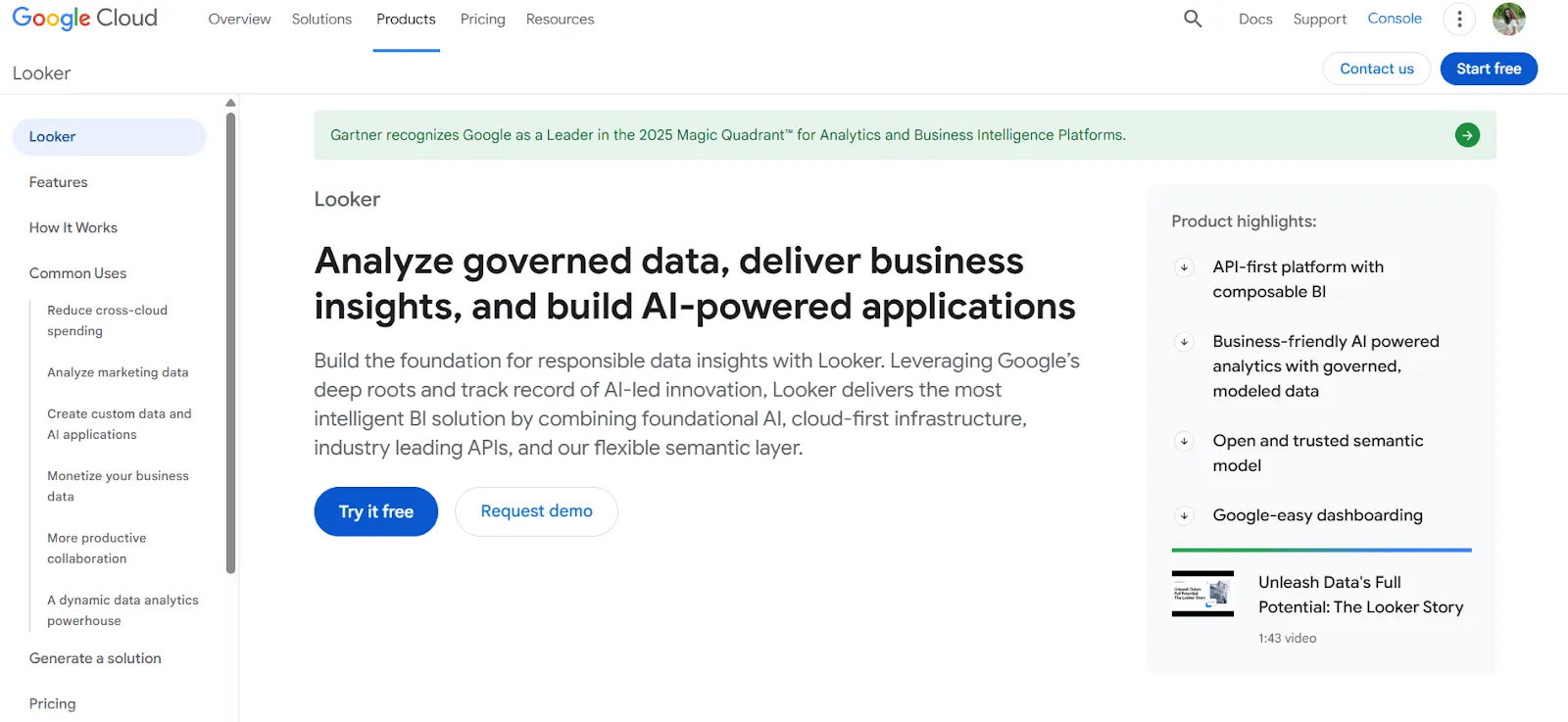
Looker's core bet is that every metric in the company should have one definition, written in LookML, and every downstream report should reference that definition rather than reinvent it.
Gemini-powered conversational analytics now sits on top of that semantic layer, which opens things up for non-technical users without compromising governance.
Looker's Top Features
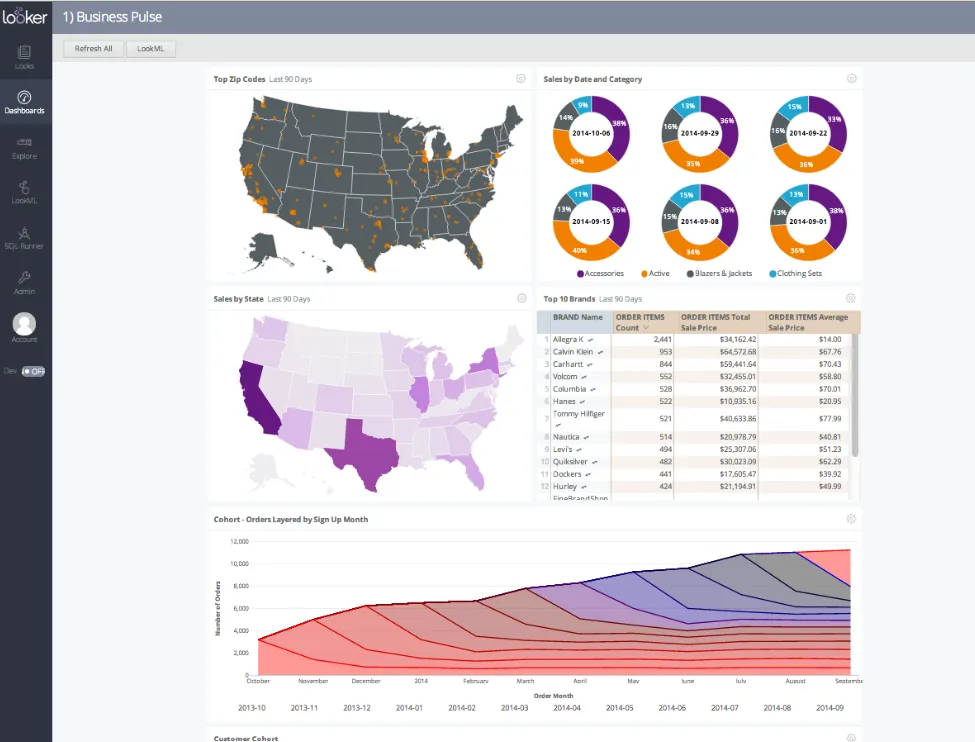
- Centralized semantic modeling with LookML: Define metrics and business rules once so every dashboard, embed, and export references the same definitions.
- Conversational analytics powered by Gemini: Ask questions in natural language and get answers back without navigating a dashboard.
- Real-time, governed dashboards: Dashboards pull data live from the warehouse, letting users explore, filter, and drill into trusted metrics without relying on extracts.
Looker Pricing
Looker uses a custom, contract-based pricing model made up of two parts: platform pricing (the cost of running a Looker instance) and user licensing (the cost per user type).
Pricing is annual for all plans.
- Platform editions:
- Standard: Designed for small teams or organizations with fewer than 50 users, includes 1 production instance, 10 standard users + 2 developer users, up to 1,000 query-based API calls/month, and up to 1,000 admin API calls/month.
- Enterprise: Built for larger internal BI and analytics use cases, includes everything in Standard, plus enhanced security features, up to 100,000 query-based API calls/month, and up to 10,000 admin API calls/month.
- Embed: Designed for embedding analytics into external products or applications, includes everything in Standard, plus up to 500,000 query-based API calls/month and up to 100,000 admin API calls/month.
- User licensing:
- Developer users: Full access to Looker, including LookML development, administration, APIs, and advanced tooling.
- Standard users: Can explore data, build dashboards and reports, run SQL, and schedule content.
- Viewer users: Read-only access to dashboards and reports, with filtering and drill-down.
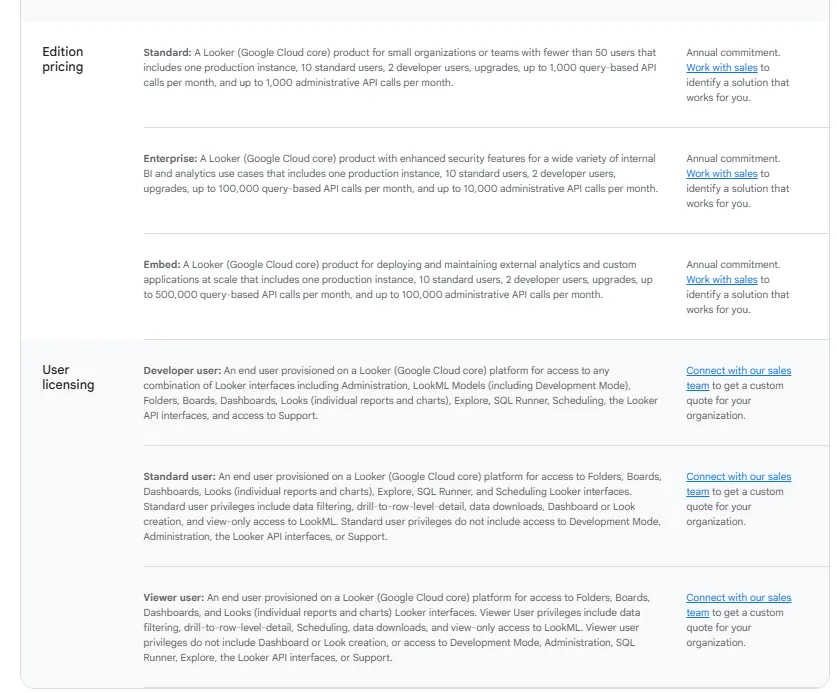
Pricing is custom on all plans and varies based on scale, permissions, and usage.
Looker Pros and Cons
✅ Metrics stay consistent across the whole organization once LookML is in place.
✅ Strong embedded analytics for customer-facing products.
✅ Tight integration with Google Cloud and BigQuery.
❌ There's a bit of a learning curve at first, which can require a bit more education upfront to maximize all of its capabilities, according to a G2 review.
#2: Sigma
Best for: Finance, FP&A, and operations teams that want spreadsheet-style analysis directly on top of live warehouse data.
Similar to: Omni, Metabase.
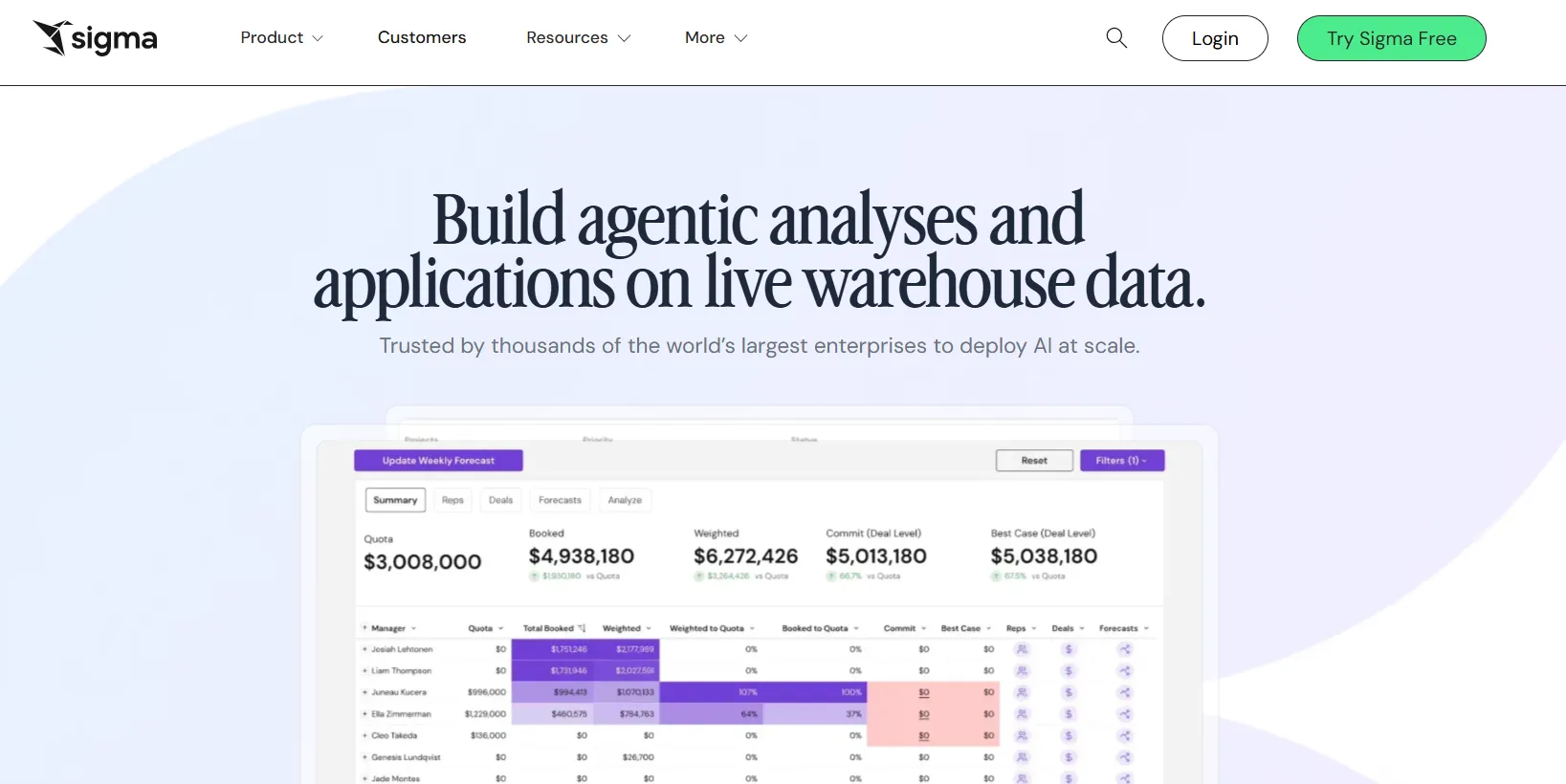
Sigma is a cloud-native analytics platform that lets business users analyze live warehouse data through a familiar Excel-like interface.
The platform lets finance and ops teams work in a spreadsheet view that happens to be running on billions of warehouse rows. The formulas feel like Excel but the data doesn't sit in Excel.
Sigma's Top Features
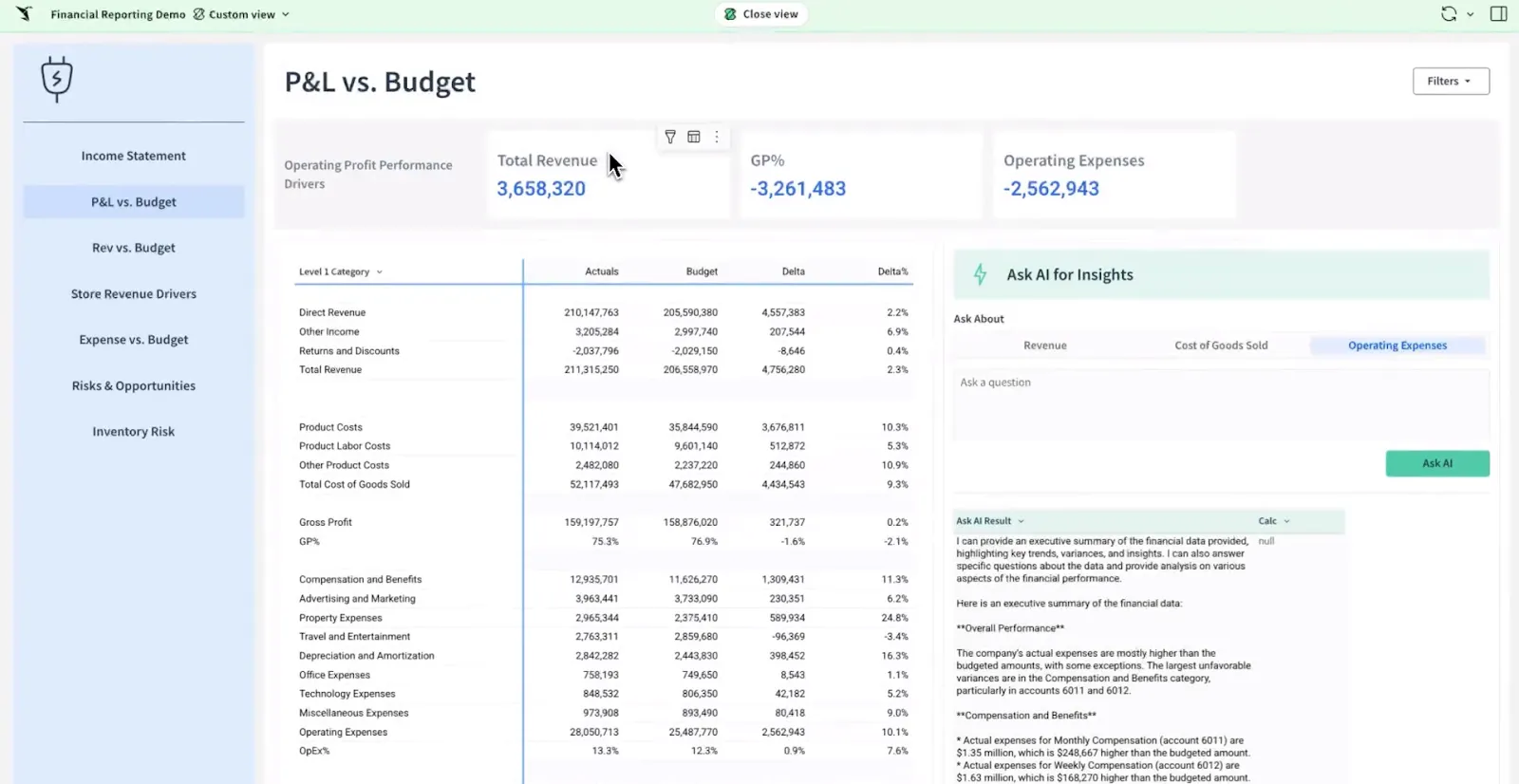
- Spreadsheet-style interface: Analyze billions of rows directly on your cloud warehouse using formulas, tables, and logic that feel like Excel.
- AI-powered dashboards and apps: Use natural language and AI to build dashboards, reports, and full AI-powered data apps that support real business workflows.
- Collaborative workbooks: Build shared workbooks where teams can comment, version, and iterate together in real time.
Sigma Pricing
Sigma keeps pricing private. Their sales team handles quoting.
Sigma Pros and Cons
✅ Spreadsheet-first interface makes warehouse data accessible to anyone who's comfortable with Excel.
✅ Live warehouse queries mean numbers are always current.
✅ Ask Sigma and similar AI features speed up analysis for business teams.
#3: Holistics
Best for: Analytics engineering teams on dbt that want a semantic layer managed as code and version-controlled through Git.
Similar to: Looker, Omni.
Holistics treats the semantic layer the way engineers treat the rest of the codebase.
Metrics, models, and business logic sit in version-controlled files, Git handles the review process, and analytics engineers get to work with tools they already trust.
Holistics' Top Features
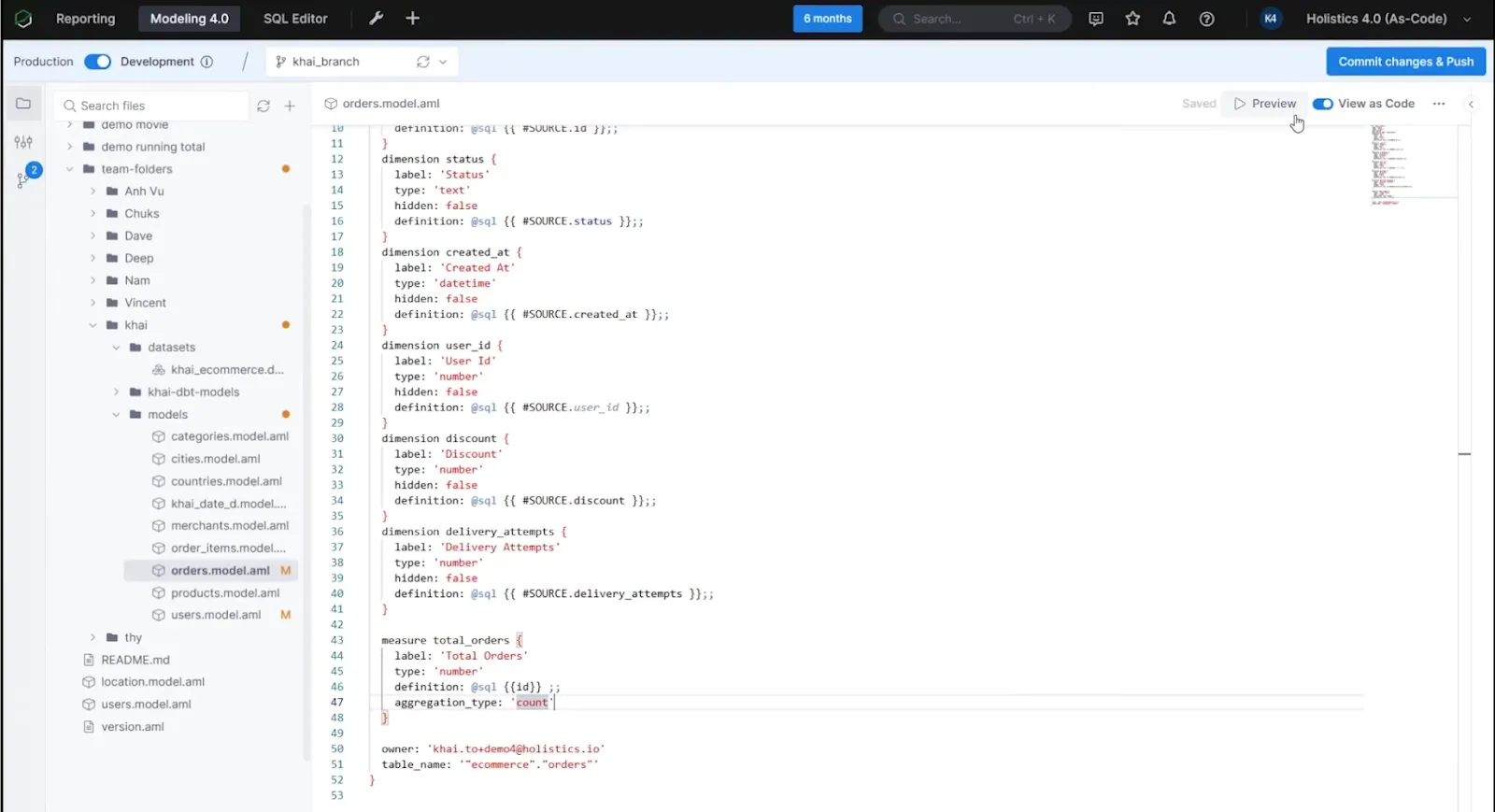
- Analytics as Code: Define metrics, datasets, and business logic in a declarative DSL or SQL, committed to Git for version control, branching, and code reviews.
- Centralized data modeling: Model joins, derived tables, and transformations once in a shared model layer to keep dashboards and reports consistent.
- Self-service exploration: Business users build their own reports through a drag-and-drop interface while still working inside governed metrics.
Holistics Pricing
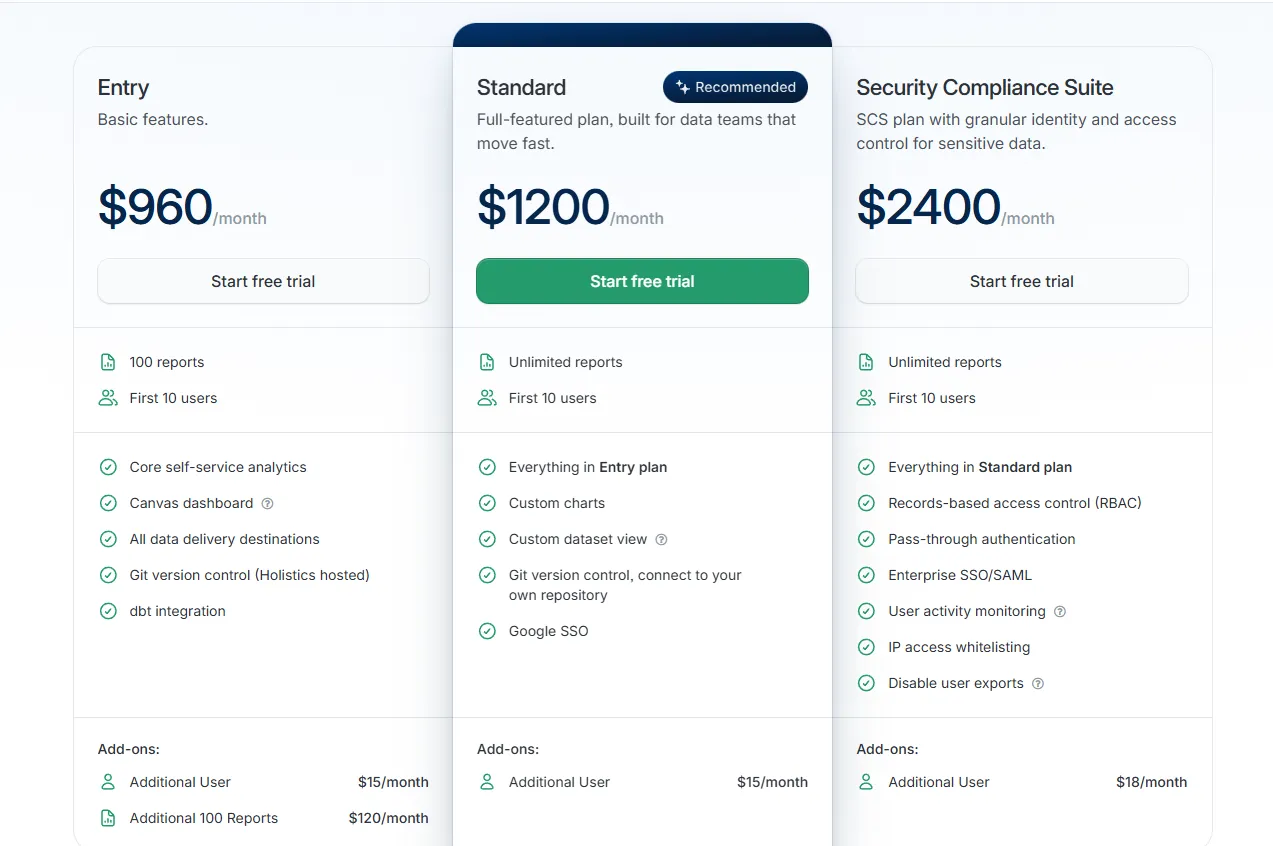
Pricing is tiered by number of reports and users:
- Entry: $960/month. 100 reports, 10 users, self-service analytics, Canvas dashboards, Holistics-hosted Git, and dbt integration. Extras: $15 per additional user, $120 per additional 100 reports.
- Standard: $1,200/month. Adds unlimited reports, custom charts, custom dataset views, your own Git repo, and Google SSO. Extras: $15 per additional user.
- Security Compliance Suite: $2,400/month. Adds RBAC, SSO/SAML, user activity monitoring, IP whitelisting, and export controls. Extras: $18 per additional user.
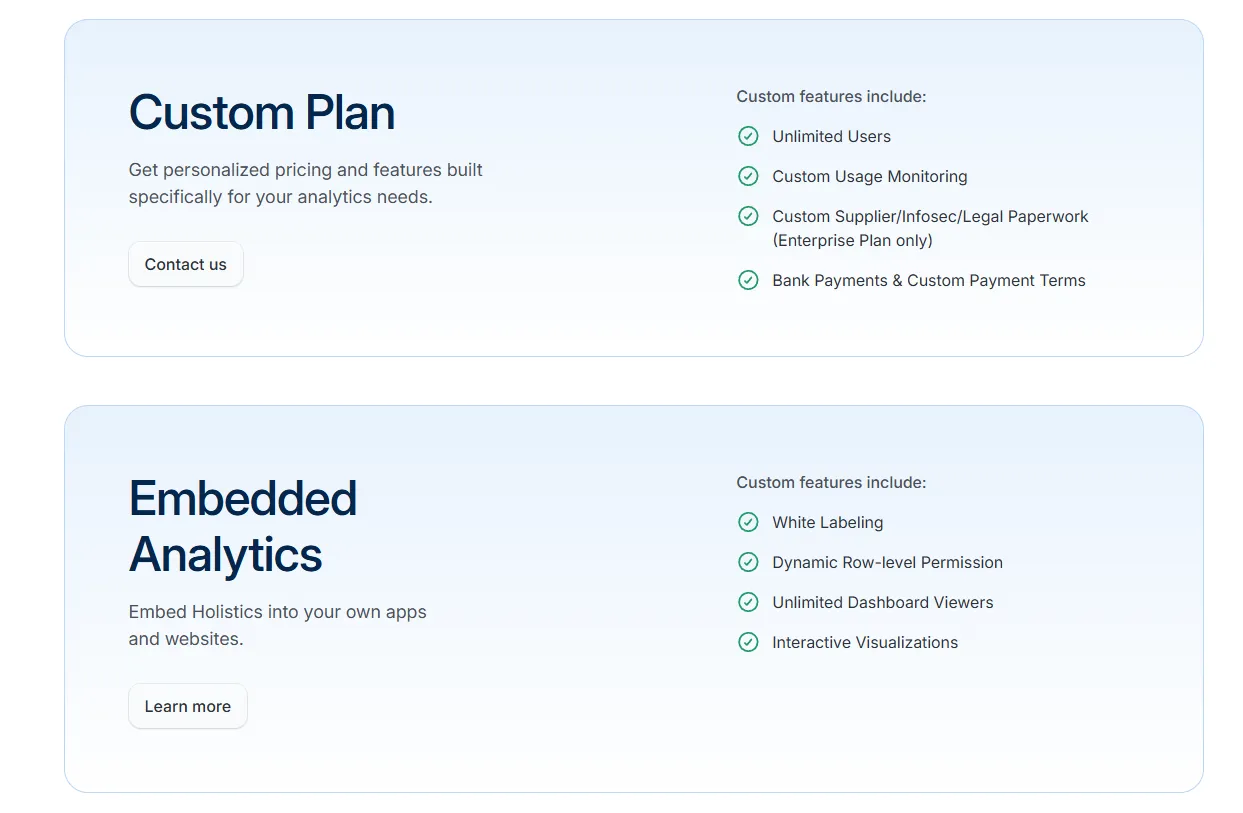
- Custom: Tailored pricing for enterprise needs like unlimited users, custom usage monitoring, and advanced compliance.
- Embedded Analytics: Custom pricing. Includes white-labeling, dynamic row-level permissions, unlimited viewers, and interactive embeds.
Holistics Pros and Cons
✅ Analytics as Code with real Git version control.
✅ Strong dashboarding through AQL, Canvas, and an AI assistant with deep drill-down.
✅ Fits cleanly into analytics engineering workflows already running on dbt.
❌ Starts from $960/month, which can be expensive for SMEs.
#4: Metabase
Best for: Startups, product teams, and data-lean organizations that want fast, self-serve analytics and flexible embedding without enterprise BI complexity.
Similar to: Apache Superset, Zoho Analytics.
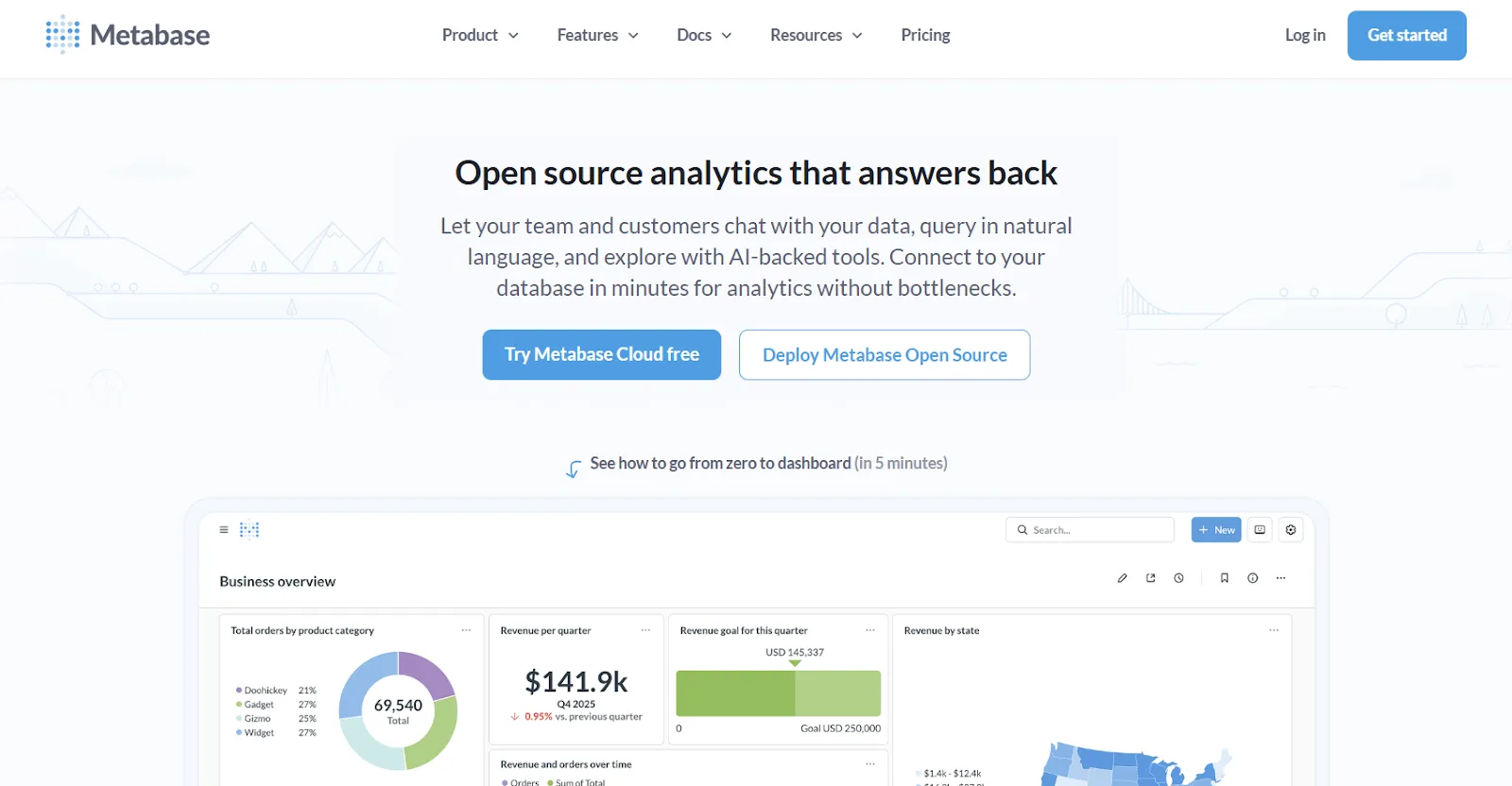
Metabase is the open-source name most startups try first when they need analytics that actually ships.
It's light, approachable, and free at the self-hosted tier, which is why early-stage teams tend to land here after outgrowing simpler dashboarding tools like Basedash.
Metabase's Top Features
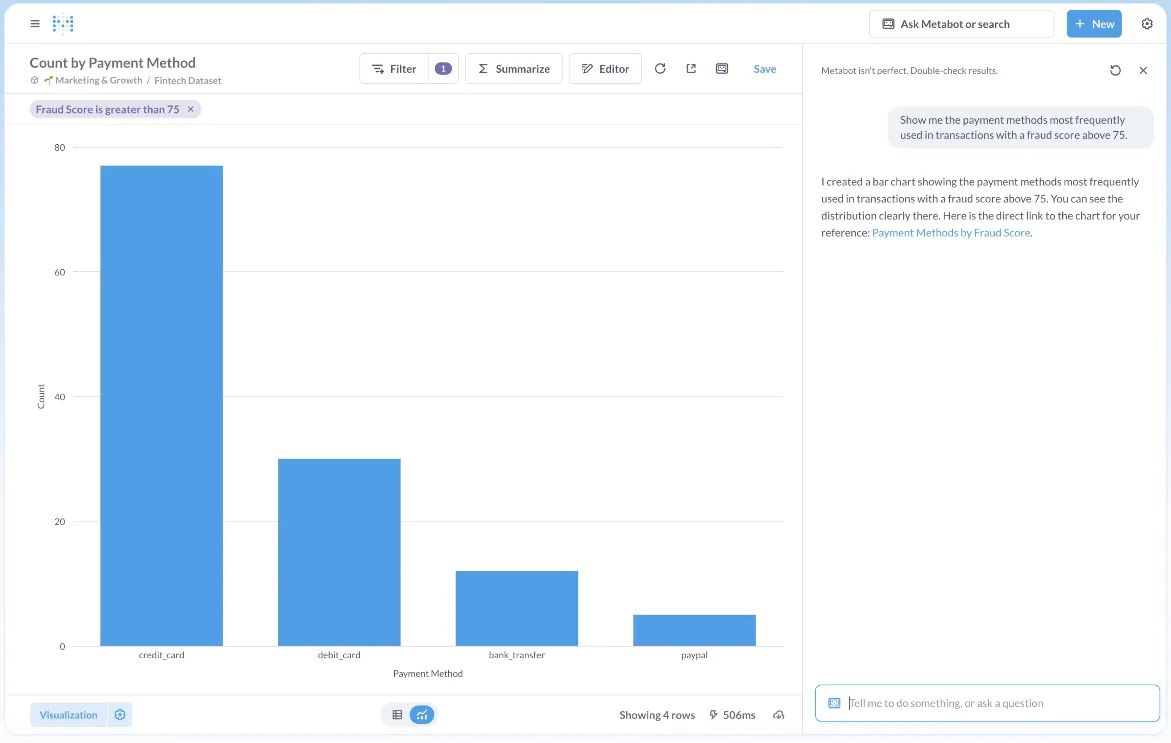
- Metabot AI: Ask natural-language questions and let Metabot generate queries and visualizations against live database data.
- Visual query builder and SQL: Non-technical users build queries through a visual interface while analysts drop into raw SQL when they need more control.
- Drill-through exploration: Click into charts to filter, break out data, view underlying rows, or auto-generate follow-up reports without writing a new query.
Metabase Pricing
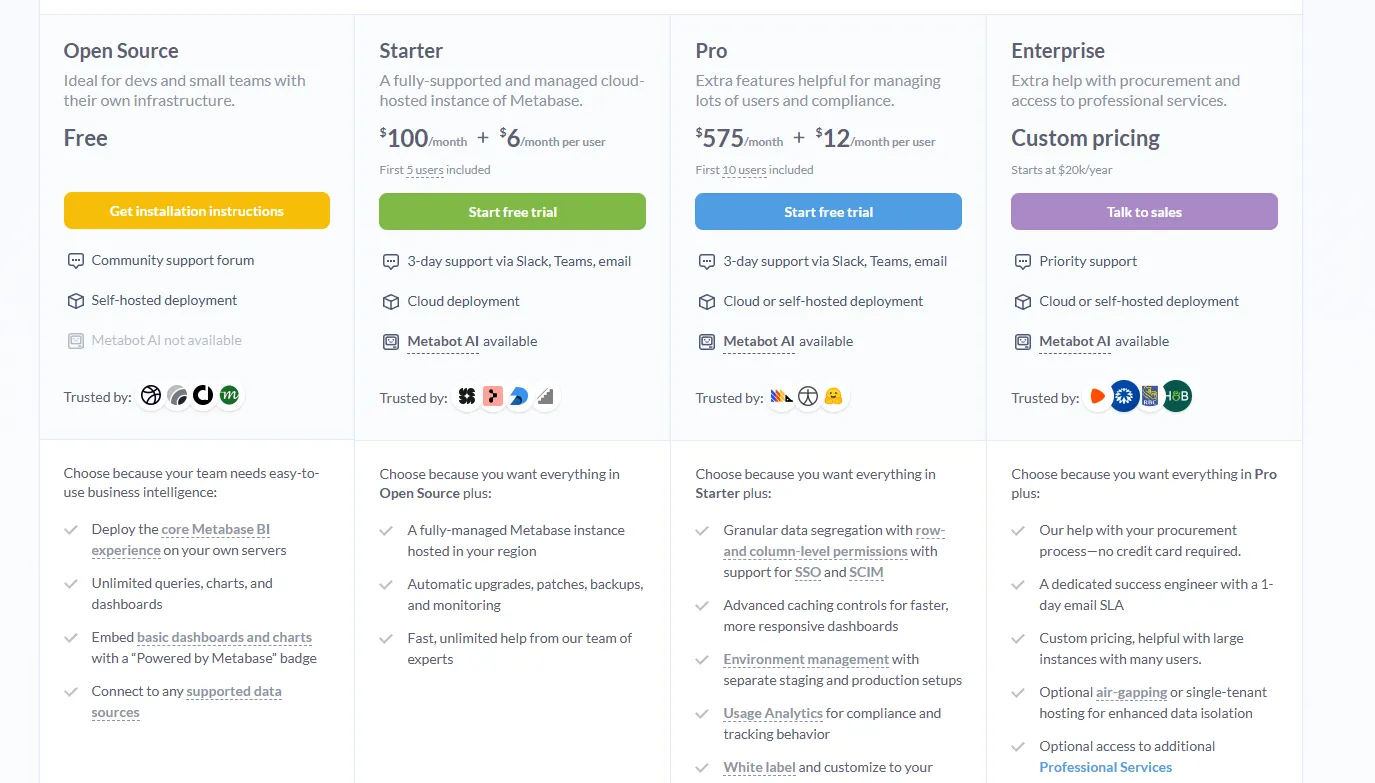
Metabase offers two pricing options depending on how you use the product: internal business intelligence or customer-facing embedded analytics.
- Business Intelligence:
- Open Source (Self-hosted): Free, self-hosted deployment, includes unlimited queries, charts, and dashboards, connects to all supported data sources, basic embedding with “Powered by Metabase” branding, community support only.
- Starter (Cloud-hosted): $100/month + $6/user/month, first 5 users included, includes everything in Open Source, plus option to include Metabot AI (charged extra), automatic upgrades, backups, and monitoring, support via Slack, Teams, and email (3-day SLA).
- Pro: $575/month + $12/user/month, first 10 users included, cloud or self-hosted deployment, includes everything in Starter, plus row- and column-level permissions, SSO and SCIM support, advanced caching and performance controls, staging + production environments, usage analytics and audit visibility, white-labeling, and embedded analytics capabilities.
- Enterprise: Custom pricing (starts at $20k/year), includes everything in Pro, plus priority support, dedicated success engineer (1-day email SLA), optional single-tenant or air-gapped deployment, and optional professional services.
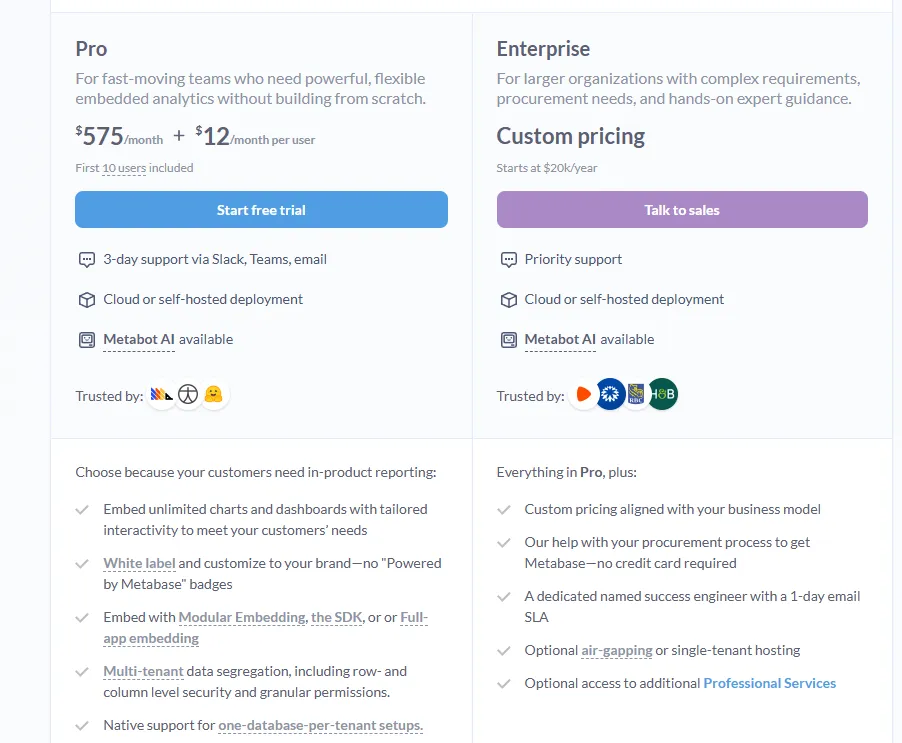
- Embedded Analytics pricing:
- Pro: $575/month + $12/user/month, first 10 users included, includes unlimited embedded dashboards and charts, full white-labeling, modular embedding, SDK, or full-app embedding, multi-tenant security (row- and column-level), one-database-per-tenant support, staging + production environments, usage analytics, internal BI for your team, and option to include Metabot AI (charged extra).
- Enterprise: Custom pricing (starts at $20k/year), includes everything in Pro, plus a dedicated success engineer, priority support, optional single-tenant or air-gapped hosting, and optional professional services.
Metabase Pros and Cons
✅ Easy for both technical and non-technical users.
✅ Fast to set up compared to enterprise BI platforms.
✅ Cost-effective open-source option with solid sharing and scheduling.
❌ A user on G2 believes that Metabase could benefit from having an AI assistant that understands the databases and assists in building queries
Which Omni Analytics alternative actually fits how your team works?
That's the breakdown of the 10 best Omni Analytics alternatives in 2026, across AI-powered analytics platforms, enterprise BI heavyweights, and warehouse-native or open-source options.
Some lean into drag-and-drop dashboards.
Others prioritize governed semantic layers, spreadsheet-style analysis, or all-in-one enterprise BI.
But some of them still follow the same core model: model your data, publish a workbook, and hope the right person reads it and draws the right conclusion.
We built Dot differently.
Instead of giving your team yet another canvas to model and maintain, Dot reads your warehouse, runs the analysis end-to-end, and delivers a written answer with recommendations wherever your team already works.
If your team is serious about turning warehouse data into real answers, not just more workbooks to keep alive, Dot is one of the most analysis-driven BI alternatives available today.
Here's what you'll get by signing up for Dot:
- Ask any business question in Slack, Teams, email, or the web app and get a full analysis back in minutes, not days.
- Automated executive-ready business review PowerPoints delivered on schedule with live data, narrative commentary, and recommendations.
- A Context Agent that maintains shared metric definitions and flags inconsistencies across your data environment.
- Full audit trail on every insight, linking back to the exact SQL queries, Python logic, and datasets behind the number.
- Direct connections to Snowflake, BigQuery, Redshift, Databricks, Postgres, MySQL, and SQL Server.
- Reuse existing dbt, Looker, Power BI, and Cube metric definitions without rebuilding anything inside yet another tool.
- SOC 2 Type II compliance and enterprise-grade security controls on every plan.
- Credit-based pricing with unlimited users, so costs don't scale with headcount.
➡️ Get started for free with Dot's free plan, or schedule a demo to see how it works with your data.
⚠️ Disclaimer: This article was last updated on 1st of May, 2026 and if there's any misinterpretation of the information, please contact us and we will fact check it.
Theo Tortorici
Theo writes about AI-powered analytics, data tools, and the future of business intelligence at Dot.