
Tableau Pricing: Is It Worth It In 2026? [Reviewed]
As of October 2026, Tableau Cloud and Tableau Server cost $75 per Creator, $42 per Explorer and $15 per Viewer a month on the Standard edition, and $115, $70 and $35 on Enterprise, all per user and billed annually. Tableau Next starts at $40 per user a month, billed annually. Cloud+, Server+, the Tableau+ Bundle and the capacity-based Viewer Blocks Tableau announced in July 2026 are quoted by sales. A 100-person team with 10 Creators, 20 Explorers and 70 Viewers lists at $31,680 a year on Standard and $60,000 on Enterprise.
What Tableau costs your team
Connect to data, build and publish
Edit and build from published data
View and interact with dashboards
Tableau Cloud Standard, list price
$31,680
a year, $2,640 a month
Per person
$26.40
a month, across 100 people
- 10 Creators × $75$9,000 a year
- 20 Explorers × $42$10,080 a year
- 70 Viewers × $15$12,600 a year
How this is calculated
Seats × list price per user a month, billed annually (Tableau sells no month-to-month plans), as of October 2026. Tableau Cloud is hosted by Salesforce. Since July 2026, Cloud Standard, Enterprise, Cloud+ and Tableau+ Bundle customers can buy Viewer access as capacity-based blocks instead of per-Viewer seats. Block prices are quoted, and a deployment uses one Viewer model or the other, not both.
Sources: Tableau pricing
The same 100 people on GetDot: every plan includes unlimited users and bills on usage, from $180 a month. GetDot vs Tableau
Start freeTableau product (Oct 2026) | Creator | Explorer | Viewer |
Cloud or Server, Standard | $75 | $42 | $15 |
Cloud or Server, Enterprise | $115 | $70 | $35 |
Tableau Next | From $40 per user (Creator and Consumer licenses) | ||
Tableau Cloud+ | Quoted by sales | ||
Tableau+ Bundle (Cloud+ and Tableau Next) | Quoted by sales | ||
Tableau Server+ | Quoted by sales | ||
Capacity-based Viewer Blocks (Cloud) | Quoted by sales; Creators and Explorers stay per user | ||
All prices are list prices per user per month, billed annually, from Tableau's pricing page, checked October 2026.
How does Tableau calculate its pricing?
Tableau prices on two axes that move independently: the deployment and edition you buy, and the license type each person holds.
- Deployment: Tableau Cloud is hosted by Salesforce. Tableau Server is hosted by you, on-premises or in your own cloud account. Tableau Next is a separate agentic analytics product built on the Salesforce platform.
- Edition: Standard is the base. Enterprise adds Advanced Management and Data Management. Cloud+ and Server+ are the quoted premium tiers.
- License type: Cloud and Server both use Creator, Explorer and Viewer. Tableau Next uses Creator and Consumer.
- Purchasing model: per user by default. Cloud also sells Viewer access as capacity blocks (below). Server also sells compute-based licensing: you license the Creators you need, then license your server infrastructure to open Explorer and Viewer access. Both are priced by sales.
Every deployment needs at least one Creator license, and there is no monthly billing: Tableau requires an annual contract, billed annually. If I were sizing this, I'd count license types before shopping editions. The edition sets your rate, but the ratio of readers to authors decides the total.
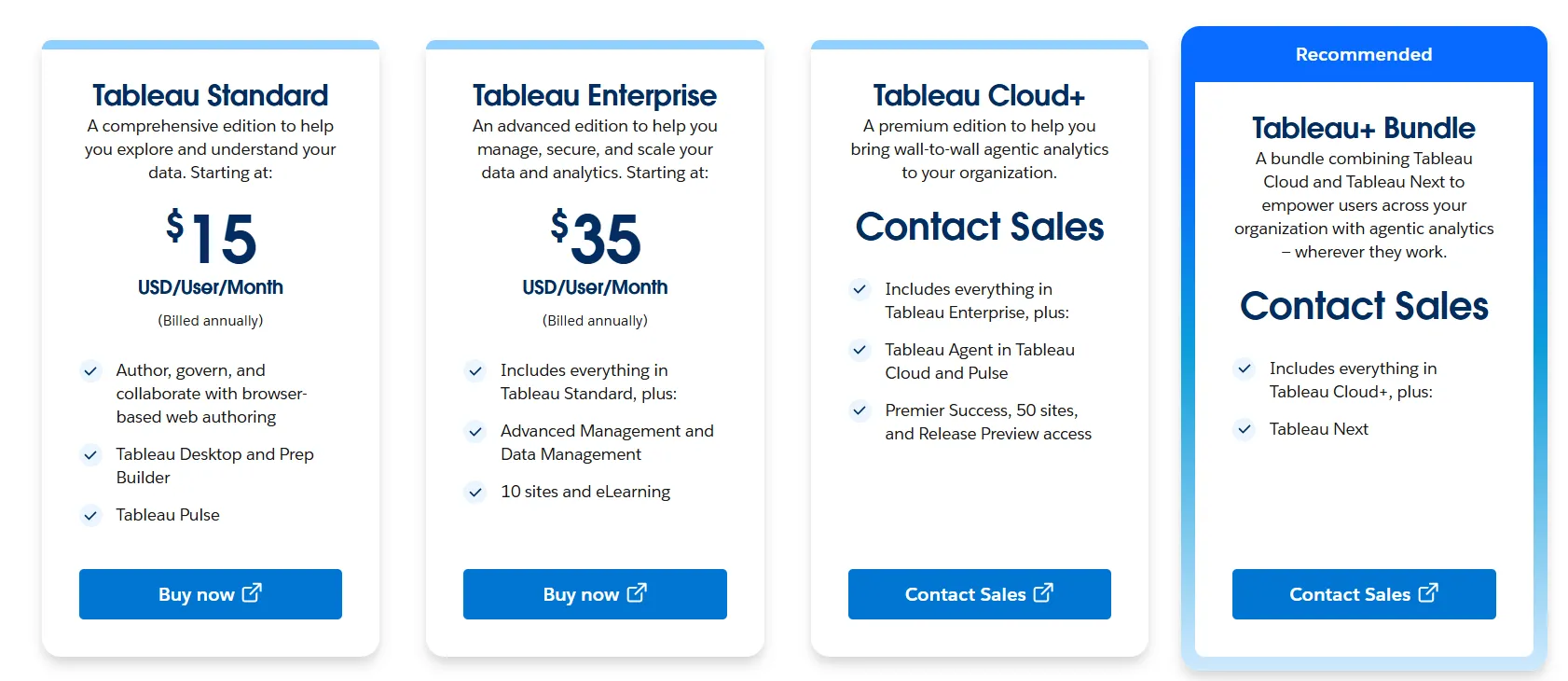
Source: Tableau's pricing page.
What changed in July 2026: capacity-based pricing
On July 22, 2026, Tableau announced pricing and packaging updates across Tableau Cloud, Tableau Server and Salesforce CRM. The one that changes a budget is capacity-based pricing for Tableau Cloud. Per the announcement and Tableau's license documentation:
- You buy Viewer capacity in blocks shared across the whole deployment, covering employees, partners, customers and AI agents, and add blocks as the audience grows. Creators and Explorers remain per user.
- It is available on Tableau Cloud Standard, Enterprise and Cloud+, and to Tableau+ Bundle customers.
- A deployment uses either capacity-based or role-based Viewer licensing, not both, and needs at least one Creator license before it can buy Viewer Blocks.
- Block prices are not published.
Per-seat list prices are still the published baseline, and they are what every calculator (including ours) can model. If your deployment is read-heavy, ask for a capacity quote and compare it with your Viewer line in the cost table below. That line is the one blocks replace.
Tableau license types and what they cost
License | Standard | Enterprise |
Creator | $75 per user a month | $115 per user a month |
Explorer | $42 per user a month | $70 per user a month |
Viewer | $15 per user a month | $35 per user a month |
- Creator: connects to new data, creates workbooks, data sources and flows, and publishes them. Includes Tableau Desktop and Tableau Prep Builder.
- Explorer: edits existing workbooks, builds new ones from published data sources, manages users and content, and sets up alerts and subscriptions for others. Cannot create new data sources or flows.
- Viewer: views and interacts with published dashboards, comments, downloads images and summary data, and receives subscriptions and data-driven alerts. Cannot edit or publish.
Rates are from Tableau's Cloud pricing page; capabilities follow Tableau's licenses and site roles documentation.
Moving from Standard to Enterprise costs about 1.53x on a Creator seat, 1.67x on an Explorer seat and 2.33x on a Viewer seat, so the governance upgrade lands hardest on the people who only read.
Tableau Cloud pricing
Tableau Cloud comes in three editions, plus a bundle that pairs the top edition with Tableau Next.
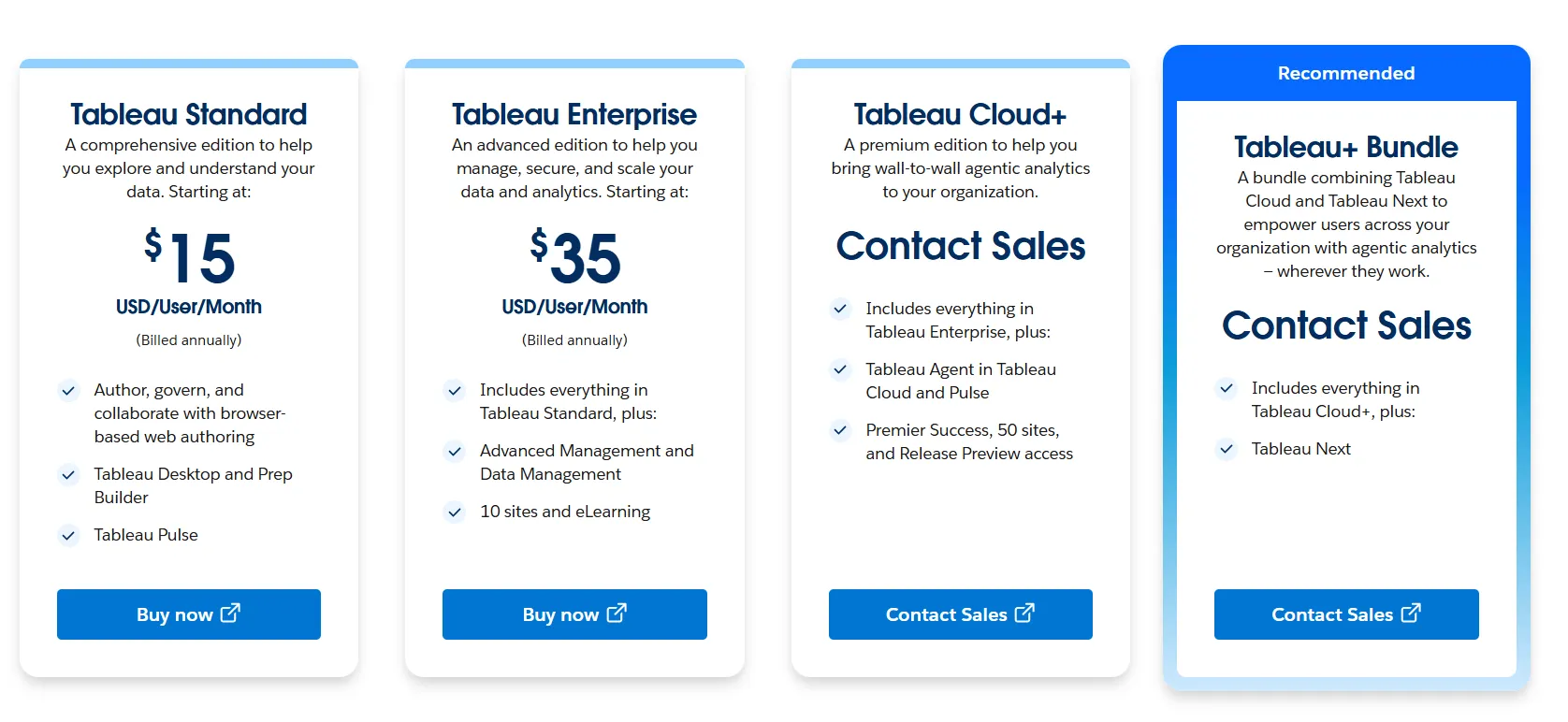
Tableau Cloud Standard
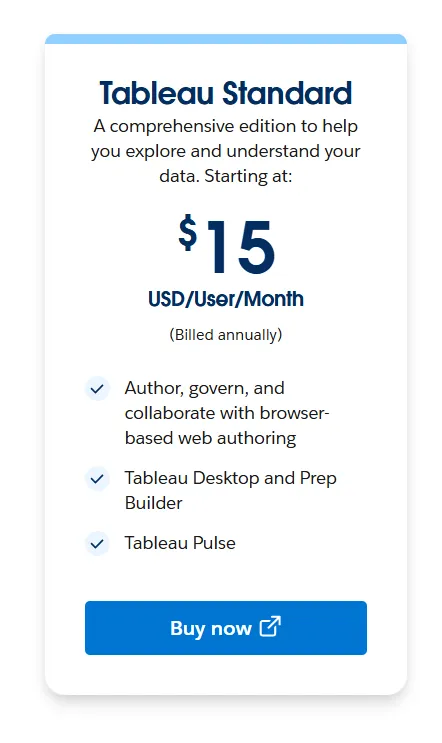
Standard covers authoring, governance and collaboration with browser-based web authoring, Tableau Desktop and Prep Builder, and Tableau Pulse. It is the tier for a team that wants Tableau's authoring and dashboarding without the governance add-ons.
Tableau Cloud Enterprise
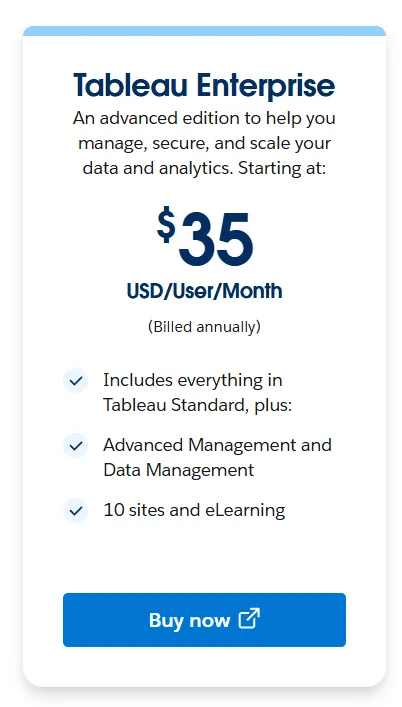
Enterprise adds Advanced Management and Data Management, 10 sites, and eLearning. Most mid-sized and larger deployments land here, because governance features become procurement requirements once analytics spreads past a single team.
Tableau Cloud+

Cloud+ adds Tableau Agent in Tableau Cloud and Pulse, Premier Success support, up to 50 sites, and Release Preview access. At Cloud+, the agentic features start reaching people who never build content.
Tableau+ Bundle
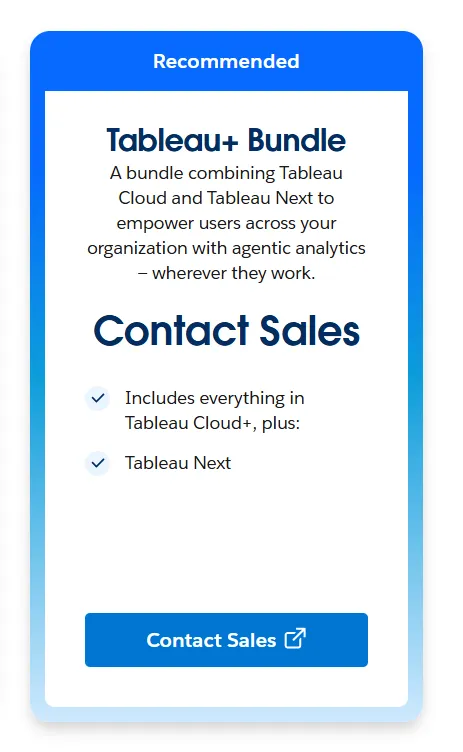
The bundle combines Cloud+ with Tableau Next. Per Tableau's Tableau+ Bundle documentation, each deployment includes a set quantity of credits (Data Services Credits or Flex Credits, depending on what you bought), and customers without a Data 360 instance are given one. Those credits are the one consumption-based element in Tableau's model; seats remain the basis of the bill.
Tableau Server pricing
Server is the self-managed route, for organizations with data residency or compliance requirements they can't hand to a vendor. Seat prices match Cloud on both editions; what changes is the infrastructure underneath, which Cloud absorbs and Server hands to you.
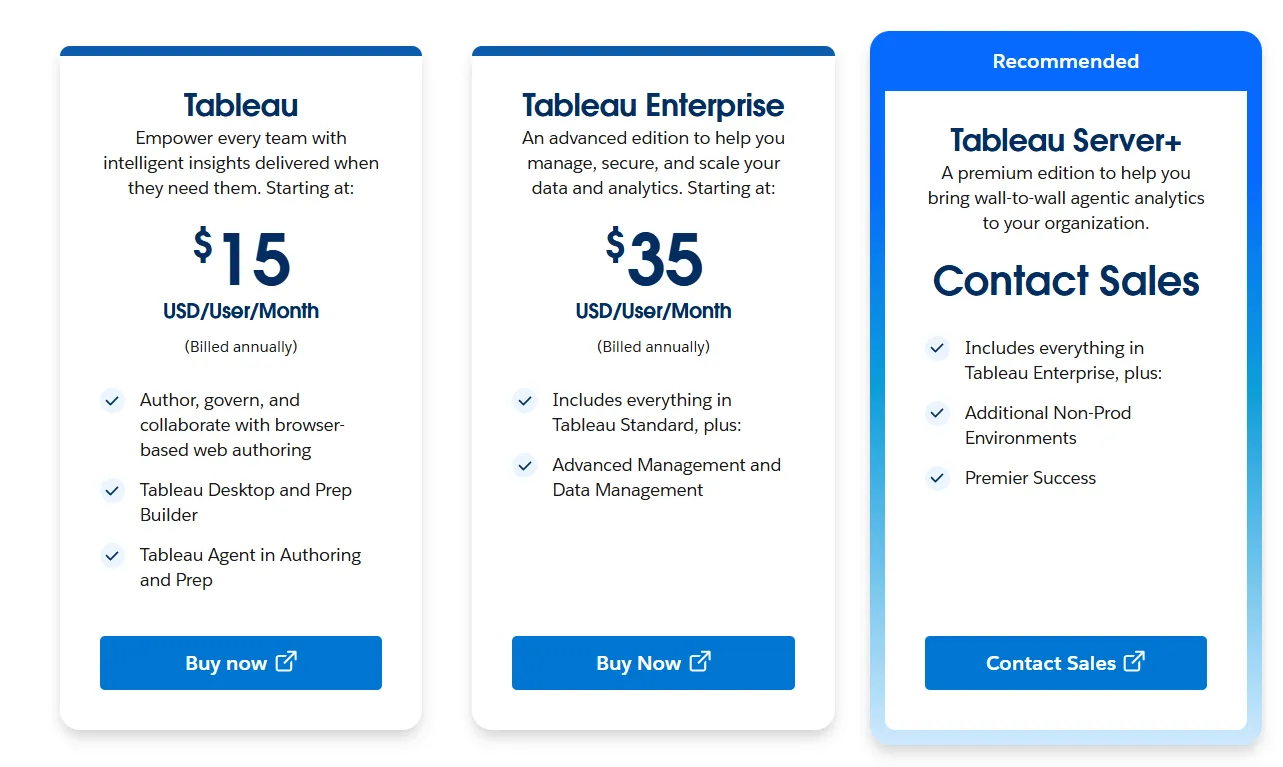
Tableau Server Standard
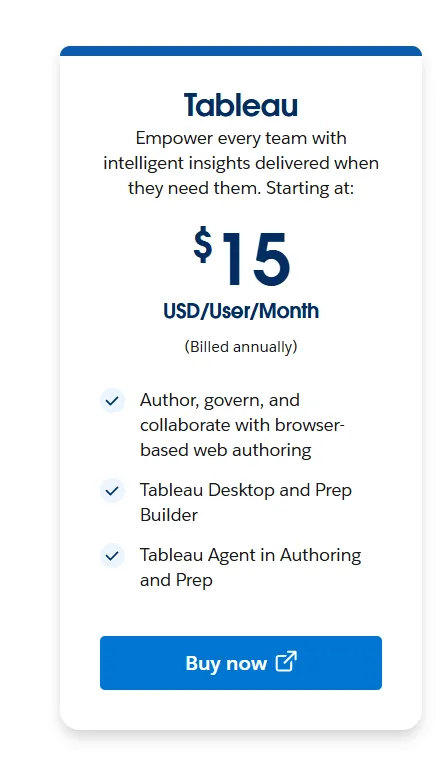
You get browser-based authoring with governance, Tableau Desktop and Prep Builder, Tableau Agent in Authoring and Prep, and up to 2 non-production environments. Tableau Server customers supply their own LLM, so Agent usage arrives as a model bill you pay separately. Tableau Pulse is available on Tableau Cloud and not on Server, the clearest functional gap between the two deployments.
Tableau Server Enterprise
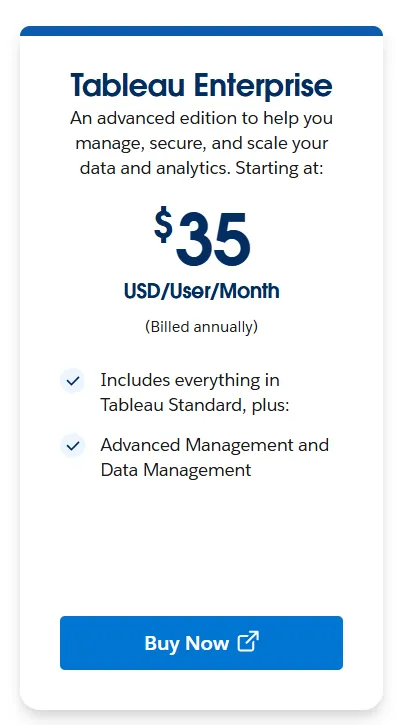
Enterprise adds Advanced Management, Data Management and eLearning. The non-production allowance stays at 2.
Tableau Server+
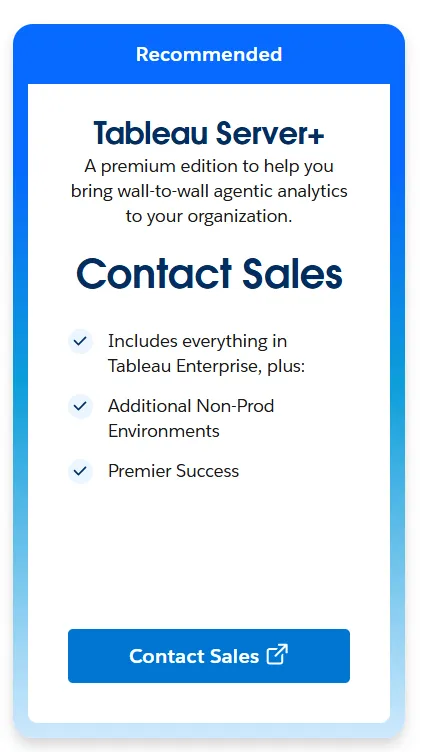
Per Tableau's Server+ documentation, Server+ adds Premier Success for Tableau Server, up to 6 non-production environments instead of 2, and pre-built, certified containers. It is sold per user by role, or as a core edition in 8-core increments. Teams running staged deployments need somewhere to test upgrades, and on Server that capacity arrives through licensing.
Tableau Next pricing
Tableau Next starts at $40 per user a month, billed annually, as of October 2026. It is a separate product line on the Salesforce platform, not another edition of Tableau Cloud or Server.
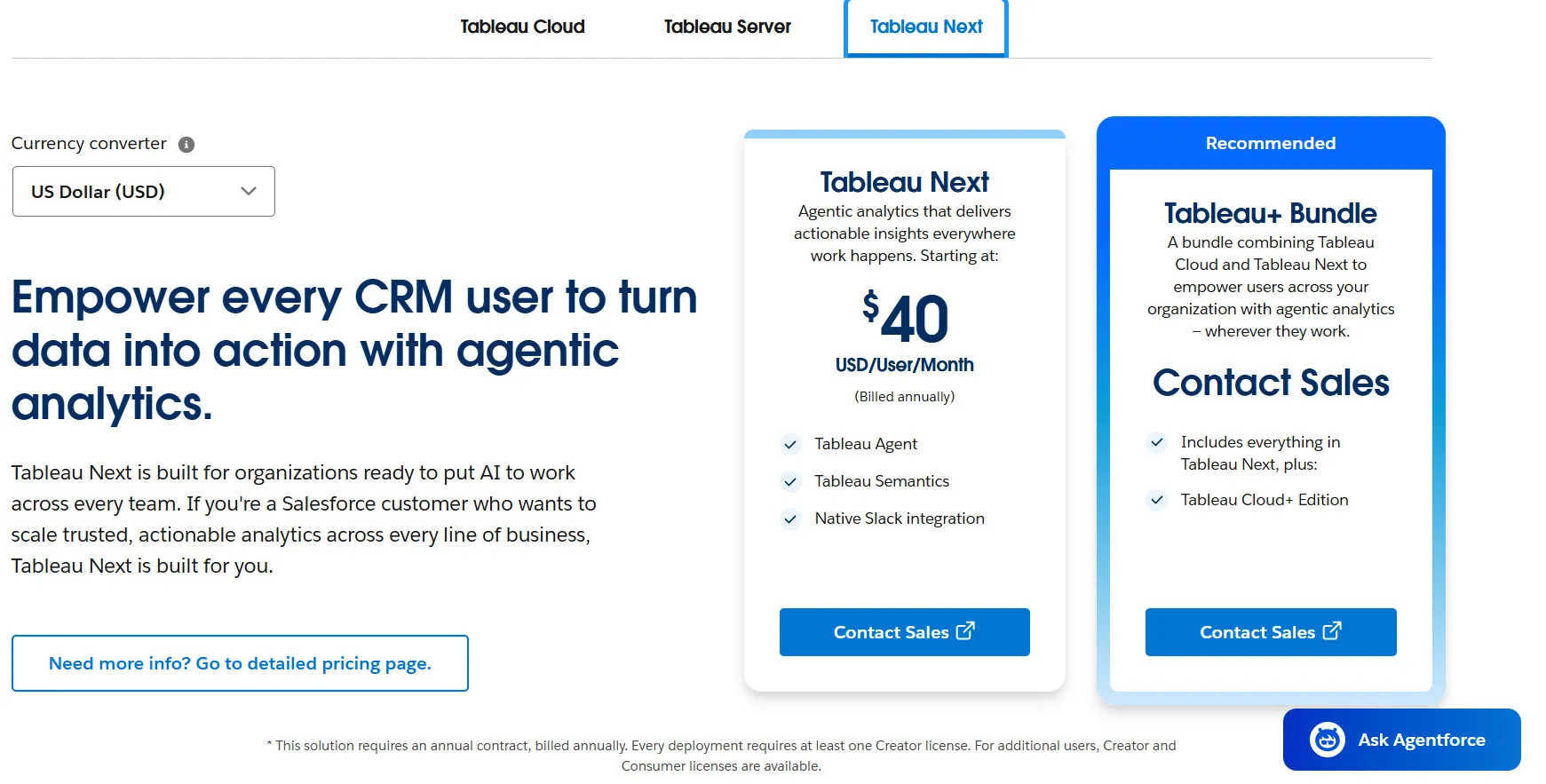
- Included: Tableau Agent, Tableau Semantics and native Slack integration.
- Licenses: Creator (builds and publishes) and Consumer (views). Tableau lists $40 as a "starting at" price without a per-license breakdown, so ask sales for the Creator and Consumer rates.
- Data 360: Salesforce's Tableau Next pricing FAQ says pricing is role-based but other Data 360 costs, and Data Services Credits or Flex Credits costs, may still apply. Every Tableau Next customer gets a Salesforce org and a Data 360 instance.
- Already owned: Tableau Next licenses come bundled in several Salesforce editions, including Agentforce 1 Editions and Agentforce for Sales, Service and Industries. Check your Salesforce contract before buying it separately.
Tableau Next is built for Salesforce customers who want analytics inside Agentforce and CRM workflows. If your data lives in a warehouse and your questions arrive in Slack or Teams, read our Tableau Next vs GetDot comparison before you price it.
Does Tableau have a free plan?
Not for team or shared use. Tableau gives away two desktop products, and they solve opposite problems.
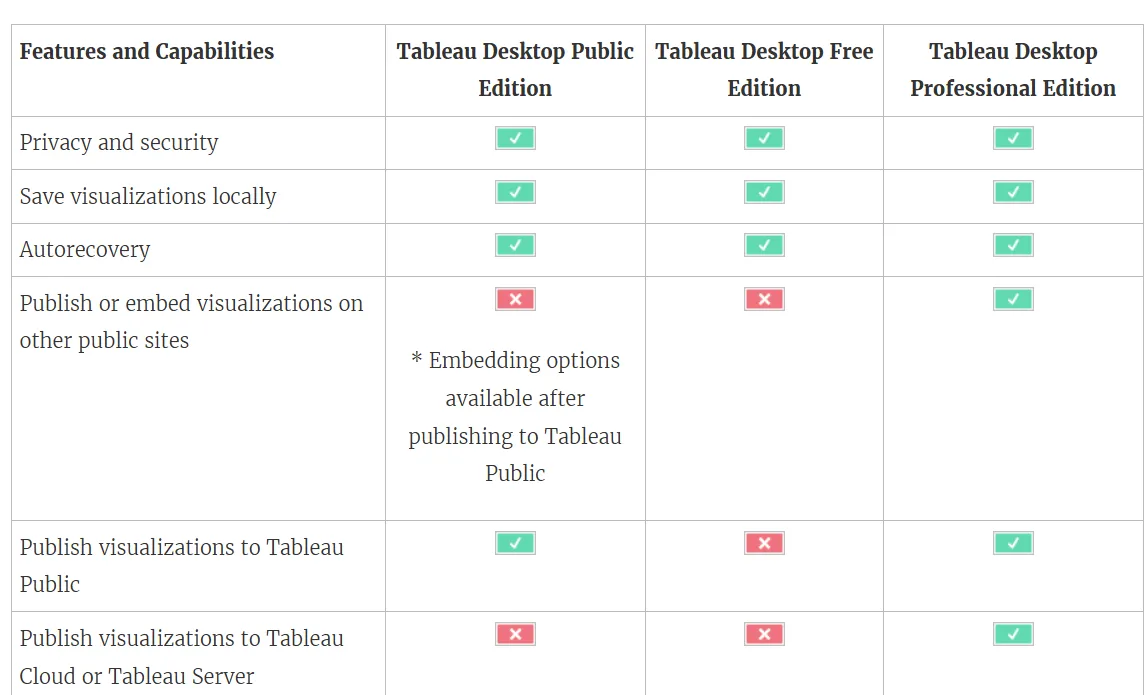
Tableau Desktop Public Edition
Public Edition is for learning Tableau and telling stories with public data. It handles data sources up to 15 million rows and publishes to Tableau Public, where each profile gets 10 GB of storage and published work can be embedded. It is not licensed for commercial use.
Tableau Desktop Free Edition
Free Edition is the one businesses can use: no row cap, and it works with databases and internal data. It cannot share. It can't publish to Tableau Public, Tableau Cloud or Tableau Server, can't read published data sources, and can't hand a packaged workbook to a colleague. The second person who needs to see your work is the moment you start paying.
What does Tableau cost for 25, 100 and 500 people?
Per-user rates look modest one at a time, so I modeled three deployments at list price.
My assumptions (ours, not Tableau's): about 10% of people author (Creators), about 20% edit or explore (Explorers), and the rest only read (Viewers). At 500 people I lowered the author share to 6% and the explorer share to 14%, because in a wide rollout the reading audience is what grows. Change the mix in the calculator at the top of this post to match your own.
People | Creators / Explorers / Viewers | Standard (Cloud or Server) | Enterprise (Cloud or Server) |
25 | 3 / 5 / 17 | $8,280 a year | $15,480 a year |
100 | 10 / 20 / 70 | $31,680 a year | $60,000 a year |
500 | 30 / 70 / 400 | $134,280 a year | $268,200 a year |
List prices, billed annually, October 2026. Monthly figures are the annual contract divided by 12.
The arithmetic
- 25 people: Standard 3 × $75 + 5 × $42 + 17 × $15 = $690 a month; Enterprise 3 × $115 + 5 × $70 + 17 × $35 = $1,290 a month.
- 100 people: Standard 10 × $75 + 20 × $42 + 70 × $15 = $2,640 a month; Enterprise 10 × $115 + 20 × $70 + 70 × $35 = $5,000 a month.
- 500 people: Standard 30 × $75 + 70 × $42 + 400 × $15 = $11,190 a month; Enterprise 30 × $115 + 70 × $70 + 400 × $35 = $22,350 a month.
Two patterns show up at every size:
- Enterprise roughly doubles the bill for the same headcount (1.87x at 25 people, 1.89x at 100, 2.00x at 500).
- Viewers become the biggest line. Their share of the bill grows from 37% (25 people, Standard) to 63% (500 people, Enterprise). Every 100 extra Viewers adds $18,000 a year on Standard and $42,000 on Enterprise.
What the license table leaves out
Licenses are only the published part of total cost of ownership. Also budget for Server hardware or cloud instances, storage, upgrades and admin time; your own LLM if you run Tableau Agent on Server; quoted premium tiers and Premier Success; Data 360 usage on Tableau Next; and the Creators who build and maintain dashboards, usually the largest cost and on no price list.
Treat list prices as a ceiling to negotiate down from. For how this compares with Microsoft's per-seat and capacity model, see our Power BI pricing breakdown.
Which Tableau edition do you need?
- One person, local files only: Tableau Desktop Free Edition.
- A team sharing dashboards, no strict governance needs: Cloud Standard.
- Several teams, audits or data catalog requirements: Enterprise.
- Data must stay on your infrastructure: Tableau Server, accepting that Pulse is Cloud-only and Tableau Agent needs your own LLM.
- Hundreds of readers, few authors: ask for a capacity-based Viewer Blocks quote on Cloud.
- Your company runs on Salesforce and wants analytics in Agentforce: Tableau Next, or the Tableau+ Bundle if you also want Cloud+.
If none of those fit, our Tableau alternatives guide compares 10 tools, with pricing for each.
How is GetDot's pricing different from Tableau's?
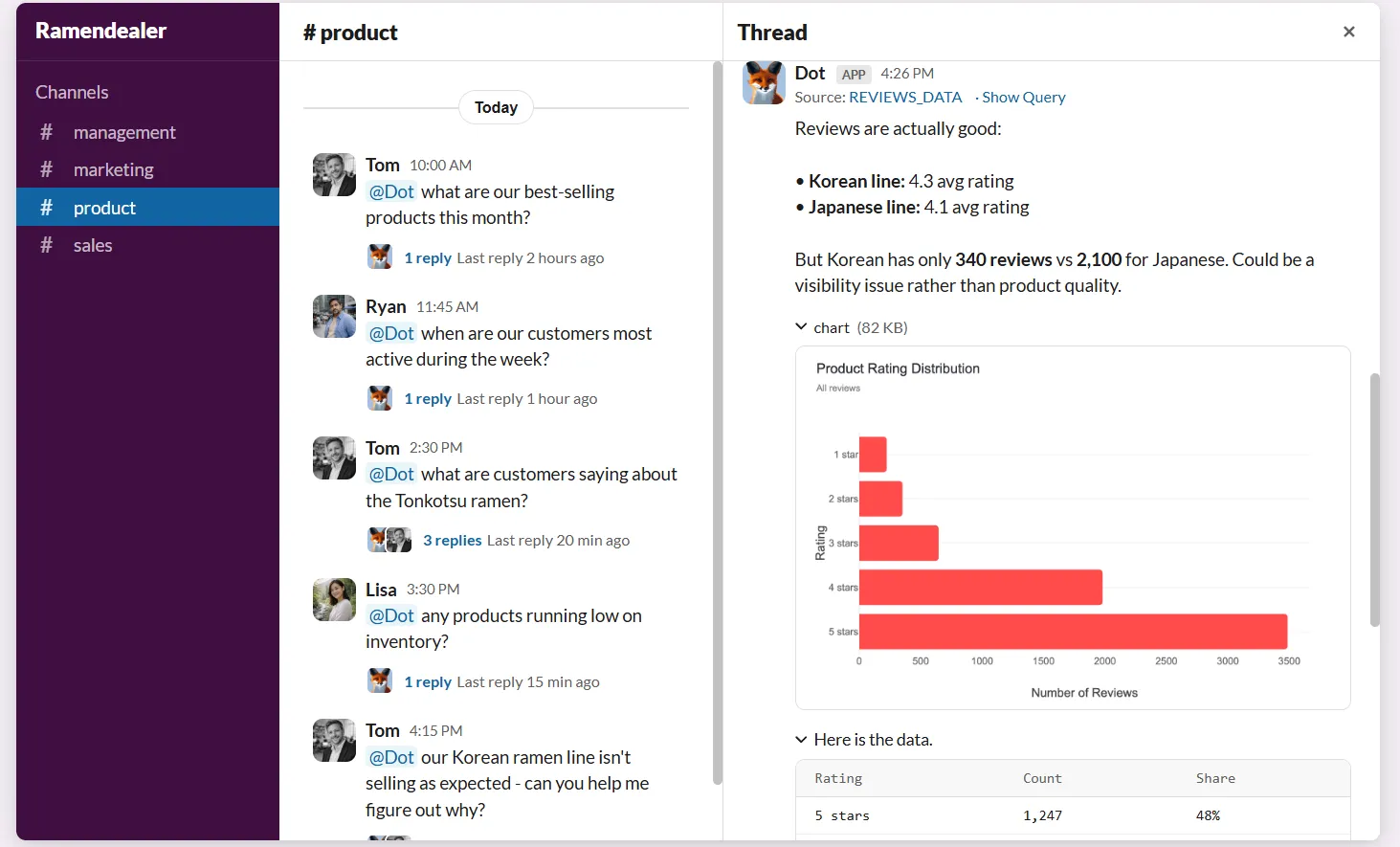
Dot is an AI data analyst connected to your warehouse. It performs the analysis itself, so a business question asked in Slack, Microsoft Teams, email or the web app comes back as a written answer with the SQL, the reasoning and a recommendation attached.

The unit of charge is the whole difference. Tableau bills per seat, multiplied by edition, so your cost tracks headcount. Dot bills per credit: a chat answer costs 1 credit and analysis tasks about 1 credit per minute, and every paid plan includes unlimited users. Adding 200 readers to Tableau Enterprise costs $84,000 a year at list (200 × $35 × 12). Adding 200 readers to Dot costs nothing; your bill moves only if those people ask for more analysis.
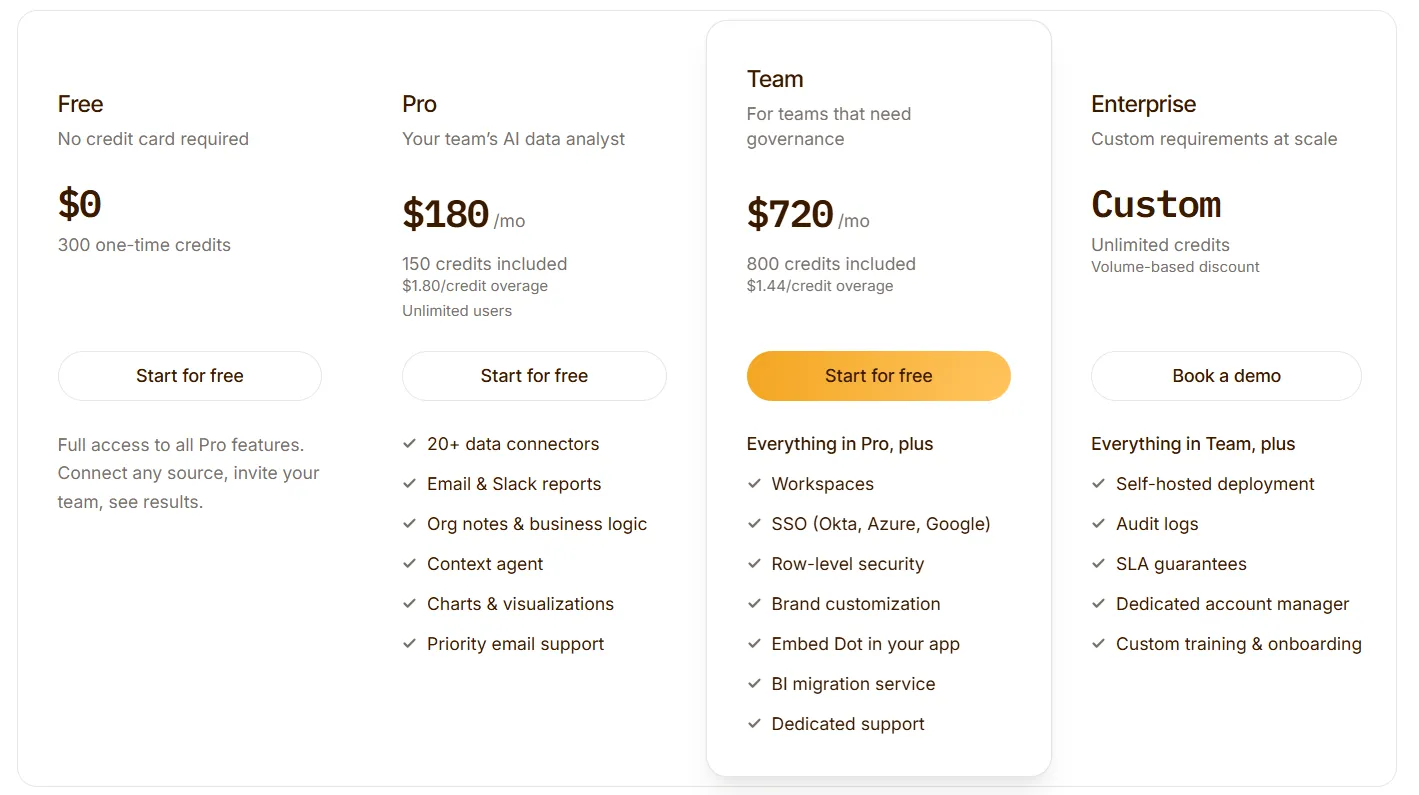
- Free: $0, with 300 one-time credits and access to everything in Pro.
- Pro: $180 a month billed annually ($200 month to month) for 150 credits a month, extra credits at $1.80 ($2.00 on monthly billing), and unlimited users.
- Team: $720 a month billed annually ($800 month to month) for 800 credits a month, extra credits at $1.44 ($1.60 on monthly billing), plus SSO, row-level security, embedding, BI migration help and dedicated support.
- Enterprise: custom pricing, with self-hosting, audit logs, an SLA and a named account manager.
Energy Mode lets you choose how much horsepower a question gets, from Economy for routine lookups to Frontier for the hard ones, and weekly credit limits can be a flat default, per user, or a pool a group shares, so one heavy team can't drain the month. Full details are on the GetDot pricing page.
What the credits buy: answers in Slack or Teams with what moved, the most likely cause and the segments carrying the change, without opening a workbook or filing a ticket.
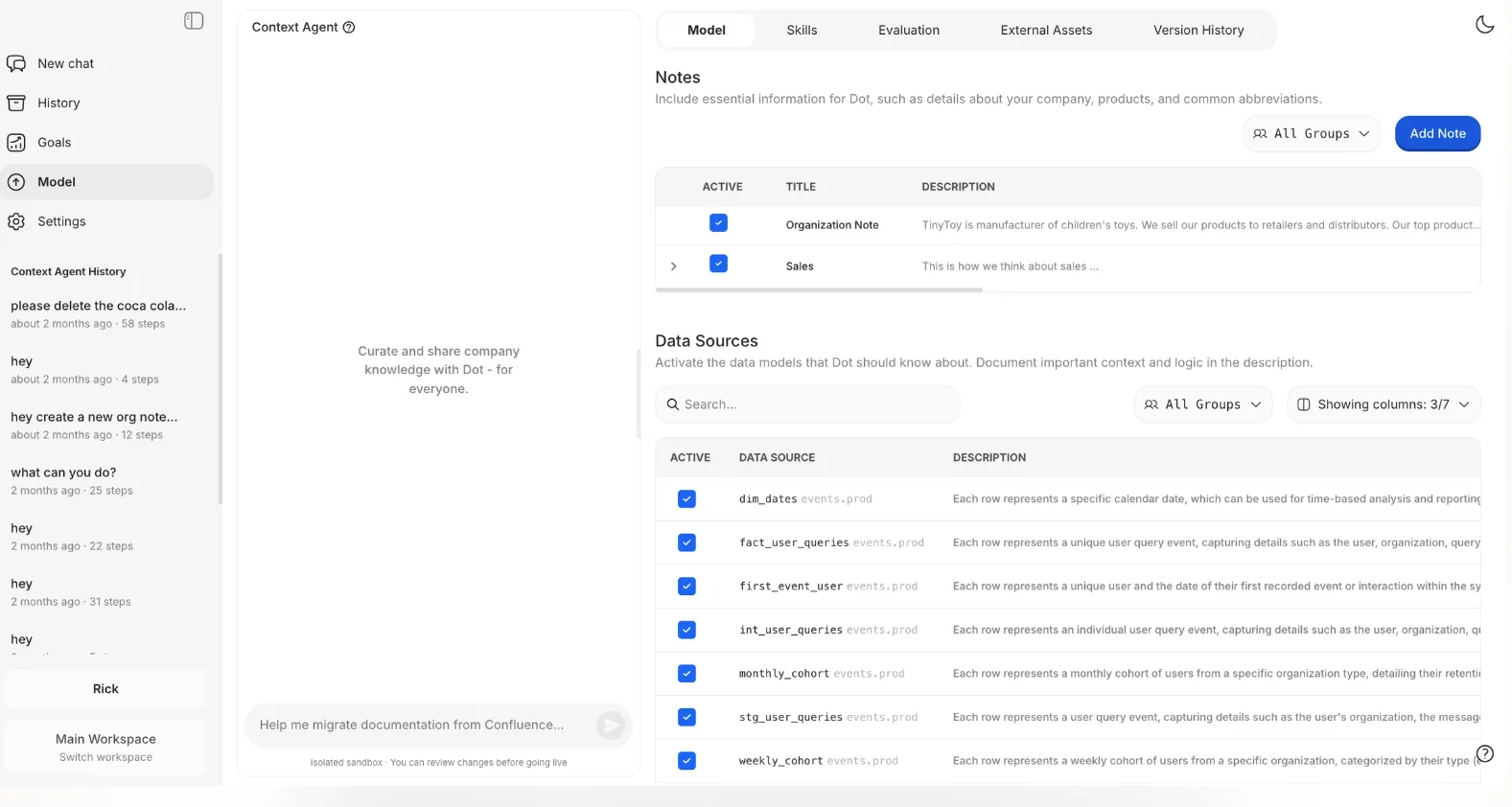
One definition per metric: Dot's Context Agent holds the calculation logic, source tables and the words teams use for each concept, and applies them to every answer, so two teams pulling the same figure land on the same number.
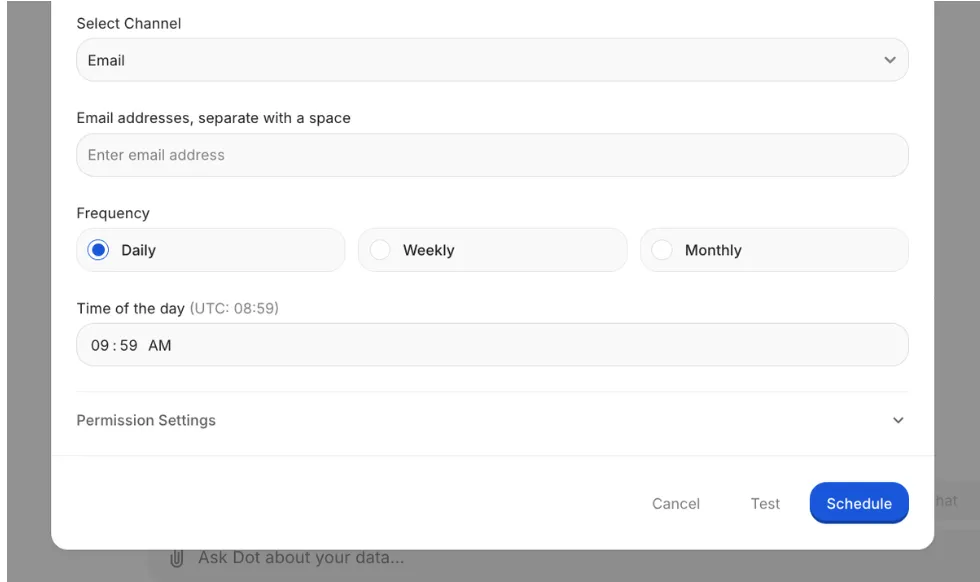
Scheduled business reviews in written prose: what happened, how it compares with the prior period, why, and where to look more closely.
Leaving Tableau without losing the numbers
Our Tableau integration connects to Tableau Cloud or Server 2019.3 and later with a personal access token, and never edits your workbooks. Add a Tableau Connected App and Dot extracts the exact values a dashboard tile renders, as the Tableau user set on the connection, with that user's Tableau permissions applied.
Since the September 2026 release, Dot can migrate a Tableau dashboard (tiles, filters and tabs) and runs a parity check that compares Tableau's values and Dot's at the same filters, tile by tile. Any difference is reported per tile instead of being averaged away, which covers the part of a migration nobody budgets for: proving the new numbers match the old ones.
Dot queries your warehouse in place, with no data copied or moved. All LLM providers run with zero data retention, and Dot is SOC 2 Type II. Tableau is still the better choice if your main need is pixel-level visual design by dedicated analysts.
You can start on the free plan with 300 credits and the full Pro feature set, no credit card needed, or book a demo to see it on your own data.
Disclaimer: this article was last updated on October 29, 2026. Tableau changes its packaging often; if you spot something out of date, contact us and we will fact-check it.
FAQ
From $15 (Standard Viewer) to $115 (Enterprise Creator) per user a month, billed annually, at the same price on Cloud and Server. Cloud+, Server+ and the Tableau+ Bundle are quoted by sales.
From $40 per user a month, billed annually, and Data 360 costs can apply on top. It is already included in some Salesforce editions such as Agentforce 1.
No. Every Tableau plan, including Tableau Next, is an annual contract billed annually.
Not for teams. Desktop Free Edition is local authoring for one person with no sharing, and Desktop Public Edition is not licensed for commercial use.
Since July 2026, Tableau Cloud customers can buy Viewer access in blocks shared across the deployment instead of per Viewer seat. Creators and Explorers stay per user, and block prices are quoted by sales.
With 10 Creators, 20 Explorers and 70 Viewers, $31,680 a year on Standard and $60,000 on Enterprise. Our Tableau pricing calculator runs the numbers for your own mix.
Theo Tortorici
Theo writes about AI-powered analytics, data tools, and the future of business intelligence at Dot.