
10 Best AI Tools For Product Managers In 2026
This guide ranks the 10 best AI tools for product managers in 2026, with what each one takes off your week and the figure you would be quoted for it.
To cover more ground, I’ll go over four categories: agents that analyze product data, repositories holding what customers told you, planning tools that fix the order of work, and trackers carrying delivery through to shipped code.
TL;DR
- Dot is the best AI tool for product managers in 2026 for teams who would sooner read a finished analysis than open a chart. Our decision intelligence software’s four pieces are a multi-step investigation into a metric that moved, dashboards built from a written description, monitoring that only speaks up when something crosses a line you set, and a traceable path from any figure back to the source tables.
- Amplitude and Mixpanel are the two product analytics platforms that have put real agent layers over event data, one pushing its output straight into the tools your squad already has open, the other coordinating sub-agents for root-cause work and KPI watching.
- Productboard and Dovetail cover the customer half of the job, one turning feedback into a prioritized roadmap and a drafted spec, the other holding interviews and calls in a repository you can query.
- Linear and Jira carry the delivery half, one with agents that triage inbound reports before a human reads them, the other bundling Rovo across every paid plan.
- Pendo pairs usage analytics with in-app guidance, which fits a PM who owns adoption as well as the numbers behind it, while ThoughtSpot lets stakeholders answer their own questions by typing them.
- Metabase closes the list as the affordable self-serve option a small team can stand up in an afternoon.
What are the best AI tools for product managers in 2026?
The best AI tool for product managers in 2026 is Dot, an AI data analyst that answers product questions in Slack, Microsoft Teams, email, and its web app, followed by Amplitude for agent-led product analytics and Productboard for turning customer feedback into a roadmap.
The table below pairs each tool with the buyer it suits and the figure attached to it:
Tool | Use case | Price |
Dot | Returns a written analysis with a recommendation, wherever your team asks the question. | Free tier; paid from $180 a month. |
Amplitude | Product analytics with agents that run diagnostics and push their output into your team's tools. | Free plan; Plus starts at $0 and bills on event volume. |
Productboard | Feedback turned into a prioritized roadmap and a drafted spec by the Spark agent. | From $59/maker/month, five makers minimum. |
Mixpanel | Event analytics where one agent coordinates sub-agents for root causes, KPIs, and experiments. | Free to 1M events a month; Growth starts at $0. |
Dovetail | One searchable home for interviews, calls, and tickets, with AI clustering across all of it. | Free plan; Enterprise quoted. |
Pendo | Usage analytics paired with in-app guides, plus Leo for written questions about product data. | Free to 500 MAUs; paid plans quoted. |
Linear | Issue tracking where agents triage and enrich inbound reports before a human reads them. | Free plan; paid from $10/user/month. |
Jira | Company-wide delivery tracking, with Rovo search, chat, and agents on every paid plan. | Free to 10 users; Standard from $7.91/user/month. |
ThoughtSpot | Search-led analytics where the Spotter agent plans and runs the analysis behind a typed question. | From $25/user/month (annual). |
Metabase | Open-source BI a product team can host itself, with Metabot offered as a paid extra. | Free (open source); Cloud from $100 a month. |
Four conditions decided the shortlist:
- The AI has to touch something a PM answers for at review time: what gets built next, whether the last release did anything, the number an exec queries, or the document nobody wants to write.
- You have to be able to buy it now, through a working signup or a live sales path, with no waitlist standing between you and the AI features.
- It has to read from live systems, whether that means a warehouse, an event stream, a ticket queue, or a research repository.
- General-purpose assistants are out of scope, so ChatGPT, Claude, and Notion AI do not appear here even though plenty of PMs use them daily.
#1: Dot
Dot is the best AI tool for product managers in 2026 because it answers the question you would otherwise queue with the data team, and hands back the reasoning attached to the number.
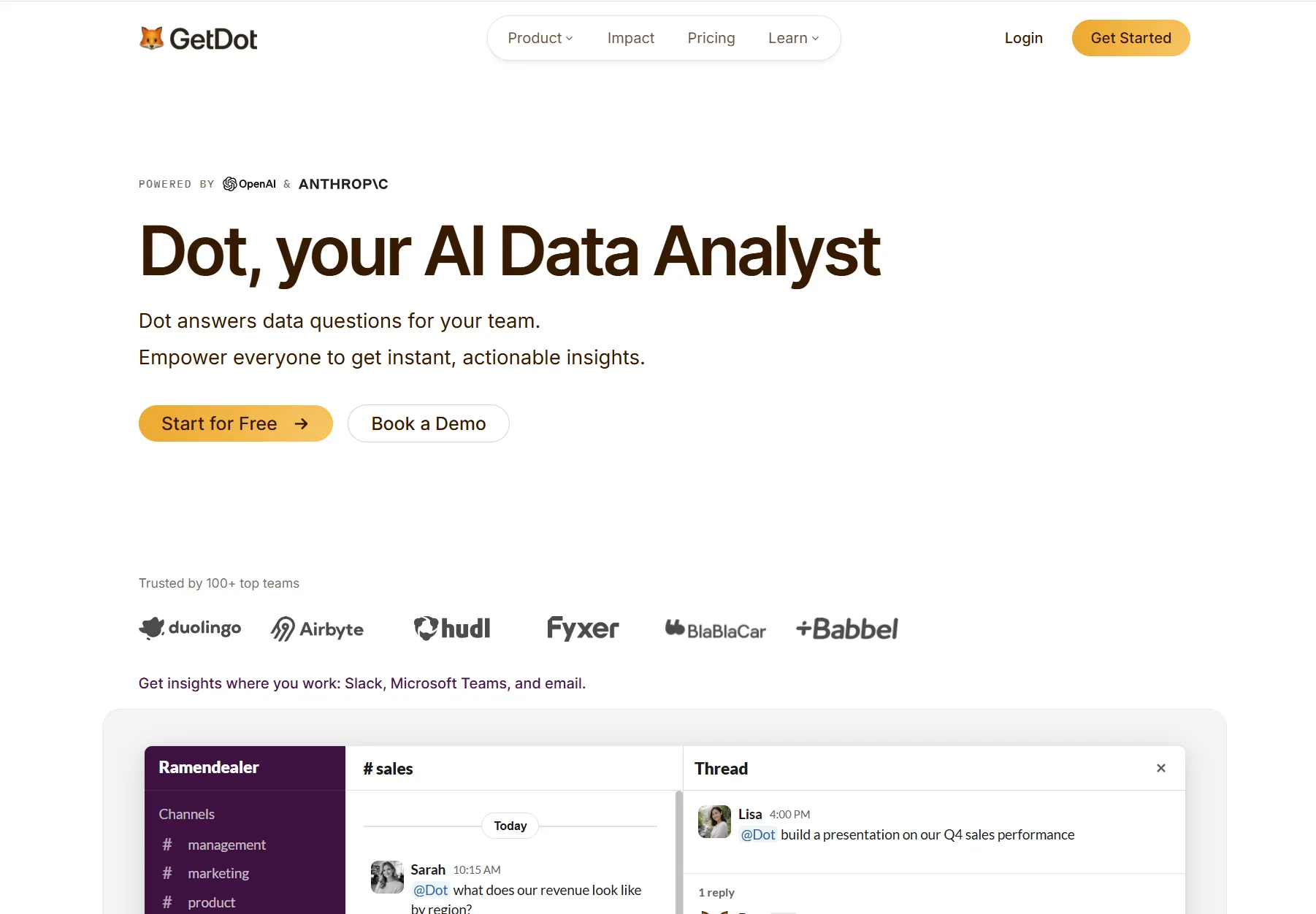
Disclaimer: Dot is our own AI data analyst, so treat what follows as our case for it, with sources linked wherever you want to verify a claim.
Onboarding to our BI tool for data visualization is a one-time job. All you have to do is connect the warehouse, then point Dot at whichever dbt models and docs your data team keeps current.
Notion, Jira, Confluence, GitLab, and Bitbucket all connect as sources too, so the written context around a metric can shape the answer about it.
Let’s go over the features and capabilities that product managers love about Dot since it helps them make better decisions:
Answers returned in the channel the question came from
Dot takes questions in Slack, Microsoft Teams, email, and its own web app, and the written analysis comes back to that same place with the figures attached.
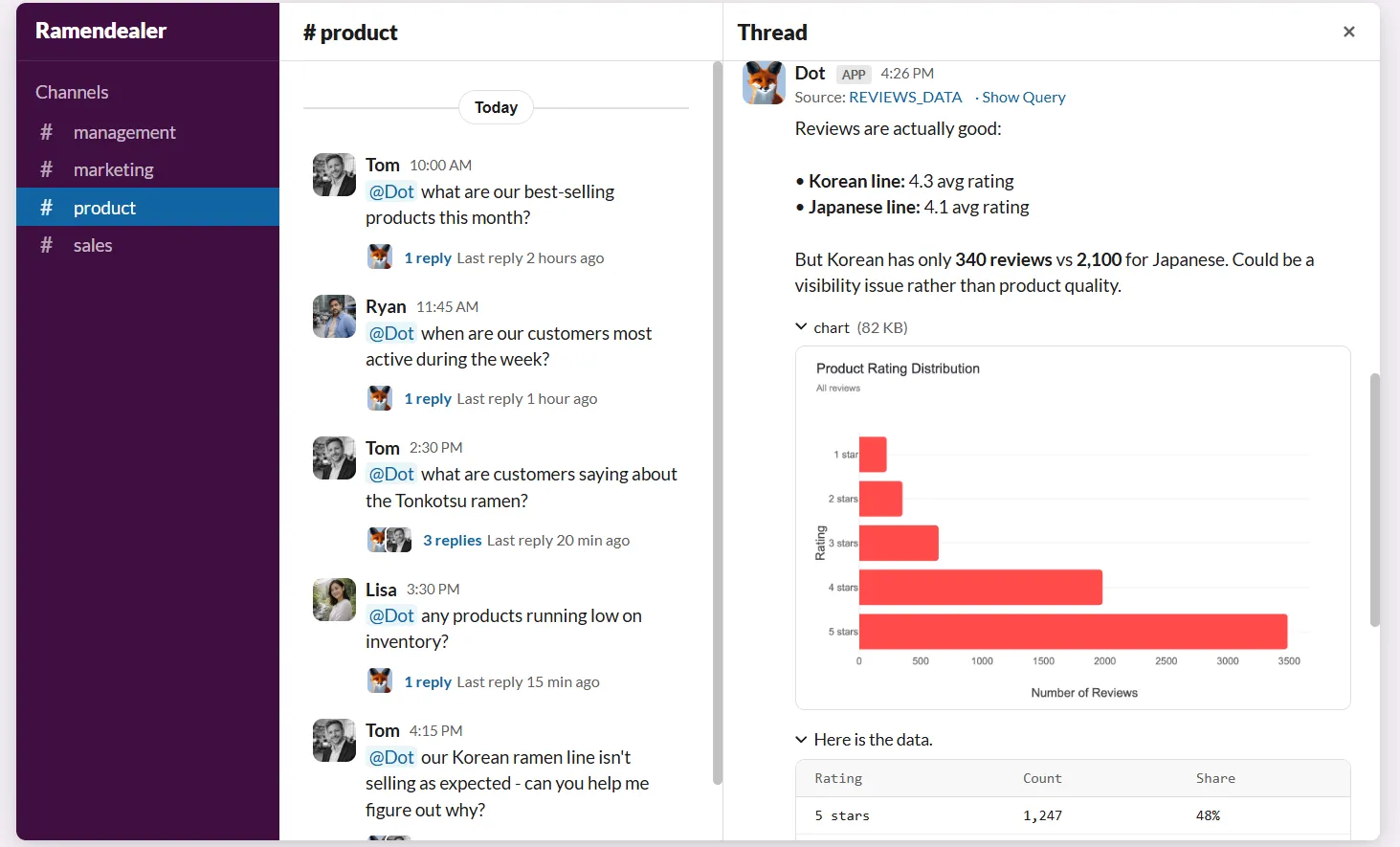
A designer wondering why trial-to-paid conversion dipped after the new onboarding flow shipped can ask in the launch channel and get the reply under their own message, with no dashboard involved and nobody writing a line of SQL.
Energy Mode is the control over how hard Dot works on a given question:
- Economy: quick and cheap, sized for a lookup whose answer is one number.
- Balanced: the setting most questions run on, and the one Dot applies unless told otherwise.
- Frontier: the heaviest reasoning, held back for questions that would otherwise cost an analyst an afternoon.
➡️ The gain for a product team is the wait disappearing.
A question asked at nine in the morning gets answered while the conversation is still live, having never joined a queue somewhere else.
Deep Analysis for a metric that moved
Deep Analysis is Dot's investigation mode, where several lines of inquiry run in parallel and the findings come back with statistical confidence behind them.
The report comes back with a single quantified finding up top, a short summary, the supporting sections with charts embedded, a recommendation, and the assumptions Dot worked from.
Say weekly activation drops four points the week after a signup change ships.
A few minutes after you ask why, the written answer names the segment where the drop concentrated and sizes it against the previous week, and every claim in it links back to source data.
💡 Follow-ups keep the thread: "break that out by acquisition channel" continues the same investigation, and the finished report exports to PowerPoint when it needs to go in front of a leadership group.
Dashboards you describe in a sentence
A written description of what you want to watch is enough for Dot to build the interactive dashboard, covering KPI tiles, charts, tables, and filters, published behind a link that pulls fresh data on every load.
A trend line runs beneath the figure on each KPI tile, and moving your cursor along it puts this year against last while the neighbouring tiles track the same moment in time.
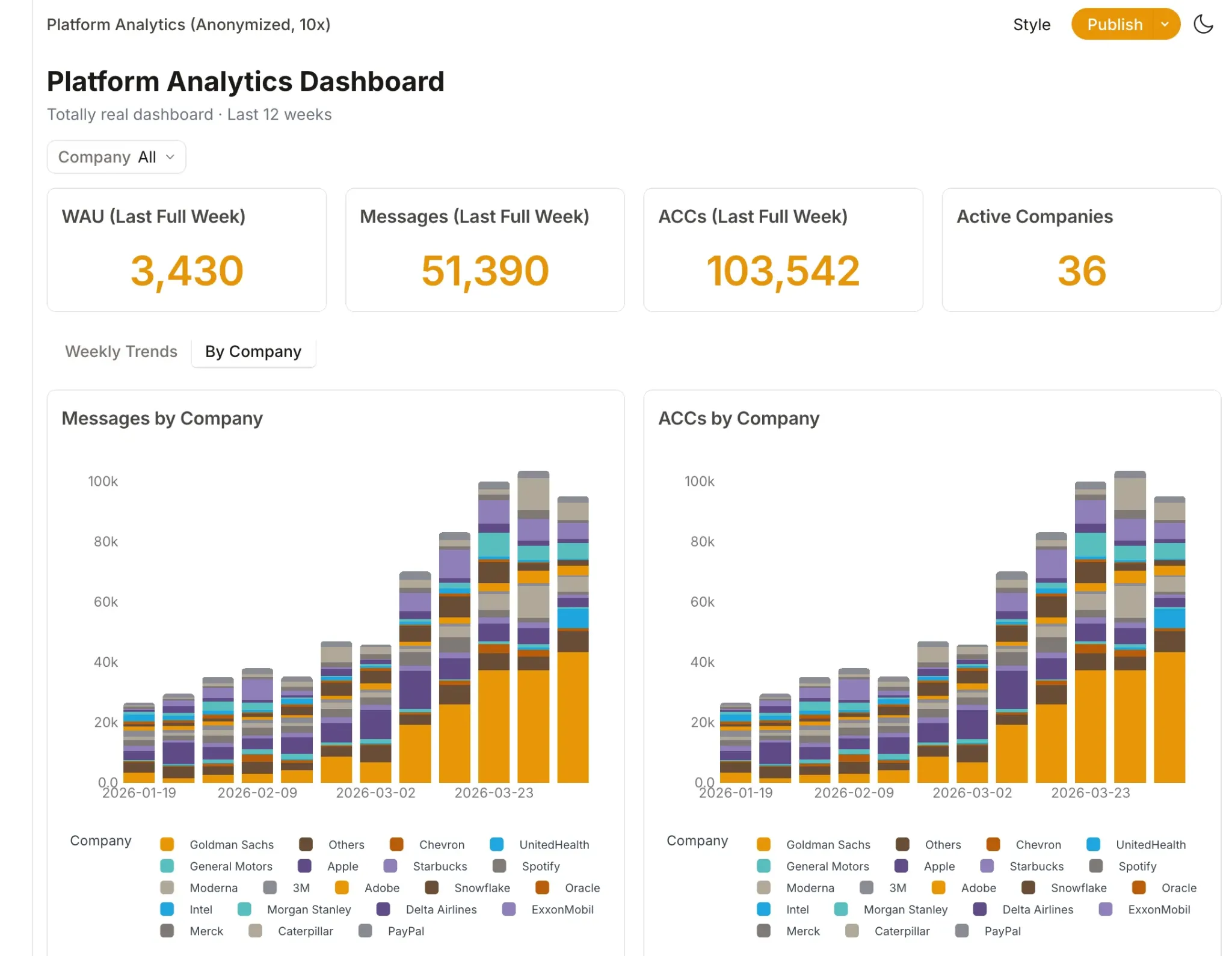
A launch dashboard for the feature that shipped on Tuesday takes one written request, then goes to the squad as a link.
Relative date presets like "this quarter", and auto-refresh intervals come as part of it, and the whole thing embeds elsewhere if that suits your team better.
A traceable path from any figure to its source
Full logs under any Dot answer include a Lineage view, which draws a map connecting the source tables, the queries that ran against them, the dbt models in between, and the answer you were given.
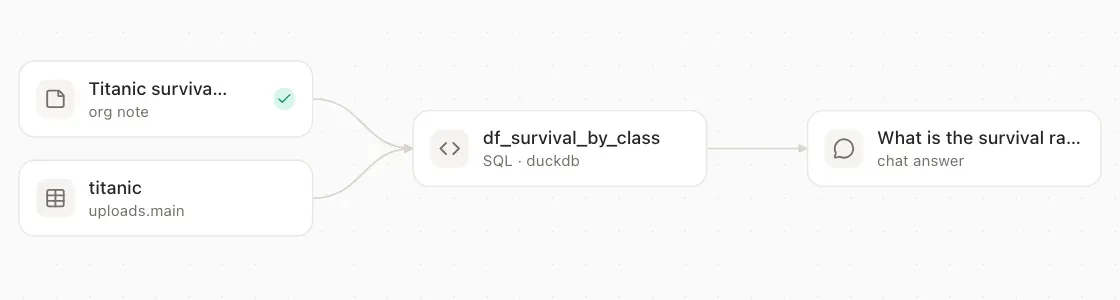
Team notes that steered a query show up in the same graph, so a definition someone wrote in Slack six months ago stops being invisible.
Every query Dot fires into your warehouse arrives with an audit comment attached, recording who asked, which workspace they were in, whether a question or a schedule set it off, and a link back to the chat.
When someone in a business review asks where a number came from, that path is the answer.
Your data platform team can trace the same query from their own side of it.
What makes Dot different from other AI tools for product managers?
Dot reads your data warehouse, while the product analytics tools here read an event stream their own SDK captured.
That distinction decides which questions each one can answer.
A question that joins product events to billing records or support tickets is a warehouse question, and answering it inside Amplitude, Mixpanel, or Pendo means new instrumentation first.
Dot works against the tables and dbt models your team already maintains, so the answer arrives without a tracking plan, a taxonomy review, or an SDK release.
The commercial model differs as well.
Across this list, the meter runs on events, monthly tracked users, maker seats, or user seats, whereas Dot meters the analysis work itself and carries unlimited users on every paid plan.
Our marketing data visualization tool suits a product team that wants finished analysis built on the modeling their data org has already done, with no migration project and no new interface for the squad to learn.
Dot pricing
Credits are the unit Dot charges for.
Four tiers, and annual billing takes 10% off:
- Free: $0, and the 300 credits granted once are enough to put real product questions through the full Pro feature set before you commit.
- Pro: $180 a month buys 150 credits at $1.80 per credit beyond them, more than 35 data connectors, email and Slack reports, and no cap on user count.
- Team: $720 a month raises that to 800 credits at a $1.44 overage rate and unlocks the governance set, meaning workspaces, SSO, row-level security, brand customization, embedding, BI migration help, and dedicated support.
- Enterprise: quoted individually against no credit ceiling whatsoever, and the tier that unlocks self-hosted deployment, audit logs, an SLA, a named account manager, and custom onboarding.
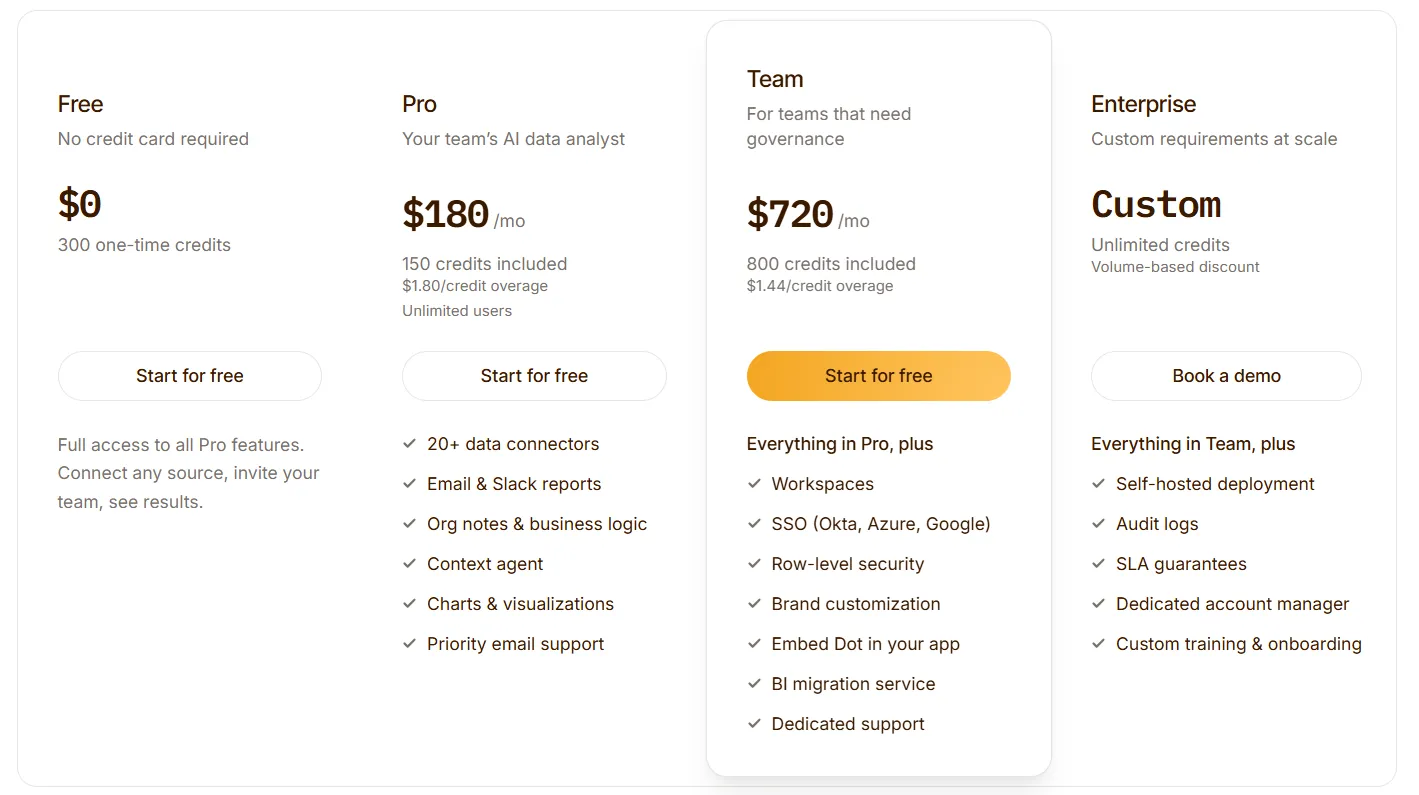
A credit gets spent when Dot answers a question or writes a report, so the invoice tracks analysis volume and never headcount.
Dot pros and cons
✅ The output is a written answer plus a suggested next step, delivered wherever the question was asked.
✅ A lineage view opens up the SQL behind any figure, then follows the dbt models back to the tables underneath.
✅ Dashboards and recurring reports get built from a written description, no ticket to the data team required.
✅ Nobody counts seats on a paid plan, and Dot runs SOC 2 Type II certified with zero retention at the LLM providers.
❌ A heavy month of analysis moves the bill, which makes credit use worth watching.
#2: Amplitude
Best for: Product teams that want an agent doing the diagnostic work inside the analytics tool they already instrument.
Similar to: Mixpanel, Pendo.
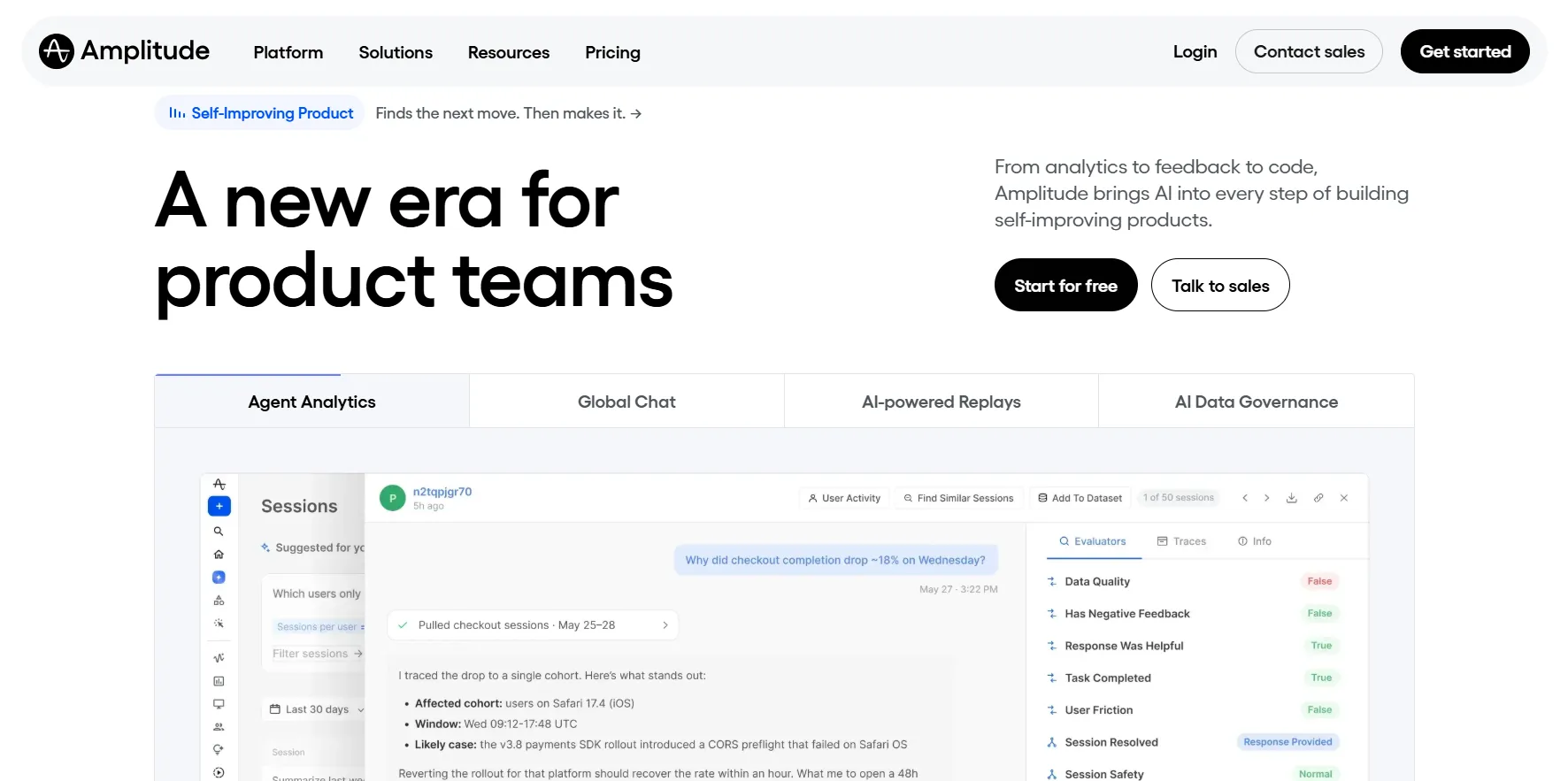
Amplitude is a product analytics platform whose agents now do the analysis themselves, working across analytics, session replay, experimentation, and survey data in one account.
It fits product orgs with instrumentation already in place, where the bottleneck is analyst time and not data collection.
Amplitude's top features
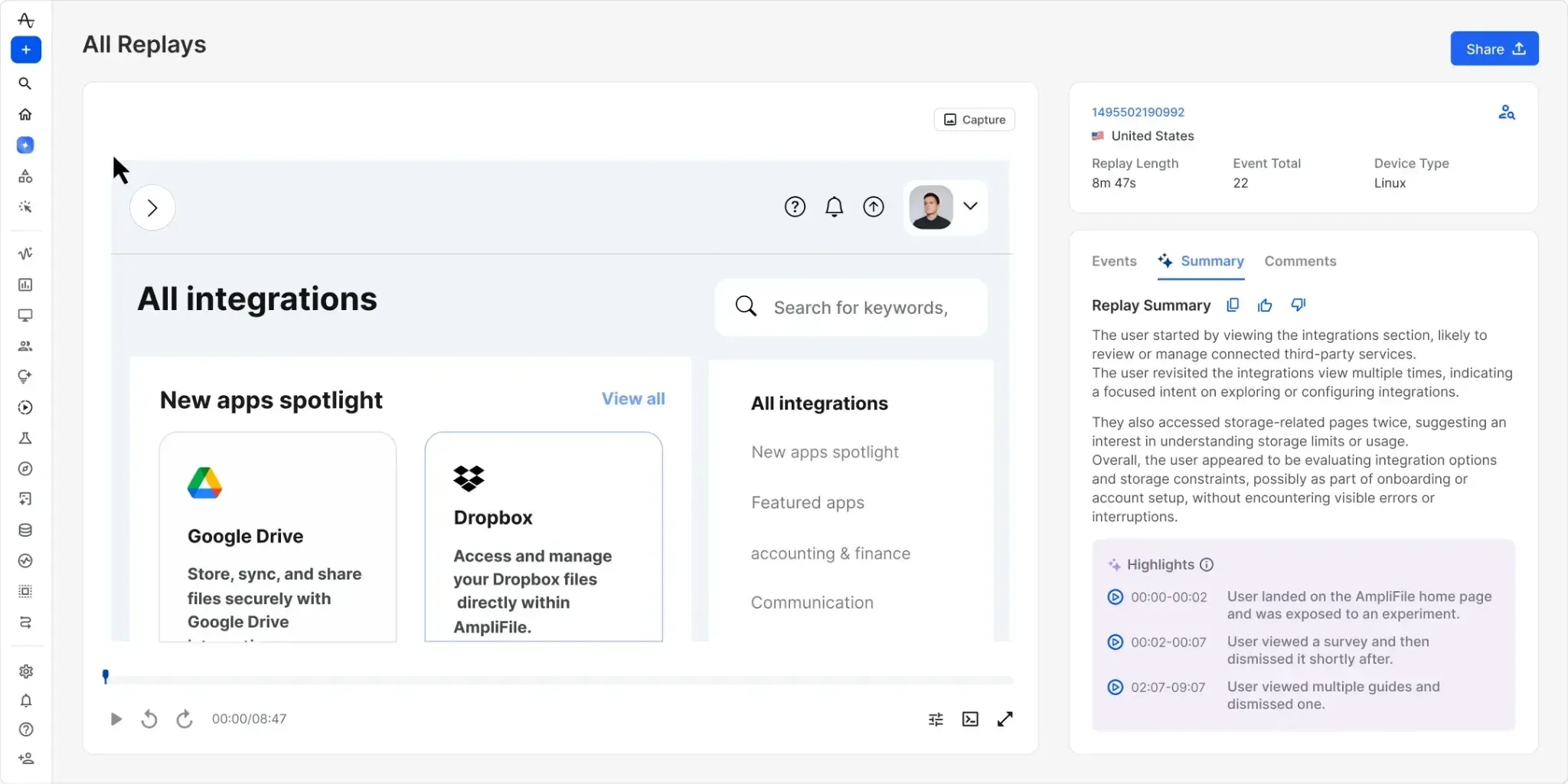
- Global Agent: An agent that works like an analyst across your Amplitude account, running analyses, building dashboards, segmenting users, and maintaining your event taxonomy from a chat you can open anywhere in the product.
- Custom Agents: An agent gets one recurring job plus the list of tools it may reach, then runs that job on a schedule or on demand.
- Agent Connectors: Agents read context out of PRDs and team conversations, then write updates back into Notion, Slack, Linear, GitHub, Sentry, Atlassian, and other MCP-enabled tools.
- Agent Analytics: Sessions between your own AI features and your users get measured alongside human usage, with trace analysis, topic clustering, and custom evaluators.
Amplitude pricing
Seats never enter the calculation at Amplitude, and every tier opens some of each product in the suite.
Event volume is what sets the bill:
- Free: 2 million events a month on no time limit, which covers product analytics, AI agents and MCP, session replay, 2,000 AI feedback records, and limited experiments.
- Plus: Starts at $0 because the first 2 million events cost nothing, then scales to 70 million while unlocking custom formulas, 20 behavioral cohorts, alerts, heatmaps, and two-year retention.
- Growth: Quoted on event volume, and the point at which advanced behavioral exploration, monitoring and alerts, SSO, and project permissions arrive.
- Enterprise: Also priced on event volume, reserving data access controls, unlimited monitoring, role-based permissions, and an assigned account manager.
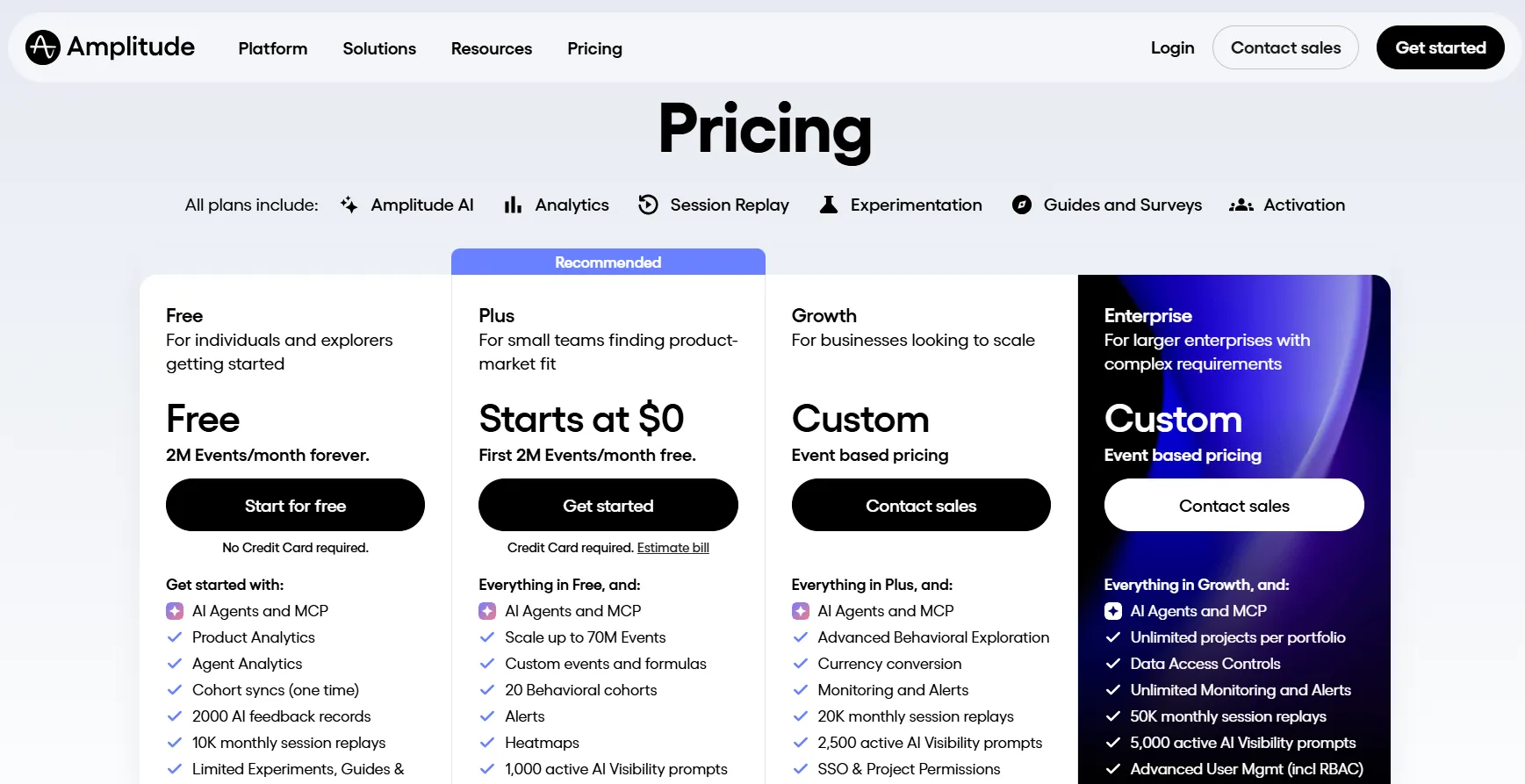
Startups that have raised under $10M and employ fewer than 20 people can apply for a free year on Growth.
Amplitude pros and cons
✅ The free plan is generous enough to run a real product team, and seats are never the constraint.
✅ Agent output lands in Notion, Linear, Slack, or Jira, so an insight turns into tracked work without a copy and paste.
❌ Unlimited experiments and larger replay volumes require Growth or Enterprise, and expanded packages are charged as a percentage of your platform plan.
#3: Productboard
Best for: PMs who spend their week deciding what to build next from a pile of customer signal.
Similar to: Dovetail, Linear.
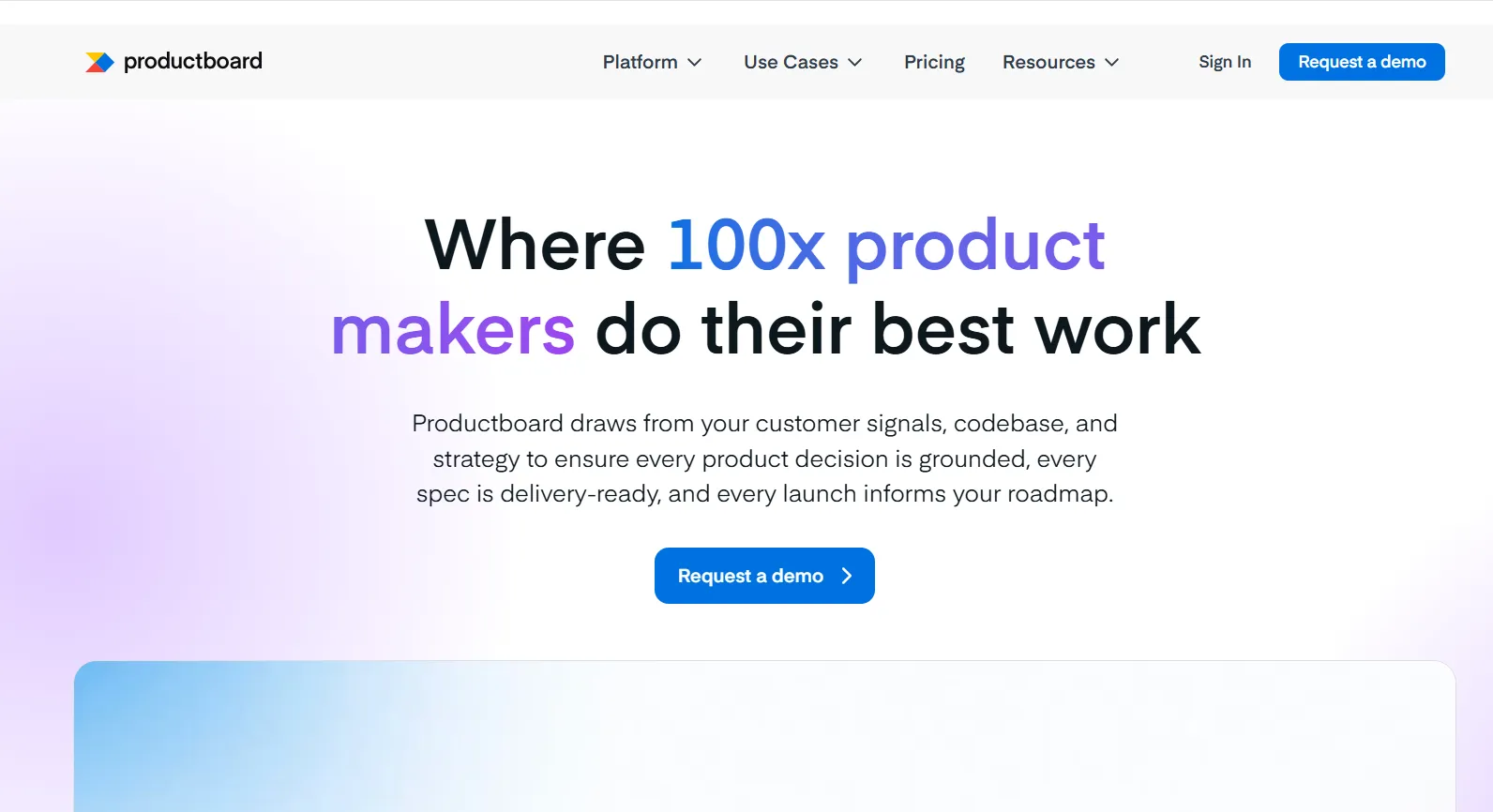
Support tickets, sales calls, survey responses, and a public portal all feed Productboard, where Spark analyzes what arrives and drafts the specification off the back of it.
The buyer is a product team that owns prioritization and needs the reasoning behind a decision written down.
Productboard's top features
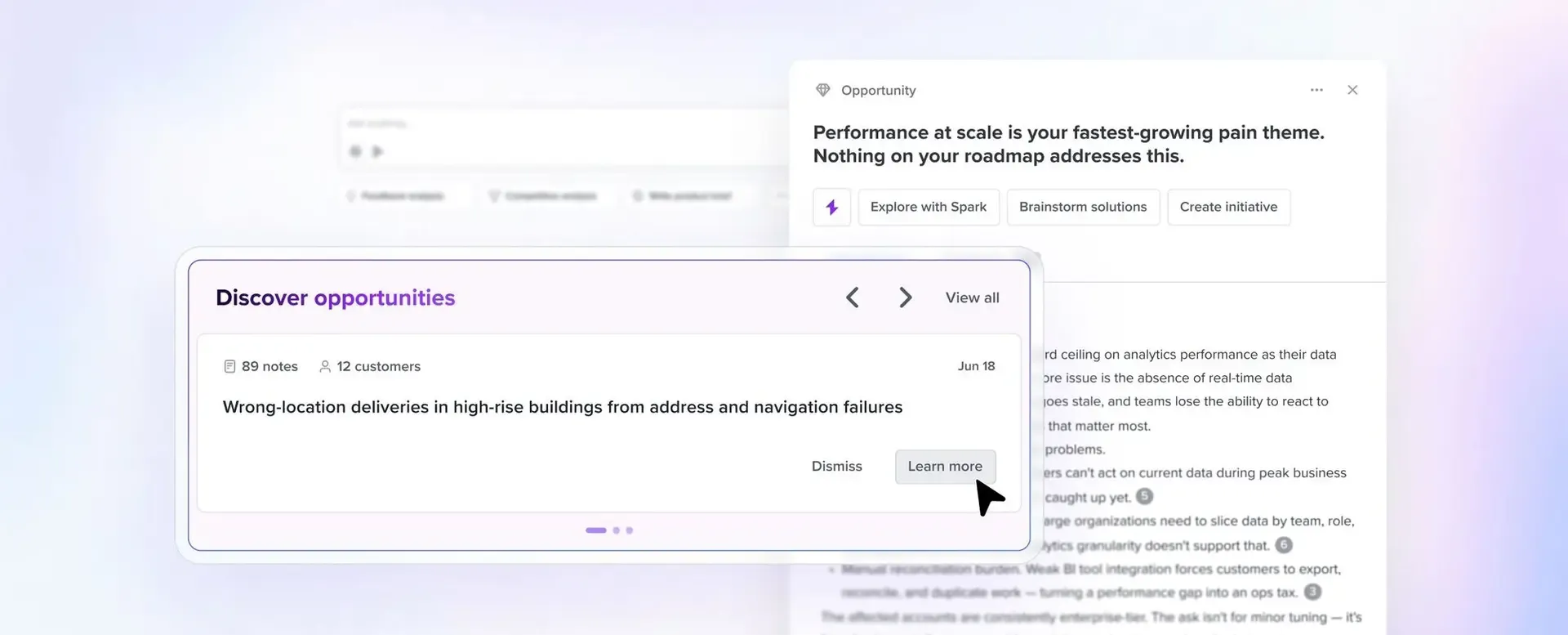
- Spark: An agent with your workspace context that runs feedback summaries, surfaces findings and opportunities, drafts documents, and executes scheduled tasks, included on both plans.
- Skills: Saved instructions that turn a repeated piece of product work into something Spark performs the same way each time, with a shared library across both tiers.
- Document sources and MCP: Spark reads from Confluence and Notion among other document sources, while the built-in MCP server lets other AI tools reach that same context.
- Prioritization and roadmaps: Custom scoring formulas, feature hierarchies, dependency tracking, and timeline or column roadmaps, none of it metered by credits.
Productboard pricing
Only makers pay in Productboard; both published tiers carry a five-maker minimum, and AI use is metered in credits.
Neither a free tier nor the older $19 maker rate appears on the pricing page now, so budget from the Business figure:
- Business: $59/maker/month billed annually or $75 monthly, giving each maker 500 credits against full Spark access, unlimited roadmaps and prioritization, unlimited feedback notes, unlimited teamspaces, the shared skills library, 25 contributors, and two product portals.
- Enterprise: custom pricing, lifting contributors to unlimited and adding SAML SSO, SCIM provisioning, custom roles, the Salesforce integration, AI Themes, and live onboarding.
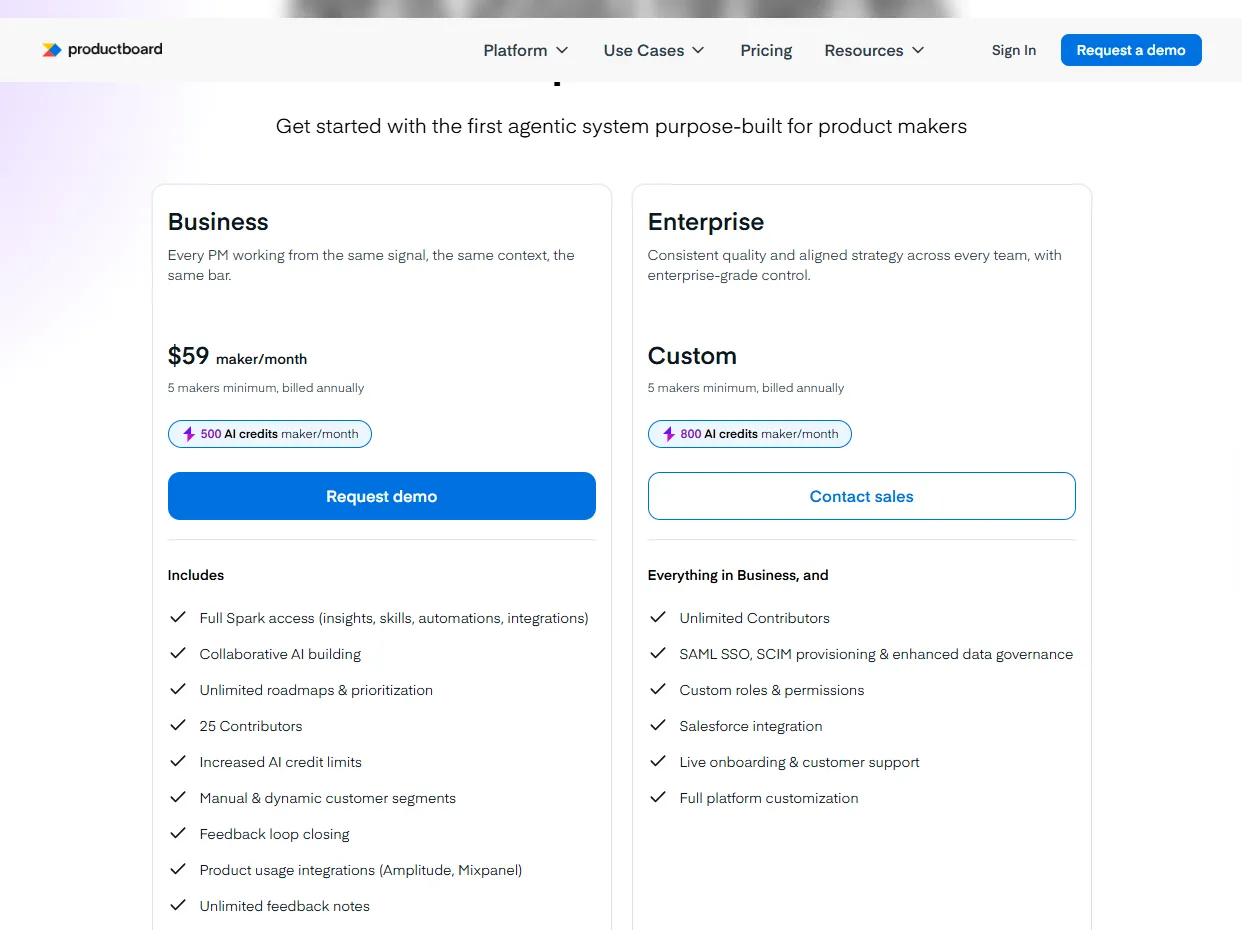
Enterprise credits are quoted two ways on Productboard's own page, as 800 per maker on the plan card and as 1,500 base credits plus 800 per additional maker in the FAQ, so confirm which applies to your headcount.
Analyzing 100 feedback items runs roughly 30 to 50 credits and a full specification 50 to 200.
Top-ups cost $5 per 50 credits on monthly plans.
Productboard pros and cons
✅ Contributors cost nothing against the maker count, so engineers and CS can file feedback without a licence, capped at 25 on Business.
✅ Credits make AI spend visible before the invoice, and exhausting them locks Spark while your workspace stays open.
❌ The five-maker minimum sets the floor at $295 a month on annual billing, which prices out a one-person or two-person product function.
❌ SSO and Salesforce sync both wait for Enterprise.
#4: Mixpanel
Best for: Teams that want event analytics with agents watching the numbers between reviews.
Similar to: Amplitude, ThoughtSpot.
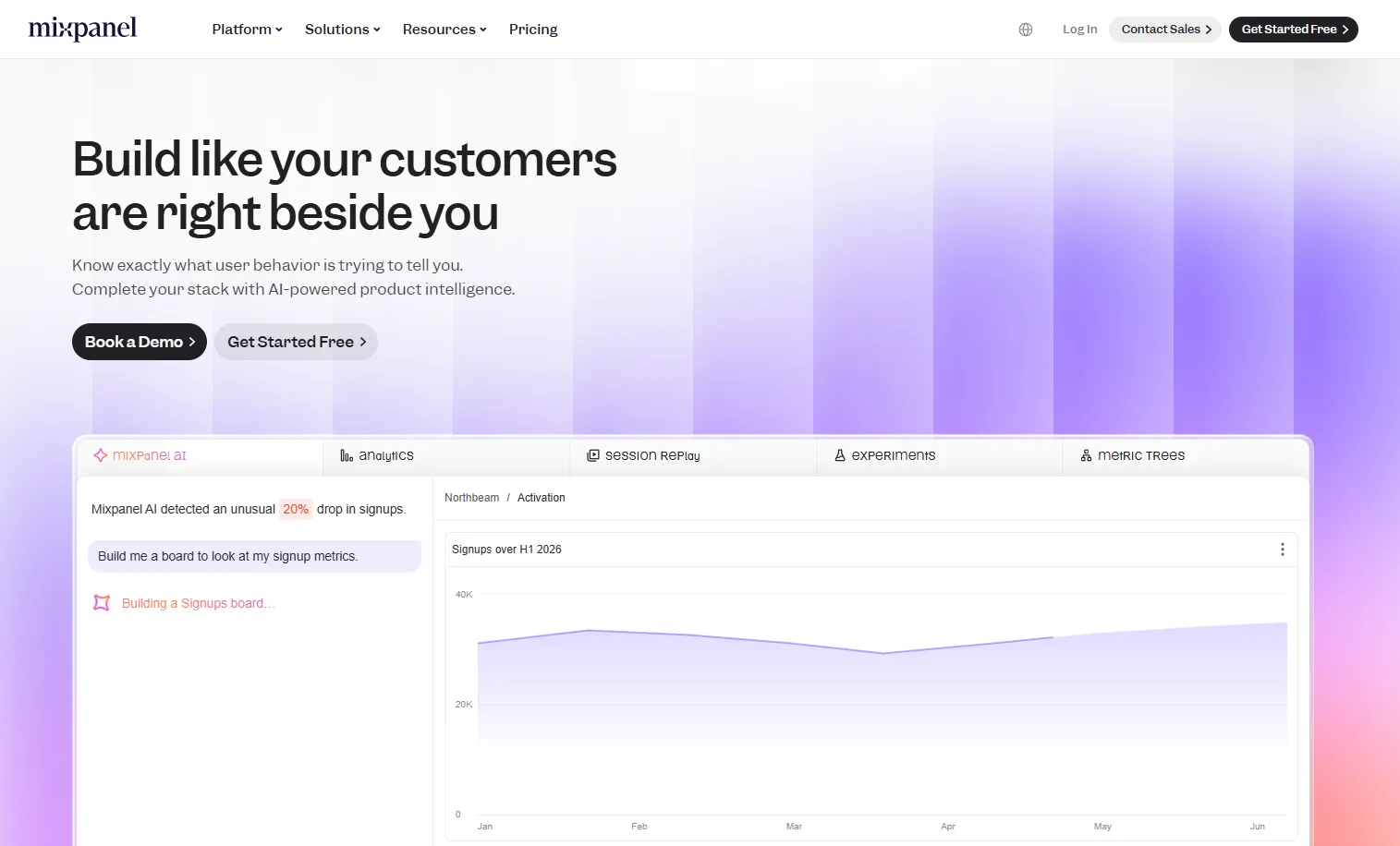
Event analytics is Mixpanel's foundation, and Mixpanel Agent is the layer above it, coordinating sub-agents that each own a piece of the analysis.
Product and growth teams comfortable designing an event schema get the most from it, since the quality of the answer follows the quality of the tracking.
Mixpanel's top features
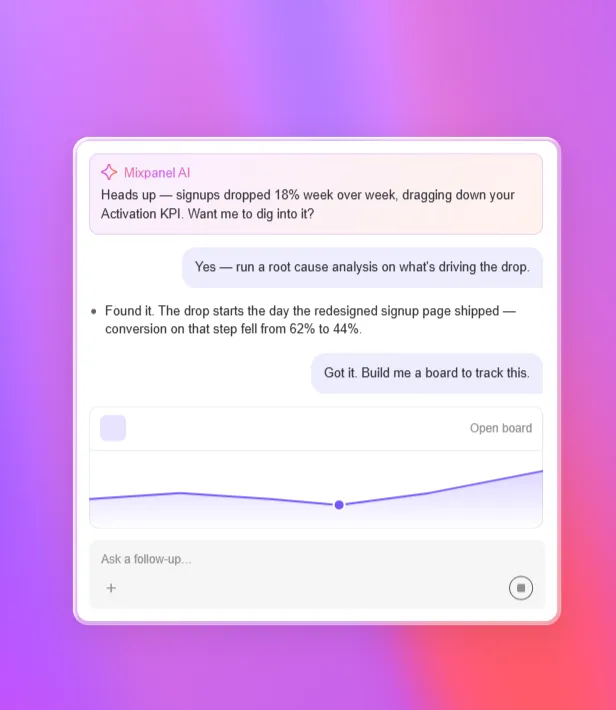
- Mixpanel Agent: An always-on product analyst that interprets data, builds the queries, runs the analysis, and explains what it found, with Spark carrying forward as its report-building predecessor.
- Root Cause Analysis and KPI Monitoring sub-agents: One traces the behavioral cause behind a change and recommends a next step, the other watches metrics continuously, with root cause analysis reserved for Enterprise.
- Context Engine and Verified Mode: A business-aware layer that knows your goals and how your teams are organized, paired with a mode holding answers to verified definitions.
- Slack and MCP access: Mixpanel Agent answers when tagged in a Slack thread, and an MCP client such as Claude or Cursor can query the same data.
Mixpanel pricing
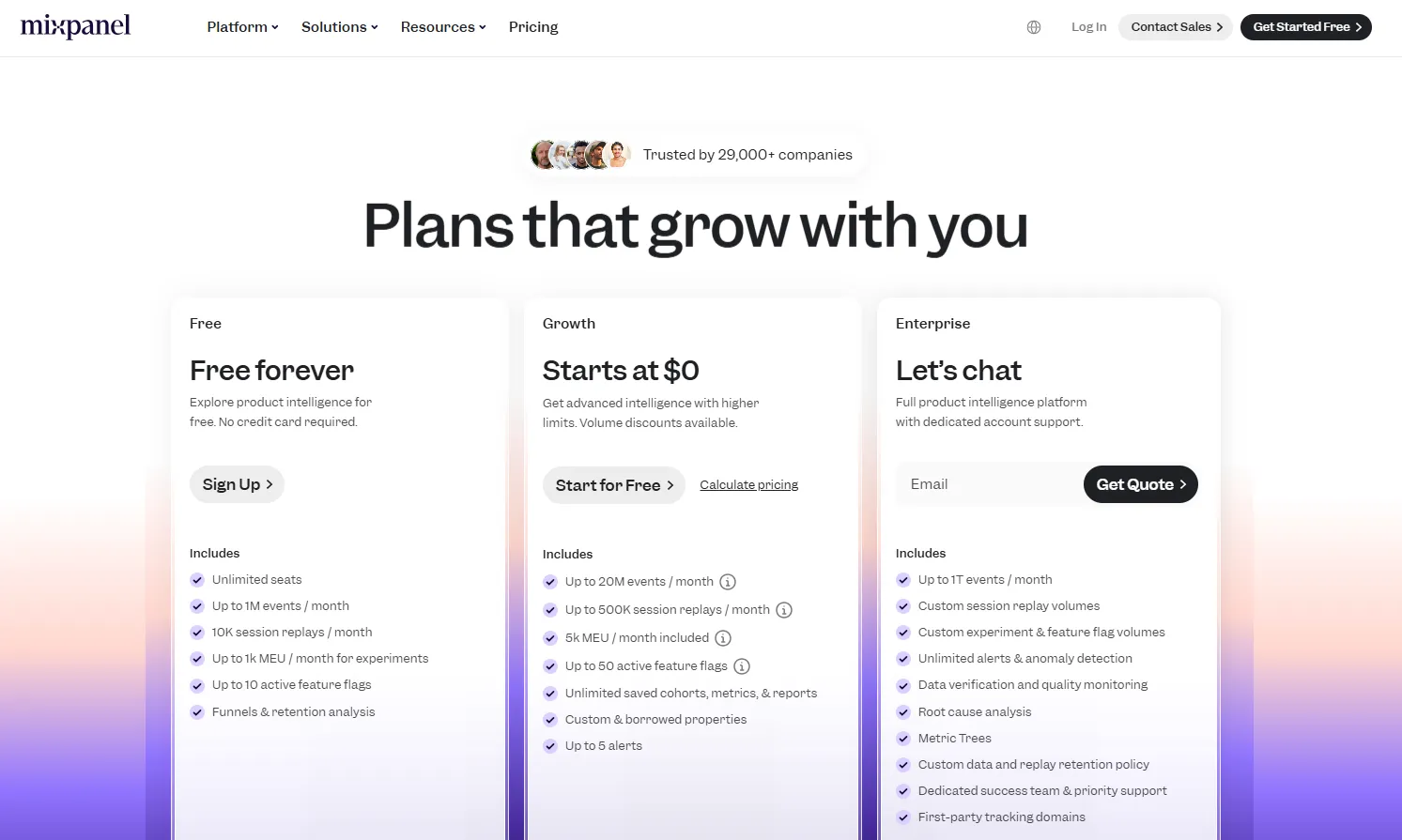
Three event-based plans make up Mixpanel's lineup, and seats are unlimited across all of them:
- Free: 1 million events a month on no trial clock, with unlimited seats, 10K session replays, up to 10 feature flags, and a ceiling of five saved reports per seat.
- Growth: starts at $0 and scales to 20M events a month, carrying 500K session replays, 50 active feature flags, unlimited saved reports and cohorts, and volume discounts as you commit further.
- Enterprise: quoted, reaching 1T events a month and reserving root cause analysis, Metric Trees, anomaly detection, data quality monitoring, first-party tracking domains, and a dedicated success team.
- Add-ons: Group Analytics and Data Pipelines are priced separately on Growth and Enterprise, and Metric Trees is an add-on below Enterprise.
Mixpanel pros and cons
✅ The free tier and the per-event rate keep small-scale use cheap to start.
✅ The sub-agents cover two jobs PMs repeat constantly, namely explaining a change and noticing one.
❌ Group Analytics is the piece most B2B products need, and it costs extra on every tier that offers it.
❌ There is no middle tier, so the step past Growth is a sales conversation.
#5: Dovetail
Best for: Product teams whose decisions rest on qualitative evidence they need to find again later.
Similar to: Productboard, Pendo.
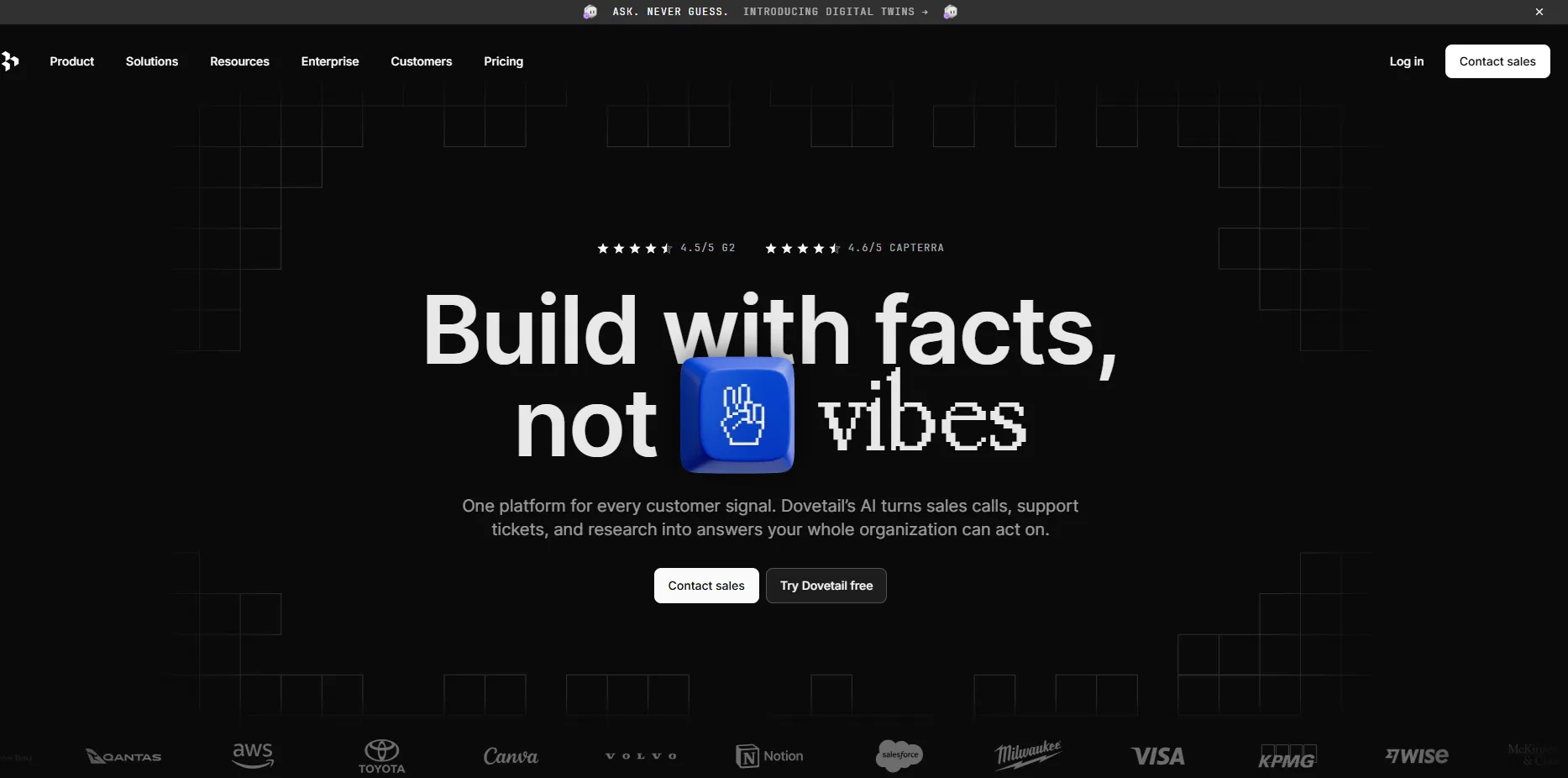
Interviews, sales calls, support tickets, and survey responses all land in Dovetail, where AI clusters them into themes and semantic search reaches across the whole repository.
Organizations with some research-ops maturity get the return, since a repository pays off through reuse.
Dovetail's top features
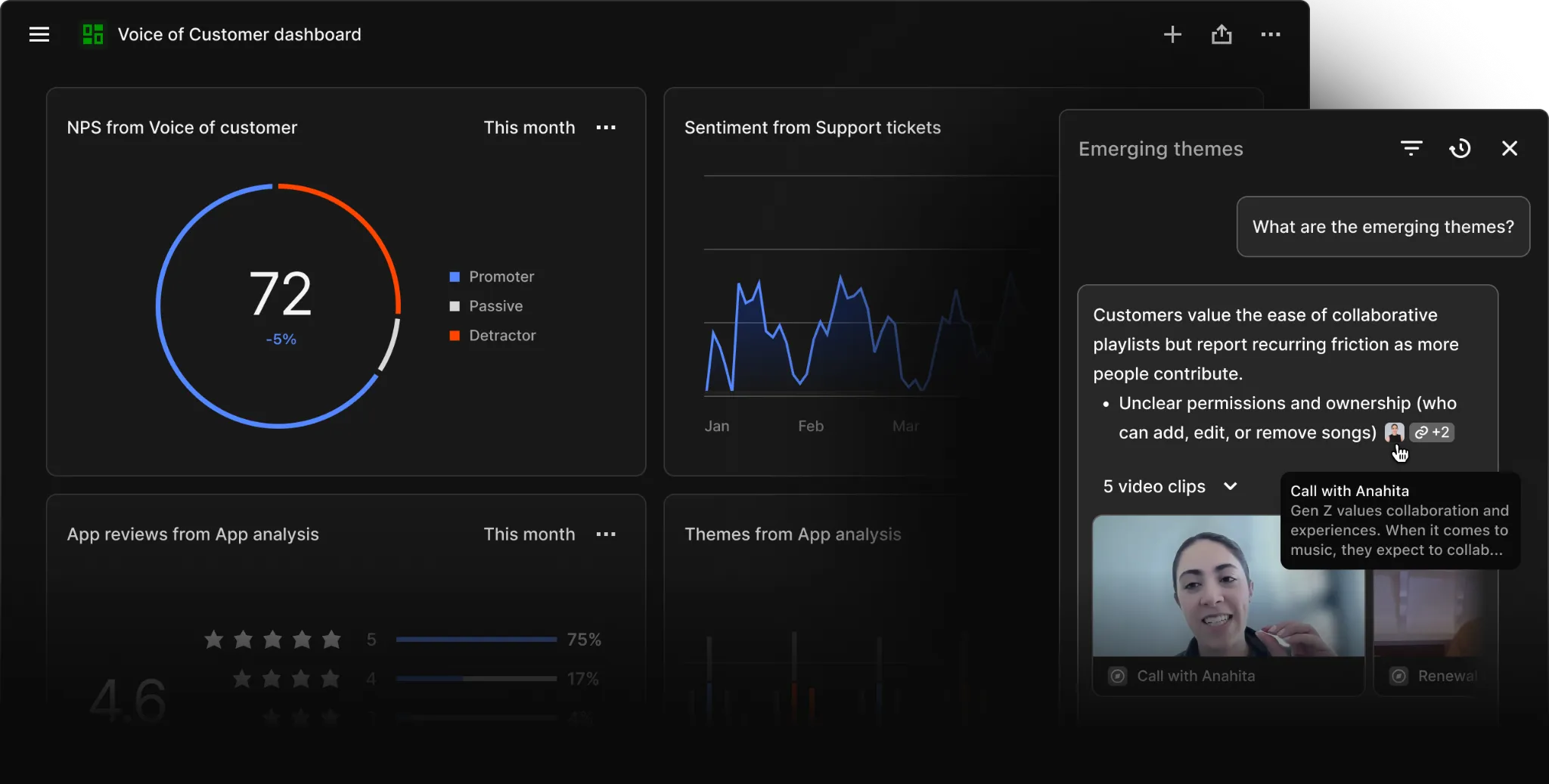
- AI clustering and opportunity tracking: Themes and patterns surface across studies automatically, so a signal appearing in three unrelated interviews stops depending on somebody remembering it.
- Agents: Autonomous agents watch customer signal and raise insights without being asked, available on the Enterprise tier.
- Semantic search: Search runs on meaning across every transcript and ticket in the repository, surfacing the relevant passage even when nobody tagged it, and it counts as an advanced feature reserved for Enterprise.
- AI Docs and highlight reels: Generated documents pull structured insight together with customer clips, and AI translation covers 75 languages for teams working across regions.
Dovetail pricing
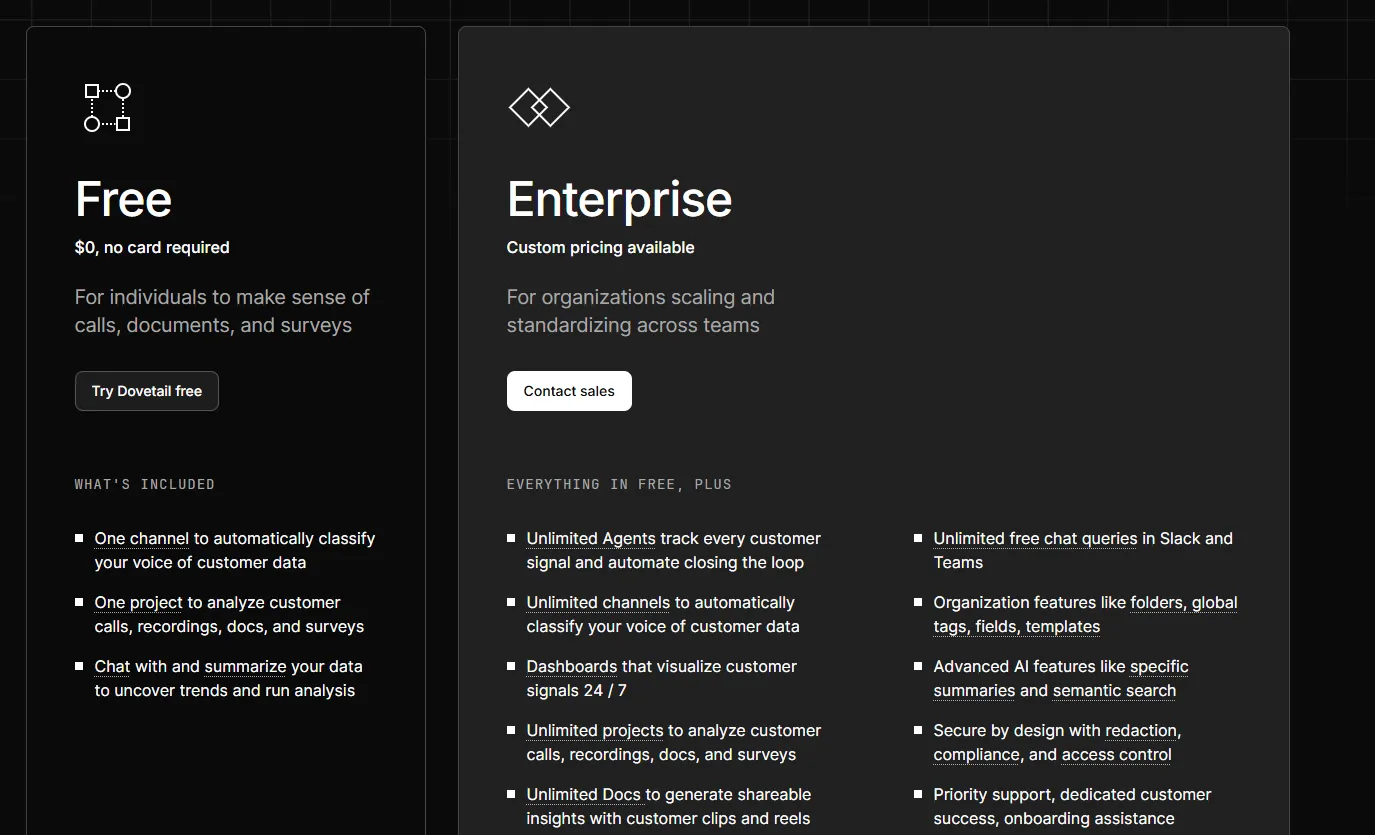
Dovetail's published pricing now holds two options after the per-seat Professional plan was retired:
- Free: $0 and no card required, limited to one project, one channel, and one dashboard, though AI chat and summaries both work inside those limits.
- Enterprise: custom pricing that removes the ceilings on projects, channels, agents, and documents, then layers on dashboards, workspace-wide tags and templates, viewers at no charge, chat inside Slack and Microsoft Teams, redaction of personal data, and a named customer success contact.
Dovetail pros and cons
✅ Cross-study search is what makes the repository worth keeping, and it works on meaning without relying on tags.
✅ The free tier is enough to test whether your team will actually file research in one place.
❌ One project and one channel on Free is tight, and the next step is a quote.
#6: Pendo
Best for: PMs who own onboarding and adoption as well as the analytics behind them.
Similar to: Amplitude, Mixpanel.
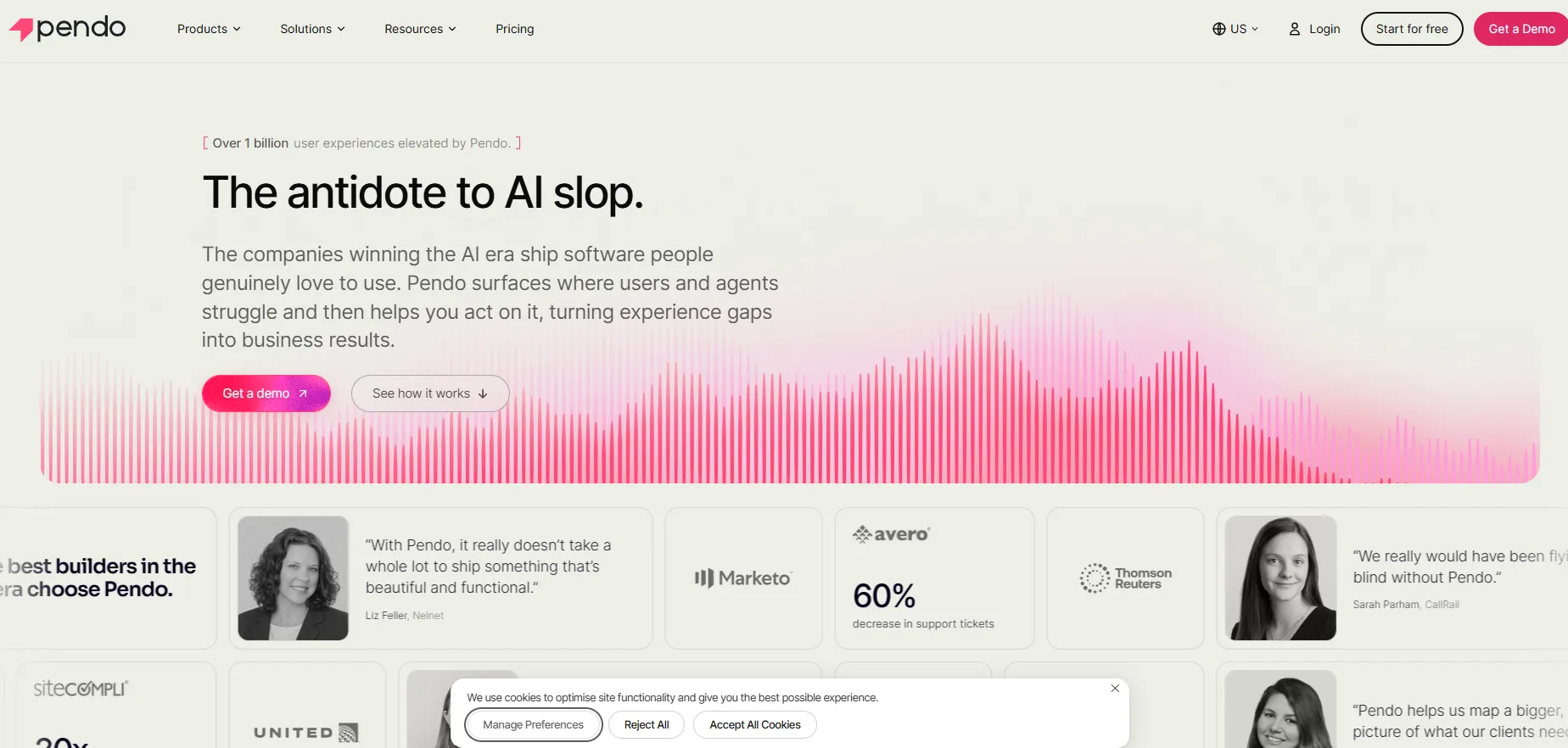
Two products share one platform in Pendo: usage analytics and in-app guidance, with feedback and sentiment tooling available on top.
It suits teams whose next move after reading a number is changing something inside the product, and B2B software companies make up much of the base.
Pendo's top features

- Leo: Pendo's conversational assistant for product data, included on every plan including Free, letting a non-technical stakeholder get an answer without building a report.
- In-app guides: Walkthroughs, hotspots, checklists, and a resource center published without an engineering release.
- Retroactive analytics: Behavior gets captured without tagging events first, so a question about last quarter does not require having planned for it.
- Predict and Agent Analytics: Two AI add-ons priced separately from the plans, one building churn and upsell models that feed CRM and BI tools, the other quantifying agent adoption and flagging where agents fail.
Pendo pricing
Pendo bills against MAU volume while seat count goes unmetered, and no paid tier carries a published figure:
- Free: 500 monthly active users, covering product analytics, in-app guides, and NPS and survey tooling that carries Pendo branding, with session replay and product discovery available only as paid add-ons.
- Base, Core, and Ultimate: quoted against your MAU volume, with session replay arriving at Core and product discovery, sentiment, journey orchestration, Listen, and data sync at Ultimate.
- Novus: a free open beta with no MAU ceiling during the beta period, built around continuous product monitoring, recommendations pushed into Slack, and AI-generated pull requests that keep instrumentation current through GitHub.
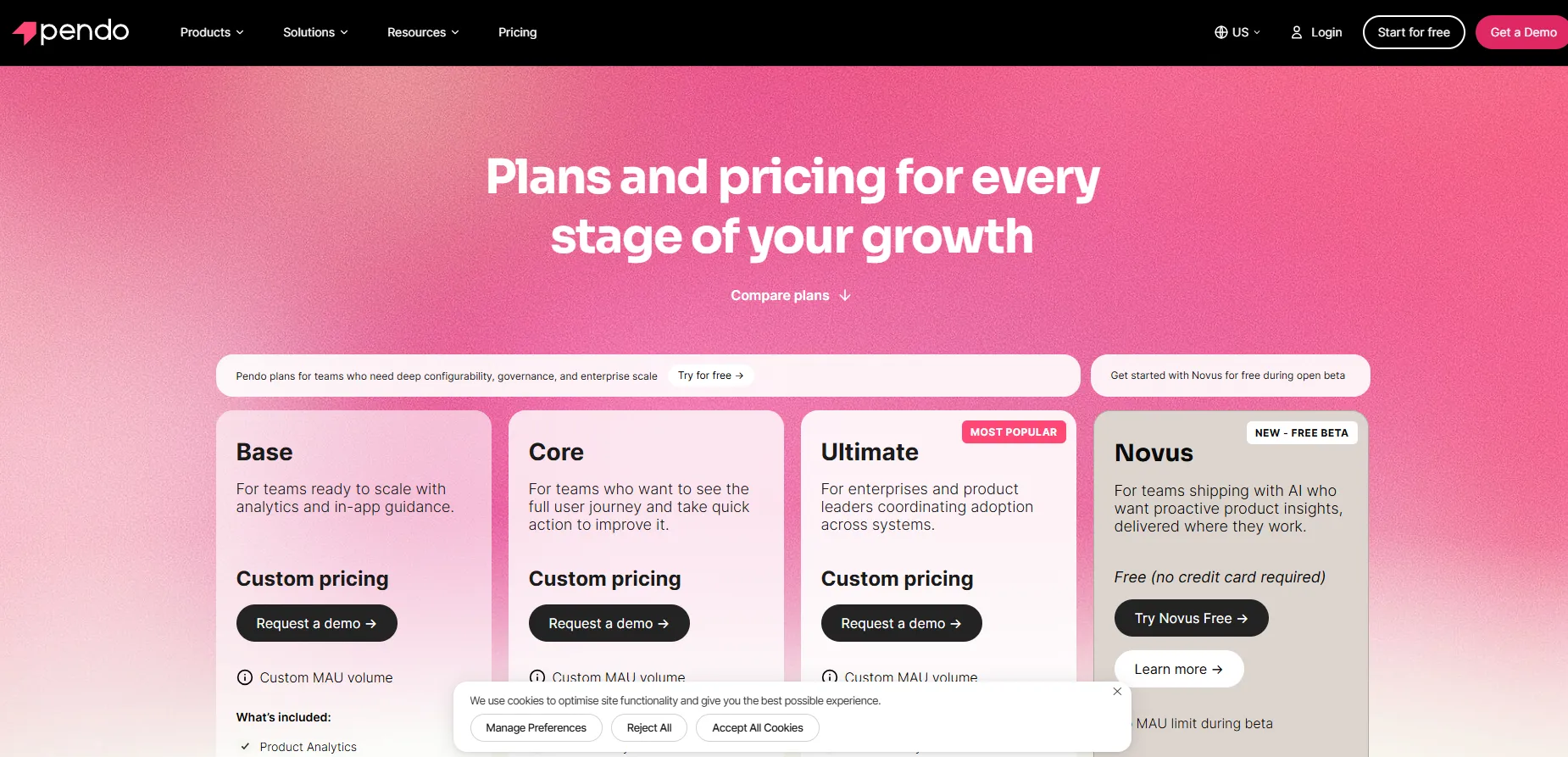
Pendo publishes no figure against Base, Core, or Ultimate, so every number comes out of a sales conversation, and volume savings are built in as you add usage.
Pendo pros and cons
✅ Analytics and in-app messaging in one platform removes a handoff between reading a number and acting on it.
✅ Leo and retroactive analytics come with every plan including Free, where most vendors reserve the AI assistant for paid tiers.
❌ Every paid tier is quoted, and MAU growth raises the bill as adoption succeeds.
❌ Session replay and the sentiment tooling depend on the tier or arrive as add-ons.
#7: Linear
Best for: Product teams shipping weekly who want triage handled before a human opens the queue.
Similar to: Jira, Productboard.
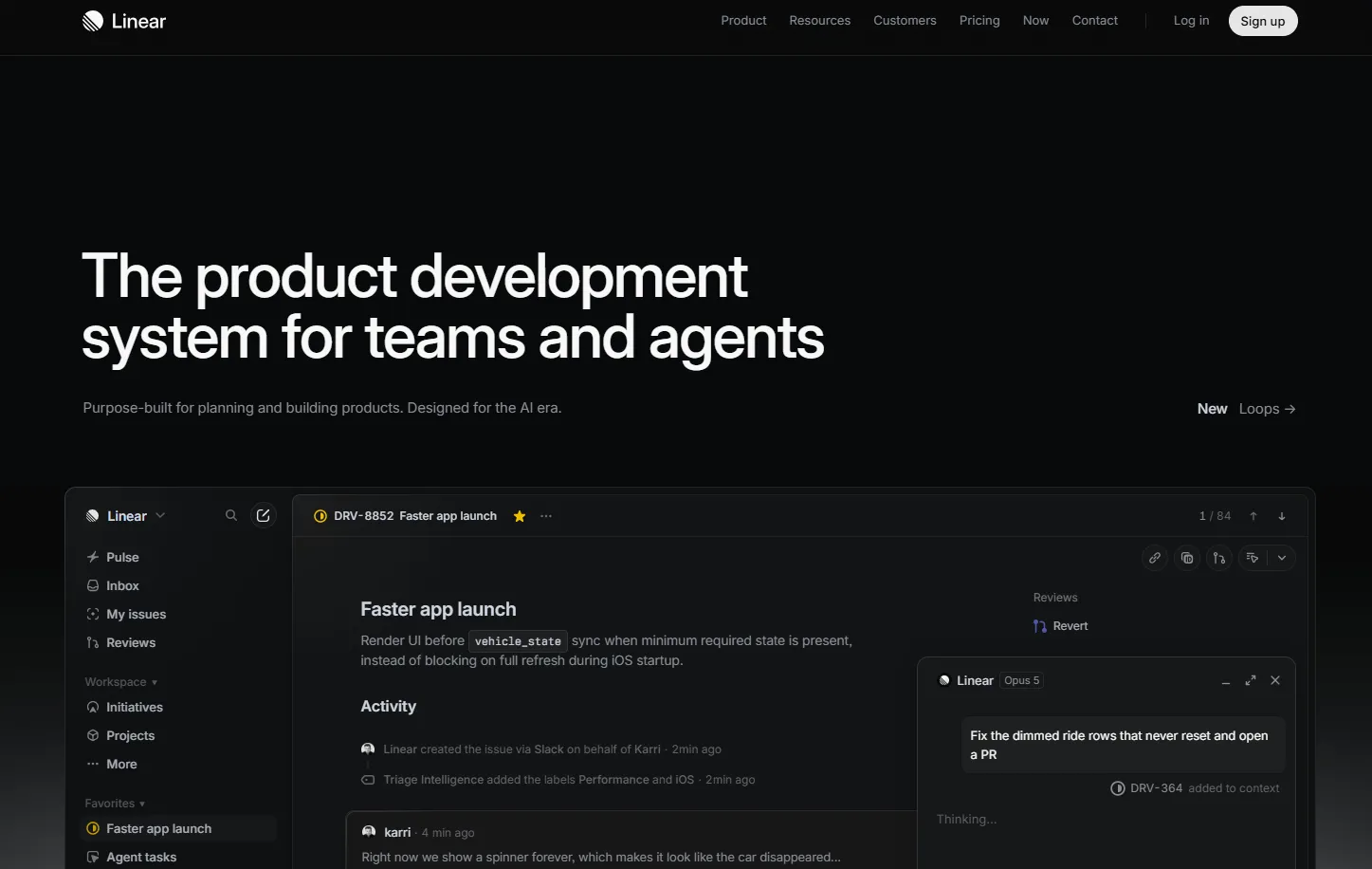
Linear tracks issues and cycles for software teams, and its agents work as full workspace members you can assign, mention, or add to a project.
Startups and scale-ups make up its core, and the design centres on the product team's own queue, with Asks and Triage Intelligence pulling outside requests into it.
Linear's top features
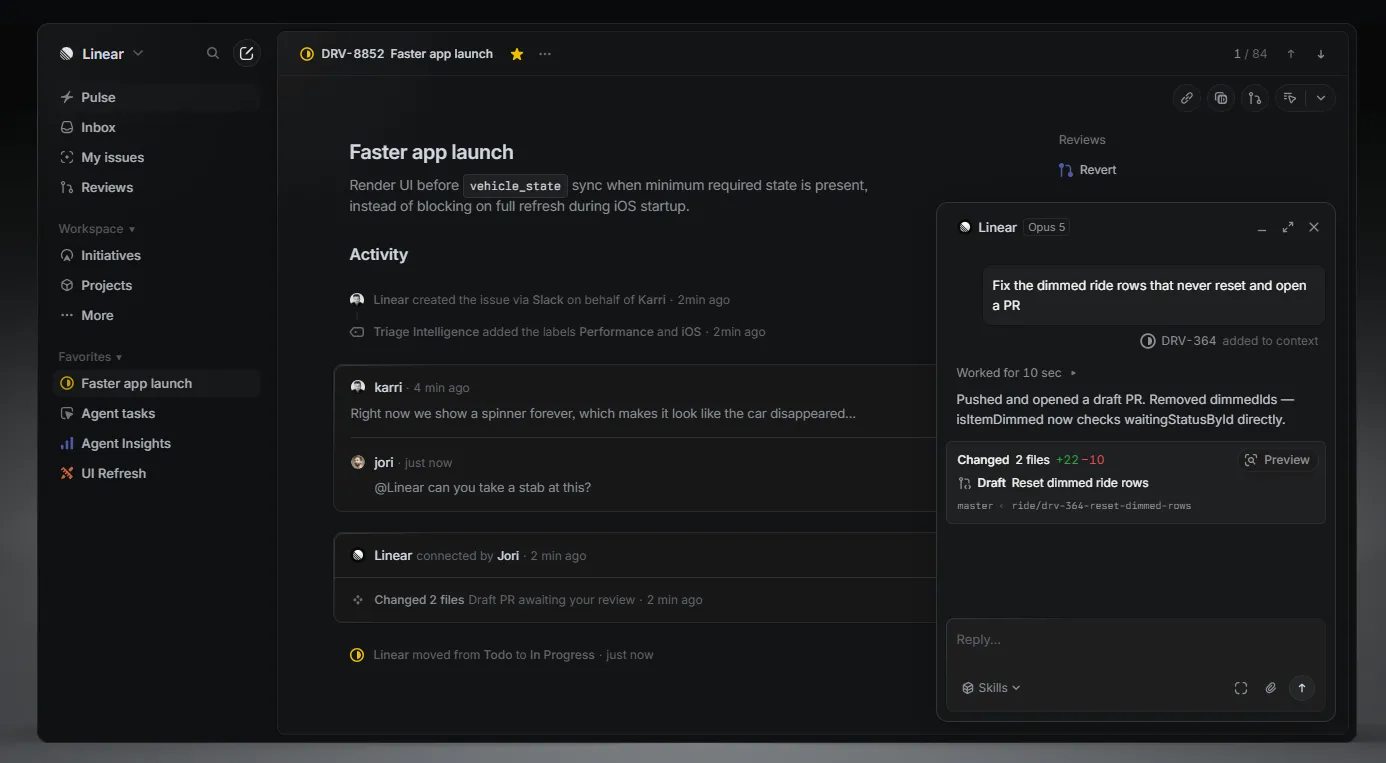
- Linear Agent: An agent that can be assigned an issue, mentioned in a comment, or added to a project, where it triages, answers questions, and creates follow-up work.
- Triage Intelligence: Reports arriving from Slack or an error monitor turn up already enriched, which makes triage a decision and not an investigation.
- Linear Asks: A request typed into Slack or submitted through a form becomes a tracked issue in the right team's queue.
- Linear Insights: Reporting on cycle throughput and project progress, available from the Business tier.
Linear pricing
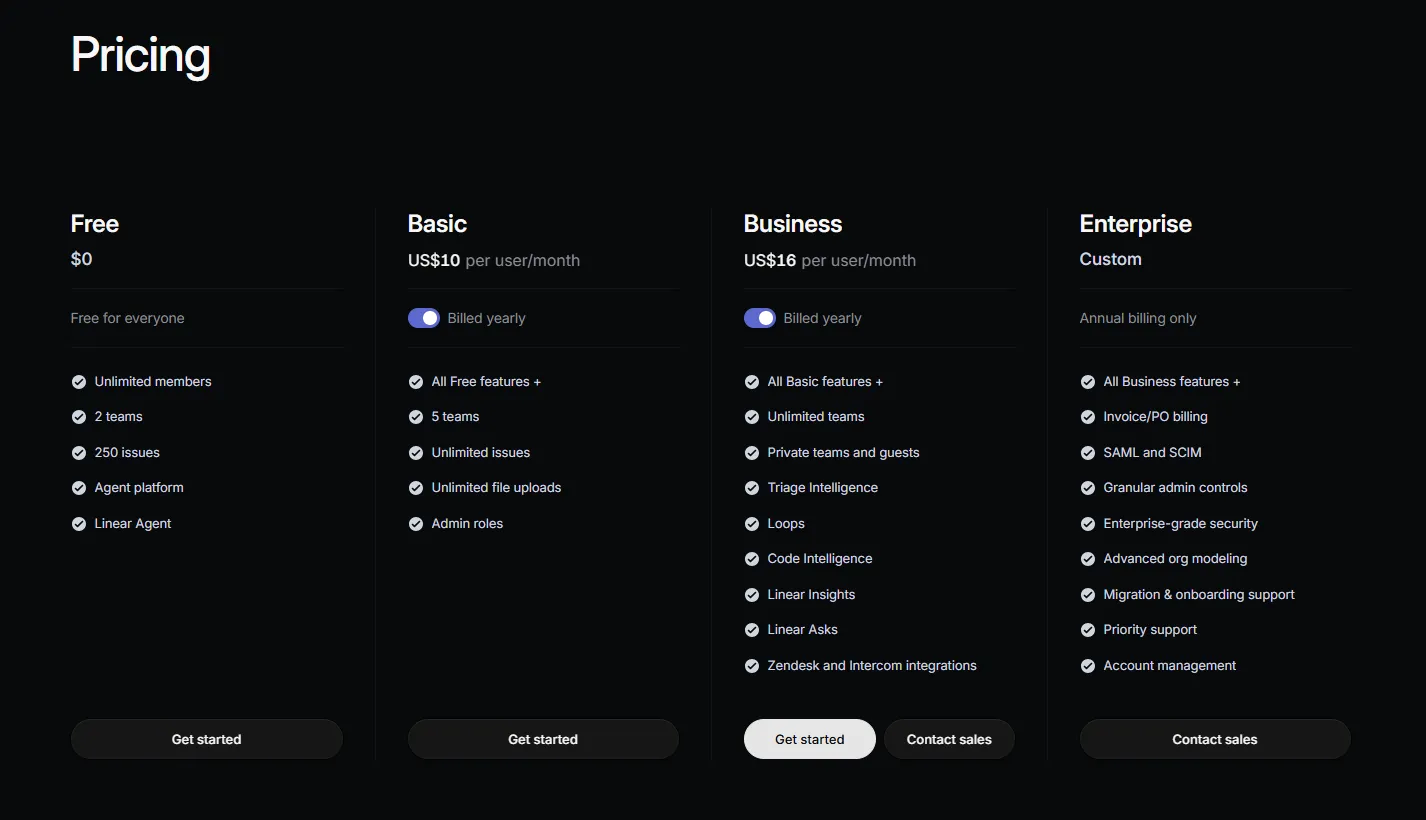
Four tiers, with the three paid ones priced per user each month:
- Free: $0 for unlimited members with the agent platform included, though you stop dead at 250 issues across two teams and a 10MB upload limit.
- Basic: $10/user/month lifts the 250-issue cap and takes you to five teams, with unlimited file uploads and admin roles.
- Business: $16/user/month unlocks unlimited teams, private teams, guests, Triage Intelligence, Loops, Code Intelligence, Linear Insights, Linear Asks, and the Zendesk and Intercom integrations.
- Enterprise: Custom and billed annually only, carrying SAML and SCIM, granular admin controls, advanced org modeling, migration support, and account management.
Coding Sessions and Loops draw from a prepaid pool of AI credits shared across the workspace.
That pool is the one place where Linear spend moves with usage.
Linear pros and cons
✅ Agents cost no per-seat surcharge, and the free plan includes them.
✅ Triage automation pays off fastest for teams fielding a steady stream of external bug reports.
❌ The 250-issue cap on Free arrives quickly for an active team.
❌ Guests and private teams both wait for the Business tier, as does most of the AI reporting.
#8: Jira
Best for: Product managers inside large organizations already standardized on Atlassian.
Similar to: Linear, Productboard.
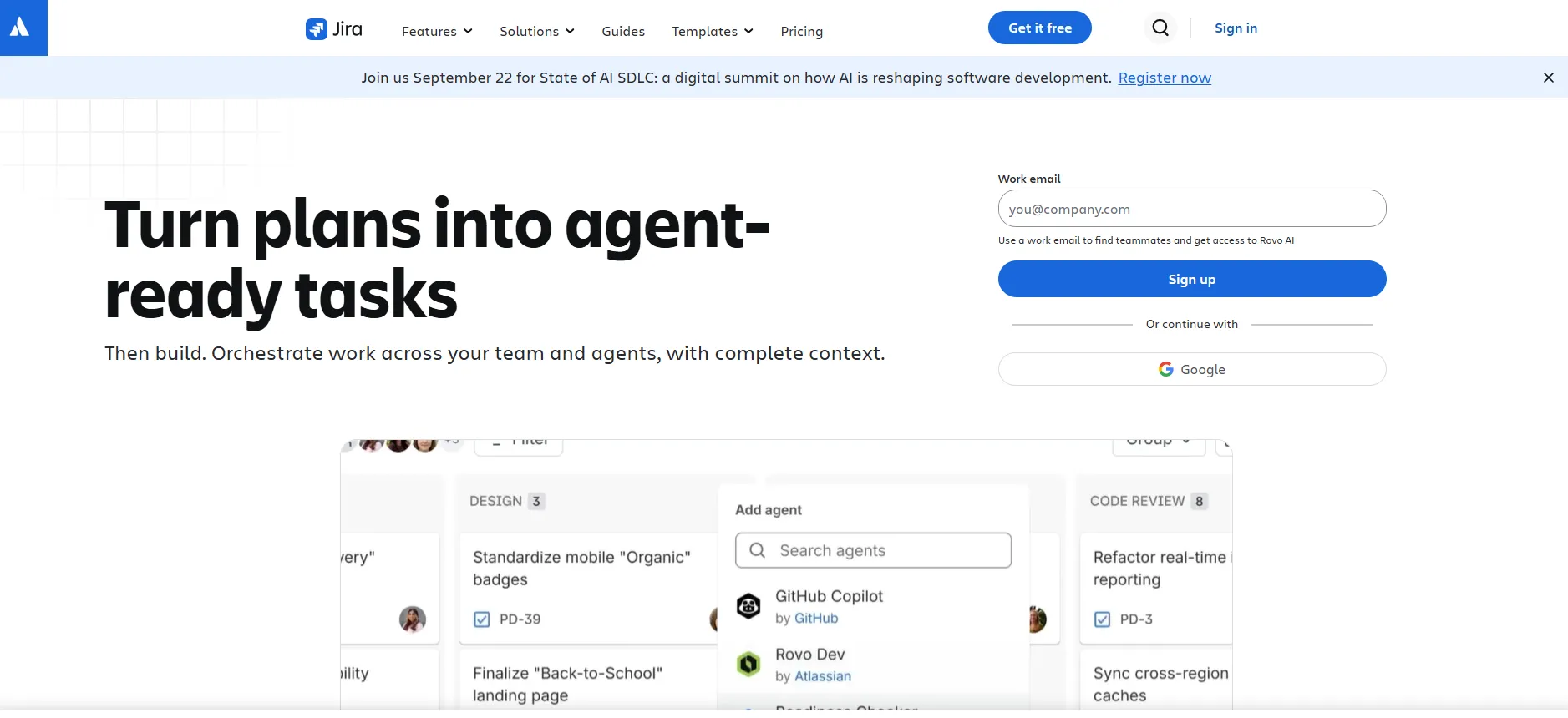
Most large product orgs already pay for Jira, and that tends to settle the shortlist before an evaluation starts.
Rovo is the AI layer over it, covering search, chat, and agents across every paid plan, with Atlassian Intelligence handling drafting, summarization, and natural-language automation rules.
Jira's top features
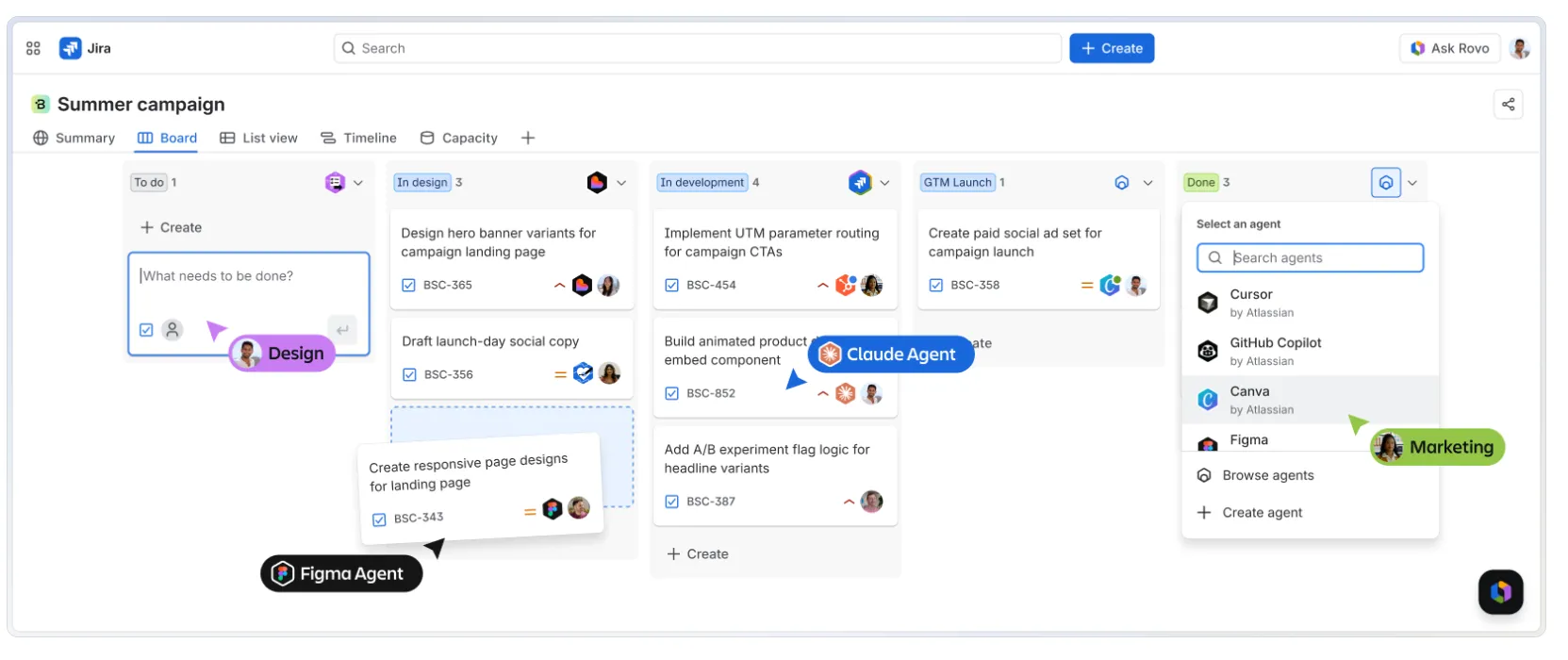
- Rovo Search, Chat, and Agents: Search reaches across your Atlassian estate and whatever tools you have connected to it, then a chat answers from what it finds while agents carry out the multi-step work.
- Rovo Studio: A builder for custom agents shaped around your own workflows, alongside the Rovo MCP Server and Teamwork Graph CLI.
- Advanced planning: Cross-project dependency management alongside capacity planning and scenario modeling, where Free and Standard handle dependencies inside a single project only.
- Atlassian Intelligence writing help: Drafting, change summaries, JQL correction, ticket triage suggestions, and automation rules built from a written description, available on paid sites once an admin on a verified business domain switches Rovo on.
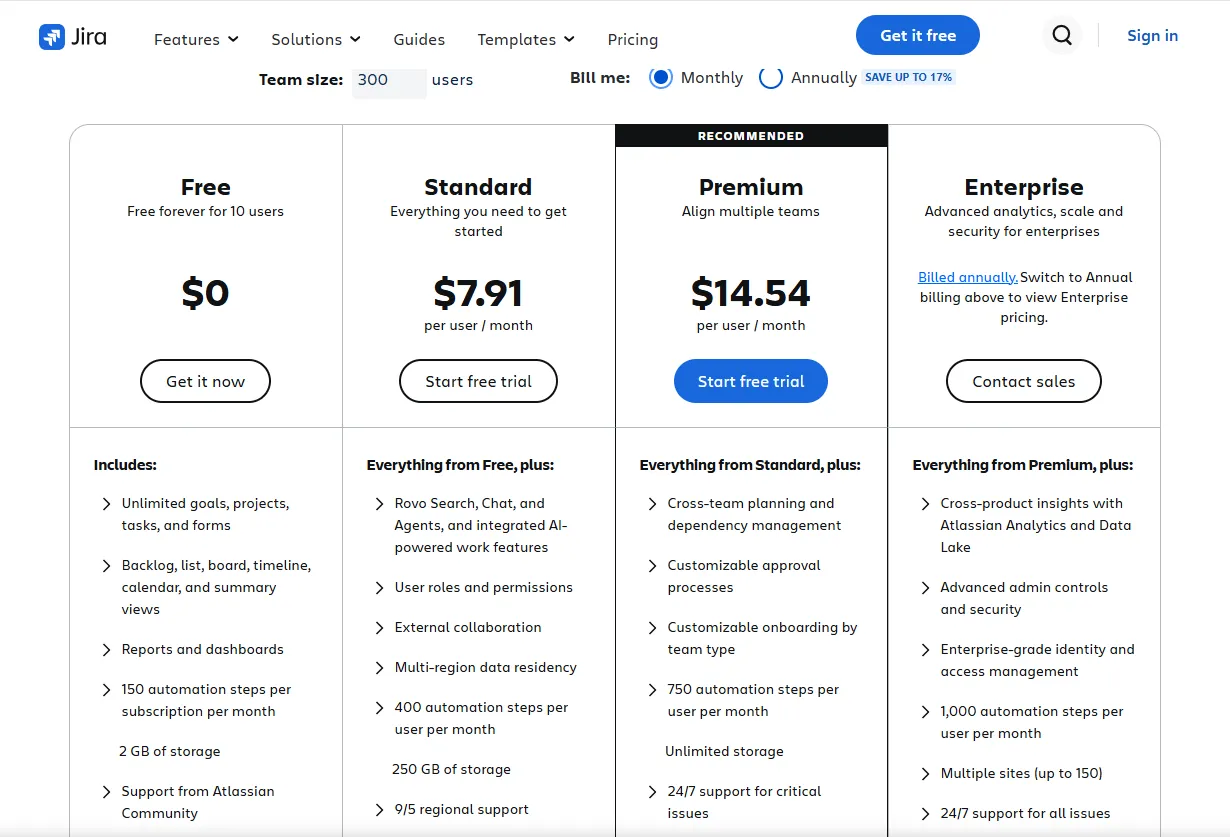
Jira pricing
Atlassian prices Jira per user, and the rate steps down as your seat count crosses volume thresholds:
- Free: Up to 10 users with no ceiling on goals, work items, or spaces, every board and timeline view, 2 GB of storage, 150 automation steps a month across the whole subscription, and no Rovo access at all.
- Standard: $7.91/user/month brings Rovo Search, Chat, and Agents, user roles and permissions, external collaboration, 250 GB of storage, and 25 Rovo credits per user each month.
- Premium: $14.54/user/month takes the allowance to 70 credits per user and is where cross-project planning, dependency management, customizable approvals, unlimited storage, and a 99.9% uptime SLA arrive.
- Enterprise: Priced on request at 150 credits per user, billed annually, quotable from 801 users upward, and the only tier running up to 150 sites under one administration.
Alongside the credits, each tier carries an indexing allowance of 100, 250, or 625 objects per user, which governs how much of your estate Rovo can reach.
Atlassian publishes the per-user rate on a monthly basis and advertises up to 17% off for annual billing.
Jira pros and cons
✅ Rovo comes with any paid plan, so an Atlassian shop pays no separate AI line item.
✅ Per-user rates fall as headcount rises, which favors a wide internal rollout.
❌ The Free plan carries no AI at all, making a paid tier the entry point.
❌ Standard allows 25 Rovo credits per user a month, which a team leaning on agents will feel.
#9: ThoughtSpot
Best for: PMs at larger companies who want stakeholders answering their own data questions by typing them.
Similar to: Metabase, Mixpanel.
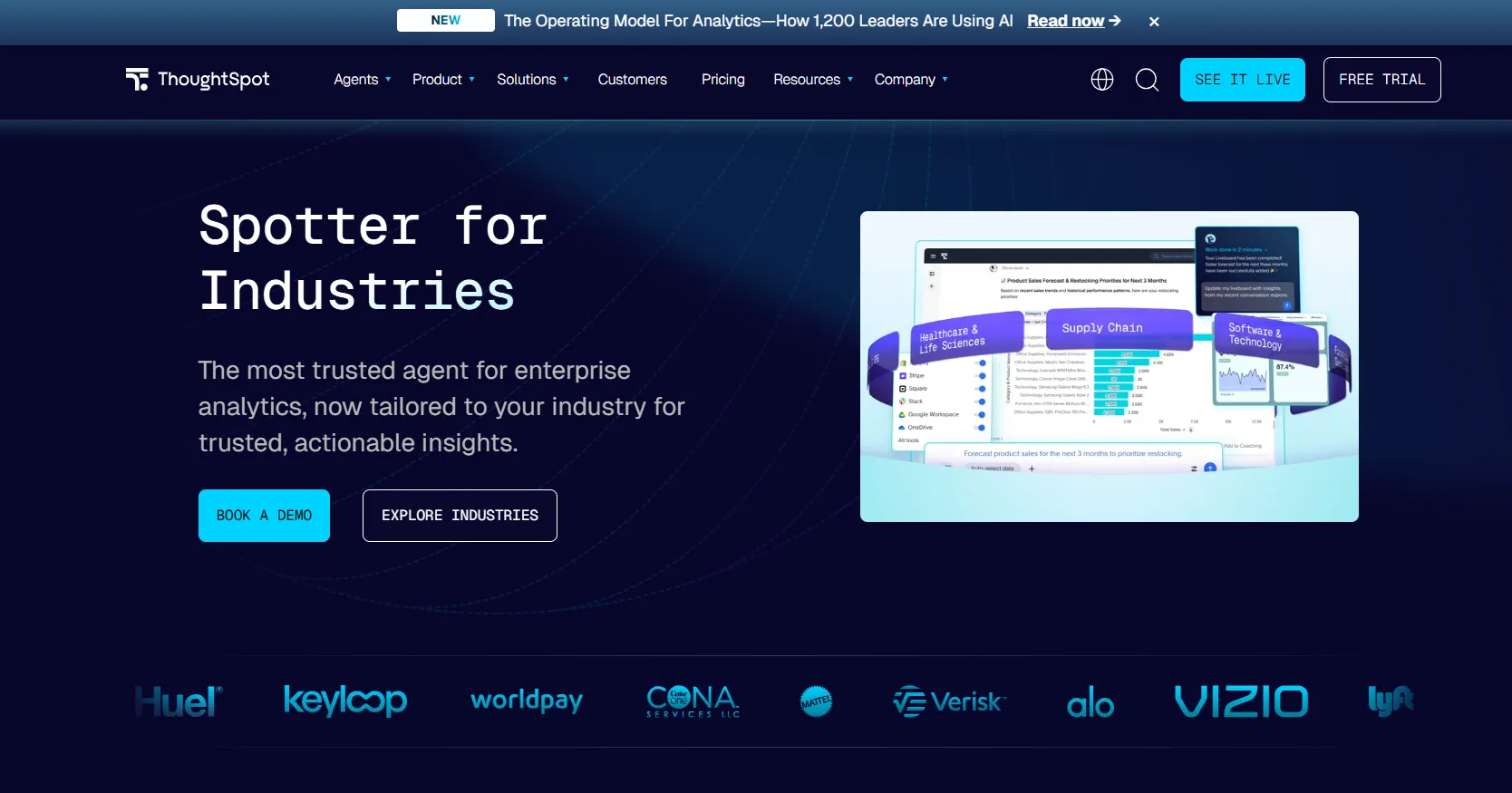
Typing a question takes the place of opening a dashboard in ThoughtSpot, where the Spotter agent selects the analysis and hands back the visualized result.
The platform targets organizations rolling analytics out widely, with governed modeling underneath so the answer respects each viewer's permissions.
ThoughtSpot's top features
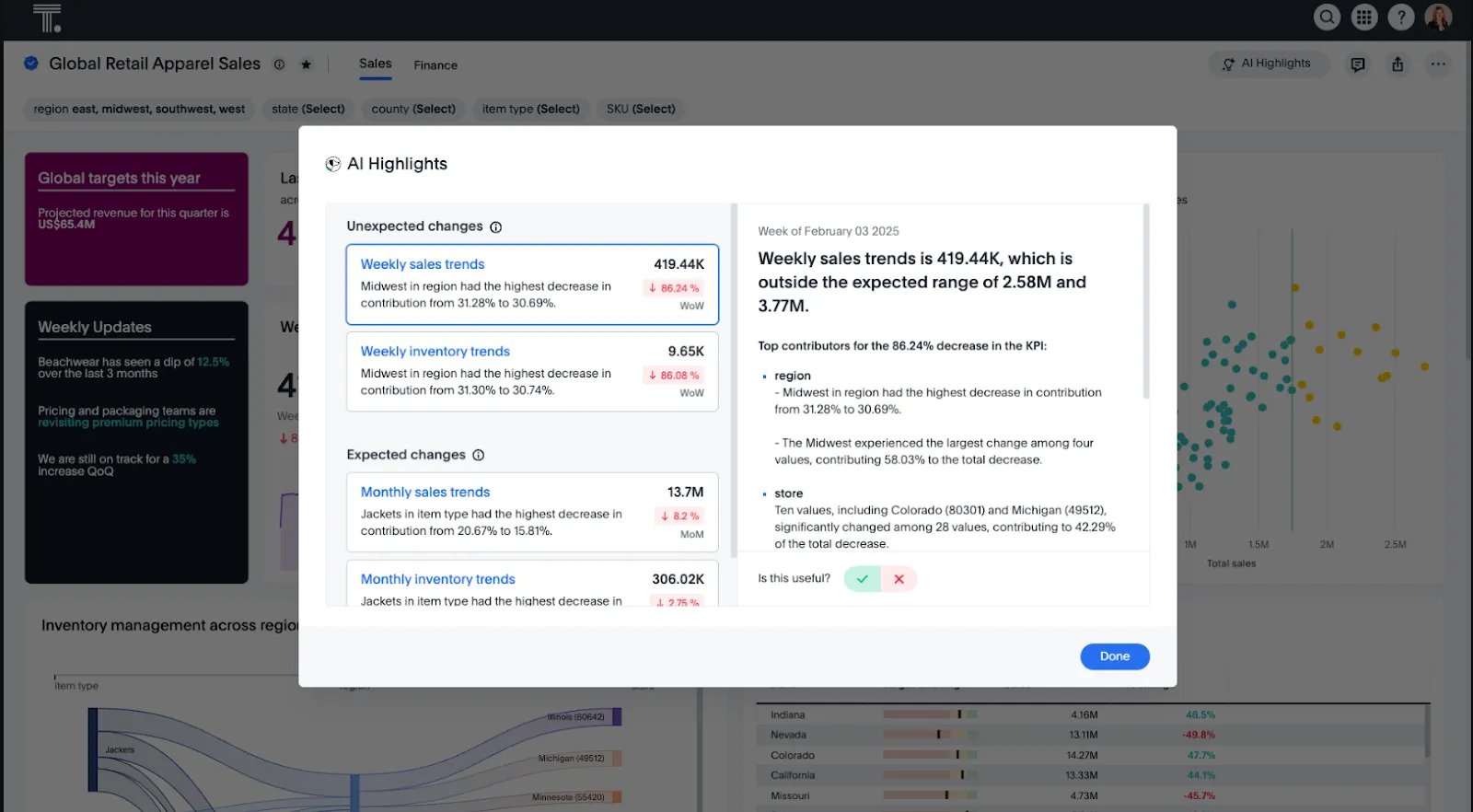
- Spotter: ThoughtSpot's agentic layer produces the analysis and the dashboard behind a question, and it reaches unstructured data as well as modeled tables.
- Natural language analytics: A question put in ordinary words returns a governed answer drawn from live data, sparing anyone the job of building or navigating a dashboard.
- SpotterViz: A dataset comes back as a complete dashboard, so nobody spends time on layout, formatting, or choosing chart types.
- Analyst Studio: An additional workspace that ThoughtSpot bundles with the usage-based Pro tier and usage-based Enterprise tier.
ThoughtSpot pricing
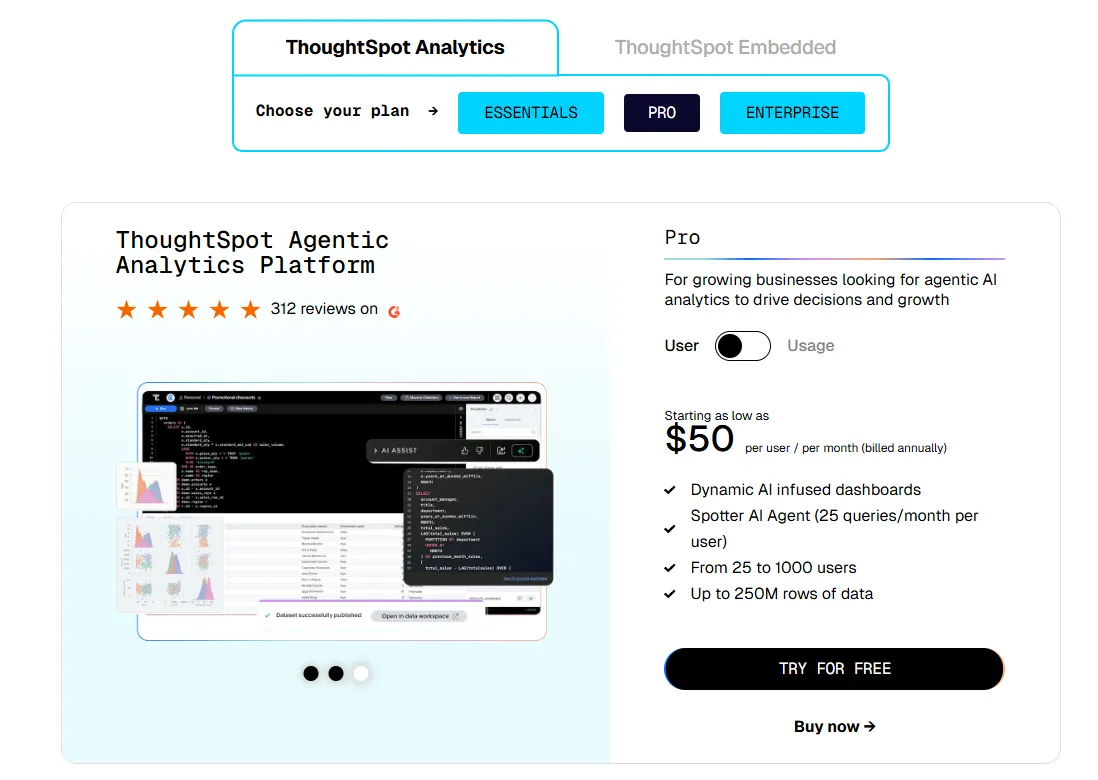
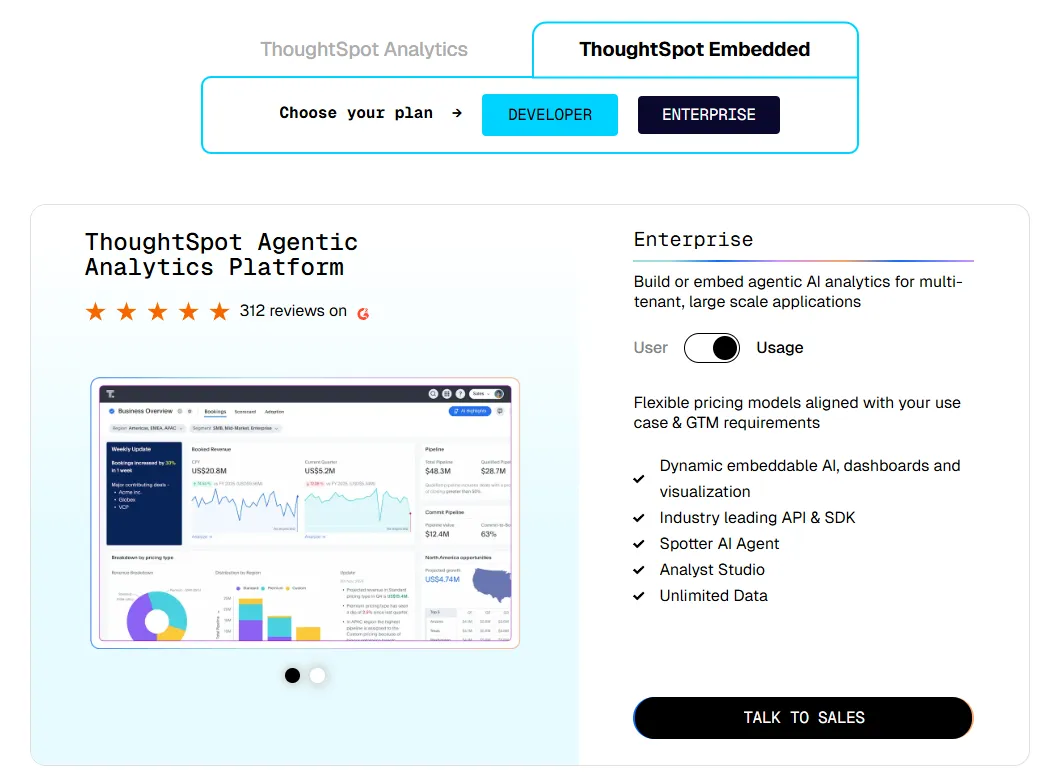
ThoughtSpot offers two separate products: ThoughtSpot Analytics for internal BI and ThoughtSpot Embedded for building analytics into applications - each with flexible pricing depending on scale and usage:
- ThoughtSpot Analytics:
- Essentials: From $25 per user per month (billed annually), for teams of 5-50 users, includes dynamic interactive dashboards and AI-powered insights and supports up to 25M rows of data.
- Pro (per user pricing): From $50 per user per month (billed annually), for 25–1,000 users, includes everything in Essentials, plus AI-infused dashboards and Spotter AI Agent (25 queries per user/month), and supports up to 250M rows of data.
- Pro (usage-based): From $0.10 per query, includes everything in Pro per user, and adds Analyst Studio.
- Enterprise (user or usage-based): Custom pricing, includes everything in Pro, plus unlimited users and data.
- ThoughtSpot Embedded:
- Developer: Free for 1 year, includes embeddable AI analytics, dashboards, and visualizations, APIs and SDKs, up to 10 users and 25M rows of data.
- Enterprise (user-based): Custom pricing, includes everything in Developer, plus unlimited data.
- Enterprise (usage-based): Custom pricing, everything in Enterprise, plus Spotter AI Agent and Analyst Studio.
ThoughtSpot pros and cons
✅ Non-technical stakeholders take to search quickly, which cuts the number of data requests reaching you.
✅ The agent explains a movement in the data quicker than hunting through dashboards would.
❌ Two pricing structures (per user vs. usage-based) can get confusing at scale.
#10: Metabase
Best for: Product teams at startups that need dashboards and SQL access running inside a week.
Similar to: ThoughtSpot, Amplitude.
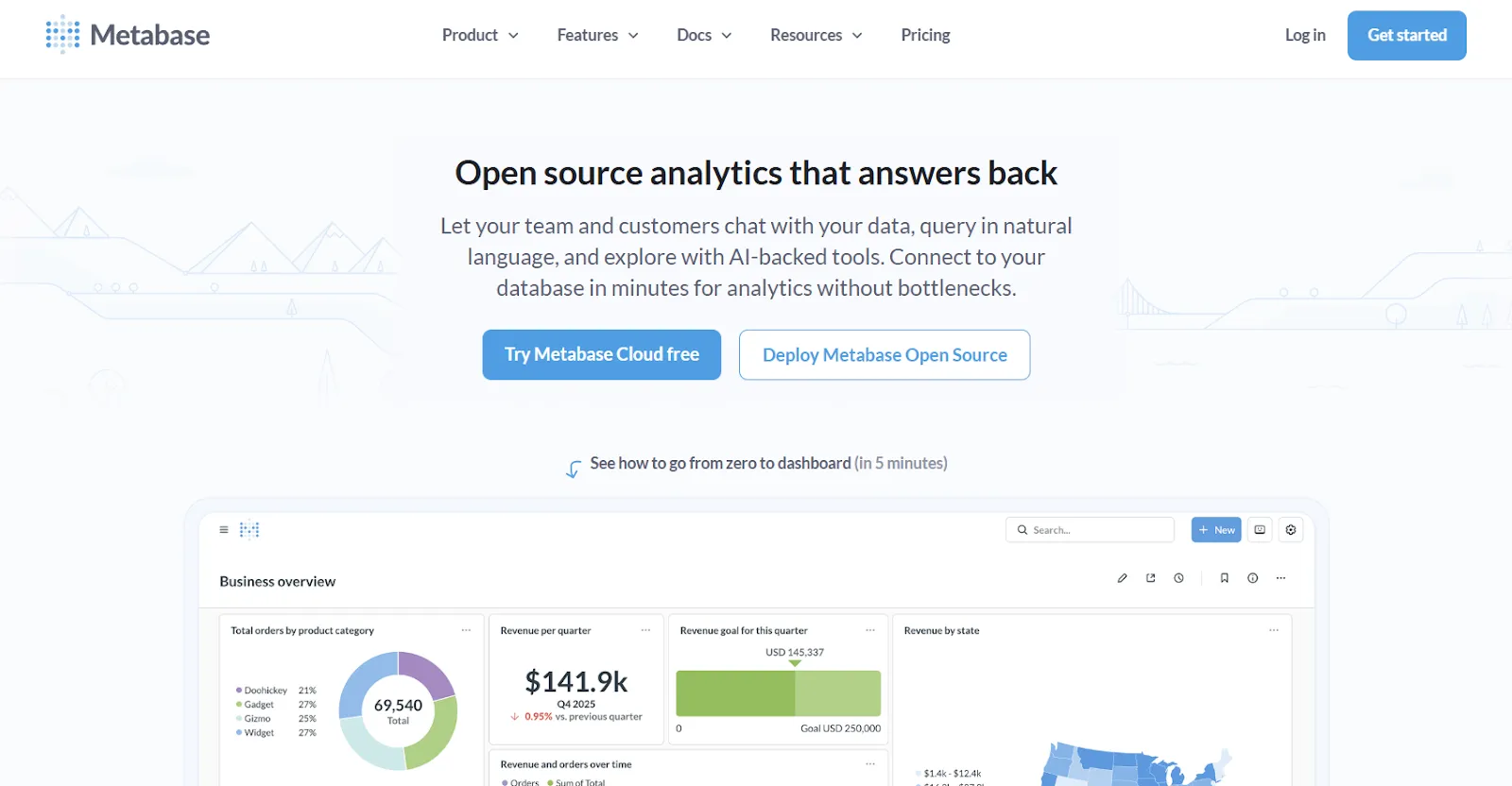
Metabase is open-source analytics a team can host itself, which explains why it is often the first BI tool a startup ever installs.
Non-technical users get as far as guided steps will take them, analysts drop into the SQL editor for the rest, and Metabot turns a typed request into a query with its chart.
Metabase's top features
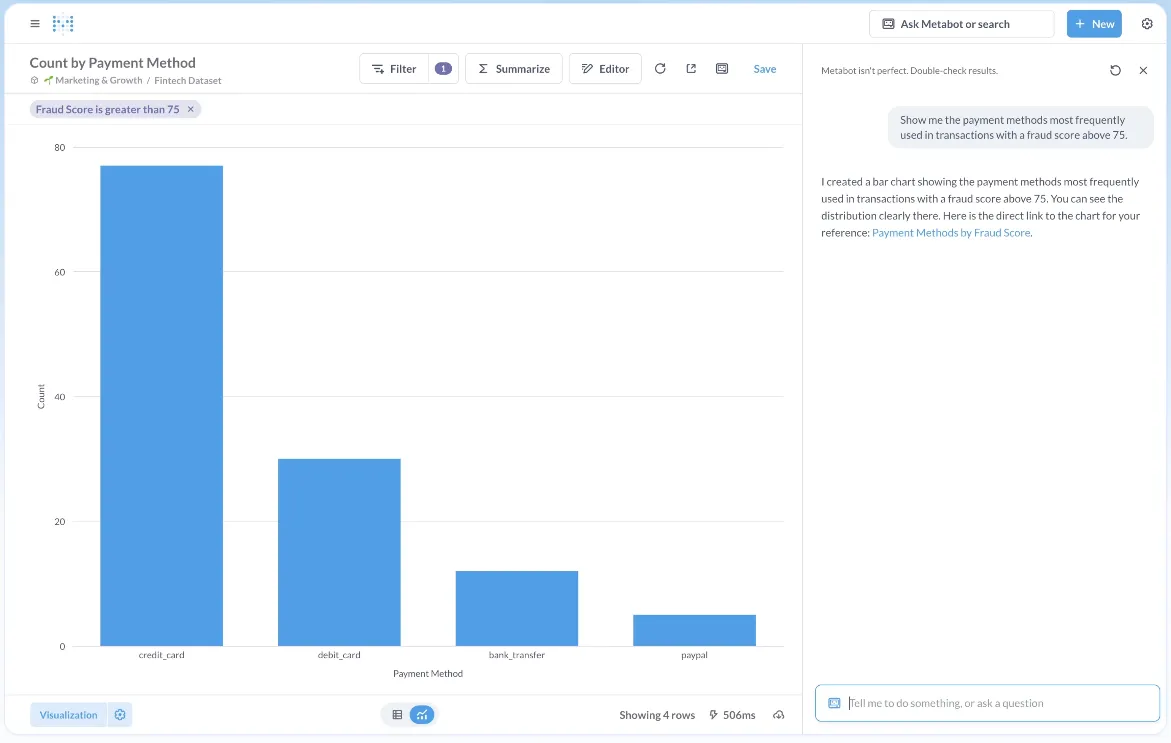
- Metabot: A written question comes back as a generated query and a visualization against live database data, sold as a paid extra on Cloud plans.
- No-code and SQL querying: Non-technical users explore visually through a point-and-click interface, and analysts drop into raw SQL whenever they need tighter control.
- Drill-through exploration: A click on any chart zooms in, breaks the data out, or opens the records behind it, which spares you a second round of questions.
- Embedded analytics: Charts and dashboards embed through an SDK or as a full application, with per-tenant row and column security from Pro upward.
Metabase pricing
Metabase offers two pricing options depending on how you use the product: internal business intelligence or customer-facing embedded analytics.
- Business Intelligence:
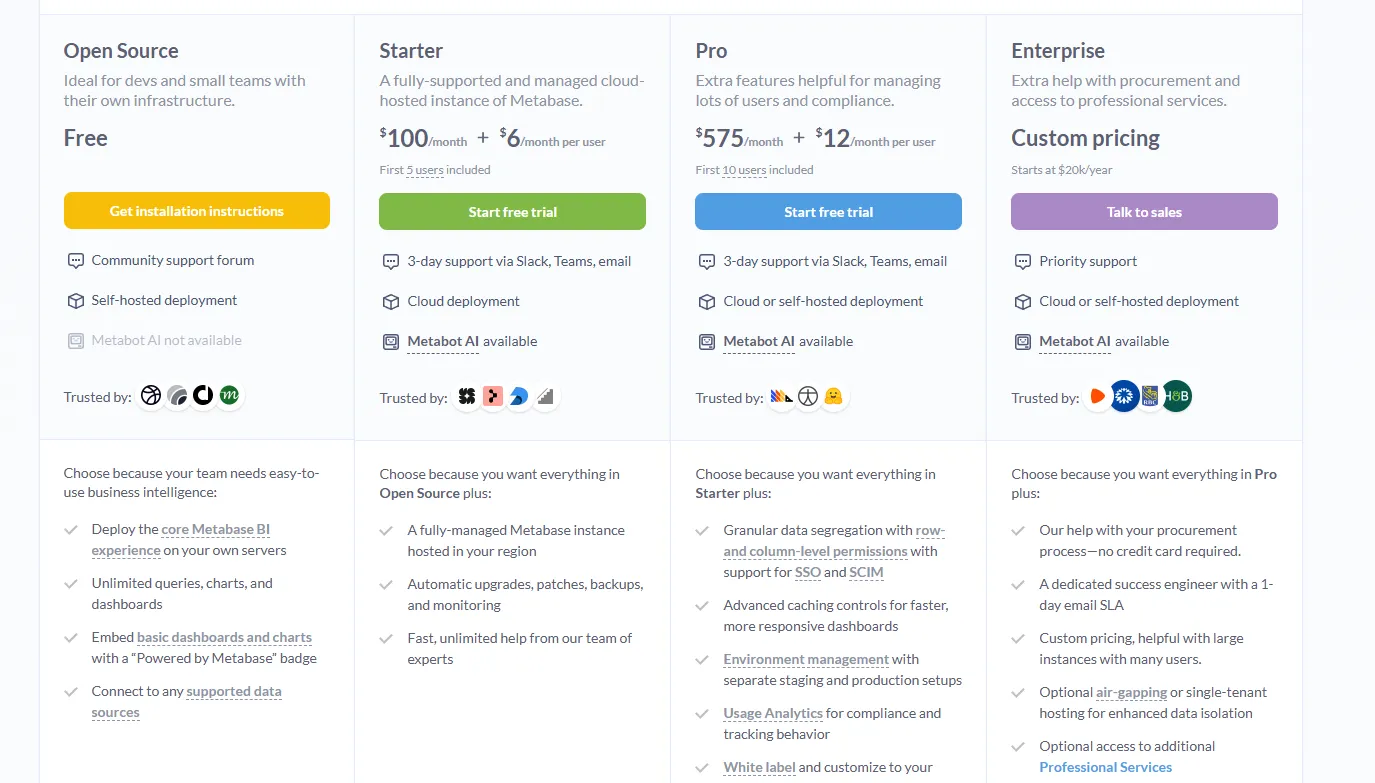
- Open Source (Self-hosted): Free, self-hosted deployment, includes unlimited queries, charts, and dashboards, connects to all supported data sources, basic embedding with “Powered by Metabase” branding, community support only.
- Starter (Cloud-hosted): $100/month + $6/user/month, first 5 users included, includes everything in Open Source, plus option to include Metabot AI (charged extra), automatic upgrades, backups, and monitoring, support via Slack, Teams, and email (3-day SLA).
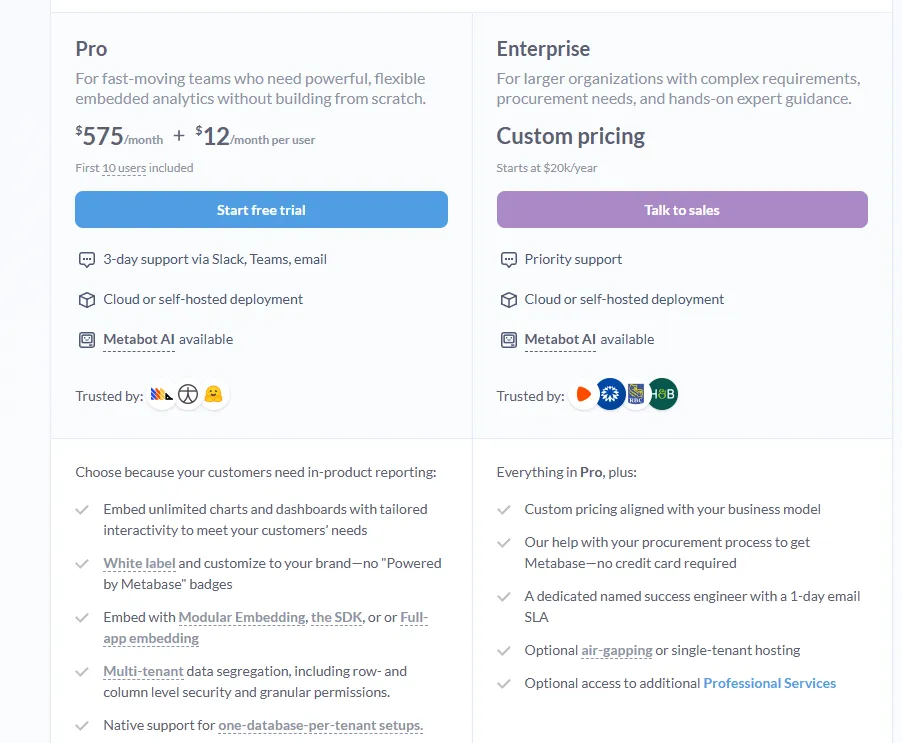
- Pro: $575/month + $12/user/month, first 10 users included, cloud or self-hosted deployment, includes everything in Starter, plus row- and column-level permissions, SSO and SCIM support, advanced caching and performance controls, staging + production environments, usage analytics and audit visibility, white-labeling, and embedded analytics capabilities.
- Enterprise: Custom pricing (starts at $20k/year), includes everything in Pro, plus priority support, dedicated success engineer (1-day email SLA), optional single-tenant or air-gapped deployment, and optional professional services.
- Embedded Analytics pricing:
- Pro: $575/month + $12/user/month, first 10 users included, includes unlimited embedded dashboards and charts, full white-labeling, modular embedding, SDK, or full-app embedding, multi-tenant security (row- and column-level), one-database-per-tenant support, staging + production environments, usage analytics, internal BI for your team, and option to include Metabot AI (charged extra).
- Enterprise: Custom pricing (starts at $20k/year), includes everything in Pro, plus a dedicated success engineer, priority support, optional single-tenant or air-gapped hosting, and optional professional services.
Metabase pros and cons
✅ The self-hosted edition carries no license cost, so an existing server is enough to begin.
✅ On Postgres or MySQL, a working dashboard is realistic within hours of install.
❌ A user on G2 believes that Metabase could benefit from having an AI assistant that understands the databases and assists in building queries
Get started with Dot for free
Those are the 10 best AI tools for product managers in 2026, between them covering product data, customer research, prioritization, and the delivery tracking that carries a decision through to shipped code.
On the data half of that list, Dot takes a different route to the same destination.
Our platform reads the warehouse and dbt models your company already maintains, then returns the written analysis wherever your team asks for it.
A Dot subscription gives a product team the following:
- A written finding and a recommended next step, wherever the question was asked: Slack, Microsoft Teams, email, or the web app.
- Deep Analysis for questions about why a metric moved, with several lines of inquiry running at once and each conclusion checked against the rest of your data.
- Interactive dashboards built from a written description, published behind a link that refreshes on every load.
- Scheduled monitoring with work and result gates, so a report only arrives when something crosses the line you set.
- A lineage view for any figure, covering the SQL, the dbt models above it, and the tables underneath.
- No cap on how many people use it, under SOC 2 Type II certification and zero retention at the LLM providers.
➡️ Get started for free with Dot's free plan, or schedule a demo to see how it works with your data.
⚠️ Disclaimer: This article was last updated on September 2, 2026. If you spot any inaccuracies, please do contact us, and we'll fact-check it.
Theo Tortorici
Theo writes about AI-powered analytics, data tools, and the future of business intelligence at Dot.