
10 Best Decision Intelligence Software & Platforms In 2026
In this article, I'll walk through the 10 best decision intelligence software platforms for 2026, split into three groups so you can find the one that fits how your team actually works. 👇
TL;DR
- Dot is the best decision intelligence software for 2026 because it skips the dashboard layer entirely, connects straight to your warehouse, and returns narrative answers with context and recommendations, delivered to Slack, Microsoft Teams, or email.
- ThoughtSpot and Tellius are worth a look if you want AI-native conversational analytics with search-first interfaces and explainable insights.
- Tableau, Power BI, Looker, and Domo are traditional BI platforms that have layered AI features on top, which makes sense if you're already deep in one of those ecosystems.
- Qlik Sense, Sigma, and Metabase fit teams that want self-service exploration and governed analytics with lighter AI helpers for ad-hoc questions.
What are the best decision intelligence platforms in 2026?
The best decision intelligence software in 2026 is Dot, followed by ThoughtSpot and Tellius for AI-native analytics, with Tableau, Power BI, Looker, Domo, Qlik Sense, Sigma, and Metabase rounding out the top 10.
Here's a breakdown:
Tool | Use case | Price |
Dot | Warehouse-native AI analyst that returns narrative insights, recommendations, and automated executive business reviews without dashboards. | Free plan; Pro from $180/mo. |
ThoughtSpot | AI search and Spotter agent for self-service analytics on live data. | Essentials from $25/user/month (annual). |
Tellius | Conversational analytics with automated root cause and key driver analysis. | Custom pricing across Premium and Enterprise tiers. |
Tableau | Visual-first BI with Tableau Next and Agentforce for agentic analytics. | From $75/creator/month. |
Microsoft Power BI | Microsoft-native BI with Copilot for AI-assisted reporting. | From $14/user/month (Pro). |
Looker | Warehouse-native BI with LookML and Gemini conversational analytics. | Custom pricing (annual contracts). |
Domo | All-in-one cloud BI with AI chat and no-code analytics apps. | Custom pricing (30-day free trial). |
Qlik Sense | Associative engine with augmented AI analytics. | Custom pricing. |
Sigma | Spreadsheet-style BI on live warehouse data with Ask Sigma. | Custom pricing. |
Metabase | Open-source BI with Metabot AI and click-to-explore analytics. | Free (self-hosted); Cloud from $100/month. |
What are the best AI-native decision intelligence platforms?
If you want to see where decision intelligence is actually going, you should start here.
These tools weren't BI platforms first: they were built around getting from a business question to a useful answer without anyone building a dashboard in the middle.
#1: Dot
Dot is the best decision intelligence software on the market, as it lets you go from raw warehouse data to explained, decision-ready insights without building a single dashboard.
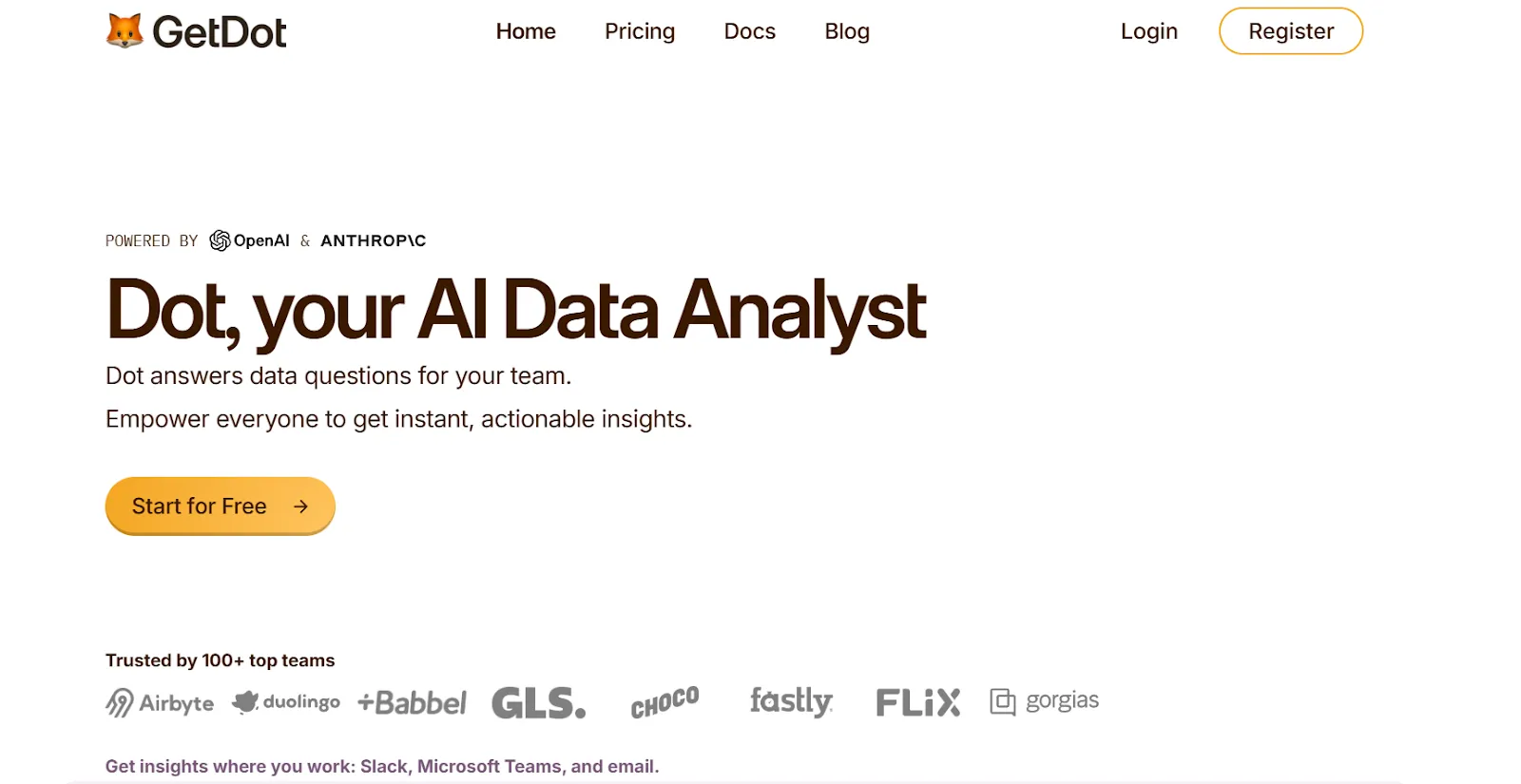
Full disclosure: Even though Dot is our platform, I’ll try to explain what makes our solution the best decision intelligence software on the market.
Some of the tools in this article are visualization-first. Dot isn't.
Our whole platform is built on the idea that the final output of data work should be a choice someone can act on, not a visualization someone still has to interpret.
Let's go through the parts of Dot that make that work: 👇
Skip the dashboard and ask the question
The front door to Dot isn't a dashboard. It's a question, typed in Slack, Teams, or email.
Someone asks "Why did EMEA conversion drop 12% last week?" and Dot comes back with a written answer.
Not a chart link or a dashboard filter. An actual explanation of what changed, which segments drove the change and what correlated factors likely caused it.
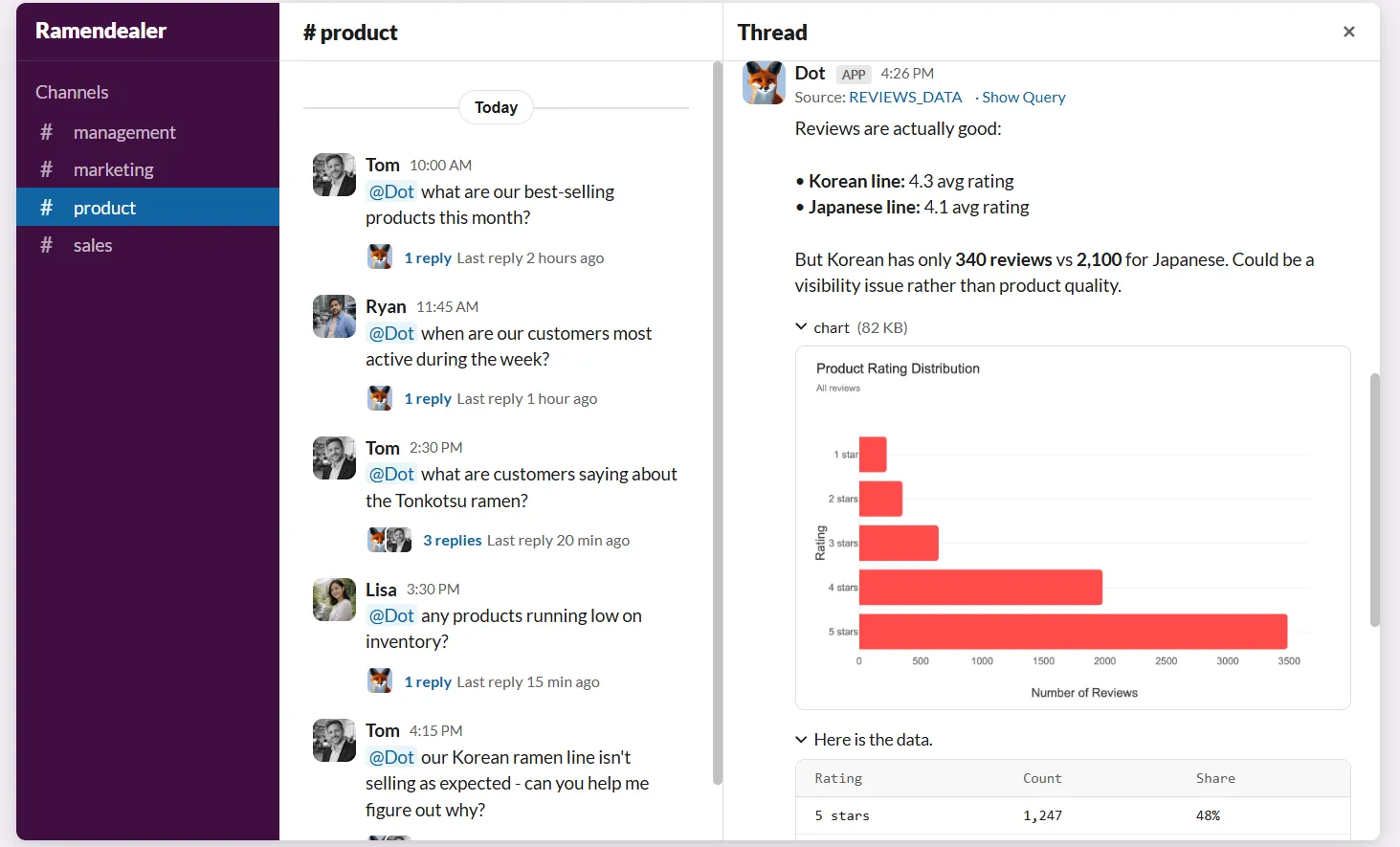
💡 This absorbs a huge slice of the "can you pull this real quick?" requests that pile up on data teams.
In other words, less Slack noise for analysts and faster answers for the business.
Turn weekly reporting from a multi-hour grind to zero
Most teams have someone (usually an analyst, sometimes a founder) who spends Monday morning pulling last week's numbers into a deck.
Dot deletes that work.
You pick the cadence, define the metrics, and Dot writes up a complete business review on schedule.
The output isn't just numbers. It's a narrative walk-through of what moved, what held steady, which segments drove the changes, and the likely reasons behind them, written for stakeholders rather than analysts.
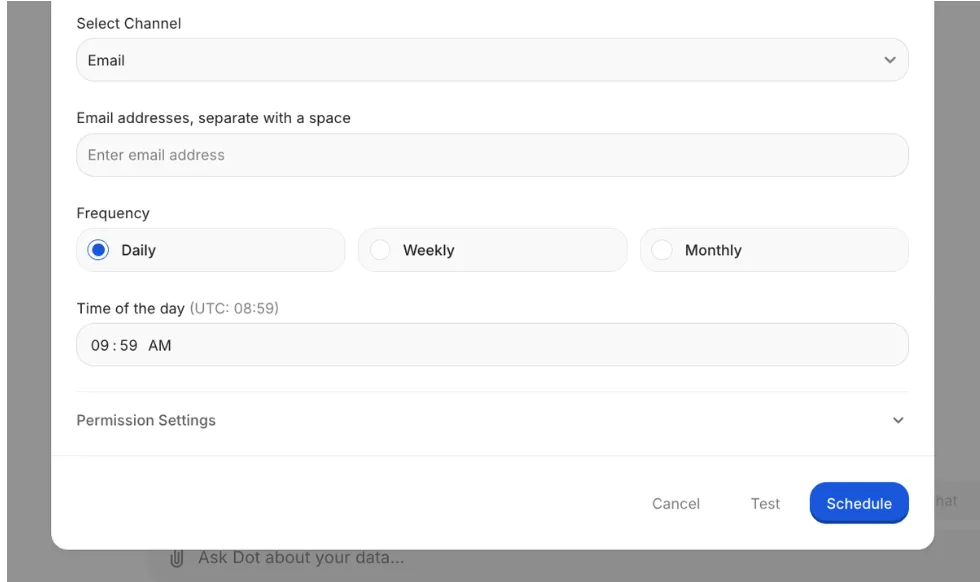
Teams at companies like Emerge use this to replace recurring reporting that used to take several hours of analyst time every week.
- Scheduled delivery: Reports arrive in Slack, Teams, or email on whatever rhythm you set.
- Multi-metric coverage: A single review can span revenue, retention, and conversion, each with its own narrative section.
- Automatic segment drill-downs: Dot picks out the segments and cohorts that drove the biggest movement, so you don't have to specify them up front.
One definition of "revenue" across every team
If your team has ever argued about which number is the real ARR figure, you already know the problem our Context Agent is built to fix.
The Context Agent stores your definitions, metric logic, and business rules in one central place, then applies them to every question anyone asks.
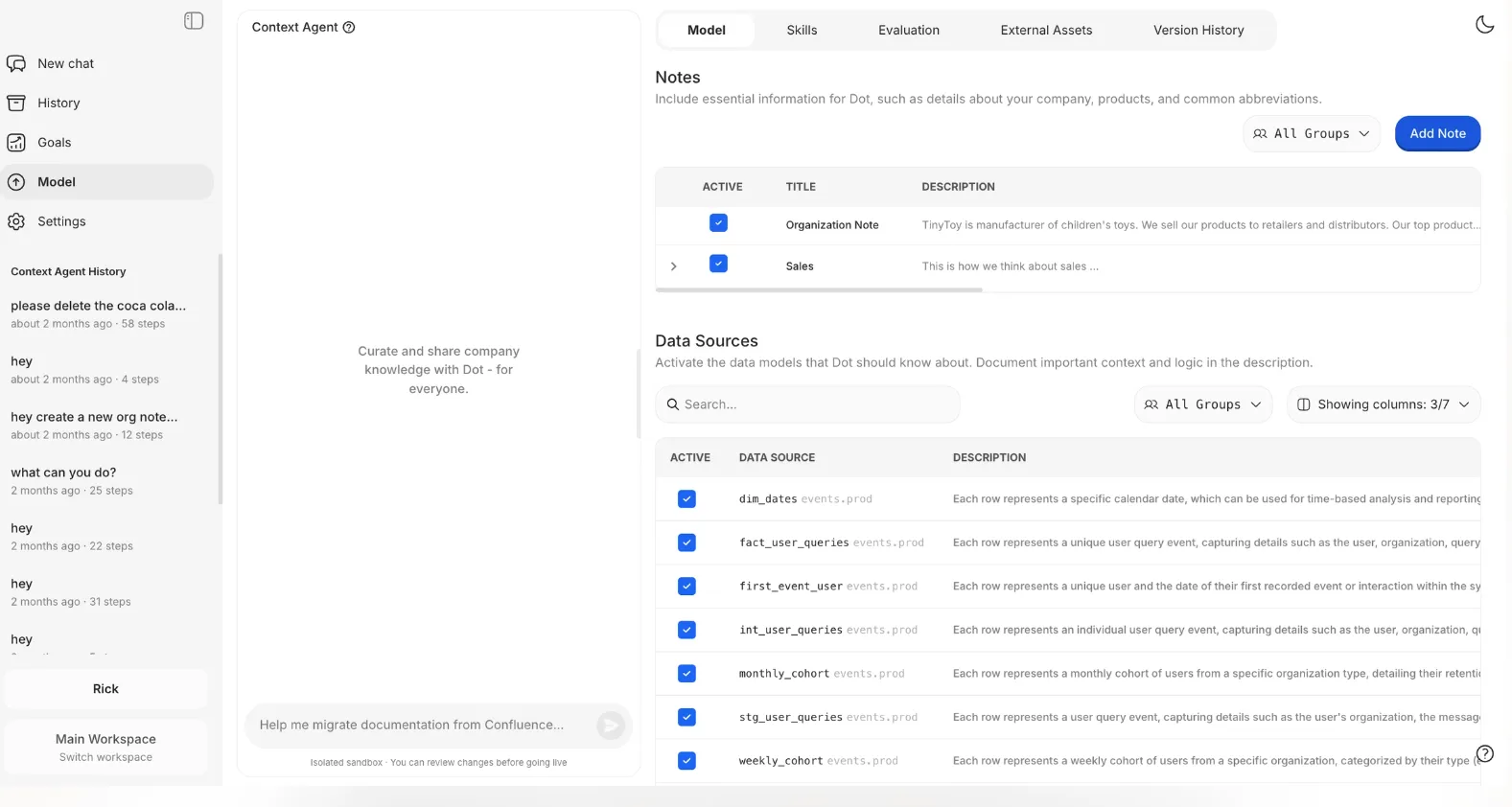
No one has to specify what "active user" means, and no one ends up with a different number for MRR than the CFO has.
The Context Agent learns from your dbt models, your semantic layer, your documentation, and the corrections your team makes over time.
When an analyst fixes Dot on a definition, the Context Agent holds onto that fix for next time. When the warehouse schema changes, the agent picks it up.
And because every answer runs through the same versioned context, two executives asking the same question on the same day get the same answer.
Warehouse-native, no data movement
Dot runs where your data already lives.
We connect directly to Snowflake, BigQuery, Redshift, and Databricks, and queries execute against your warehouse tables, not a copy of them.
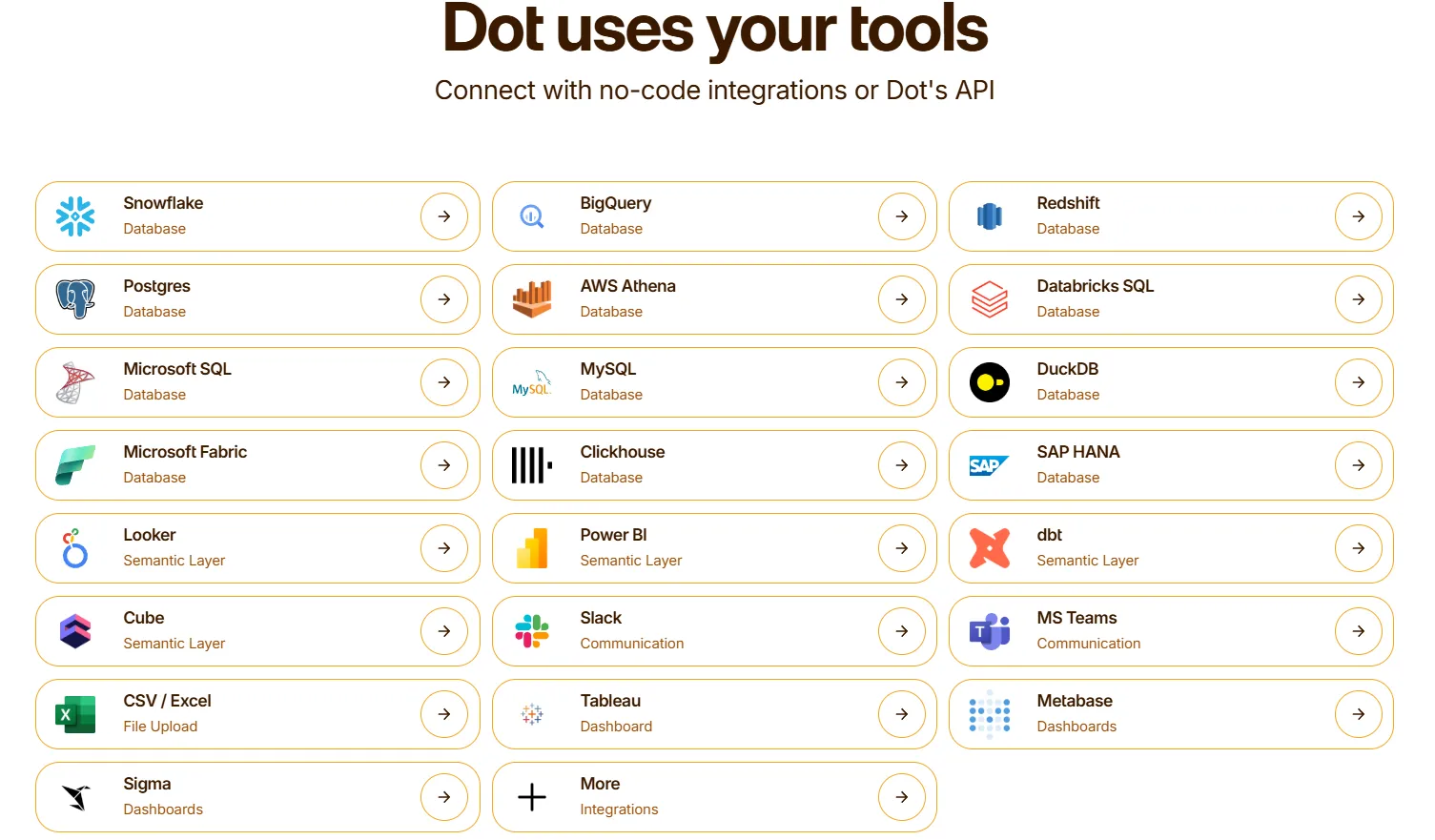
We know many businesses are tired of the ETL step, separate permissions layer, or drift between what the analytics tool says and what the production database says.
What makes Dot different from other decision intelligence platforms?
Some of the platforms in this article start from a BI foundation and add AI features on top.
- You still build dashboards.
- You still define filters.
- You still do most of the interpretation yourself.
The AI helps you phrase the question in natural language, but the answer you get back is usually another chart or a natural-language description of one.
Dot begins with the decision and works backwards.
- The output is a written explanation with recommendations.
- The delivery channel is wherever decisions actually get made: Slack, Teams, email.
- The context layer keeps answers consistent across the company without anyone maintaining a dashboard to hold things together.
The practical difference for a data team is fewer dashboards to maintain, fewer ad-hoc pings during focus work, and more time on the data analysis that actually moves the needle.
Dot pricing
Dot has a free plan with 300 one-time credits and full access to Pro features, so you can test it on real data before paying anything.
There are three paid tiers:
- Pro: $180 per month, 150 credits included, unlimited users, $1.80 per credit overage. Covers the full feature set and works well for a small data team.
- Team: $720 per month, 800 credits included, $1.44 per credit overage. Adds SSO, row-level security, embedded analytics, BI migration support, and dedicated customer success.
- Enterprise: Custom pricing with unlimited credits, volume discounts, self-hosted deployment, audit logs, SLAs, and a dedicated account manager.
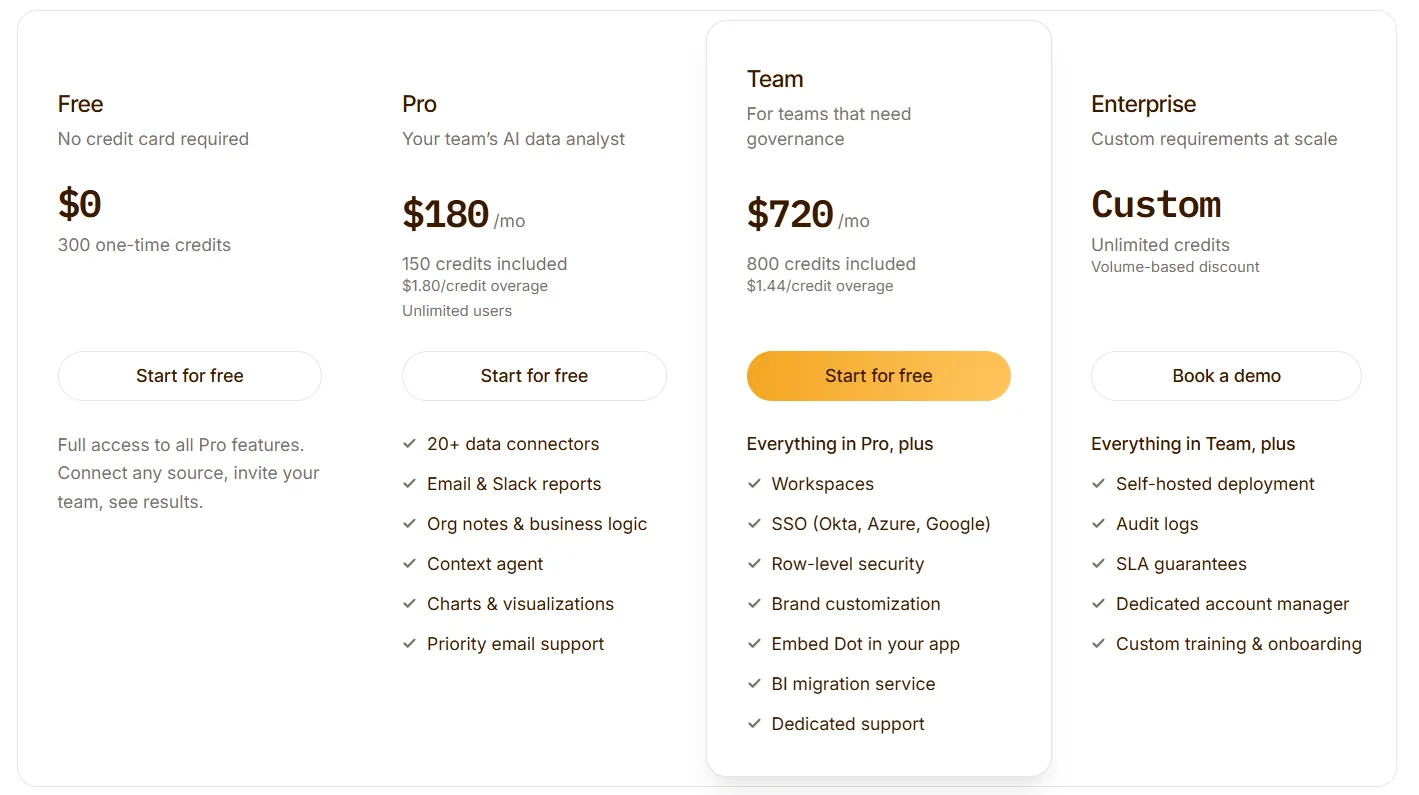
➡️ Annual billing saves 10% across all plans.
Our credit model charges for the work Dot does (query complexity and analysis depth), not per user.
Dot pros and cons
✅ Returns written answers with recommendations, not just charts.
✅ Lives in Slack, Teams, email, and web.
✅ Automated business reviews replace recurring manual reporting.
✅ Context Agent keeps definitions consistent across teams.
✅ Warehouse-native with a full audit trail on every insight.
✅ Usage-based pricing.
❌ Not a dashboard tool.
❌ Needs a data warehouse to work.
#2: ThoughtSpot
Best for: Enterprise teams that want AI-powered search and self-service analytics on live data without building a dashboard for every question.
Similar to: Tellius, Tableau.
Ask it a question in plain English, and get a chart back.
That's been the ThoughtSpot pitch since the company launched, and it's held up well enough that most of the category copied the idea.
Spotter is the newer layer on top: an AI agent that runs deeper analyses and generates whole dashboards from a single prompt.
ThoughtSpot's top features
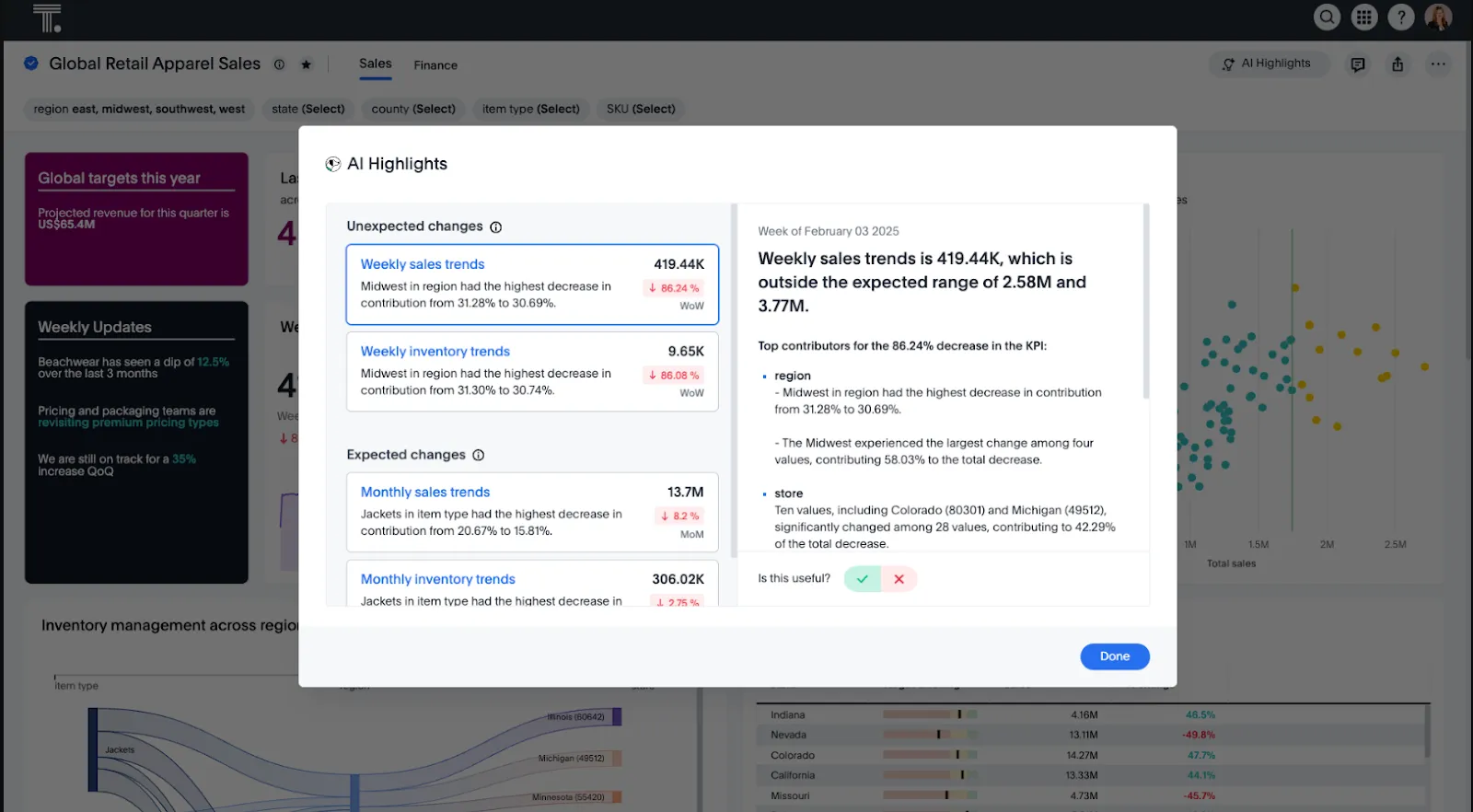
- Natural language search: The original ThoughtSpot feature. Type a question, get a governed answer from live data.
- Spotter AI agent: Handles multi-step work, surfacing patterns and running analyses without waiting for a prompt per step.
- SpotterViz: Takes a single prompt and builds out a full dashboard, ready to share.
- ThoughtSpot Embedded: Separate product line for embedding the search experience inside customer-facing apps.
ThoughtSpot pricing
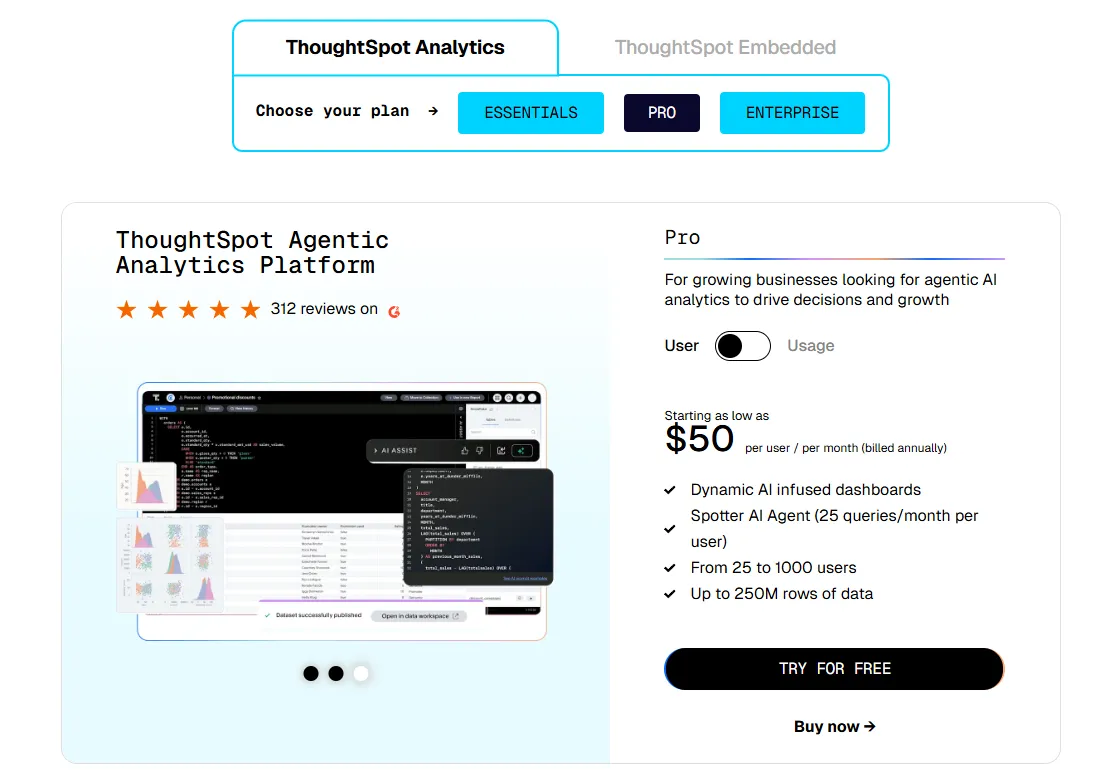
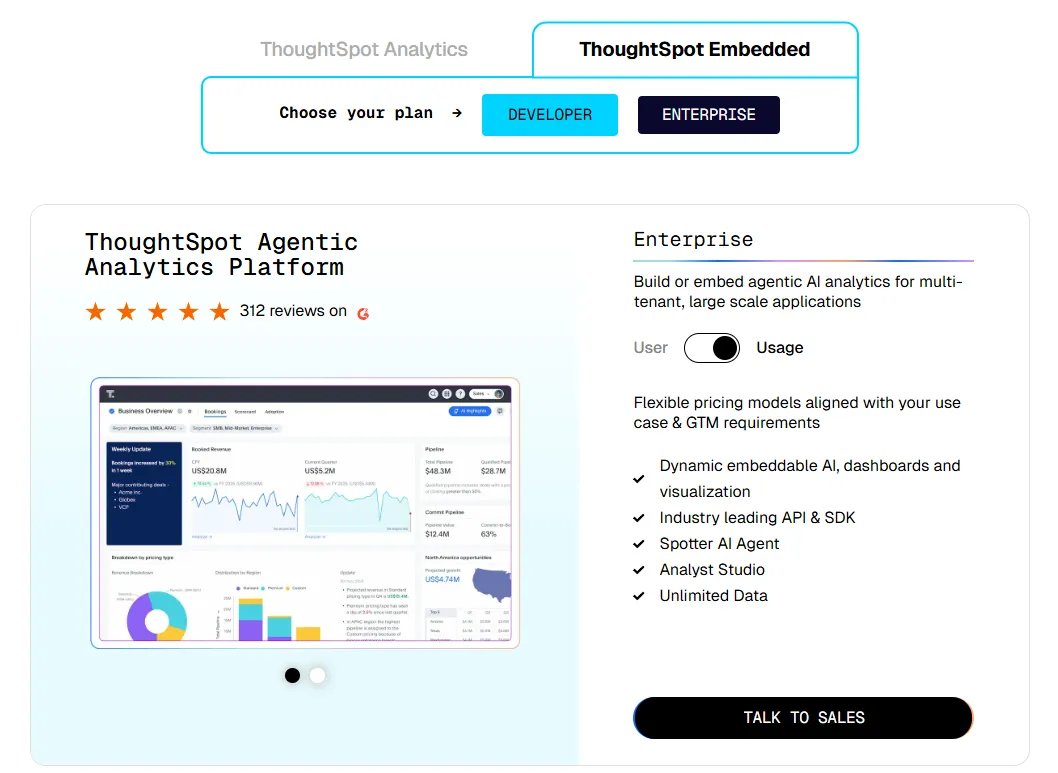
ThoughtSpot offers two separate products - ThoughtSpot Analytics for internal BI and ThoughtSpot Embedded for building analytics into applications - each with flexible pricing depending on scale and usage:
- ThoughtSpot Analytics:
- Essentials: From $25 per user per month (billed annually), for teams of 5-50 users, includes dynamic interactive dashboards and AI-powered insights and supports up to 25M rows of data.
- Pro (per user pricing): From $50 per user per month (billed annually), for 25–1,000 users, includes everything in Essentials, plus AI-infused dashboards and Spotter AI Agent (25 queries per user/month), and supports up to 250M rows of data.
- Pro (usage-based): From $0.10 per query, includes everything in Pro per user, and adds Analyst Studio.
- Enterprise (user or usage-based): Custom pricing, includes everything in Pro, plus unlimited users and data.
- ThoughtSpot Embedded:
- Developer: Free for 1 year, includes embeddable AI analytics, dashboards, and visualizations, APIs and SDKs, up to 10 users and 25M rows of data.
- Enterprise (user-based): Custom pricing, includes everything in Developer, plus unlimited data.
- Enterprise (usage-based): Custom pricing, everything in Enterprise, plus Spotter AI Agent and Analyst Studio.
ThoughtSpot pros and cons
✅ The search actually works, even for people who've never touched BI.
✅ Spotter performs well on structured enterprise data with clean models.
✅ Governance features are mature enough for large rollouts.
❌ Two pricing structures (per user vs. usage-based) can get confusing at scale.
#3: Tellius
Best for: Analytics teams that want conversational analytics paired with automated root cause and key driver analysis.
Similar to: ThoughtSpot, Sigma.
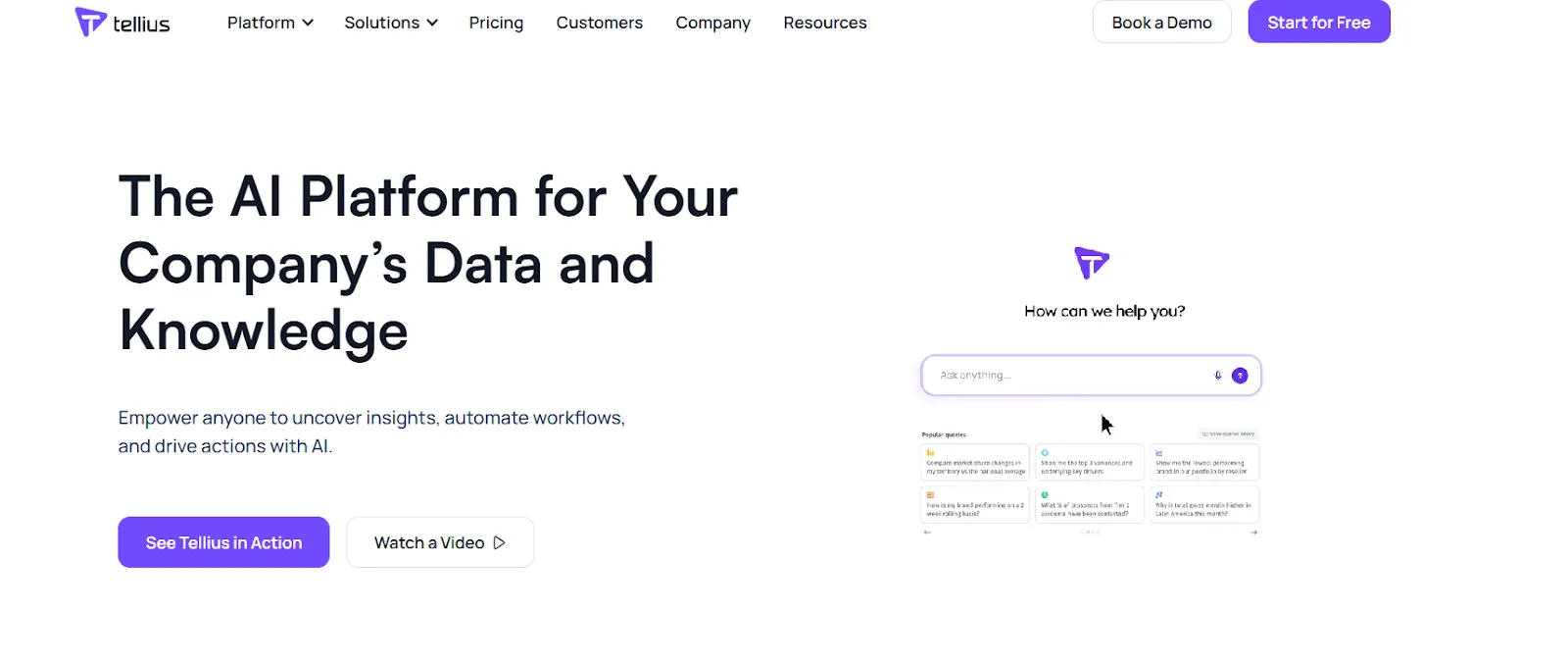
Tellius sits in an interesting spot in the category.
You get a chat interface like most modern BI tools, but there's a root cause engine running underneath that does classification and variance analysis when a metric moves.
So instead of waiting for an analyst to investigate why something changed, the tool takes the first pass itself.
Tellius's top features
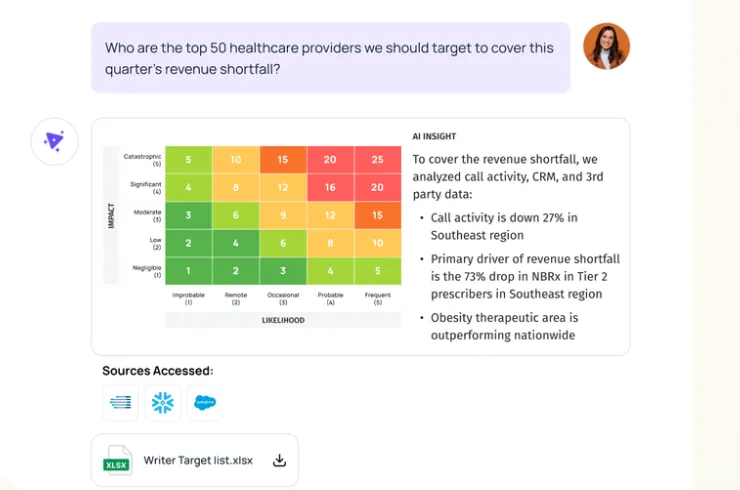
- Conversational interface: Natural language querying grounded in your governance model.
- Automated AI insights: The differentiator. Root cause analysis, key driver detection, and anomaly flagging, all automated.
- GenAI narratives: Written explanations that sit alongside the charts, rather than replacing them.
- Auto-visualizations: Interactive visualizations stacked on top of narrative answers for deeper exploration.
Tellius pricing
Tellius doesn't publish pricing. Two custom-quoted tiers:
- Premium: Capped at 10 users. Covers conversational analytics, guided insights, Vizpads, live warehouse queries up to 50M rows, and 10GB of storage on Tellius Cloud.
- Enterprise: Unlimited users. Adds ML modeling, SSO, API access, embedding, white-labeling, and flexible deployment (Tellius Cloud, customer cloud, or on-prem).
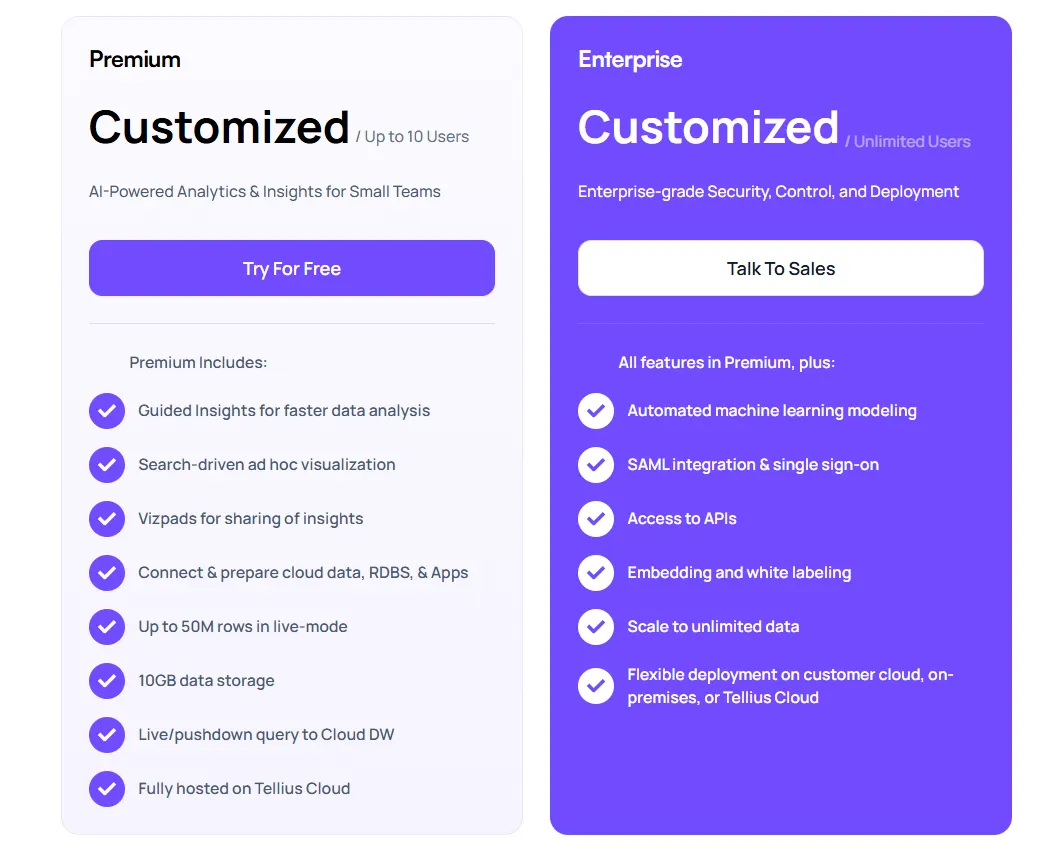
Expect to talk to sales before you see real numbers.
Tellius pros and cons
✅ The explainable AI layer is the real differentiator.
✅ Interface is easy for non-technical users to pick up.
✅ Works on enterprise-scale datasets.
What are the best traditional BI platforms with decision intelligence features?
The bulk of the BI market still sits here.
Some of these tools were built as visualization platforms a decade or two ago and have added AI assistants, natural language features, and agentic layers on top of that foundation.
The core interaction is still the dashboard, and the AI layer is often catching up.
#1: Tableau
Best for: Analysts and enterprise teams that need advanced visualization and now want agentic analytics on top through Tableau Next.
Similar to: Power BI, Qlik Sense.
Nobody beats Tableau for pure visualization.
Two decades of drag-and-drop engineering show up in the details, and teams that care about exploratory analysis and storytelling still land here by default.
Tableau Next is the AI push: agents, natural language queries, and proactive insights built on Salesforce's Agentforce platform.
Tableau's top features
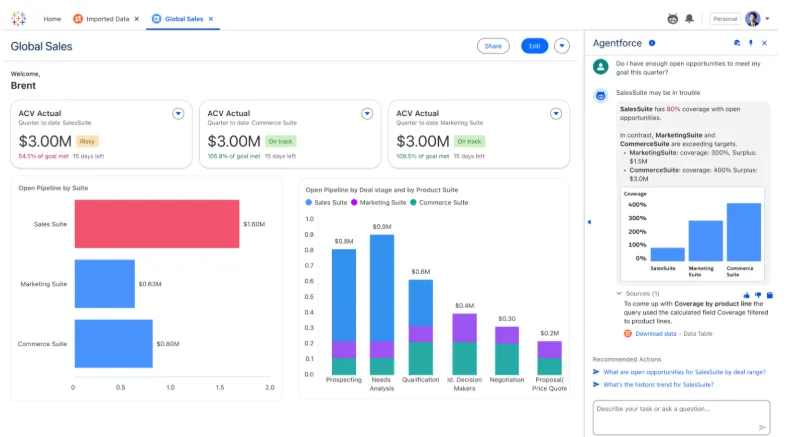
- VizQL drag-and-drop analytics: The engine that defined the category and still sets the benchmark for visual analytics.
- Tableau Next: Agents that surface insights and can trigger actions inside Slack and Salesforce workflows.
- Tableau Pulse: Push-based analytics. Pulse delivers metric summaries and trend alerts straight to users in Slack and email.
- Governance: Centralized controls and reusable metrics through Data Management, built for enterprise scale.
Tableau pricing
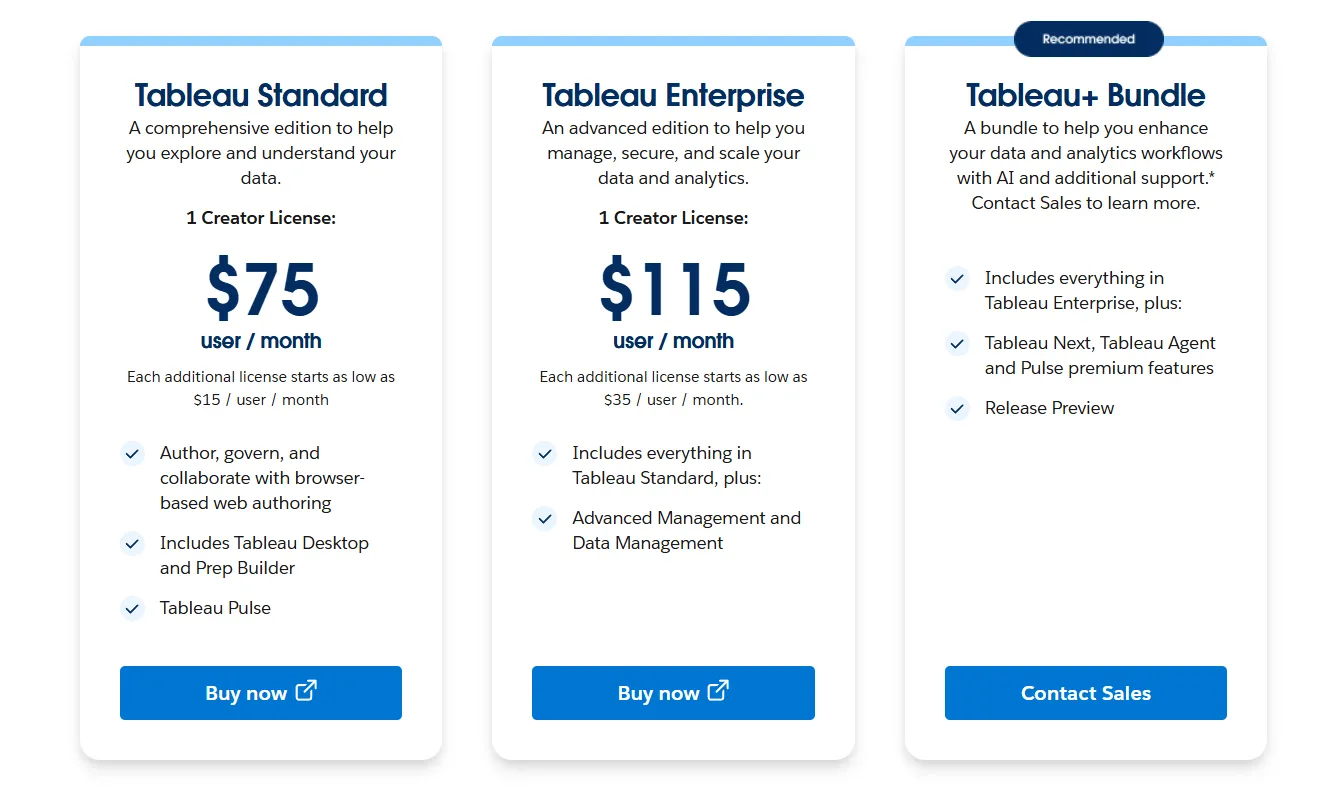
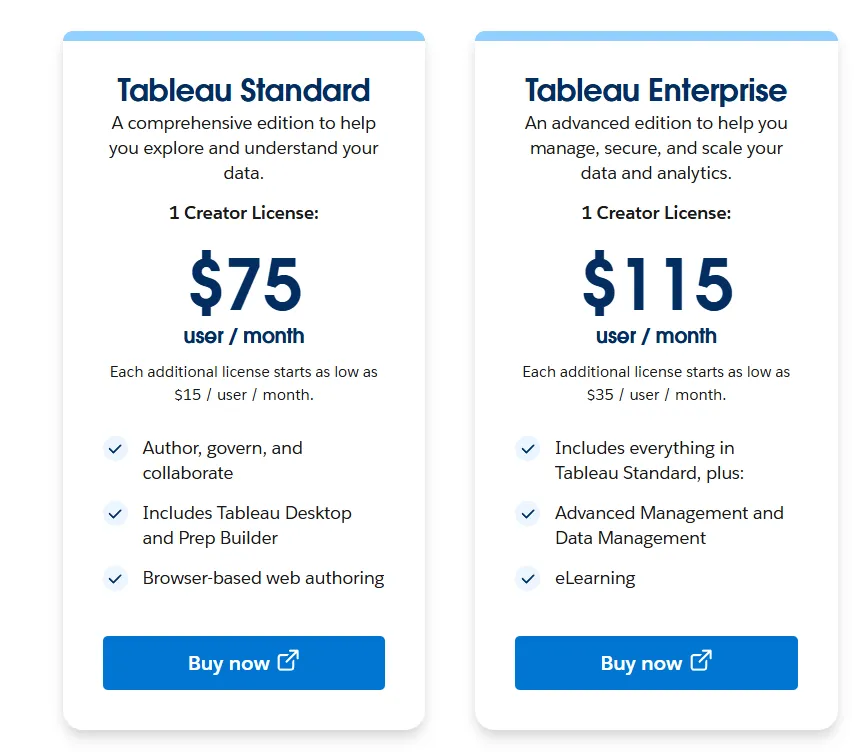
Tableau uses per-user, per-month pricing, with separate plans depending on whether you deploy Tableau in the cloud, on your own servers, or as part of its newer AI-driven offering:
- Tableau Cloud has three pricing plans:
- Tableau Standard: $75 per 1 creator per month, with each additional license from $15 per user/month, includes browser-based authoring and collaboration, Tableau Desktop and Prep Builder, Tableau Pulse for metrics and insights.
- Tableau Enterprise: $115 per 1 creator per month, with each additional license from $35 per user/month, includes everything in Standard, plus Advanced Management and Data Management for governance and scale.
- Tableau+ Bundle (Cloud + AI): Custom pricing, includes everything in Tableau Enterprise, plus Tableau Next, Tableau Agent, and Pulse premium features, with access to release previews and early AI capabilities.
- Tableau Server has two pricing plans:
- Tableau Standard: $75 per 1 creator per month, with each additional license from $15 per user/month, includes authoring, governance, and collaboration and Tableau Desktop and Prep Builder.
- Tableau Enterprise: $115 per 1 creator per month, with each additional license from $35 per user/month, includes everything in Standard, plus Advanced Management, Data Management, and eLearning.
- Tableau Next (agentic analytics): Requires an annual contract, includes agentic analytics via Agentforce, Tableau Semantics, Tableau Pulse (including premium), and Data 360.
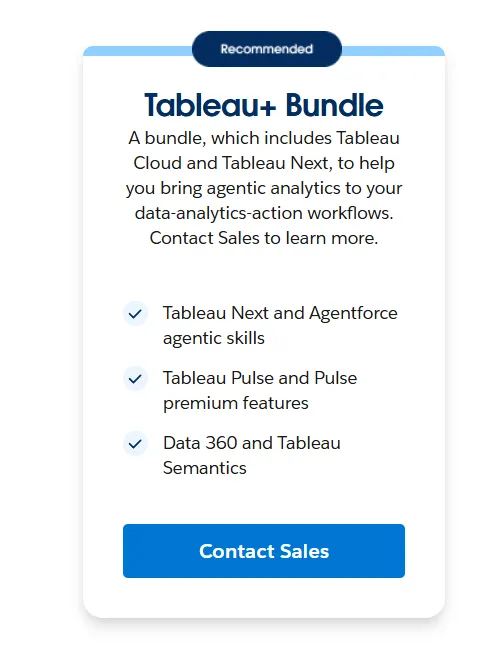
Tableau pros and cons
✅ Still the visualization leader.
✅ Tableau Next is a genuine move toward agentic analytics, not just a chatbot slapped on.
✅ Governance scales well at enterprise size.
❌ Per-user pricing can scale fast for organizations rolling out broadly.
#2: Microsoft Power BI
Best for: Organizations already standardized on Microsoft's stack (Azure, Fabric, Office 365) that want BI tightly integrated with Copilot.
Similar to: Tableau, Looker.
If your company runs on Microsoft, you're probably already running Power BI somewhere.
Copilot is the AI layer that handles natural language queries, narrative summaries, and AI-assisted report building. The dashboard is still the core experience though.
Power BI's top features
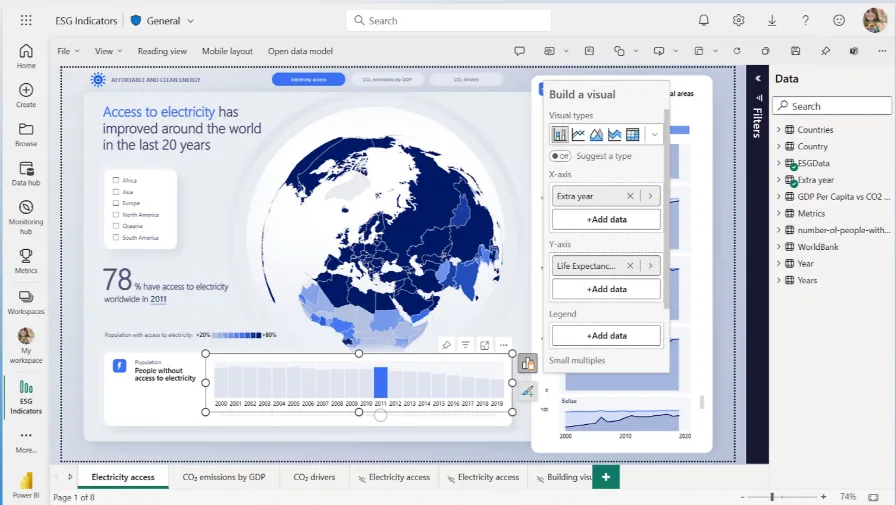
- Copilot integration: Ask questions in natural language, get answers grounded in your semantic model.
- DAX and semantic modeling: Dimensional modeling for analysts who want tight control over how data behaves.
- Microsoft Fabric integration: Tight bundling with OneLake, Synapse, and the broader Microsoft data platform.
- Row-level security: Battle-tested for enterprise rollouts.
Power BI pricing
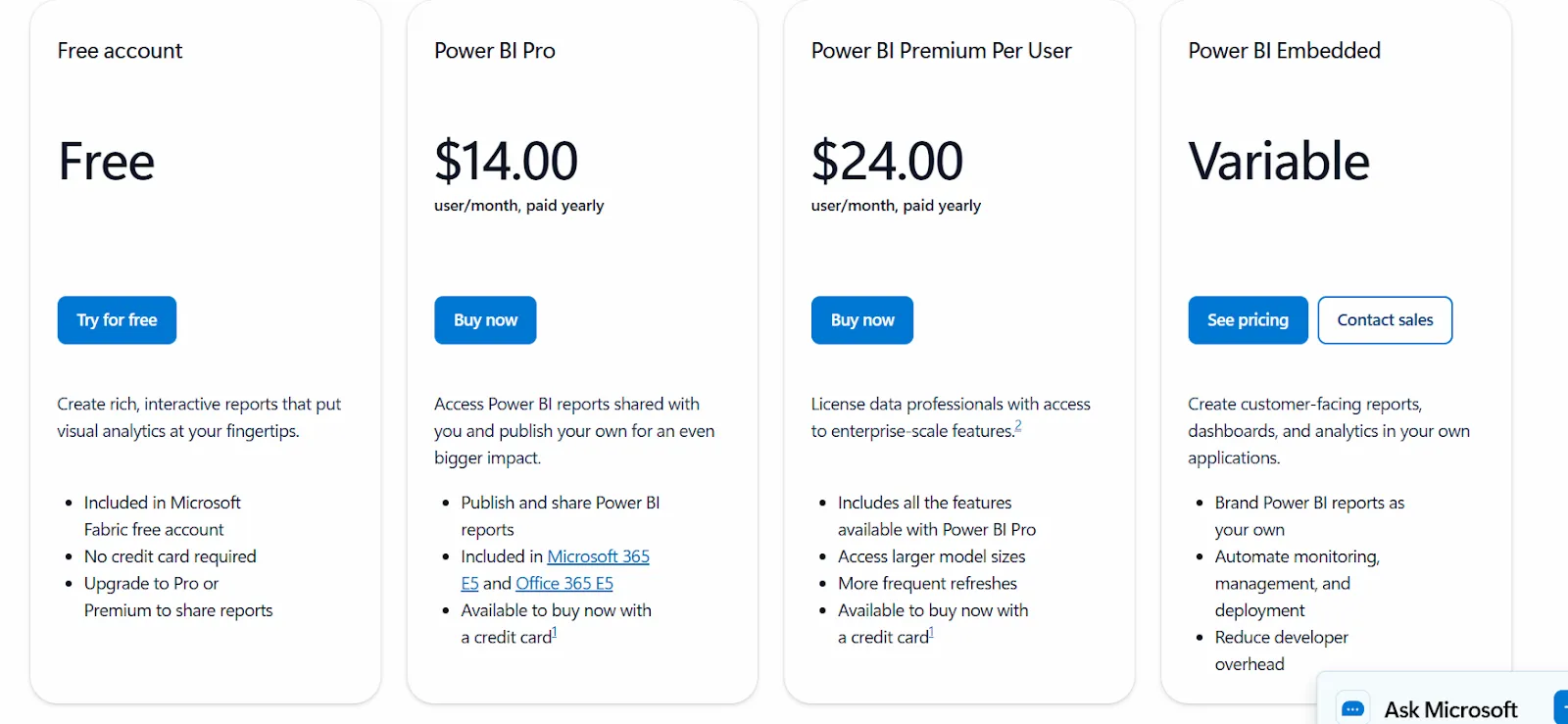
Power BI uses a per-user and capacity-based pricing model, with different tiers depending on how reports are created, shared, and scaled across the organization.
There’s a Free plan, best for individual users exploring data on their own, that includes building reports and dashboards for personal use, but no sharing or collaboration features.
The paid options include the following:
- Power BI Pro: $14/user/month, includes report publishing, sharing dashboards, collaboration in workspaces, and embedding in Microsoft Teams and SharePoint.
- Power BI Premium Per User: $24/user/month, includes everything in Pro, plus larger model sizes, more frequent refreshes, paginated reports, and advanced AI features.
- Power BI Embedded: Custom pricing, which lets you create customer-facing reports, dashboards, and analytics in your own applications.
Power BI pros and cons
✅ Tight fit inside the Microsoft ecosystem.
✅ Copilot handles the basics.
✅ Extensive documentation and a wide marketplace of custom visuals and connectors, unlike niche tools likeMindsDB, which require more SQL and ML expertise to get value from.
❌ For beginners, the learning curve can feel steep, particularly when you start working with data modeling and DAX formulas, according to a G2 review.
#3: Looker
Best for: Data teams that want a governed semantic layer, consistent metrics across the company, and conversational analytics through Gemini.
Similar to: Power BI, Sigma.
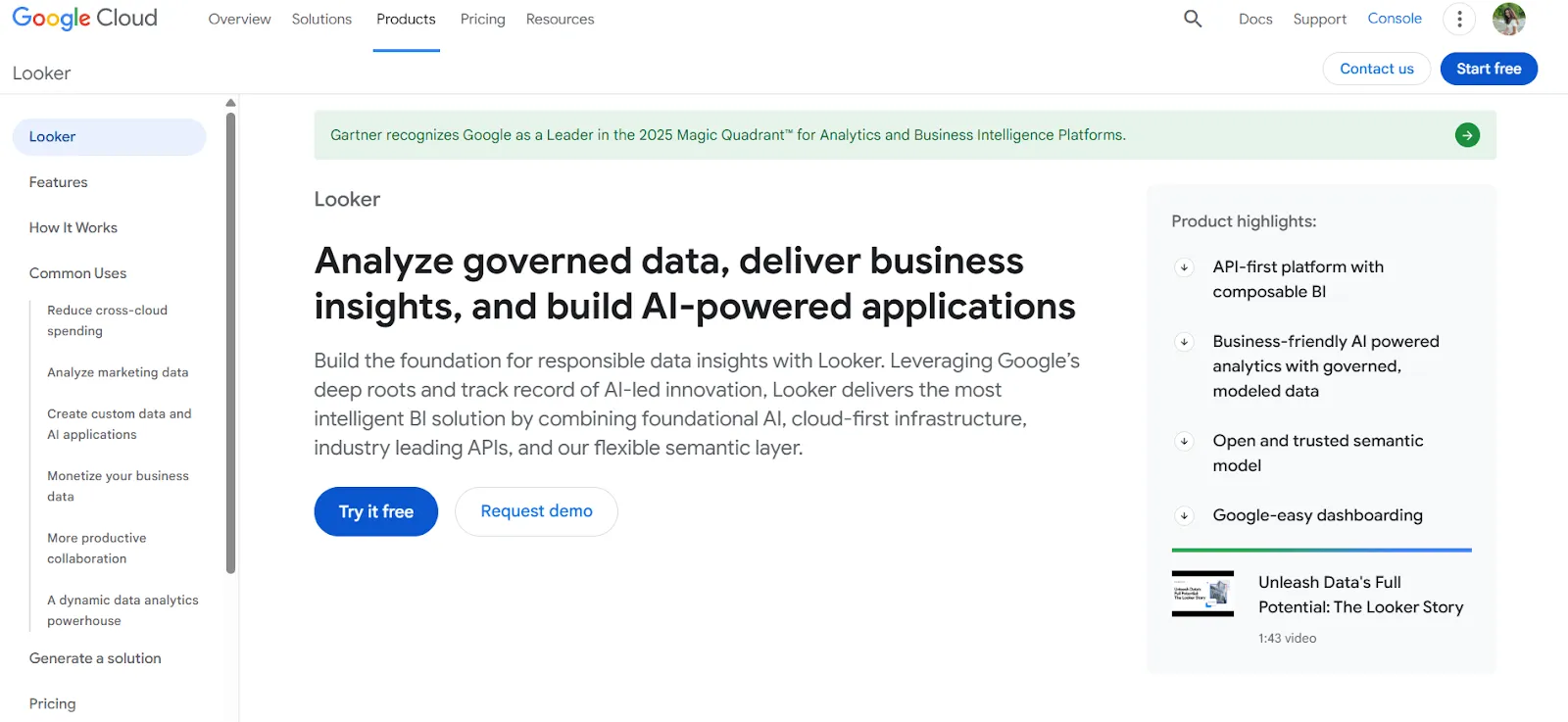
What makes Looker different is LookML.
Metrics and business rules get defined once in a centralized modeling language, and every dashboard, report, and embed pulls from that same source.
Gemini is the newer piece, bringing conversational analytics into that governed foundation.
Looker's top features
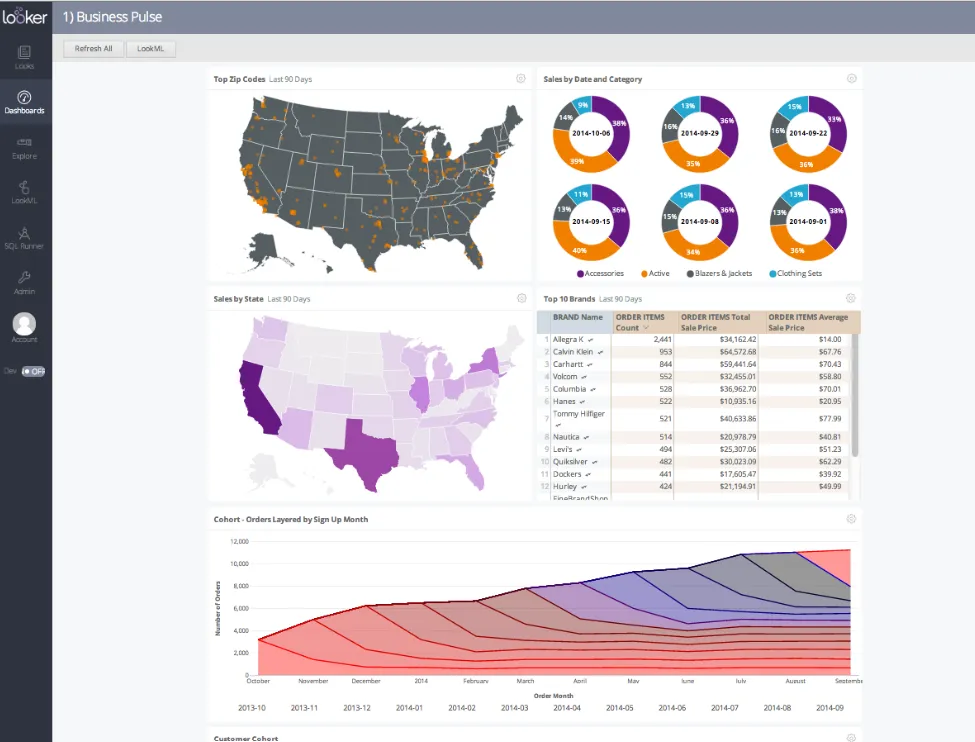
- LookML semantic modeling: Metrics defined once, reused everywhere. This is the Looker bet.
- Gemini conversational analytics: Natural language queries that inherit LookML's governance, so the answers stay consistent.
- Live warehouse querying: Dashboards query the warehouse directly. No extract drift.
- Embedded analytics: First-class embedding, both for internal tools and customer-facing products.
Looker pricing
Looker uses a custom, contract-based pricing model made up of two parts: platform pricing (the cost of running a Looker instance) and user licensing (the cost per user type).
Pricing is annual for all plans.
- Platform editions:
- Standard: Designed for small teams or organizations with fewer than 50 users, includes 1 production instance, 10 standard users + 2 developer users, up to 1,000 query-based API calls/month, and up to 1,000 admin API calls/month.
- Enterprise: Built for larger internal BI and analytics use cases, includes everything in Standard, plus enhanced security features, up to 100,000 query-based API calls/month, and up to 10,000 admin API calls/month.
- Embed: Designed for embedding analytics into external products or applications, includes everything in Standard, plus up to 500,000 query-based API calls/month and up to 100,000 admin API calls/month.
- User licensing:
- Developer users: Full access to Looker, including LookML development, administration, APIs, and advanced tooling.
- Standard users: Can explore data, build dashboards and reports, run SQL, and schedule content.
- Viewer users: Read-only access to dashboards and reports, with filtering and drill-down.
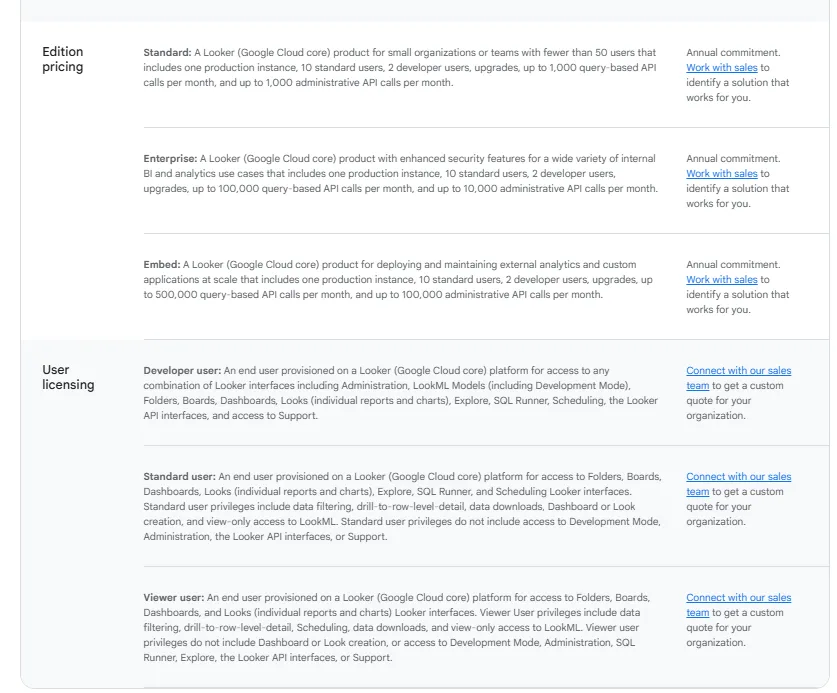
Pricing is custom on all plans and varies based on scale, permissions, and usage.
Looker pros and cons
✅ LookML is the gold standard for governed metrics.
✅ Gemini is a genuine upgrade, not a bolt-on.
✅ Embedding works out of the box.
❌ There's a bit of a learning curve at first, which can require a bit more education upfront to maximize all of its capabilities, according to a G2 review.
#4: Domo
Best for: Teams that want data ingestion, dashboards, and automation bundled into one platform with AI layered in.
Similar to: Tableau, Power BI.
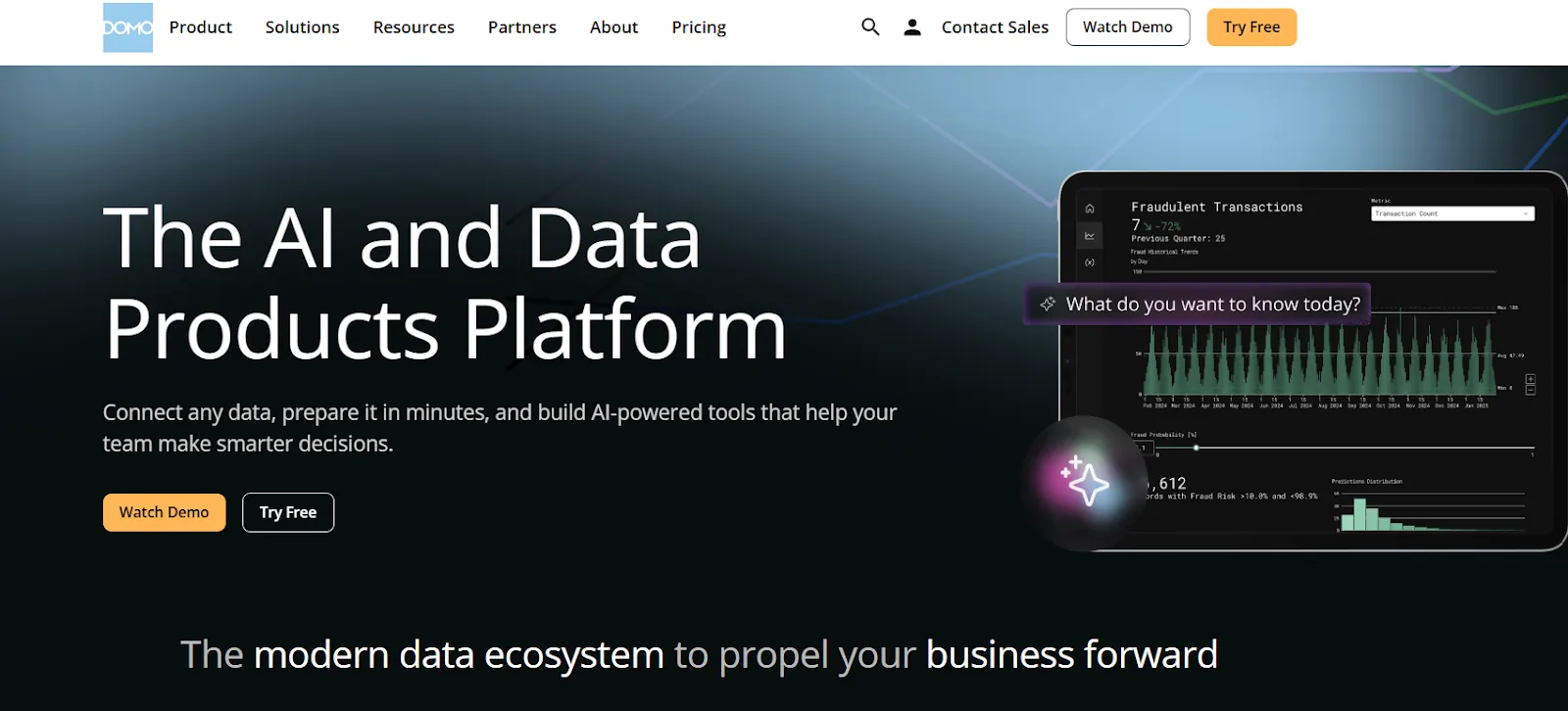
Domo tries to do everything. Data connection, transformation, visualization, automation, all in one platform.
The AI chat and agent features are the decision intelligence angle, stacked on top of the usual dashboard workflow.
Domo's top features
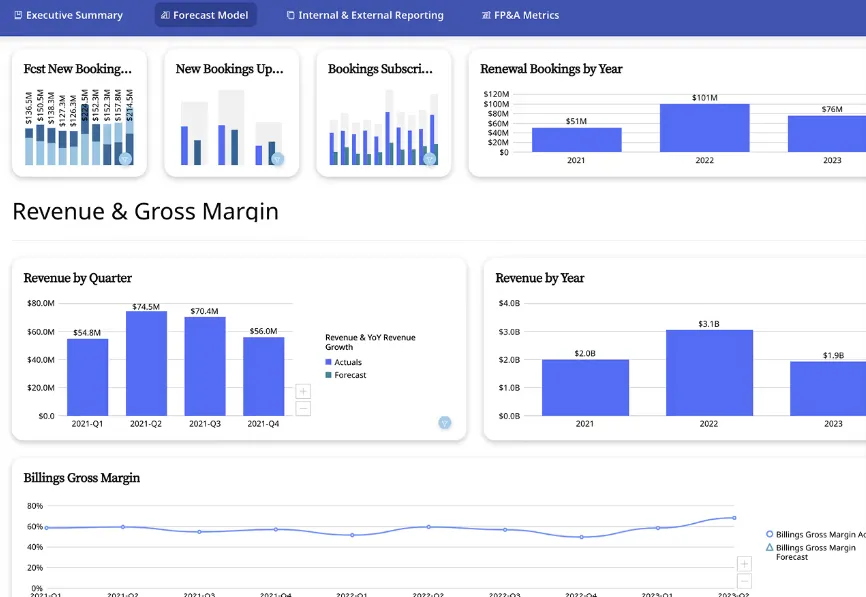
- Interactive dashboards: Real-time dashboards with sharing and embedding built in.
- No-code analytics apps: Custom data-driven apps without developer time.
- AI chat and insights: Natural language questions plus automated trend surfacing.
- Connectors and automation: 1,000+ connectors for ingestion, with workflow automation baked into the product.
Domo pricing
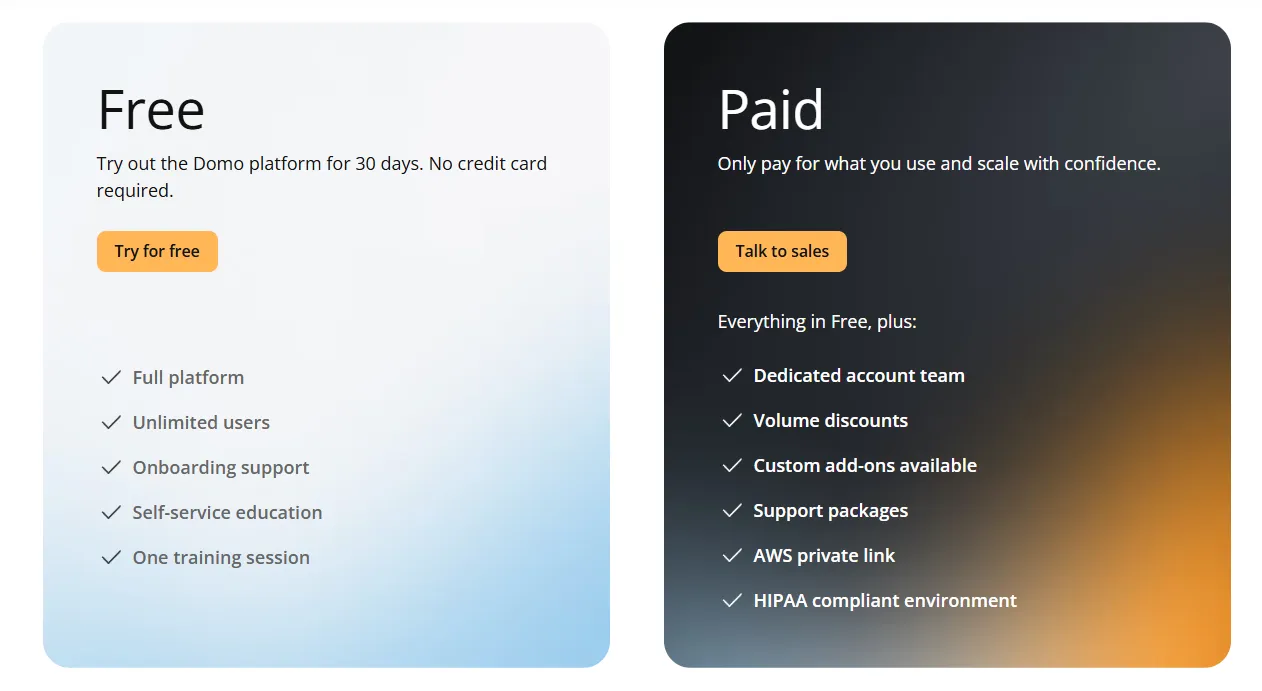
A 30-day free trial with no credit card, full platform access, unlimited users, and one guided training session.
The paid tier is usage-based and scales with analytics activity
Actual numbers are custom and depend on data volume, user counts, and services attached.
Domo pros and cons
✅ Genuinely end-to-end, from ingestion to action.
✅ Workflow automation is stronger than most pure BI tools.
✅ AI chat covers most standard questions.
❌ Pricing is not disclosed. We covered affordable options in our Domo alternatives breakdown.
What are the best self-service analytics platforms with decision intelligence features?
Qlik, Sigma, and Metabase weren't built around AI, but all three have been adding it.
The core interaction is still exploration and governance, not autonomous investigation.
They fit if your team values hands-on exploration and trusts the dashboard as the default interface:
#1: Qlik Sense
Best for: Organizations in regulated industries that want interactive analytics with on-prem options and AI-assisted insights.
Similar to: Tableau, Sigma.
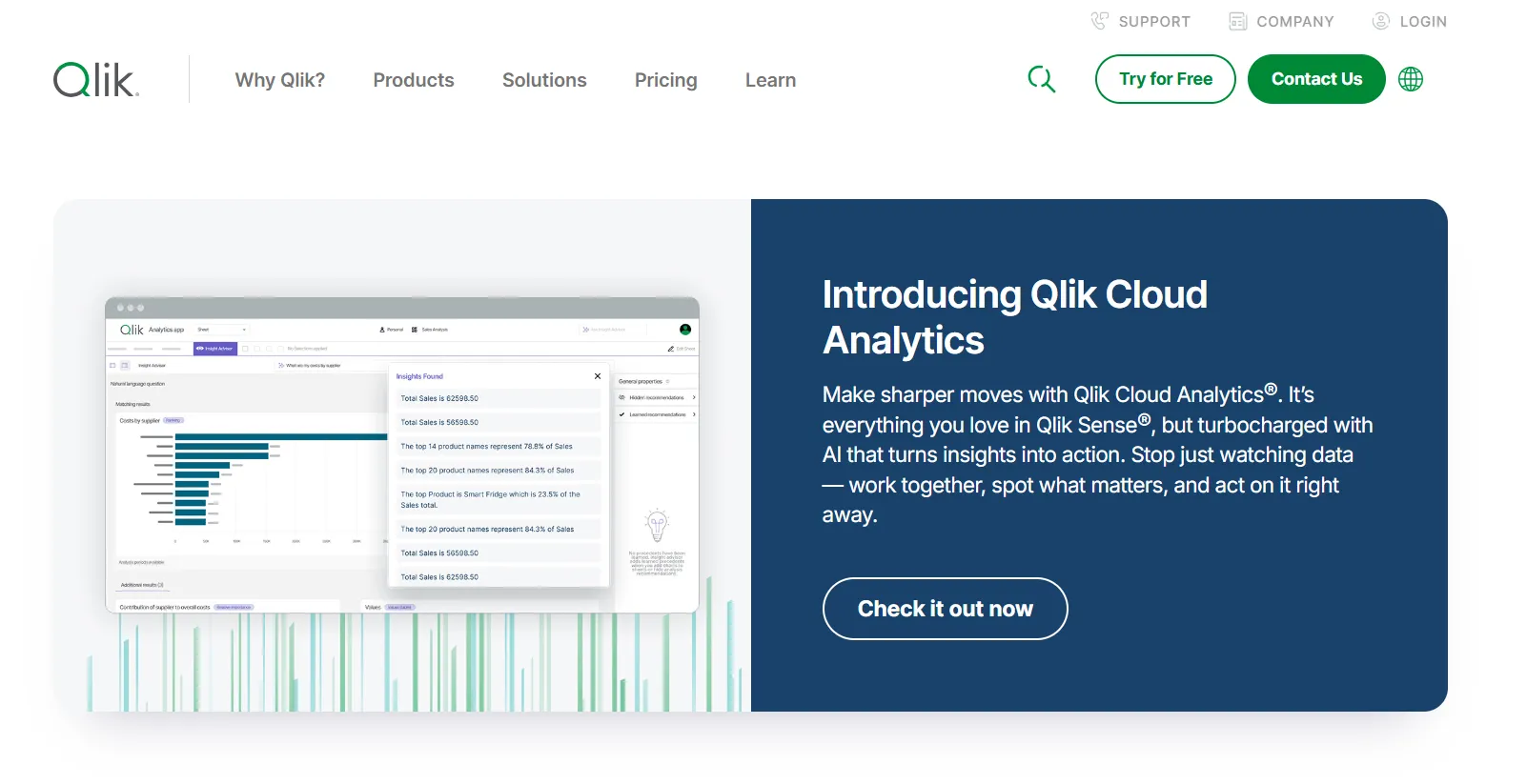
The associative data model is Qlik's signature move.
Select a value in any chart and the entire view recalculates to show what's related, what isn't, and what's excluded, no predefined query paths required.
Qlik Insight Advisor, the augmented analytics layer, brings AI-generated insights and natural language search into that exploration flow.
Qlik Sense's top features
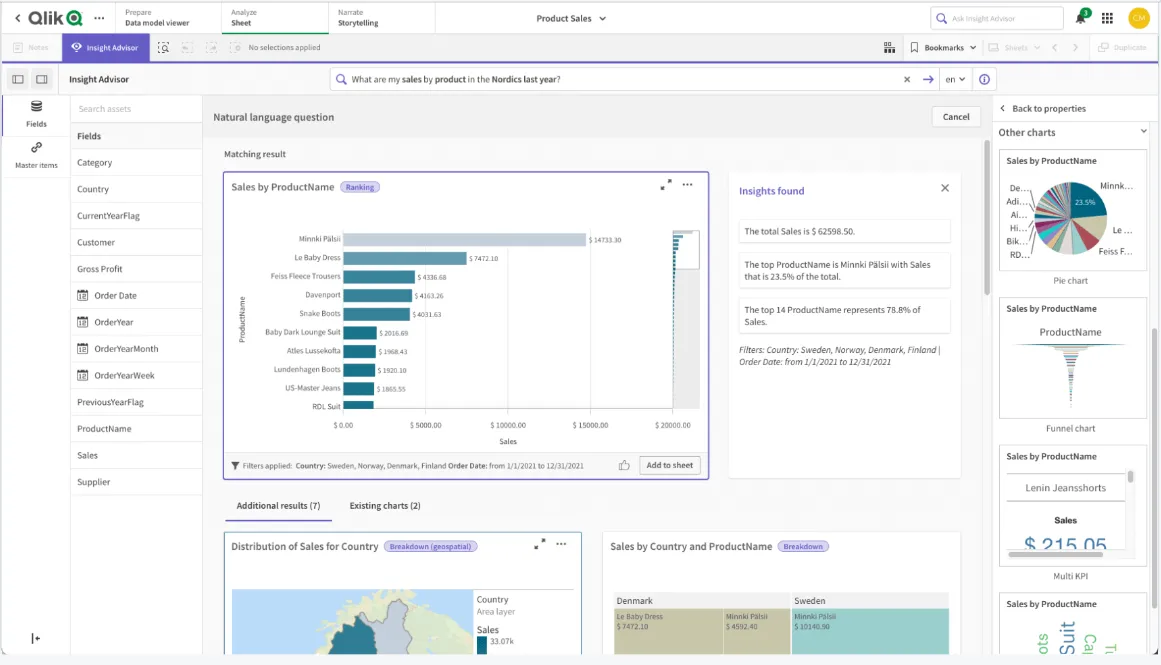
- Associative data model: Qlik's core differentiator. Real-time recalculation across every chart as you select.
- Qlik Insight Advisor: AI-generated insights, natural language search, and predictive features.
- Real-time alerts: Monitor data changes and trigger automated actions when thresholds cross.
- Deployment flexibility: Cloud, on-prem, and hybrid, which is rare at this tier of the market.
Qlik Sense pricing
Qlik doesn't publish Qlik Sense pricing, so you’ll have to talk to sales.

Qlik Sense pros and cons
✅ The associative engine is genuinely unique in the category.
✅ Scales cleanly on large, governed data.
✅ On-prem deployment still matters in regulated industries.
❌ One user on G2 mentions that sometimes there are loading issues, especially when business intelligence is running updates.
#2: Sigma
Best for: Finance, ops, and analyst teams that want spreadsheet-style analytics on live warehouse data with AI-assisted workflows.
Similar to: Looker, Metabase.
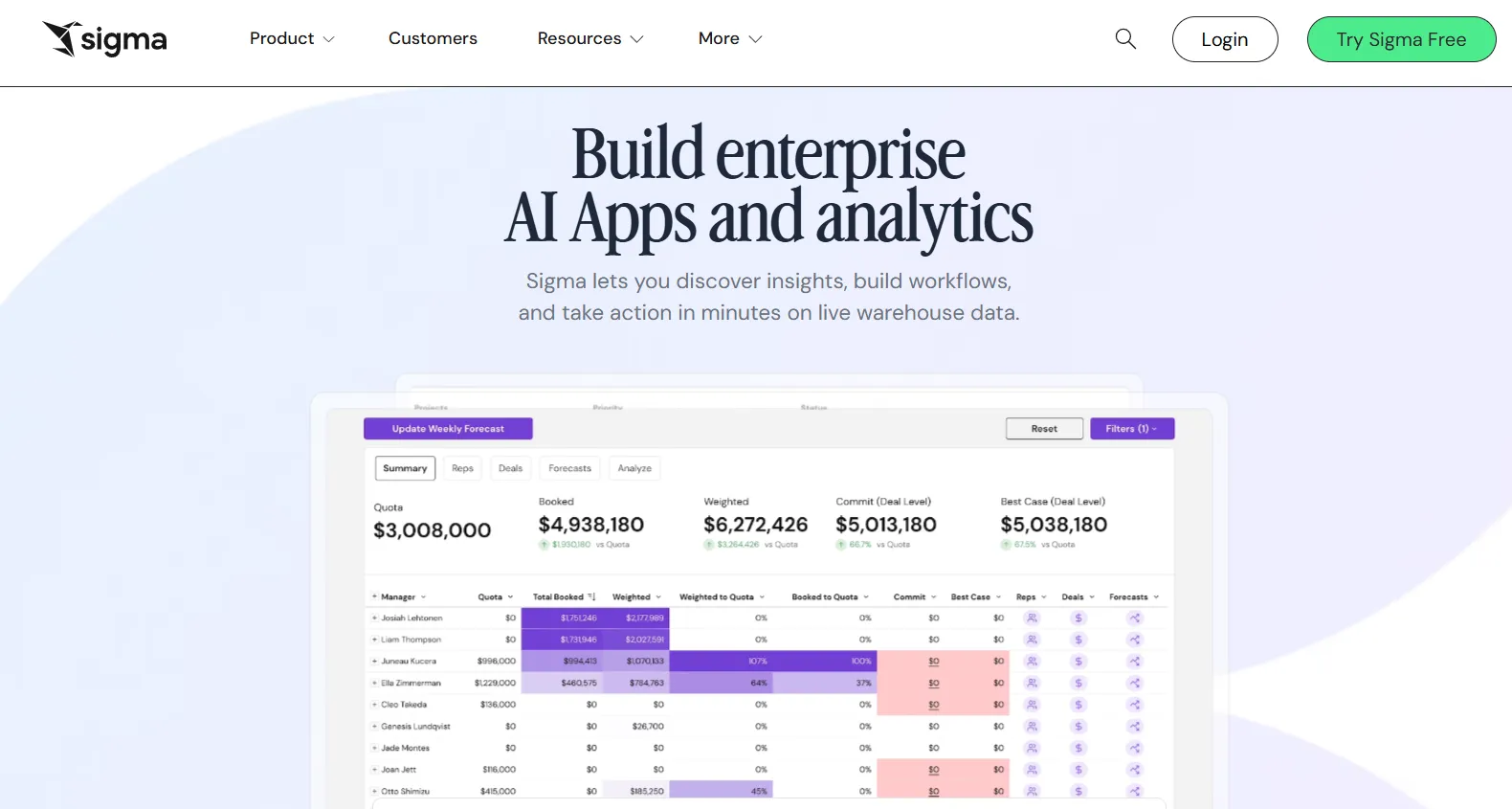
Think Excel, but connected directly to your warehouse.
Sigma runs live queries against Snowflake, BigQuery, Redshift, or Databricks while the interface stays familiar to anyone who's lived in spreadsheets.
Ask Sigma is the AI add-on, covering natural language queries and auto-generated dashboards.
Sigma's top features
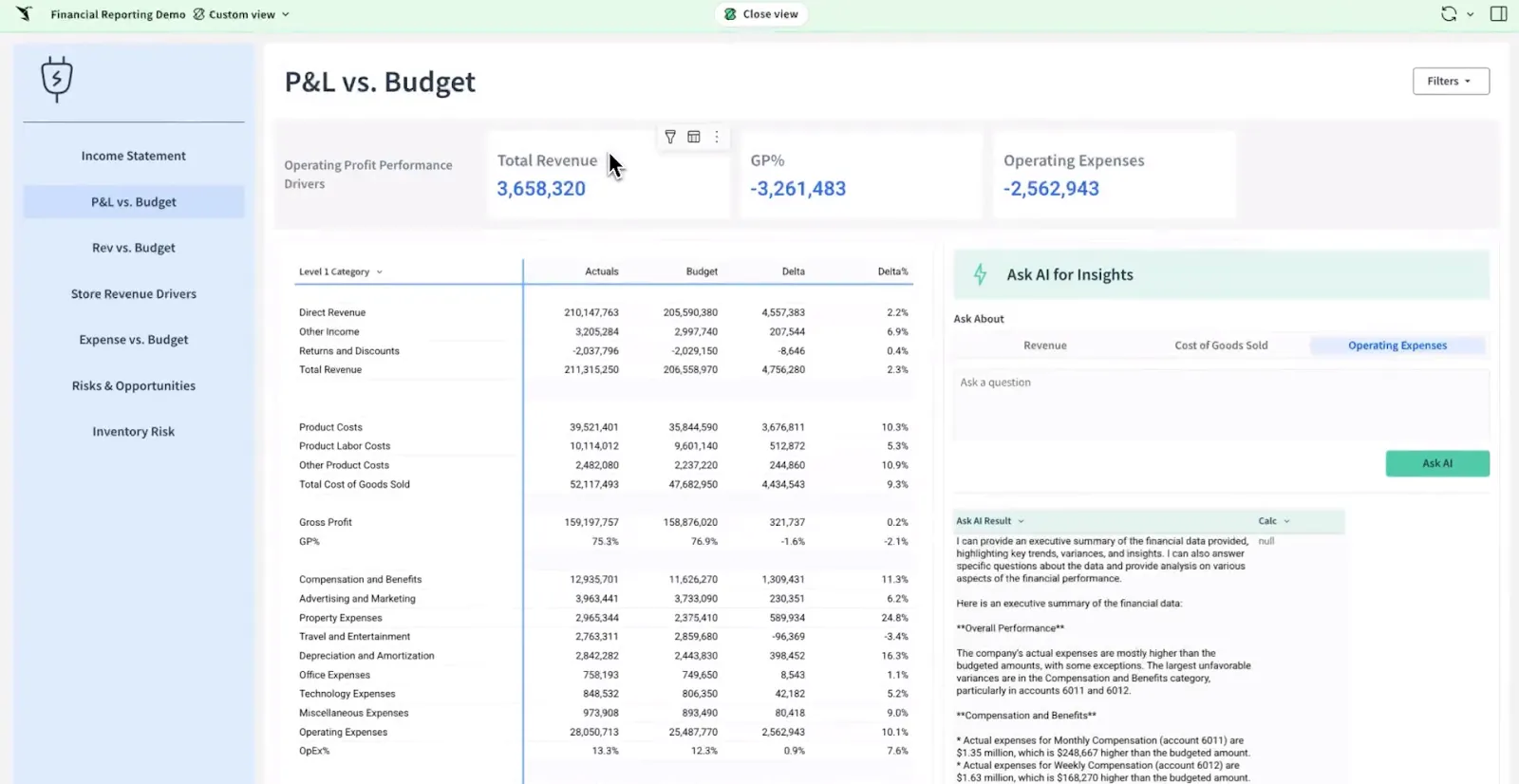
- Spreadsheet-style interface: Formulas, pivots, and tables, all on live warehouse data.
- Ask Sigma AI: Natural language queries plus AI-built dashboards.
- AI Apps: Interactive apps for forecasting, planning, and budgeting without custom development.
- Warehouse-native: Every query runs live against Snowflake, BigQuery, Redshift, or Databricks.
Sigma pricing
Sigma doesn't publish pricing, so you’ll also have to contact their sales team for a quote.
Sigma pros and cons
✅ The spreadsheet interface is a real unlock for non-analysts.
✅ Live warehouse queries keep everything current.
✅ AI Apps work well for finance and ops teams.
#3: Metabase
Best for: Startups, product teams, and data-lean organizations that want fast self-service analytics with AI querying and flexible embedding.
Similar to: Sigma, Looker.
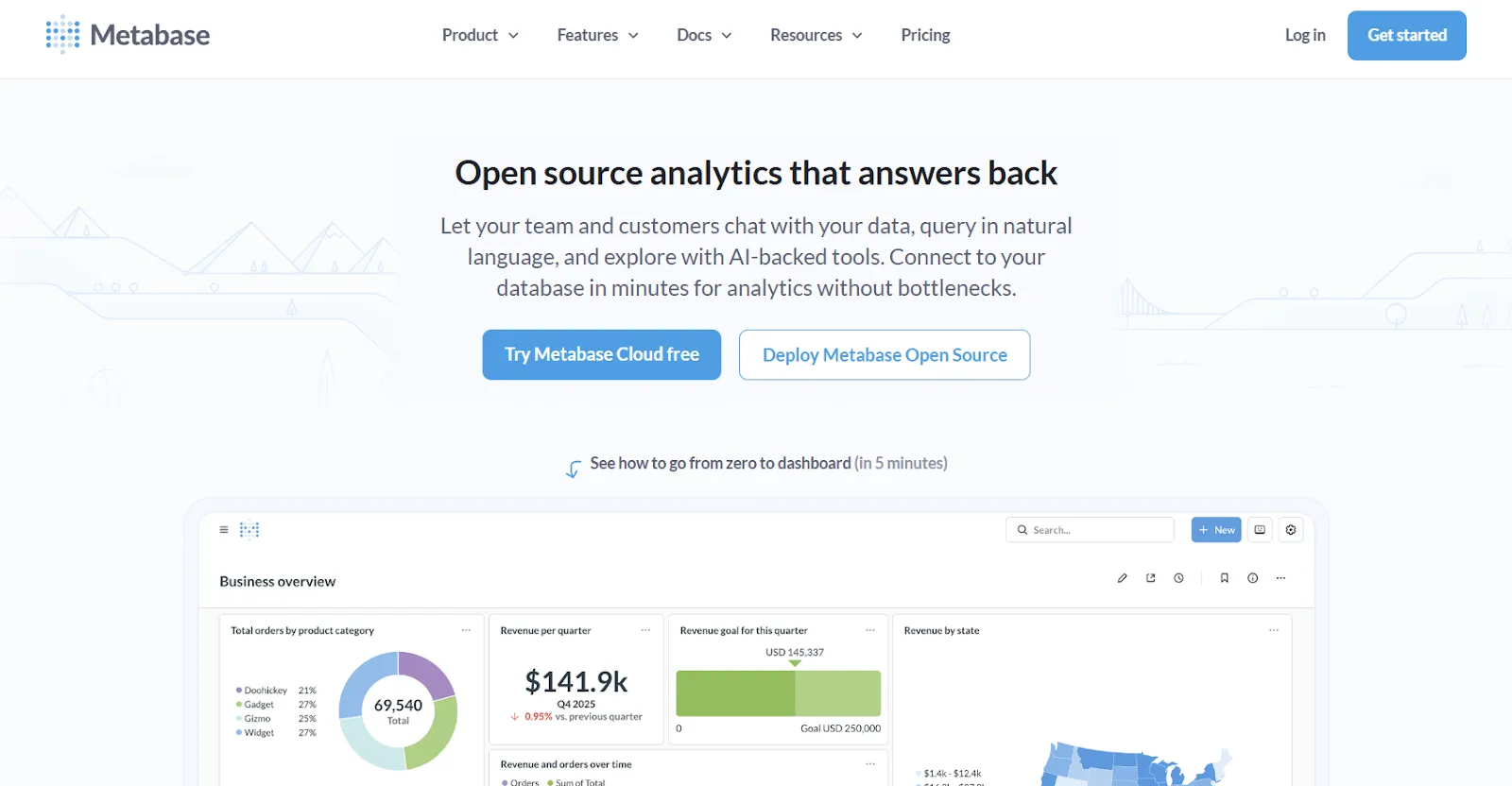
Open source is Metabase's origin story.
You can still self-host for free, though most teams end up on the cloud version once they grow past a few users.
Metabot AI handles the natural language side, and the click-to-explore model lets anyone dig into a chart without writing new queries.
Metabase's top features
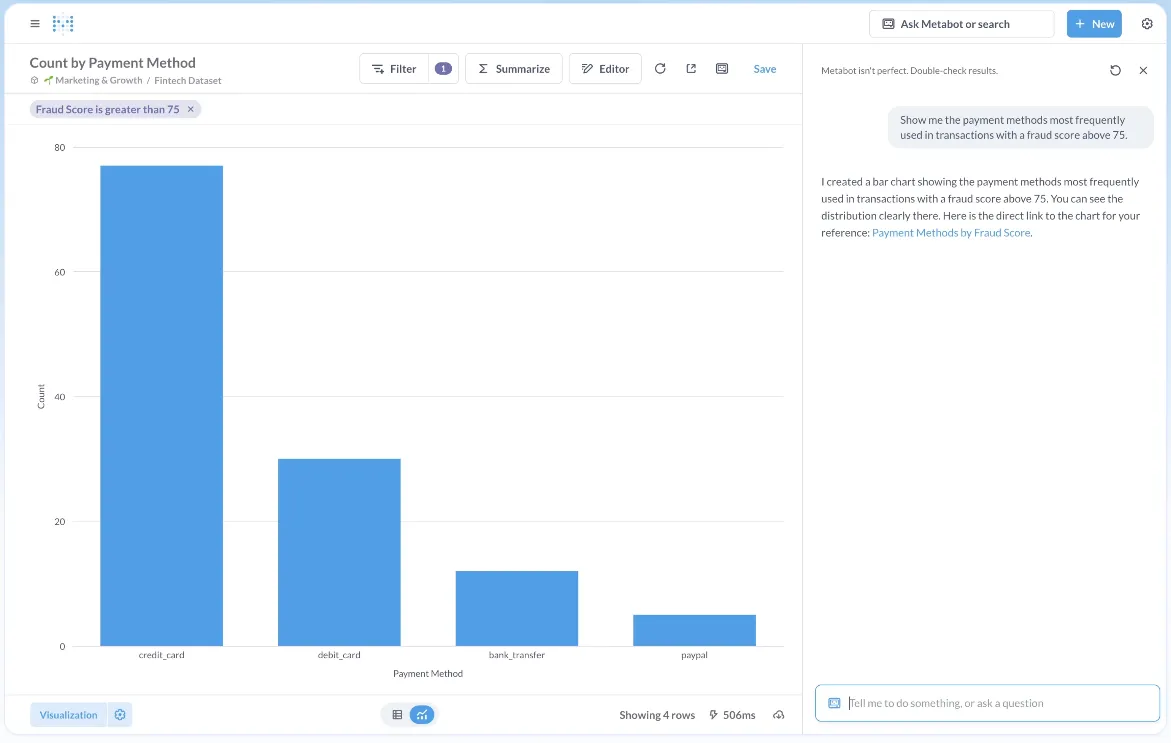
- Metabot AI: Natural language queries that generate SQL and charts automatically.
- Visual query builder: No-code exploration with filtering, joining, and summarizing for non-technical users.
- Click-to-explore analytics: Click on any point in a chart to filter, pivot, or spin up a follow-up question.
- Embedded analytics: Solid embedding with signed URLs and row-level permissions.
Metabase pricing
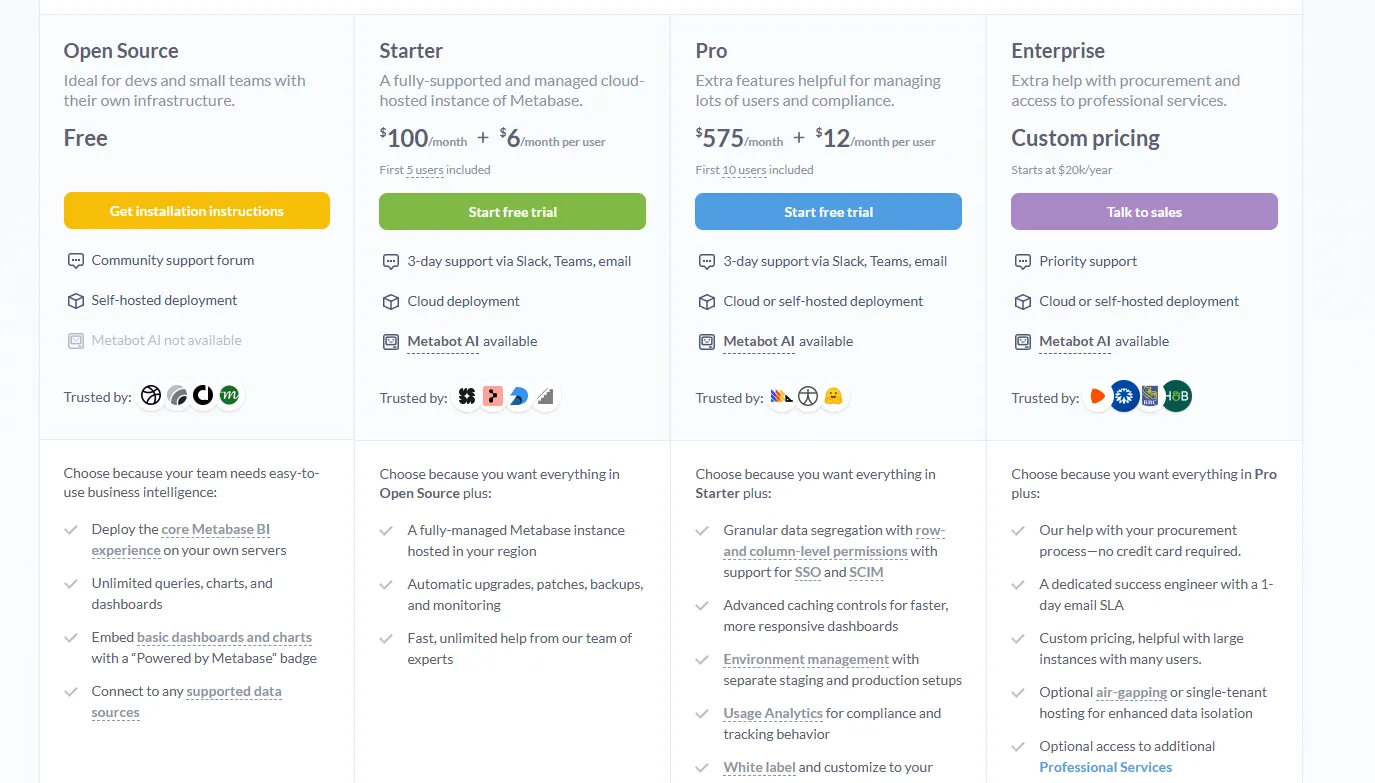
Metabase offers two pricing options depending on how you use the product: internal business intelligence or customer-facing embedded analytics.
- Business Intelligence:
- Open Source (Self-hosted): Free, self-hosted deployment, includes unlimited queries, charts, and dashboards, connects to all supported data sources, basic embedding with “Powered by Metabase” branding, community support only.
- Starter (Cloud-hosted): $100/month + $6/user/month, first 5 users included, includes everything in Open Source, plus option to include Metabot AI (charged extra), automatic upgrades, backups, and monitoring, support via Slack, Teams, and email (3-day SLA).
- Pro: $575/month + $12/user/month, first 10 users included, cloud or self-hosted deployment, includes everything in Starter, plus row- and column-level permissions, SSO and SCIM support, advanced caching and performance controls, staging + production environments, usage analytics and audit visibility, white-labeling, and embedded analytics capabilities.
- Enterprise: Custom pricing (starts at $20k/year), includes everything in Pro, plus priority support, dedicated success engineer (1-day email SLA), optional single-tenant or air-gapped deployment, and optional professional services.
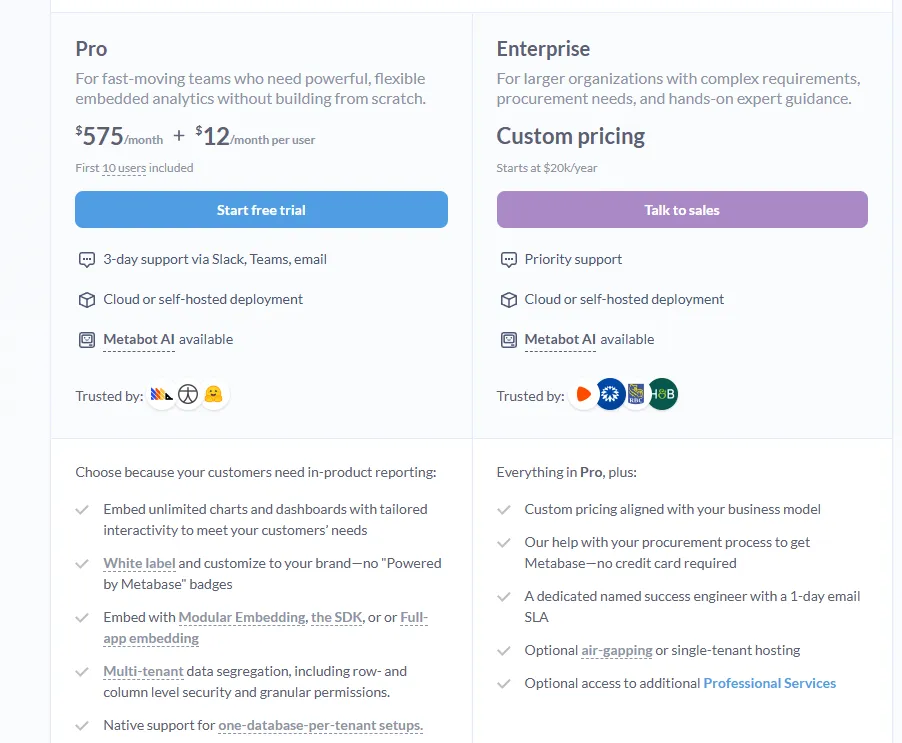
- Embedded Analytics pricing:
- Pro: $575/month + $12/user/month, first 10 users included, includes unlimited embedded dashboards and charts, full white-labeling, modular embedding, SDK, or full-app embedding, multi-tenant security (row- and column-level), one-database-per-tenant support, staging + production environments, usage analytics, internal BI for your team, and option to include Metabot AI (charged extra).
- Enterprise: Custom pricing (starts at $20k/year), includes everything in Pro, plus a dedicated success engineer, priority support, optional single-tenant or air-gapped hosting, and optional professional services.
Metabase pros and cons
✅ Free tier is genuinely useful.
✅ Approachable for non-technical users.
✅ Good embedding story.
❌ A user on G2 believes that Metabase could benefit from having an AI assistant that understands the databases and assists in building queries
Make decisions faster with Dot
That's the 10 best decision intelligence platforms for 2026, split across AI-native tools, traditional BI platforms with AI layers added on, and self-service analytics tools moving in the same direction.
Some of them still treat the dashboard as the finish line.
Others are trying to move past it.
Dot was built without the dashboard layer in the first place, which is why teams tired of ad-hoc reporting pings and Monday-morning number-crunching have been moving over.
Here's what else you get when you sign up for Dot:
- Chat-based analysis in Slack, Microsoft Teams, email, or the Dot web app so answers show up where your team already works.
- Scheduled business reviews written for stakeholders, generated directly from warehouse data on whatever cadence you set.
- A Context Agent that learns your metric definitions from dbt, your semantic layer, and analyst corrections over time.
- Connections to Snowflake, BigQuery, Redshift, and Databricks with queries running live against your warehouse tables.
- A free plan with 300 one-time credits and full Pro feature access, no credit card required.
➡️ Get started for free with Dot's free plan, or schedule a demo to see how it works with your data.
⚠️ Disclaimer: This article was last updated on 1st of May, 2026 and if there's any misinterpretation of the information, please contact us and we will fact check it.
Theo Tortorici
Theo writes about AI-powered analytics, data tools, and the future of business intelligence at Dot.