
10 Best AI Data Analyst Software & Tools In 2026
Are you looking for the best AI data analyst software to bridge the gap between having data and actually understanding it?
I've watched enough teams drown in dashboards that nobody reads, wait days for an analyst to answer a question that should take minutes, and argue over which report has the "right" number.
In this article, I'll go over the 10 best AI data analyst software tools for 2026, including their top features, pricing structure, and pros and cons.
TL;DR
- Dot offers the best AI data analyst software with its conversational analysis via Slack and Teams, automated business review reports, and a Context Agent that keeps metric definitions consistent across your entire organization.
- Tools like ThoughtSpot, DataGPT, and Tellius are strong options for teams that want natural-language querying on top of existing data warehouses with built-in root cause analysis and explainable AI insights.
- On the other hand, Zenlytic, Supaboard, Metabase, and Zoho Analytics can help you get started with AI-assisted analytics at lower price points.
Factors To Consider When Evaluating AI Data Analyst Software
Before we begin with the list of the best AI data analyst software, I wanted to go over the factors I took into consideration:
#1: Depth of AI Analysis
If I were evaluating an AI data analyst tool right now, I'd start by looking at how deep the AI actually goes.
There's a big difference between a tool that translates your question into a SQL query and one that runs a full investigation, segments the data, identifies what changed, and explains why.
Some platforms stop at text-to-SQL. They give you a chart and call it a day.
Others go further and actually analyze the results, compare time periods, flag anomalies, and surface root causes without you having to ask follow-up questions.
That depth matters a lot because the whole point of an AI analyst is to reduce the back-and-forth, not just move it from SQL to natural language.
#2: Integration With Your Existing Data Stack
The best AI analyst tool in the world won't help if it can't connect to where your data actually lives.
I'd check whether the platform works directly with your data warehouse (e.g., Snowflake, BigQuery, Redshift, Databricks) and whether it respects existing semantic layers from tools like dbt or Looker.
💡 For example, Dot connects directly to your warehouse and reuses existing business logic from dbt, Looker, and Power BI models, so you don't have to rebuild metric definitions inside yet another tool.
You should also think about where insights get delivered.
If your team lives in Slack or Microsoft Teams, a tool that only works through a standalone web app means people won't use it.
The closer insights are to where decisions happen, the more they'll actually get used.
#3: Transparency and Trustworthiness
AI-generated answers are only useful if people trust them. And trust comes from being able to verify.
I'd look for tools that show their work: the SQL queries behind each answer, the datasets used, the logic applied.
If a platform gives you a number but can't explain how it got there, you'll spend just as much time fact-checking the AI as you would doing the analysis yourself.
This is especially important for data leaders who need to stand behind the numbers in front of executives.
A full audit trail turns analytics from "I think this is right" into "here's exactly where this came from."
#4: Pricing Structure
Pricing models vary a lot in this space.
Some tools charge per user per month, others use usage-based credits, and a few don't publish pricing at all.
The key question isn't just "how much does it cost?" but "how does the cost scale as my team grows?"
Per-seat pricing can get expensive fast when you want to give 50 people access. Credit-based models can be more flexible but harder to predict.
➡️ Some of the platforms we'll review also have a free plan or generous trial that you can use to test the product before committing to a paid plan.
What Are The Best AI Data Analyst Software Tools In 2026?
The best AI data analyst software tools are Dot, ThoughtSpot, DataGPT, Tellius, Zenlytic, Supaboard, and Metabase.
Here's a breakdown:
Tool | Use Case | Price |
Dot | AI data analyst that connects to your warehouse and delivers narrative insights, recommendations, and automated business review reports instead of dashboards. | Free plan; Paid from $180/month (Pro). |
ThoughtSpot | AI-driven self-service analytics with natural-language search and automated dashboards for fast data exploration. | From $25/user/month (Essentials, billed annually). |
DataGPT | Conversational analytics that runs analyst-grade investigations into "why" questions, not just simple text-to-SQL. | From $2,750/month (Plus, 10 users). |
Tellius | Explainable AI analytics with automated root cause analysis and key driver detection for enterprise data. | Custom pricing (Premium and Enterprise plans). |
Zenlytic | Governed, explainable self-serve analytics built around a semantic layer and an AI analyst agent. | Pricing not disclosed. |
Supaboard | No-code AI analytics with trainable agents and auto-generated dashboards for business users. | From $85/month (Individual). |
Metabase | Open-source BI with basic AI querying, visual query building, and embedded analytics for lean teams. | Free (Open Source); Cloud from $100/month. |
Zoho Analytics | Budget-friendly BI with conversational AI, 250 no-code transformations, and embedded analytics for Zoho users. | From $60/month (Standard, 5 users). |
Mode | SQL-first analytics combining queries, Python and R notebooks, and interactive dashboards in one workflow. | Free (Studio); Paid plans at custom price. |
Domo | All-in-one cloud BI with data ingestion, dashboards, AI-powered actions, and no-code apps. | Custom pricing (30-day free trial). |
#1: Dot
Dot offers the best AI data analyst software on the market that lets you ask plain-English business questions and get full analyses with explanations, context, and recommendations in minutes.
But we're not trying to add to the noise of other analytics tools that add AI onto a traditional dashboard.
Our solution is built to do the analysis for you, replacing the manual reporting, ad-hoc request queues, and "which number is right?" debates that eat up your data team's time.
Let's go over the features that make Dot the ideal choice for data teams, analysts, and business leaders: 👇
Ask Any Business Question via Slack or Teams
Most analytics questions aren't clean.
Someone asks, "Why did conversion drop last week?" or "What changed in EMEA compared to last month?" and the answer usually involves jumping between dashboards, tweaking filters, or waiting for an analyst to run a custom query.
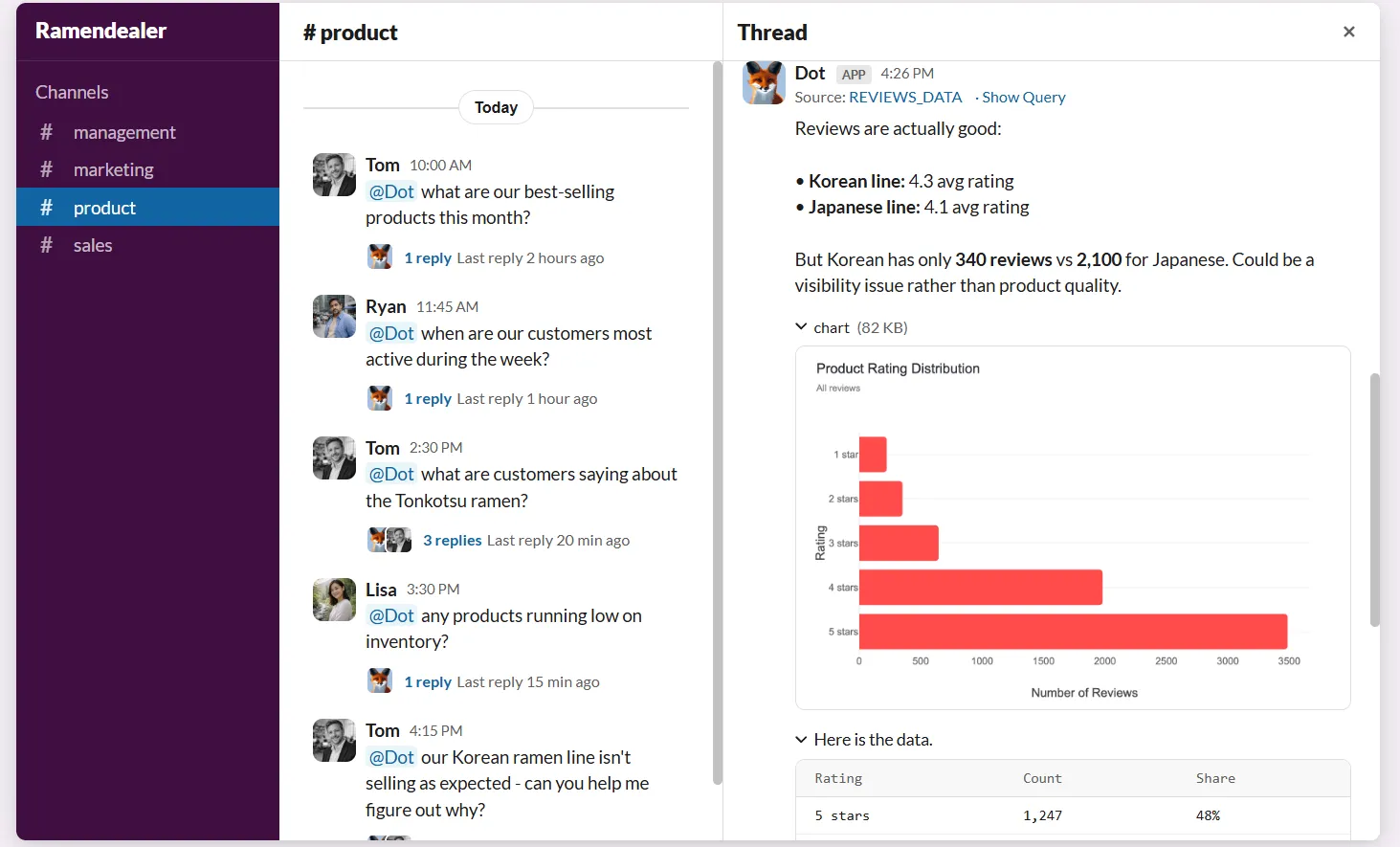
Dot removes that back-and-forth entirely. Teams can ask business questions directly in Slack or Microsoft Teams and get a full analysis back in minutes.
The response doesn't just show numbers. It explains what's happening, why it's likely happening, and which segments or metrics are driving the change.
Here's why data teams find this especially useful:
- Absorbs ad-hoc requests at scale: Instead of your analysts getting interrupted with one-off questions all day, Dot handles the volume so they can focus on deeper, strategic work.
- No tool-switching required: Your team doesn’t need to learn a new platform, open a dashboard, or write SQL. They ask a question where they already work and get an answer.
- Full context in every response: Dot doesn't just return a chart. It provides written analysis with comparisons, segment breakdowns, and recommendations that are ready to act on.
Automated Executive Business Review Reports
Preparing weekly or monthly business reviews is one of the most time-consuming recurring tasks for data teams.
In most setups, that means analysts refreshing dashboards, double-checking numbers, exporting slides, and manually writing up what changed and why.
The dashboard shows data, but the actual analysis still lives in someone's head.
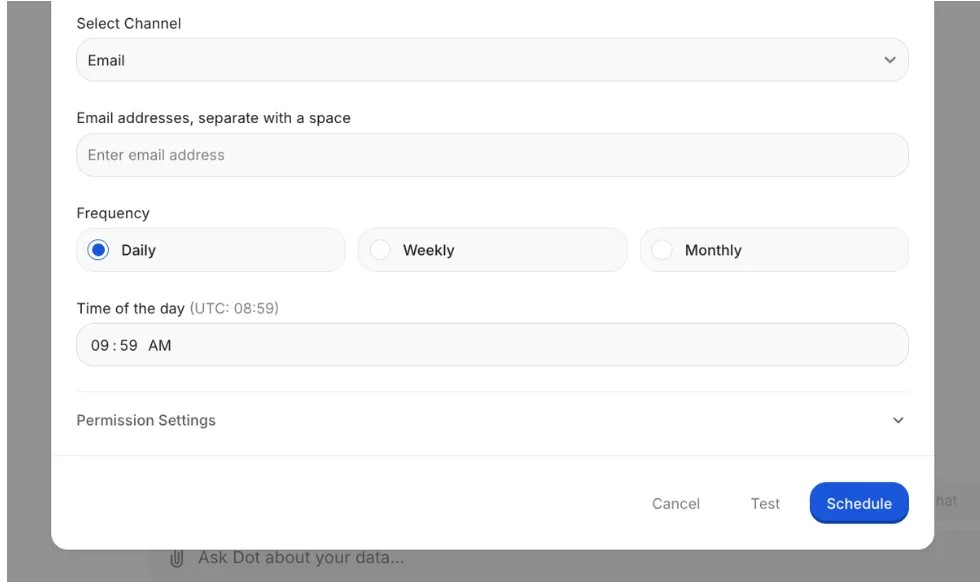
Dot automates the entire business review, not just the visuals.
It generates executive-ready reports on a set schedule (daily, weekly, or monthly) directly from the data warehouse and turns raw metrics into a written narrative.
💡 Case Study: Learn how Emerge saved 2,000 hours yearly and achieved a 10x ROI by using Dot to replace their manual reporting workflows.
Persistent Business Context and Shared Definitions
Context drift is one of the quietest problems in analytics. Metrics get defined slightly differently across reports. Dashboards multiply.
Before you know it, teams are debating numbers instead of acting on them.
Dot's Context Agent learns and maintains business definitions, metric logic, and documentation across your data environment.
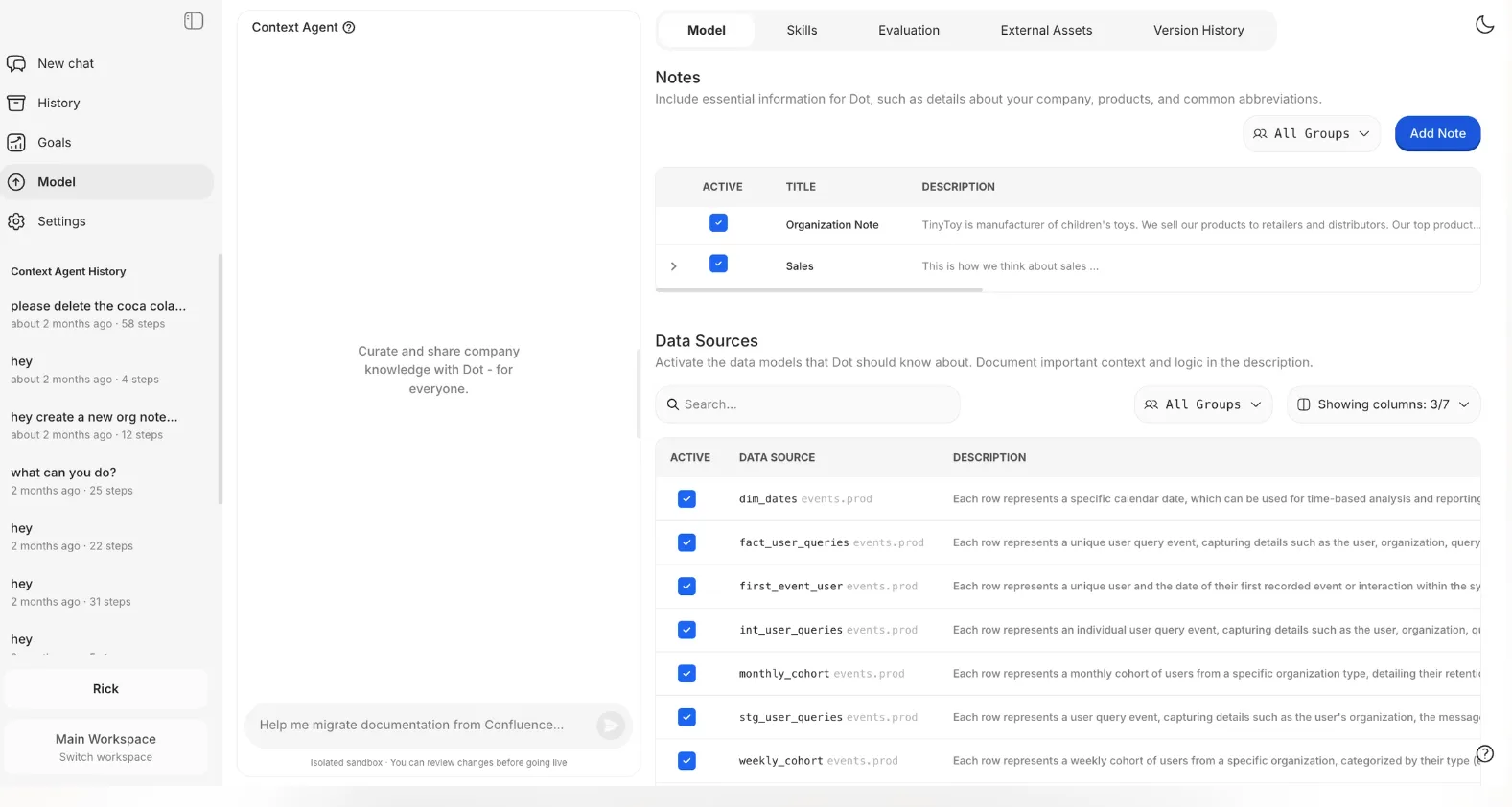
It tracks how key metrics are calculated, what tables should be used, and how different teams talk about the same concepts, then applies that context consistently to every insight and report.
Full Audit Trail on Every Insight
AI-generated answers are only as useful as your ability to trust and verify them.
Dot attaches a full audit trail to every insight it produces. Each answer or report links directly back to the underlying SQL queries, Python logic, and datasets used.
There's no black box. Everything is inspectable.
This matters especially for data leaders who need to stand behind the numbers.
Instead of saying "the dashboard says so," teams can trace insights back to the source of truth, validate them quickly, and move forward with confidence.
What Makes Dot Different From Other AI Data Analyst Software
The biggest difference between Dot and most other platforms on this list isn't features. It's what the tool is actually designed to do.
Most AI data analyst tools are still built around the traditional BI model.
They help you build dashboards, query data in natural language, or explore charts with AI-assisted search.
The AI layer sits on top of an existing visualization-first workflow.
Dot works differently. It's built to do the analysis for you, not help you build better dashboards.
When someone asks a business question, Dot doesn't return a chart and leave interpretation to the user.
It investigates the data, explains what changed and why, compares segments and time periods, and delivers a written response with clear recommendations. The output is a narrative, not a visualization.
Unlike some of the other platforms on this list, Dot also pushes insights into the tools teams already use.
Analysis happens in Slack, Teams, and email, not inside a standalone analytics app. That makes a real difference in adoption, because people don't have to change how they work to get value from the data.
And while many AI analytics tools struggle with consistency as more people start using them, Dot's Context Agent maintains shared business definitions so that every answer is grounded in the same logic.
That's a problem most text-to-SQL tools don't even try to solve.
Dot's Integrations
Dot connects directly to modern data warehouses like Snowflake, BigQuery, Redshift, and Databricks, along with operational databases such as Postgres, MySQL, and SQL Server.
Our AI data analyst solution also integrates with semantic layers and transformation tools like dbt, Looker, Power BI models, and Cube.
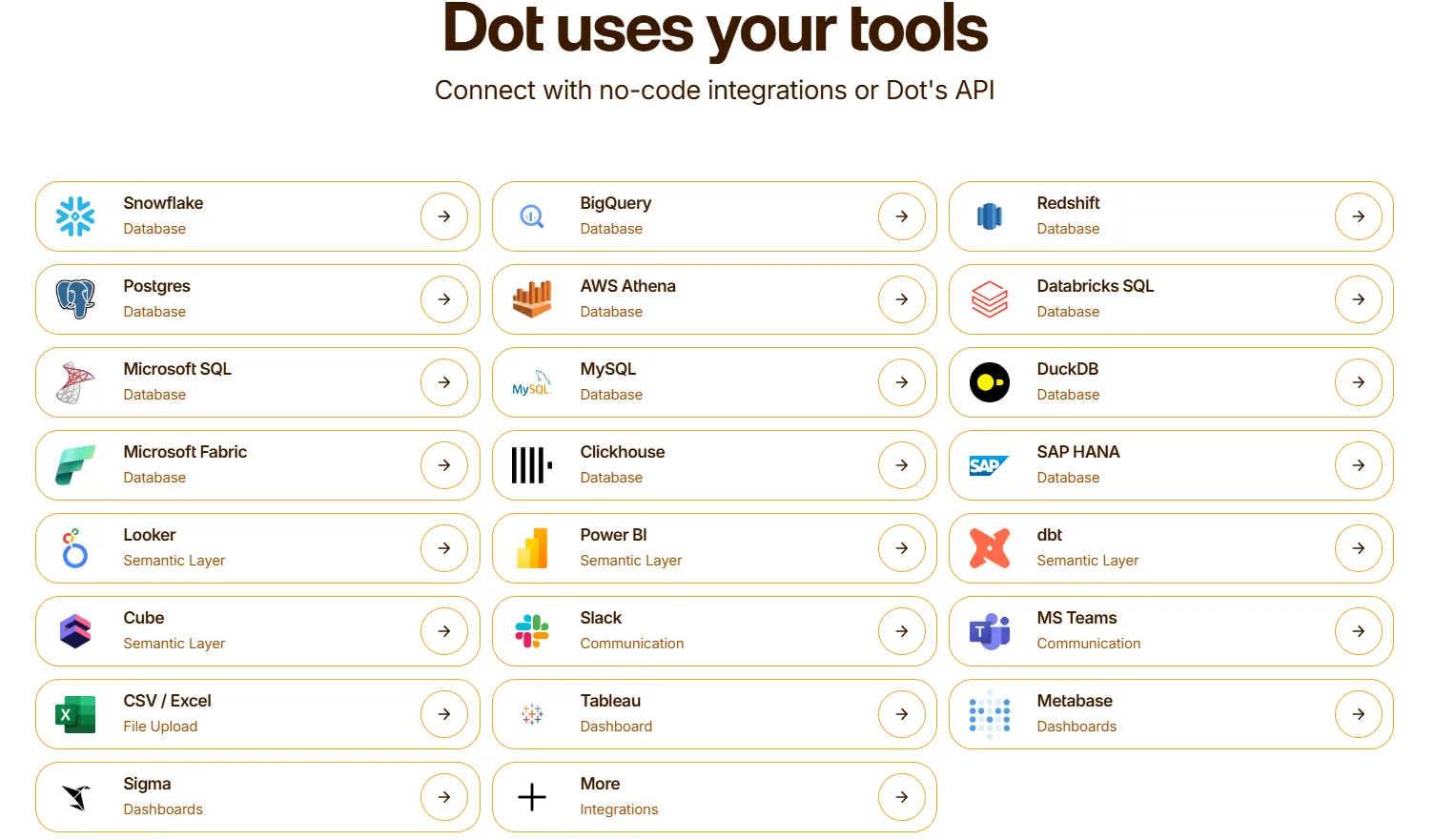
That means it can reuse existing business logic rather than recreating it inside yet another analytics tool.
Insights get delivered through Slack, Microsoft Teams, email, and the web app, so analytics show up where decisions actually happen.
Dot Pricing
Dot offers a free plan so you can get started without any commitment. There are three paid plans, and annual billing saves you 10%:
- Free: $0, includes 300 one-time credits, full Pro features, and unlimited users.
- Pro: $180/month, includes 150 credits per month, $1.80 per credit overage, and unlimited users.
- Team: $720/month, includes 800 credits per month, $1.44 per credit overage, SSO, row-level security, embeddable analytics, BI migration support, and dedicated support.
- Enterprise: Custom pricing, includes unlimited credits, volume discounts, self-hosted deployment, audit logs, SLA, and a dedicated account manager.
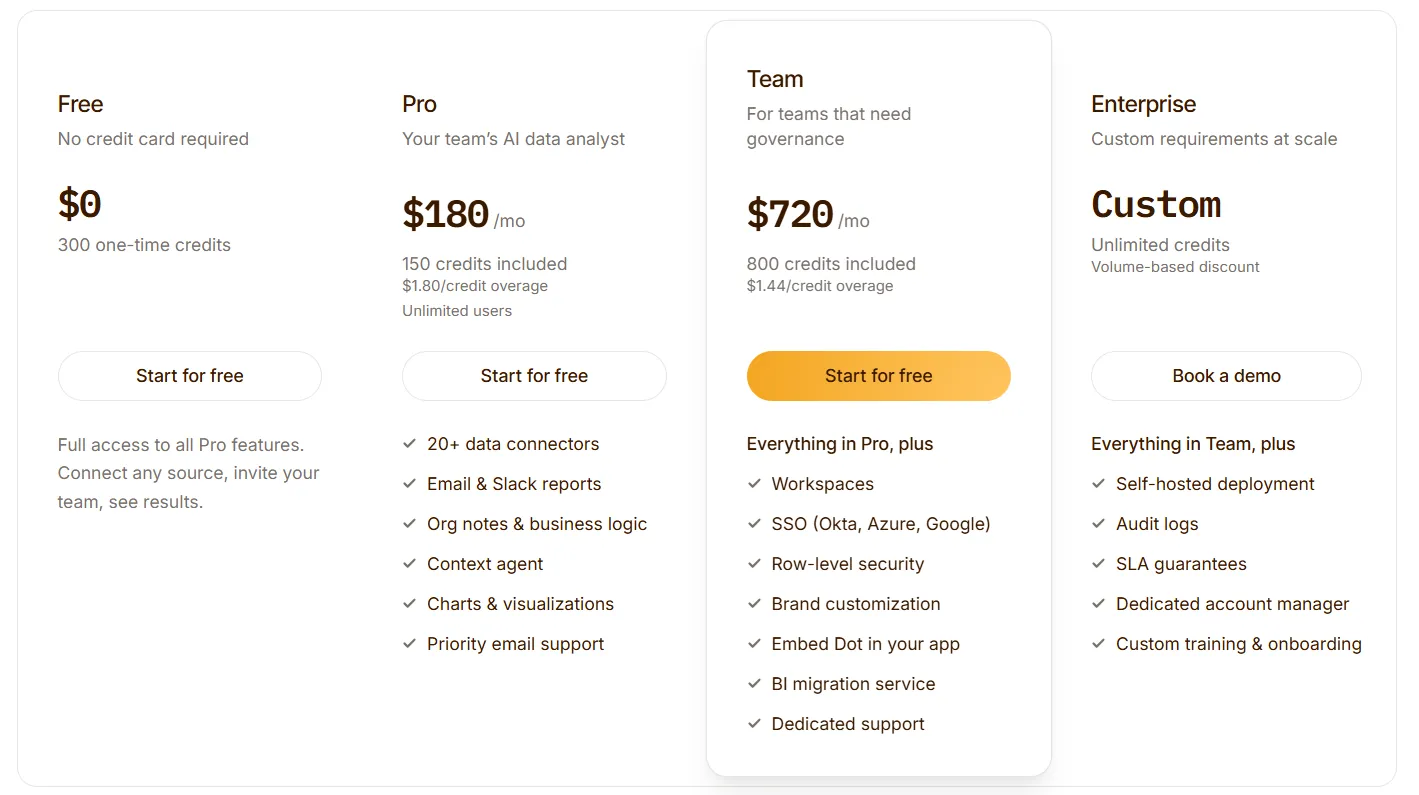
Dot uses a credit-based model rather than per-seat pricing. That means you're paying based on how much analysis you run, not how many people have access.
➡️ This can be meaningfully cheaper than per-user tools for teams that want to give dozens of stakeholders access to data insights, this can be meaningfully cheaper than per-user tools.
Pros and Cons
✅ Replaces manual reporting with automated, narrative business reviews.
✅ Delivers full analysis with explanations and recommendations via Slack or Teams in minutes.
✅ Context Agent keeps metric definitions consistent across the entire organization.
✅ Full audit trail on every insight, linked directly to the SQL, logic, and datasets used.
✅ Credit-based pricing means unlimited users without per-seat costs.
❌ Not a traditional dashboarding tool, so teams that rely heavily on custom visuals and chart building may need to pair it with a BI tool.
❌ Credit-based pricing requires some upfront estimation of usage.
#2: ThoughtSpot
Best for: Organizations that want AI-powered, self-service analytics with natural-language search and automated dashboards.
Similar to: Tellius, Zenlytic.
ThoughtSpot is an AI-driven analytics platform designed to let users ask questions in plain language and get instant, governed answers from live data.
It stands out for its search-first interface and Spotter AI agent, which auto-generates dashboards and insights without manual setup.
ThoughtSpot's Top Features
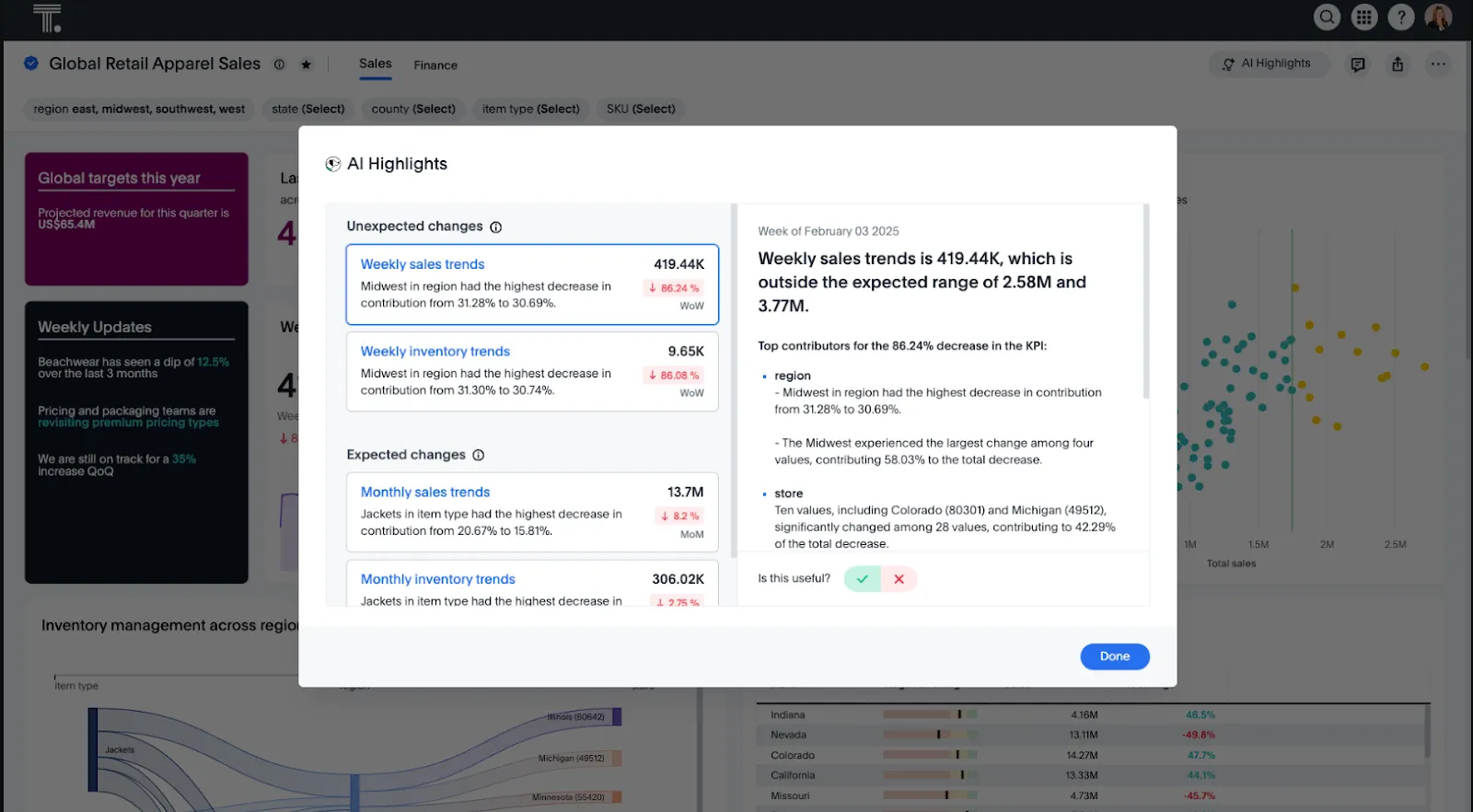
- Natural-language analytics: Ask questions in plain English and get instant answers from live data without navigating dashboards or writing SQL.
- Spotter AI agent: Automatically generates analyses, dashboards, and insights from both structured and unstructured data, reducing the manual work of building reports.
- SpotterViz auto-dashboards: Turns data into complete, styled dashboards that tell a story, without manual layout or chart configuration.
- Embedded analytics: The Developer tier gives teams a year of free embeddable analytics with APIs and SDKs, which makes it a solid option as aPower BI alternative for teams building customer-facing data products.
ThoughtSpot Pricing
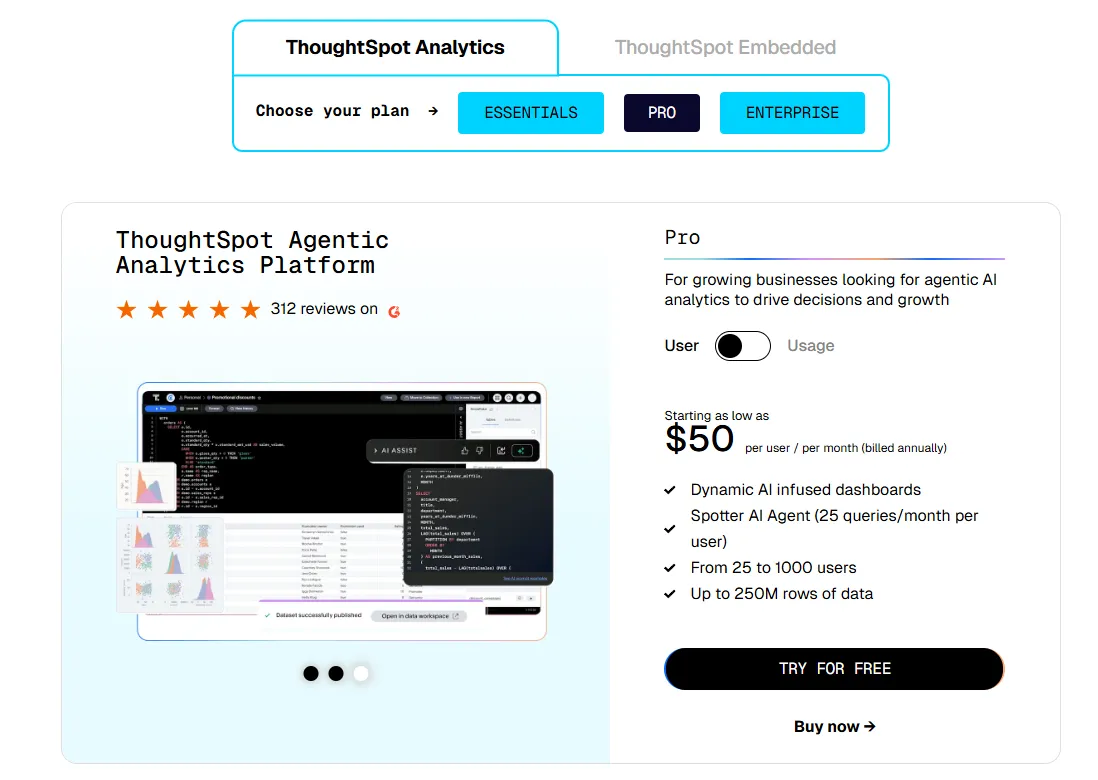
ThoughtSpot offers two separate products - ThoughtSpot Analytics for internal BI and ThoughtSpot Embedded for building analytics into applications - each with flexible pricing depending on scale and usage:
- ThoughtSpot Analytics:
- Essentials: From $25 per user per month (billed annually), for teams of 5-50 users, includes dynamic interactive dashboards and AI-powered insights and supports up to 25M rows of data.
- Pro (per user pricing): From $50 per user per month (billed annually), for 25–1,000 users, includes everything in Essentials, plus AI-infused dashboards and Spotter AI Agent (25 queries per user/month), and supports up to 250M rows of data.
- Pro (usage-based): From $0.10 per query, includes everything in Pro per user, and adds Analyst Studio.
- Enterprise (user or usage-based): Custom pricing, includes everything in Pro, plus unlimited users and data.
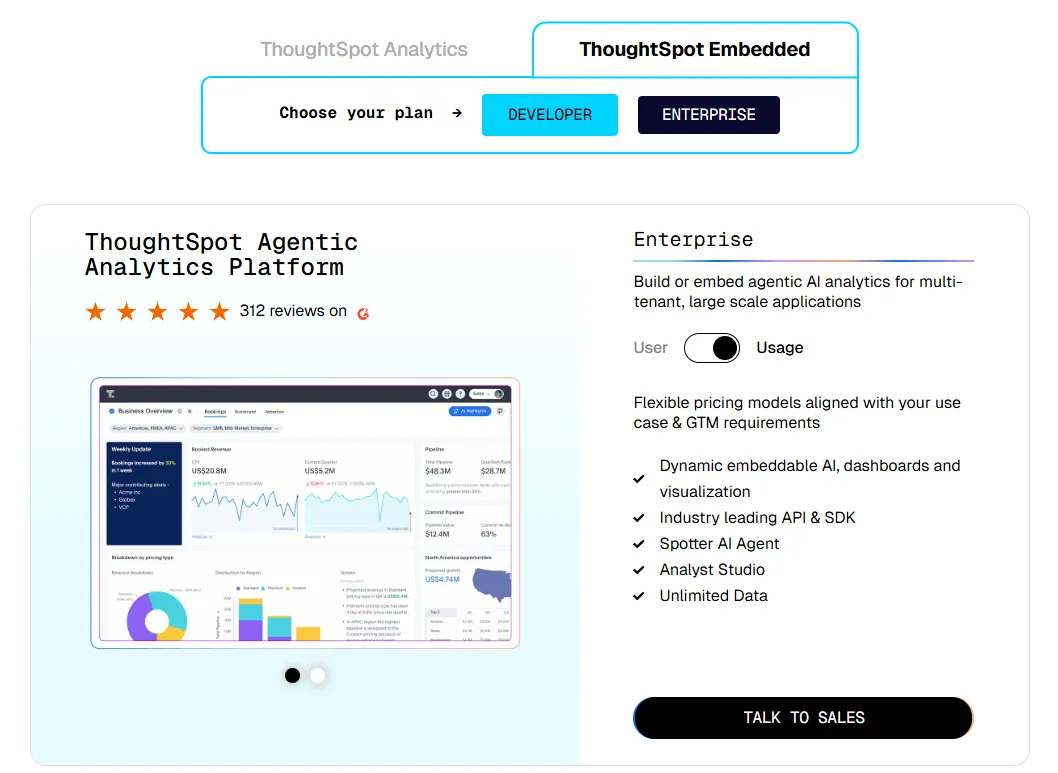
- ThoughtSpot Embedded:
- Developer: Free for 1 year, includes embeddable AI analytics, dashboards, and visualizations, APIs and SDKs, up to 10 users and 25M rows of data.
- Enterprise (user-based): Custom pricing, includes everything in Developer, plus unlimited data.
- Enterprise (usage-based): Custom pricing, everything in Enterprise, plus Spotter AI Agent and Analyst Studio.
ThoughtSpot Pros and Cons
✅ Very easy for non-technical users.
✅ Built-in AI surfaces patterns and explanations faster than traditional dashboards.
✅ Strong embedded analytics offering with a free Developer tier.
❌ Custom and usage-based pricing makes costs harder to predict at scale.
❌ Still primarily a dashboard-and-search tool, so the AI assists exploration rather than replacing manual analysis work.
#3: DataGPT
Best for: Analytics teams that want analyst-grade answers to complex "why" questions, not just simple text-to-SQL.
Similar to: Tellius, Dot.
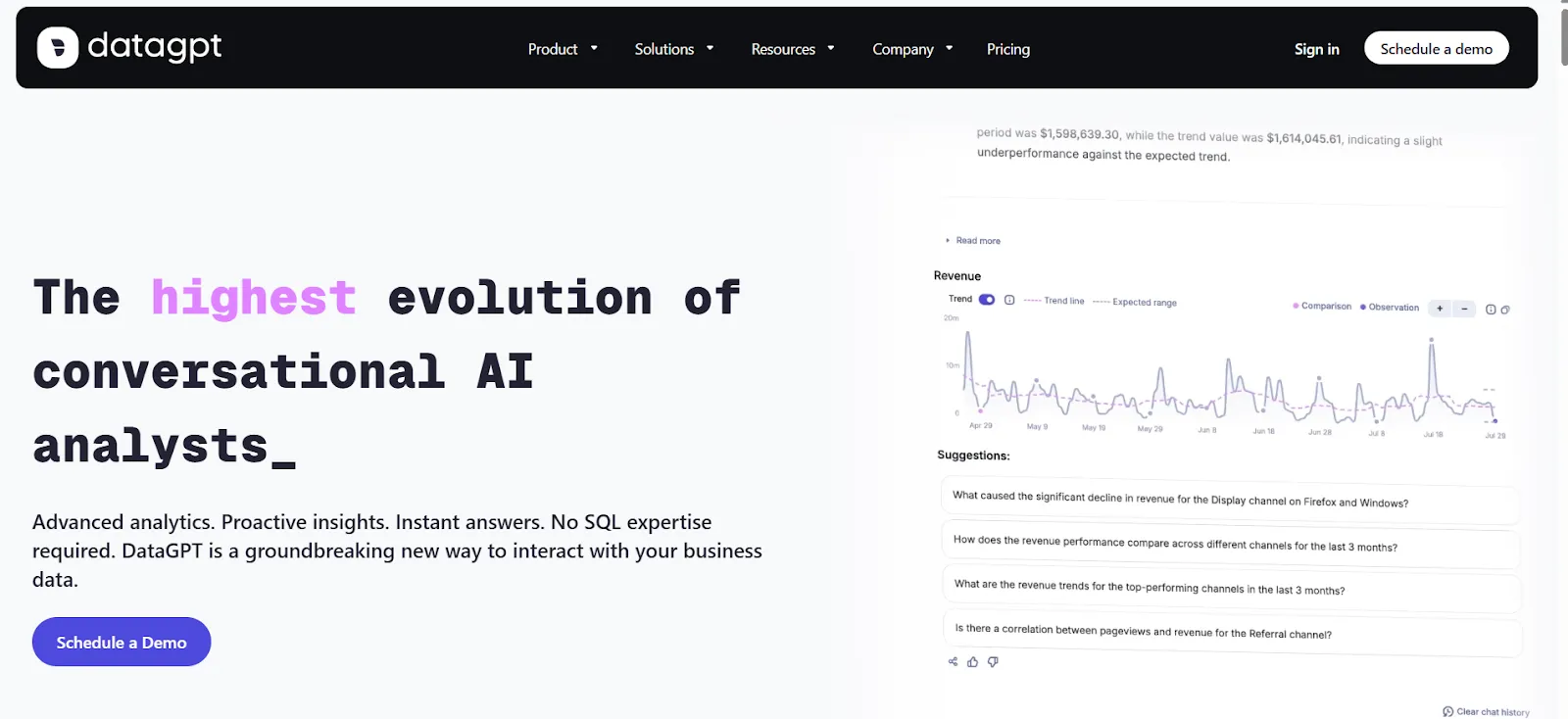
DataGPT goes deeper than most conversational analytics tools.
The platform plans multi-step investigations, runs thousands of queries and statistical tests, and curates the results into a structured answer.
DataGPT's Top Features

- Multi-step conversational analytics: Asks follow-up questions internally, runs multiple analyses, and assembles curated insights rather than returning raw query results.
- Proactive insights: Continuously monitors your data and delivers daily summaries with anomalies, key drivers, and emerging trends, before you even ask.
- Data Navigator: Lets you freely explore metrics, drill into granular details, and investigate drivers behind changes without SQL or dashboards.
DataGPT Pricing
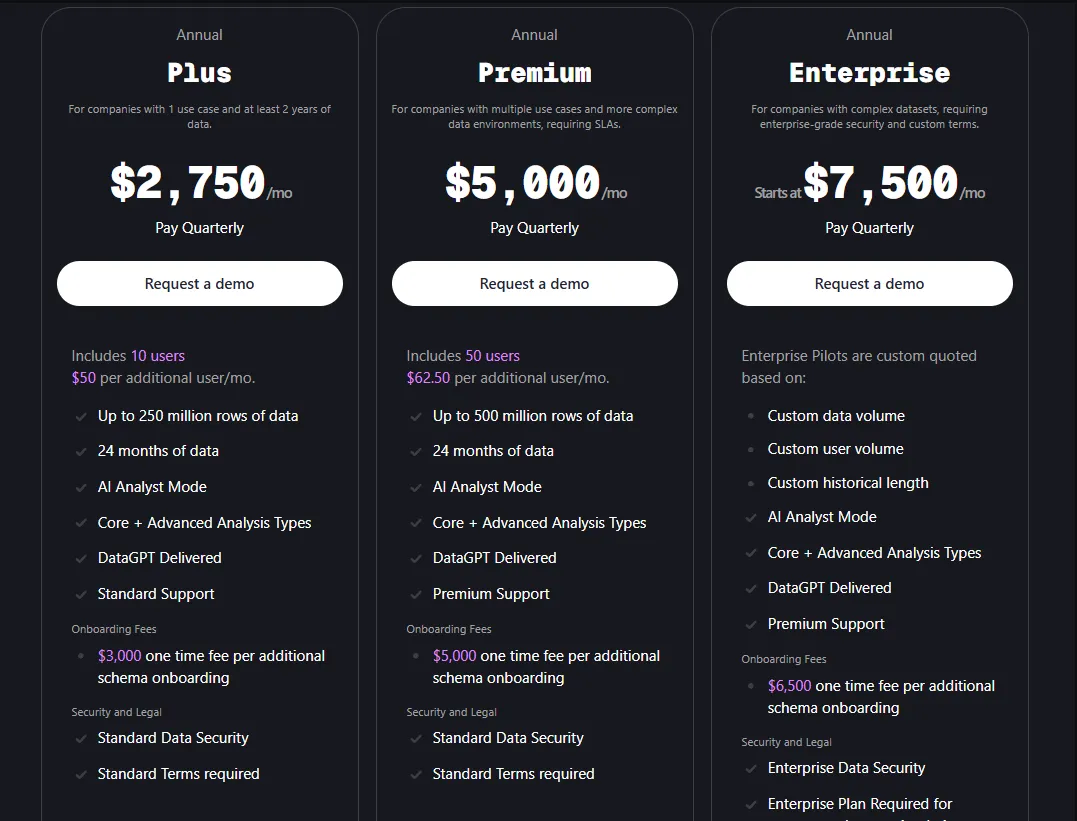
DataGPT offers Classic (standalone) and Embedded (white-label) pricing. The Classic tiers:
- Plus: $2,750/month, includes 10 users, up to 250M rows, 24 months of history, AI Analyst Mode, and standard support. One-time $3,000 onboarding fee per additional schema.
- Premium: $5,000/month, includes 50 users, up to 500M rows, premium support. One-time $5,000 onboarding fee per additional schema.
- Enterprise: From $7,500/month, custom user and data volumes, enterprise-grade security. One-time $6,500 onboarding fee per additional schema.
DataGPT Pros and Cons
✅ Goes far beyond simple text-to-SQL with genuine multi-step analysis.
✅ Proactive monitoring saves time by surfacing changes before you ask.
❌ Expensive, especially for smaller teams, and onboarding fees add up.
❌ The depth of analysis can feel overwhelming when you just need a quick number, which is why some teams have been exploringDataGPT alternatives.
#4: Tellius
Best for: Teams that need fast, explainable answers to complex questions without relying on dashboards, SQL, or constant analyst support.
Similar to: DataGPT, ThoughtSpot.
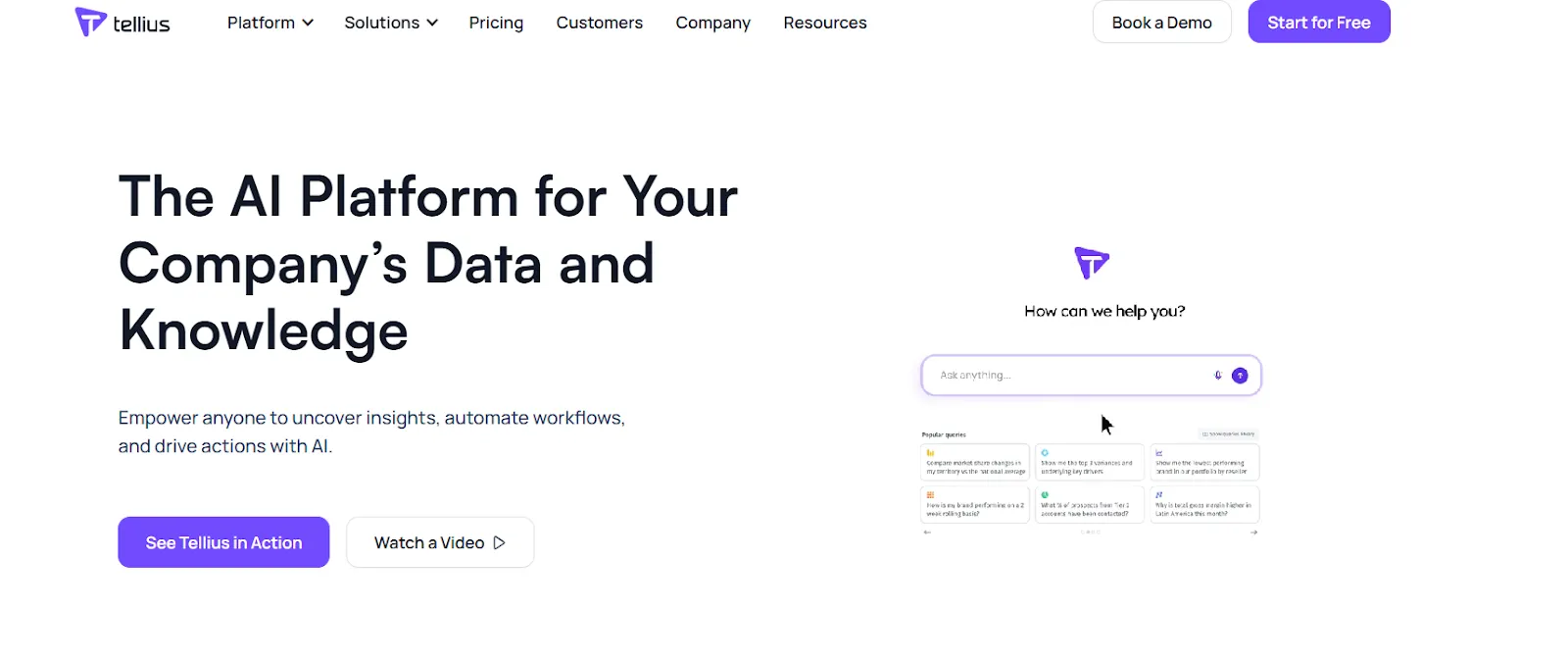
Tellius combines conversational analytics with automated root cause and key driver analysis, wrapping results in AI-generated narratives that explain what happened and why.
It's built for teams that want to move beyond static dashboards and get trustworthy, explainable insights fast.
Tellius's Top Features
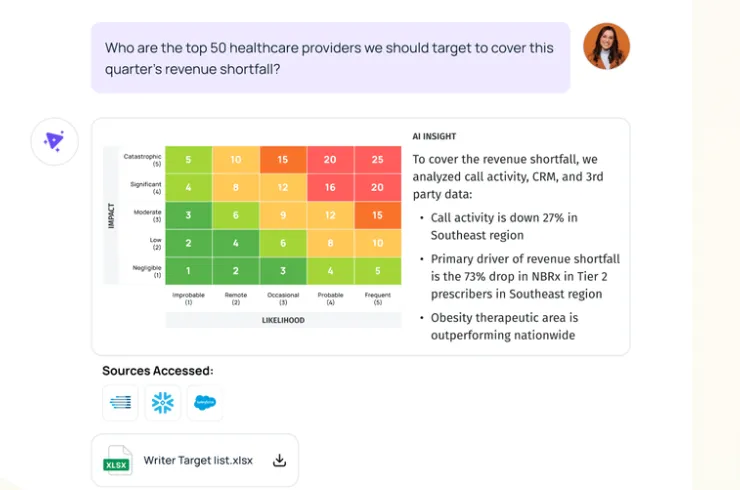
- Conversational interface: A ChatGPT-style interface on top of governed enterprise data that lets users ask complex business questions and receive context-aware answers.
- Automated AI insights: Automatically uncovers root causes, key drivers, trends, and anomalies across billions of data points with explainable outputs and proactive alerts.
- Visualizations and narratives: Turns complex analyses into interactive visuals and AI-generated narratives that teams can explore and share without building traditional dashboards.
Tellius Pricing
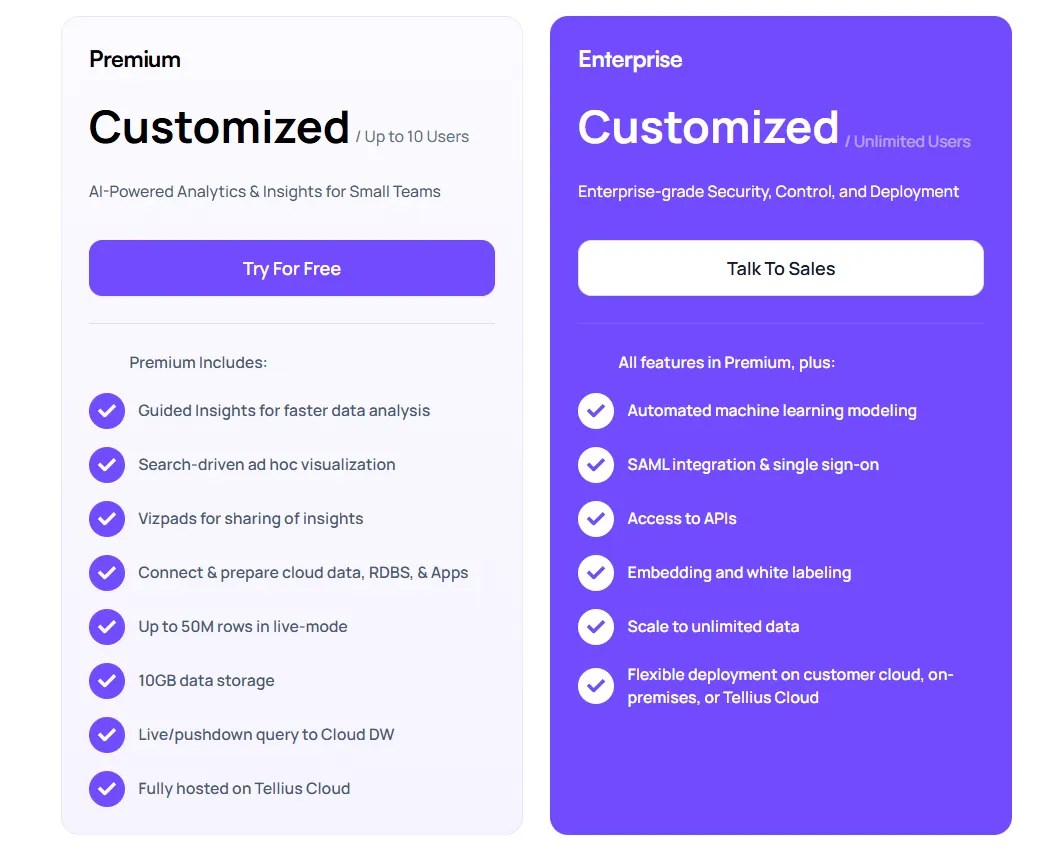
Tellius has two plans, both with custom pricing:
- Premium: Custom pricing for up to 10 users, includes conversational analytics, guided insights, Vizpads, live queries to cloud warehouses, data prep, up to 50M rows in live mode, 10GB storage, hosted on Tellius Cloud.
- Enterprise: Custom pricing, unlimited users, adds automated ML modeling, SSO, API access, embedding, white-labeling, unlimited data scale, and flexible deployment (cloud, customer cloud, or on-prem).
Tellius Pros and Cons
✅ Strong root cause and key driver analysis that goes beyond surface-level querying.
✅ Intuitive, visual-first interface.
❌ Pricing isn't transparent and can be prohibitive for smaller teams.
❌ Requires significant data volume to get the most out of its automated insight features, which may limit value for early-stage companies.
#5: Zenlytic
Best for: Data teams that want governed, explainable self-serve analytics and business users who need fast answers without breaking the semantic layer.
Similar to: ThoughtSpot, Tellius.
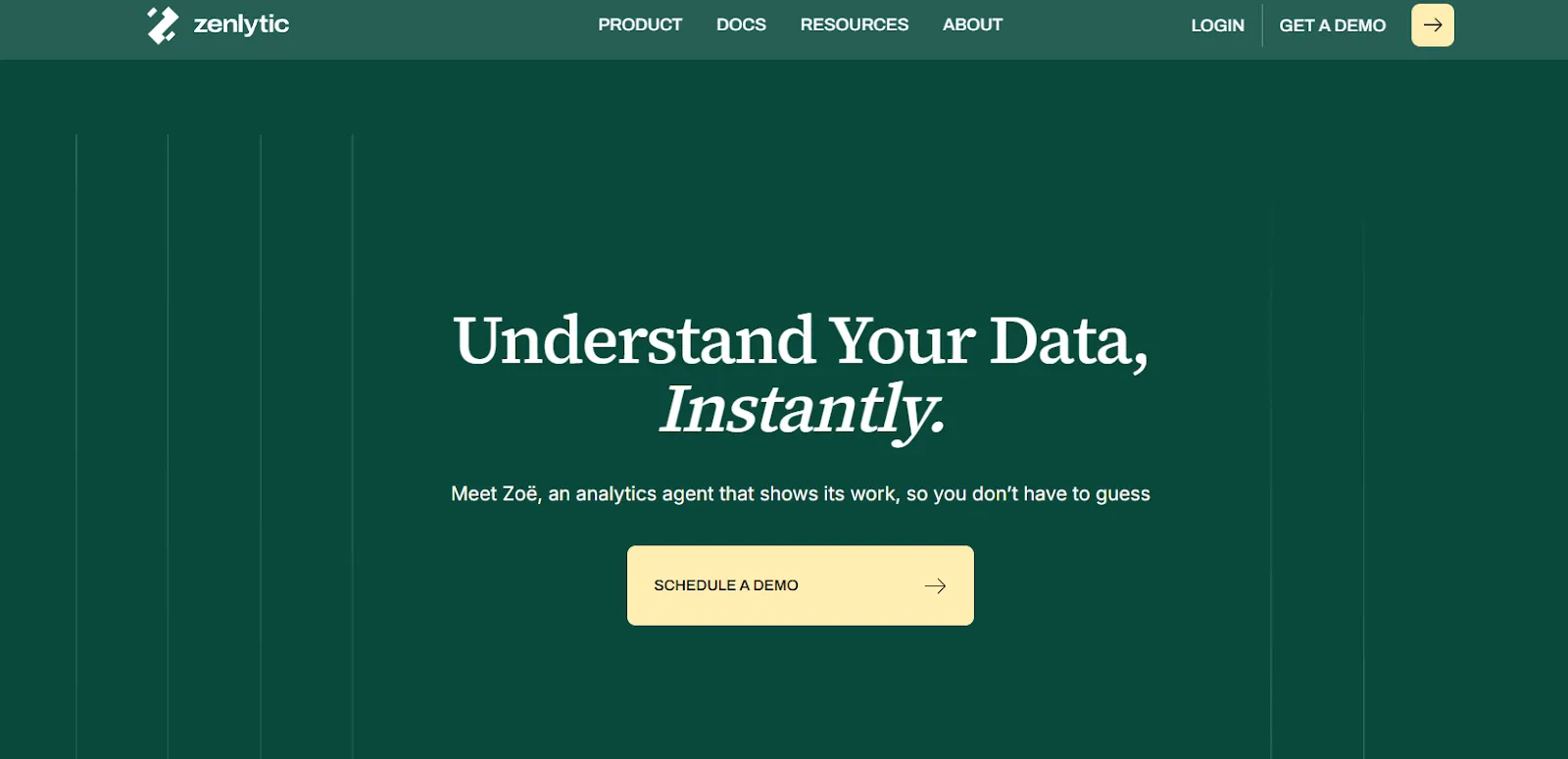
Zenlytic is an analytics platform built around Zoë, an AI analyst agent that answers natural-language questions while showing exactly how every answer was produced.
It pairs conversational analytics with a governed semantic layer, so self-serve exploration doesn't come at the cost of accuracy.
Zenlytic's Top Features
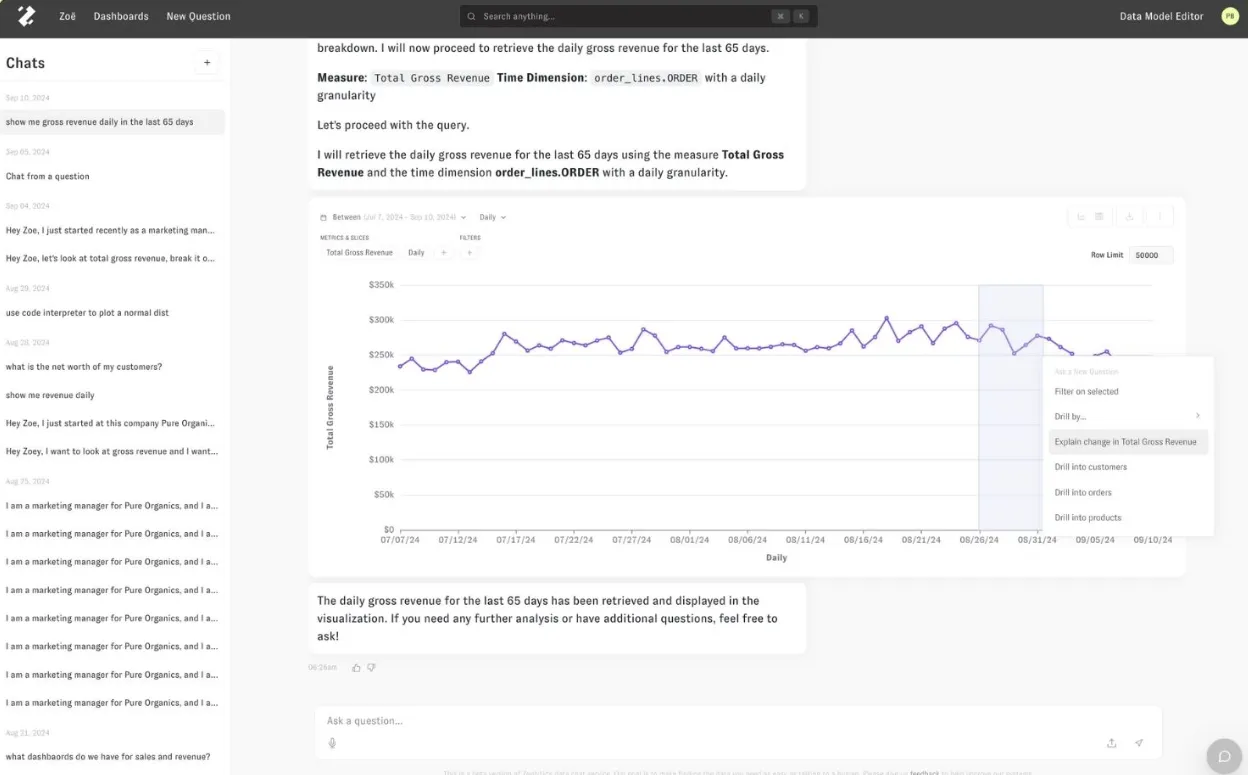
- AI analyst agent (Zoë): Helps both technical and non-technical users explore data, answer follow-ups, and get trustworthy explanations instantly.
- Analytics memory (Memories): Lets teams lock in metric definitions and methodologies with one click, ensuring consistent answers to the same question every time.
- Citations and explainability: Shows exactly where every number comes from and how it was calculated, so users can click into the data behind each answer. This is useful for teams looking for aLooker alternative that still maintains governed metrics.
Zenlytic Pricing
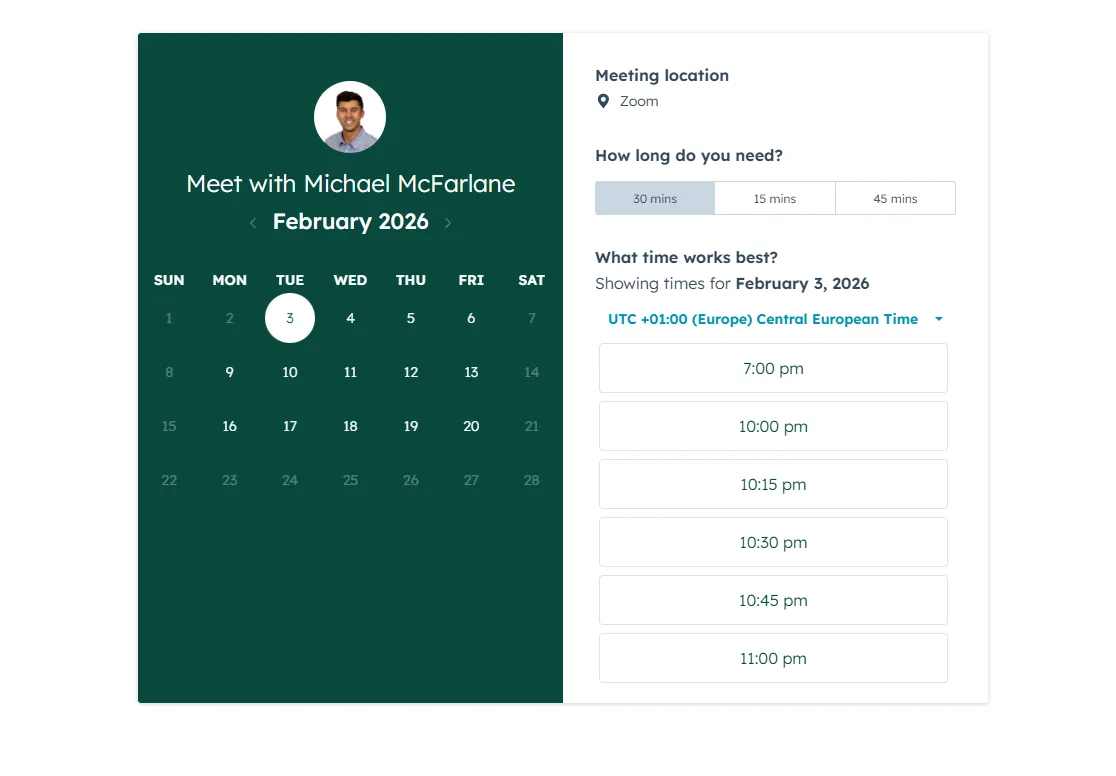
Zenlytic doesn't publish fixed subscription prices. You can book a demo to see the platform and request a custom quote.
Zenlytic Pros and Cons
✅ Easy to set up and maintain.
✅ Strong self-serve analytics with governed explainability.
❌ Limited flexibility for open-ended or highly complex questions.
❌ Non-transparent pricing means you can't evaluate cost before getting on a sales call.
#6: Supaboard
Best for: Teams that want AI-powered BI with no-code dashboards and natural-language analytics instead of traditional modeling workflows.
Similar to: Zenlytic, Metabase.
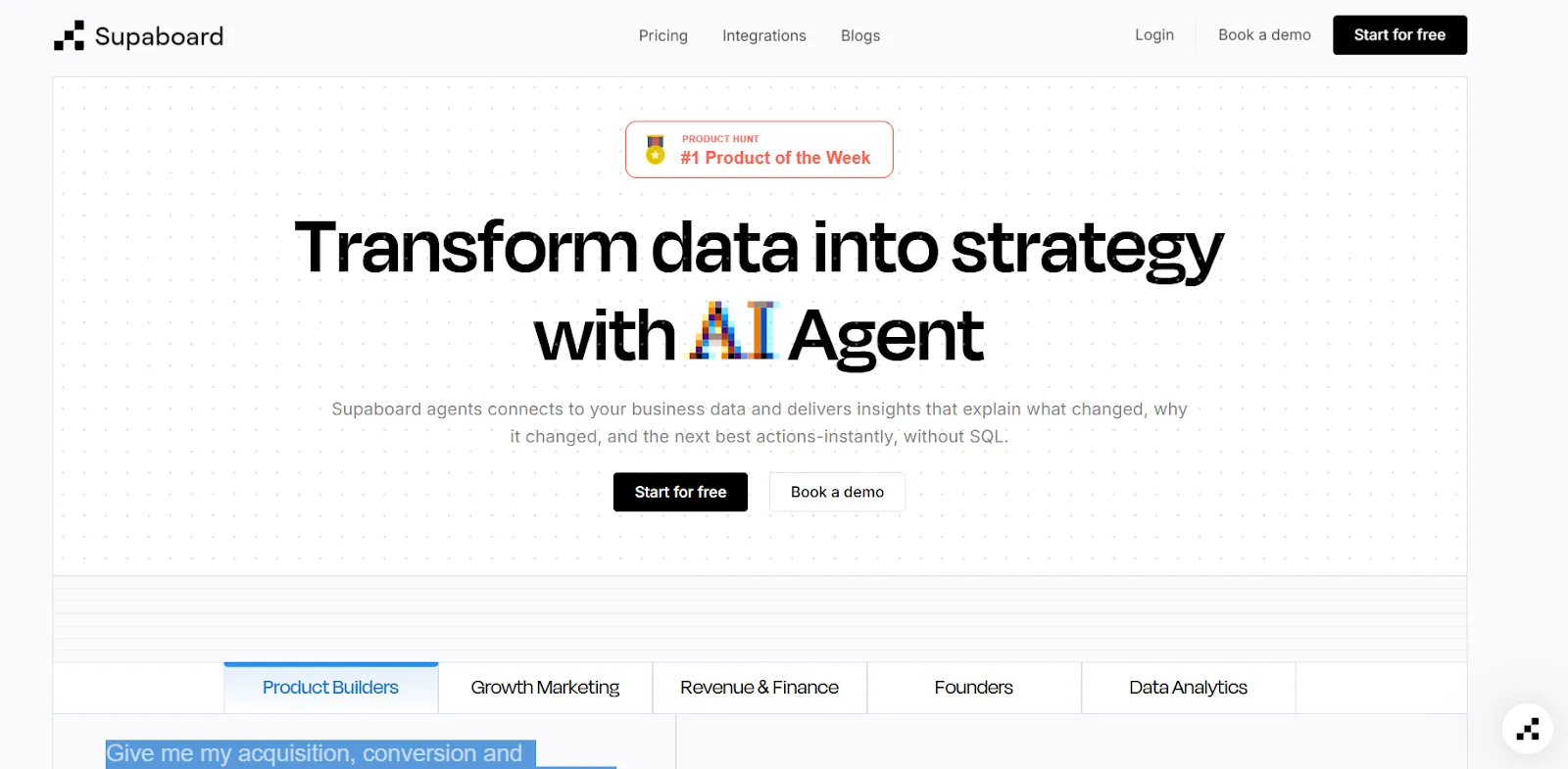
Supaboard connects to your data sources and automatically generates dashboards, insights, and reports without requiring SQL or complex setup.
Its trainable AI agents can be customized with your business logic, making it a good fit as aJulius AI alternative orBasedash alternative for teams that want more AI depth without enterprise BI overhead.
Supaboard's Top Features
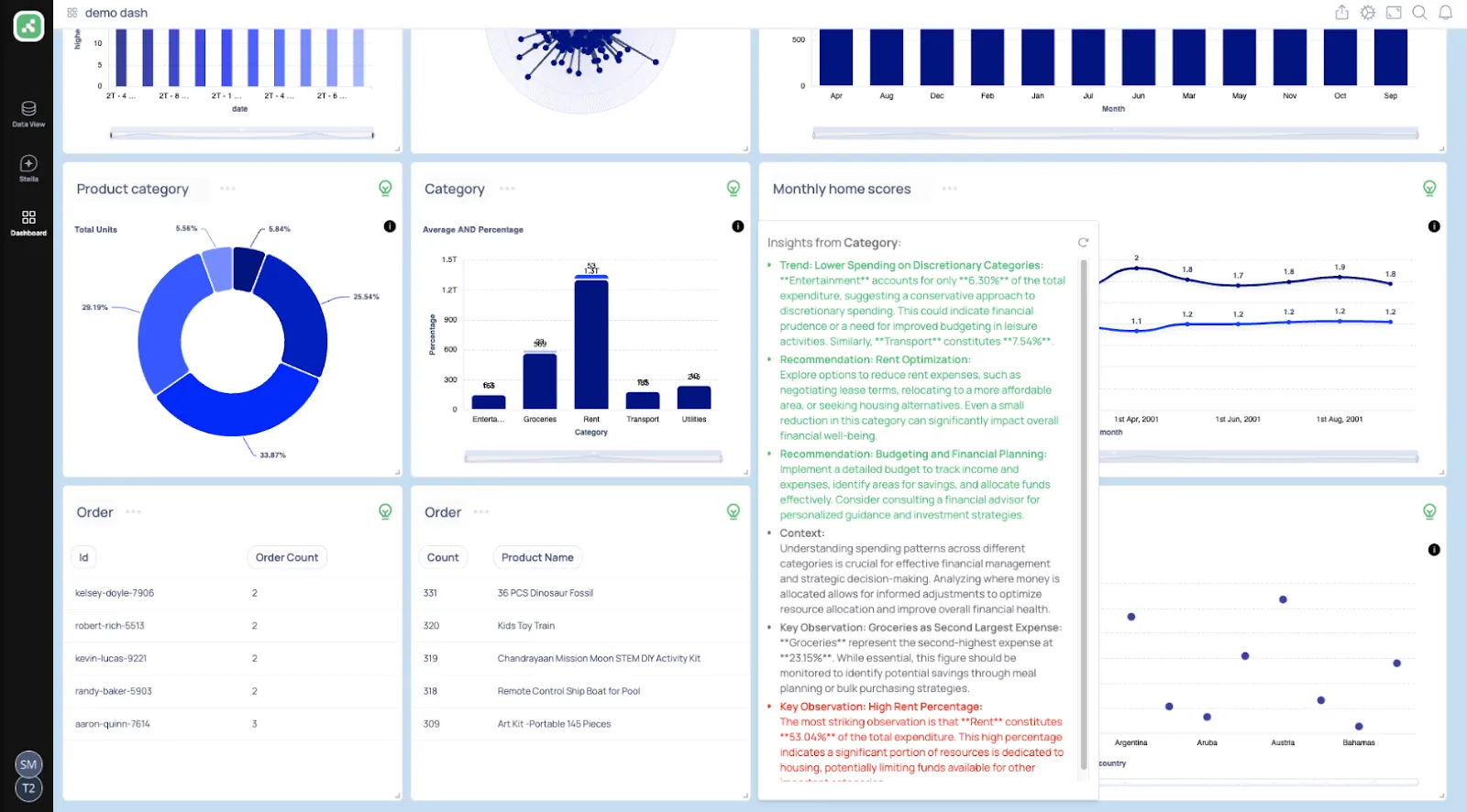
- Trainable AI agents: Create AI agents trained on your business rules, SLAs, and definitions to deliver context-aware insights without data models.
- Natural-language data chat: Ask questions in plain English and receive metrics, charts, explanations, and recommended actions instantly.
- AI-generated real-time dashboards: Describe what you need and Supaboard builds interactive dashboards, KPIs, and tables that update live.
Supaboard Pricing
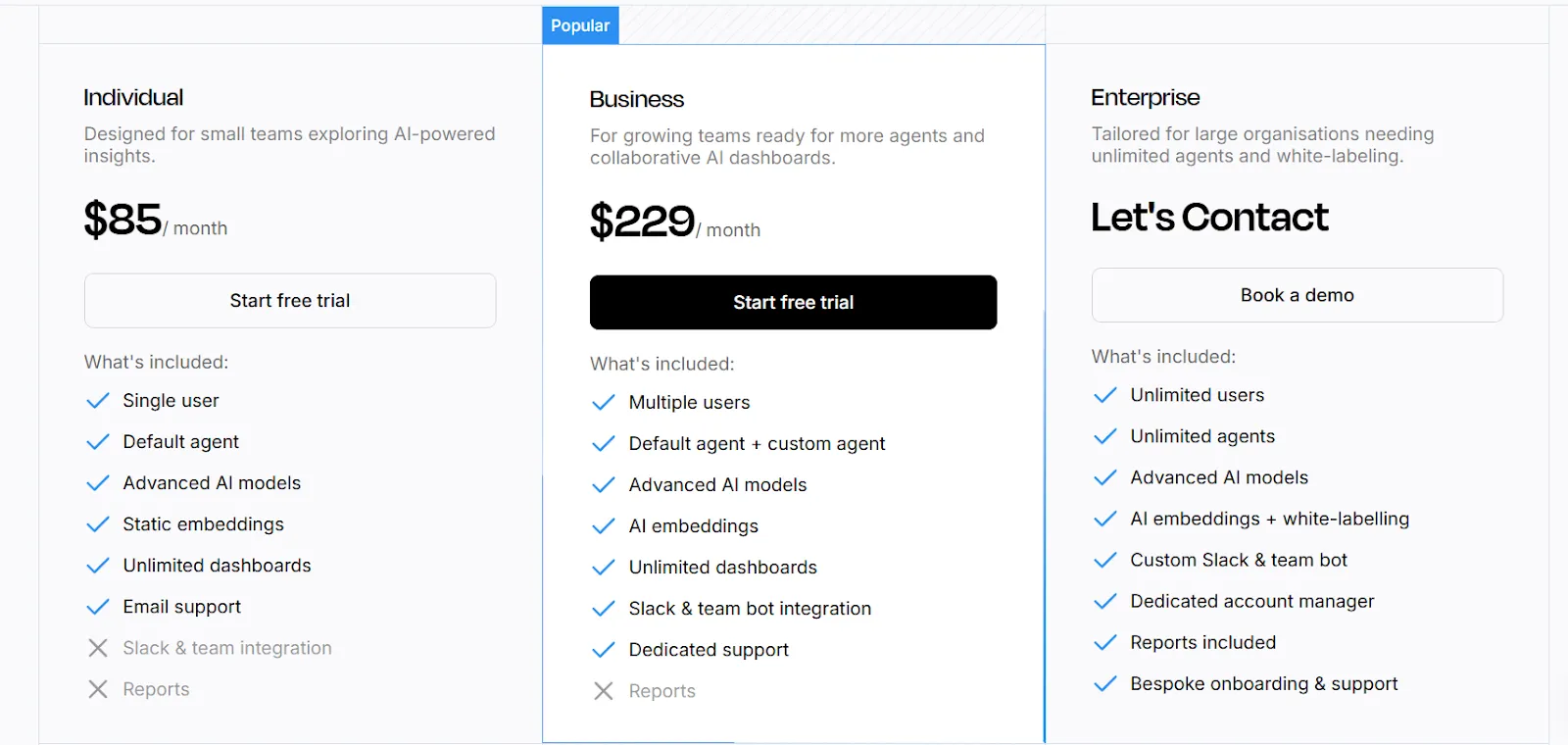
Supaboard offers three main pricing tiers:
- Individual: $85/month, includes a single user, default AI agent, advanced AI models, static embeddings, unlimited dashboards, and email support.
- Business: $229/month, includes everything in Individual plus multiple users, custom agents, AI embeddings, Slack and team bot integration, and dedicated support.
- Enterprise: Custom pricing, includes everything in Business plus unlimited users and agents, AI embeddings with white-labeling, custom Slack and team bot integrations, a dedicated account manager, reports, and bespoke onboarding.
Supaboard Pros and Cons
✅ Easy to connect data sources, including large CSV files.
✅ Natural-language querying makes analysis accessible for non-technical users.
❌ Limited dashboard customization compared to traditional BI tools.
❌ No free plan, which means you're committing to at least $85/month before you can evaluate the platform properly.
#7: Metabase
Best for: Startups, product teams, and data-lean organizations that want fast, affordable analytics with basic AI assistance and embedded capabilities.
Similar to: Zoho Analytics, Supaboard.
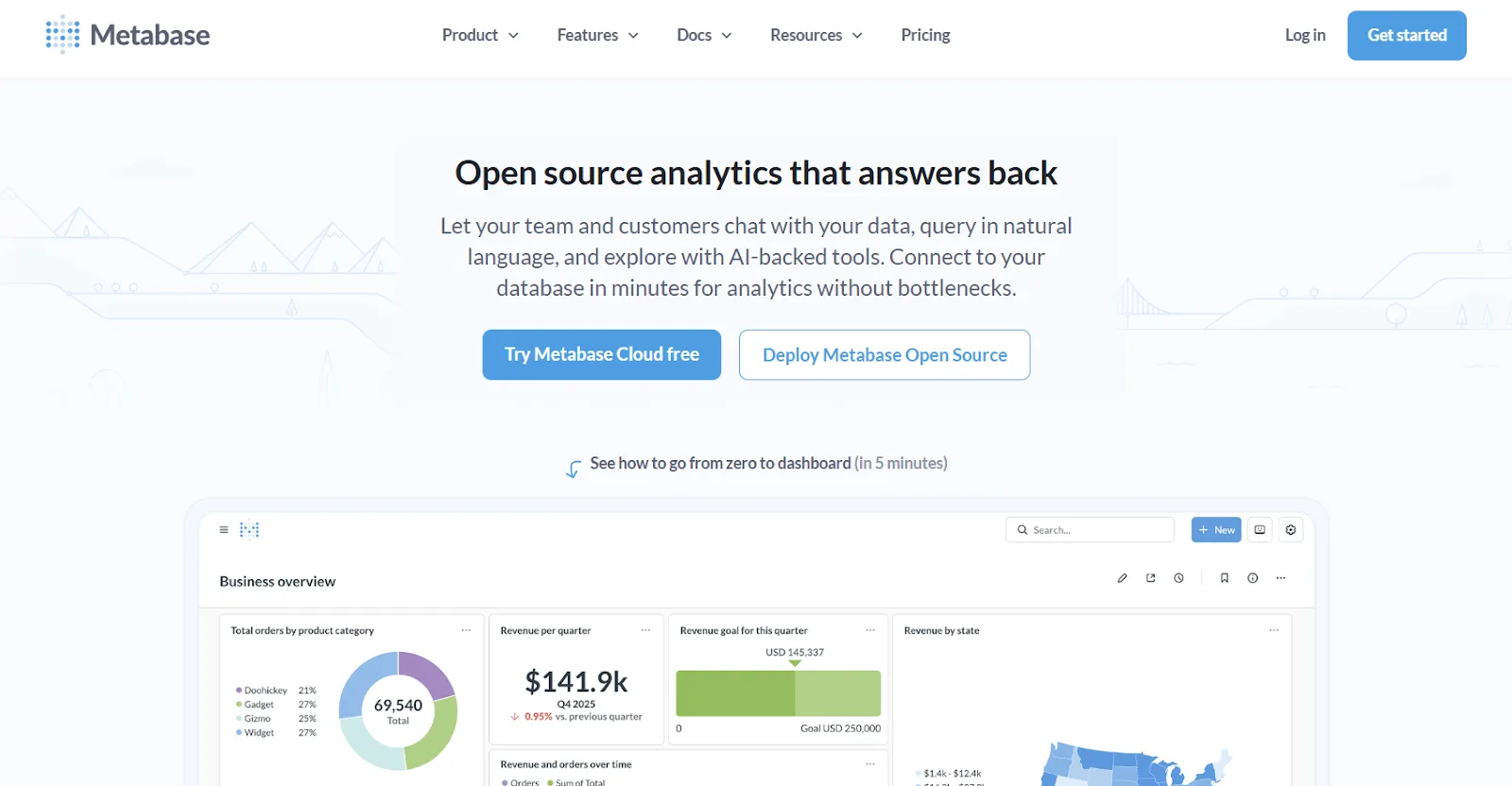
Metabase is an open-source analytics platform that lets teams explore data, build dashboards, and ask questions in natural language through Metabot AI.
It's especially popular with startups and SaaS companies that want production-ready BI without heavy setup or enterprise pricing.
Metabase's Top Features
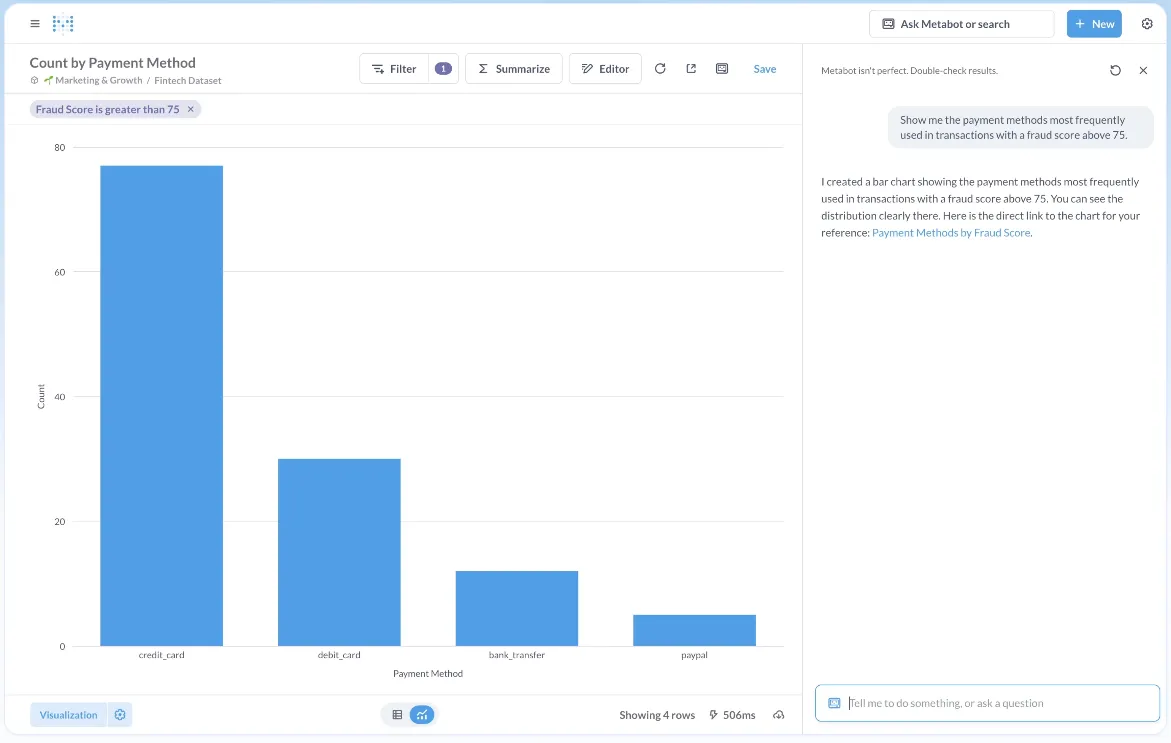
- Metabot AI: Ask questions in plain English and get AI-generated queries and visualizations without writing SQL.
- Visual query builder: Non-technical users can build queries through a no-code interface, while advanced users drop into raw SQL when needed.
- Drill-through exploration: Click directly on charts to zoom in, filter, break out data, or auto-generate follow-up reports without writing new queries.
- Embedded analytics: Embed dashboards into internal tools or customer-facing products with white-labeling and row-level permissions.
Metabase Pricing
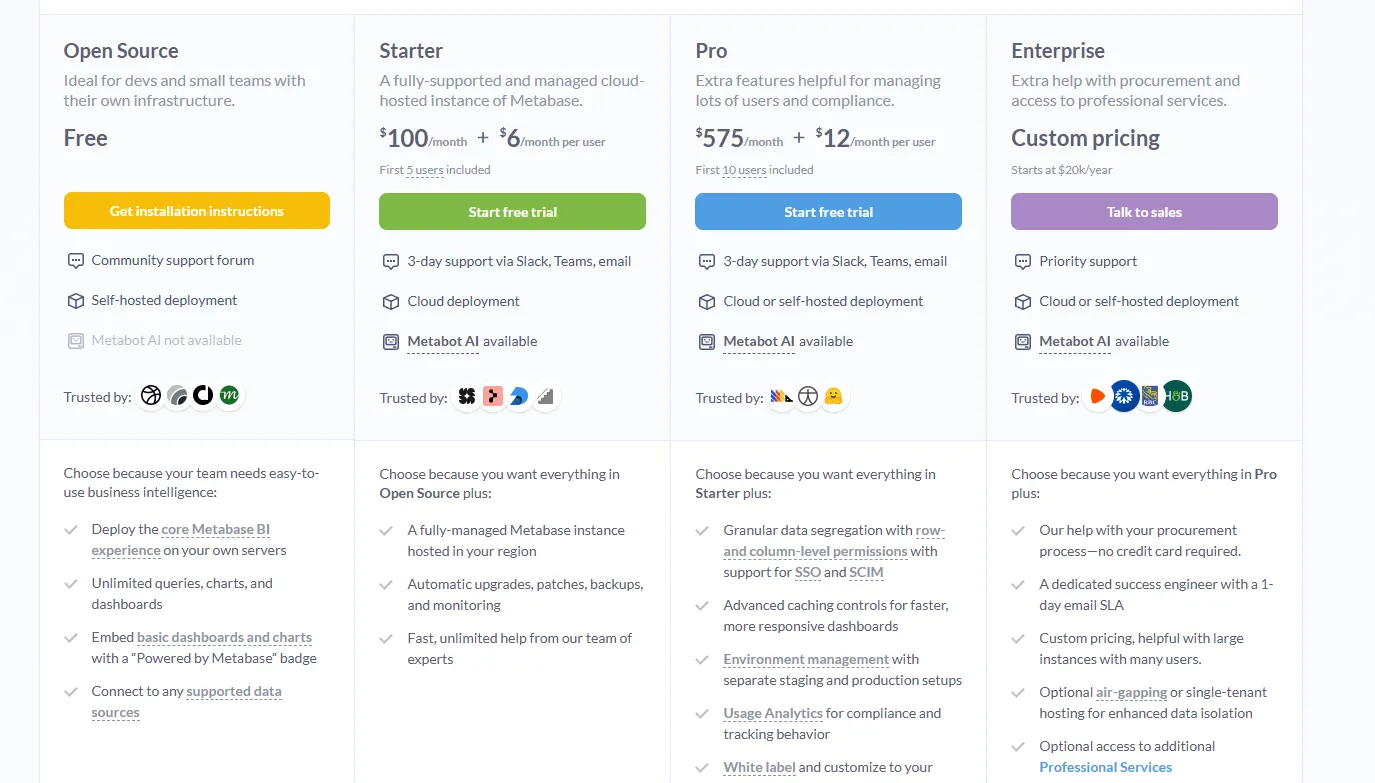
Metabase offers two pricing options depending on how you use the product: internal business intelligence or customer-facing embedded analytics.
- Business Intelligence:
- Open Source (Self-hosted): Free, self-hosted deployment, includes unlimited queries, charts, and dashboards, connects to all supported data sources, basic embedding with “Powered by Metabase” branding, community support only.
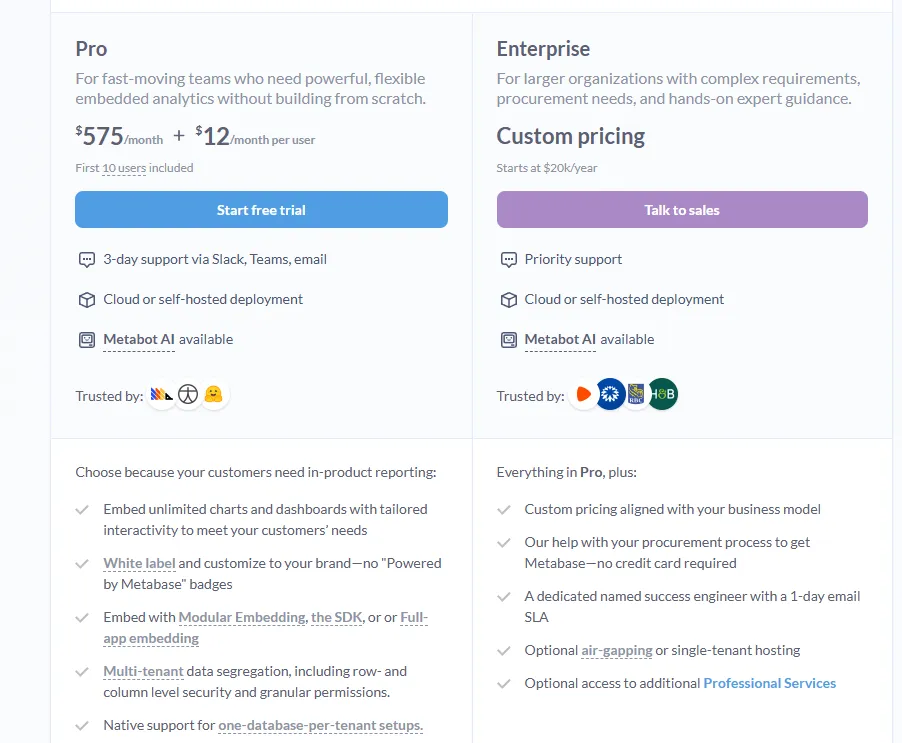
- Starter (Cloud-hosted): $100/month + $6/user/month, first 5 users included, includes everything in Open Source, plus option to include Metabot AI (charged extra), automatic upgrades, backups, and monitoring, support via Slack, Teams, and email (3-day SLA).
- Pro: $575/month + $12/user/month, first 10 users included, cloud or self-hosted deployment, includes everything in Starter, plus row- and column-level permissions, SSO and SCIM support, advanced caching and performance controls, staging + production environments, usage analytics and audit visibility, white-labeling, and embedded analytics capabilities.
- Enterprise: Custom pricing (starts at $20k/year), includes everything in Pro, plus priority support, dedicated success engineer (1-day email SLA), optional single-tenant or air-gapped deployment, and optional professional services.
- Embedded Analytics pricing:
- Pro: $575/month + $12/user/month, first 10 users included, includes unlimited embedded dashboards and charts, full white-labeling, modular embedding, SDK, or full-app embedding, multi-tenant security (row- and column-level), one-database-per-tenant support, staging + production environments, usage analytics, internal BI for your team, and option to include Metabot AI (charged extra).
- Enterprise: Custom pricing (starts at $20k/year), includes everything in Pro, plus a dedicated success engineer, priority support, optional single-tenant or air-gapped hosting, and optional professional services.
Metabase Pros and Cons
✅ Extremely intuitive for both technical and non-technical users.
✅ Free open-source option with solid scheduling and sharing features.
✅ Lightweight and fast to deploy.
❌ AI assistance is still basic compared to purpose-built AI analytics tools, which is why some teams have been looking atMetabase alternatives.
❌ Can become complex to manage at scale when governance and permissions matter.
#8: Zoho Analytics
Best for: Teams that want a full-featured BI platform with AI capabilities and strong value for money, especially if they already use Zoho apps.
Similar to: Metabase, Domo.
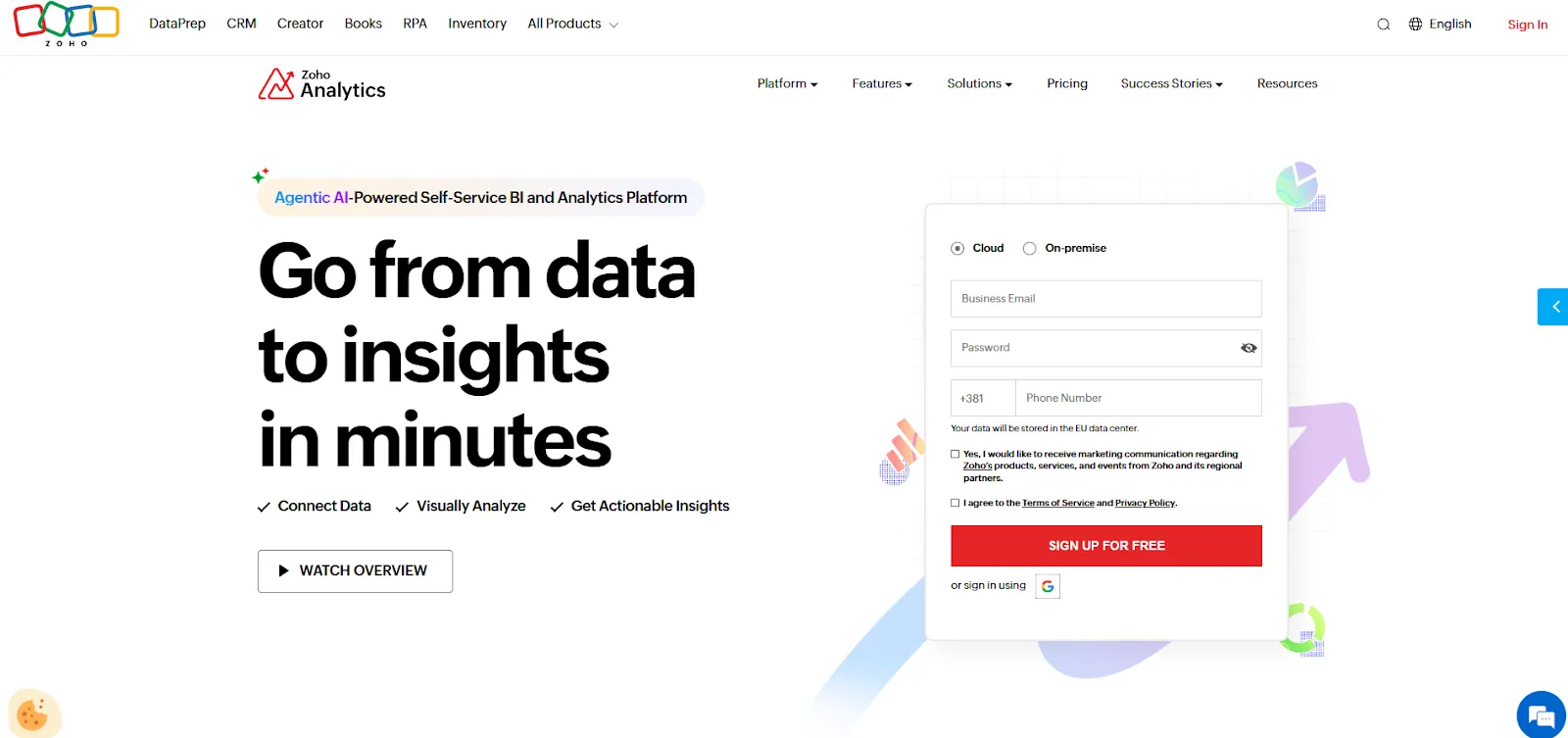
Zoho Analytics is an AI-powered BI solution that balances self-service reporting with predictive AI, data preparation, and embedded analytics.
Its conversational AI agent, Zia, lets users analyze data and get recommendations in natural language, and it works well as aVanna AI alternative for teams wanting more structure around their AI analytics.
Zoho Analytics's Top Features
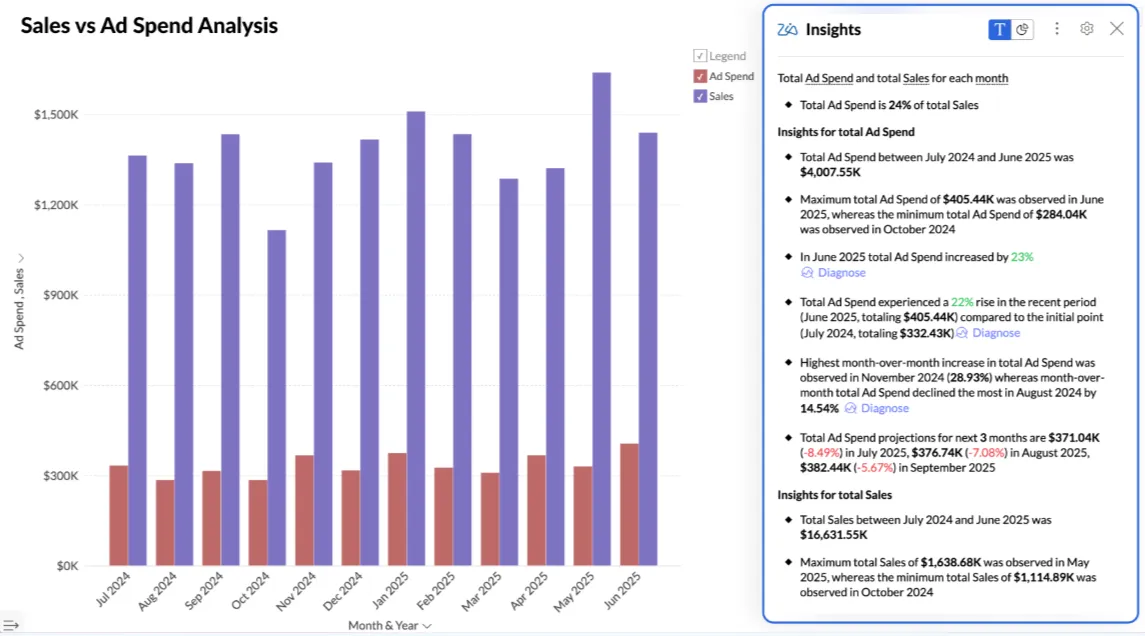
- Ask Zia: Analyze data, build reports, and get predictions and recommendations through Zoho's conversational AI agent using natural language.
- Data preparation and metrics layer: Clean, transform, and model data with 250 no-code transformations while managing business metrics centrally for consistency.
- Flexible dashboards and embedded BI: Create interactive dashboards with 50 visualization types and embed analytics or AI assistants into apps and customer-facing products.
Zoho Analytics Pricing
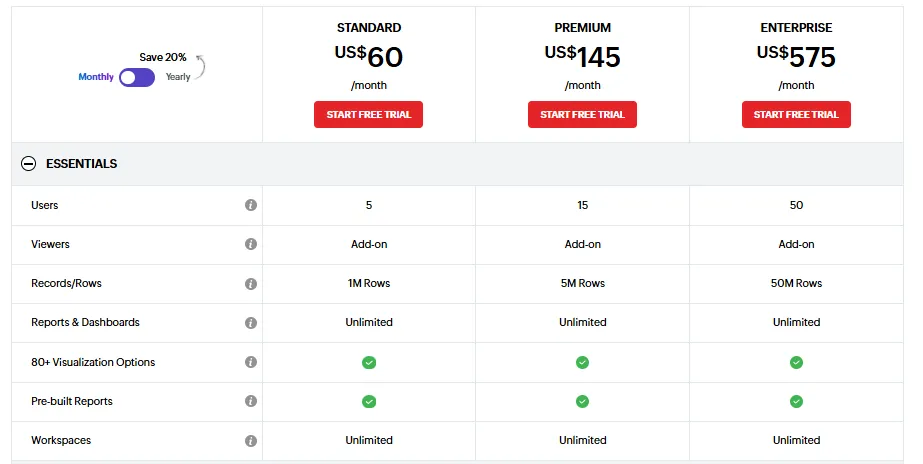
Zoho Analytics has three pricing plans:
- Standard: $60/month, includes up to 5 users, 1M rows, unlimited workspaces, reports and dashboards, and basic AI features.
- Premium: $145/month, includes up to 15 users, 5M rows, advanced data integration, and all AI features except AI studio.
- Enterprise: $575/month, includes up to 50 users, 50M rows, advanced governance and security, and AI studio.
Zoho Analytics Pros and Cons
✅ Great value for money with transparent, accessible pricing.
✅ Intuitive dashboards and strong visualizations for both business users and analysts.
❌ Data syncing isn't always real-time, and exports can feel clunky for presentation-ready reporting.
❌ AI capabilities are solid but not as deep as purpose-built AI analyst tools like Dot or DataGPT.
#9: Mode
Best for: Analyst-heavy teams that want SQL, Python, and R in one workflow with collaborative reporting and visual exploration.
Similar to: Metabase, Zoho Analytics.
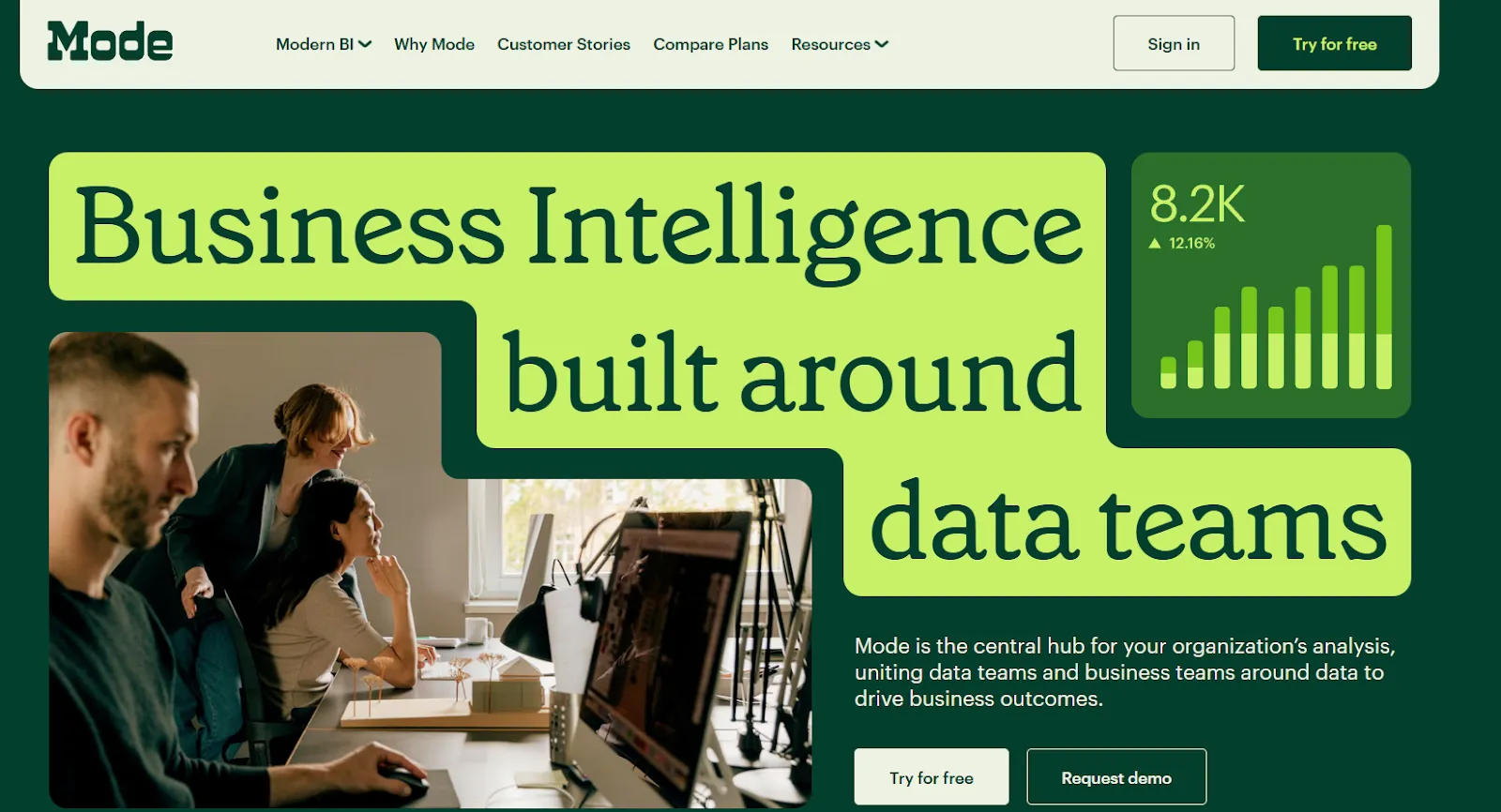
Mode combines a SQL editor, Python and R notebooks, and interactive dashboards in a single workspace.
It's built for teams that do real analytical work and need a tool that bridges the gap between ad-hoc queries and shareable reports
For teams evaluatingMindsDB alternatives orTextQL alternatives, Mode offers a different angle: a code-first analytics environment rather than a conversational AI layer.
Mode's Top Features
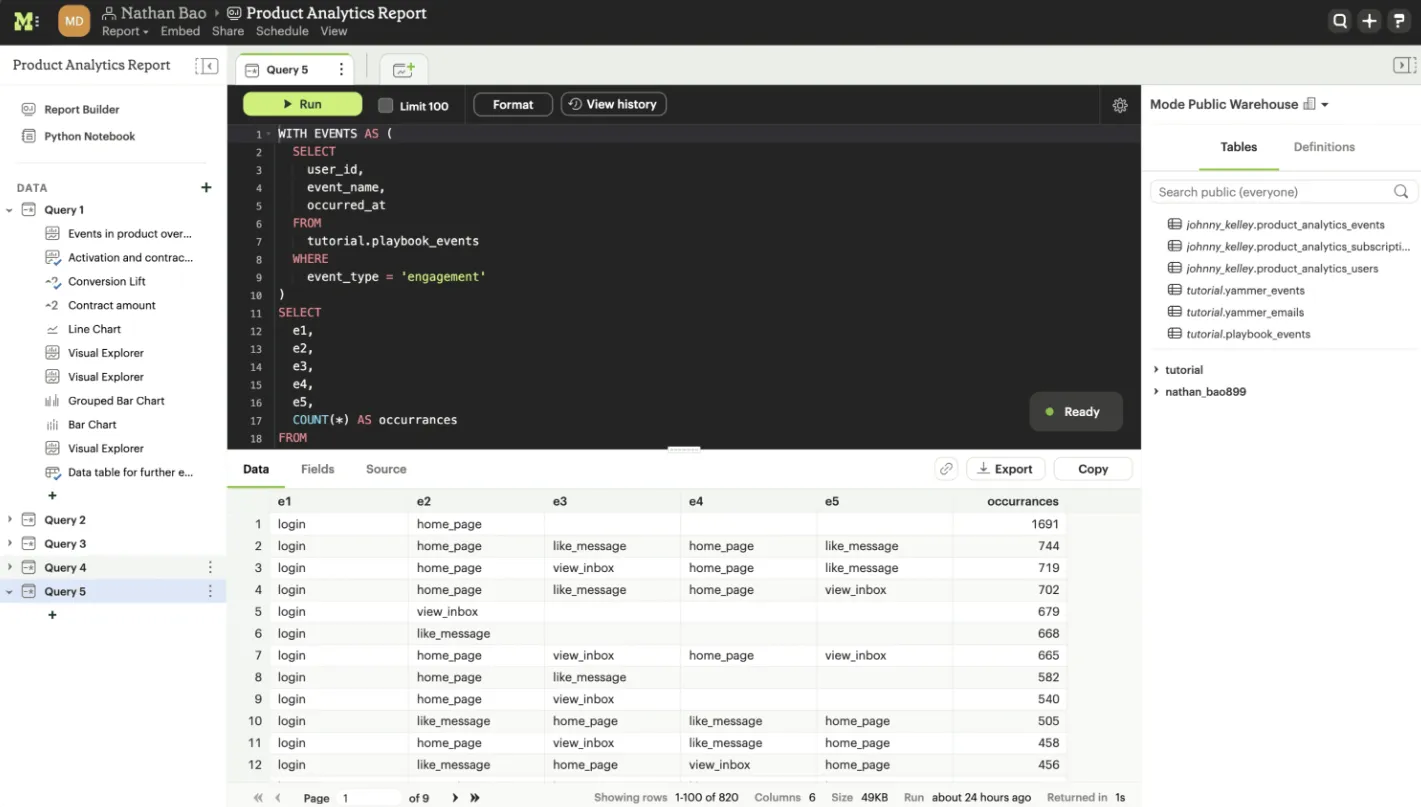
- SQL-first ad-hoc analysis: Dive straight into data using SQL, with fast iteration and flexible querying for complex business questions.
- Python and R notebooks: Send SQL results directly into Python or R for deeper analysis, forecasting, or statistical modeling, all inside the same workspace.
- Interactive dashboards: Build visual reports from query results and share them across teams through the browser.
Mode Pricing
Mode offers three pricing tiers:
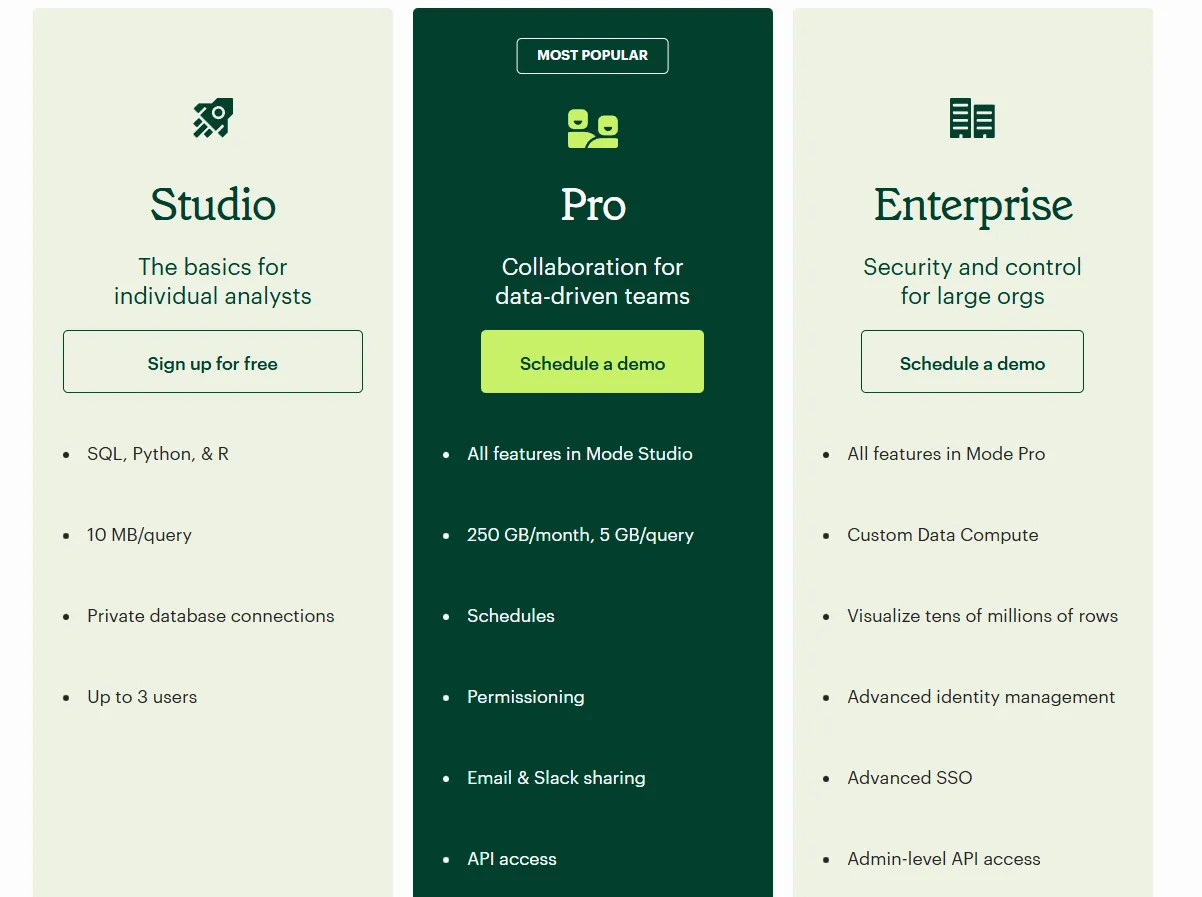
- Studio: Free plan, includes SQL, Python, and R, private database connections, support for up to 3 users.
- Pro: Custom price, adds team collaboration, scheduled reports, permissions, Slack and email sharing, and higher data limits.
- Enterprise: Custom price, extends Pro with advanced identity management, SSO, admin-level API access, and premium support.
Mode Pros and Cons
✅ Powerful combination of SQL, Python, R, and visualizations in one workflow.
✅ Clean interface that makes it easy to track metrics and feature performance.
❌ Performance can slow down noticeably with large datasets or complex queries.
❌ Not really an "AI analyst" in the same sense as Dot or DataGPT. It's a strong analyst workbench, but the AI capabilities are limited.
#10: Domo
Best for: Mid-to-large teams that want an all-in-one BI platform combining data ingestion, dashboards, automation, and AI-driven actions.
Similar to: Zoho Analytics, ThoughtSpot.
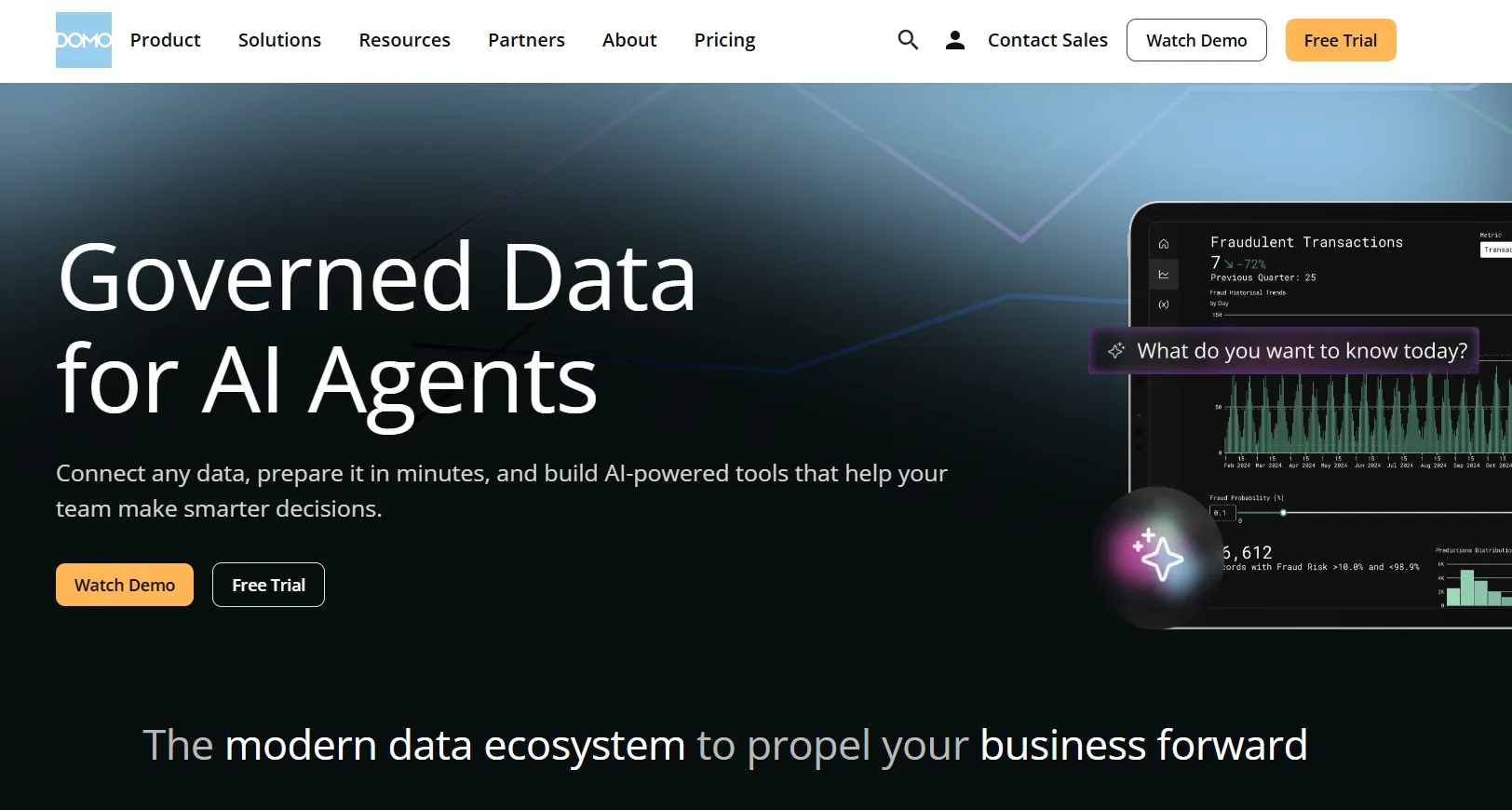
Domo is an end-to-end analytics platform that connects data from virtually any source and turns it into real-time interactive dashboards.
It goes beyond reporting by combining automation and built-in AI to help teams take action on insights, not just view them.
Domo's Top Features
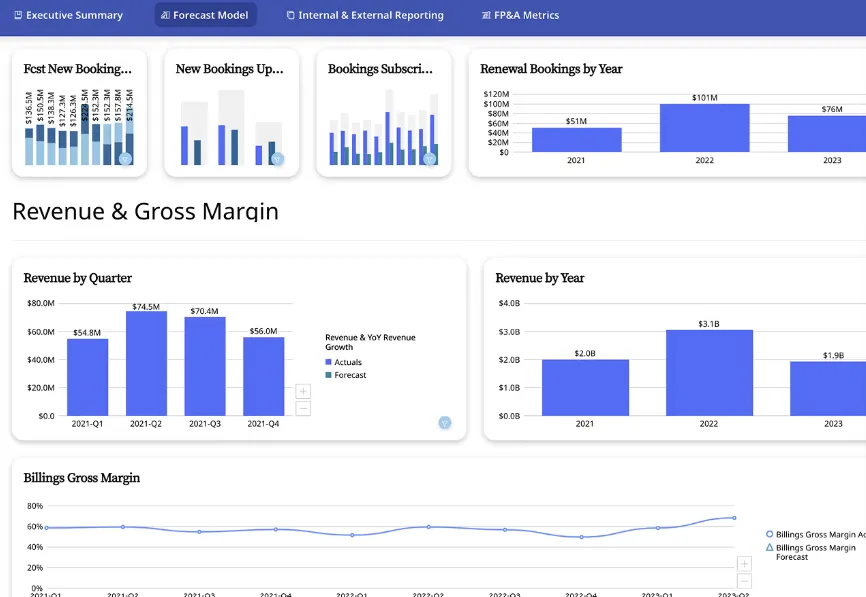
- Interactive dashboards and sharing: Build real-time dashboards that are easy to explore, share, and embed across teams, portals, or customer-facing apps.
- No-code analytics apps: Create custom, data-driven apps and reports tailored to business workflows without writing code.
- AI-powered insights and chat: Ask questions in natural language, surface hidden trends, and use AI agents to generate insights and automate decisions from dashboards.
Domo Pricing
Domo has one paid plan and a free trial:
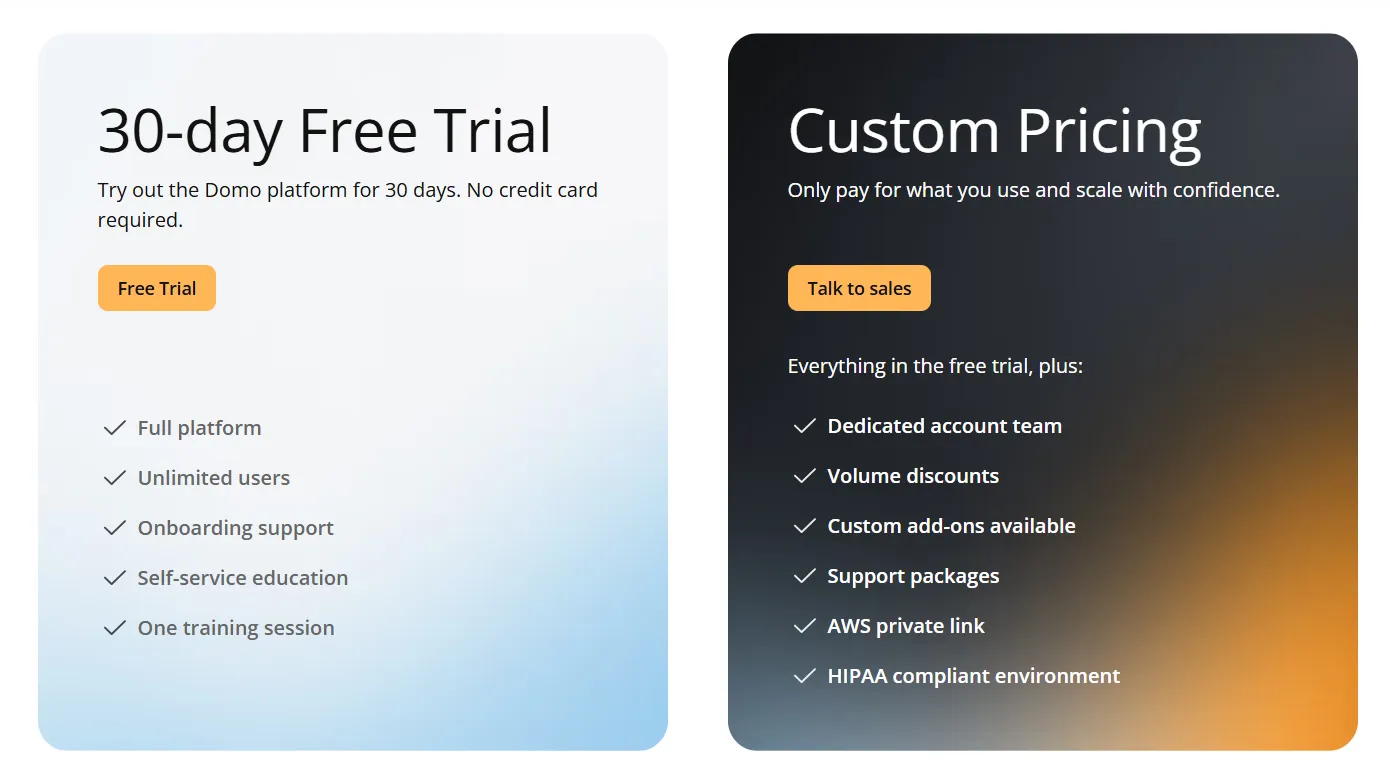
- Free Trial: 30 days, no credit card required, includes unlimited users, full platform access, onboarding support, self-service education, and one guided training session.
- Paid Plan: Usage-based, includes everything from the trial, a dedicated account team, volume discounts, custom add-ons, AWS PrivateLink, and HIPAA compliance.
Domo Pros and Cons
✅ Very easy for non-technical teams.
✅ Strong connector library for centralizing data from many sources.
❌ AI features feel uneven and are sometimes pushed before they're fully useful in real workflows, which is why some teams have been looking atDomo alternatives.
❌ Pricing isn't public, which makes it hard to budget or compare costs upfront.
Get Started with Dot For Free Today
That's it from our list of the 10 best AI data analyst software tools that can help you ask questions in natural language, automate reporting, and turn raw data into decisions.
Dot helps you skip the dashboard-building, the analyst back-and-forth, and the recurring manual reports by connecting directly to your data warehouse and doing the analysis for you.
Our platform delivers narrative insights with clear recommendations, maintains shared business context, and shows up where your team already works: Slack, Teams, and email.
If your team is serious about turning data into decisions without adding more dashboards or more headcount, Dot is one of the most focused AI data analyst platforms available today.
Here's what you'll get by signing up for Dot:
- Access to a free plan with 300 credits, full Pro features, and unlimited users.
- Automated executive business review reports delivered on your schedule, directly from your warehouse.
- Ad-hoc analysis through Slack, Microsoft Teams, email, or the web app so insights show up where decisions happen.
- A Context Agent that maintains shared business definitions and prevents metric drift across teams.
- Full audit trail on every insight, with transparent links to underlying SQL, Python logic, and datasets.
- Direct connections to Snowflake, BigQuery, Redshift, Databricks, Postgres, and existing semantic layers like dbt, Looker, and Power BI models.
Sign up for Dot's free plan or book a demo to see how teams replace Metabase’s reports with automated, decision-ready insights.
Theo Tortorici
Theo writes about AI-powered analytics, data tools, and the future of business intelligence at Dot.