
Looker Pricing: Is It Worth It In 2026? [Reviewed]
Looker pricing has a page on Google Cloud that never names a price for the platform itself.
Three editions and three seat types, with the same two words next to every one of them: call sales.
So I went past the pricing page.
I read what Google's own documentation says about editions and trials, then collected the figures that procurement sites and rival BI vendors report, and went back to each original source to see whether it still held up.
Several didn't, and I'll show you which ones.
➡️ There's a Looker alternative I'll come to later: Dot, an AI analyst that does the digging itself and delivers written findings into Slack or Teams, with no LookML model required to get started.
TL;DR
- Looker bills on two meters: a platform fee for running the instance, and a separate license for every user on it, both quoted by sales on an annual commitment of one, two, or three years.
- There's no free plan, though Google does offer 90-day trial instances of all three editions.
- The only dollar figures Google publishes for Looker itself are the Conversational Analytics overage rates, at $3.00 per 1M input data tokens and $20.00 per 1M output data tokens, with billing starting October 1, 2026.
- For teams whose data already reaches a warehouse, Dot is the one alternative I'd weigh: our decision intelligence software does the analysis and hands back written findings in Slack or Teams, and it maintains the metric layer itself, with an admin approving any change.
How Does Looker Calculate Its Pricing?
Looker’s pricing is calculated with 2 factors:
- Platform pricing covers running the Looker instance itself, including the semantic modeling layer and platform administration.
- User pricing is the license attached to each person who logs in, and it changes with what that person is allowed to do.
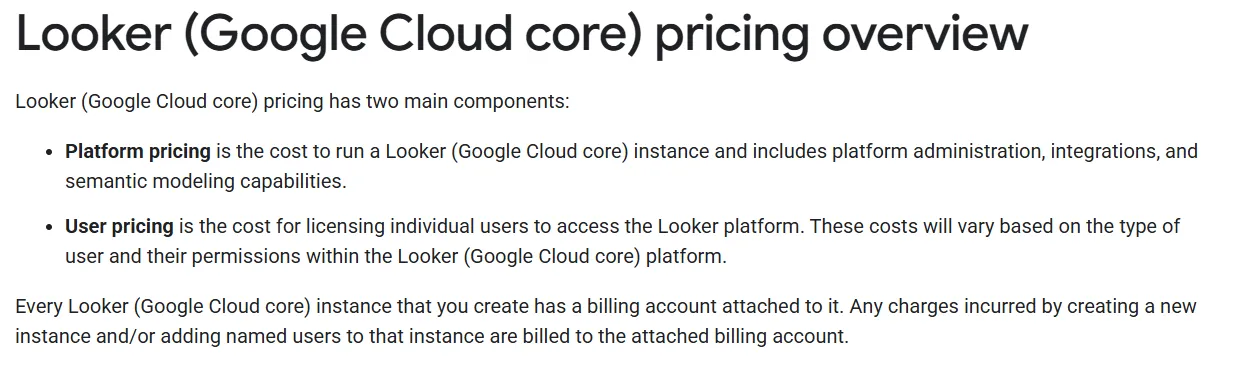
Every instance you create has a Google Cloud billing account attached to it, and new instances and new named users both land on that account.
Four things will shape your budget more than the edition you choose:
- The platform fee is a floor: Each edition includes ten Standard Users and two Developer Users.
- The edition locks at creation: Google's documentation is direct about it, so moving up later means a new instance and a data import.
- API ceilings arrive with the edition: Standard allows 1,000 query-related and 1,000 admin-related calls a month, Enterprise 100,000 and 10,000, Embed 500,000 and 100,000. The Power BI and Tableau connectors draw on that budget, as does Looker's MCP server, and API access is Developer-only.
- Staging bills like production: Non-production instances are bought separately at the same rate, and Google advises Embed buyers to budget for one.
➡️ Note: Looker is the enterprise platform Google Cloud sales quotes you, LookML and embedding included, on an annual commitment. Data Studio (formerly Looker Studio) is a different product with a free tier and a paid Data Studio Pro option. Don't price one from the other.
Does Looker Have a Free Plan or Free Trial?
Looker does not offer a free plan, and every paid edition is an annual contract priced by sales.
However, there’s a free trial that you can sign up for.
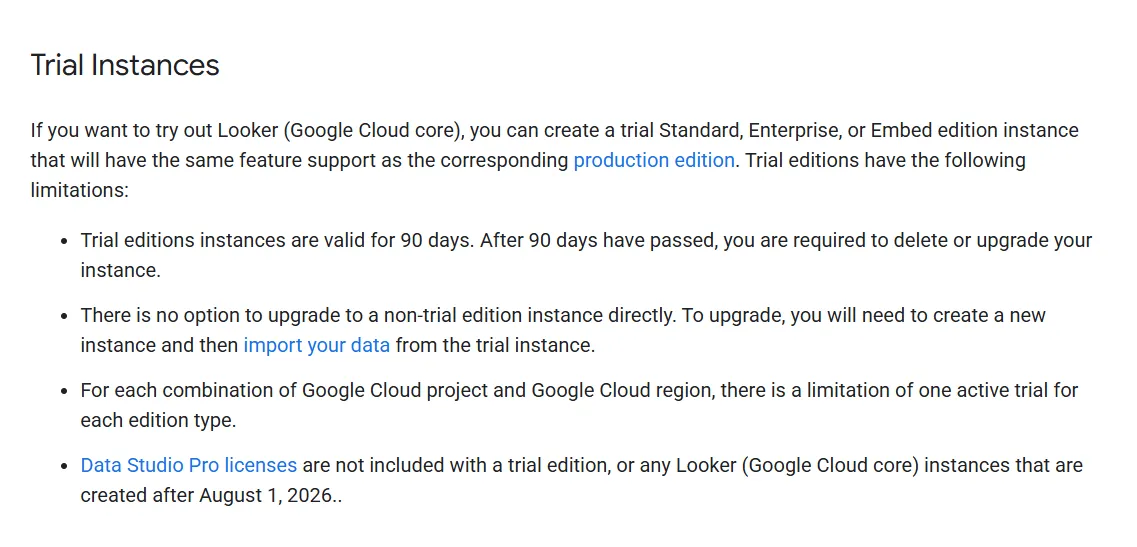
Google's documentation confirms you can create a trial instance of Standard, Enterprise, or Embed, with the same feature support as the matching production edition.
The limits are real, though:
- Trial instances run for 90 days, after which you delete or upgrade.
- There's no direct upgrade path, so going paid means creating a new instance and importing your trial data into it.
- You get one active trial per edition type for each combination of Google Cloud project and region.
- Data Studio Pro licenses aren't included with a trial, or with any Looker instance created after August 1, 2026.
Looker's Plan Breakdowns
Three platform editions, all annual, all quoted by sales.
Standard edition
Built for teams under 50 internal platform users.
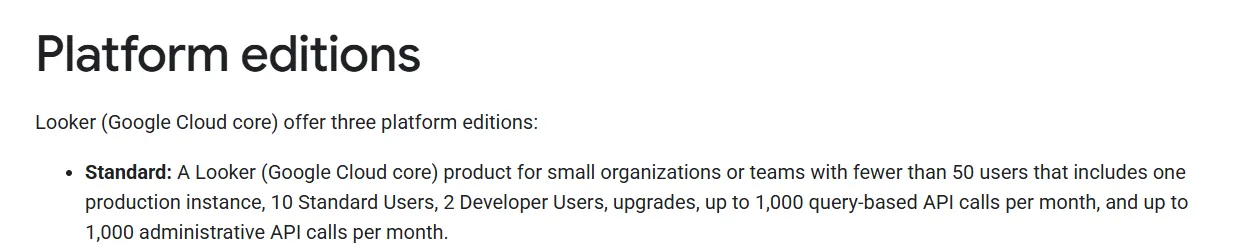
You get:
- One production instance, with ten Standard Users and two Developer Users.
- Google Cloud IAM access management and simplified BigQuery connectivity.
- Up to 1,000 query-related and 1,000 admin-related API calls a month.
- Platform upgrades.
Enterprise edition
Everything in Standard, with the user cap lifted and the security controls added.

On top of Standard:
- Unlimited platform users, though every one of them still needs a paid license.
- More security features, such as VPC-SC, Private connections (Private Service Connect), and Private connections (private services access).
- A private label option, FIPS encryption, and compliance certifications.
- Up to 100,000 query-related and 10,000 admin-related API calls a month.
Deployments of any real size tend to end up on Enterprise, usually once the Standard cap and the API allowance run out together.
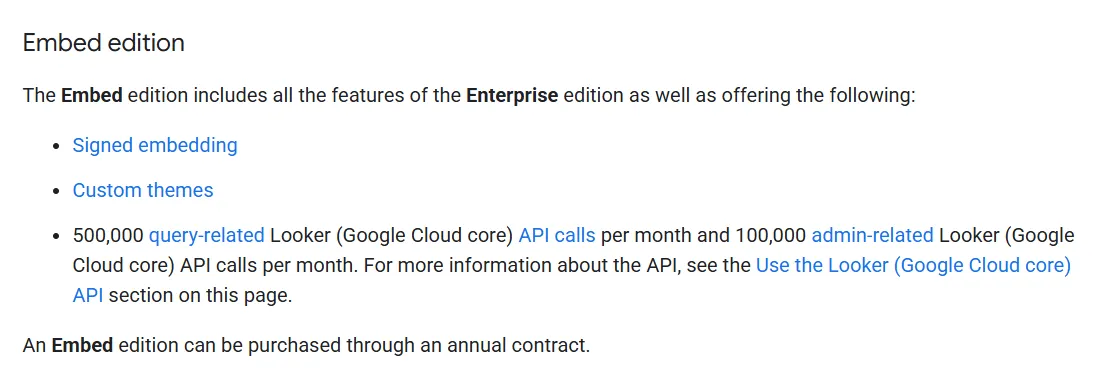
Embed edition
Everything in Enterprise, pointed at analytics inside a product your own customers use.
What it adds:
- Signed embedding, which no other edition includes.
- Impersonation of embed users through the Login user API endpoint.
- Up to 500,000 query-related API calls a month.
- Up to 100,000 admin-related API calls a month.
What are Looker's user licenses?
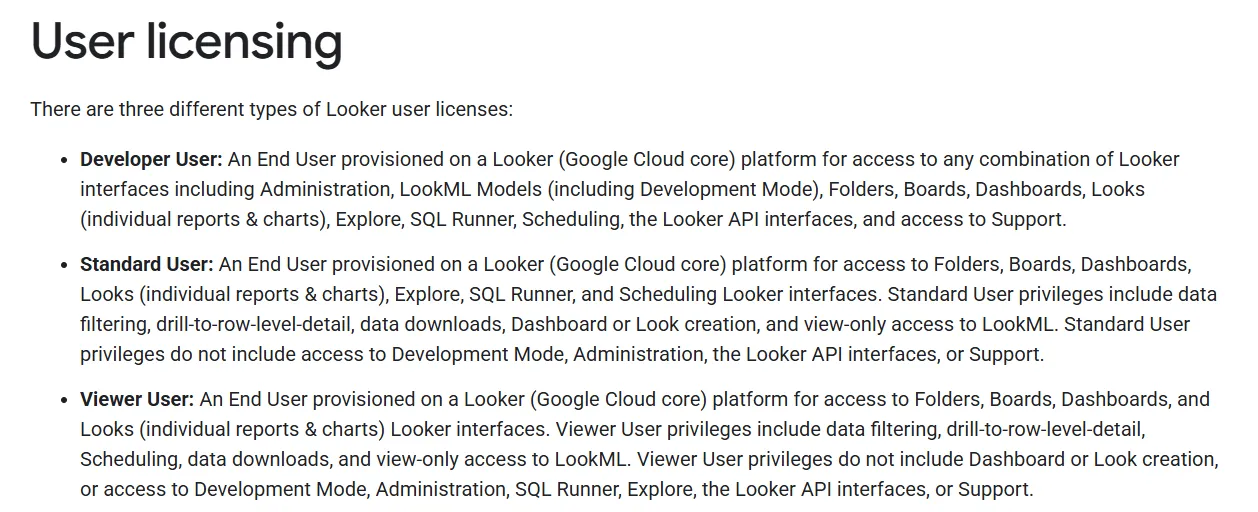
Seat cost tracks permission. The three tiers divide up like this:
License | Can do | Can't do |
Developer User | Everything a Standard User can do, plus administration, LookML development in Development Mode, the Looker API, and support access | Nothing listed |
Standard User | Folders, boards, dashboards, Looks, Explore, SQL Runner, scheduling, dashboard and Look creation, filtering, drill to row-level detail, downloads, view-only LookML | Development Mode, administration, the API, support |
Viewer User | Folders, boards, dashboards, Looks, filtering, drill to row-level detail, scheduling, downloads, view-only LookML | Dashboard and Look creation, Explore, SQL Runner, Development Mode, administration, the API, support |
Google also reserves the right to invoice in arrears if your usage runs past what your subscription covers.
Conversational Analytics data tokens
This is the one place Google prints real numbers.
Gemini-powered Conversational Analytics is metered in data tokens, pooled at the instance level across every authenticated user on it.
Input tokens cover the prompt and everything sent alongside it, including session history and context.
Output tokens cover the written reply, the generated SQL, reasoning shown in Thinking mode, and any visualization the model builds.
Each subscription carries a monthly allowance:
Platform tier | Included input tokens | Included output tokens |
Standard | 60M | 1.2M |
Enterprise | 300M | 6M |
Embed | 1.2B | 24M |
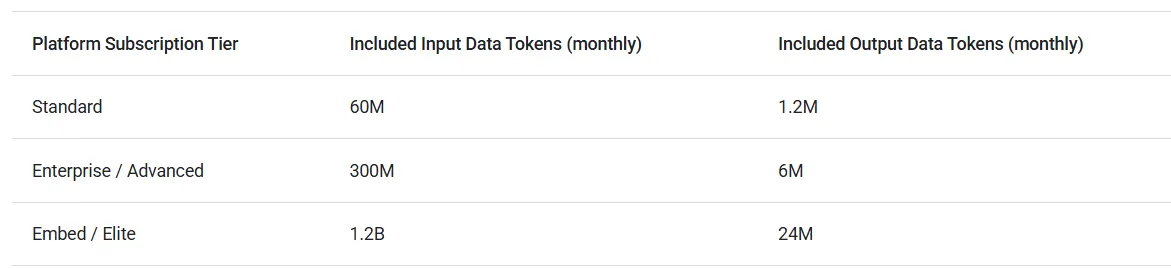
Non-production and add-on instances get a flat 6M input and 0.12M output tokens a month.
Allowances reset monthly, and nothing rolls over.
What Do Third-Party Sources Report Looker Costs?
⚠️ Disclaimer: everything in this section comes from third parties, none of it from Google. We haven't independently verified any of it, some of it traces back to pages that have since changed or vanished, and none of it is a list price, so treat these as estimates and get a quote.
With that said, these are the figures in circulation:
- The most-quoted Looker numbers on the internet come from an old AWS Marketplace retail listing: $66,600 a year for the Standard platform, $132,000 for Advanced, and $198,000 for Elite, with add-on seats at $400 for a Viewer, $799 for a Standard User, and $1,665 for a Developer.
Those tier names line up with Google's current editions, and Google's own token table confirms the mapping by carrying the Advanced and Elite labels alongside Enterprise and Embed.
The catch is that Looker's AWS Marketplace listings have been withdrawn and now read as removed and unavailable to new customers. So these are historical list prices that keep getting recirculated as current ones.
- Vendr's Looker (old?) buyer guide is where the widely repeated "$150,000 average, $1,770,000 maximum, 355 deals" figures came from publishers like Holistics. Those numbers are no longer displayed on the page, and the panel where average contract value used to appear is now blank.
- Community posts like this one put $60,000 a year for the Standard edition.
Looking For A Looker Alternative?
Dot is the best Looker alternative in 2026 for teams that want the finished analysis handed to them in Slack or Microsoft Teams, with automated business reviews, a shared definition layer, and a clickable audit trail under every number.
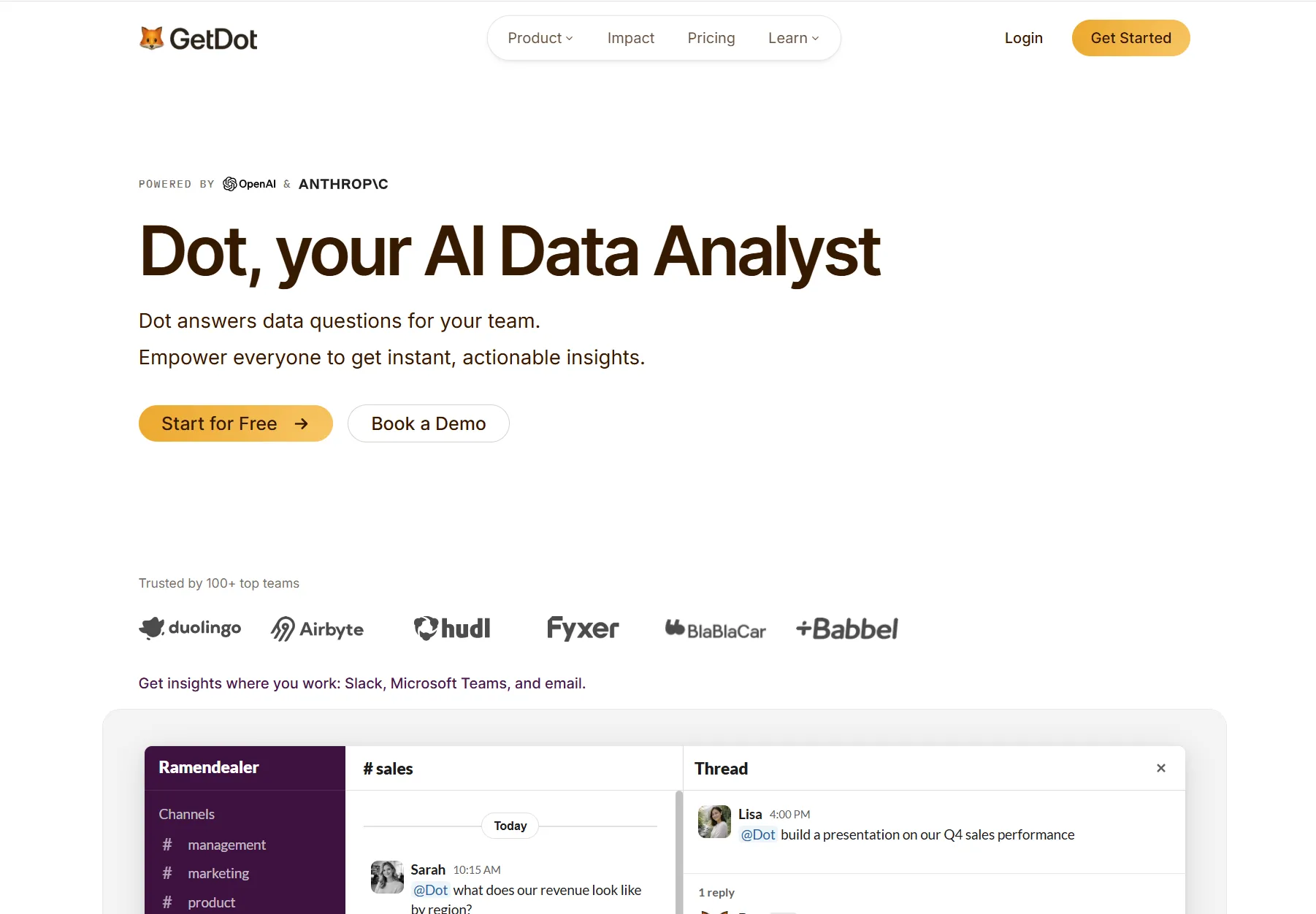
You connect your warehouse once, then anyone on the team asks a question in the words they would use with a colleague and gets a written answer back with the working shown behind it.
Here is what that looks like in practice: 👇
Ask a question in Slack or Teams and get the analysis back
Dot lets your team ask detailed business questions in Slack, Microsoft Teams, email, or the web app, and it replies in the same thread with a written analysis, the figures included and a short recommendation attached.
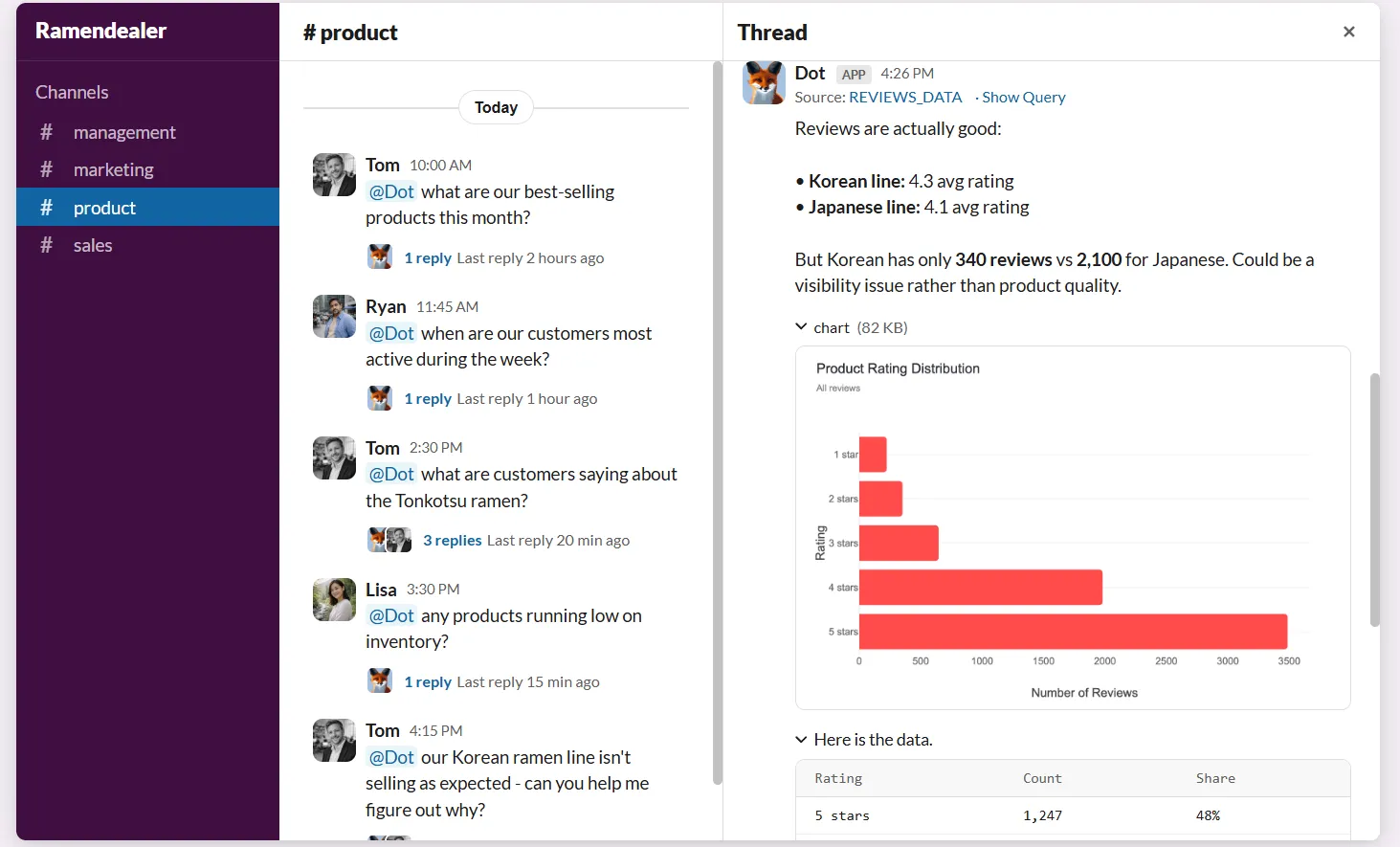
Quick lookups come back in seconds.
Anything that needs real digging takes a few minutes, and the reply quantifies the change and names the segment driving it, with the query one click away.
Your head of support asks the channel why the ticket backlog keeps climbing, types it the way they would message a teammate, and gets back which queues grew and which accounts dragged the number.
There is no dashboard to open and no LookML to write.
Business users get their answer without learning a query language, and your data team stops fielding the same manual pulls.
Paid plans do not charge per seat, so the fiftieth person reading that answer costs what the first one did.
Deep Analysis for the reason behind a number
Dot's Deep Analysis handles questions that a single query cannot settle, running an autonomous investigation.
The whole analysis typically finishes in 2-10 minutes, although it might be longer in some instances.
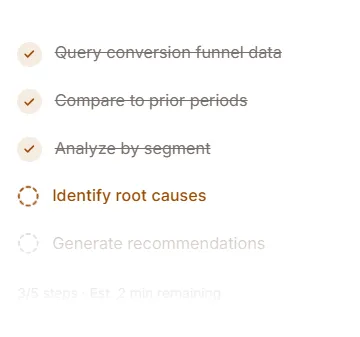
The report comes back with actionable recommendations, and not just data dumps.
There are also footnotes on every chart and insight with source lineage, and you can see exact queries and code behind any number.
Business reviews that arrive already written
Dot generates recurring business reviews on the cadence you set, querying live warehouse data and delivering an executive-ready report to Slack or email with the period-over-period numbers and a written read on what moved.
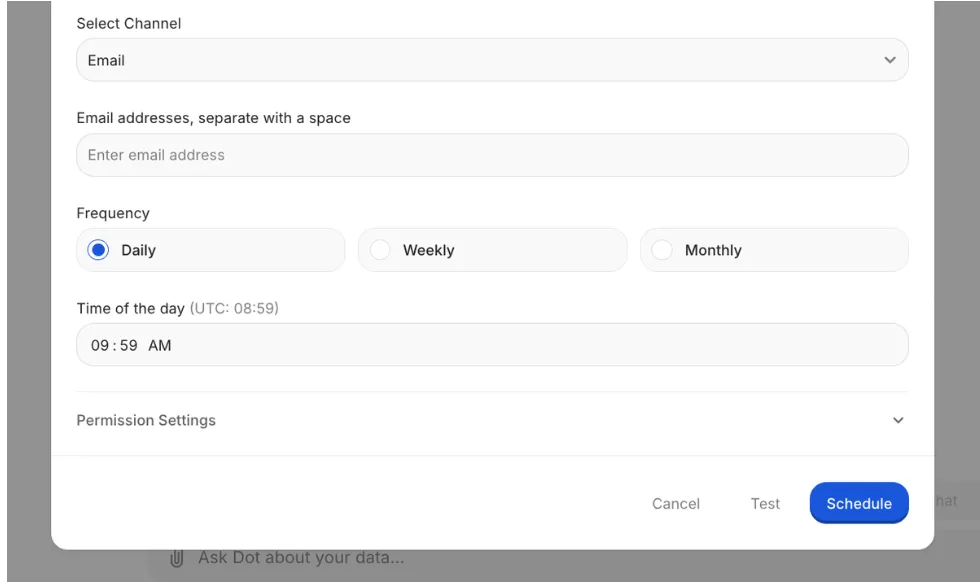
The monthly review normally costs an afternoon of rerunning dashboards, checking the totals, moving charts into slides, and writing the narrative that explains what changed.
With Dot, you set the schedule and the source once, and the finished review arrives every cycle.
Reports can also be timed to land 30 minutes before the meeting they feed, so nobody walks in reading last month's numbers.
A Context Agent that keeps every definition aligned
Dot's Context Agent reads your dbt models, plus whatever catalog and documentation it can reach, and maintains the definitions every query gets checked against.
Looker handles definition drift by having somebody maintain LookML by hand, and Dot handles it by maintaining the model itself.
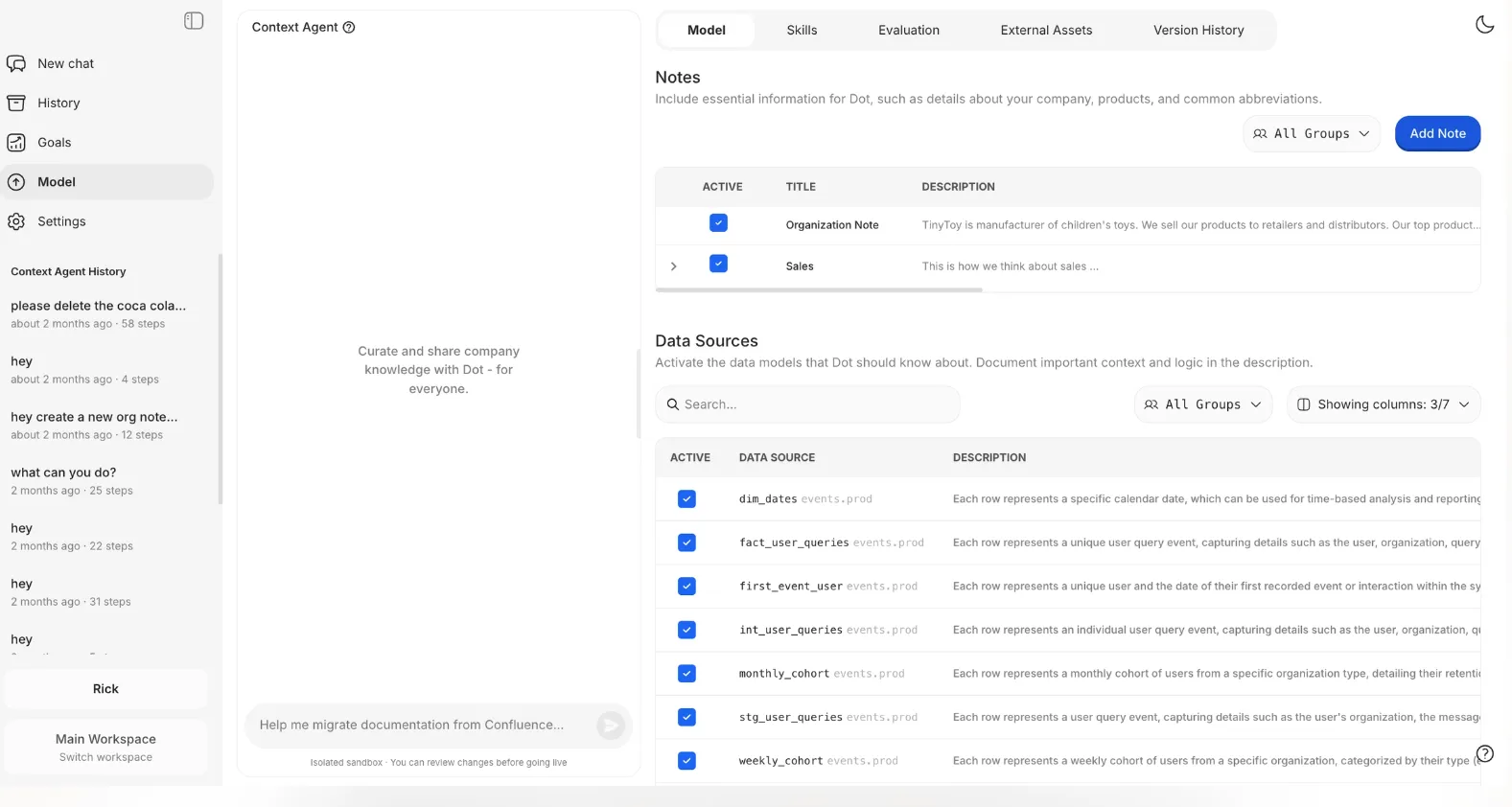
Two people asking the same question get the same figure back, so finance and product stop bringing different qualified-lead numbers into the same meeting.
When a definition changes or an upstream table changes shape, the Context Agent drafts the update in an isolated sandbox and holds it for review.
An admin reads the diff and merges it, so nothing reaches production without a human signing off.
How Is Dot's Pricing Different From Looker's?
Every figure is published, for a start. There's no quote to wait on.
The unit differs too. Looker charges for the instance and then for each person on it, while Dot bills credits against the analysis it performs and puts no cap on user numbers.
- Free: $0, with 300 credits granted once and the whole Pro feature set unlocked.
- Pro: $180/month covering 150 credits, then $1.80 a credit, and no cap on how many people use it.
- Team: $720/month covering 800 credits, then $1.44 a credit, with the admin layer added: SSO, row-level security, embedding, help migrating off your old BI tool, and dedicated support.
- Enterprise: quoted to you, with credits uncapped, volume pricing, self-hosting, audit logs, an SLA, and an account manager of your own.
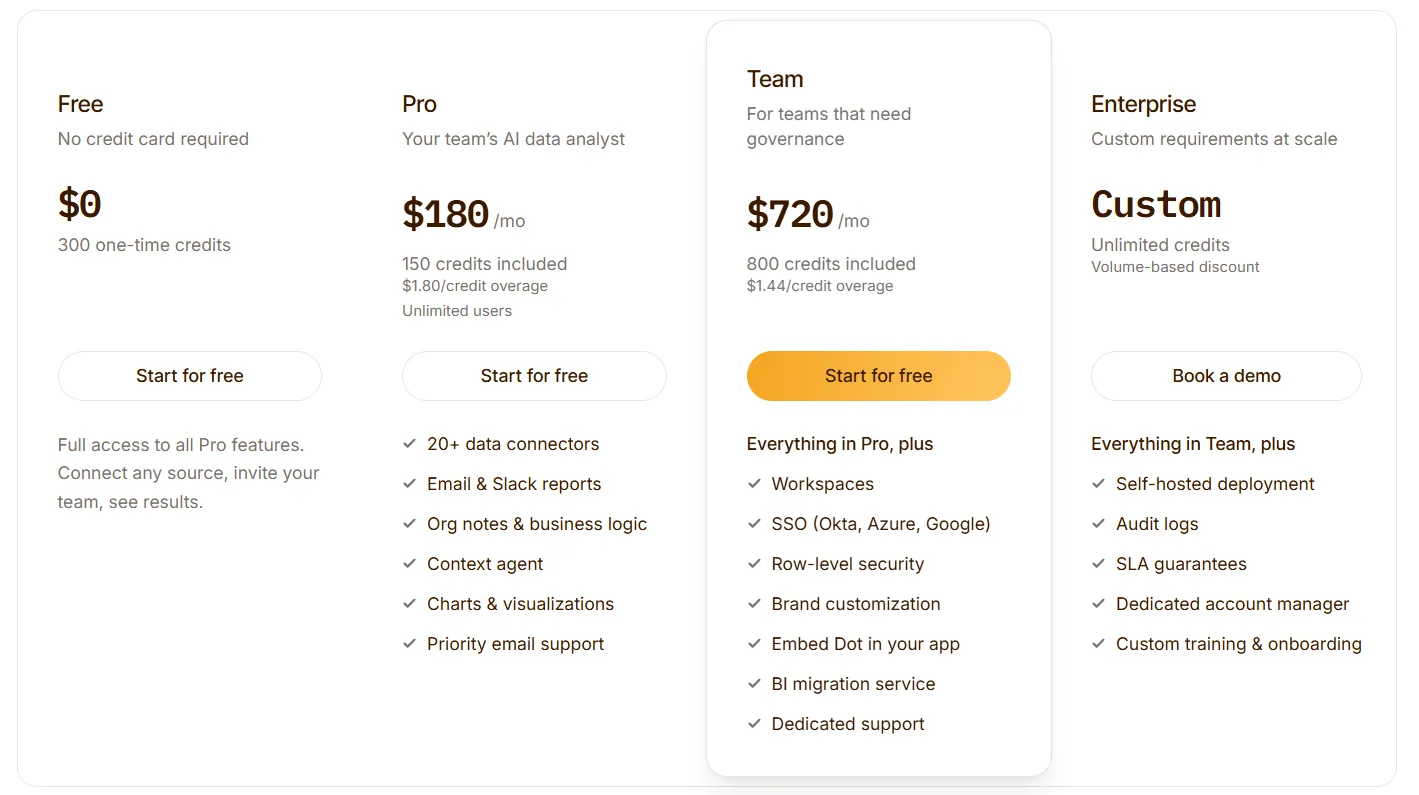
➡️ Prices above are for annual billing; month-to-month, Pro is $200 and Team is $800 a month.
Try Dot For Free
You arrived here trying to size up a Looker bill.
If the seat arithmetic is looking heavy, particularly for the people who only ever read, I’d recommend you take a look at Dot before you sign an annual commitment.
What your team gets:
- An analyst on call in Slack, Microsoft Teams, email, and the web app, for as many people as you care to add.
- Deep Analysis that works out what moved a number and what to do about it.
- Leadership reviews drafted from warehouse data on the cadence you pick.
- One agreed definition per metric, with conflicts raised before they reach a meeting.
- Each insight traceable to the query and the tables behind it.
- A live connection to Snowflake, BigQuery, Databricks, or Redshift, and reuse of the dbt models you already maintain.
- No seat cost for anybody who only reads.
You can start on the free plan with 300 credits and the full Pro feature set, no credit card needed. Or, if you would rather see it against your own data first, book a demo with our team.
⚠️ Disclaimer: This article was last updated on the 5th of August, 2026, and if there's any misinterpretation of the information, please contact us, and we will fact-check it.
Theo Tortorici
Theo writes about AI-powered analytics, data tools, and the future of business intelligence at Dot.