
10 Best Conversational Analytics Software & Tools In 2026
This is my breakdown of the 10 best conversational analytics platforms for 2026, with each tool’s features, pricing structures, and pros & cons.
TL;DR
- Dot is the best conversational analytics platform for 2026, with multi-step investigations delivered to Slack or Teams and a Context Agent that keeps metric definitions consistent across teams.
- ThoughtSpot and Tellius are worth a look if you want AI-native conversational analytics built around explainable insights and search-first interfaces.
- Microsoft Power BI, Tableau, Looker, and Domo are traditional BI platforms with conversational AI layered on top, useful if you're already invested in one of those ecosystems.
- Sigma, Metabase, and Qlik Sense lean more toward self-service exploration with lighter AI helpers, fitting teams that want to keep working in spreadsheets or open-source BI.
What are the best conversational analytics tools in 2026?
The best conversational analytics tools in 2026 are Dot, ThoughtSpot, and Tellius.
Here's the full breakdown:
Tool | Use case | Price |
Dot | Warehouse-native AI analyst that returns narrative answers and recommendations, delivered to Slack, Teams, and email. | Free plan; Pro from $180/mo. |
ThoughtSpot | Search-first AI analytics with the Spotter agent for multi-step analysis. | Essentials from $25/user/month (annual). |
Tellius | Conversational analytics with automated root cause and key driver analysis. | Custom pricing across Premium and Enterprise. |
Microsoft Power BI | Microsoft-native BI with Copilot for natural-language questions. | Pro from $14/user/month. |
Tableau | Visualization-first BI with Tableau Next and Agentforce for agentic analytics. | From $15/creator/month. |
Looker | Warehouse-native BI with LookML and Gemini conversational analytics. | Custom pricing (annual contracts). |
Domo | All-in-one cloud BI with AI chat, automation, and a deep connector library. | Custom pricing (30-day free trial). |
Sigma | Spreadsheet-style BI on live warehouse data with Ask Sigma. | Custom pricing. |
Metabase | Open-source BI with Metabot AI and click-to-explore analytics. | Free (self-hosted); Cloud from $100/month. |
Qlik Sense | Associative engine with Insight Advisor for AI-generated insights. | Custom pricing. |
#1: Dot
Dot offers the best conversational analytics platform on the market with its AI data analyst that connects directly to your data warehouse and does the analysis for you.
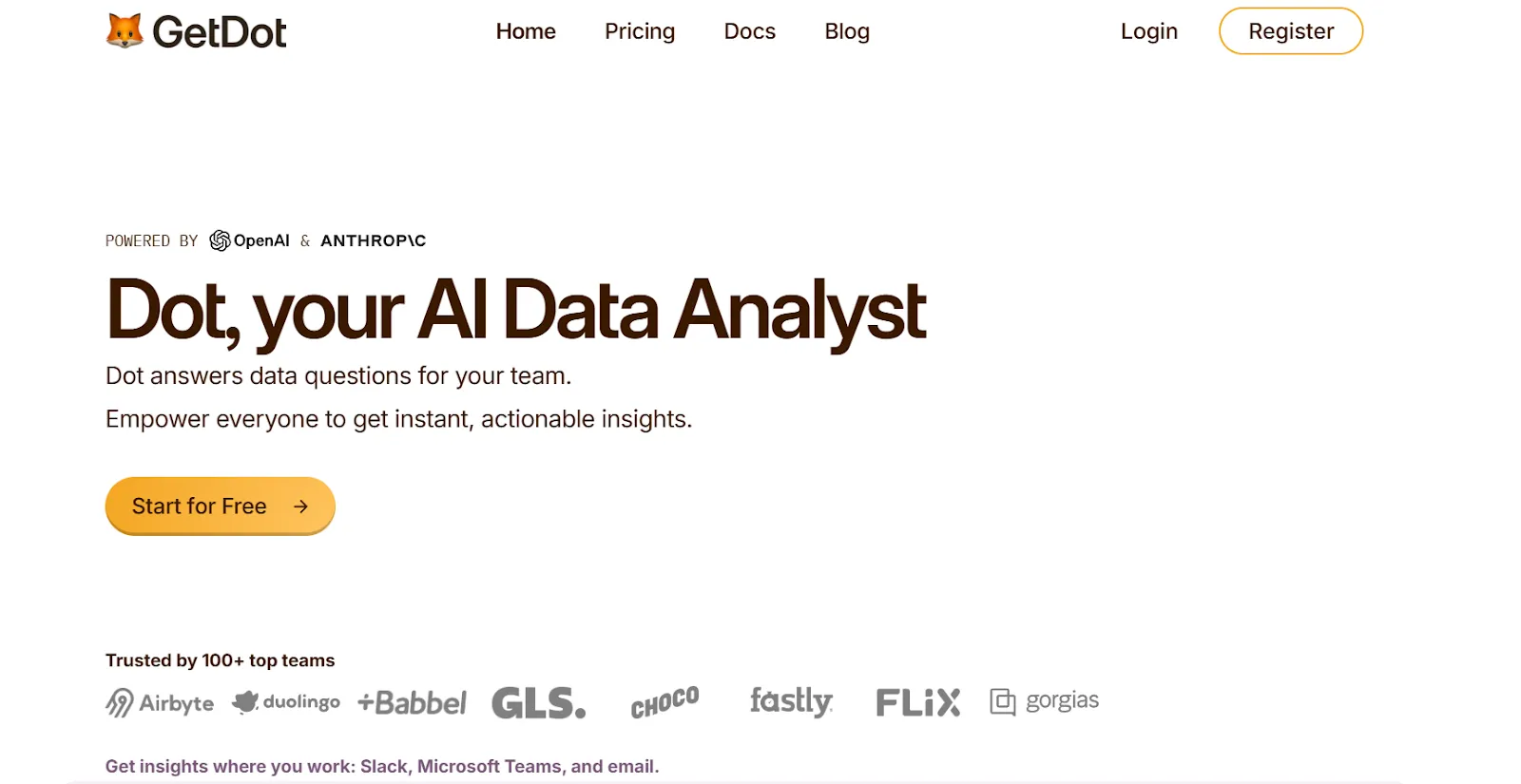
You ask a question, and you don't just get a chart and a row of numbers back. You get an investigation:
A written explanation of what changed, which segments drove the change, and what's likely behind it, with the SQL still attached if you want to check the math.
But we're not trying to add to the pile of chat-on-data tools.
Our solution is built to replace the analyst-written summary, and not just add a chat box onto a database.
Let's go through the features that make Dot the right pick for data teams: 👇
Multi-step investigation, not text-to-SQL
Most conversational analytics tools translate your question into one SQL query, return the result, and stop there.
Dot doesn't stop there.
You ask "why did our trial-to-paid conversion drop 8% last week?" and Dot plans the investigation, runs multiple queries against the warehouse, checks which segments and cohorts moved, looks for correlated factors, and writes back a narrative answer with the most likely reasons.
The output reads like an analyst memo.
💡 Teams notice this part of the product first. The ad-hoc requests that used to live in the analyst queue start getting answered directly in chat.
Here are Dot’s analytical features:
- Root cause analysis: When a metric moves unexpectedly, Dot investigates which dimensions are driving the change without making you spell them out up front.
- Segment and cohort drill-downs: Dot compares across segments and time periods on its own, surfacing the ones that materially moved.
- Recommendations attached: Answers come with suggested next steps, not just numbers.
- Full SQL audit trail: Every answer links back to the exact SQL Dot ran, so anyone who needs to verify the math can.
Persistent business context & shared definitions with Dot’s Context Agent
Ask finance, product, and marketing at any company with over 50 people what "active user" means.
You'll probably get four different answers.
That's the problem the Context Agent was built to solve. It learns your business definitions once: what counts as an active user, how MRR is calculated, which tables are the source of truth.
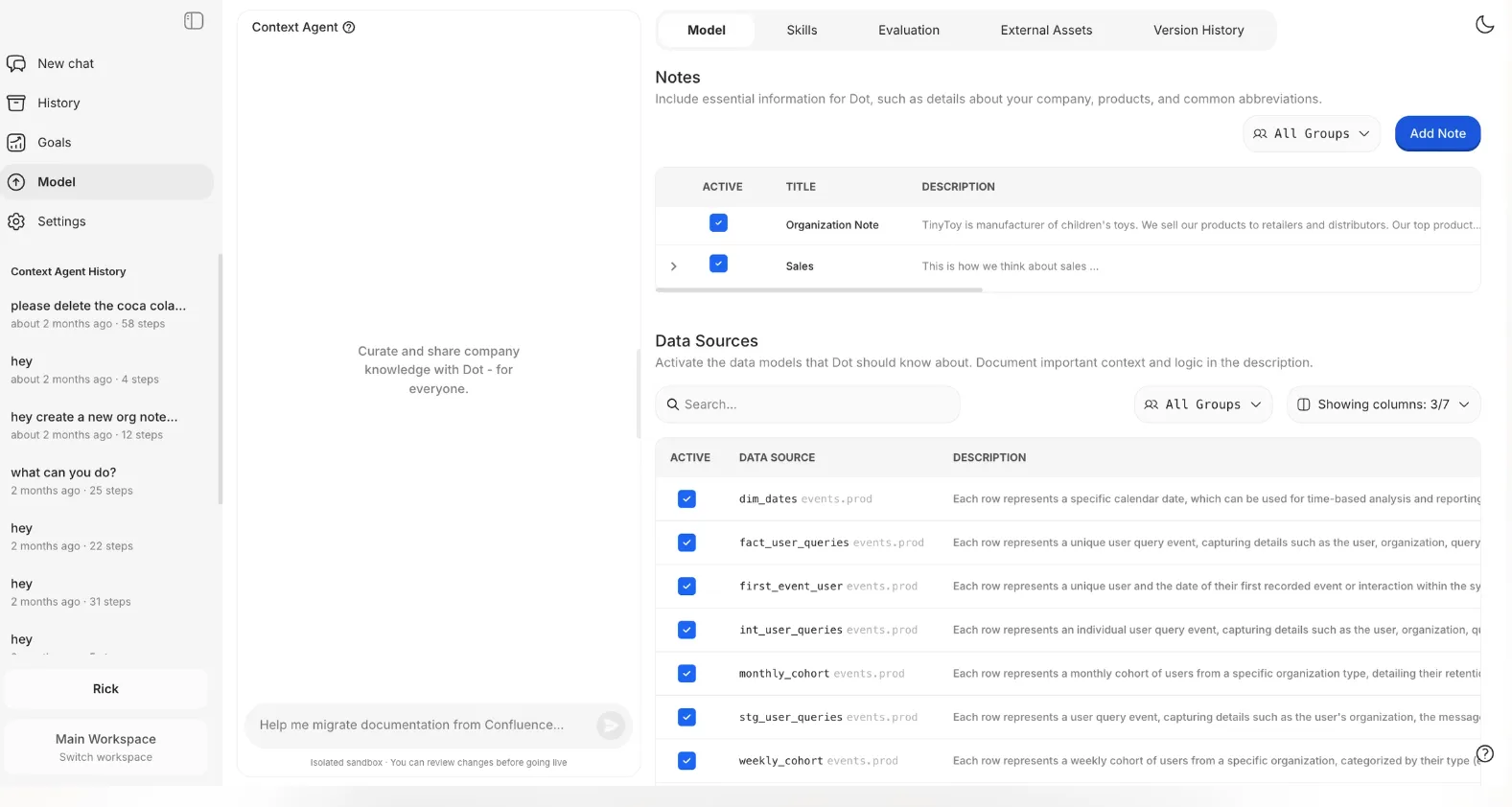
Those definitions apply to every question Dot answers.
The result is consistency:
- Two executives running the same query an hour apart see the same number.
- New hires inherit the company's actual definitions, not whatever someone improvised in a spreadsheet last quarter.
The CFO and the head of product stop fighting about which dashboard has the "real" revenue figure.
The conversation happens where your team already talks
Decisions get made in Slack threads and Teams chats, and not in dashboard apps. Dot lives in both.
Someone @-mentions Dot in a Slack channel, and the answer arrives in the thread, with the same data permissions and metric definitions as everyone else's view.
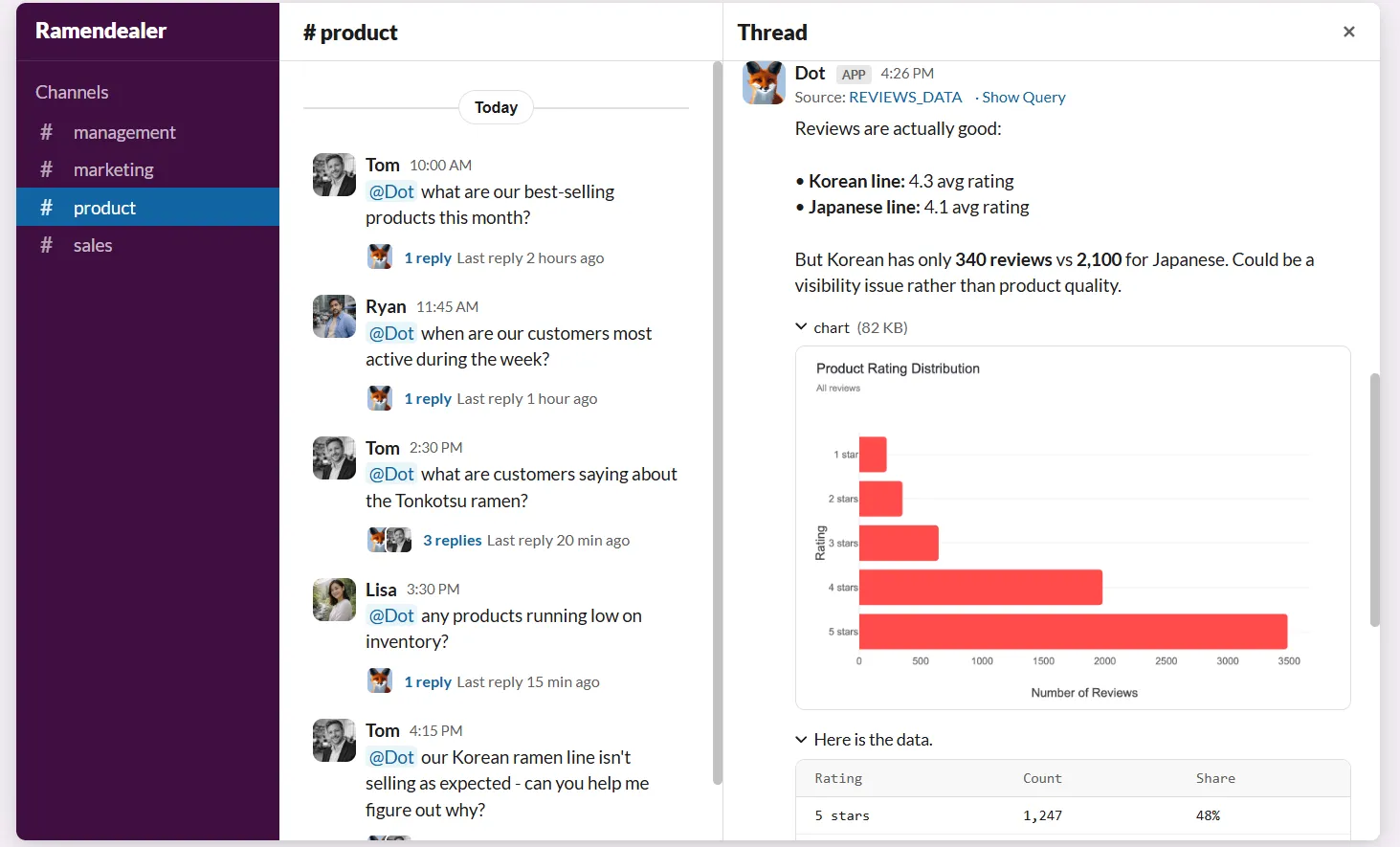
The same applies to Microsoft Teams, email, and the Dot web app if you want a dedicated workspace for deeper analysis sessions.
And the response doesn’t just show numbers. It explains what’s happening, why it’s likely happening, and which segments, regions, or metrics are driving the change.
Your team will get faster answers without needing to learn tools like Power BI, SQL, or data models, while your analysts will regain time to focus on deeper, higher-impact analysis instead of having to pull “one more chart.”
Reports that show up before anyone asks
Recurring reports are where data teams lose entire mornings. Someone on Slack asks for last week's numbers.
An analyst pulls them, formats them into a deck, writes a quick analysis paragraph, and sends it up.
Dot handles all of that on a schedule you define.
You can set the cadence, point Dot at the metrics that matter, and the platform writes a complete narrative report on its own: what shifted, what stayed flat, which cohorts moved the needle, and the most likely reasons.
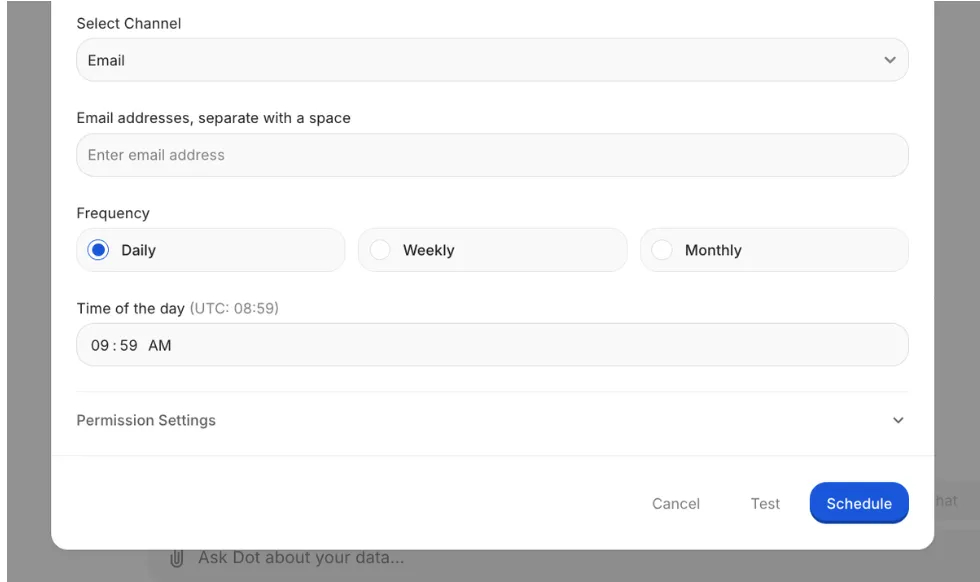
It reads like a senior analyst's memo, just without anyone's morning being spent on it.
Dot's integrations
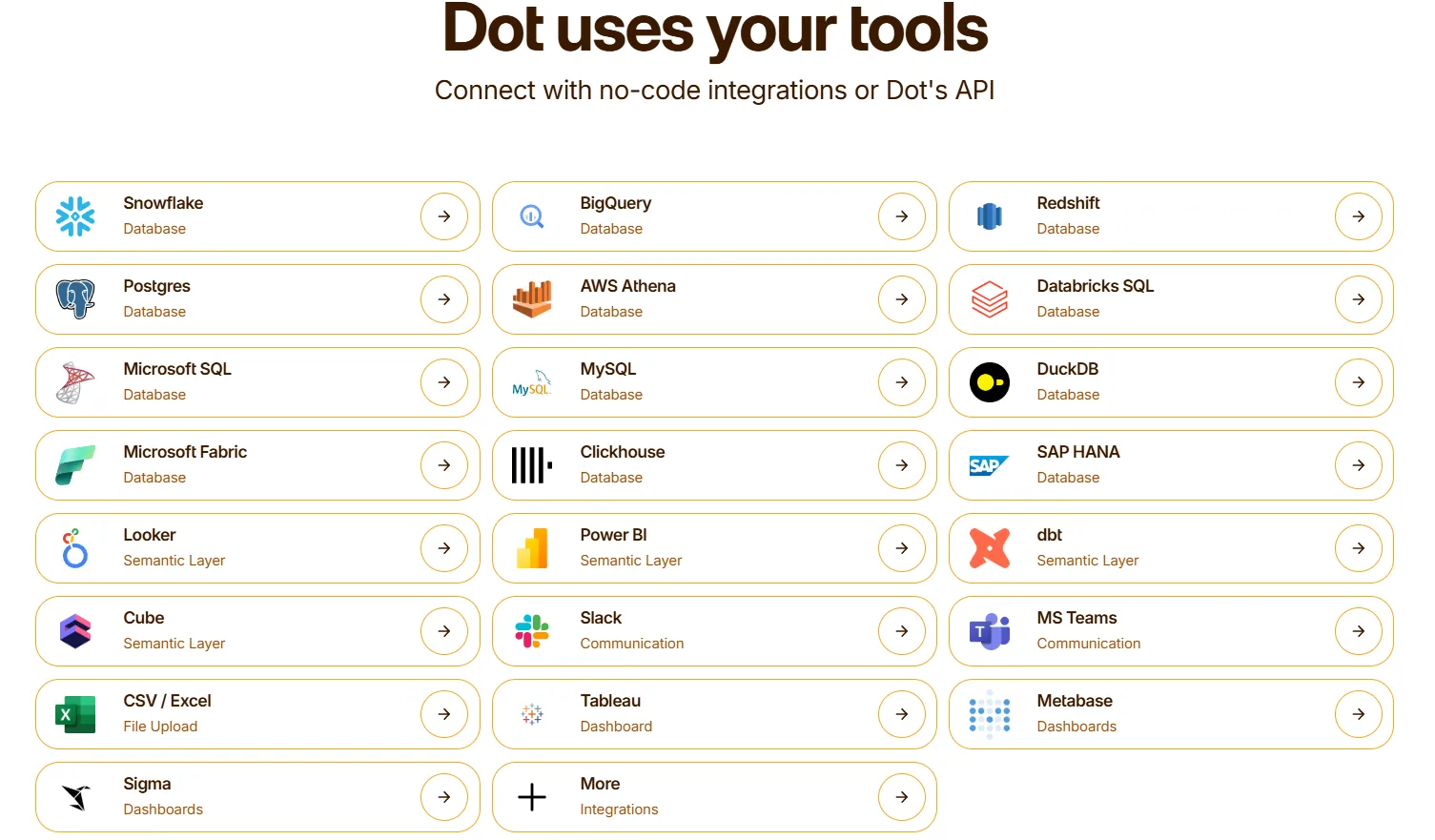
Dot connects directly to Snowflake, BigQuery, Redshift, and Databricks, plus operational databases like Postgres, MySQL, and SQL Server.
It also reads from semantic and transformation layers like dbt, Cube, Looker, and Power BI models, so your existing metric definitions get reused.
Delivery happens through Slack, Microsoft Teams, email, and the Dot web app. Dot can sit alongside an existing BI tool like Tableau, Metabase, or Sigma for gradual rollouts.
What makes Dot different from traditional conversational analytics tools?
Most conversational analytics tools are wrappers.
A chat box gets added onto an existing BI product, the user types a question, the LLM translates it into SQL, and a chart comes back.
The conversation ends where the interpretation work begins.
That model has real limits. It assumes the user knows what to ask, knows whether the chart answers the actual question, and knows what to do with the result.
Dot was built to skip that handoff.
Ask a question, and what comes back is a written analysis: what changed, which segments drove it, what the most likely causes are, and a recommended next step.
The SQL sits underneath if anyone needs to audit it, but nobody has to read it to act on the answer.
The Context Agent does the unglamorous work in the background, picking up metric definitions from dbt models, semantic layers, and analyst corrections, so the answer to "what's our revenue" stays consistent whether finance, product, or the CEO asks it.
For teams that have already invested in a chat-on-data tool and are wondering why they're still spending their Mondays answering ad-hoc Slack questions, that's the gap Dot was built to close.
Dot pricing
Dot has a free plan with 300 one-time credits and full access to Pro features, which is enough to test on real data before paying anything.
There are three paid tiers, with a 10% discount on annual billing:
- Pro: $180/month, 150 credits included, unlimited users, $1.80 per credit overage. Covers the full conversational analytics feature set.
- Team: $720/month, 800 credits included, $1.44 per credit overage. Adds SSO, row-level security, embedded analytics, BI migration support, and dedicated customer success.
- Enterprise: Custom pricing. Unlimited credits with volume discounts, self-hosted deployment, audit logs, SLAs, and a dedicated account manager.
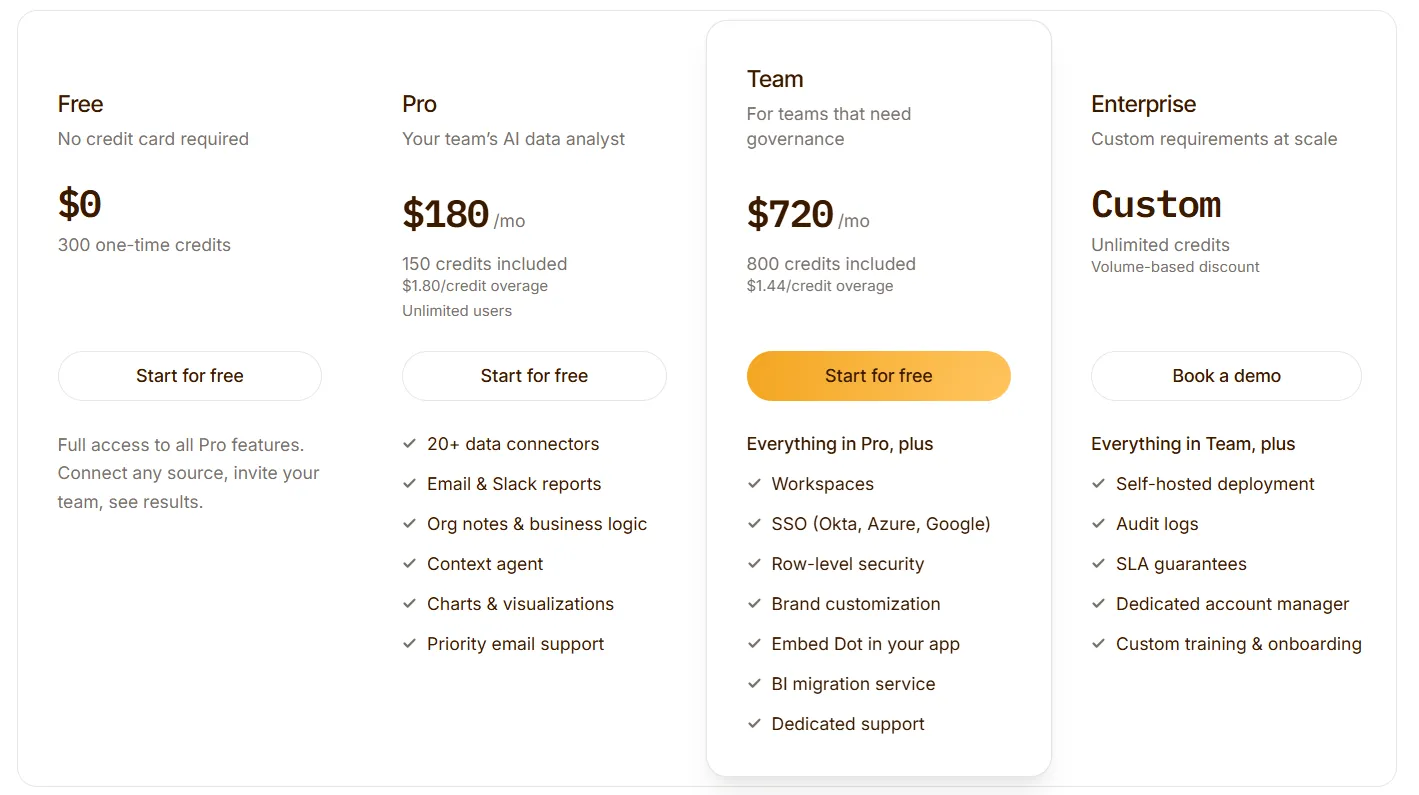
Credits are tied to the work Dot does (query complexity and analysis depth) and not the number of seats.
That means you can roll Dot out across the whole company without per-user licensing fees stacking up.
Dot pros and cons
✅ Returns narrative answers, not just charts.
✅ Lives in Slack, Teams, email, and a web app.
✅ Context Agent keeps definitions consistent.
✅ Multi-step root cause investigation.
✅ Full SQL audit trail.
✅ Usage-based pricing.
❌ Needs a data warehouse.
❌ Not a traditional dashboard tool.
#2: ThoughtSpot
Best for: Enterprise teams that want AI-driven, search-first conversational analytics on governed data.
Similar to: Tellius, Looker.
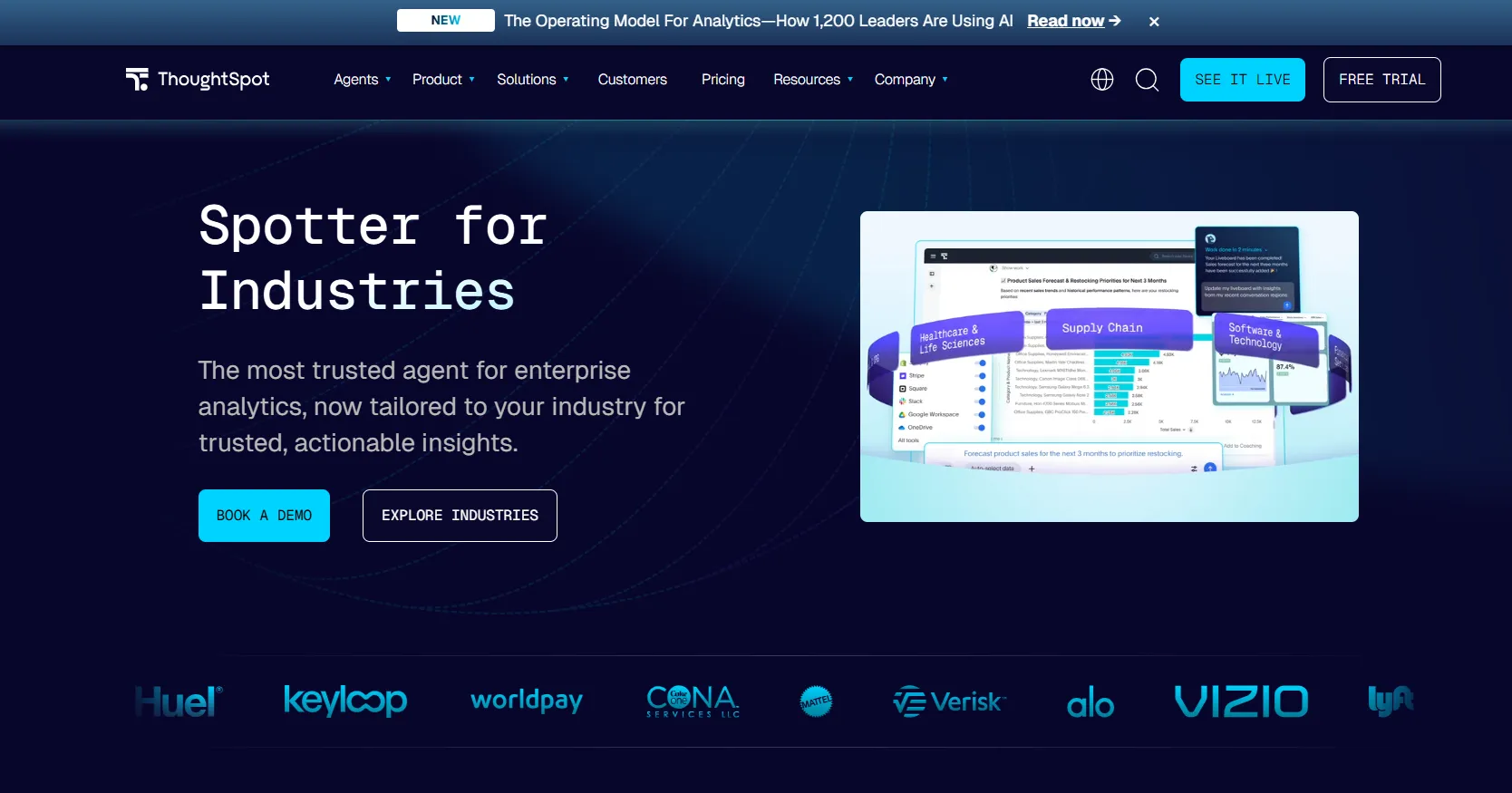
ThoughtSpot built one of the first true natural-language interfaces for business intelligence, and the search bar still anchors the experience.
Spotter, the newer agent layer, takes that further by running multi-step analyses and generating whole dashboards from a single prompt.
ThoughtSpot's top features
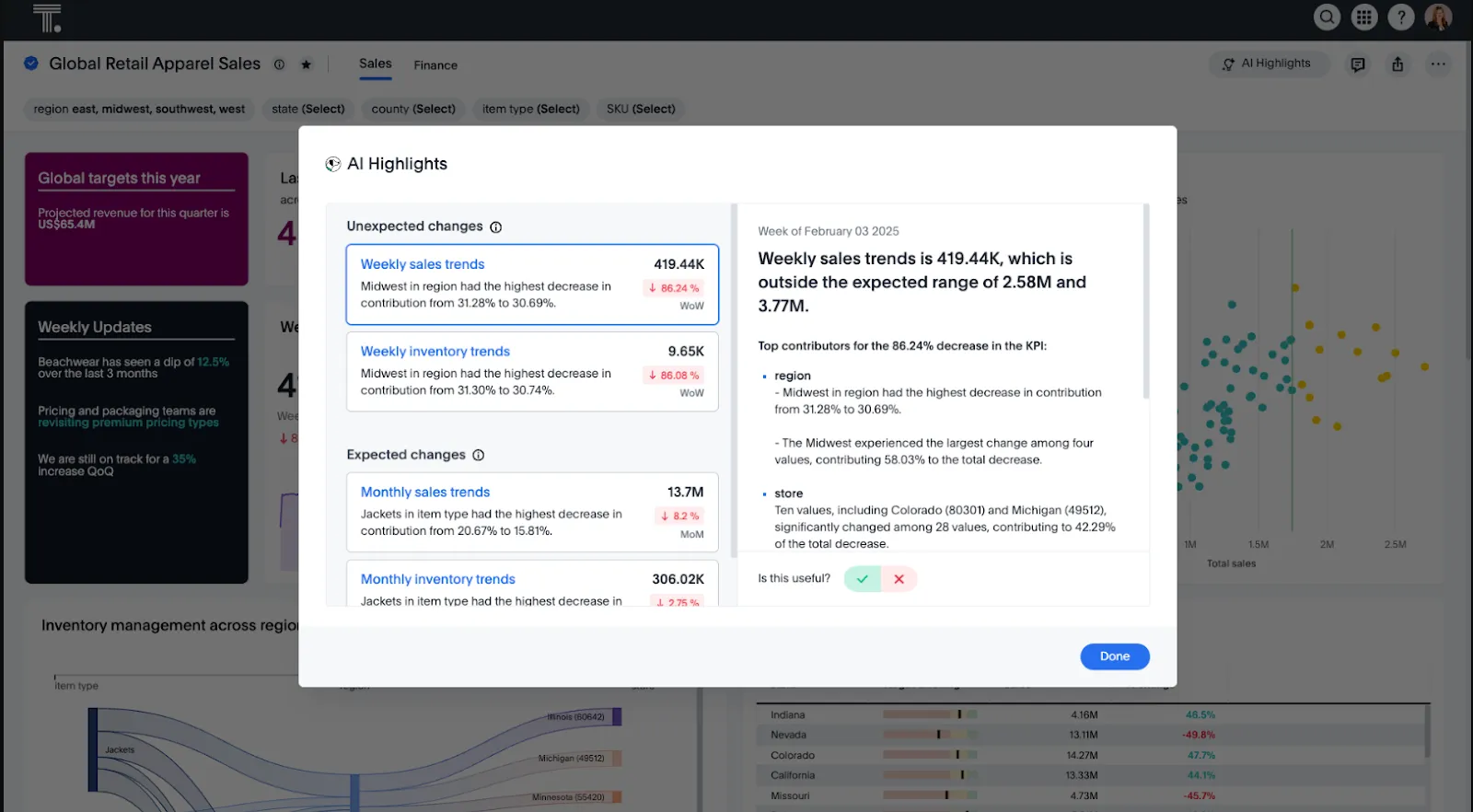
- Natural language search: Type a business question and get a governed answer from live data, with the supporting chart included.
- Spotter AI agent: Multi-step analysis that investigates why a metric moved, surfaces relevant cohorts, and pulls data from multiple sources.
- SpotterViz: Generates an entire dashboard from a single prompt, layout and styling included.
- ThoughtSpot Embedded: Separate product line for adding search-based analytics into customer-facing apps.
ThoughtSpot pricing
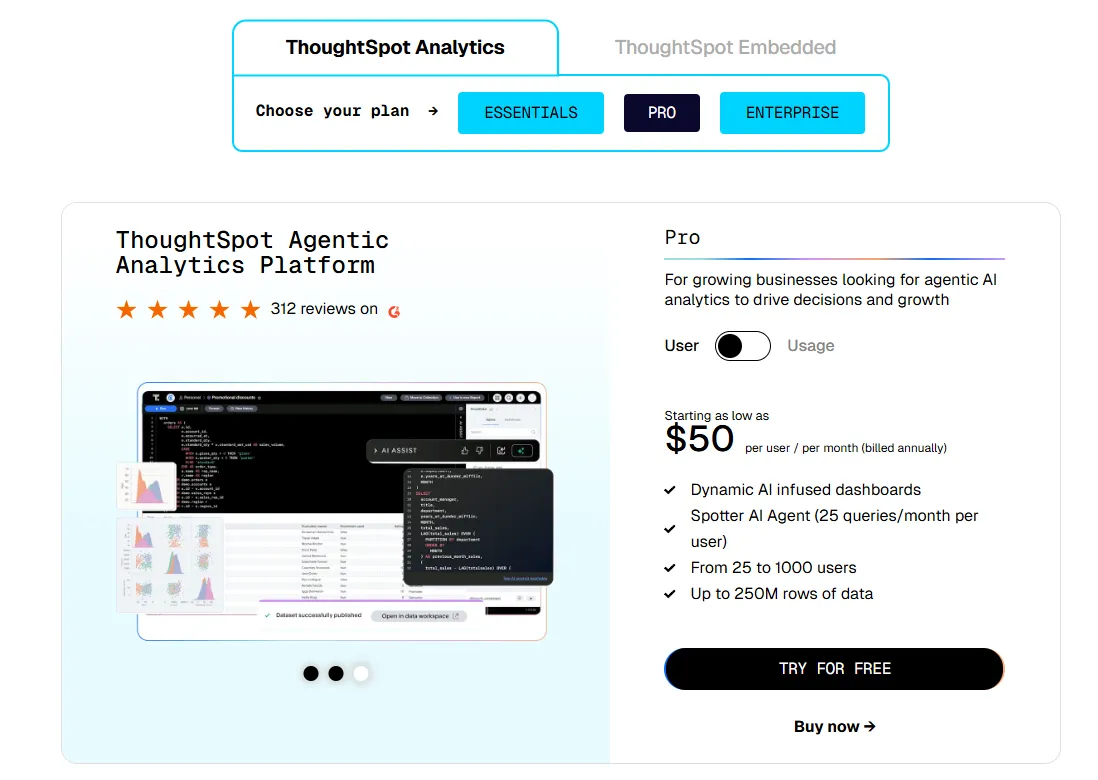
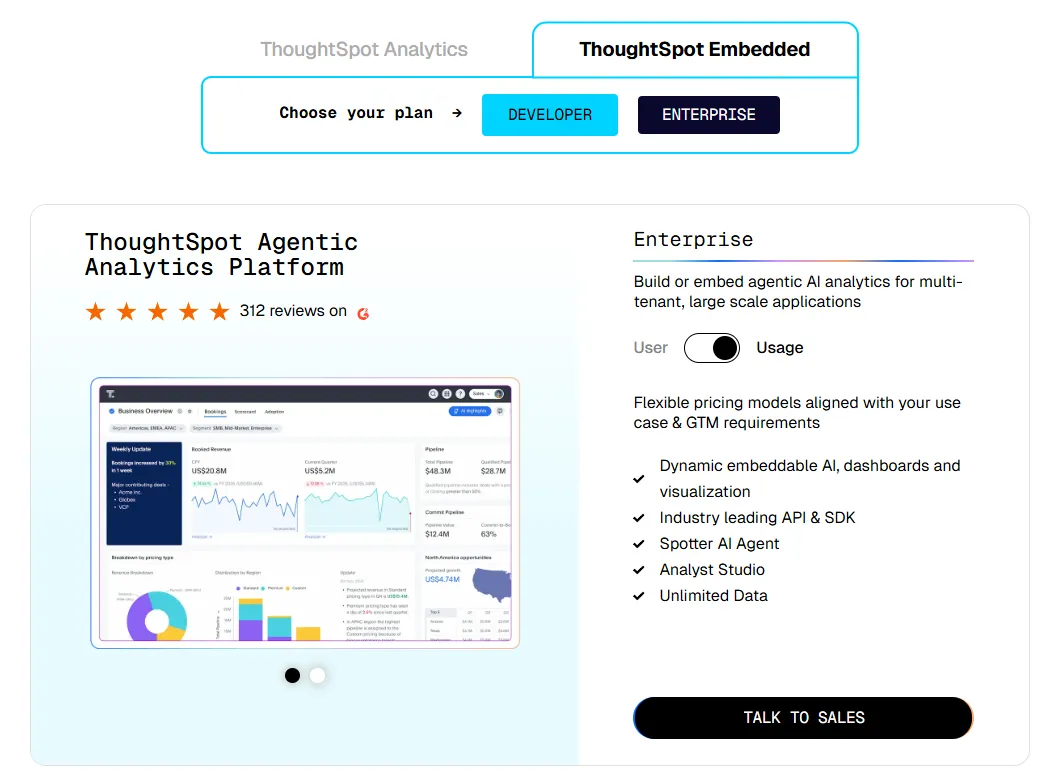
ThoughtSpot offers two separate products: ThoughtSpot Analytics for internal BI and ThoughtSpot Embedded for building analytics into applications - each with flexible pricing depending on scale and usage:
- ThoughtSpot Analytics:
- Essentials: From $25 per user per month (billed annually), for teams of 5-50 users, includes dynamic interactive dashboards and AI-powered insights and supports up to 25M rows of data.
- Pro (per user pricing): From $50 per user per month (billed annually), for 25–1,000 users, includes everything in Essentials, plus AI-infused dashboards and Spotter AI Agent (25 queries per user/month), and supports up to 250M rows of data.
- Pro (usage-based): From $0.10 per query, includes everything in Pro per user, and adds Analyst Studio.
- Enterprise (user or usage-based): Custom pricing, includes everything in Pro, plus unlimited users and data.
- ThoughtSpot Embedded:
- Developer: Free for 1 year, includes embeddable AI analytics, dashboards, and visualizations, APIs and SDKs, up to 10 users and 25M rows of data.
- Enterprise (user-based): Custom pricing, includes everything in Developer, plus unlimited data.
- Enterprise (usage-based): Custom pricing, everything in Enterprise, plus Spotter AI Agent and Analyst Studio.
ThoughtSpot pros and cons
✅ Search works for non-technical users.
✅ Spotter is solid on structured enterprise data.
✅ Strong governance.
❌ Two pricing structures (per user vs. usage-based) can get confusing at scale.
#3: Tellius
Best for: Business and analytics teams that want explainable answers to "why did this change?" questions on enterprise data.
Similar to: ThoughtSpot,DataGPT.
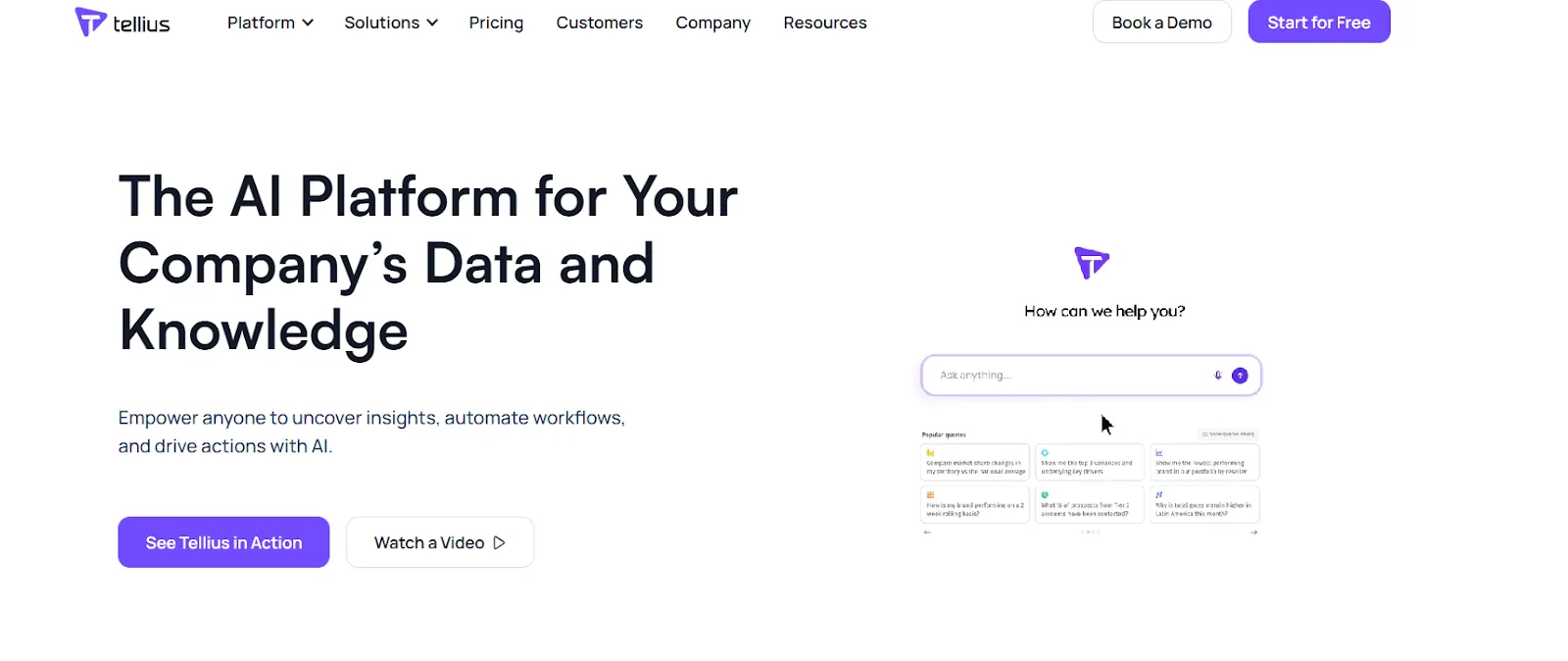
Tellius combines a chat-style interface with automated investigation, so when a metric moves, the platform takes the first pass at classification, variance, and key driver analysis on its own.
The output blends written narratives with interactive visualizations, which gives you both the explanation and a way to dig further.
Tellius's top features
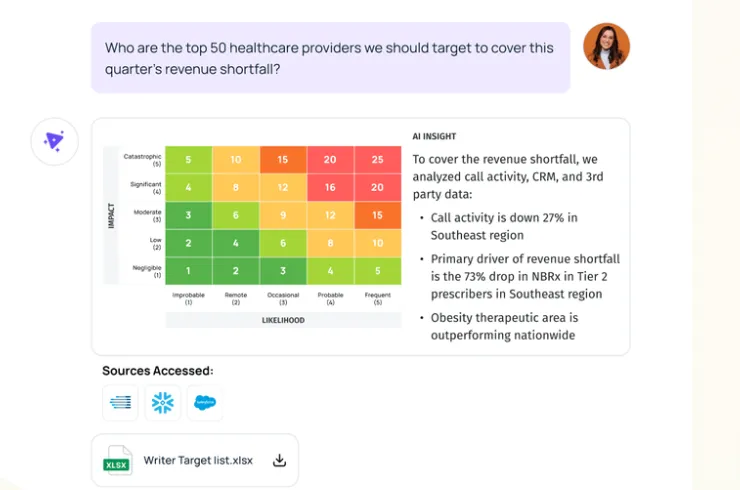
- Conversational interface: Natural language querying grounded in a governance model, returning context-aware answers.
- Automated AI insights: Root cause analysis, key driver detection, and anomaly flagging across large datasets.
- GenAI narratives: Written explanations that sit alongside the visualizations.
- Auto-visualizations: Interactive charts generated from the underlying analysis for deeper drill-down.
Tellius pricing
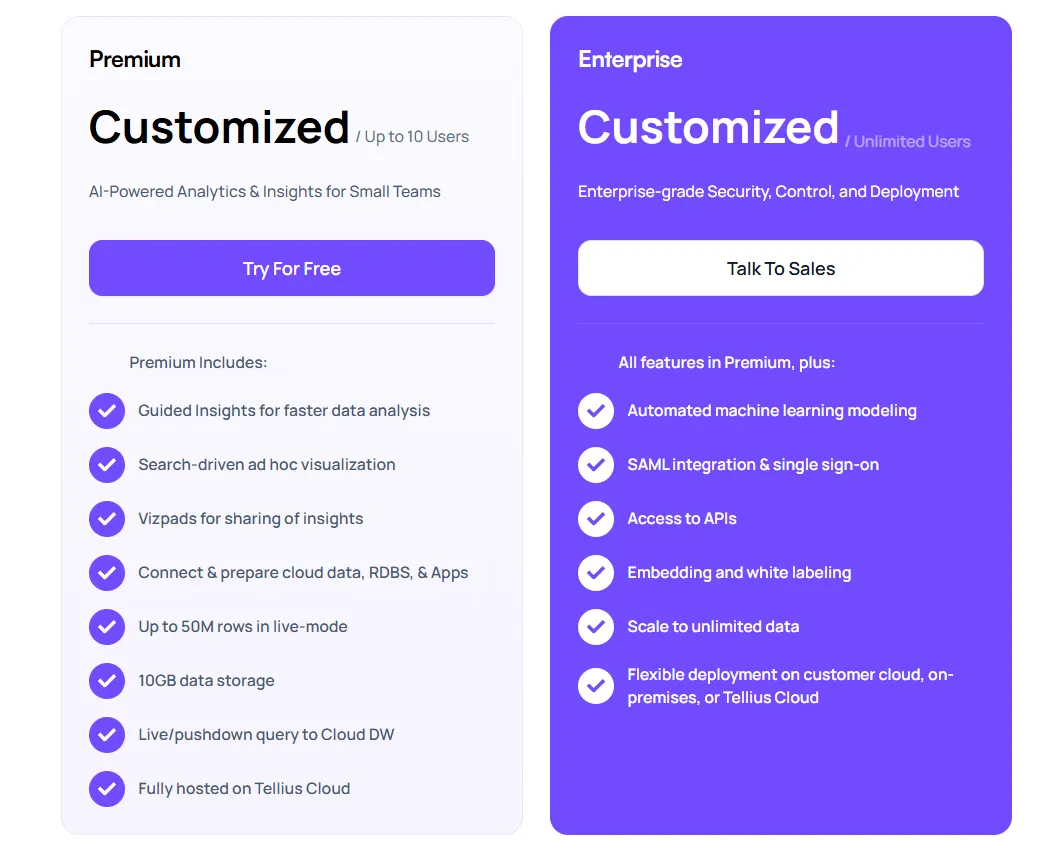
Tellius doesn't publish pricing. Two custom-quoted tiers:
- Premium: Capped at 10 users. Covers conversational analytics, guided insights, Vizpads, live warehouse queries up to 50M rows, and 10GB of storage on Tellius Cloud.
- Enterprise: Unlimited users. Adds ML modeling, SSO, API access, embedding, white-labeling, and flexible deployment (Tellius Cloud, customer cloud, or on-prem).
Tellius pros and cons
✅ Explainable AI layer is the real differentiator.
✅ Interface is approachable.
✅ Scales on enterprise datasets.
#4: Microsoft Power BI
Best for: Organizations already on the Microsoft stack (Azure, Fabric, Office 365) that want BI with Copilot for natural-language questions.
Similar to: Tableau, Looker.
Power BI is the BI tool in any company already invested in Azure or Microsoft Fabric, which is to say most enterprises with an IT department.
The AI layer here is Copilot, which lets users ask questions in plain English and get back narrative summaries or report drafts grounded in the underlying semantic model.
Power BI's top features
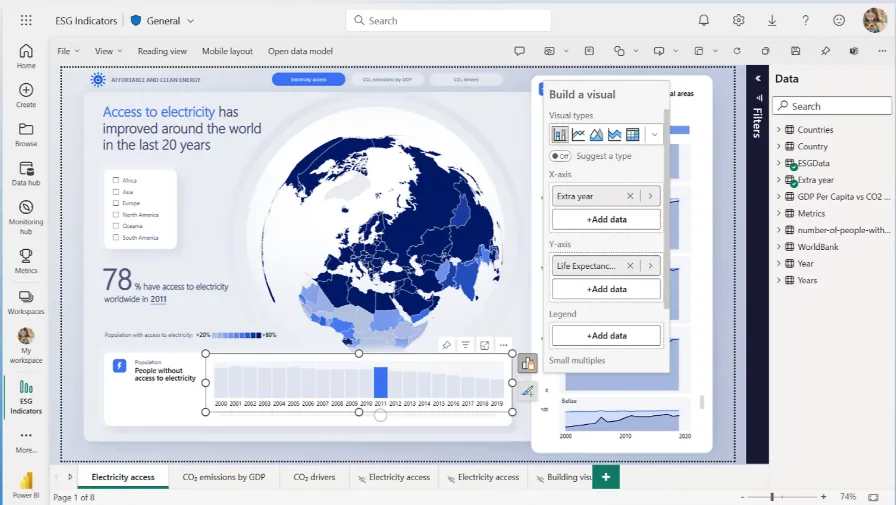
- Copilot integration: Ask questions in natural language and get answers grounded in your semantic model.
- DAX and semantic modeling: Tight modeling controls for analysts who want full control over how data behaves.
- Microsoft Fabric integration: Bundles with OneLake, Synapse, and the broader Microsoft data platform.
Power BI pricing
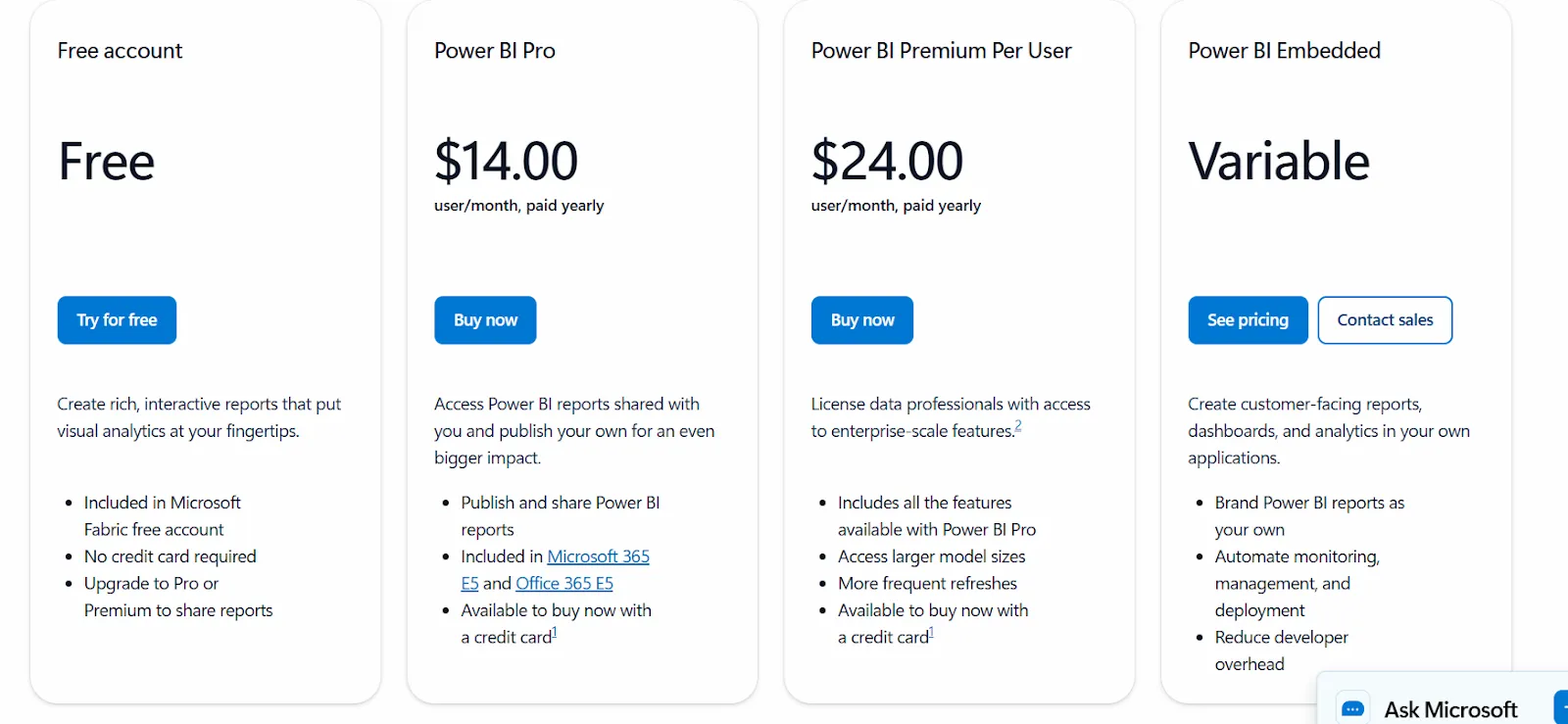
Power BI uses a per-user and capacity-based model. There's a free tier for individual users with no sharing or collaboration features.
The paid options:
- Power BI Pro: $14/user/month. Includes report publishing, sharing dashboards, collaboration in workspaces, and embedding in Microsoft Teams and SharePoint.
- Power BI Premium Per User: $24/user/month. Adds larger model sizes, more frequent refreshes, paginated reports, and advanced AI features.
- Power BI Embedded: Custom pricing, for embedding analytics into your own apps.
Power BI pros and cons
✅ Tight fit inside the Microsoft ecosystem.
✅ Copilot handles the basics.
✅ Big connector marketplace.
❌ For beginners, the learning curve can feel steep, particularly when you start working with data modeling and DAX formulas, according to a G2 review.
#5: Tableau
Best for: Analysts and enterprise teams that want strong visualization paired with agentic analytics through Tableau Next.
Similar to: Power BI, Qlik Sense.
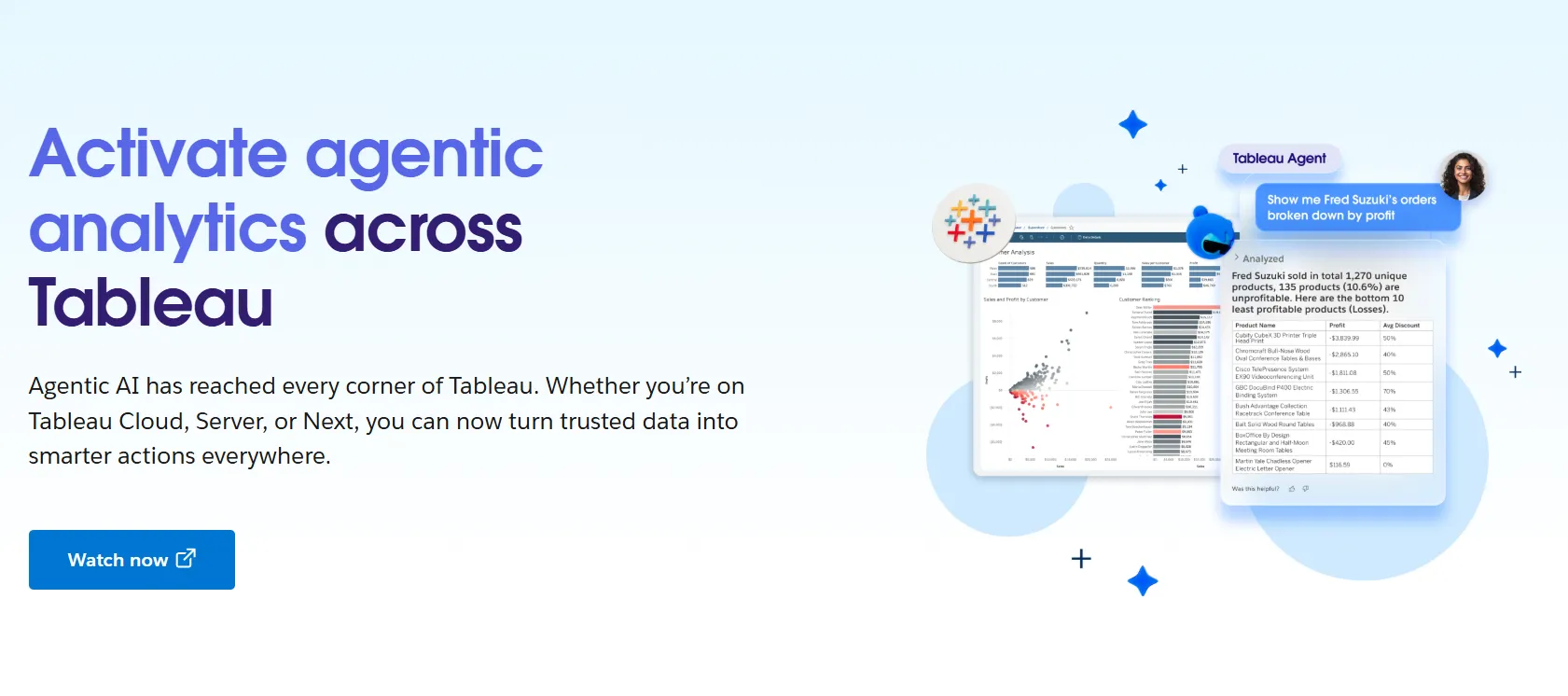
Tableau is the visualization standard most analytics teams compare everything else against.
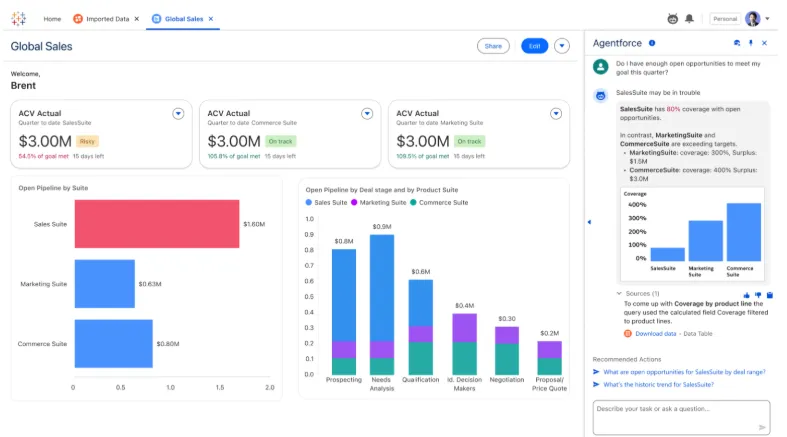
The newer conversational layer arrives through Tableau Next and Tableau Pulse, both built on Salesforce's Agentforce platform for AI-driven analysis and proactive metric alerts.
Tableau's top features
- VizQL drag-and-drop: The visualization engine that defined the modern BI category.
- Tableau Next: AI agents that surface insights and can trigger actions inside Slack and Salesforce workflows.
- Tableau Pulse: Push-based metric summaries and trend alerts delivered into Slack and email.
- Governance and Data Management: Centralized controls and reusable metrics, built for enterprise scale.
Tableau pricing
Tableau uses per-user, per-month pricing, with separate plans depending on whether you deploy Tableau in the cloud, on your own servers, or as part of its newer AI-driven offering:
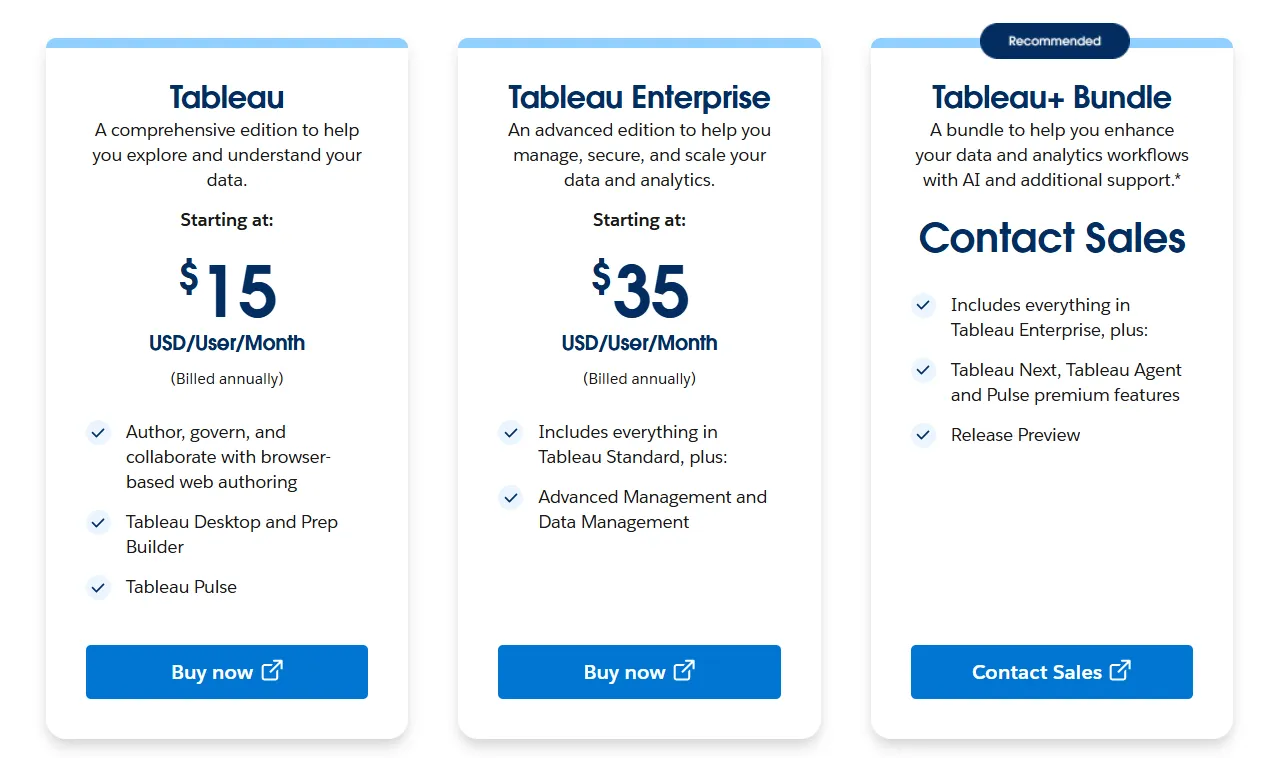
- Tableau Cloud has three pricing plans:
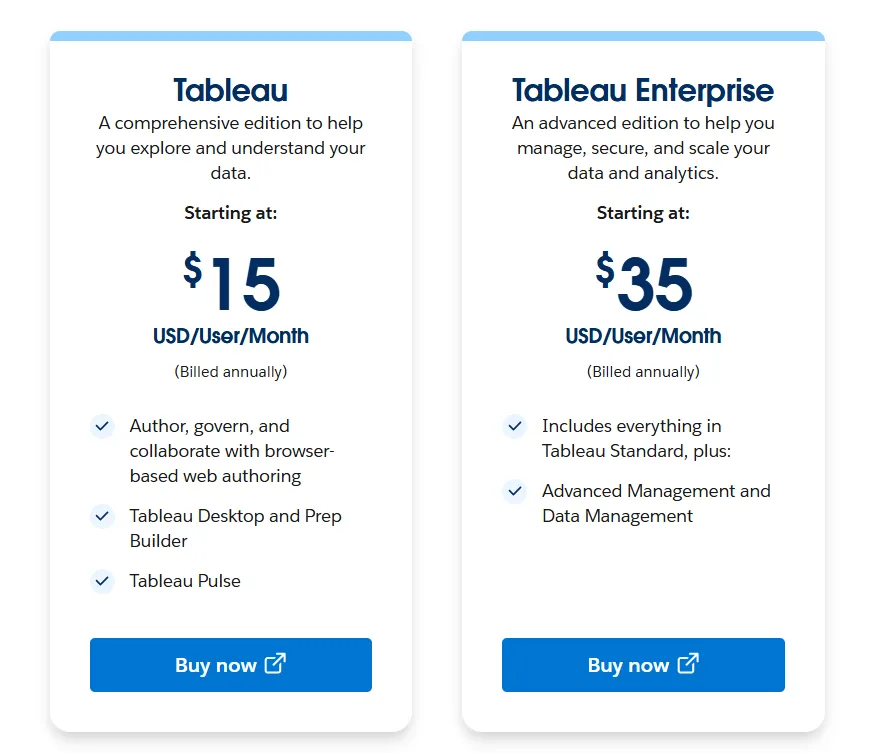
- Tableau Standard: Starts at $15/user/month, which includes browser-based authoring and collaboration, Tableau Desktop and Prep Builder, Tableau Pulse for metrics and insights.
- Tableau Enterprise: Starts at $35/user/month and includes everything in Standard, plus Advanced Management and Data Management for governance and scale.
- Tableau+ Bundle (Cloud + AI): Custom pricing, includes everything in Tableau Enterprise, plus Tableau Next, Tableau Agent, and Pulse premium features, with access to release previews and early AI capabilities.
- Tableau Server has two pricing plans:
- Tableau Standard: Starts from $15 per user/month, which includes authoring, governance, and collaboration and Tableau Desktop and Prep Builder.
- Tableau Enterprise: Starts from $35 per user/month, which includes everything in Standard, plus Advanced Management, Data Management, and eLearning.
- Tableau Next (agentic analytics) has 2 plans:
- Tableau Next: Starts from $40/month/seat, and includes Agentforce Tableau, Tableau Semantics, and its Native Slack integration.
- Tableau + Bundle: Custom pricing, which includes everything in Tableau Enterprise, plus Tableau Next, Tableau Agent and Pulse premium features.
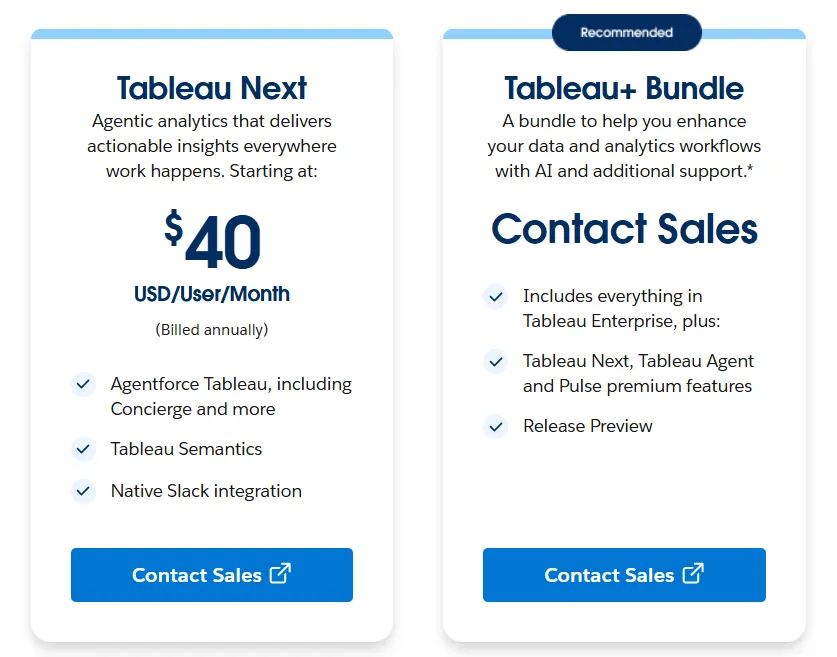
Tableau pros and cons
✅ Visualization remains best-in-class.
✅ Tableau Next is a real agentic push, not a bolt-on chatbot.
✅ Governance scales at enterprise size.
❌ Per-user pricing can scale fast for organizations rolling out broadly.
#6: Looker
Best for: Data teams that want a governed semantic layer and conversational analytics through Gemini.
Similar to: Power BI, Sigma.
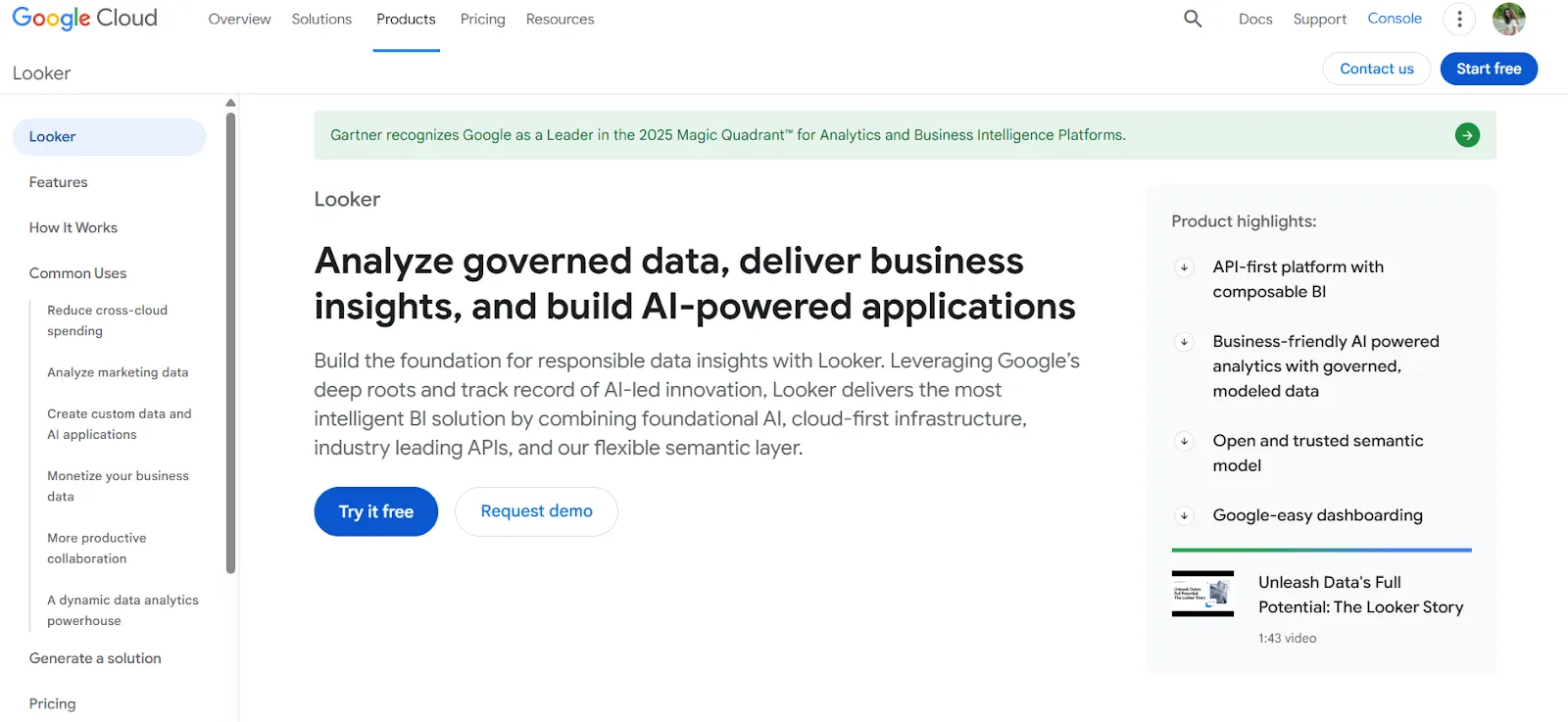
Looker organizes everything around a centralized semantic model written in LookML, where the company's metric logic lives in one versioned source.
Gemini layers conversational analytics on top of that, so a sales lead asking "what's our pipeline" gets the same answer the finance team would.
Looker's top features
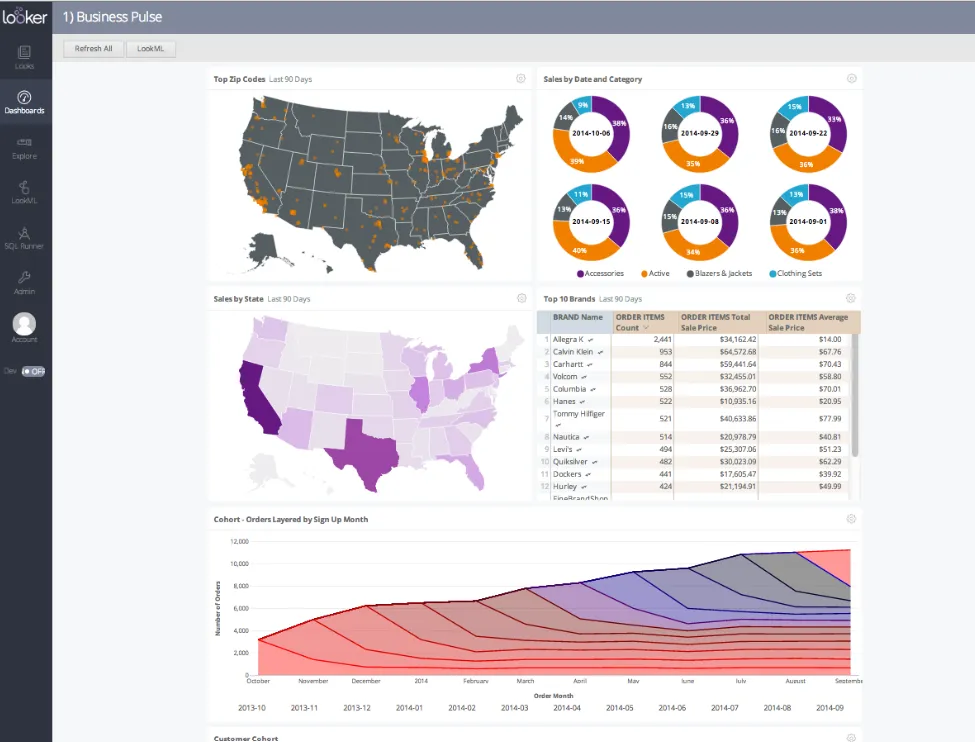
- LookML semantic modeling: Metrics defined once, reused everywhere, with version control.
- Gemini conversational analytics: Natural language queries that respect LookML governance.
- Live warehouse querying: Dashboards query the warehouse directly, with no extract drift.
- Embedded analytics: Strong embedding for internal tools and customer-facing products.
Looker pricing
Looker uses a custom, contract-based pricing model made up of two parts: platform pricing (the cost of running a Looker instance) and user licensing (the cost per user type).
Pricing is annual for all plans.
- Platform editions:
- Standard: Designed for small teams or organizations with fewer than 50 users, includes 1 production instance, 10 standard users + 2 developer users, up to 1,000 query-based API calls/month, and up to 1,000 admin API calls/month.
- Enterprise: Built for larger internal BI and analytics use cases, includes everything in Standard, plus enhanced security features, up to 100,000 query-based API calls/month, and up to 10,000 admin API calls/month.
- Embed: Designed for embedding analytics into external products or applications, includes everything in Standard, plus up to 500,000 query-based API calls/month and up to 100,000 admin API calls/month.
- User licensing:
- Developer users: Full access to Looker, including LookML development, administration, APIs, and advanced tooling.
- Standard users: Can explore data, build dashboards and reports, run SQL, and schedule content.
- Viewer users: Read-only access to dashboards and reports, with filtering and drill-down.
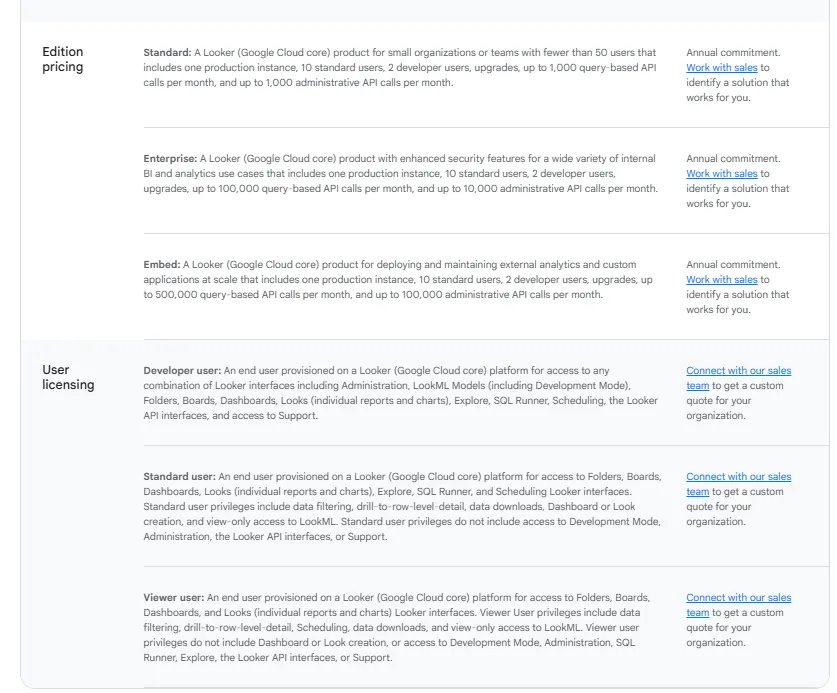
Pricing is custom on all plans and varies based on scale, permissions, and usage.
Looker pros and cons
✅ LookML is the gold standard for governed metrics.
✅ Gemini integration is genuine.
✅ Embedding works out of the box.
❌ There's a bit of a learning curve at first, which can require a bit more education upfront to maximize all of its capabilities, according to a G2 review.
#7: Domo
Best for: Teams that want ingestion, dashboards, automation, and AI chat bundled into one platform.
Similar to: Tableau, Power BI.
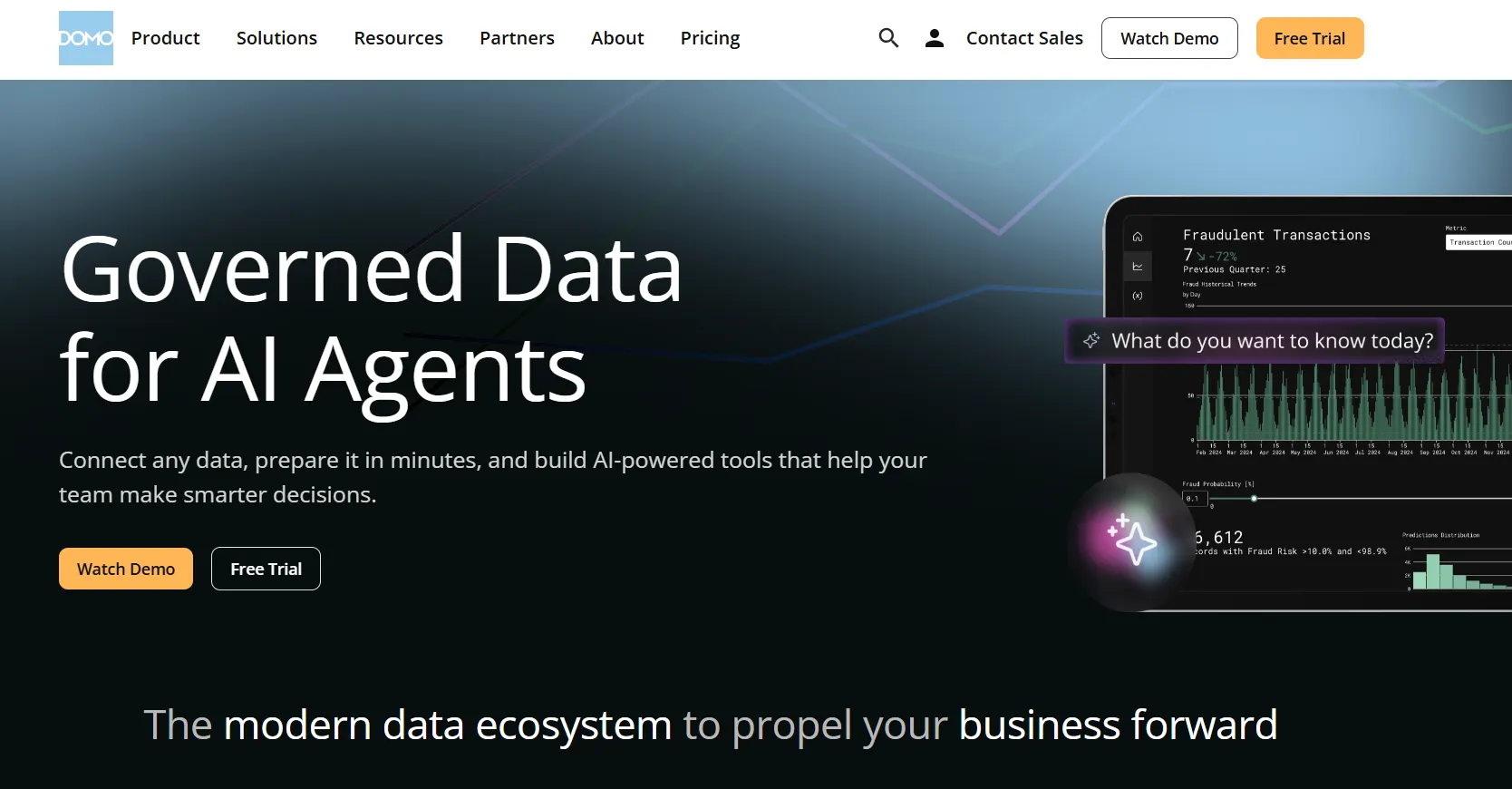
Domo is one of the few platforms here that handles the whole data pipeline, from ingestion through transformation, dashboards, and automation.
The conversational layer (AI chat, agentic insights) is a more recent addition layered on top of that broader stack.
Domo's top features
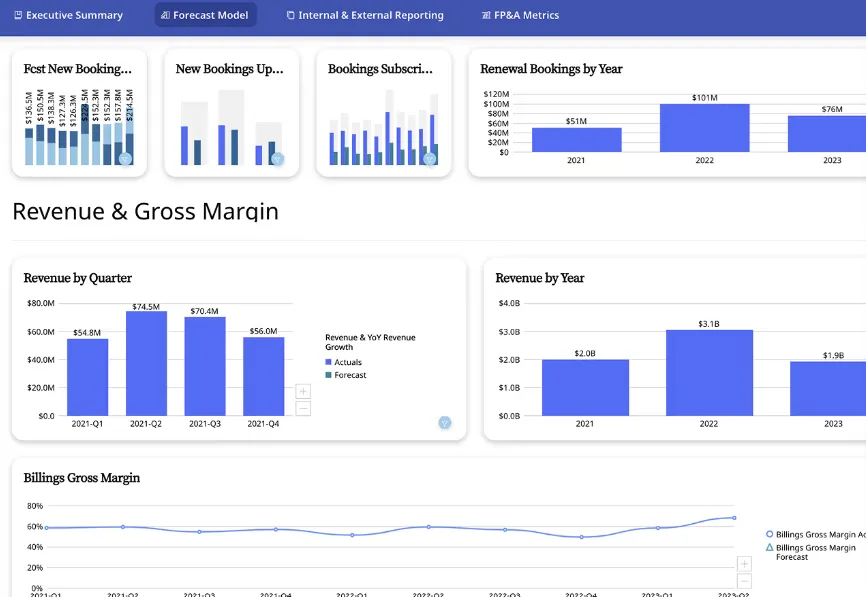
- Interactive dashboards: Real-time dashboards with sharing and embedding.
- No-code analytics apps: Build custom data-driven apps without developer time.
- AI chat and insights: Natural language questions plus automated trend surfacing.
- Connector library: Over 1,000 connectors for ingesting data from across the stack.
Domo pricing
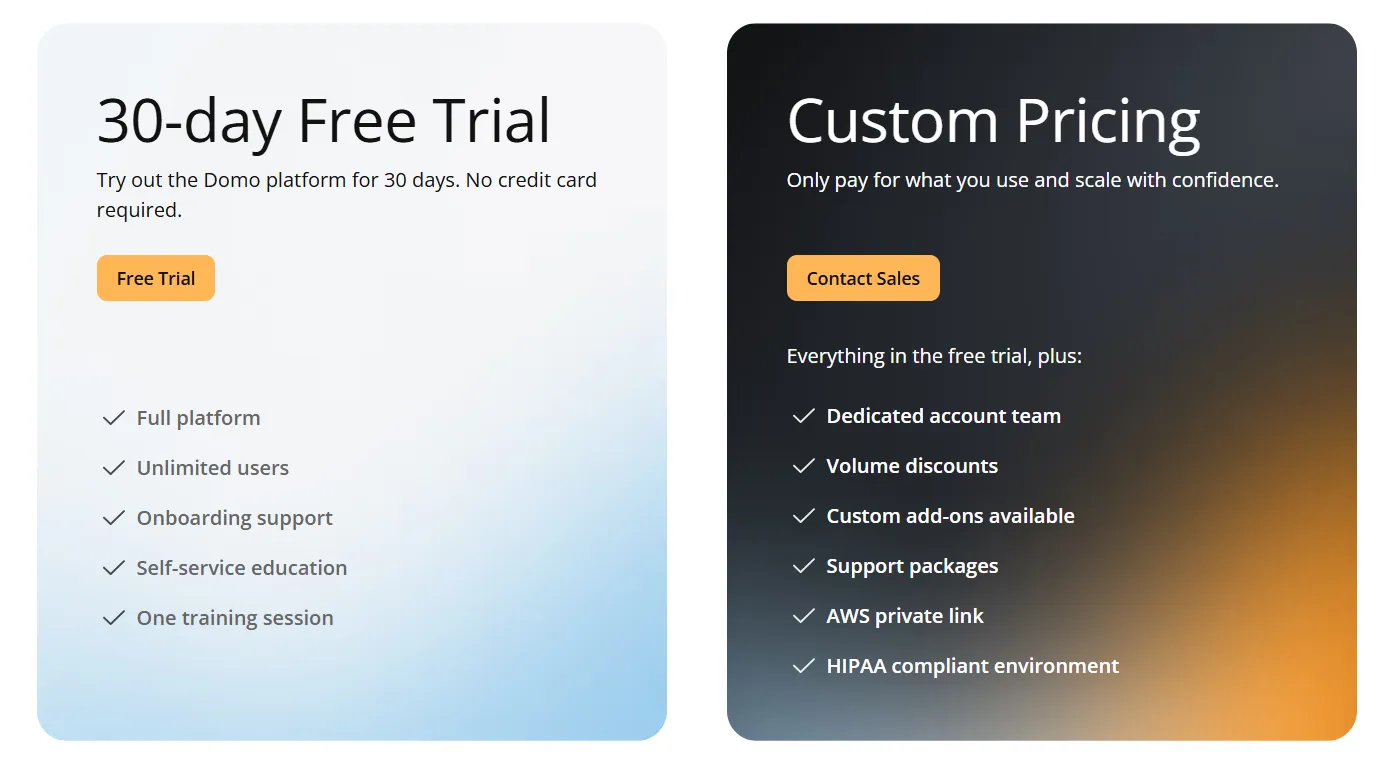
One paid plan with a generous trial:
- Free trial: 30 days, no credit card, full platform access, onboarding support, and one guided training session.
- Paid plan: Usage-based, includes everything in the trial plus a dedicated account team, volume discounts, custom add-ons, and support packages.
Domo pros and cons
✅ Genuinely end-to-end.
✅ Workflow automation stronger than most pure BI tools.
✅ AI chat covers standard questions.
❌ Pricing is not disclosed. We covered affordable options in our Domo alternatives breakdown.
#8: Sigma
Best for: Finance, ops, and analyst teams that want spreadsheet-style analytics on live warehouse data with AI workflows.
Similar to: Looker, Metabase.
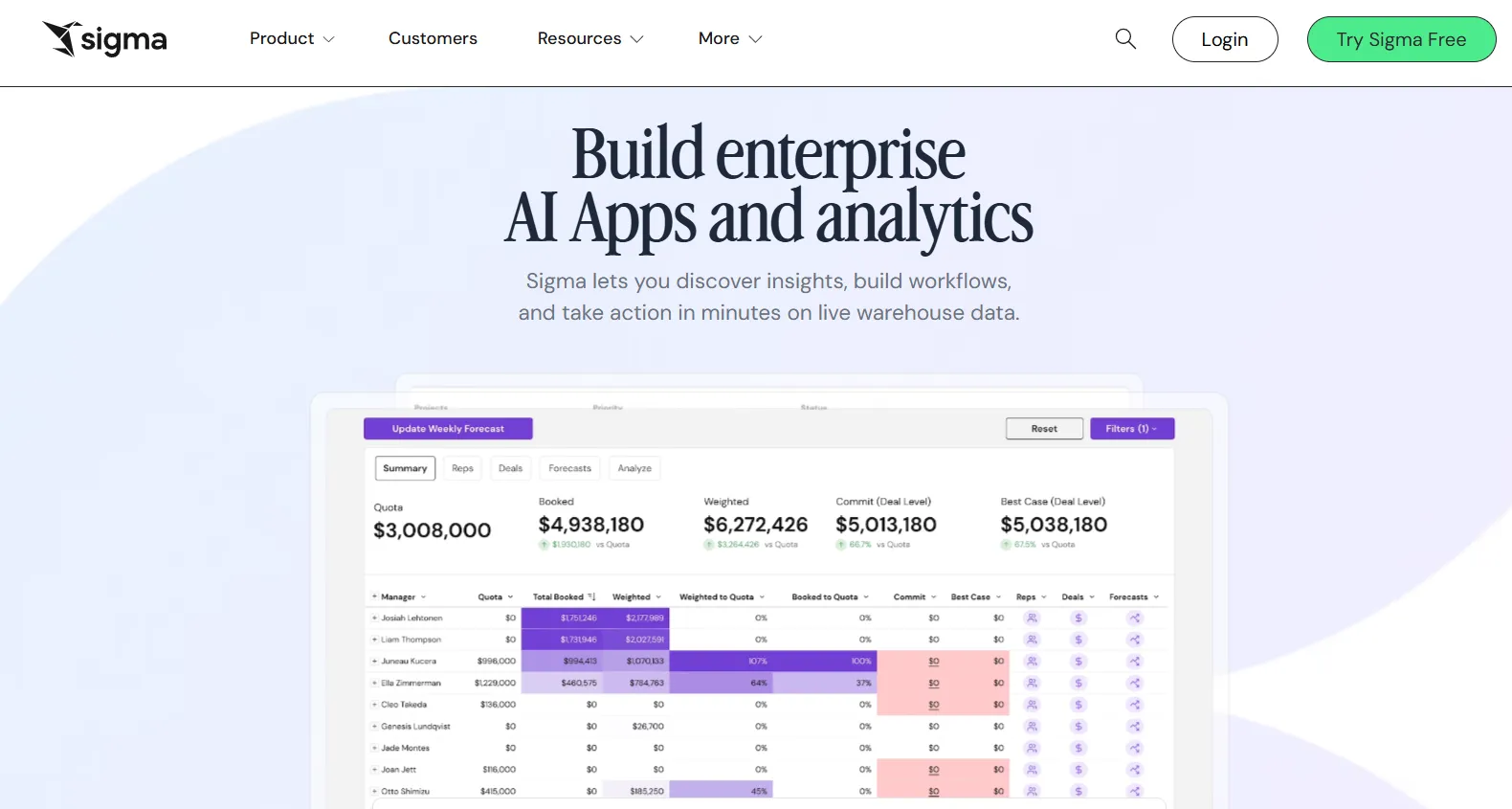
Sigma's appeal is hard to describe to anyone who hasn't lived in finance or ops: it's a BI tool that feels like a spreadsheet, where every formula runs live against your data warehouse.
Ask Sigma is the AI piece, handling plain-English questions and dashboard generation from a single prompt.
Sigma's top features
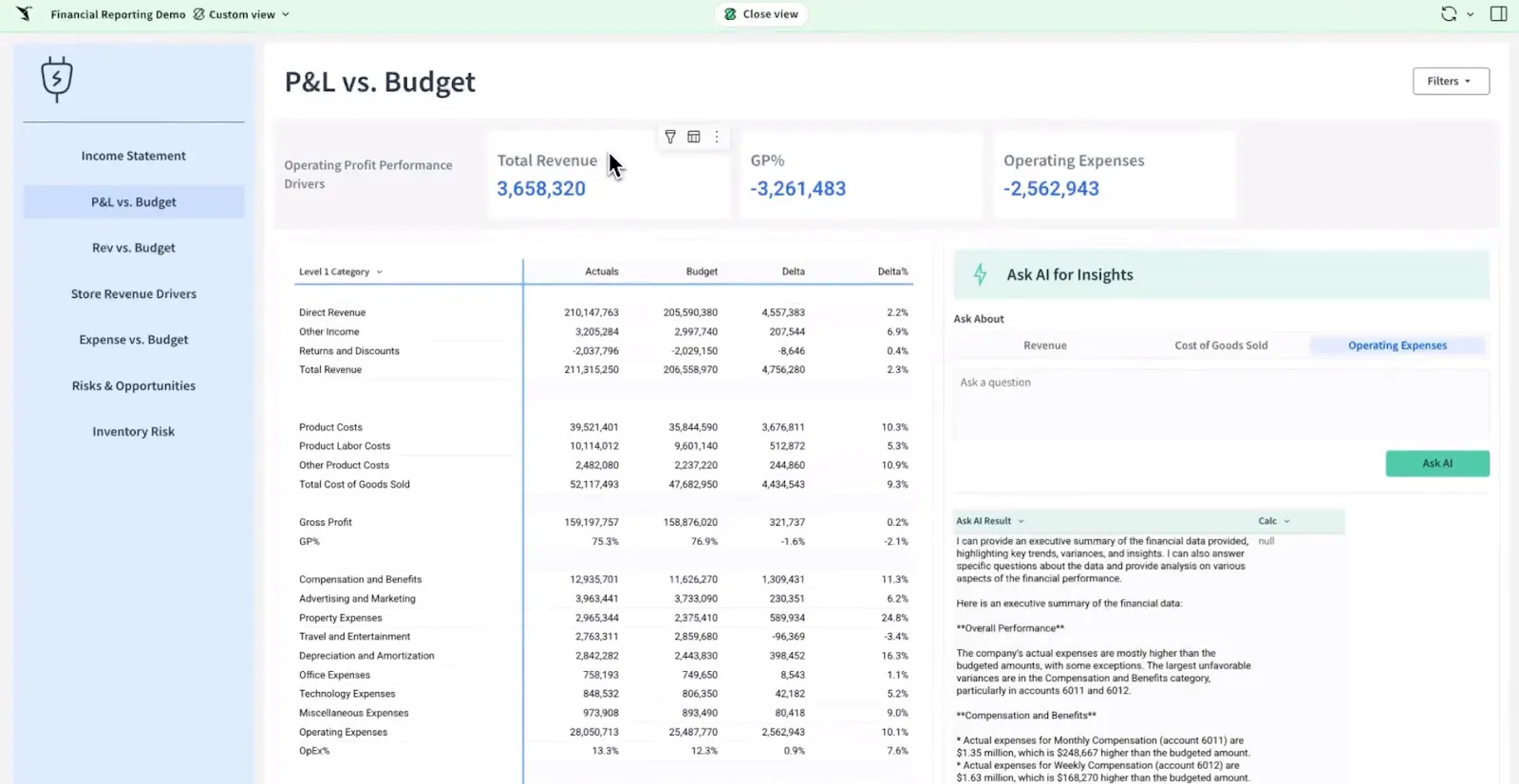
- Spreadsheet-style interface: Formulas, pivots, and tables on live warehouse data.
- Ask Sigma AI: Natural language queries and auto-generated dashboards from a single prompt.
- AI Apps: Interactive apps for forecasting, planning, and budgeting without custom development.
- Warehouse-native: Live queries against the warehouse, not extracts.
Sigma pricing
Sigma doesn't publish pricing. You'll need to contact sales for a custom quote based on your usage and team size.
Sigma pros and cons
✅ Spreadsheet interface is a real unlock for non-analysts.
✅ Live warehouse queries keep numbers current.
✅ AI Apps work well for finance and ops.
#9: Metabase
Best for: Startups, product teams, and data-lean organizations that want fast self-service analytics with AI querying.
Similar to: Sigma, Looker.
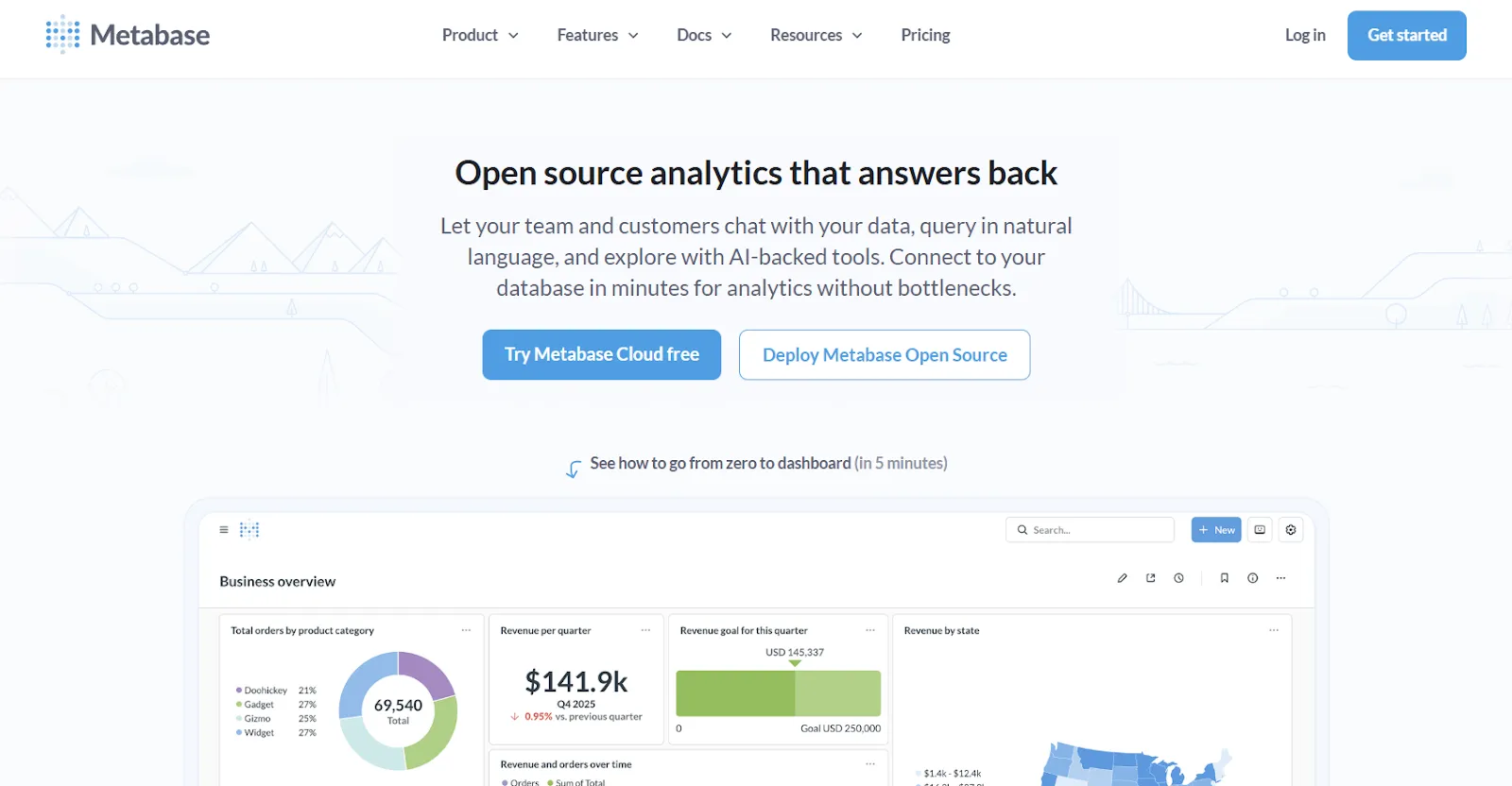
Metabase is the open-source default a lot of startups land on, since you can self-host the platform for free and grow into the cloud version later.
The conversational features come from Metabot AI, which handles plain-English queries on top of the existing visual query builder.
Metabase's top features
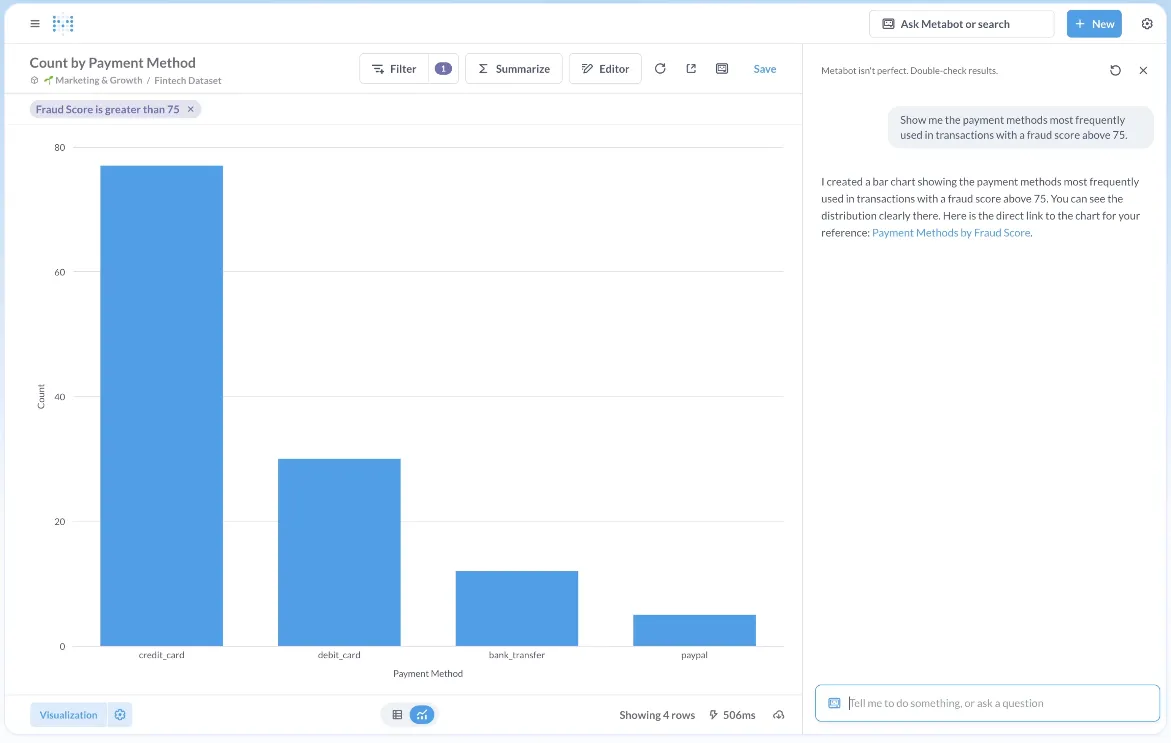
- Metabot AI: Natural language queries that generate SQL and visualizations automatically.
- Visual query builder: No-code exploration with filtering, joining, and summarizing.
- Click-to-explore analytics: Click any chart point to filter, pivot, or open a follow-up question.
- Embedded analytics: Embedding with signed URLs and row-level permissions.
Metabase pricing
Metabase offers two pricing options depending on how you use the product: internal business intelligence or customer-facing embedded analytics.
- Business Intelligence:
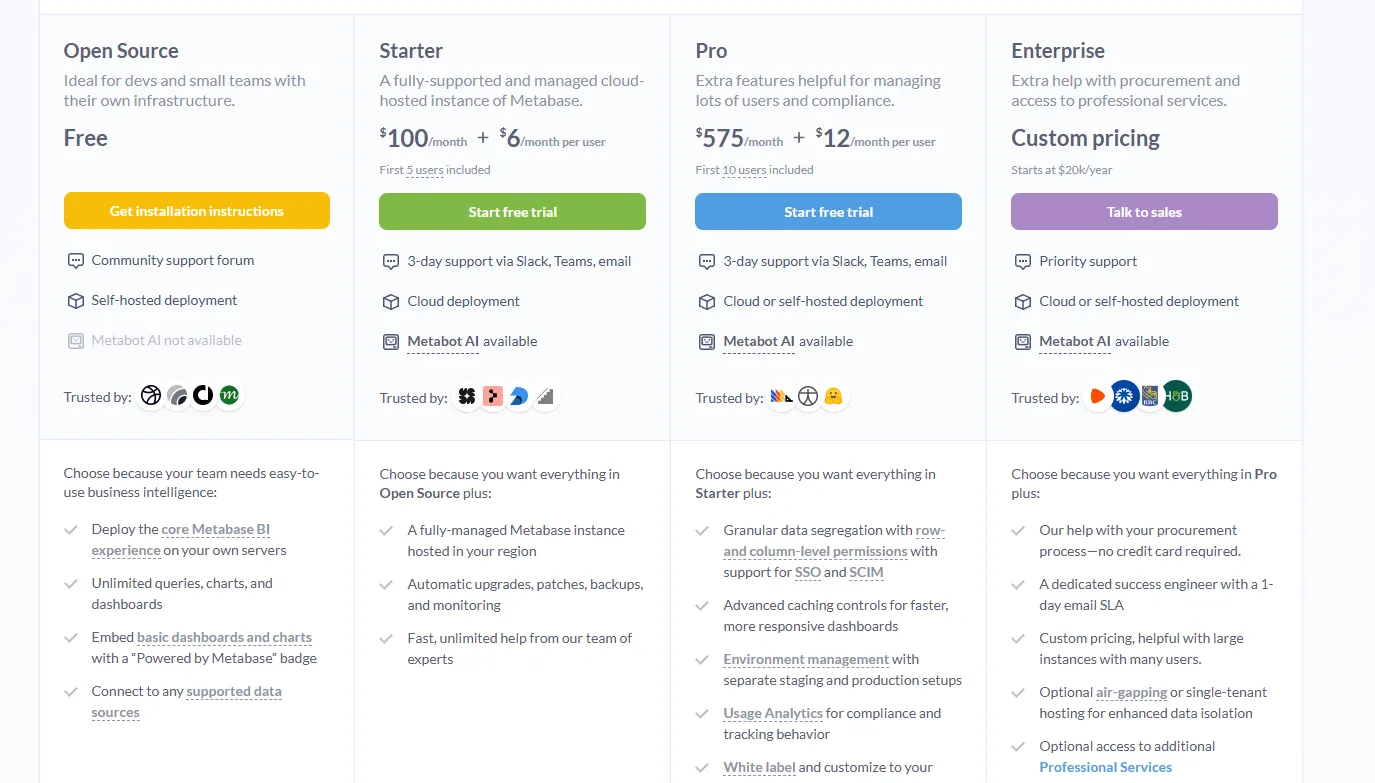
- Open Source (Self-hosted): Free, self-hosted deployment, includes unlimited queries, charts, and dashboards, connects to all supported data sources, basic embedding with “Powered by Metabase” branding, community support only.
- Starter (Cloud-hosted): $100/month + $6/user/month, first 5 users included, includes everything in Open Source, plus option to include Metabot AI (charged extra), automatic upgrades, backups, and monitoring, support via Slack, Teams, and email (3-day SLA).
- Pro: $575/month + $12/user/month, first 10 users included, cloud or self-hosted deployment, includes everything in Starter, plus row- and column-level permissions, SSO and SCIM support, advanced caching and performance controls, staging + production environments, usage analytics and audit visibility, white-labeling, and embedded analytics capabilities.
- Enterprise: Custom pricing (starts at $20k/year), includes everything in Pro, plus priority support, dedicated success engineer (1-day email SLA), optional single-tenant or air-gapped deployment, and optional professional services.
- Embedded Analytics pricing:
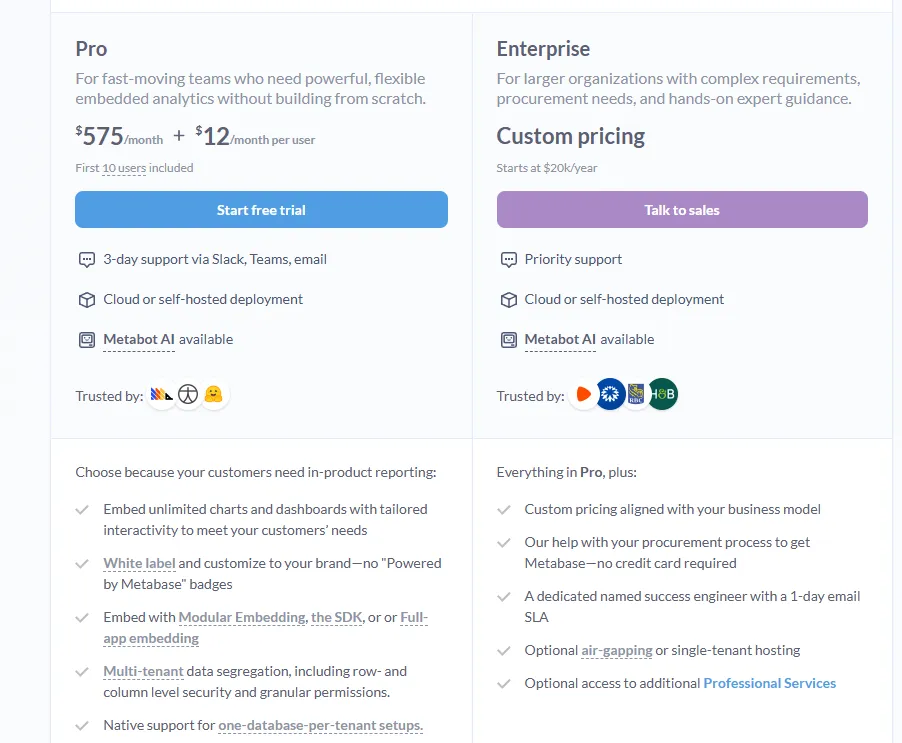
- Pro: $575/month + $12/user/month, first 10 users included, includes unlimited embedded dashboards and charts, full white-labeling, modular embedding, SDK, or full-app embedding, multi-tenant security (row- and column-level), one-database-per-tenant support, staging + production environments, usage analytics, internal BI for your team, and option to include Metabot AI (charged extra).
- Enterprise: Custom pricing (starts at $20k/year), includes everything in Pro, plus a dedicated success engineer, priority support, optional single-tenant or air-gapped hosting, and optional professional services.
Metabase pros and cons
✅ Free tier is genuinely useful.
✅ Approachable for non-technical users.
✅ Solid embedding story.
❌ A user on G2 believes that Metabase could benefit from having an AI assistant that understands the databases and assists in building queries
#10: Qlik Sense
Best for: Organizations in regulated industries that want interactive analytics with on-prem options and AI-assisted insights.
Similar to: Tableau, Sigma.
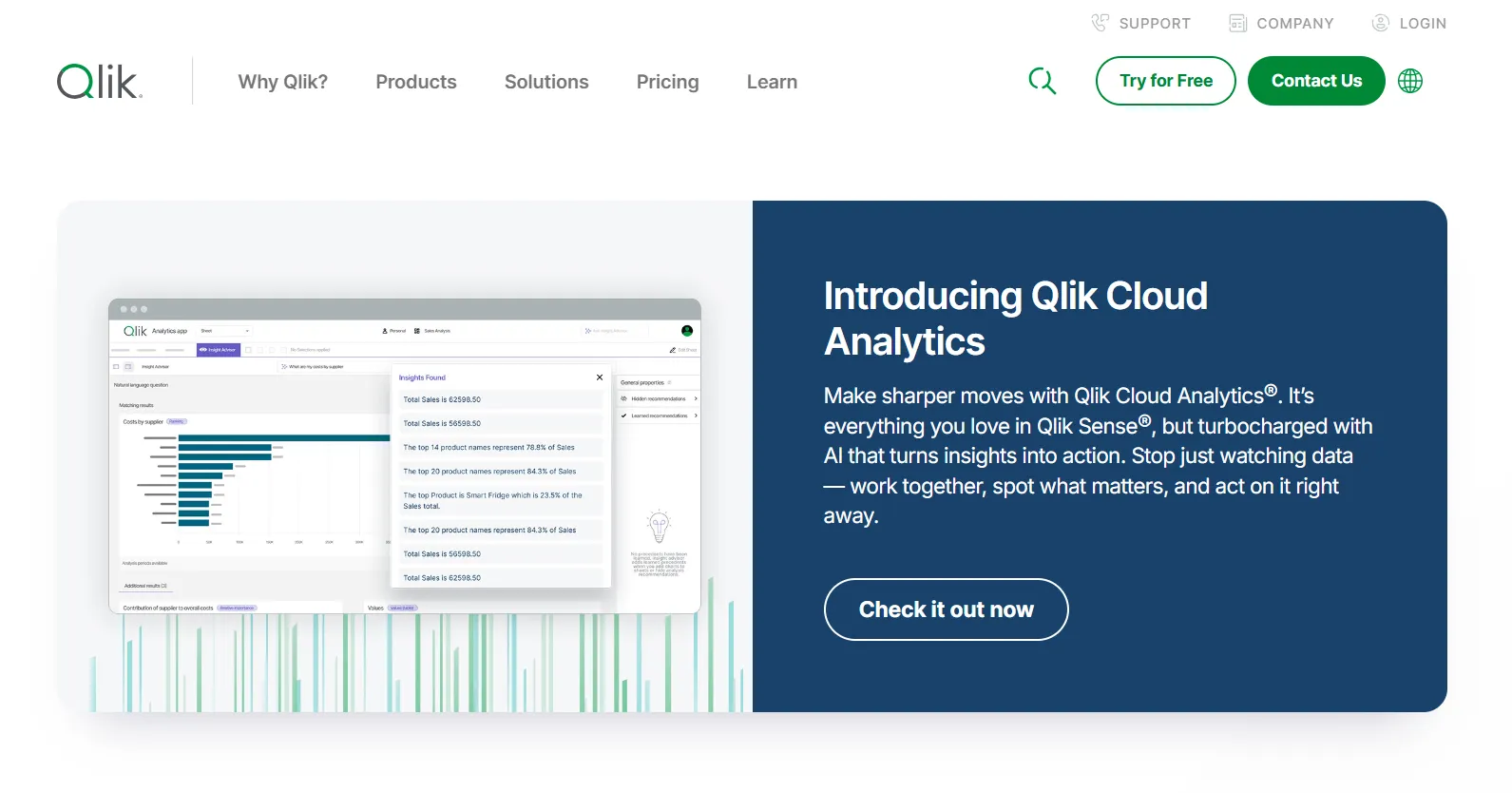
Qlik Sense has been around long before the conversational analytics wave hit, but its associative engine remains genuinely uncommon: pick any value and the whole view recomputes to show what's related and what isn't.
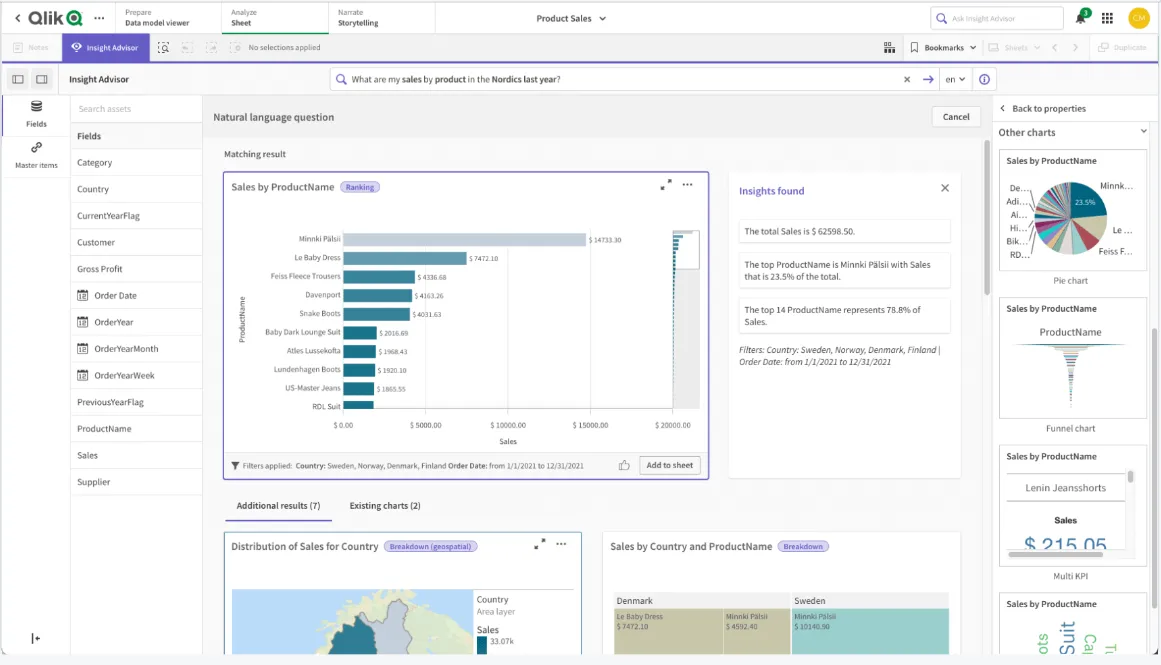
Insight Advisor is the AI layer that adds natural language search and predictive features to that exploration.
Qlik Sense's top features
- Associative data model: Real-time recalculation across every chart as you select.
- Insight Advisor: AI-generated insights, natural language search, and predictive features.
- Real-time alerts: Monitor data changes and trigger actions when thresholds cross.
- Deployment flexibility: Cloud, on-prem, and hybrid options, which is rare at this tier.
Qlik Sense pricing
Qlik doesn't publish pricing for Qlik Sense. You'll have to talk to sales for a custom quote.

Qlik Sense pros and cons
✅ Associative engine is genuinely unique.
✅ Scales cleanly on large governed data.
✅ On-prem deployment still matters in regulated industries.
❌ One user on G2 mentions that sometimes there are loading issues, especially when business intelligence is running updates.
Get started for free with Dot
If the issue on your team isn't building more dashboards but turning the data already there into clearer decisions, Dot is one of the few solutions in this category designed around analysis as the output rather than visualization.
Here’s what you get with Dot:
- Questions get asked in Slack or Teams, with answers and scheduled reports landing in the same thread, in email, or in the web app.
- Weekly and monthly business reviews written end-to-end and shipped as scheduled PowerPoint decks instead of eating someone's Monday morning.
- A Context Agent that holds the company's metric definitions in one place and applies them to every answer, so finance, product, and ops stop arriving at different numbers.
- Full audit trail on every output, with one click back to the query that ran and the tables it touched.
- Live connections to Snowflake, BigQuery, Redshift, Databricks, and a range of other warehouses, operational databases, and SaaS sources.
- Existing dbt models, Looker semantic layers, and Power BI work get reused, so no migration is required.
- SOC 2 Type II certification, GDPR readiness, SSO, and row-level access controls.
- Credit-based pricing tied to the work Dot actually does, not per-seat fees stacking up as the team grows.
➡️ Get started for free with Dot's free plan, or schedule a demo to see how it works with your data.
⚠️ Disclaimer: This article was last updated on the 22nd of May, 2026, and if there's any misinterpretation of the information, please contact us, and we will fact-check it.
Theo Tortorici
Theo writes about AI-powered analytics, data tools, and the future of business intelligence at Dot.