
Julius AI Pricing: Is It Worth It In 2026? [Reviewed]
Julius AI publishes its pricing openly, with five plan cards on one page (+ Enterprise) and a feature table underneath them.
Below, I'll decode what every Julius AI plan costs in 2026 and how its credit allowances convert between yearly and monthly billing, then work out what the bill reaches once more than one person needs an account.
➡️ Dot, the Julius AI alternative I cover at the end, bills by the credit for the work it runs, with nothing charged against the number of people using it.
TL;DR
- Julius AI prices per plan, not per seat, with each tier carrying a fixed credit allowance and a seat count that stays at one until you reach Business.
- There's a free plan covering Notebooks, daily refresh credits, one storage connector, and the creation tools in limited form, though nothing on the pricing page advertises a free trial of the paid tiers.
- Paid plans run from $16 to $375 a month on yearly billing, with Plus, Pro, and Max sold to individuals, Business covering up to 50 members, and Enterprise quoted by sales.
- Dot offers the best alternative to Julius AI, since it's purpose-built for warehouse analytics, delivers written analysis and scheduled business reviews in Slack or Microsoft Teams, spends credits against the work it runs, and leaves headcount out of the invoice.
How Does Julius AI Calculate Its Pricing?
Julius AI charges a flat subscription per plan, and six separate variables move as you climb the ladder.
Breaking that down:
- Plan tier: the sticker price buys a named plan, and there are six of them (Free, Plus, Pro, Max, Business, Enterprise).
- Credits: every paid plan carries an allowance, quoted per year on the plan cards and per month in the comparison table, topped up by daily refresh credits.
- Seats: Plus and Pro each state one seat, Business covers up to 50 members, and anything larger routes to sales.
- Model access: the table gives Free the Julius Lite models, adds GPT-5.6 and Claude Sonnet 5 at Plus, and opens the full list including Claude Fable 5 from Pro upward.
- Data access: the lower tiers read uploaded files and cloud storage, while warehouse connectors for Postgres, BigQuery, Snowflake, and others appear further up.
- Billing cycle: yearly billing is advertised at 20% below monthly, and the discount lands unevenly across the plans.
A couple of details apply across the whole range:
- Every paid plan lists daily refresh credits alongside its annual allowance.
- Nothing on the page states what a single credit buys.
- A cost per analysis can't be worked out from any published figure.
➡️ My advice would be to settle the headcount question before you look at a single price.
That one answer decides whether you're shopping the individual ladder or jumping straight to Business, and the gap between those two paths is worth thousands a year.
Does Julius AI Have A Free Plan Or Free Trial?
There's a free plan, and the pricing page shows no free trial of the paid tiers.
Free is built for one person exploring what the tool does, and its limits fall on model quality and output volume.
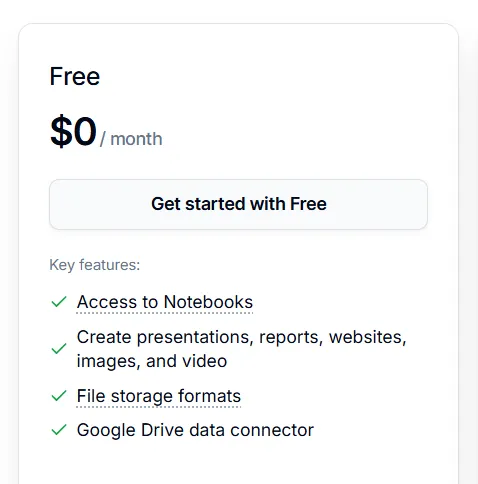
What the Free plan covers:
- Access to Notebooks.
- Presentation, report, website, image, and video creation, all four of those creative tools marked as limited in the comparison table.
- File storage formats, without the unlimited tag Plus carries.
- Free daily credits, with no annual allowance attached.
- The Julius Lite models only, making Free the one tier without a frontier model.
- Storage connectors, though the card and the table disagree on how many.
Free works for testing whether Julius AI handles your question type at all, although it stops being viable the moment a second person needs an account.
Julius AI's Plans And What They Cost
The plan cards and the comparison table never appear side by side on the page.
This table puts both price sets together.
Plan | Yearly billing (plan cards) | Monthly billing (feature table) | Credits included | Seats |
Free | $0 | $0 | Free daily credits | Not stated |
Plus | $16 a month | $20 a month | 24,000 a year (2,000 a month) | 1 |
Pro | $37 a month | $45 a month | 60,000 a year (5,000 a month) | 1 |
Max | $166 a month | $200 a month | 300,000 a year (25,000 a month) | 1, inherited from Pro |
Business | $375 a month | $450 a month | 720,000 a year (60,000 a month) | Up to 50 |
Enterprise | Custom | Custom | Unlimited | Custom |
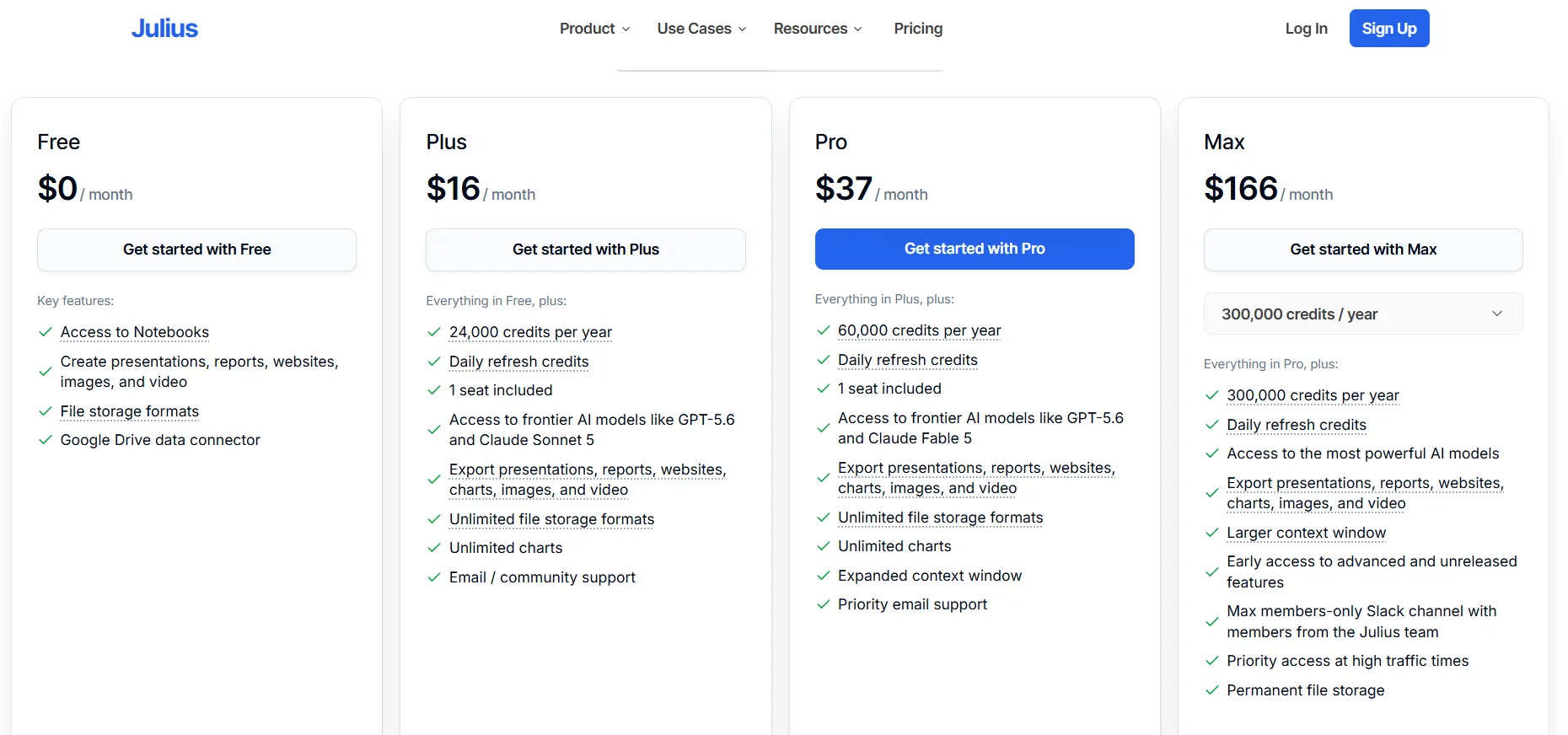
Note: Yearly rates are shown per month, matching how Julius AI displays them on the plan cards.
Julius AI's Individual Plan Pricing
Three tiers are sold to individuals, and the seat count holds at one across them.
A single seat is stated outright on Plus and Pro, while Max inherits one through the everything-in-Pro line.
Julius AI Plus
Plus is the entry paid tier at $16 a month on yearly billing, or $20 a month if you pay monthly.
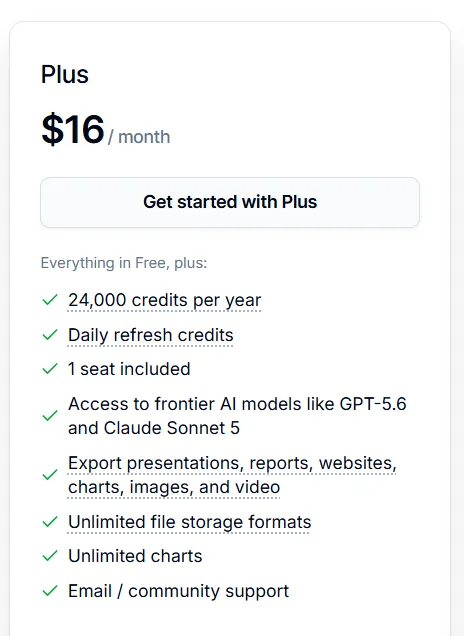
- 24,000 credits a year, or 2,000 a month.
- Daily refresh credits and one seat.
- Frontier model access, named on the card as GPT-5.6 and Claude Sonnet 5.
- Export for presentations, reports, websites, charts, images, and video.
- Unlimited file storage formats and unlimited charts.
- Email and community support.
Plus unlocks frontier models and the export formats, and that combination makes it the cheapest genuinely usable plan on the page.
Julius AI Pro
Pro more than doubles that rate, at $37 a month on yearly billing and $45 a month billed monthly.
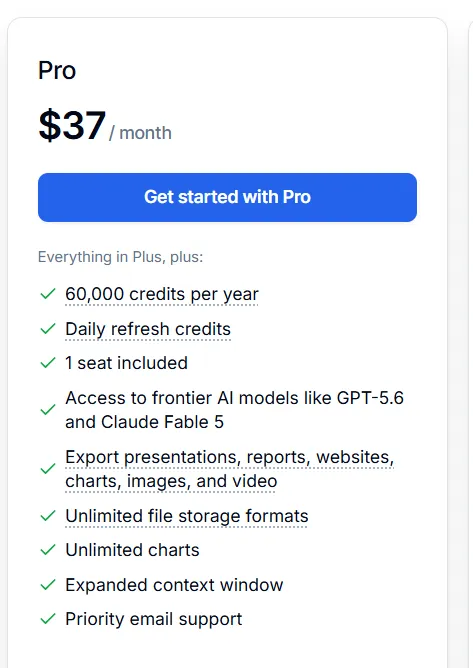
- 60,000 credits a year, or 5,000 a month.
- Claude Fable 5 alongside GPT-5.6, described in the table as access to all models.
- An expanded context window.
- Priority email support.
- Everything in Plus, including the exports and the unlimited charts.
The step up from Plus costs 2.3 times as much and delivers 2.5 times the credits, so the allowance scales slightly faster than the bill.
Julius AI Max
Max jumps to $166 a month on yearly billing.
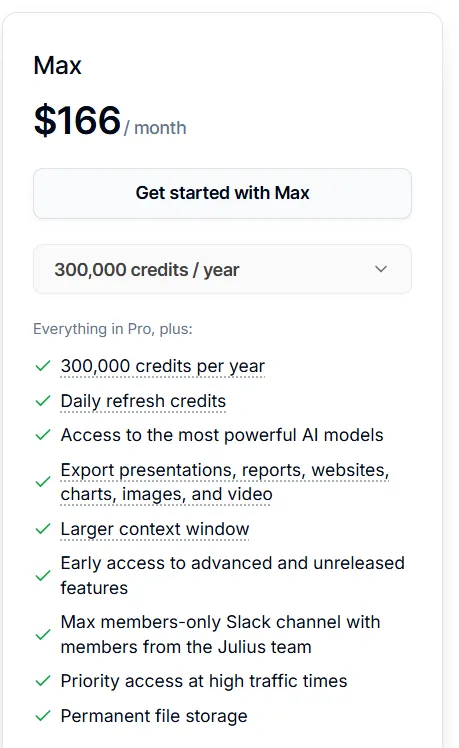
- 300,000 credits a year, or 25,000 a month.
- Access to the most powerful models Julius AI offers.
- A larger context window than Pro's.
- Permanent file storage.
- Early access to advanced and unreleased features.
- A members-only Slack channel with people from the Julius team, plus priority access at busy times.
Max targets the single analyst who runs work all day. The allowance is five times Pro's while the seat count holds at one.
Julius AI Business Plan Pricing
Business is quoted at $375 a month on yearly billing, or $450 a month billed monthly, and the page marks it as the recommended plan.
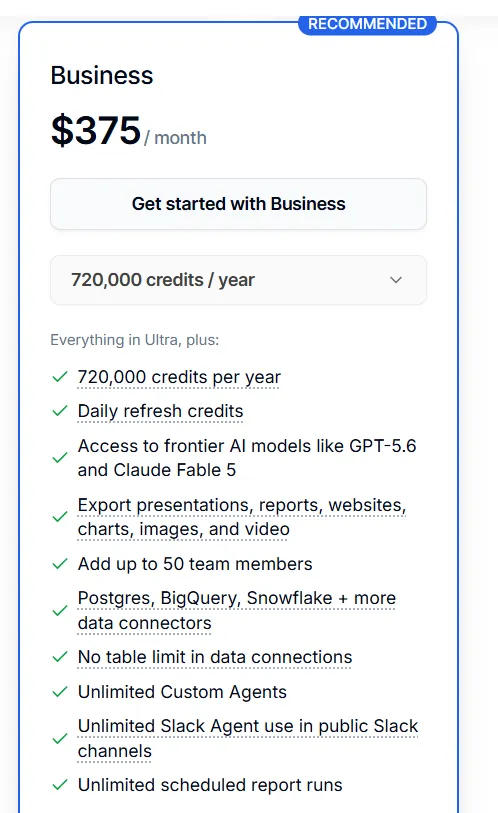
- 720,000 credits a year, or 60,000 a month.
- Up to 50 team members on one subscription.
- Warehouse connectors covering Postgres, BigQuery, Snowflake, and others.
- No table limit on data connections.
- Unlimited custom agents, with unlimited Slack Agent use in public channels.
- Unlimited scheduled report runs.
Business is the first tier that gives more than one person an account, and the collaboration features come with it: shared workspace, shared files, shared threads, sub-teams, a usage dashboard, and centralized billing.
Priced against Max, it runs a little over twice the money for 2.4 times the credits and as many as 49 extra people.
Julius AI Enterprise Pricing
Enterprise carries no published price, and the pricing page routes it to a contact form.
It comes with:
- Unlimited credits.
- Custom data connectors.
- All models, including Claude Fable 5.
- Tailored onboarding on the support side.
Julius AI's enterprise page fills in the product picture while leaving the commercial terms alone:
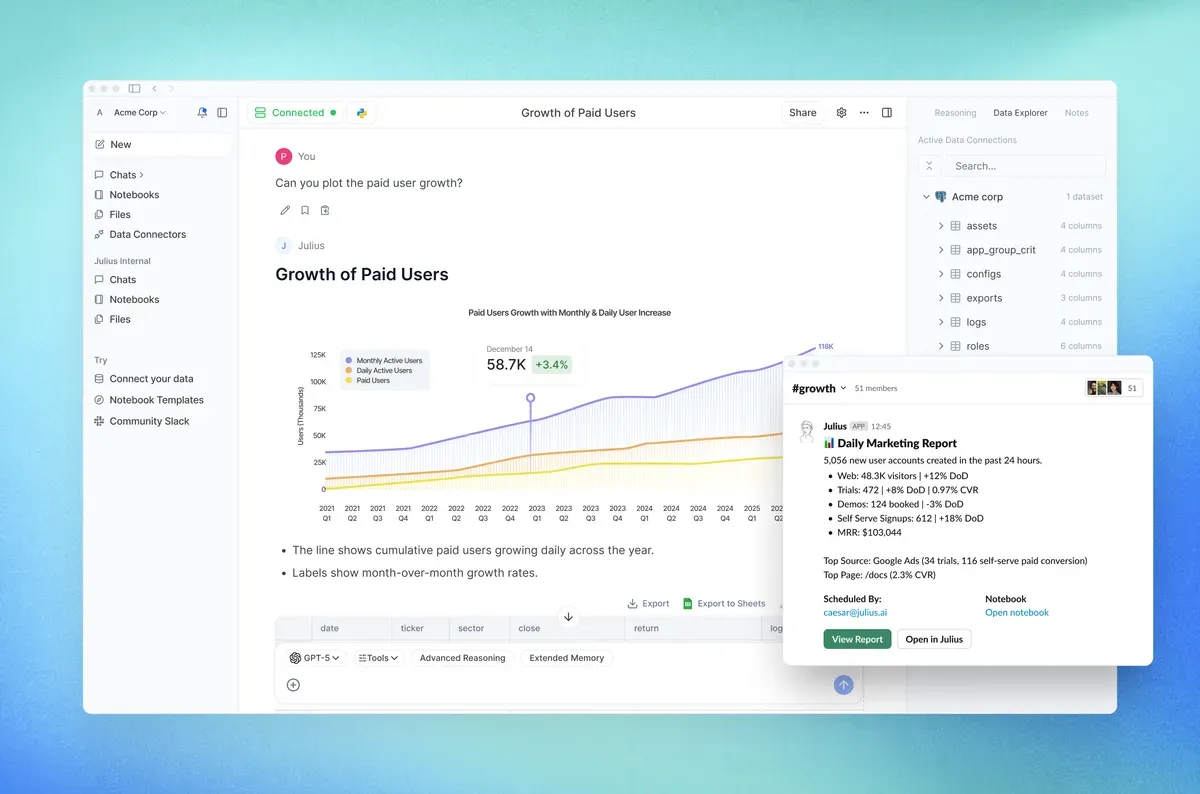
- Warehouse connections covering Snowflake, BigQuery, Postgres, and Google Drive, with spreadsheet and PDF files accepted too.
- Reports scheduled once, then delivered each morning through Slack or email.
- Questions asked inside a Slack channel by tagging the Julius agent.
- An escape hatch into SQL, Python, and R when an analysis has to be reproducible.
- SOC 2 Type II and TX-RAMP compliance, with customer data described as never used for model training.
Enterprise is the route once headcount passes 50, since the page directs larger teams to sales.
Looking For A Julius AI Alternative?
Dot is the best Julius AI alternative in 2026 for data teams and business stakeholders who need reliable, warehouse-connected analysis with clear explanations, consistent definitions, and decision-ready outputs.
Our conversational analytics platform also holds a single agreed definition for each metric and writes recurring business reviews on the schedule you choose.
Questions can arrive from Slack, from Microsoft Teams, by email, or in the web app, and no paid plan limits how many people ask them.
For a team that wants that kind of depth and more than one account, Dot is worth a look.
Four things separate it: 👇
Questions in Slack, finished answers in the same thread
There's a Slack Agent on the Julius AI side too, with unlimited use in public channels once you're on Business.
What differs is who's allowed to use it.
Someone asks Dot a business question in the channel they already work in, and the finished analysis comes back in that thread.
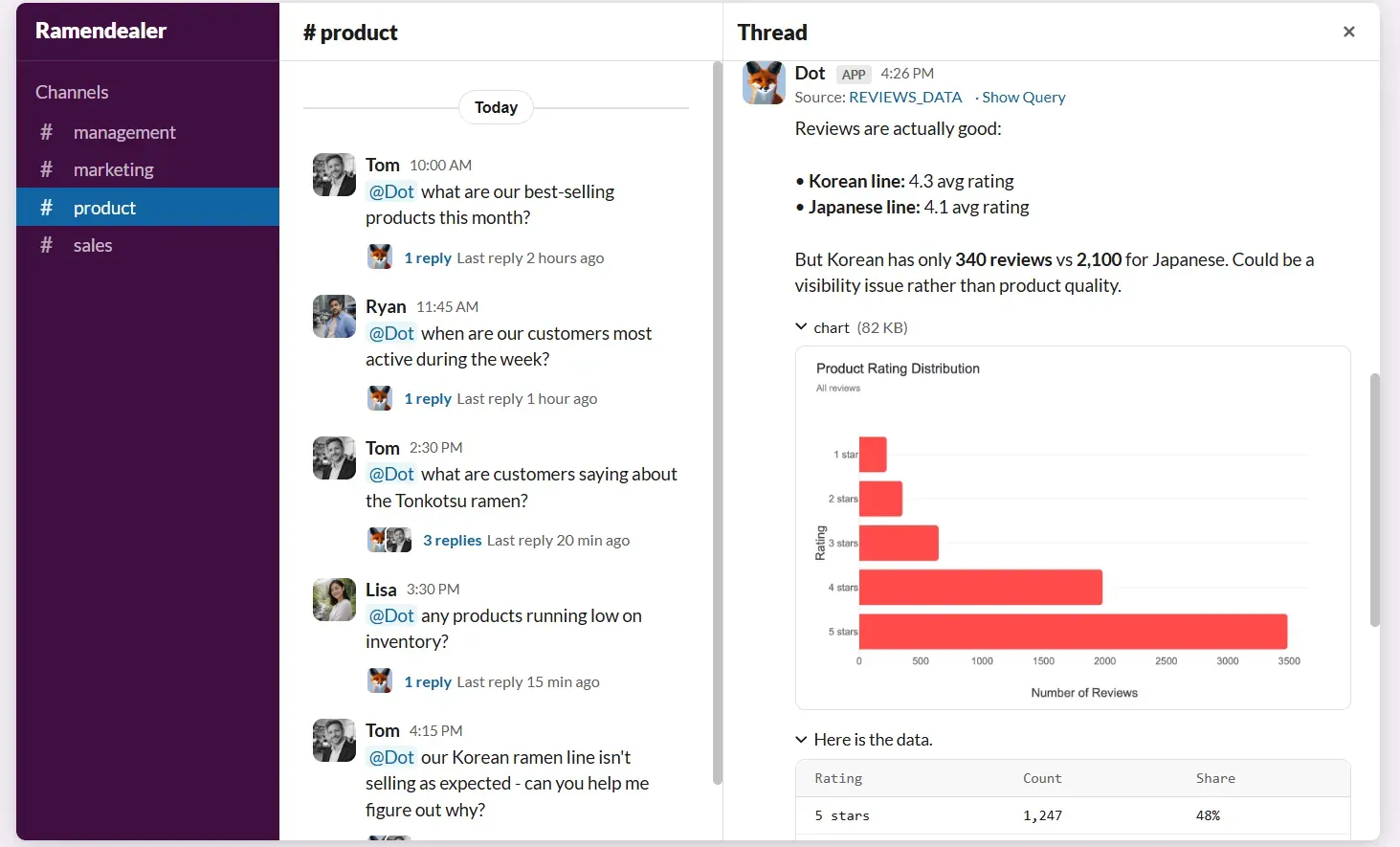
The fifty-first person who wants an answer doesn't trigger a sales conversation.
Shared business context your team controls
Dot's Context Agent keeps one central record of your metric definitions and applies it to every answer that comes back.
Semantic Schema Learning appears as a feature row on the Julius AI page, with no detail published about how it works.
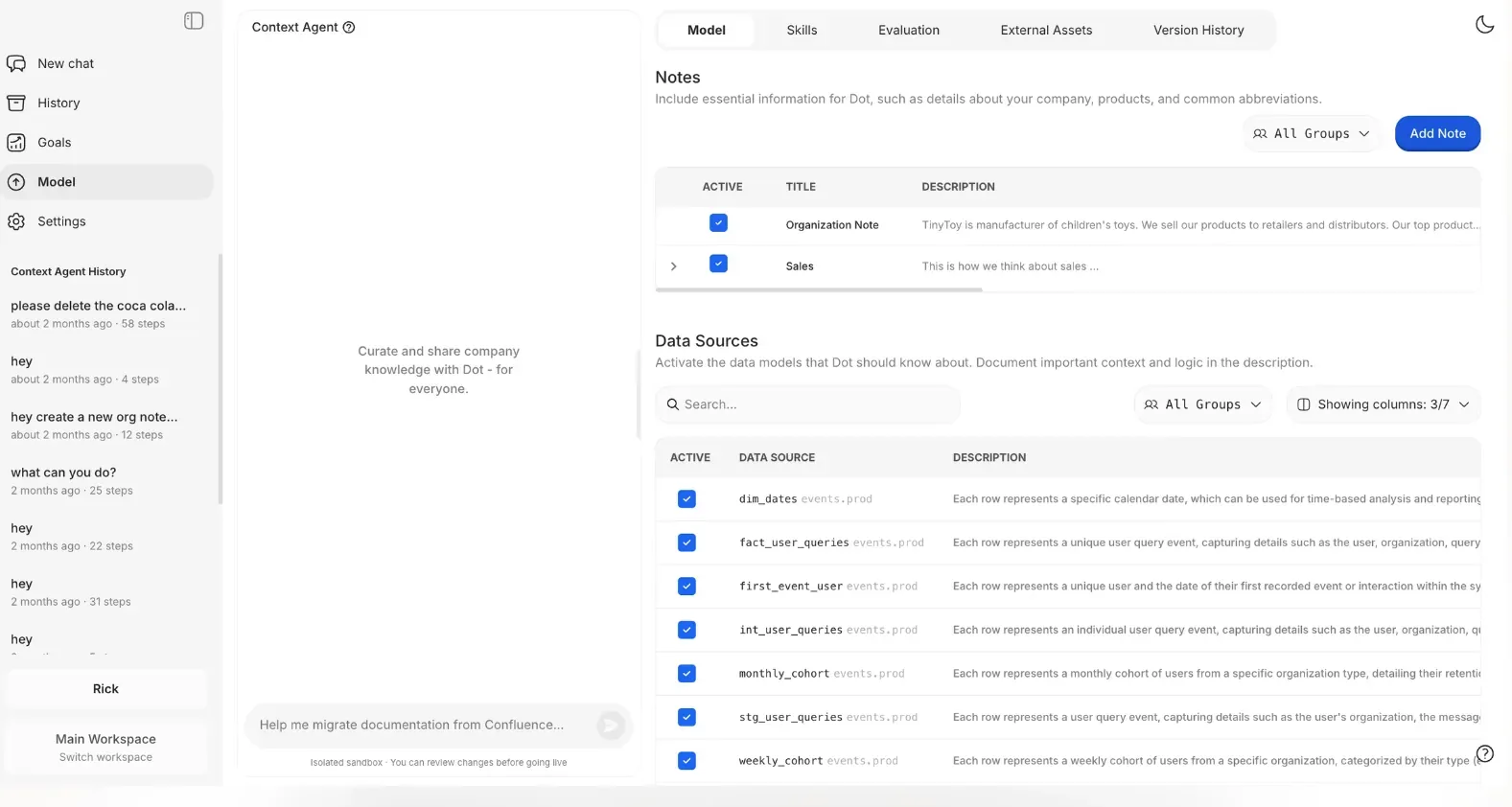
The Dot version is written and edited by your own team, covering how a metric is calculated, which tables feed it, what each team calls it, and which document explains it.
A team that joins next quarter starts from the definitions already agreed, with no archaeology through old notebooks.
Recurring reports with the query attached
Dot produces scheduled business reviews as written prose and sends them out on the cadence you set.
Each edition names what moved, quantifies it against the previous period, gives the likeliest cause, and flags what deserves a closer look.
Every figure traces back to the query that produced it, so an analyst can check the work before leadership reads it.
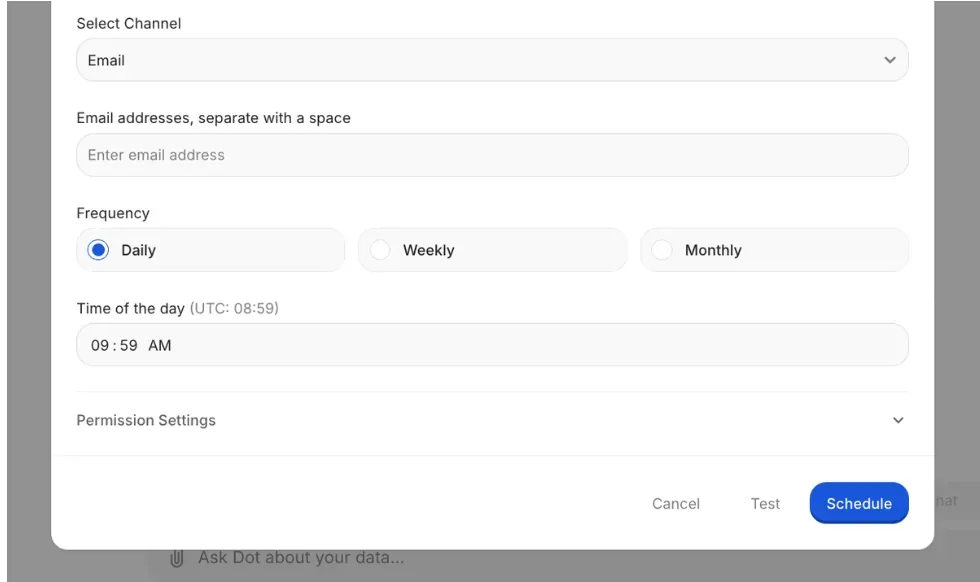
Julius AI schedules runs too, capped at three on one of the middle tiers and unlimited on Business.
One scheduled report can reach the whole company without adding a single account.
How Is Dot's Pricing Different From Julius AI's?
Both tools sell credits, and the two units aren't measuring the same thing.
Julius AI's credits meter model usage inside a plan, and the plan itself caps how many people hold an account, at one on the individual tiers and 50 on Business.
Dot's credits meter the work Dot does, drawn down as it answers a question or writes up a report.
A plan buys an allowance of that work each month, and going past the allowance is billed per credit at a rate published up front.
The lineup is one free tier and three paid ones:
- Free: $0, carrying 300 credits granted once, an evaluation budget with no monthly refill behind it.
- Pro: $180 a month with 150 credits included, then $1.80 for each credit beyond them, and no cap on users.
- Team: $720 a month with 800 credits included, then $1.44 per credit, plus the admin layer of SSO, row-level security, embedding, migration help off your existing BI tool, and dedicated support.
- Enterprise: priced on request, with no credit ceiling, volume rates, a self-hosted option, audit logging, an SLA, and a named account manager.
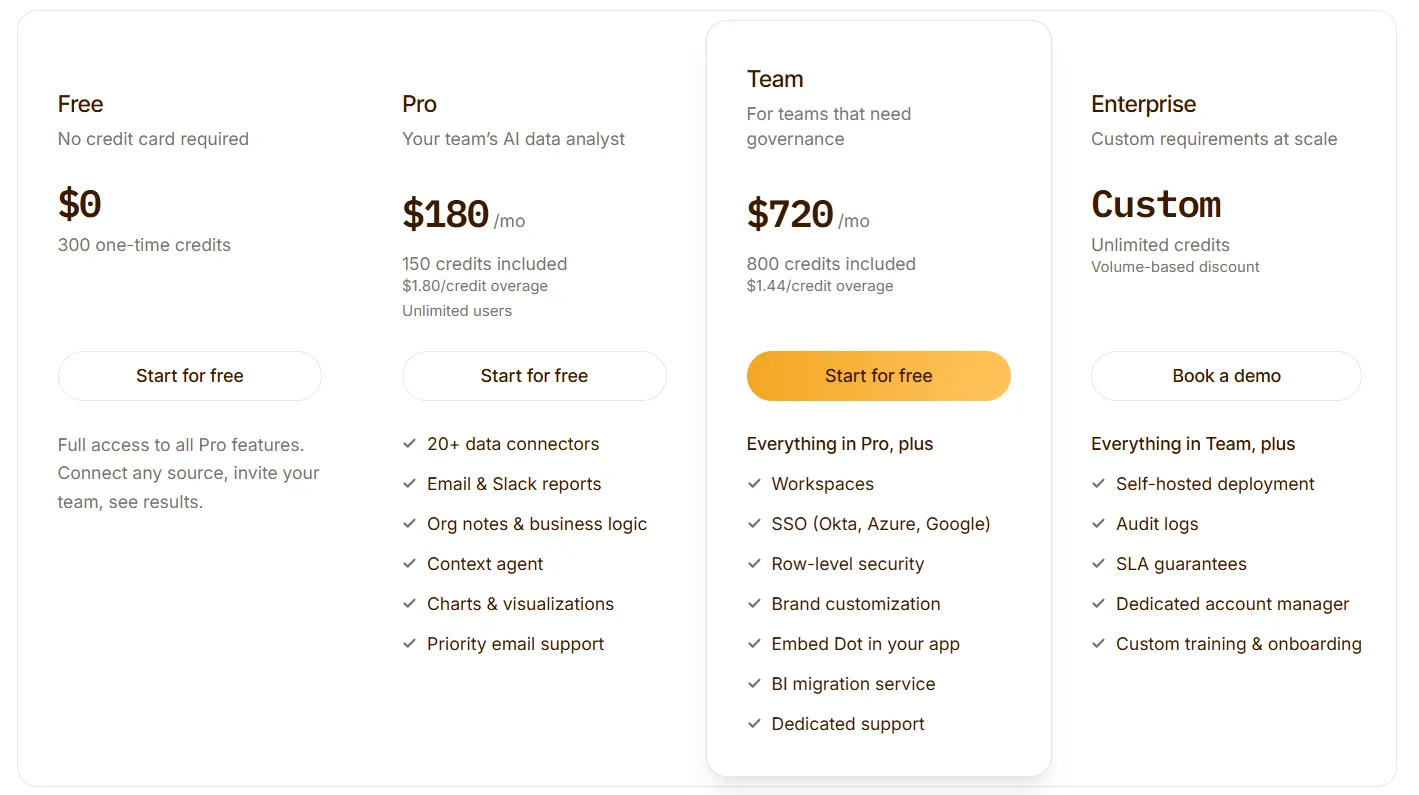
Committing to a year takes 10% off any paid tier.
Try Dot For Free
You opened this guide to work out what Julius AI would cost you.
If the seat cap or the credit ceiling looks like a problem at your headcount, give Dot a look before you sign a year with anyone.
Your team gets:
- On-demand answers wherever the question gets asked, from Slack and Microsoft Teams to email and the web app.
- Scheduled business reviews drafted from warehouse data at the frequency you choose.
- Metric definitions kept consistent by the Context Agent as your team and your data grow.
- A traceable query behind every figure Dot publishes.
- Warehouse connections that build on the dbt models and semantic layers you maintain today.
- Unlimited users on every paid plan, so the number of people asking questions never changes the invoice.
You can start on the free plan with 300 credits and the full Pro feature set, no credit card needed. Or, if you would rather see it against your own data first, book a demo with our team.
⚠️ Disclaimer: This article was last updated on the 13th of August, 2026, and if there's any misinterpretation of the information, please contact us, and we will fact-check it.
Theo Tortorici
Theo writes about AI-powered analytics, data tools, and the future of business intelligence at Dot.