
Self-Service Analytics: What It Is & How To Do It In 2026
Self-service analytics means people outside the data team answer their own data questions, by filtering a dashboard, exploring a governed dataset or asking in plain language, without filing a request. It rarely fails because of the tool: it fails on skills, on definitions that drift until nobody trusts the number, and on rollouts that stop at the login: surveys have put active BI adoption near 20% of employees for years. AI analysts remove the skills barrier, but not the need for owned definitions, enforced permissions and measured accuracy, which is where your setup effort should go.
What is self-service analytics?
Self-service analytics is an operating model more than a product category. The data team prepares governed data and definitions once, and everyone else answers their own questions from them. The goal is a shorter analytics queue and faster decisions by the people closest to the problem. It has taken three forms, and most companies run all three at once:
Form | What the business user does | What the data team builds first | Where it breaks |
Dashboards with filters | Opens a dashboard and changes the filters | Every dashboard, in advance, for the questions someone guessed people would ask | The question nobody anticipated, and the dashboard nobody can find |
Self-service BI | Builds reports in a BI tool from a governed dataset or semantic model | The semantic model, the datasets and the training | Users who won't learn the tool, and definitions that fork across reports |
AI analyst | Asks in plain language in Slack, Teams, email or a web app | Context the agent reads: definitions, table docs, joins and permissions | Questions the context doesn't settle, unless the agent says when it had to guess |
Self-service analytics vs self-service BI: self-service BI usually means business users building reports and dashboards inside a BI tool. Self-service analytics is broader and includes asking questions and getting written answers back. We compare the platforms, including dashboard-first BI tools, in our guide to self-service analytics tools.
Why self-service analytics fails
Self-service tools set out to cut the technical middleman out of the request chain, but the middle was never only a skills problem. In a survey of 214 data and analytics leaders run by BARC and Eckerson Group in November and December 2021, 92% said usage of their BI and analytics tools had grown over the previous five years. Yet the average adoption rate of tools meant for business users had been stuck around 20% for many years. Forrester has framed the same gap as bringing data to the other 80% of business intelligence users. Power users get more out of the tools, and everyone else keeps asking an analyst, for four reasons.
1. The tool assumes skills and context most people don't have
A BI tool asks the user to know which dataset is canonical, what each measure means and how to phrase the question. At Duolingo, the warehouse held more than 5,000 tables, many with look-alike names, and anyone who wasn't a regular SQL user had to go through the data teams for anything complex (Duolingo case study). At Choco, the answers already existed in Looker, but stakeholders couldn't find them: Marina Begovic, Analytics Manager at Choco, described "lots of questions from global stakeholders on little things that were available in Looker but lost in the pile" (Choco case study).
2. Definitions fork, and trust goes with them
When every team builds its own reports, every team ends up with its own revenue, active users and churn. Jeff Albenberg, Director of Software Engineering at Emerge: "We had nearly 50 different dashboards and none of them matched up. It really hurt trust in our data." (Emerge case study). Once two numbers disagree in a meeting, people go back to the analyst they trust.
3. Tools and dashboards sprawl
Each new self-service tool solves one team's access problem and adds integration work, duplicated logic and one more place where a definition can drift. The spreadsheet export outlives all of it: SeattleDataGuy argues that the only truly universal self-service analytics tool is still the spreadsheet (The inconvenient truths of self-service analytics, August 2025).
4. Rollouts stop at the login
The most common rollout is the one Observable describes in The failure of self-serve analytics: the data team configures the tool, runs a basic training and tells everyone to "go self-serve." Without ongoing curation, the first wrong number sends users back. Benn Stancil adds that every self-serve tool keeps an escape hatch, an email to an analyst (Self-serve is a feeling), yet there are still more questions than analysts (The self-serve shibboleth). The useful question isn't whether to do self-service, but which questions, for whom, and with which guardrails.
What changed with AI analysts
Large language models went after the part dashboards never solved: the user had to learn the tool. We wrote about this in 2023, when GetDot (Dot for short) already answered questions in Slack with a chart and the SQL behind it.
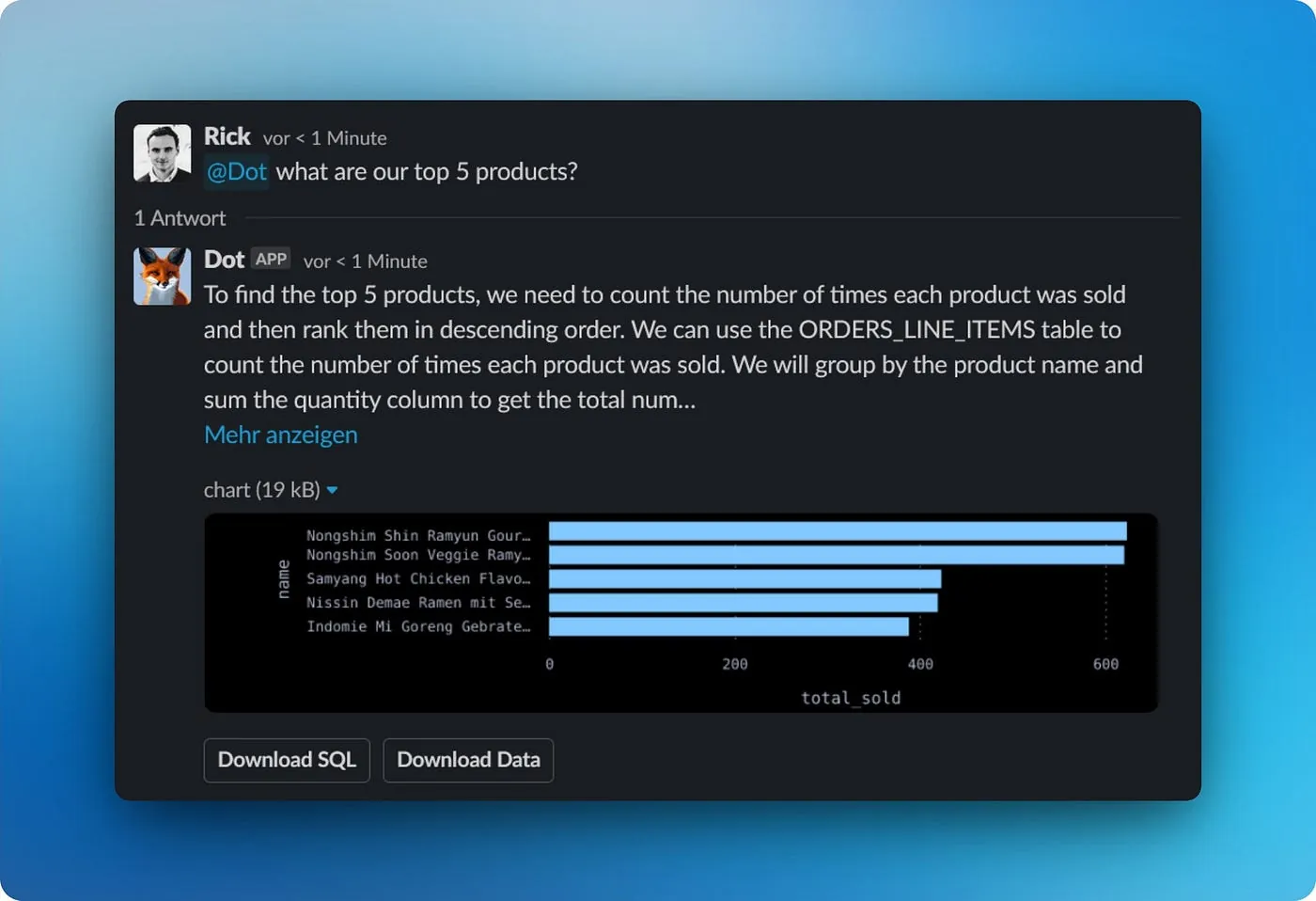
The interface moved to where people already work
People ask in Slack, Microsoft Teams, email or a web app, in the words they would use with a colleague, and the answer arrives in the same thread. At Duolingo, that Slack-native access covers more than 5,000 tables, and Duolingo reports more than 12,000 hours saved a year (case study). At Choco, Marina Begovic says "the self-service ability for our least technical and furthest operational stakeholders to answer questions by themselves has increased dramatically since implementing Dot."
Answers explain themselves
A dashboard shows a number but not how it was computed. In Dot, every answer carries the SQL it ran. When an answer rests on a choice your setup doesn't settle, such as an undefined metric or two notes that disagree, it is marked "Assumption made" with one sentence on what was assumed. Under Full logs, a Lineage view draws the path from warehouse tables through the exact queries to the answer, dbt models included.
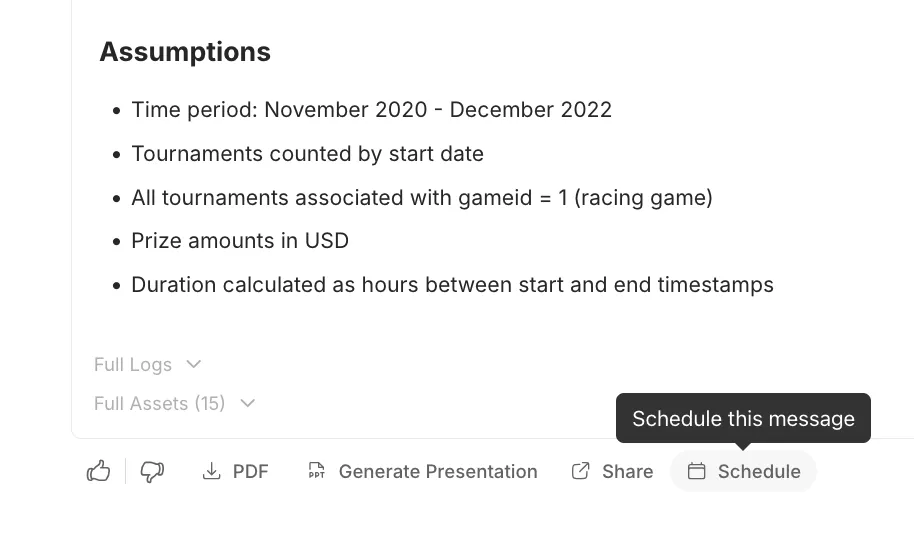
"Why" questions get an investigation, not a chart
Self-service BI handled "what" questions; "why did trial-to-paid conversion drop last week?" still went to an analyst. An AI analyst can plan that investigation itself (Root Cause Analysis); our agentic analytics guide shows what one does.
What did not change: governance, definitions and trust
AI analysts removed the skills gate, not the reasons self-service broke. Skip those and an AI analyst fails faster and more confidently: an agent that writes fluent, wrong SQL across a fan-out join is worse than a slow analyst.
Problem | Classic self-service | With an AI analyst | Still on you |
Learning the tool | Training, champions, office hours | Ask in plain language where you already work | Coaching people to name the metric, entity, period and cut |
Finding the right table | Browse a catalog, or ask someone | The agent reads table docs and active tables | Deciding which tables are in scope, and documenting them |
Metric definitions | Encoded in a semantic model by analysts | Read from the semantic layer, dbt and notes; corrections proposed in chat | Owning each definition and reviewing changes |
Permissions | Enforced inside the BI tool | Enforced on every query the agent writes | Mapping roles, groups and row-level rules |
Trust | Compare the number with another dashboard | SQL, assumptions and lineage on each answer | Measuring accuracy against answers you trust |
Definitions still need an owner
Answering a data question is two jobs: work out which metric the person meant, then compute it correctly. A semantic layer makes the second job deterministic and says little about the first (The semantic layer solves the wrong half of your problem). Someone still has to decide that "revenue" means recognized revenue net of refunds, write it down and keep it current.
What changed is who can write it down. Dot's Context Agent pulls definitions from dbt, Looker, Tableau, Power BI, Sigma, Metabase, Malloy and Cube, and from docs in Notion, Confluence or Google Drive, then drafts what is missing. And a business user's correction in chat ("that's wrong, we exclude trial accounts since Q3") becomes a proposal with a readable diff that an admin reviews and merges, so one person's fix reaches everyone (more in Your next data contributors won't write SQL).
Governance moves to the query
Self-service BI enforced access inside the BI tool. An AI analyst has to enforce it on every query it writes, for every person who asks. In Dot:
- Dot queries your warehouse in place and surfaces only the results you request; no data is copied or moved.
- It applies the warehouse's own permissions and row-level security. Row-level rules can also key on user attributes synced from Looker, and a user with no value is denied rather than shown everything.
- Every SQL query carries an audit comment naming the user, the workspace, what triggered it and a link back to the chat; on BigQuery the same facts also land as job labels.
- All LLM providers run with zero data retention; prompts are never stored or used for training. Dot is SOC 2 Type II and GDPR compliant, with EU data processing and a DPA (security details).
Trust has to be measured
Accuracy comes from the context around the model, not the model alone: a configured Dot answered 90% of its slice of Adyen's DABstep benchmark with the same model it runs in production (write-up). So test it the way you test code, against answers you already trust (step 6 below).
Messy data is still messy
An AI analyst doesn't fix data quality; it exposes it, often on day one. If the same customer is spelled four ways across your CRM, billing and product events, a revenue answer will be wrong no matter how good the SQL is. And since the agent reads table names, descriptions and declared relationships on every question, metadata quality sets answer quality.
How to set up self-service analytics: a practical checklist
This is the setup we walk teams through with Dot; most of it applies to any AI analyst.
1. Pick one use case and collect its real questions
Pick one area, such as weekly revenue reporting or product analytics, and collect 10 to 15 questions your team fields every week, with the answers you already trust. They become your test set in step 6.
2. Connect your warehouse or semantic layer, read-only
In Settings, add a connection to your warehouse, such as BigQuery, Postgres, DuckDB/MotherDuck, Snowflake or Databricks, or to a semantic layer such as Looker, Power BI, dbt or Cube. Use a read-only technical user, then sync so Dot can read the schema. Dot connects to 45+ data sources.
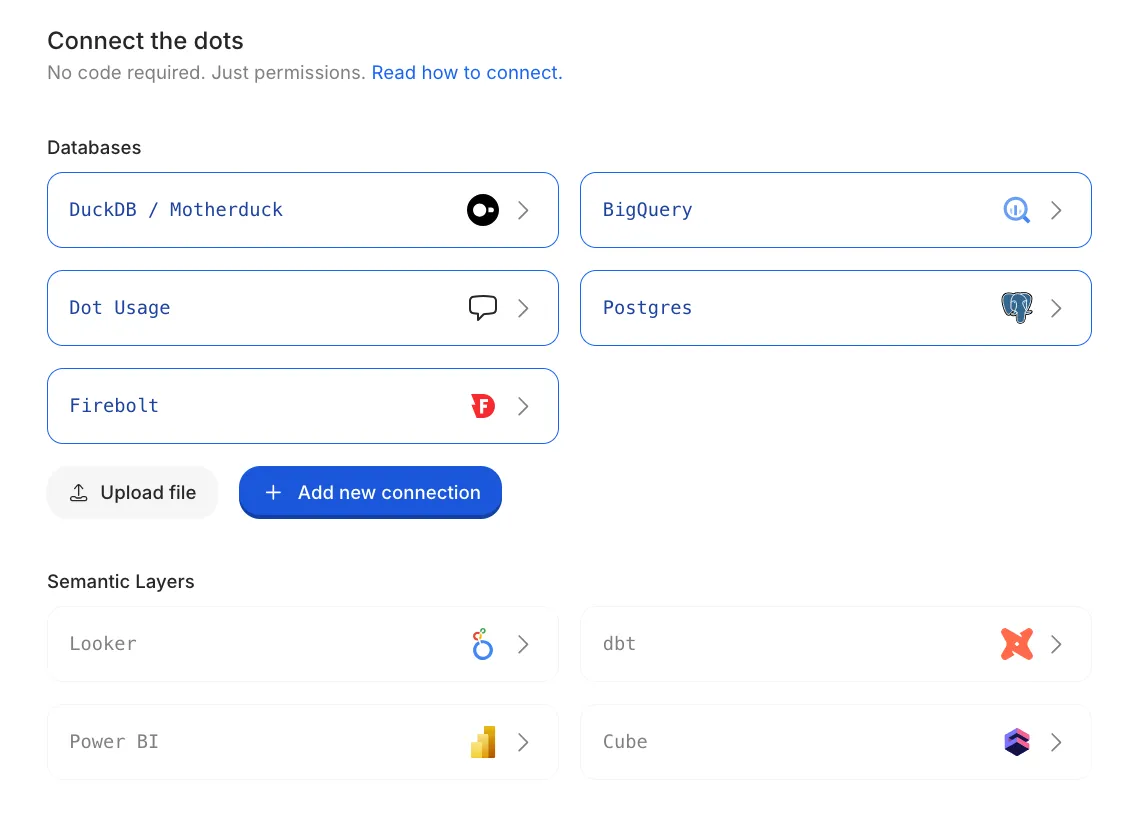
If your metrics already live in Looker or Power BI, connect that layer as well. Dot then answers through your LookML (respecting each explore's default filters) or your Power BI measures, so its numbers match the dashboards people know.
3. Let the Context Agent draft your context
Describe your first use case to the Context Agent in plain English. It explores the connected data, pulls existing definitions, asks about what it can't work out, and drafts notes, table descriptions and relationships as a proposal you review.
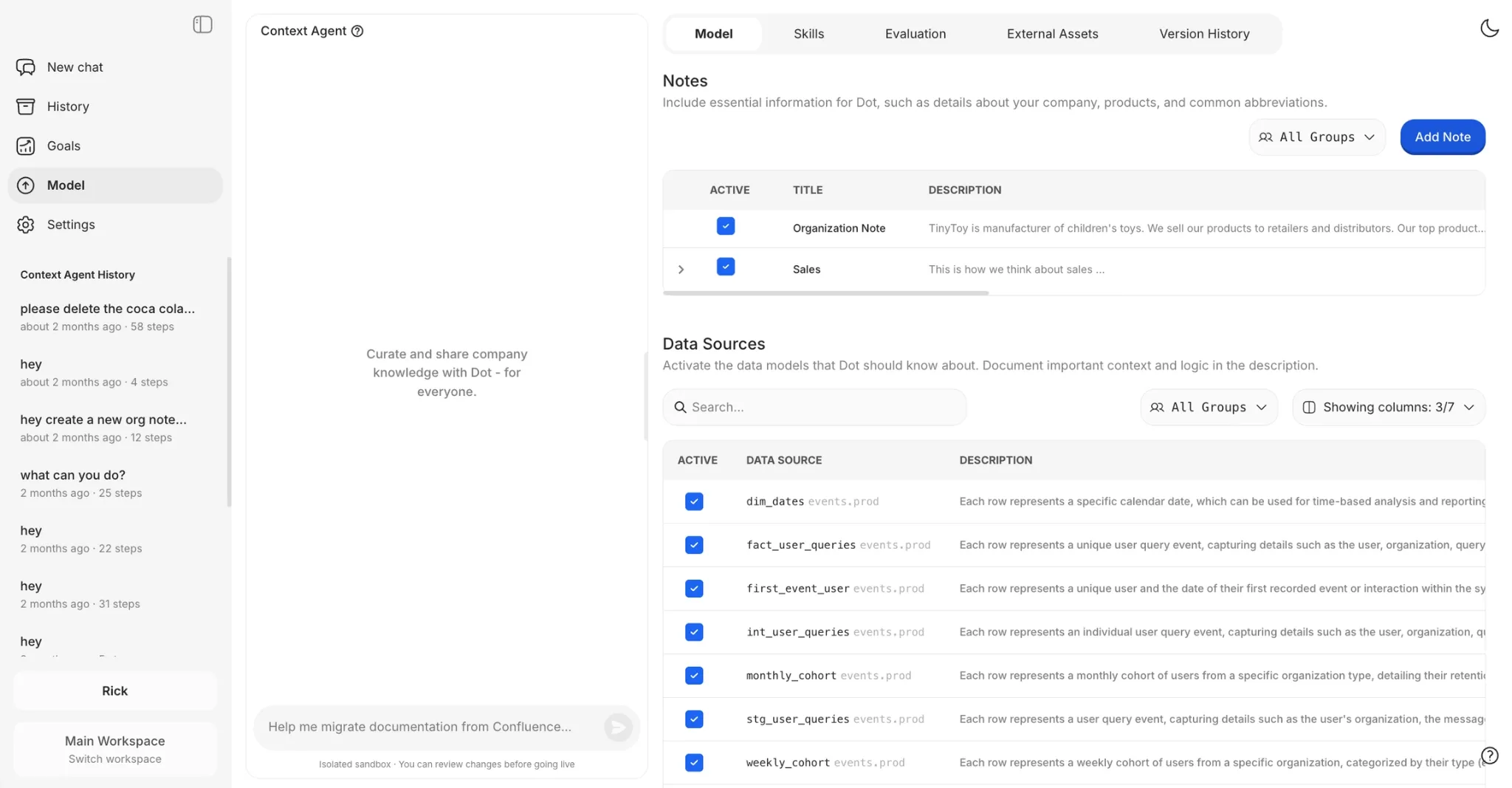
4. Choose what GetDot can see, and document it
In the Model section, activate only the tables and fields in scope for this use case. Use Suggest to draft descriptions, then fix anything that reads wrong. Start with the tables behind your most trusted dashboards: they encode business logic your team has already agreed on.
5. Declare how tables join
Set the foreign keys for each table and point each one at the key it references, for example orders.user_id references users.id. As a rule, link a foreign key in a fact table to a primary key in a dimension table.
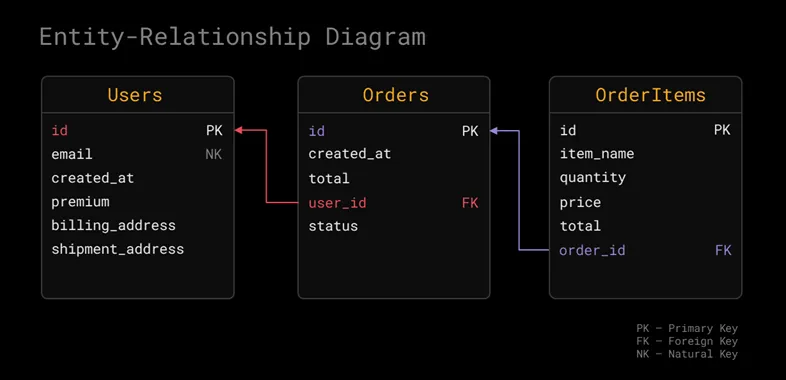
Skip this and Dot will still answer, but it will be confidently wrong when a join fans out or hits a chasm trap and double-counts rows.
6. Test it before you trust it
Ask the questions from step 1 and read the SQL in each answer's logs. Then give the same questions and trusted answers to Train: it tests Dot on each one, investigates the misses, proposes fixes to notes, relationships and table docs in an isolated environment, and shows accuracy before and after. Nothing changes in production until an admin merges the fixes, and the same question sets rerun as Evaluations whenever you want a fresh read.
7. Set permissions before you invite anyone
Map groups from Okta, Entra ID or Google Workspace, set row-level rules, and use Test as user to preview the exact filter a person's queries will carry. On the Team plan, workspaces give a team or client an isolated space with separate users and permissions, and a workspace can have its own Slack or Teams tenant.
8. Bring it to where your team already works
Connect Slack or Microsoft Teams and invite the people who ask the data team for numbers most often. People use what is already open on their screen.
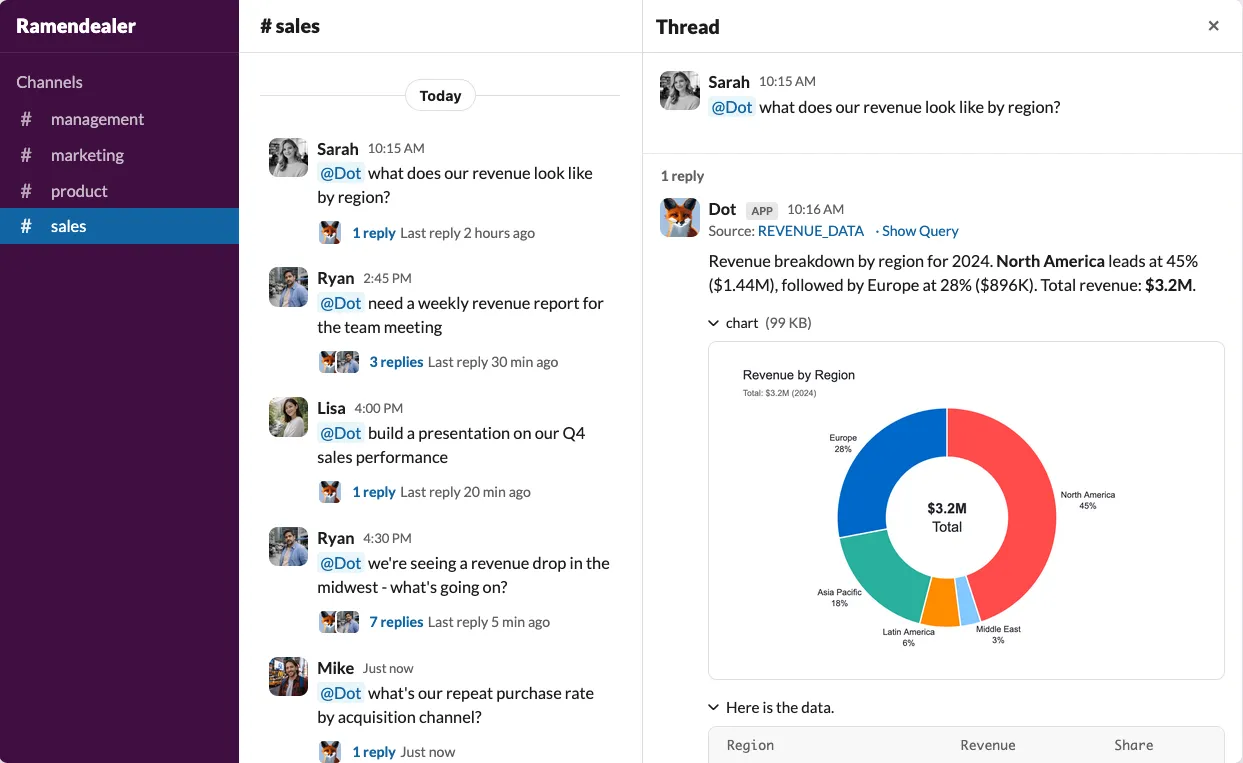
Coach one habit: a good question names the metric, the entity, the time period and the cut. "How many active premium suppliers did we have in Paris in March 2024?" gives Dot everything it needs; "What's our current revenue?" leaves too much open.
9. Keep improving, and extend beyond chat
- Corrections: review the proposals that come from chat weekly.
- Recurring questions: schedule them with a condition, such as "only send if revenue dropped more than 5%", so they stay quiet when nothing changed (more in our weekly business review guide).
- Analyses that don't fit in SQL: admins can add custom skills, a markdown file with instructions and optional supporting files such as Python scripts.
- Engineers: the Dot CLI installer also sets Dot up in Claude Code, Cursor, Codex and other coding agents.
- Adoption: track who asks, not how many dashboards exist. The users list sorts by weekly credits used, and History shows credits per message.
The free plan includes 300 one-time credits with full Pro features; paid plans are billed on usage credits, not seats, with unlimited users. ➡️ Start free with your own data.
FAQ
It lets people outside the data team answer their own data questions, from dashboards, governed datasets or an AI analyst, without filing a request. The data team's job shifts from answering questions to maintaining the definitions and permissions everyone answers from.
Self-service BI is the subset where business users build their own reports in a BI tool such as Tableau, Power BI or Looker; self-service analytics also covers asking questions in natural language and getting written answers back.
Not for everyone. Analysts and power users still build dashboards, and a governed semantic model in Looker or Power BI makes an AI analyst more accurate, not redundant. What changes is who needs to learn a BI tool: people who only want answers can ask in Slack or Teams instead.
Connections to your warehouse and semantic layer without copying data; owned metric definitions; enforcement of your permissions and row-level security; the SQL and assumptions behind every answer; a way to test accuracy against answers you trust; and delivery where people already work.
With Dot, an afternoon to connect a source and ask the first questions, and usually a few days to review the context for a first use case and test it. After that, expand one use case and one test set at a time.
Theo Tortorici
Theo writes about AI-powered analytics, data tools, and the future of business intelligence at Dot.