
10 Best Self-Service Analytics Tools & Software In 2026
In this article, I'll walk through the 10 best self-service analytics tools for 2026, grouped into three categories so you can find the fit for how your team actually works with data.
TL;DR
- Dot is the best self-service analytics tool for 2026 because it lets business users ask questions in plain English from Slack, Teams, or email and get back a written answer, no dashboard required.
- ThoughtSpot and Supaboard fit teams that want AI-native, search-driven analytics with natural language interfaces and automated insight generation.
- Sigma, Omni, and Holistics are the right call for data teams that want warehouse-native exploration with a familiar spreadsheet or modeling layer.
- Tableau, Microsoft Power BI, Qlik Sense, and Metabase are the broader BI platforms that have stacked self-service features on top of the traditional dashboard model.
What are the best self-service analytics tools in 2026?
The best self-service analytics tools in 2026 are Dot, ThoughtSpot, and Supaboard on the AI-native side, with Sigma, Omni, Holistics, Tableau, Microsoft Power BI, Qlik Sense, and Metabase rounding out the rest.
Here's a breakdown:
Tool | Use case | Price |
Dot | Warehouse-native AI analyst that answers business questions in Slack, Teams, and email without anyone touching a dashboard. | Free plan; Pro from $180/mo. |
ThoughtSpot | Natural language search and Spotter AI agent for governed analytics on live data. | Essentials from $25/user/month (annual). |
Supaboard | No-code AI dashboards and natural language analytics for non-technical teams. | Individual from $85/month; Business at $229/month. |
Sigma | Spreadsheet-style analytics on live warehouse data with Ask Sigma AI. | Custom pricing. |
Omni | Semantic model with self-service exploration and AI inside workbooks. | Custom pricing (free trial available). |
Holistics | Analytics-as-code with a governed semantic layer and self-service for business users. | Entry from $960/month. |
Tableau | Visual analytics with Tableau Next and Agentforce for agentic workflows. | From $15/creator/month. |
Microsoft Power BI | Microsoft-native BI with Copilot for natural language reporting. | From $14/user/month (Pro). |
Qlik Sense | Associative engine for free-form data exploration with AI-assisted insights. | Custom pricing. |
Metabase | Open-source BI with Metabot AI and click-to-explore analytics. | Free (self-hosted); Cloud from $100/month. |
What are the best AI-native self-service analytics tools?
The first category covers tools that didn't grow up as dashboard platforms.
They were built around the idea that anyone on the team should be able to type a question and get back a real answer, with no need to first learn a BI tool.
#1: Dot
Dot is the best self-service analytics tool on the market because it removes the part of self-service that usually breaks: the dashboard.
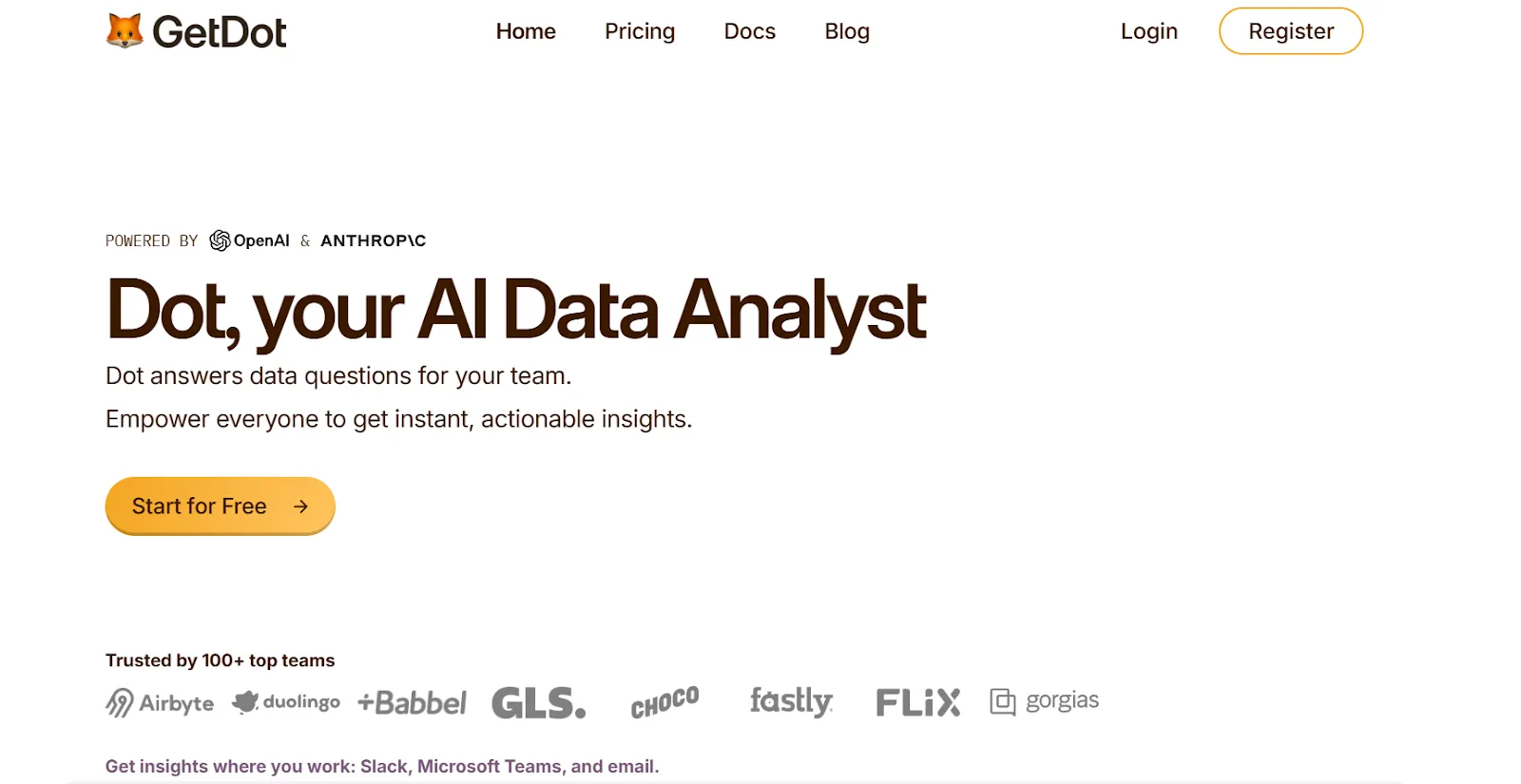
Full disclosure: Dot is our platform, so I'll do my best to explain what makes it the strongest option without overselling.
The promise of self-service BI has always been that anyone on the team can answer their own questions.
But that promise breaks the moment a business user has to find the right dashboard, apply the right filters, and trust the numbers haven't drifted since last quarter.
Dot takes a different route.
You and your team type questions in everyday language where you already work, and Dot writes back a complete answer.
Here's how it plays out in practice. 👇
A question box where your team already talks
The interface for Dot is a chat box, sitting inside Slack, Microsoft Teams, email, or our web app.
Someone types "What was new logo revenue in EMEA last week, and how does that compare to the previous four weeks?" and Dot replies with a full breakdown.
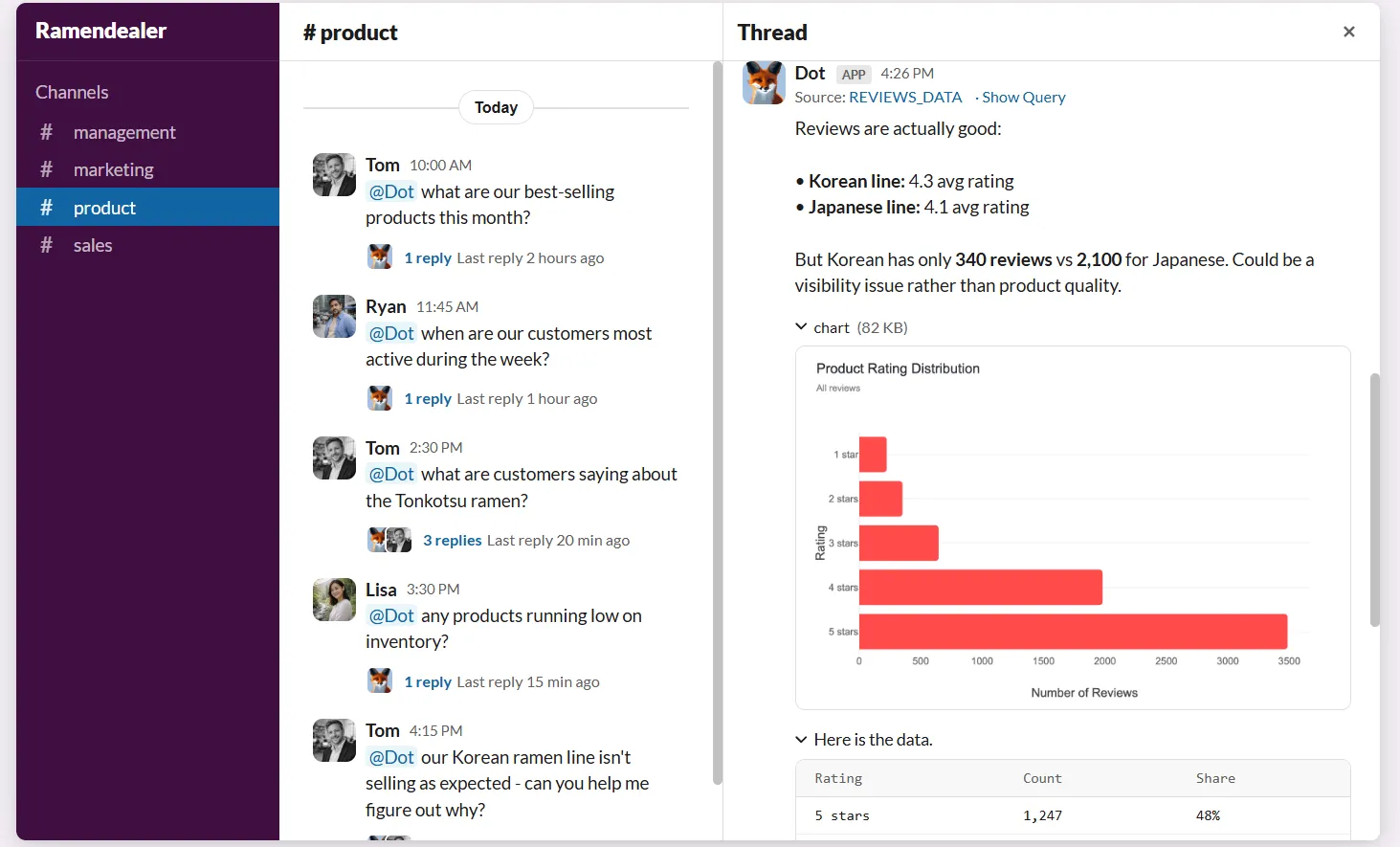
The answer is written out as a paragraph or two, with the numbers, the trend direction, the segments that drove the change, and what likely caused them.
That means a marketing manager or a finance partner can land on a real answer without ever opening a BI tool.
💡 These are the same questions that pile up in the data team's queue every Monday morning.
A context layer that holds your definitions
The hardest part of self-service isn't building a chart. It's making sure two people asking the same question get the same answer.
Our Context Agent is the piece that handles that.
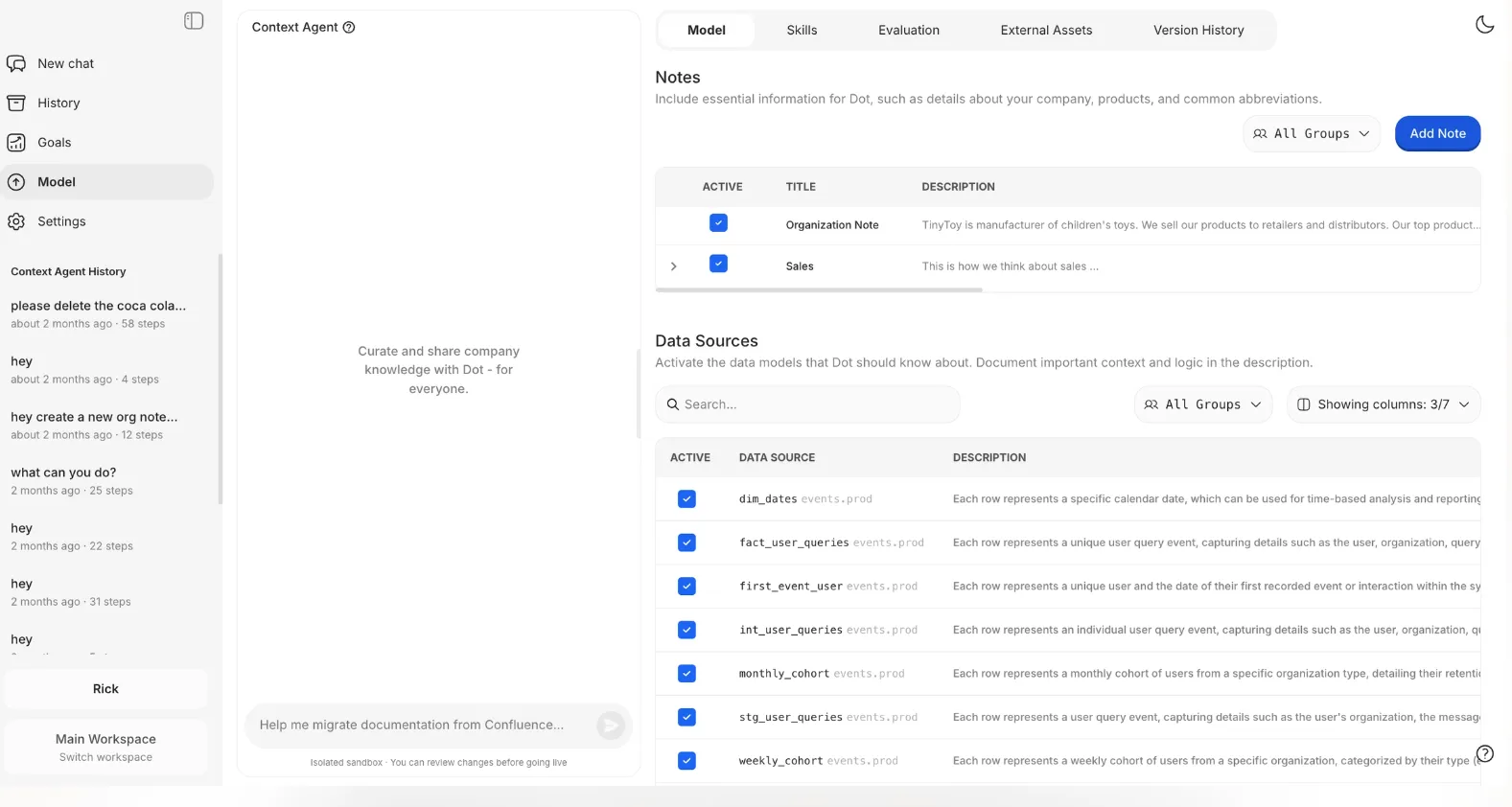
It reads from wherever your definitions already live (dbt models, your semantic layer, internal documentation), and every question that hits Dot resolves against that same set of rules.
When an analyst corrects Dot on something ("ARR excludes free trials, not just churned accounts"), that correction sticks.
The next person to ask about ARR sees the corrected number, even if they're on a different team and never spoke to the analyst.
This is the part most "self-service" BI tools quietly hand off to whoever maintains the dashboards.
Sits on top of your warehouse
Dot queries Snowflake, BigQuery, Redshift, and Databricks on demand.
There's no separate data layer to sync, no extracts to refresh, and no version drift between what the BI tool says and what production shows.
As long as the warehouse has the data, the answer Dot returns matches what the warehouse would return at that moment.
For data engineers, that means fewer pipelines to maintain.
For business users, it means the number Dot returns is the same number a SQL query would return at the same time.
Reporting that writes itself
Scheduled reports are the other chunk of work that "self-service" tools usually leave to the analyst.
Dot drafts the report.
Set the metrics, choose the cadence, and Dot pushes a written business review to Slack, Teams, or email on that schedule.
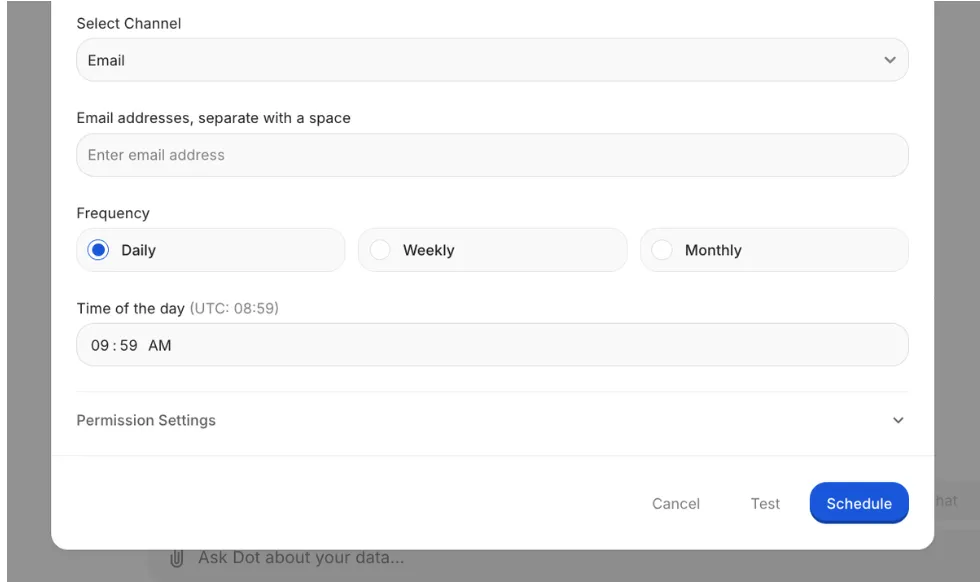
The output reads like something a human analyst would put together.
A headline finding, the segments that drove the change, the likely causes, and what to do next.
Teams at companies like Emerge use this to replace recurring reporting that used to take several hours of analyst time every week.
What makes Dot different from other self-service analytics tools?
The thing self-service BI has never solved is the ‘’dashboard tax’’.
Even with the best chart builders, the average business user still has to know which dashboard to open, which filters to apply, and what the numbers actually mean once they're on screen.
Most of the tools in this article try to make that dashboard easier to build or easier to find.
Some add a chat layer to help phrase the question, but the output is still a chart that has to be read.
Dot pulls the dashboard out of the workflow entirely.
The interface is a question box, the output is a written answer, and the Context Agent holds the definitions, so the same number lands across every team.
For organizations that have rolled out a BI tool, run training sessions, and still field the same Slack questions every Monday, this is what holds up.
Dot pricing
Dot has a free plan with 300 one-time credits and full access to Pro features, so you can test it on real data before paying anything.
There are three paid tiers:
- Pro: $180 per month, 150 credits included, unlimited users, $1.80 per credit overage. Covers the full feature set and works well for a small data team.
- Team: $720 per month, 800 credits included, $1.44 per credit overage. Adds SSO, row-level security, embedded analytics, BI migration support, and dedicated customer success.
- Enterprise: Custom pricing with unlimited credits, volume discounts, self-hosted deployment, audit logs, SLAs, and a dedicated account manager.
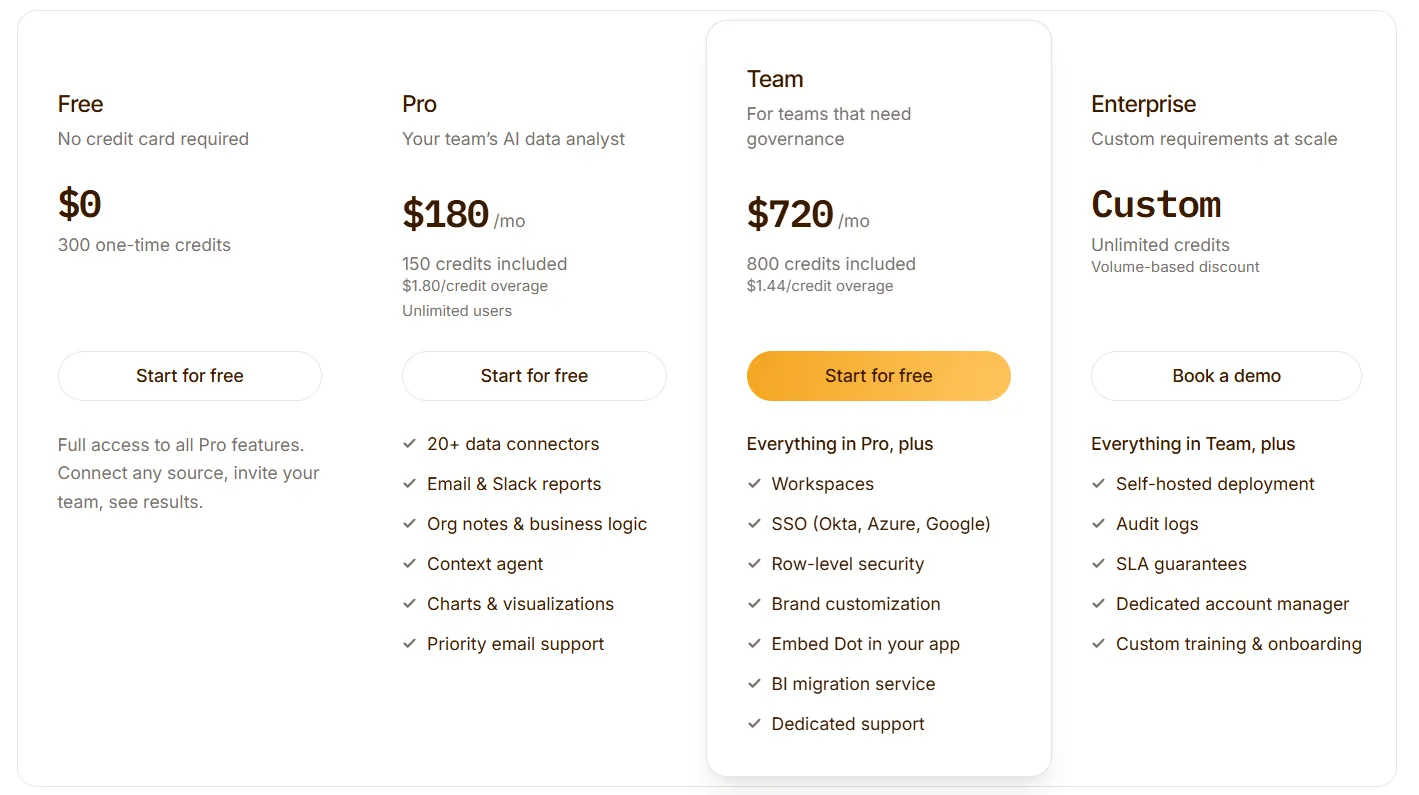
➡️ Annual billing knocks 10% off across every plan.
The credit model charges for the work Dot does (query complexity and analysis depth), and not the number of users on the platform, so onboarding a hundred business users doesn't multiply the bill.
Dot pros and cons
✅ Plain-language questions, full written answers.
✅ Lives in Slack, Teams, email, and a web app.
✅ Context Agent keeps definitions consistent across teams.
✅ Warehouse-native with a full audit trail on every insight.
✅ Automated business reviews replace recurring analyst work.
✅ Usage-based pricing.
❌ Not a traditional dashboard tool.
❌ Needs a data warehouse to operate.
#2: ThoughtSpot
Best for: Enterprise teams that want search-first analytics with an AI agent layered on top of governed data models.
Similar to: Dot, Tellius.
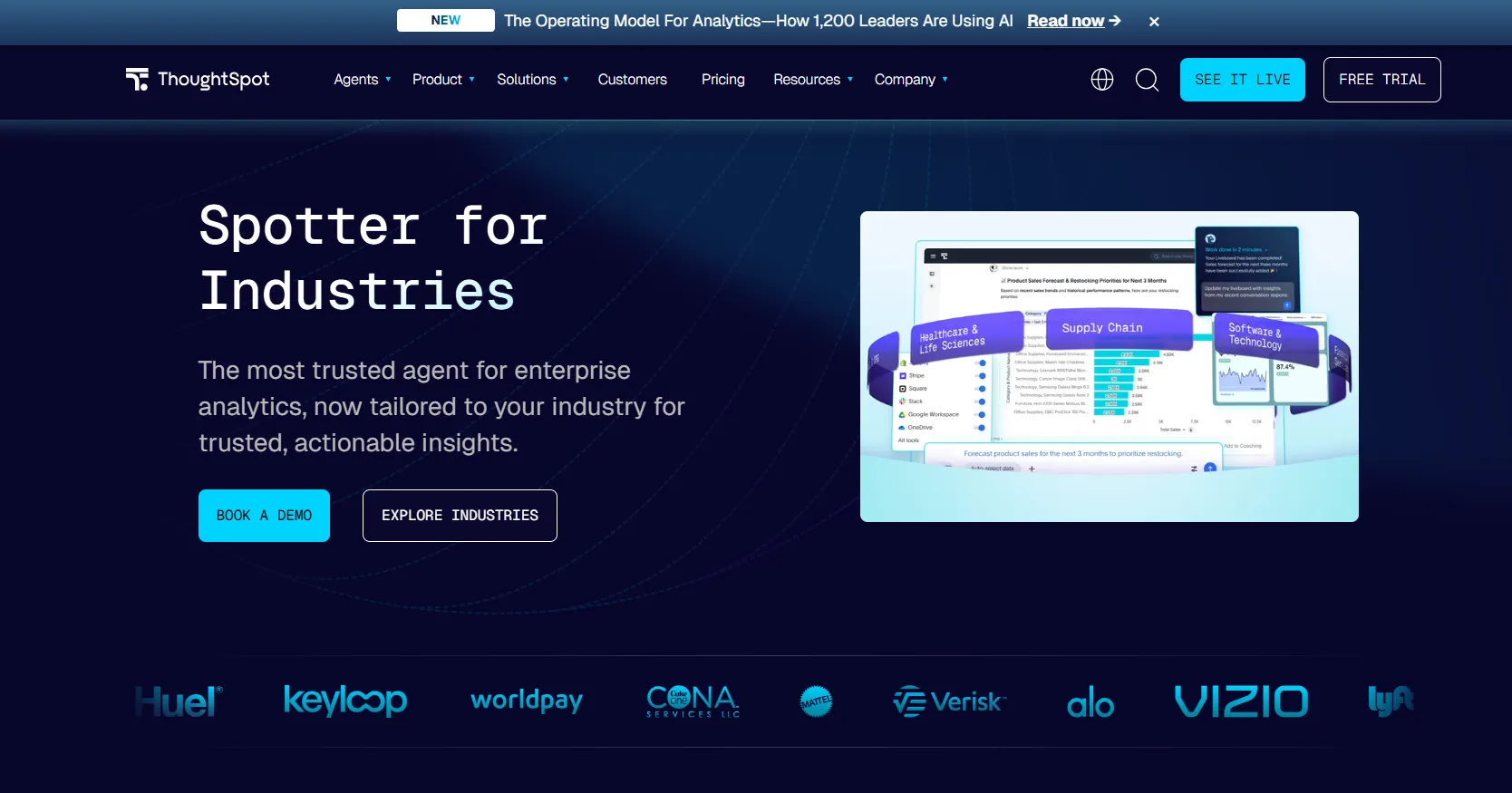
ThoughtSpot lets users type a question in everyday language and get a chart from live, governed data.
SpotterViz is the newer AI agent that runs deeper analyses and can spin up entire dashboards from a single prompt.
ThoughtSpot's top features
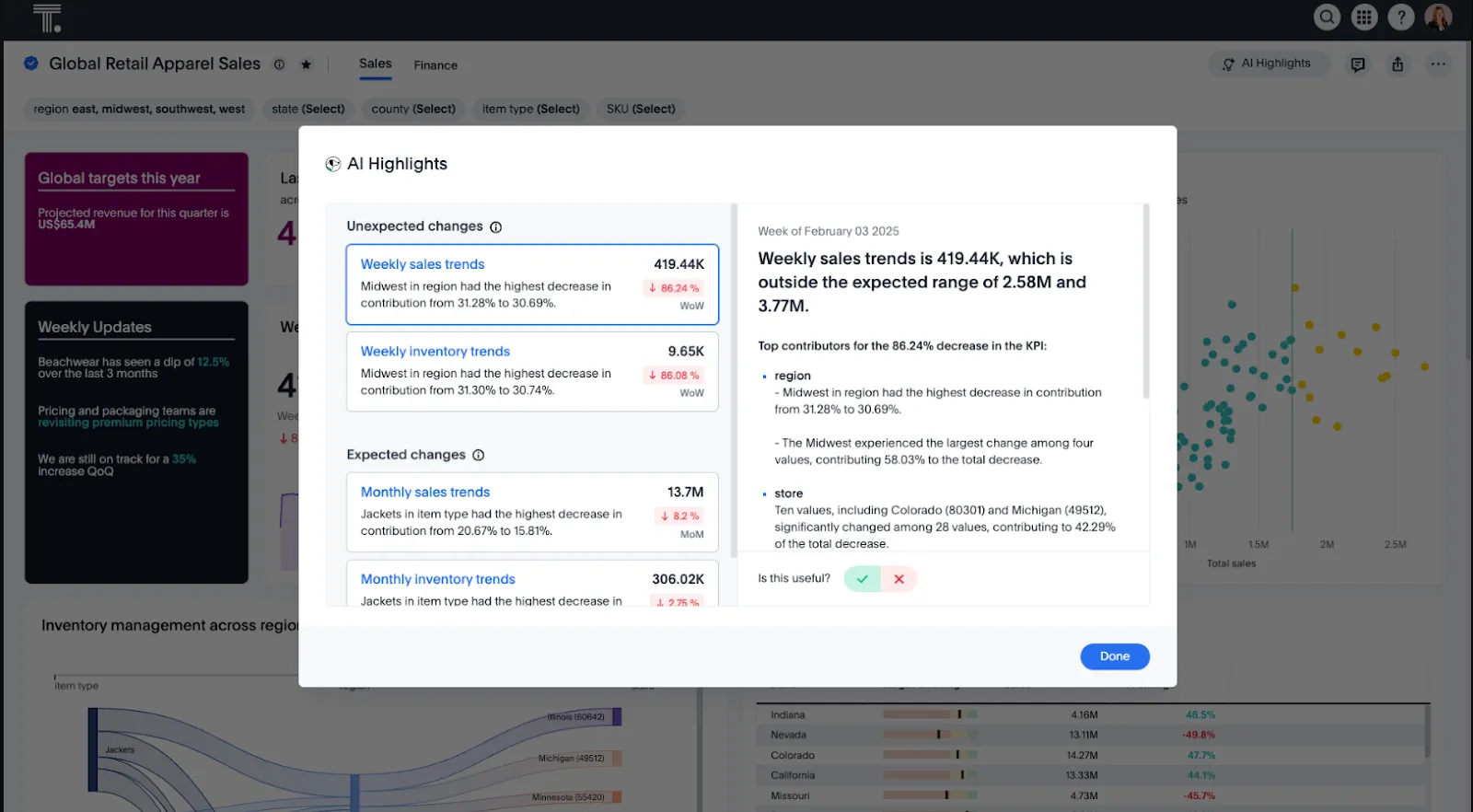
- Search-based analytics: The feature ThoughtSpot built the company on. Type a question, get a chart back from live, governed data.
- Spotter AI agent: Runs longer investigations end-to-end, so users don't have to chain prompts together themselves.
- SpotterViz: Hand it a description, and it builds out the whole dashboard.
- ThoughtSpot Embedded: A second product line for putting search-based analytics inside your own software.
ThoughtSpot pricing
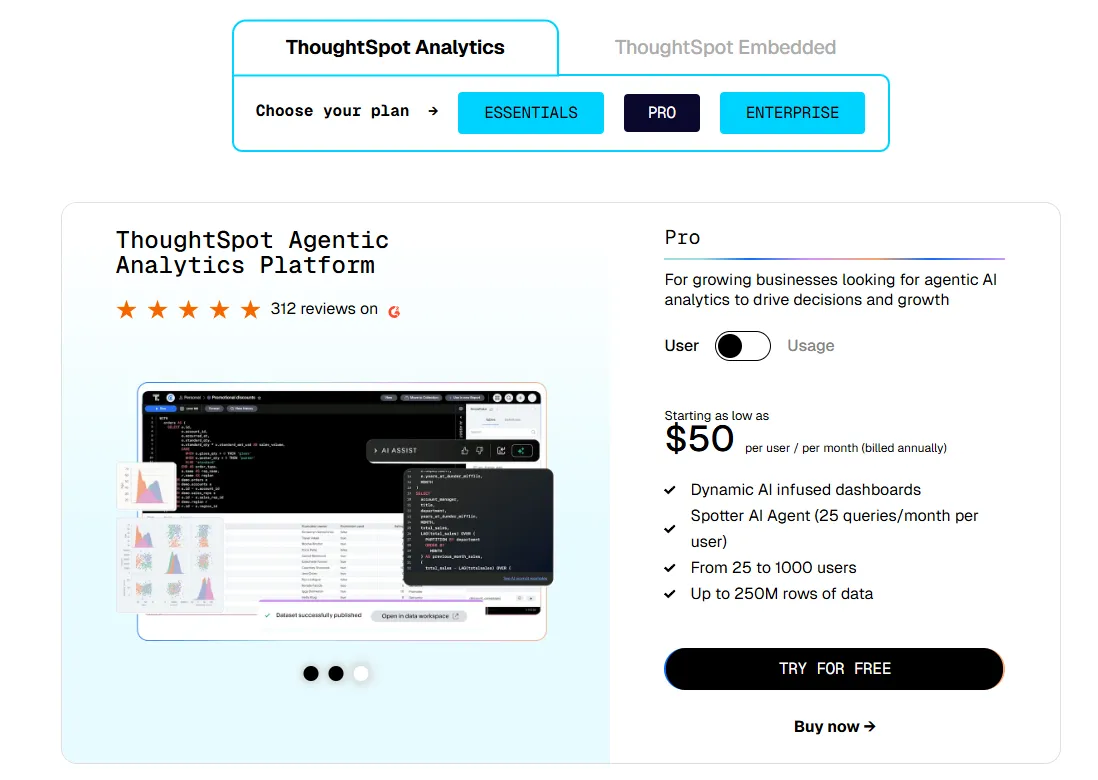
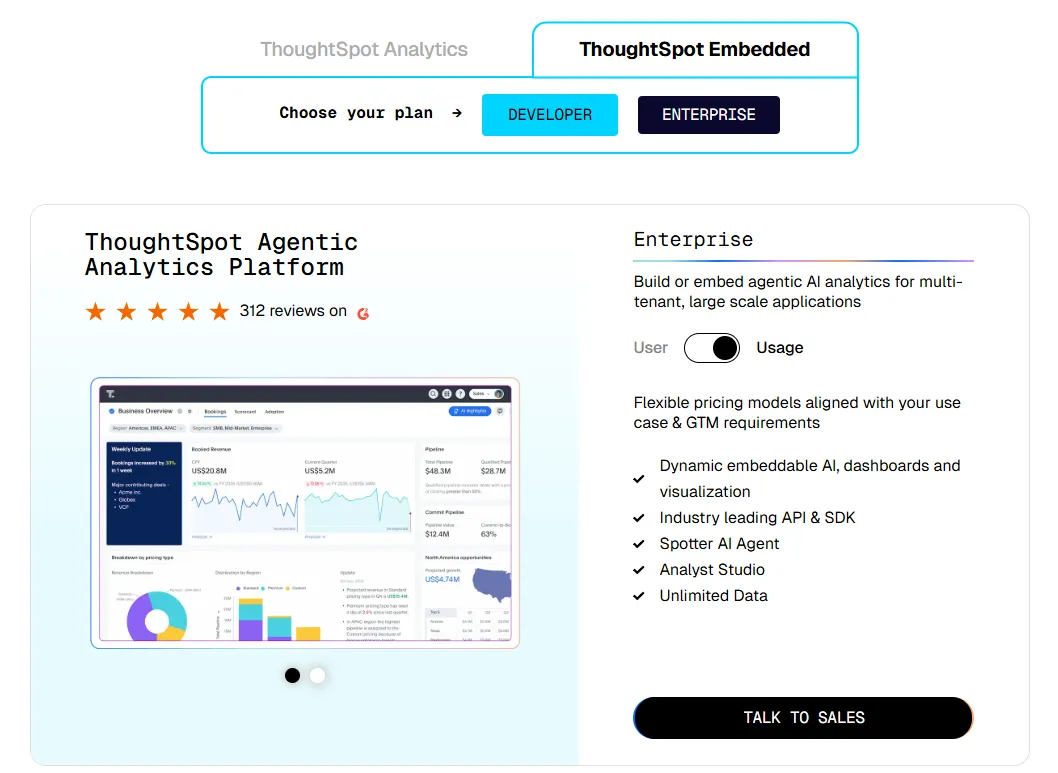
ThoughtSpot offers two separate products: ThoughtSpot Analytics for internal BI and ThoughtSpot Embedded for building analytics into applications - each with flexible pricing depending on scale and usage:
- ThoughtSpot Analytics:
- Essentials: From $25 per user per month (billed annually), for teams of 5-50 users, includes dynamic interactive dashboards and AI-powered insights and supports up to 25M rows of data.
- Pro (per user pricing): From $50 per user per month (billed annually), for 25–1,000 users, includes everything in Essentials, plus AI-infused dashboards and Spotter AI Agent (25 queries per user/month), and supports up to 250M rows of data.
- Pro (usage-based): From $0.10 per query, includes everything in Pro per user, and adds Analyst Studio.
- Enterprise (user or usage-based): Custom pricing, includes everything in Pro, plus unlimited users and data.
- ThoughtSpot Embedded:
- Developer: Free for 1 year, includes embeddable AI analytics, dashboards, and visualizations, APIs and SDKs, up to 10 users and 25M rows of data.
- Enterprise (user-based): Custom pricing, includes everything in Developer, plus unlimited data.
- Enterprise (usage-based): Custom pricing, everything in Enterprise, plus Spotter AI Agent and Analyst Studio.
ThoughtSpot pros and cons
✅ Search works well for non-technical users.
✅ Strong governance for large rollouts.
✅ Holds up on clean enterprise data models.
❌ Two pricing structures (per user vs. usage-based) can get confusing at scale.
#3: Supaboard
Best for: Smaller teams and business users who want AI-built dashboards without setting up a full BI platform first.
Similar to: ThoughtSpot, Metabase.
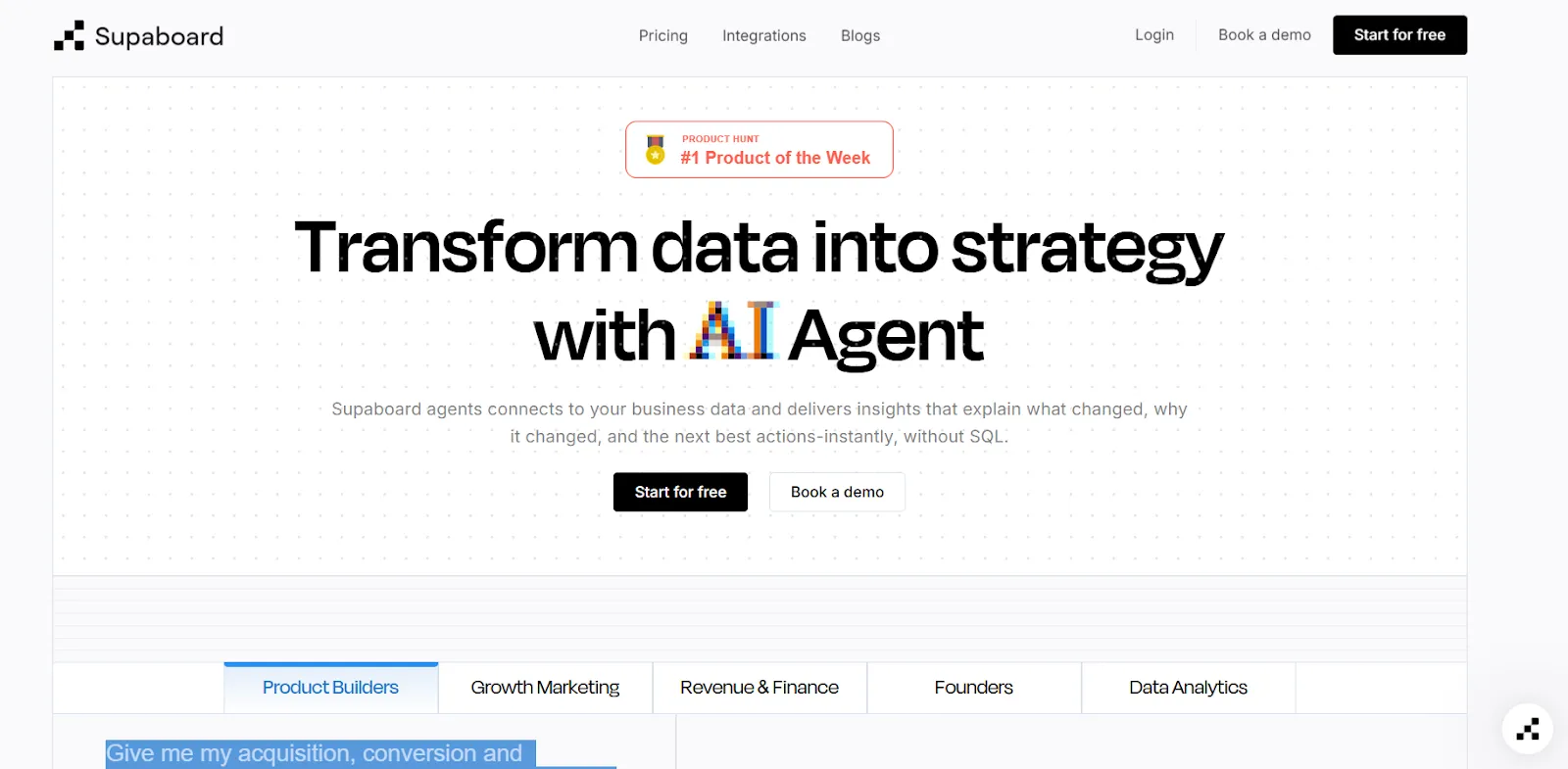
Supaboard connects to your data sources and auto-generates dashboards, KPIs, and reports from natural language prompts.
It's built for non-technical operators who want to skip the BI setup process altogether.
Supaboard's top features
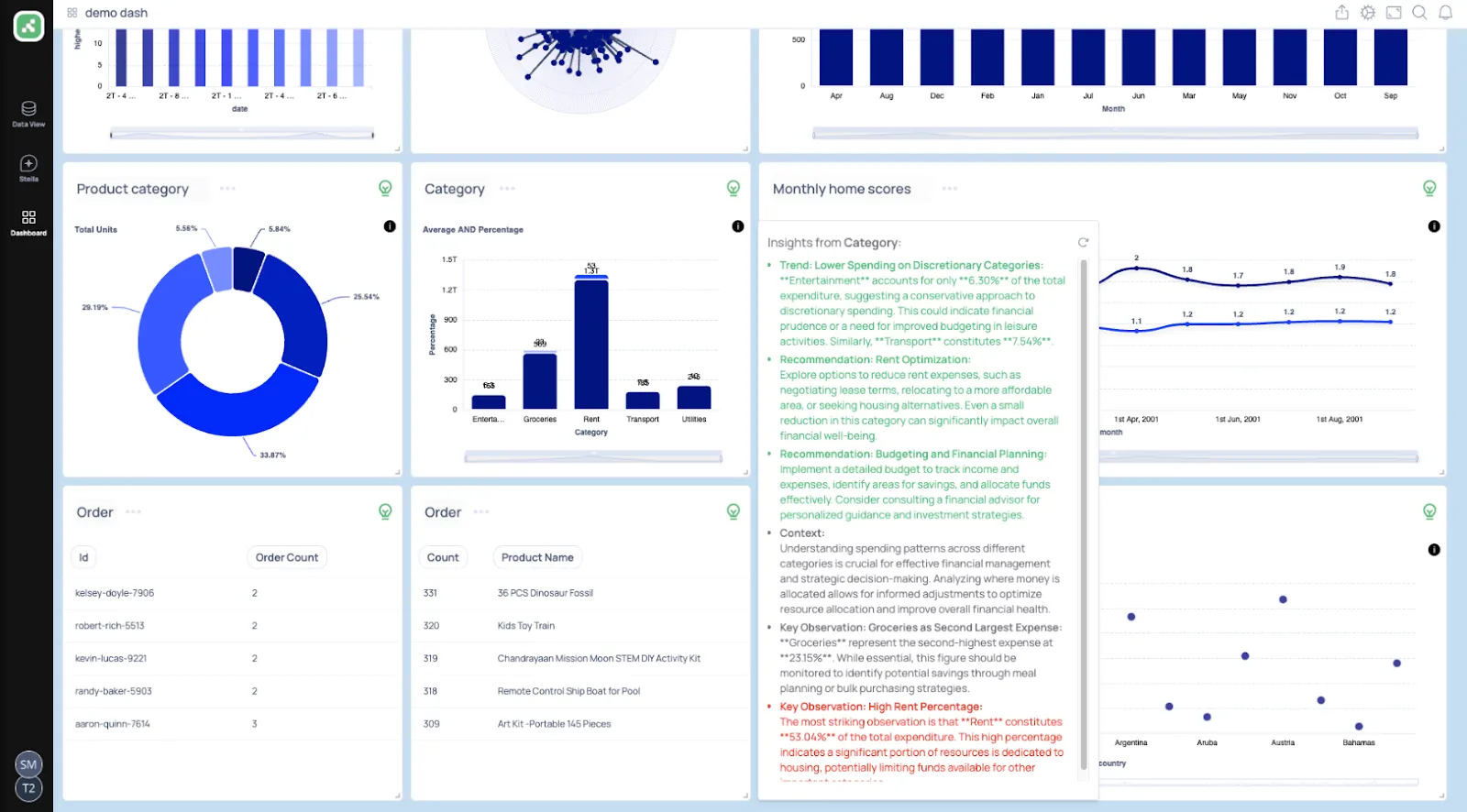
- Chat: Ask a question, get the metric, the chart, and a written explanation back.
- Live AI-built dashboards: Give it a prompt, get back a working dashboard with KPIs and tables.
- Trainable AI agents: Set up agents with your own business logic and SLAs so answers stay context-aware.
- Slack and team bot integrations: Push answers and alerts into the channels your team already uses.
Supaboard pricing
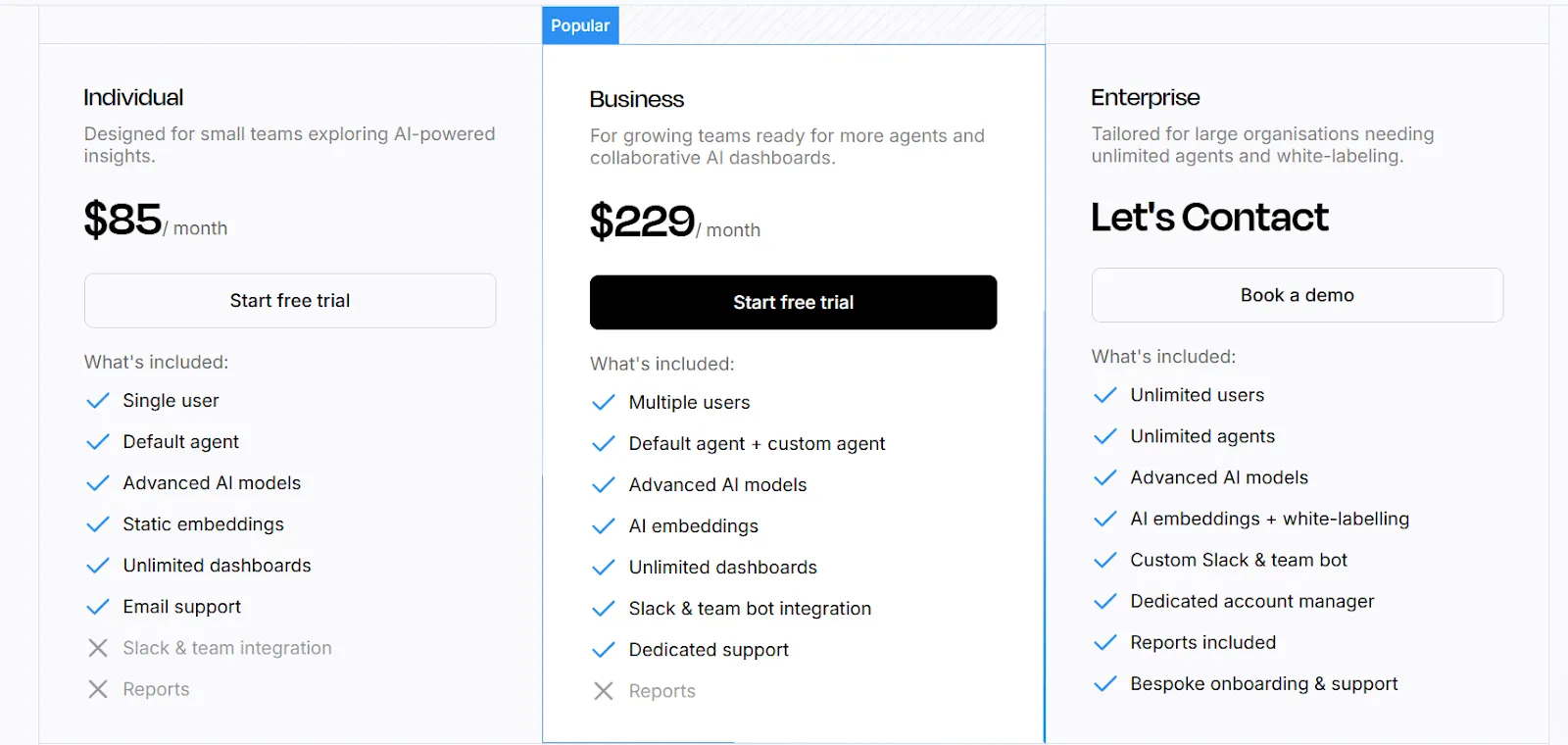
Supaboard has three tiers, with a 14-day free trial on the first two:
- Individual: $85 per month for a single user, default AI agent, advanced AI models, unlimited dashboards.
- Business: $229 per month for multiple users, custom agents, AI embeddings, Slack integration, dedicated support.
- Enterprise: Custom pricing for unlimited users, white-labeling, dedicated account manager, and bespoke onboarding.
Supaboard pros and cons
✅ Fast to connect data and start asking questions.
✅ Friendly for non-technical users.
✅ AI agents stay tied to your business rules.
❌ It's a relatively newer entrant, so the community and integration ecosystem are still growing.
What are the best warehouse-native self-service analytics tools?
The middle group is where modern analytics has been heading for the last few years.
These tools assume you already have a cloud warehouse and want exploration, modeling, and sharing built directly on top of it.
Looker pioneered this category, and tools like Omni and Holistics have built on those ideas with different opinions on workflow:
#1: Sigma
Best for: Finance, ops, and analyst teams that want spreadsheet-style analytics on live warehouse data.
Similar to: Omni, Looker.
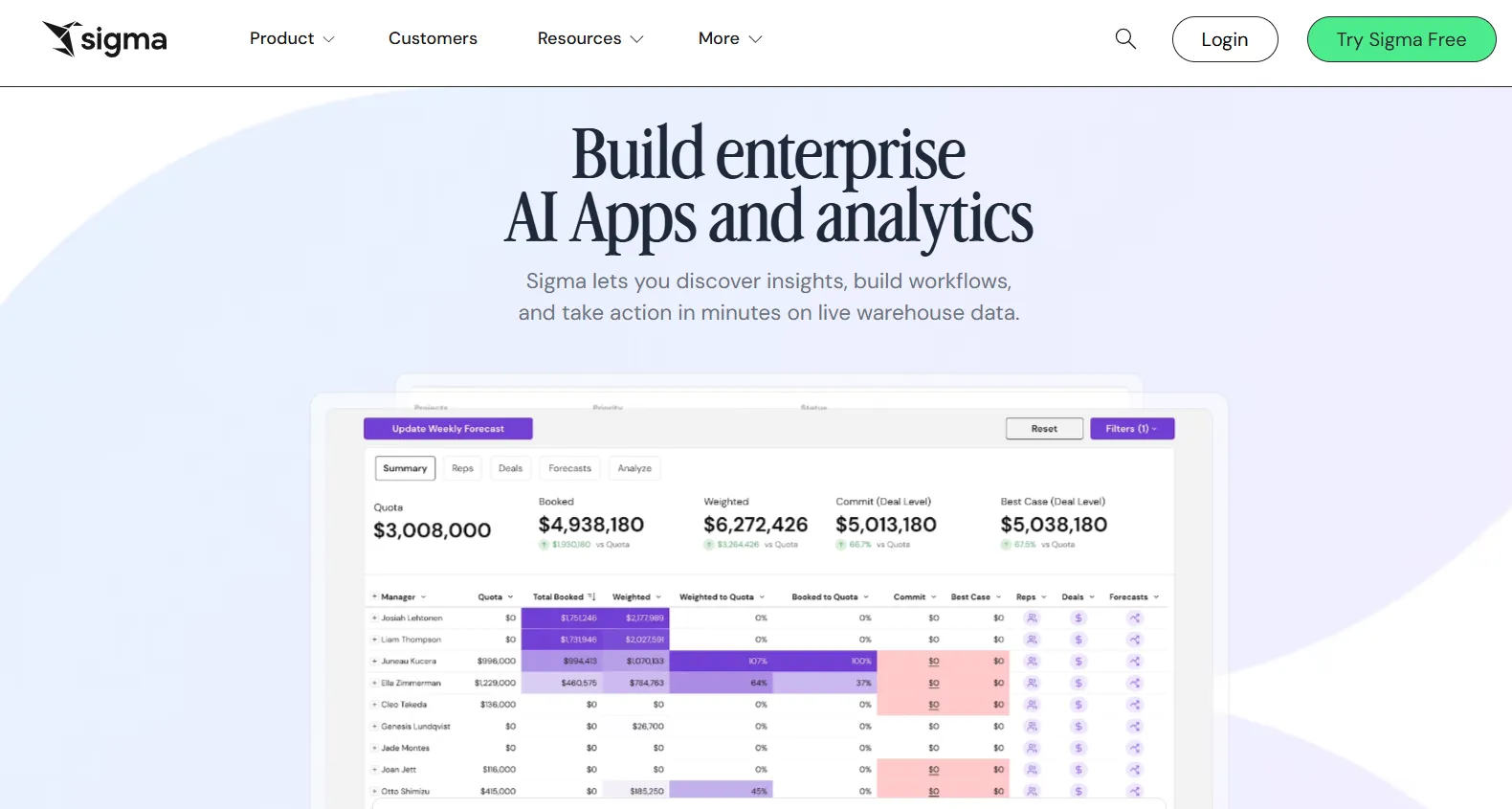
Sigma puts a spreadsheet interface in front of a live warehouse connection.
Anyone comfortable in Excel can join tables, build pivots, and run formulas without writing SQL.
Sigma's top features
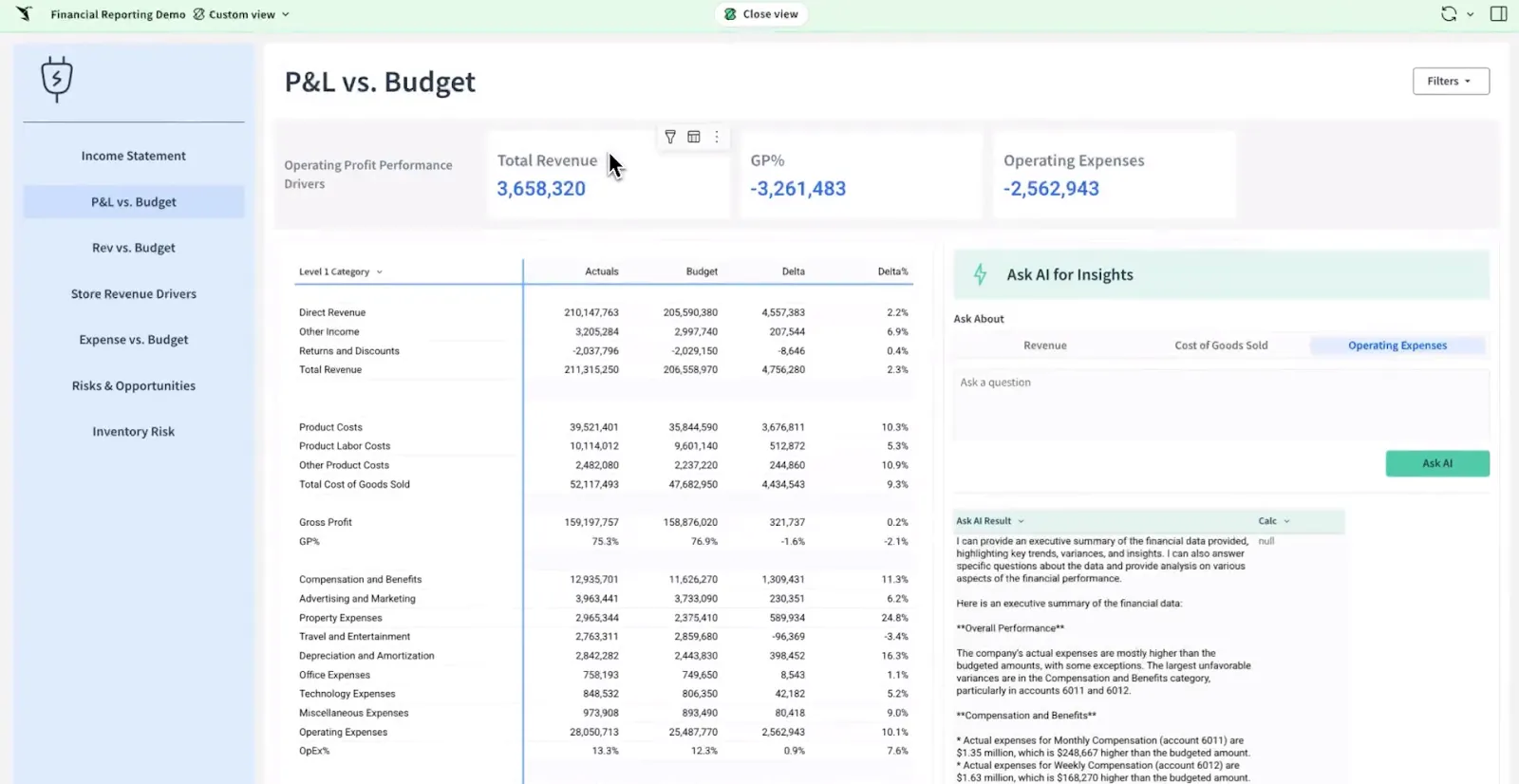
- Spreadsheet interface: Familiar formulas, pivots, and tables, except the data is live from Snowflake, BigQuery, Redshift, or Databricks.
- Ask Sigma: Natural language queries and AI-built dashboards inside the workbook.
- AI Apps: Interactive apps for forecasting, planning, and budgeting without custom development.
- Warehouse-native execution: Every query runs against the warehouse, so the numbers stay current.
Sigma pricing
Sigma doesn't publish pricing. You'll go through a sales conversation tied to your data volume and user count.
Sigma pros and cons
✅ The spreadsheet interface is genuinely accessible.
✅ Live warehouse queries keep numbers current.
✅ AI Apps work well for finance and ops.
#2: Omni
Best for: Modern data teams that want a flexible semantic layer paired with ad-hoc workbook exploration in the same product.
Similar to: Sigma, Holistics.
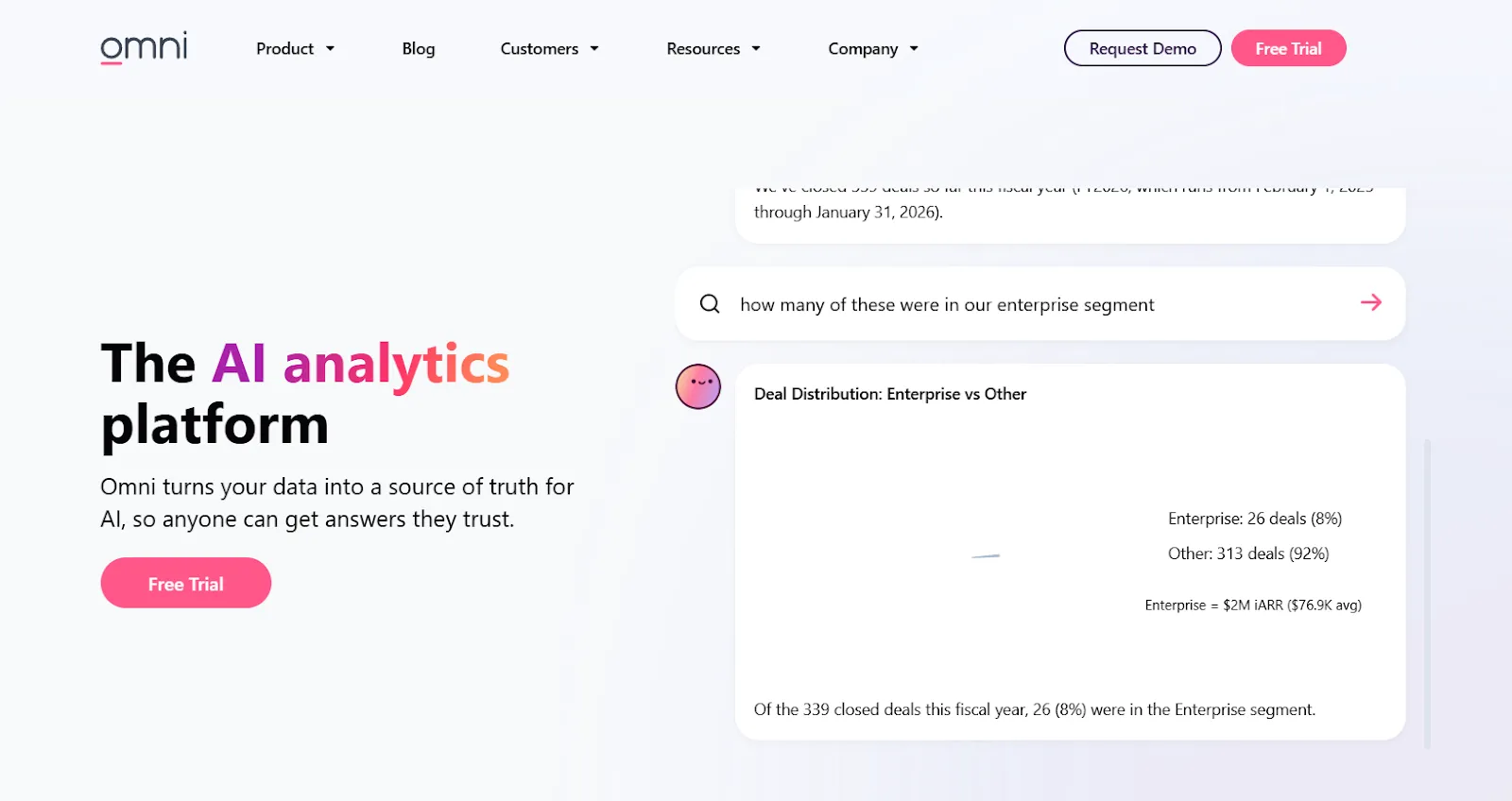
Omni was founded by ex-Looker and ex-Stitch leaders, and the influence shows.
You get a centralized metrics model paired with workbook-style analysis, so analysts can govern while business users explore.
Omni's top features
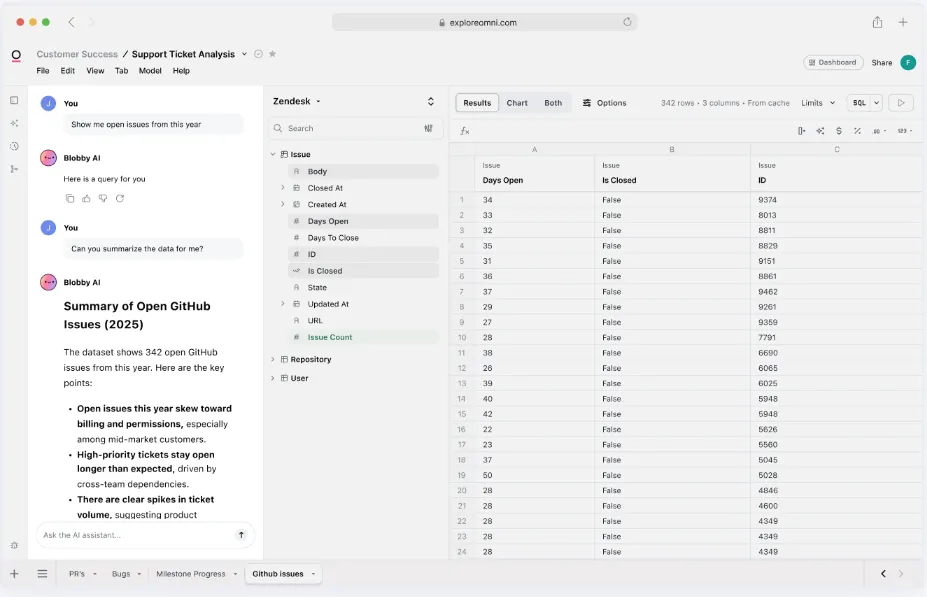
- Metrics-first modeling: One central definition for every metric, shared across dashboards and workbooks, no LookML required.
- AI baked into the workbook: Chart summaries, auto-generated queries, and trend explanations without leaving the canvas.
- Spreadsheet-style exploration: Live warehouse data with familiar formula syntax.
- Strong dbt integration: Bring dbt models in directly so the source of truth stays in one place.
Omni pricing
Omni doesn't publish pricing. You can request a free trial on their site, and they'll quote based on usage and team size.
Omni pros and cons
✅ Flexible for both analysts and business users.
✅ Strong dbt and direct warehouse story.
✅ AI sits inside the workbook, not bolted on as a separate chat.
#3: Holistics
Best for: Engineering-led data teams that want analytics-as-code with a self-service layer for business users.
Similar to: Looker, Omni.
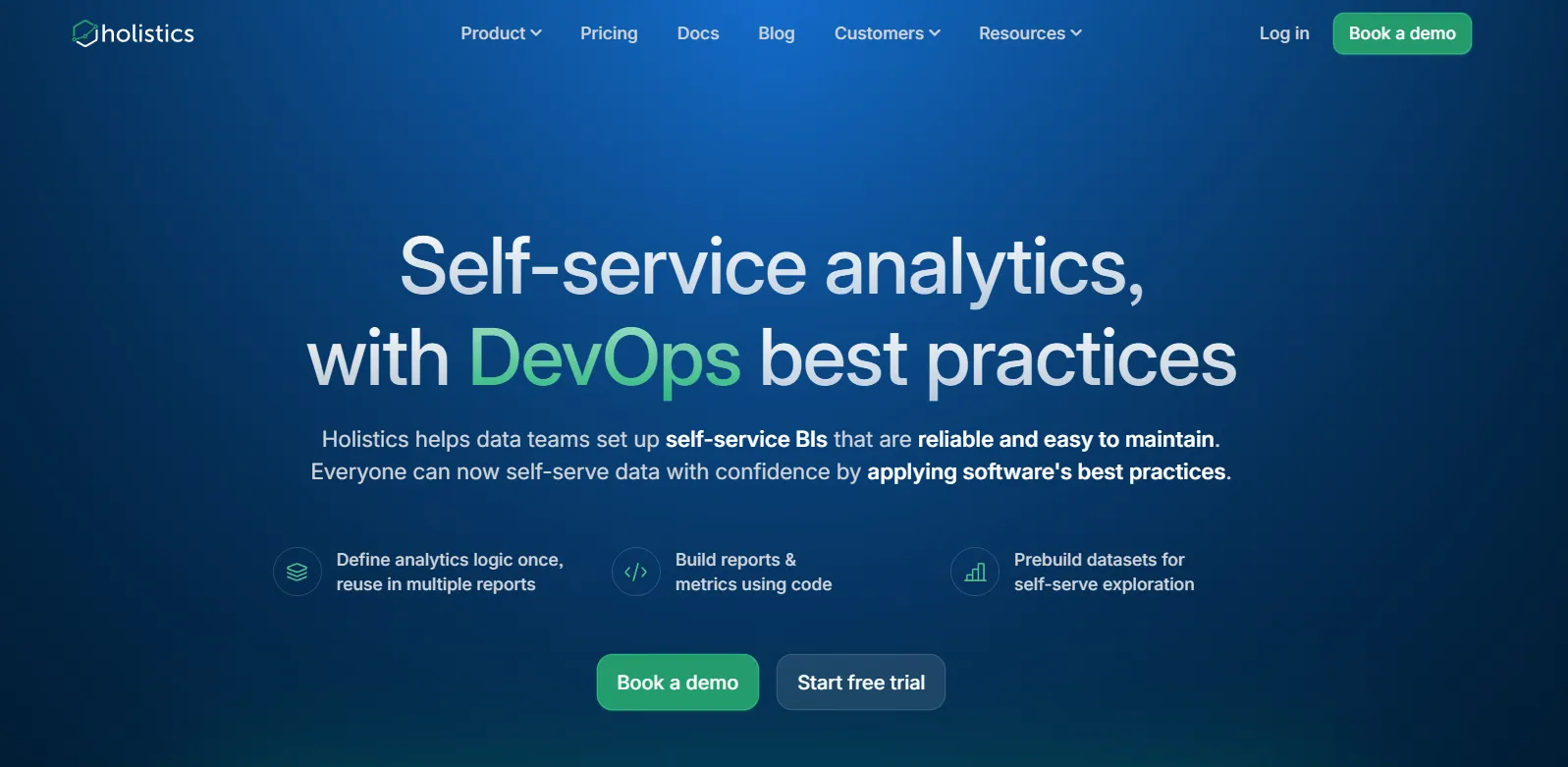
Holistics treats analytics like software, with metrics, datasets, and joins defined in code, version-controlled in Git, and reviewed through pull requests.
Business users then explore the resulting model through dashboards and reports.
Holistics's top features
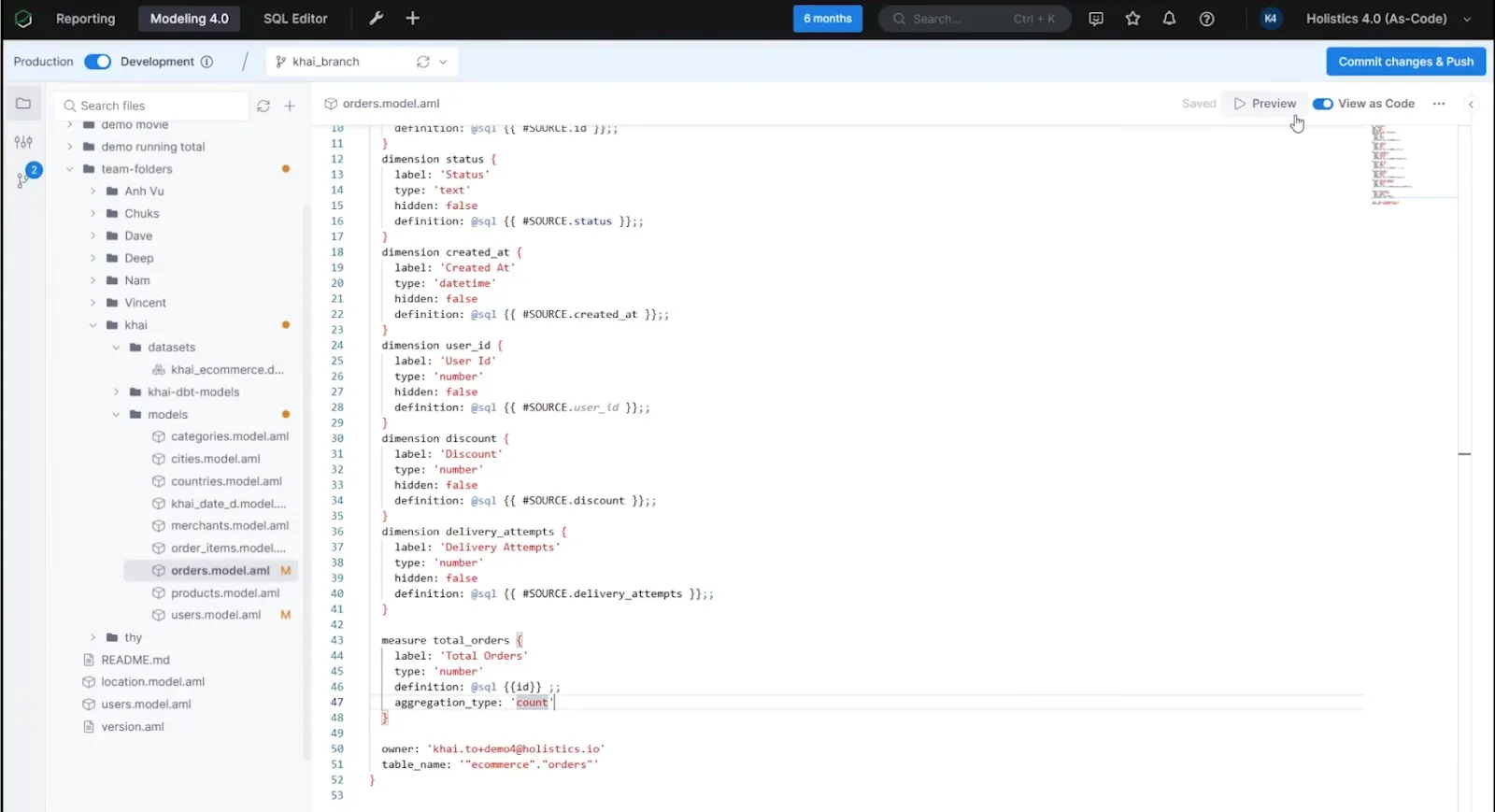
- Analytics-as-code: Define datasets and metrics in declarative DSL or SQL, commit to Git, branch and review like any codebase.
- Centralized modeling: Joins, derived tables, and transformations defined once and reused everywhere.
- Self-service exploration: Drag-and-drop reports for non-technical users, all tied back to the governed model.
- AI-assisted queries: Natural language questions answered against the governed metrics.
Holistics pricing
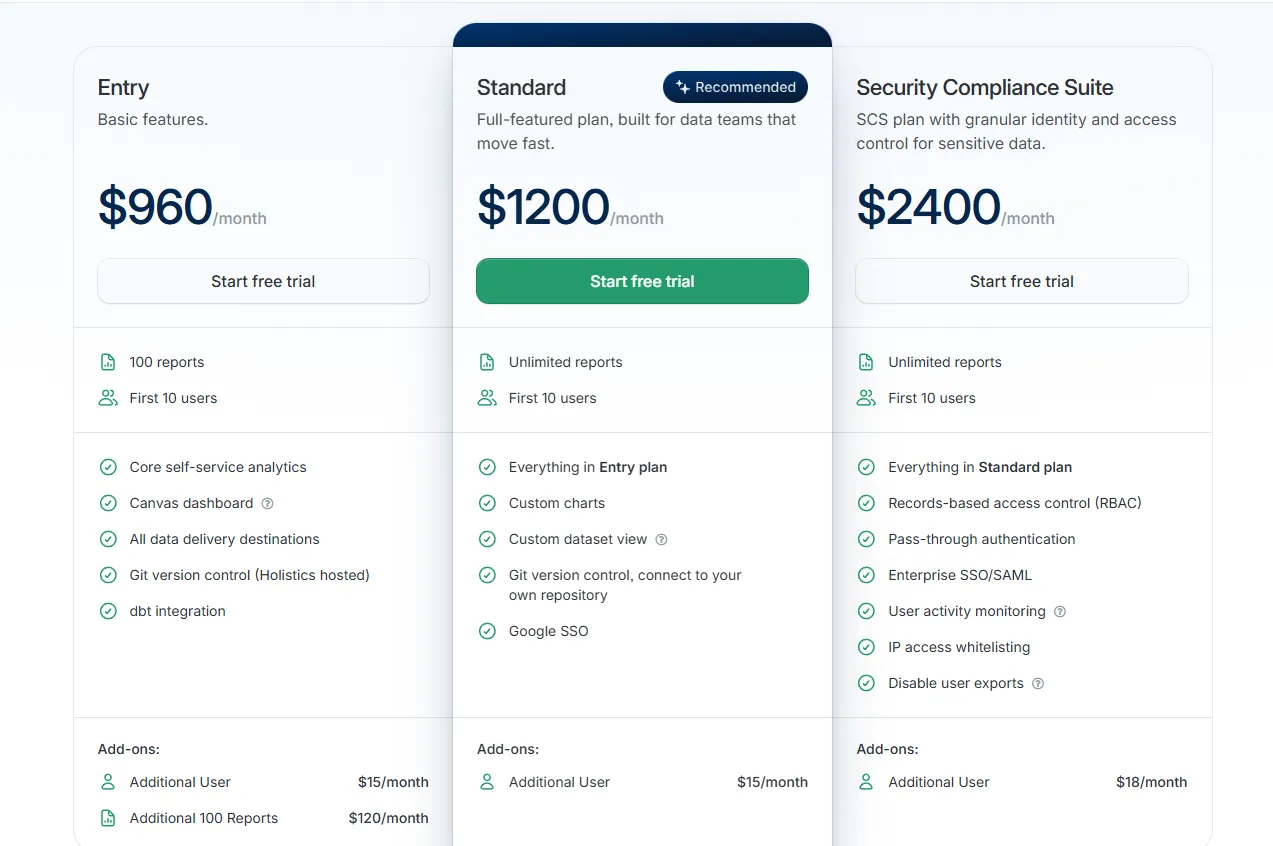
Holistics prices by reports and users, with add-ons for advanced security:
- Entry: $960/month for 100 reports and 10 users, covering core self-service analytics, Canvas dashboards, all delivery destinations, hosted Git version control, and dbt integration. Extra users run $15/month, and each additional 100-report block costs $120/month.
- Standard: $1,200/month for unlimited reports and 10 users, adding custom charts, custom dataset views, your own Git repository connection, and Google SSO. Extra users at $15/month.
- Security Compliance Suite: $2,400/month, layering on RBAC, pass-through authentication, enterprise SSO with SAML, activity monitoring, IP whitelisting, and export controls. Extra users at $18/month.
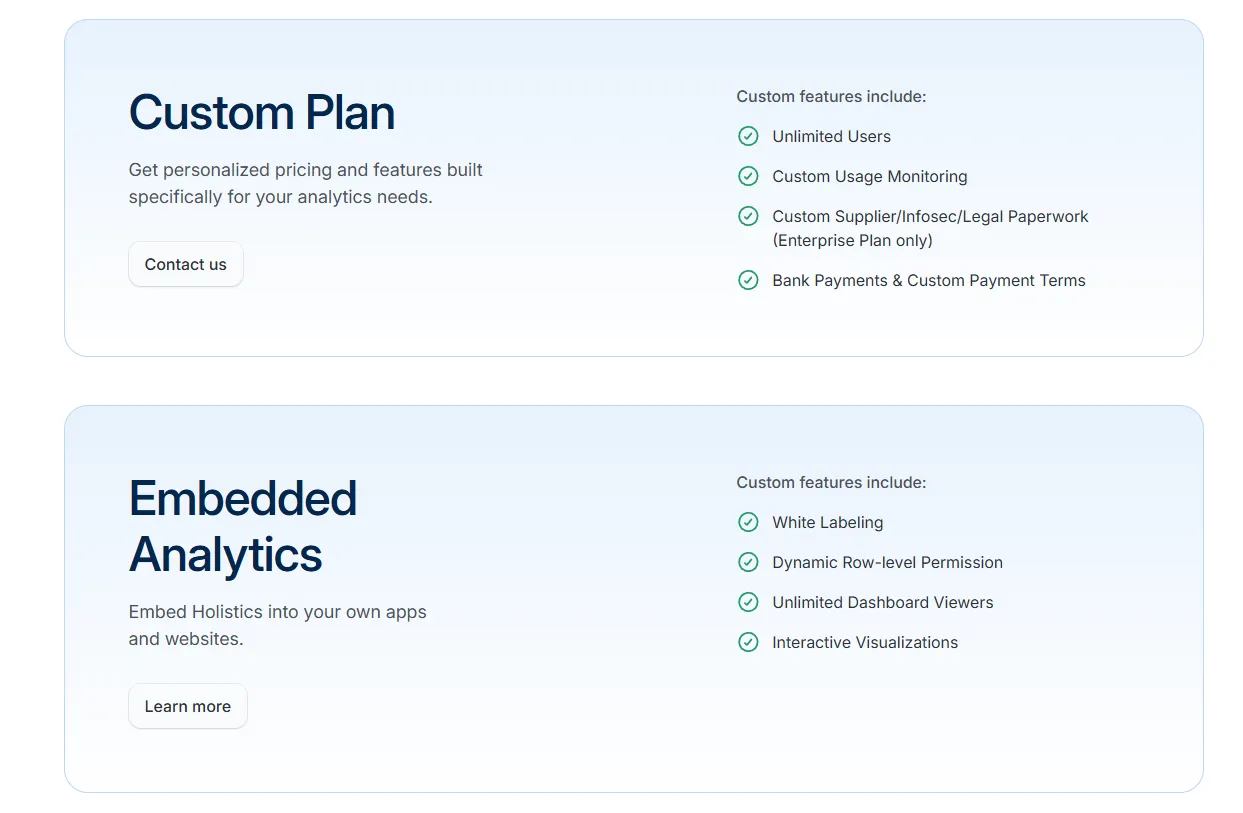
- Custom Plan: Tailored pricing for organizations that need unlimited users, custom monitoring, or advanced compliance configurations.
- Embedded Analytics: Custom pricing for white-labeled dashboards, dynamic row-level permissions, and unlimited viewer access.
Holistics pros and cons
✅ Analytics-as-code workflow is the standout.
✅ Strong fit for engineering-led data teams.
✅ Governance scales without locking out business users.
❌ Starts from $960/month, which can be expensive for SMEs.
What are the best traditional BI tools with self-service features?
The last group covers the BI mainstream.
These tools have been the default in most enterprises for years, and most have added natural language search and AI assistants on top of the existing dashboard model:
#1: Tableau
Best for: Visualization-led analysts and large enterprises moving toward agentic analytics through Tableau Next.
Similar to: Microsoft Power BI, Qlik Sense.
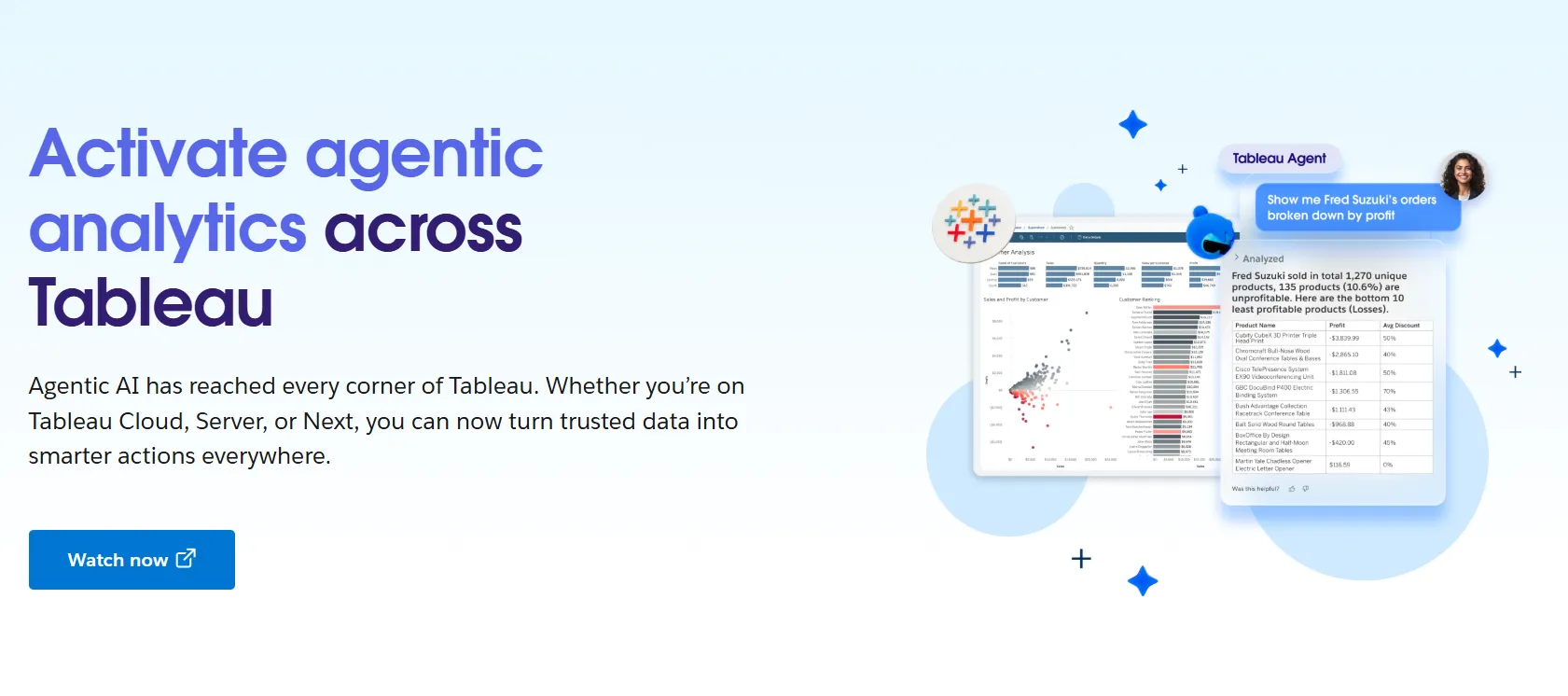
Tableau is the visualization benchmark, with drag-and-drop charting and a community built around storytelling and exploration.
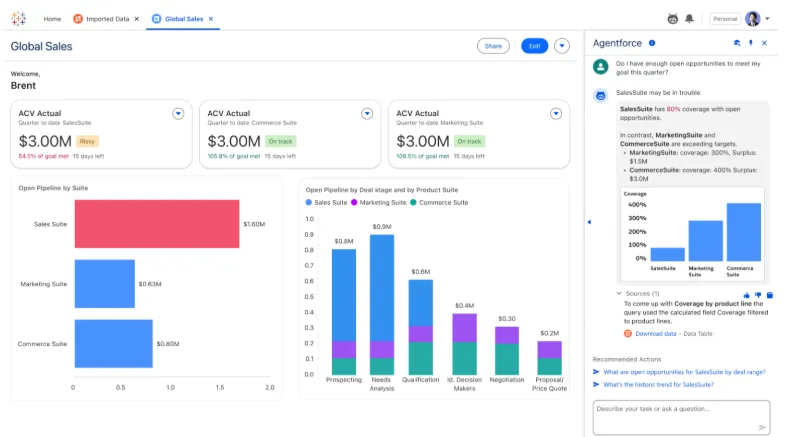
Tableau Next is the agentic layer Salesforce has been pushing, with Tableau Agent and Pulse delivering insights into Slack and Salesforce workflows.
Tableau's top features
- VizQL drag-and-drop: The original drag-to-chart engine that most BI tools are still measured against.
- Tableau Next: Agentic analytics through Agentforce, with semantic models and natural language at the core.
- Tableau Pulse: Sends metric updates and anomaly notes straight into Slack and email, no logging in required.
- Data Management: Central controls and reusable datasets for teams running BI at enterprise size.
Tableau pricing
Tableau uses per-user, per-month pricing, with separate plans depending on whether you deploy Tableau in the cloud, on your own servers, or as part of its newer AI-driven offering:
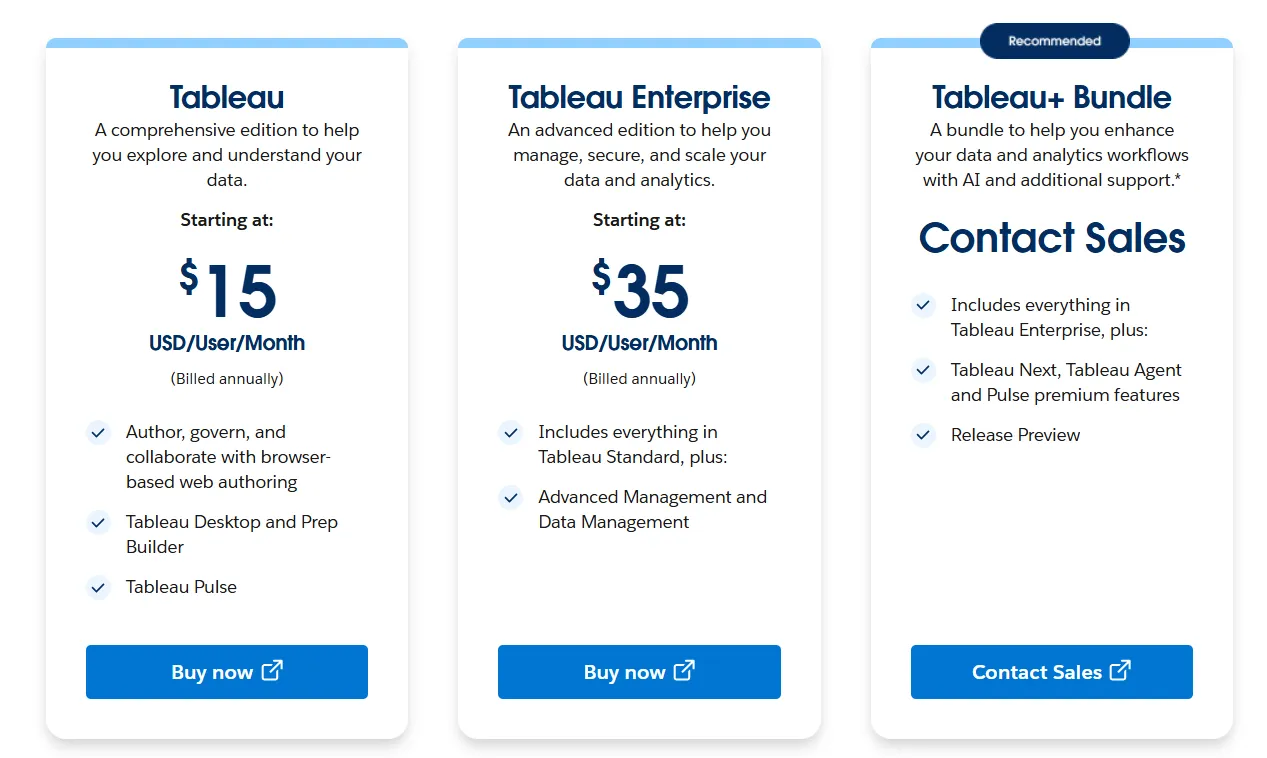
- Tableau Cloud has three pricing plans:
- Tableau Standard: Starts at $15/user/month, which includes browser-based authoring and collaboration, Tableau Desktop and Prep Builder, Tableau Pulse for metrics and insights.
- Tableau Enterprise: Starts at $35/user/month and includes everything in Standard, plus Advanced Management and Data Management for governance and scale.
- Tableau+ Bundle (Cloud + AI): Custom pricing, includes everything in Tableau Enterprise, plus Tableau Next, Tableau Agent, and Pulse premium features, with access to release previews and early AI capabilities.
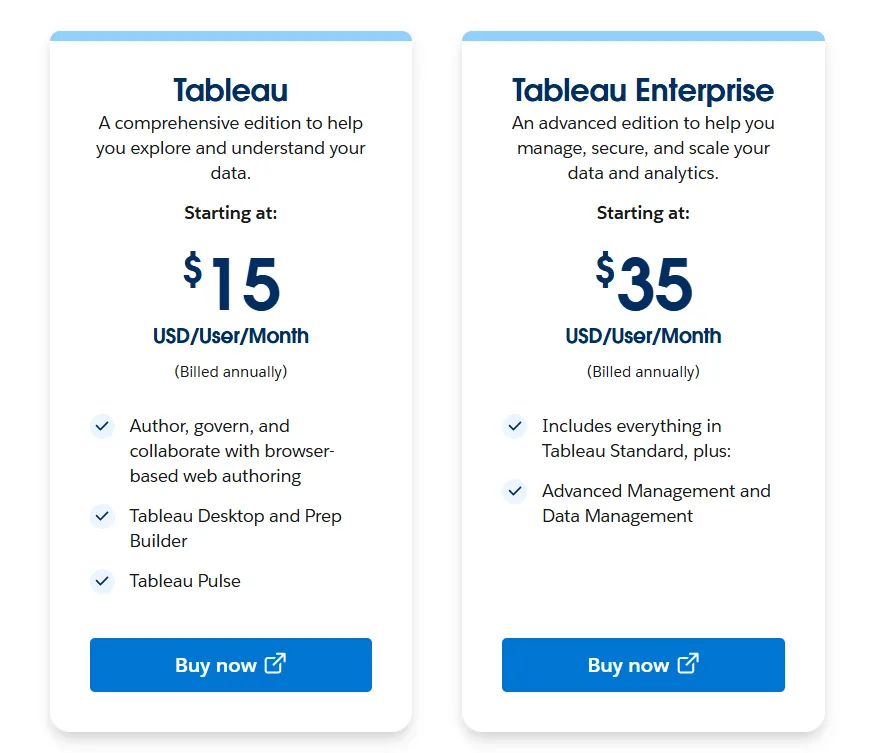
- Tableau Server has two pricing plans:
- Tableau Standard: Starts from $15 per user/month, which includes authoring, governance, and collaboration and Tableau Desktop and Prep Builder.
- Tableau Enterprise: Starts from $35 per user/month, which includes everything in Standard, plus Advanced Management, Data Management, and eLearning.
- Tableau Next (agentic analytics) has 2 plans:
- Tableau Next: Starts from $40/month/seat, and includes Agentforce Tableau, Tableau Semantics, and its Native Slack integration.
- Tableau + Bundle: Custom pricing, which includes everything in Tableau Enterprise, plus Tableau Next, Tableau Agent and Pulse premium features.
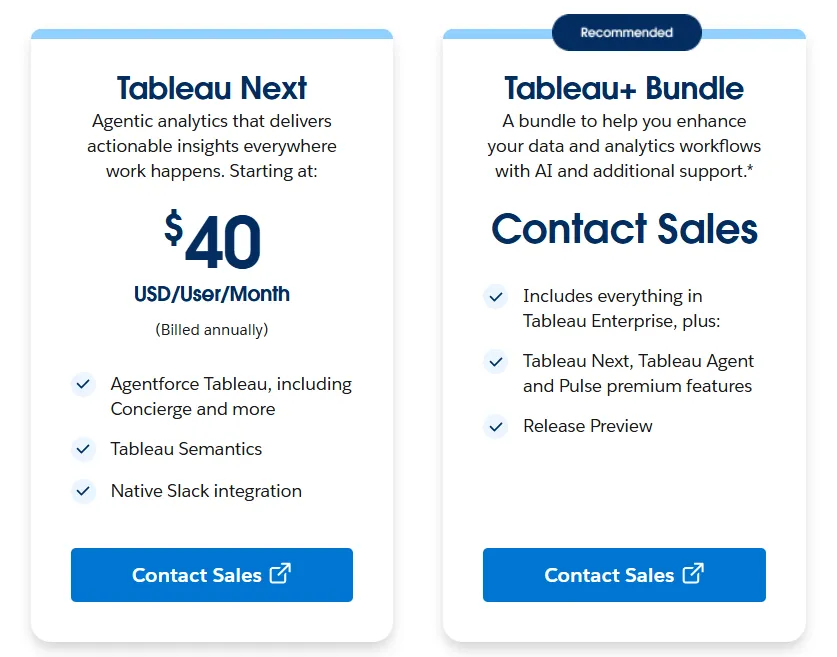
Tableau pros and cons
✅ Still the visualization leader.
✅ Tableau Next is a real move toward agentic workflows, not a chatbot bolt-on.
✅ Enterprise-grade governance.
❌ Per-user pricing can scale fast for organizations rolling out broadly.
#2: Microsoft Power BI
Best for: Teams already on the Microsoft stack that want self-service BI with Copilot built in.
Similar to: Tableau, Looker.
Power BI is the default BI tool for organizations on Azure, Microsoft 365, or Fabric.
Copilot handles plain-English queries, narrative summaries, and AI-assisted report building on top of the standard dashboard experience.
Microsoft Power BI's top features
- Copilot: Everyday questions resolved against the underlying semantic model.
- DAX and semantic modeling: Analyst-grade dimensional modeling for teams that care about how metrics resolve.
- Row-level security: Proven at scale across enterprise deployments.
Microsoft Power BI pricing
A per-user and capacity-based model:
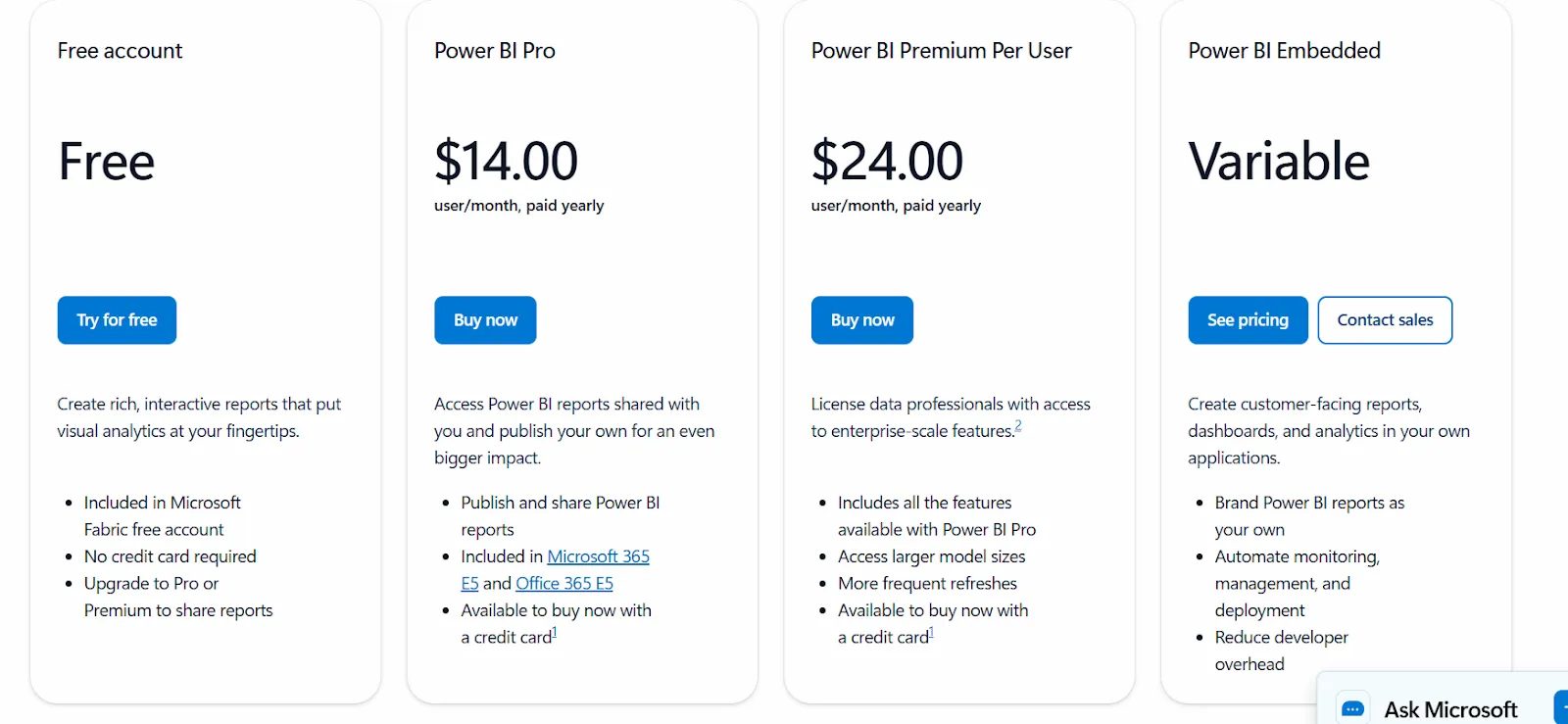
- Free: Personal reports and dashboards, no sharing.
- Power BI Pro: $14/user/month, includes publishing, sharing, scheduled refresh, and Teams or SharePoint embedding.
- Power BI Premium Per User: $24/user/month, adds larger model sizes, more daily refreshes, paginated reports, and AI features.
- Power BI Embedded: Custom pricing for customer-facing analytics inside applications.
Microsoft Power BI pros and cons
✅ Affordable entry point.
✅ Tight Microsoft ecosystem fit.
✅ Copilot covers the basics.
❌ For beginners, the learning curve can feel steep, particularly when you start working with data modeling and DAX formulas, according to a G2 review.
#3: Qlik Sense
Best for: Regulated industries and enterprises that want associative analytics with both cloud and on-prem deployment options.
Similar to: Tableau, Sigma.
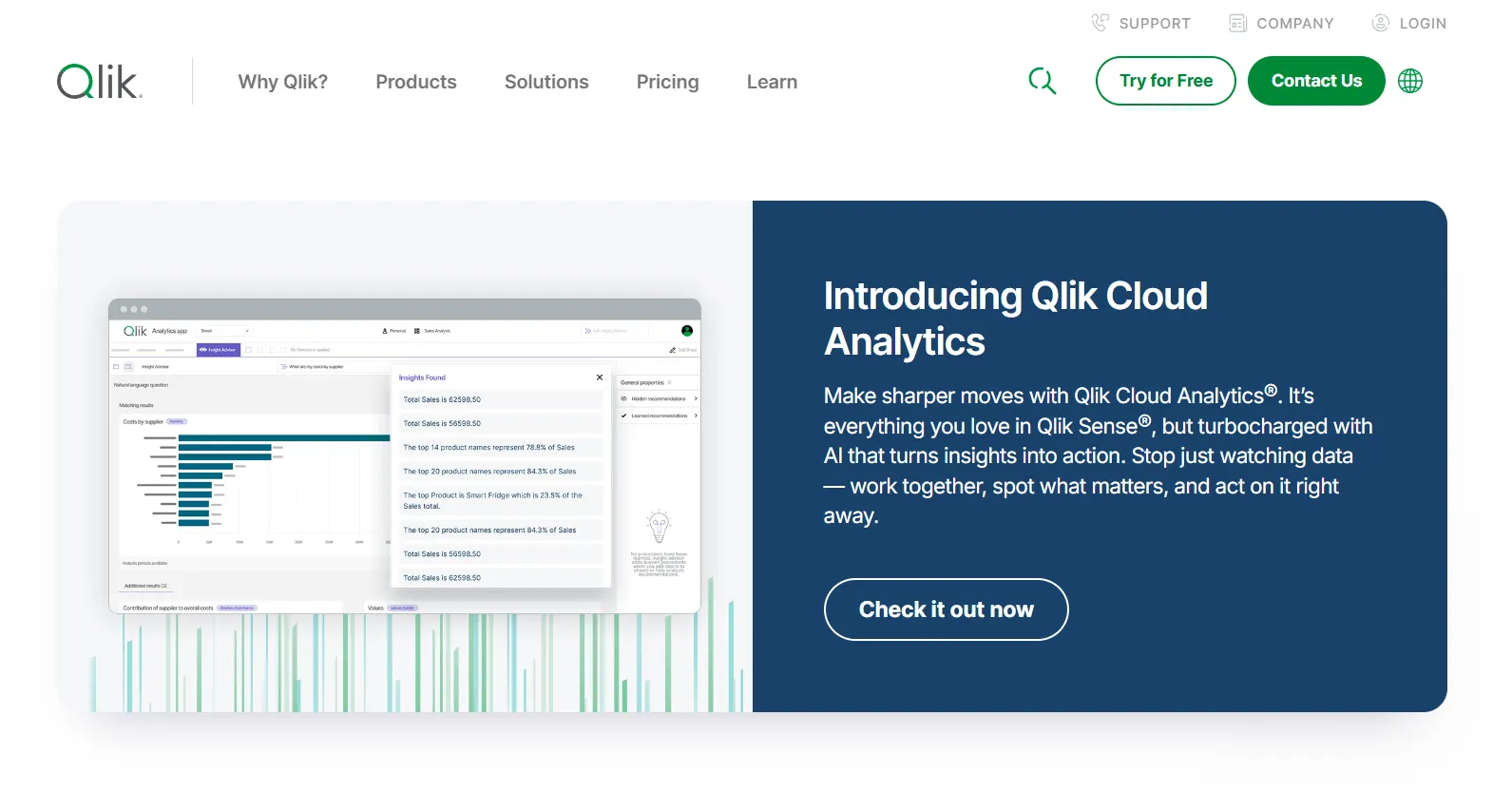
The associative engine is what sets Qlik Sense apart from its peers.
Pick any value on a chart and every other view recomputes around it on the fly, with no predefined query path.
Qlik Sense's top features
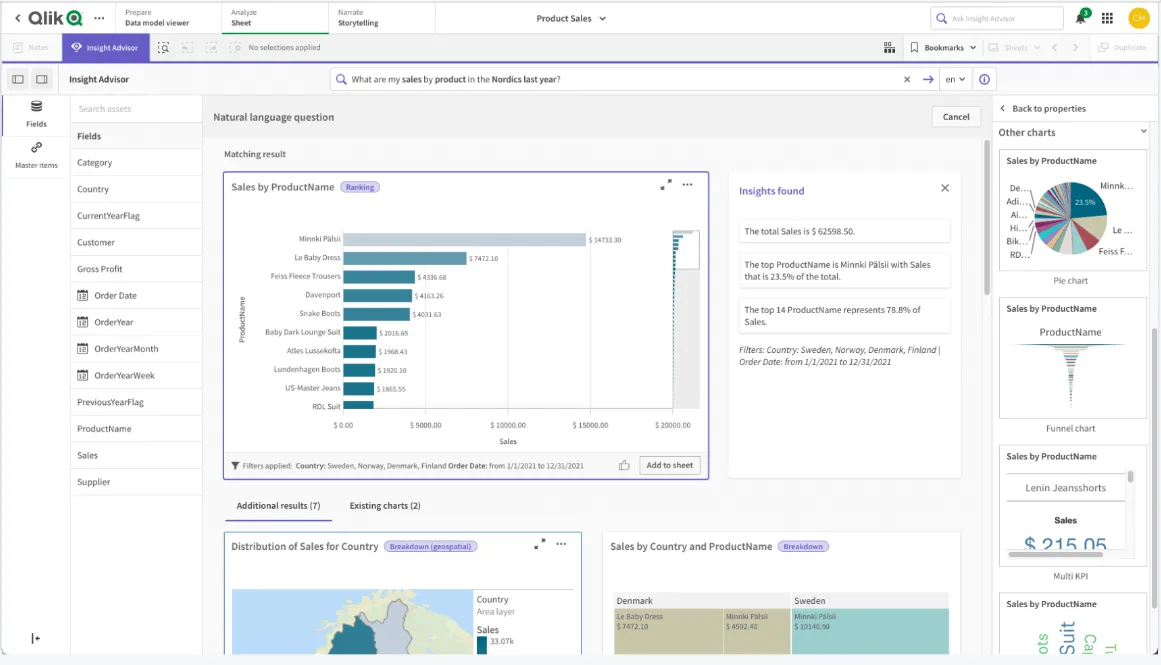
- Associative engine: Selections in any chart propagate everywhere, with views recomputed live.
- Insight Advisor: A built-in AI layer for natural language search, automated insights, and prediction helpers.
- Real-time alerts: Watch metrics for threshold breaks and fire off automated actions when they hit.
- Flexible deployment: Cloud, on-prem, or hybrid for teams that can't move everything off their own infrastructure.
Qlik Sense pricing
Qlik doesn't publish Qlik Sense pricing.

Qlik Sense pros and cons
✅ The associative engine is unique in the space.
✅ Scales well on large governed datasets.
✅ On-prem is still on the table.
❌ One user on G2 mentions that sometimes there are loading issues, especially when business intelligence is running updates.
#4: Metabase
Best for: Startups and lean data teams that want fast self-serve analytics with open-source roots and a flexible embedding story.
Similar to: Sigma, Holistics.
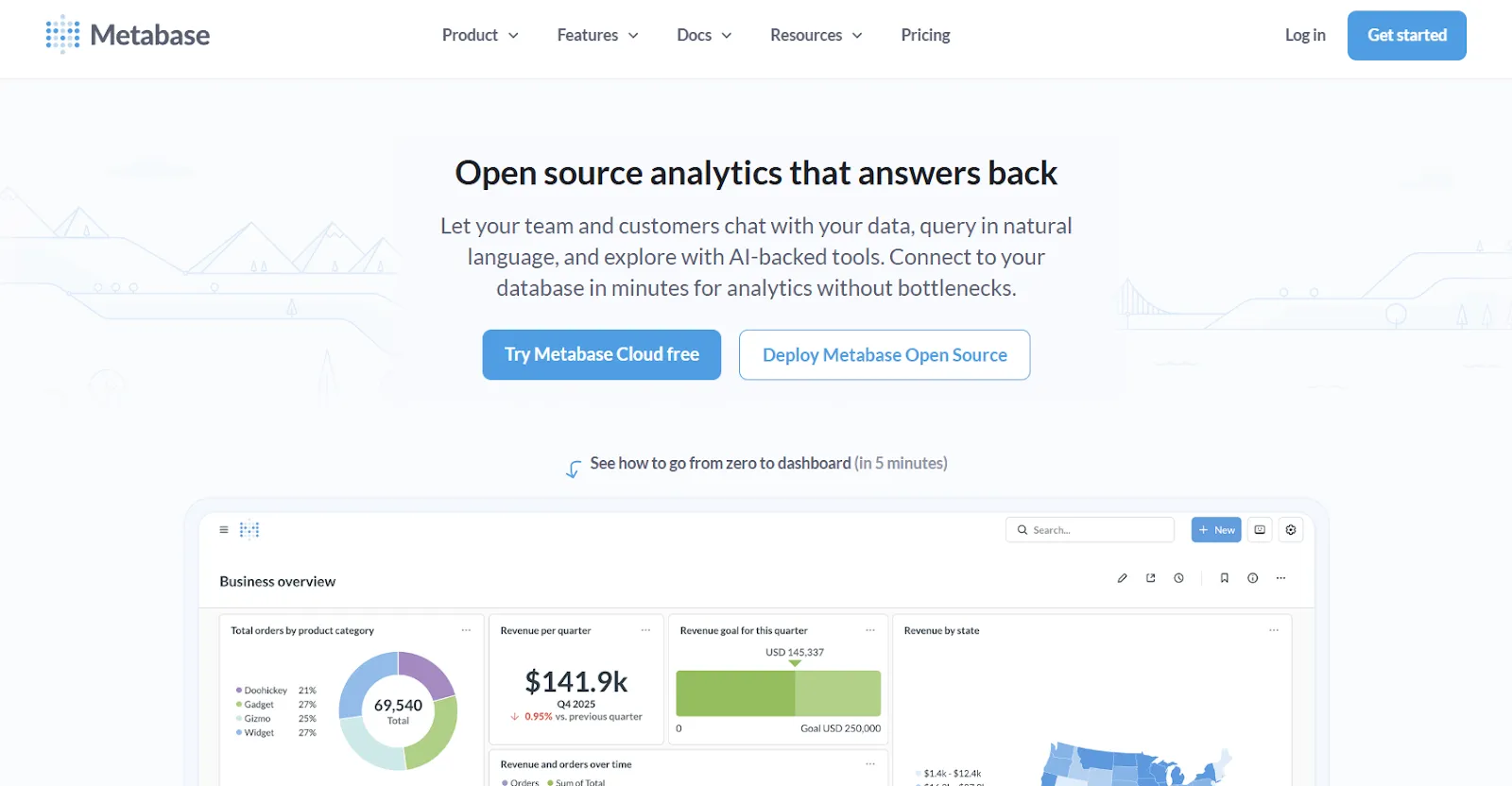
Metabase started as an open-source BI tool and still ships a free self-hosted version that goes a long way for small teams.
Metabot AI handles natural language queries, and the click-to-explore model lets non-technical users drill into charts without writing fresh queries.
Metabase's top features
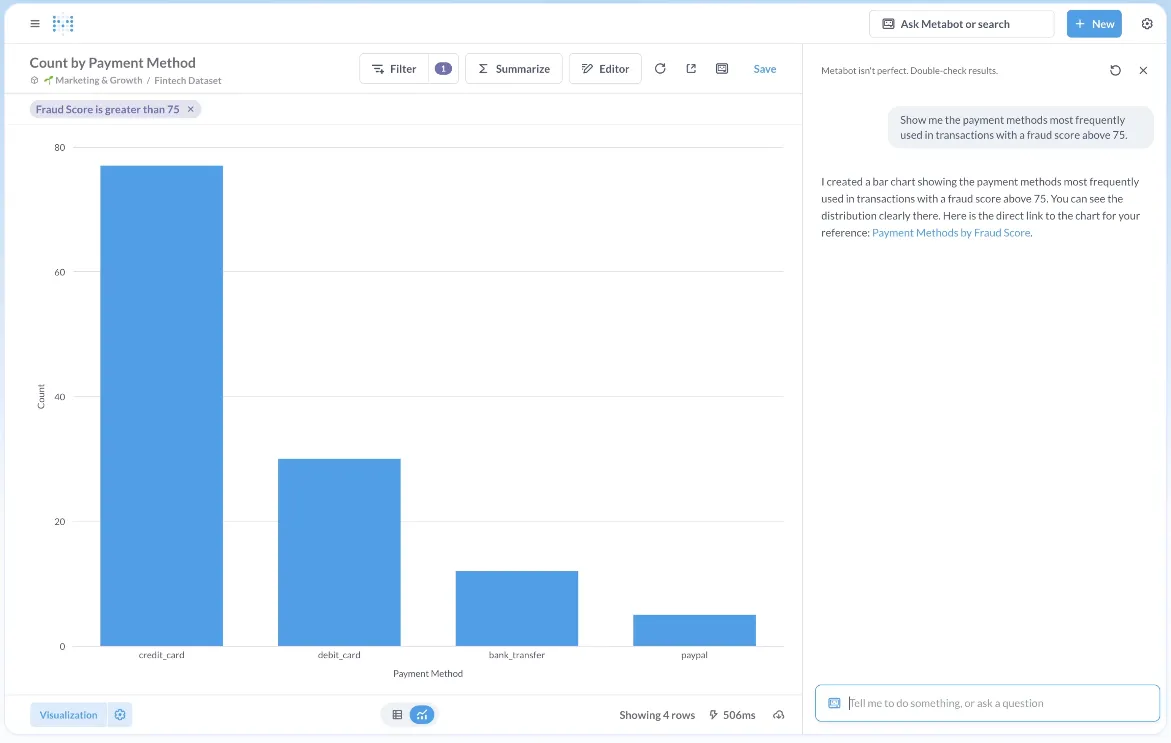
- Metabot AI: Translates everyday questions into SQL queries and charts on the fly.
- Visual query builder: A no-code path through filtering, joining, and grouping for anyone who doesn't write SQL.
- Drill-through exploration: Tap a data point on any chart to spin off a filtered view or a follow-up question.
- Embeddable everywhere: Drop dashboards into your own app with signed URLs, RLS, and SDK options.
Metabase pricing
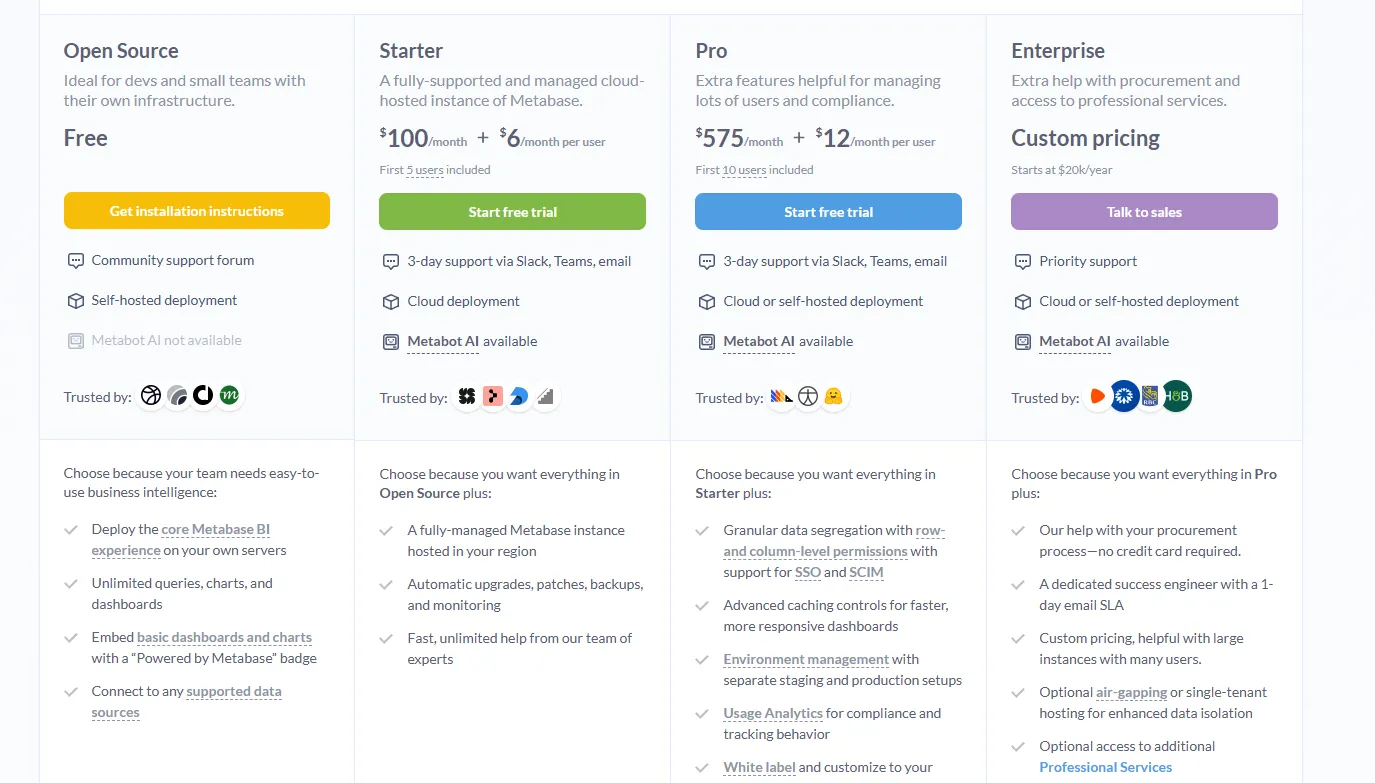
Metabase offers two pricing options depending on how you use the product: internal business intelligence or customer-facing embedded analytics.
- Business Intelligence:
- Open Source (Self-hosted): Free, self-hosted deployment, includes unlimited queries, charts, and dashboards, connects to all supported data sources, basic embedding with “Powered by Metabase” branding, community support only.
- Starter (Cloud-hosted): $100/month + $6/user/month, first 5 users included, includes everything in Open Source, plus option to include Metabot AI (charged extra), automatic upgrades, backups, and monitoring, support via Slack, Teams, and email (3-day SLA).
- Pro: $575/month + $12/user/month, first 10 users included, cloud or self-hosted deployment, includes everything in Starter, plus row- and column-level permissions, SSO and SCIM support, advanced caching and performance controls, staging + production environments, usage analytics and audit visibility, white-labeling, and embedded analytics capabilities.
- Enterprise: Custom pricing (starts at $20k/year), includes everything in Pro, plus priority support, dedicated success engineer (1-day email SLA), optional single-tenant or air-gapped deployment, and optional professional services.
- Embedded Analytics pricing:
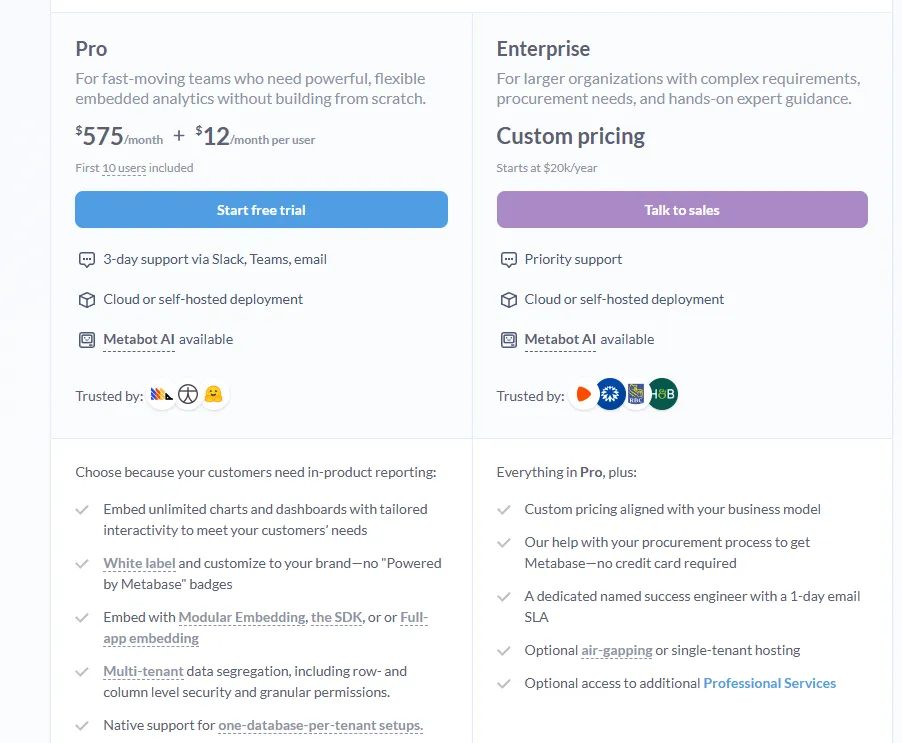
- Pro: $575/month + $12/user/month, first 10 users included, includes unlimited embedded dashboards and charts, full white-labeling, modular embedding, SDK, or full-app embedding, multi-tenant security (row- and column-level), one-database-per-tenant support, staging + production environments, usage analytics, internal BI for your team, and option to include Metabot AI (charged extra).
- Enterprise: Custom pricing (starts at $20k/year), includes everything in Pro, plus a dedicated success engineer, priority support, optional single-tenant or air-gapped hosting, and optional professional services.
Metabase pros and cons
✅ Free tier that's actually useful.
✅ Approachable for non-technical users.
✅ Good embedded story.
❌ A user on G2 believes that Metabase could benefit from having an AI assistant that understands the databases and assists in building queries
Make self-service actually self-service with Dot
That's the 10 best self-service analytics tools for 2026, split across AI-native chat-first platforms, warehouse-native exploration tools, and traditional BI with self-service layered on top.
Some of these tools still ask a business user to find the right dashboard or build the right chart to answer their own question.
Dot was built on the other side of that assumption: you type the question, and you read the answer.
If your team has spent years driving BI adoption and still fields the same questions in Slack, Dot is worth a look.
Here's what else you get when you sign up:
- Q&A in Slack, Microsoft Teams, email, or the Dot web app, with written explanations beyond just chart links.
- Scheduled business reviews delivered to wherever your team works, generated live from warehouse data on whatever rhythm you set.
- A Context Agent that pulls definitions from dbt, your semantic layer, and analyst corrections, so the numbers stay consistent across teams.
- Native connections to Snowflake, BigQuery, Redshift, and Databricks, with queries running live against your warehouse tables.
- Deep Analysis mode for "why" questions, where Dot runs a multi-step investigation and returns a structured report with findings and recommendations.
- A free plan with 300 one-time credits and full Pro feature access, no credit card required.
➡️ Get started for free with Dot's free plan, or schedule a demo to see how it works with your data.
⚠️ Disclaimer: This article was last updated on the 22nd of May, 2026, and if there's any misinterpretation of the information, please contact us, and we will fact-check it.
Theo Tortorici
Theo writes about AI-powered analytics, data tools, and the future of business intelligence at Dot.