
Dot-Maxxing
A lot of people ask Dot one question, read the answer, and leave. This is fine, but it's leaving a lot on the table.
tldr
Ask Dot for more
· finished outputs, not answers (dashboards, decks, files)
· standing jobs (reports, alerts, anomaly detection)
· hard problems (subagents, RCA, forecasting)Invest in Dot and it compounds
· teach it (memory, skills, context agent, auto-reviews, data gaps)
· feed it your world (connections, voice, corrections, Slack)
· keep the thread going (durable threads, old chats, MCP/CLI/API)
Over the past few months Dot has grown from a simple answer engine into a small analyst coworker. It can listen to long messy questions, build dashboards, write reports, update decks, remember corrections, and alert you when a metric changes.
Internally we use Dot to do a bunch of critical work, including:
- conducting our bi-weekly product analytics sessions
- setting up alerts for changes in various metrics
- helping us prep for customer calls
- making product design decisions by tracking adoption and usage of features
- creating presentations, reports and Excel sheets we send outside the company
Customers have found their own patterns. The common thread is simple: give Dot more of the work. This article tries to summarise the best practices we have learned from both internal and customer usage.
Ask Dot for more
Ask for the finished output, not just an answer
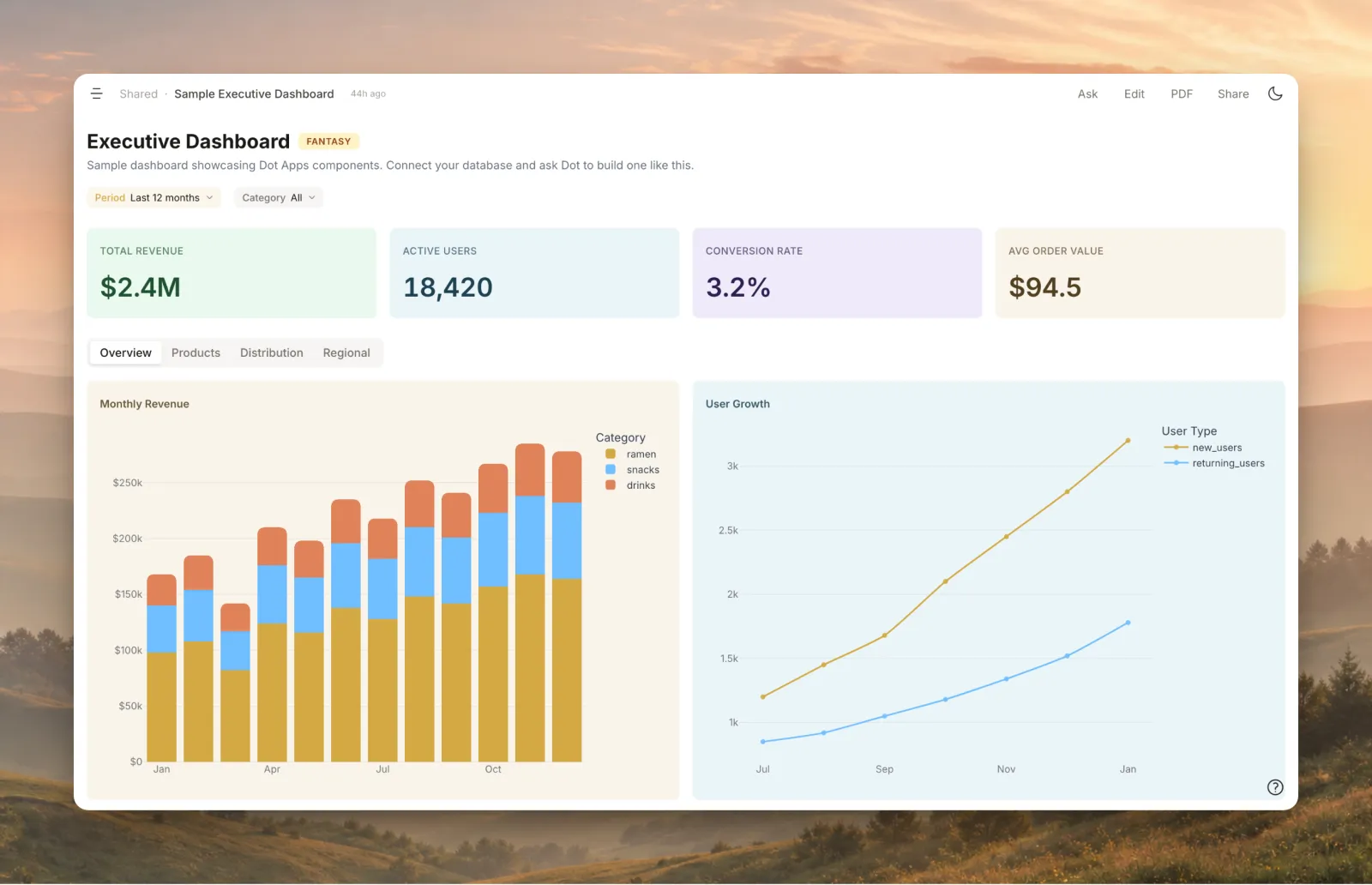
This is the biggest change in how we use Dot internally. We no longer just ask "What happened to adoption?" We ask for the dashboard we can keep checking or the slide we can use in the next meeting.
Dashboards are easy to create and share. They make sure there is a single verifiable source of truth that the data team can easily maintain. Unlike traditional dashboards, these are easier to build, self-heal when the underlying data model changes, and have good lineage tracking. They also become context for future chats.
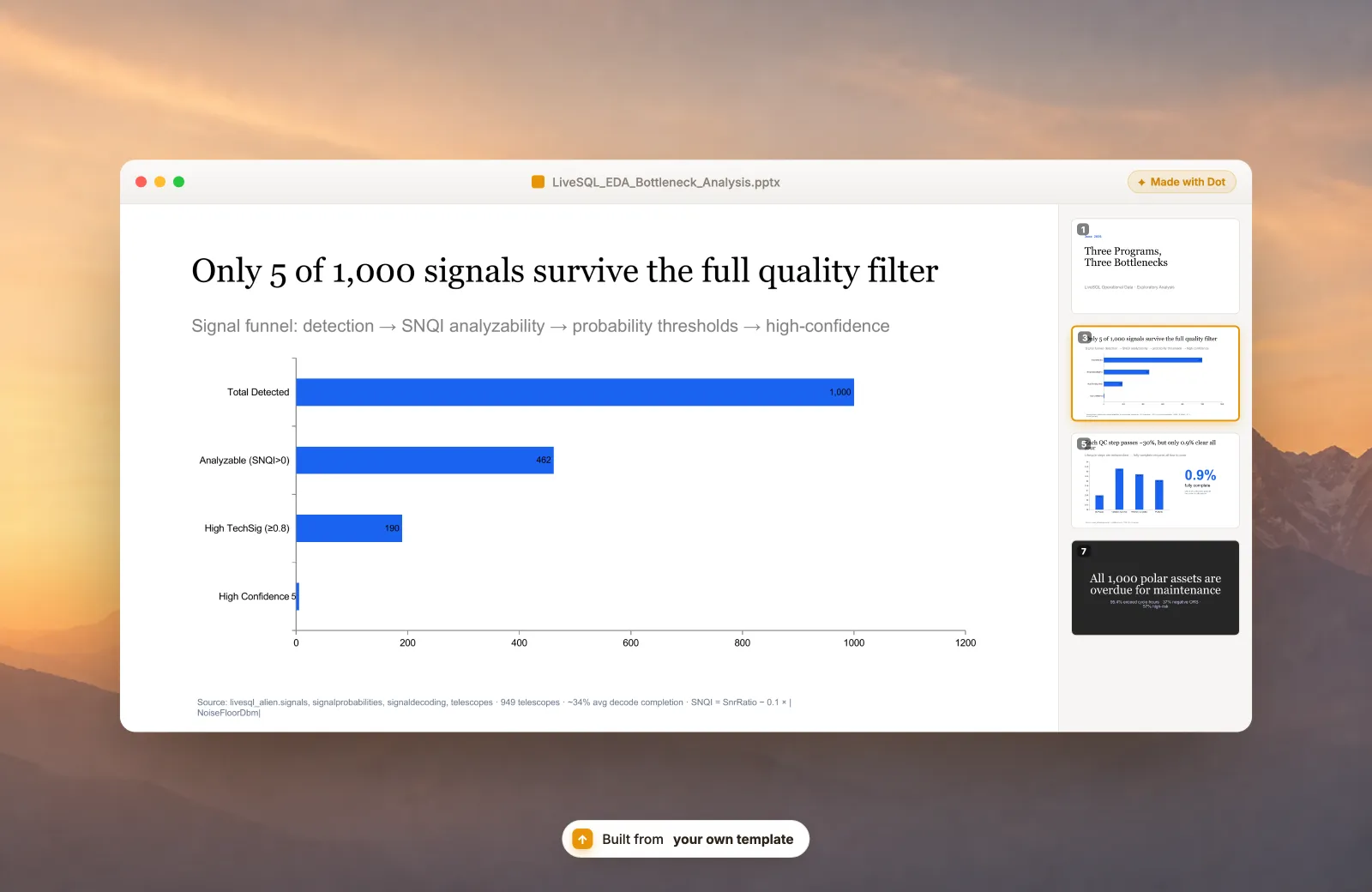
Presentations are another good example, and a growing trend. Dot is built to make presentations on your own company template.
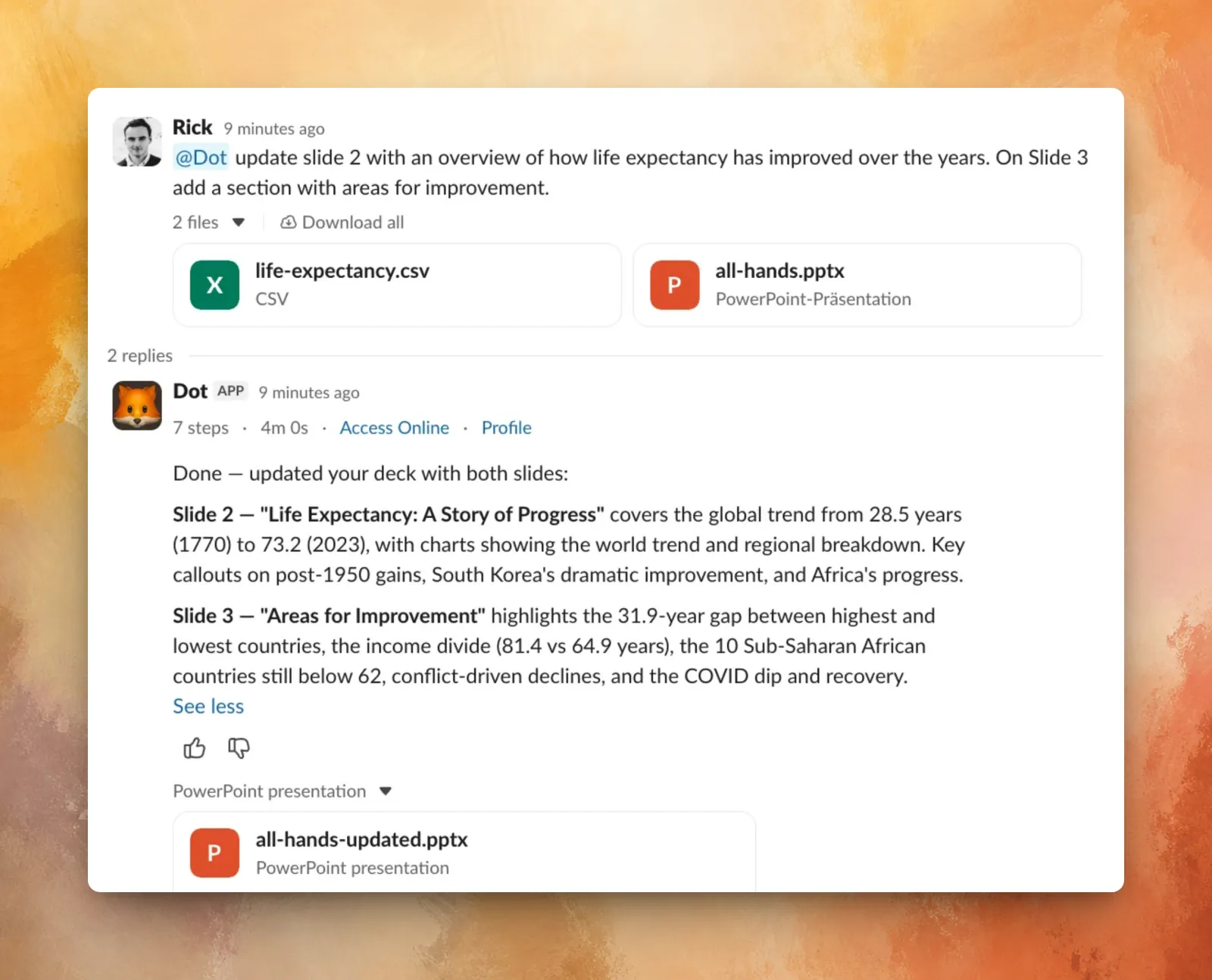
Dot also supports uploading and editing files on the fly. We have put a lot of effort into making sure Dot is efficient and capable of reading and editing multiple file formats, including but not limited to:
- images
- excel sheets
- powerpoints
- pdfs
- word documents
We've seen customers do some surprising things with this.
You could:
- Upload last quarter's usage report and ask Dot to update it with this quarter's data.
- Drop in a spreadsheet from a customer and ask Dot to update it from your warehouse.
- Upload a messy chart screenshot and ask Dot to rebuild the underlying analysis properly.
Let Dot work on its own
We use Dot to run our product analytics sessions. The key to a good scheduled report is defining the key goals and metrics you care about. For us this includes things like MAU, WAU, number of messages, and so on.
While raw numbers are nice, what makes this valuable is Dot's ability to notice patterns and changes. This works because Dot has access to all previous runs and is able to look at both macro and micro trends.
If you feel a schedule is going off track, or you want it to look into other aspects, just ask. It will modify the schedule itself from the next run.
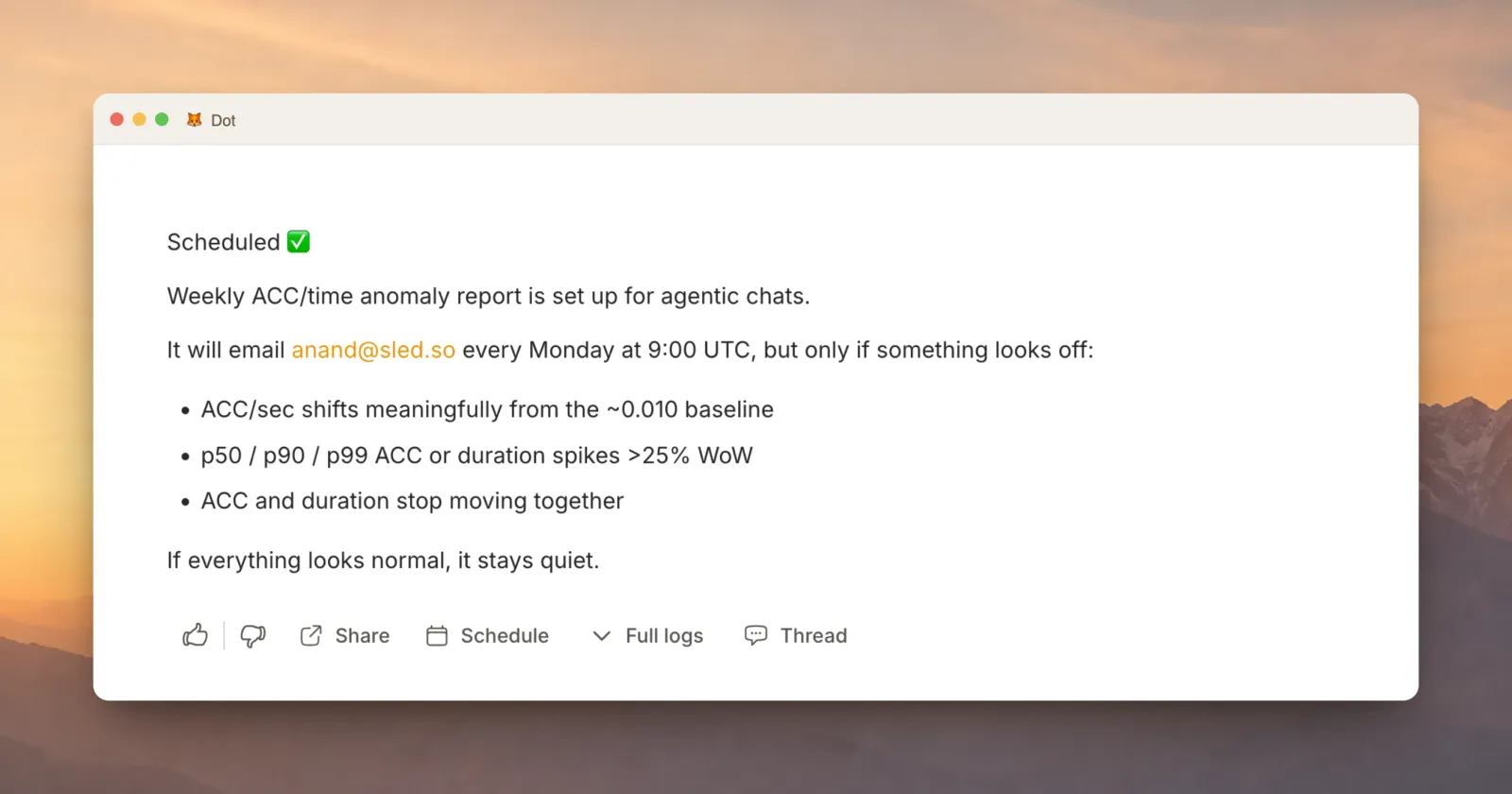
While reports are for things you want to review on a cadence, alerts are for things you want only when they matter. We use alerts for metrics like average and p90 query time by organization. If latency spikes for an important customer, Dot will tell us. If nothing happens, silence is the feature.
You do not need to set all of this up by hand. Tell Dot what to watch, what counts as unusual, and where to send the alert.
Give Dot hard problems
Some questions don't have a quick answer. They need Dot to look into multiple places, test various hypotheses, and verify the findings. Three tools handle this:
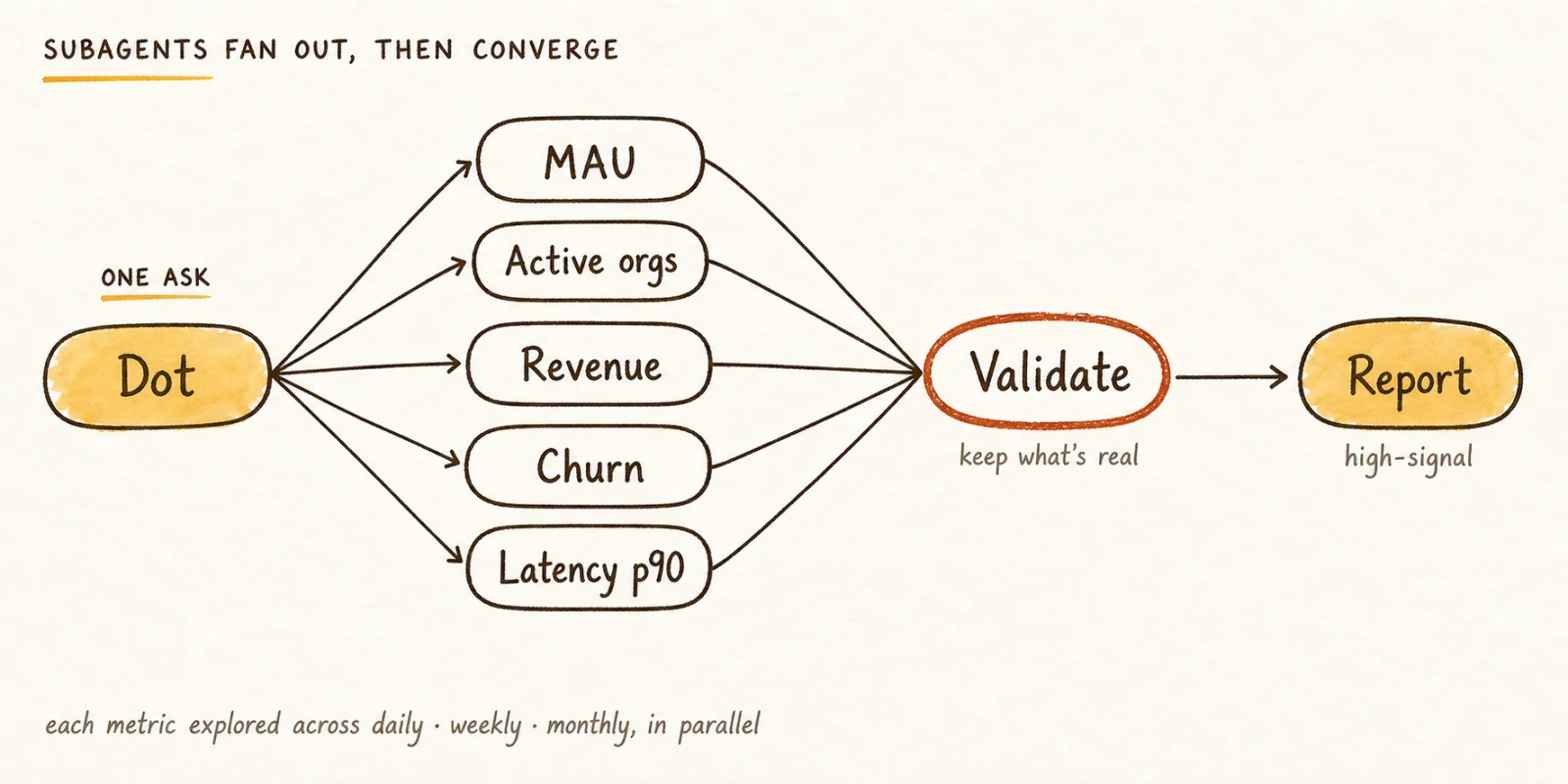
Subagents let Dot split a big job into many small ones and run them at once. For example if you want a quarterly report: hundreds of metrics, several time frames, but you only care about what's interesting, you could ask something like
"Hey pls look at all the metrics defined in the quarterly report guidance note - i want an in-depth report on them. I want you to look at each metric across various time frames (daily, weekly, monthly etc ) we need a high signal report. Pls use subagents to fan out investigation and go super deep. Validate critical findings and build the report for me"
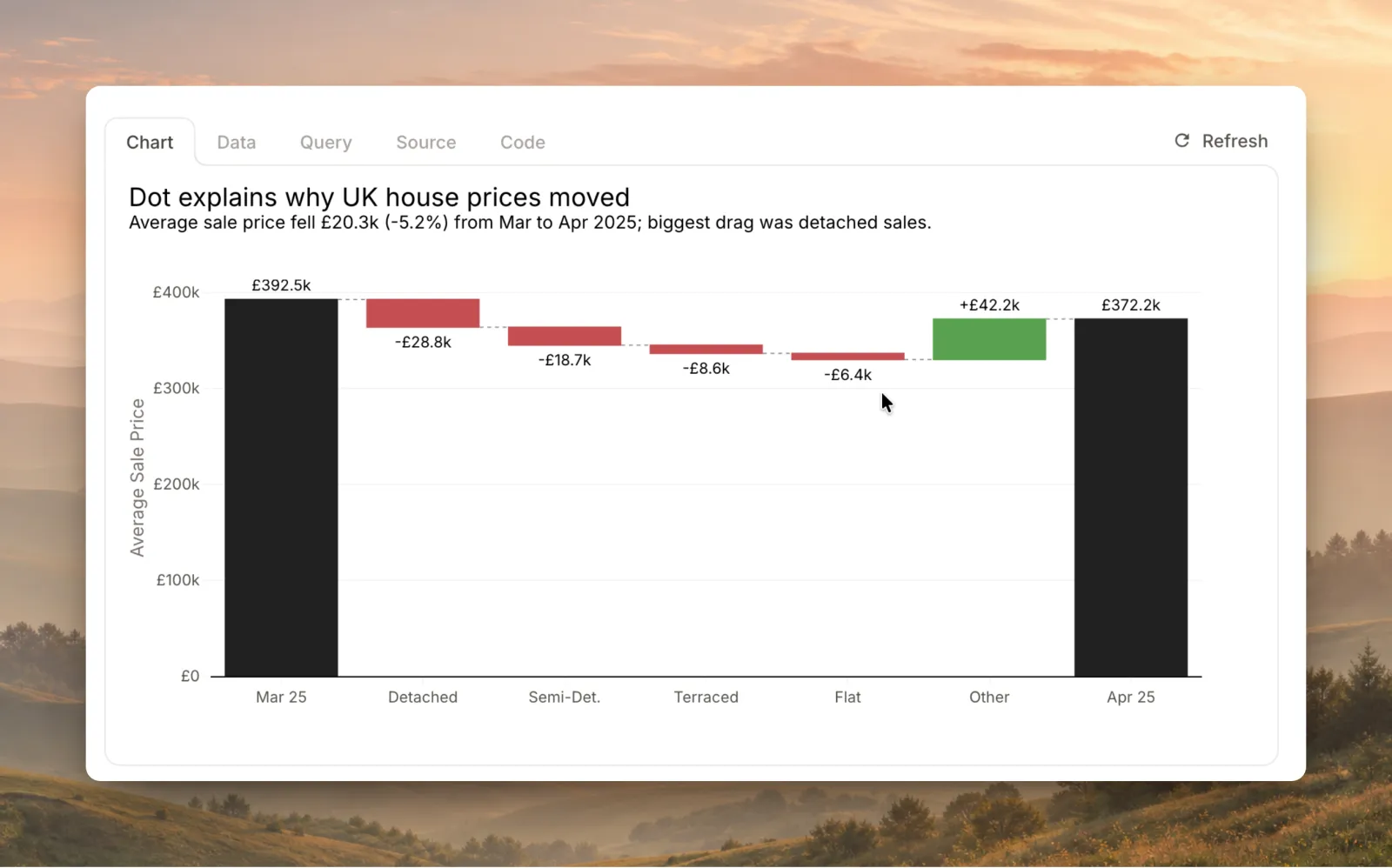
Root-cause analysis, as the name suggests, is built to answer questions like "why did revenue drop?" or "why is churn up in EMEA?". It won't bluff. It works in a fixed order: split the change with arithmetic first, find the segments that moved, check for seasonality, and only then guess. Every claim is labeled by how much to believe it: proven, correlated, or just a hunch. Most data shows where something changed, not why, so Dot says "maybe" when it should.
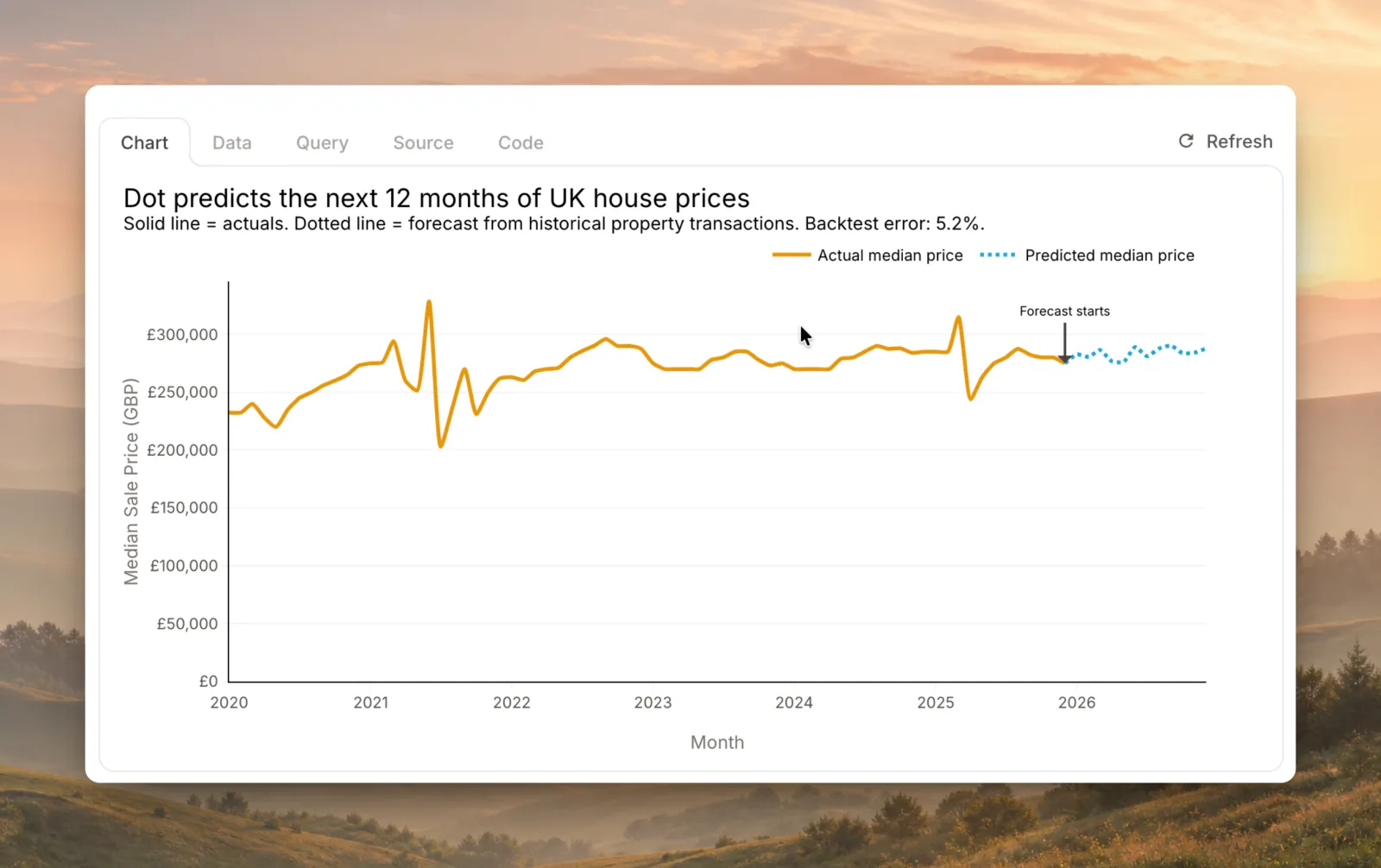
Forecasting: ask how the year will end and Dot tries to fit a real model instead of averaging the last few months. Averages miss seasonality and trend, so they mislead quietly. Every forecast comes with a range, and the range grows when Dot has less to go on. It tells you how sure it is.
Invest in Dot and it compounds
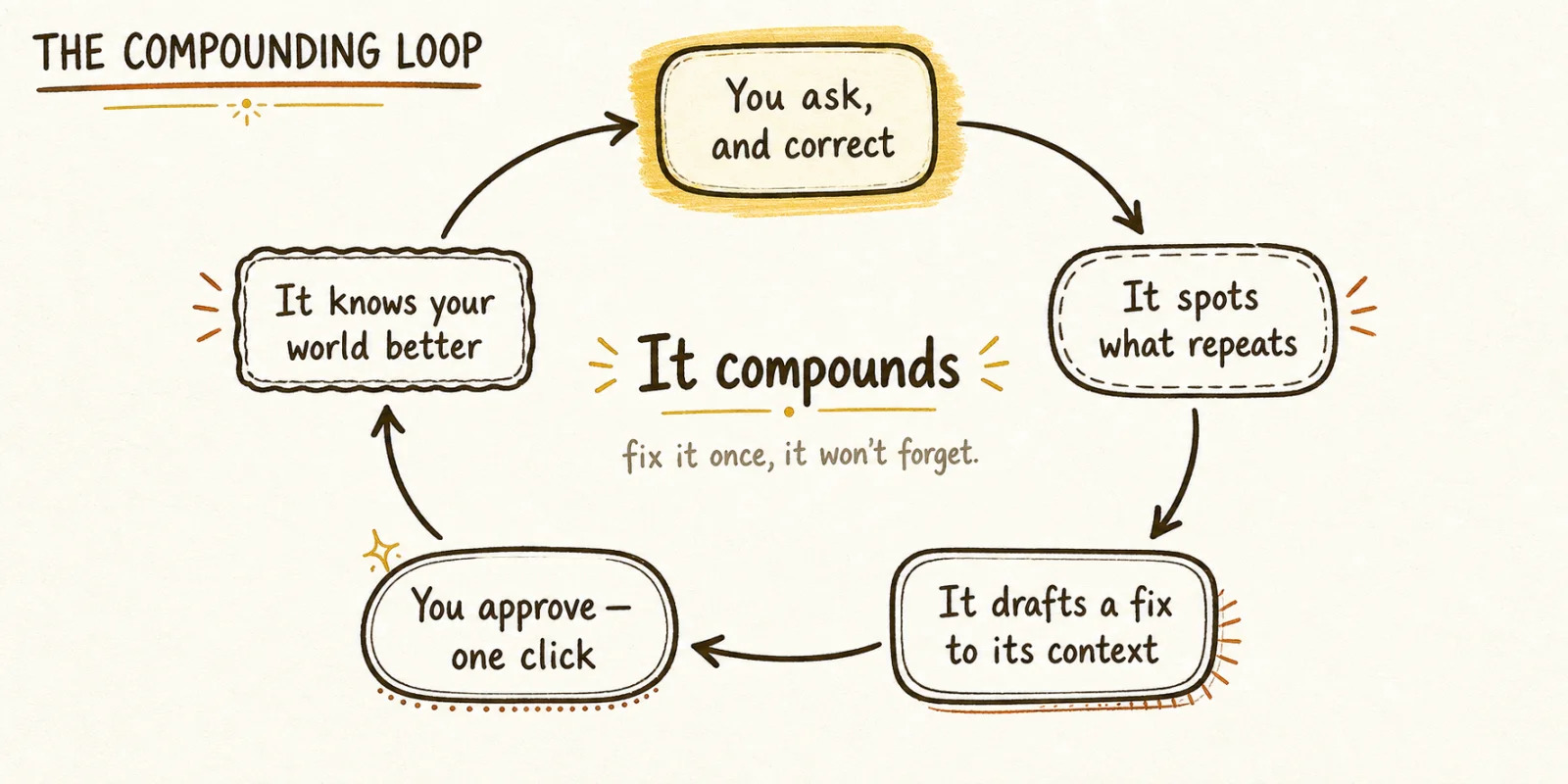
Everything above depends on one thing: how well Dot understands your business. That understanding is something you build, a little at a time, until it compounds.
Let Dot learn and improve
Memory and self-improvement is a hard subject. It's something we've been working on for a while, and Dot now has good seeds of this that we believe you will enjoy.
Dot has two levels of memory:
- Org level memory via notes that admins own
- Personal level memory that individual users own
If Dot gets something wrong and you fix it in a chat, ask Dot to remember this.
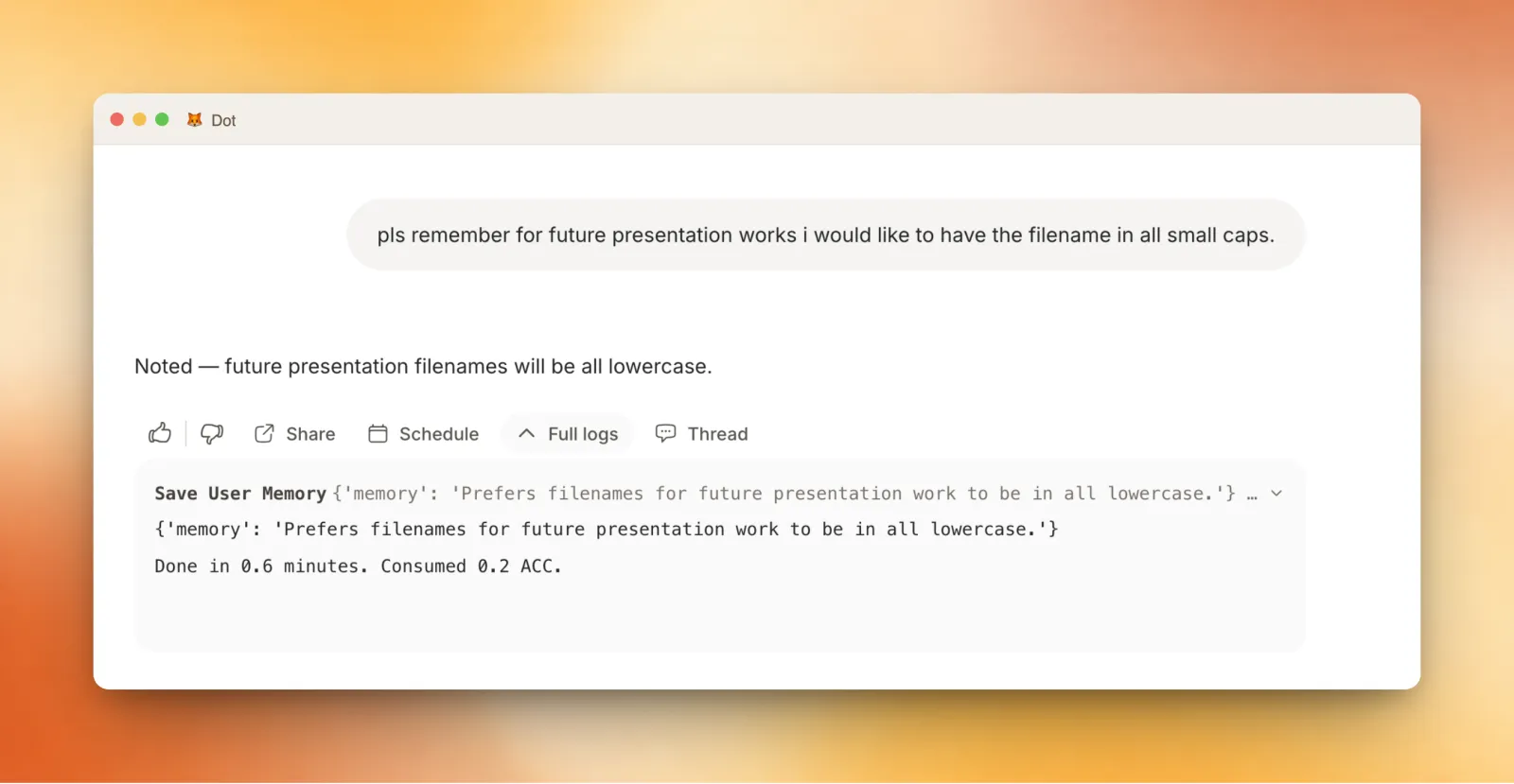
If you see Dot doing something undesired in a chat, maybe a wrong analysis pattern or a misunderstood term, you can tell Dot what needs fixing in that same chat and ask it to remember the fix.
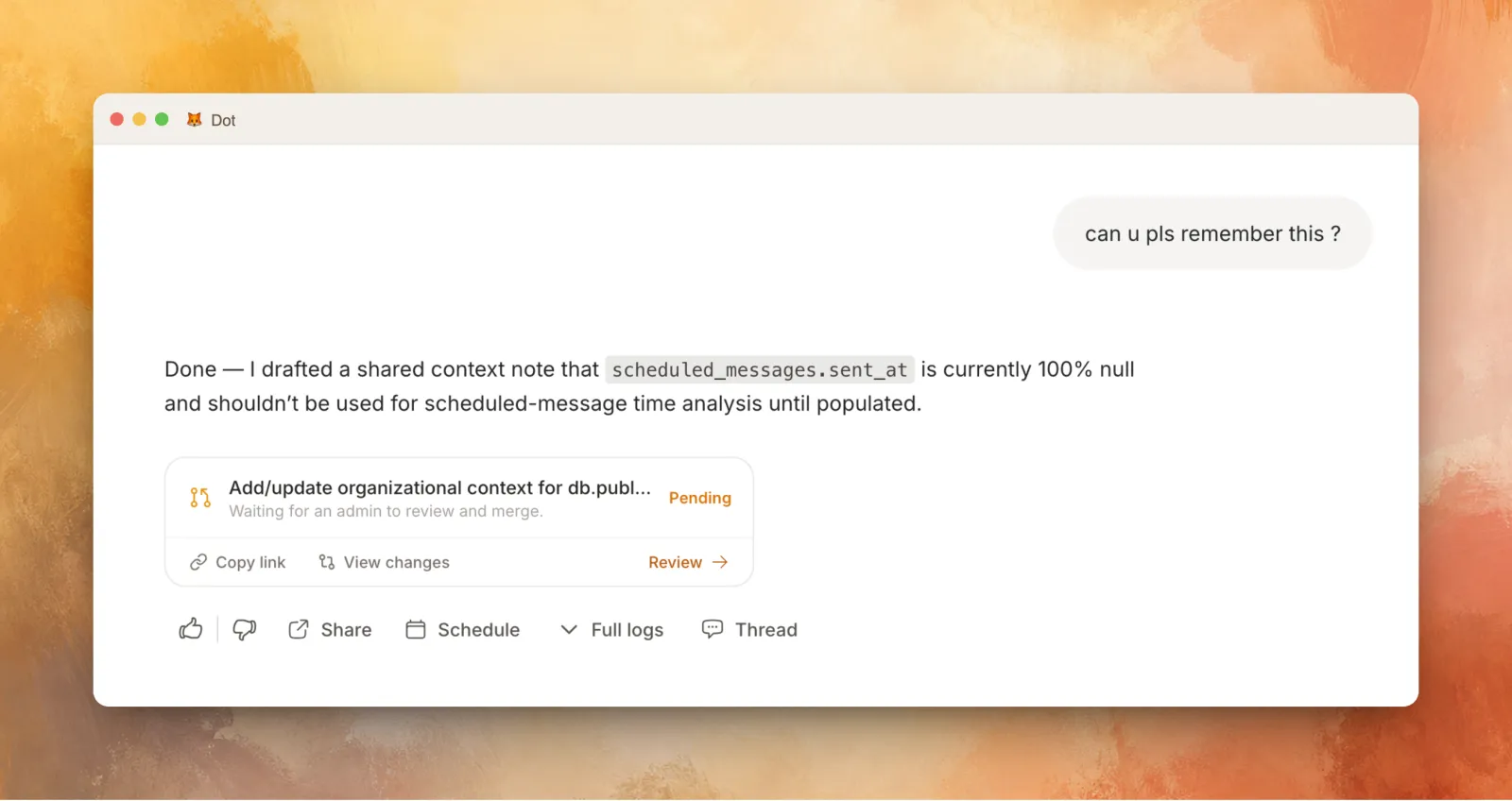
Beyond this, the context agent comes with a set of debugging tools made to help you improve the context for Dot. It can inspect chats, find patterns across disliked answers, see which notes were triggered, test changes against a set of questions, and turn repeated workflows into a skill.
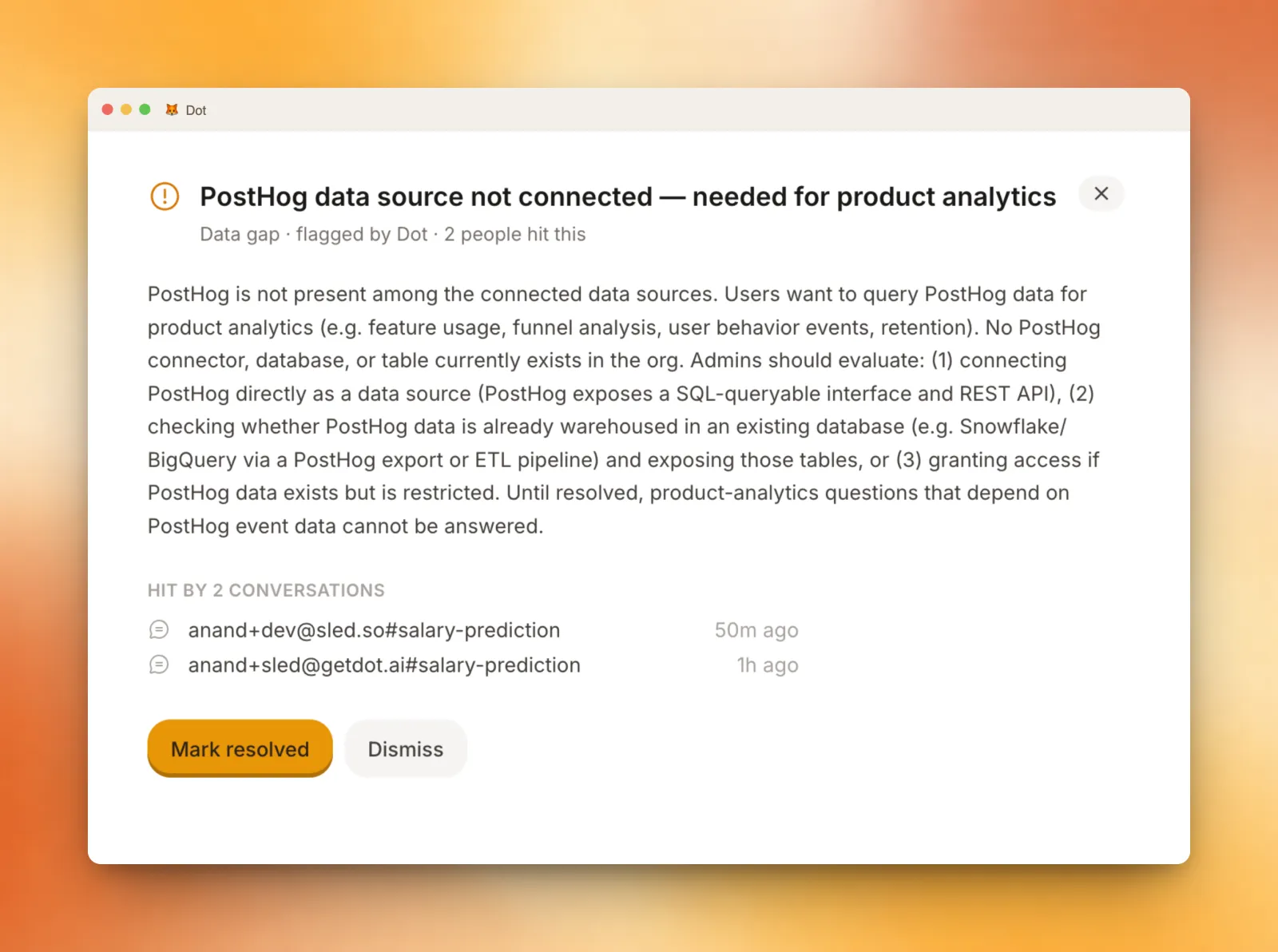
In a similar vein, Dot will also flag missing data that users have requested, surfacing it on the proposals page.
Context agent can answer helpful questions like:
- Why was this chat slow?
- Why did Dot use this definition of ARR?
- Which note triggered in this answer?
- Look at chats users disliked this week. What pattern should we fix?
- Can you turn the analysis from this chat into a reusable skill?
Auto-reviews take the same idea and run it on a cadence. They look for context improvements and surface them as proposals. We are in the early days of this, but it lays the foundation for an auto-improving system.
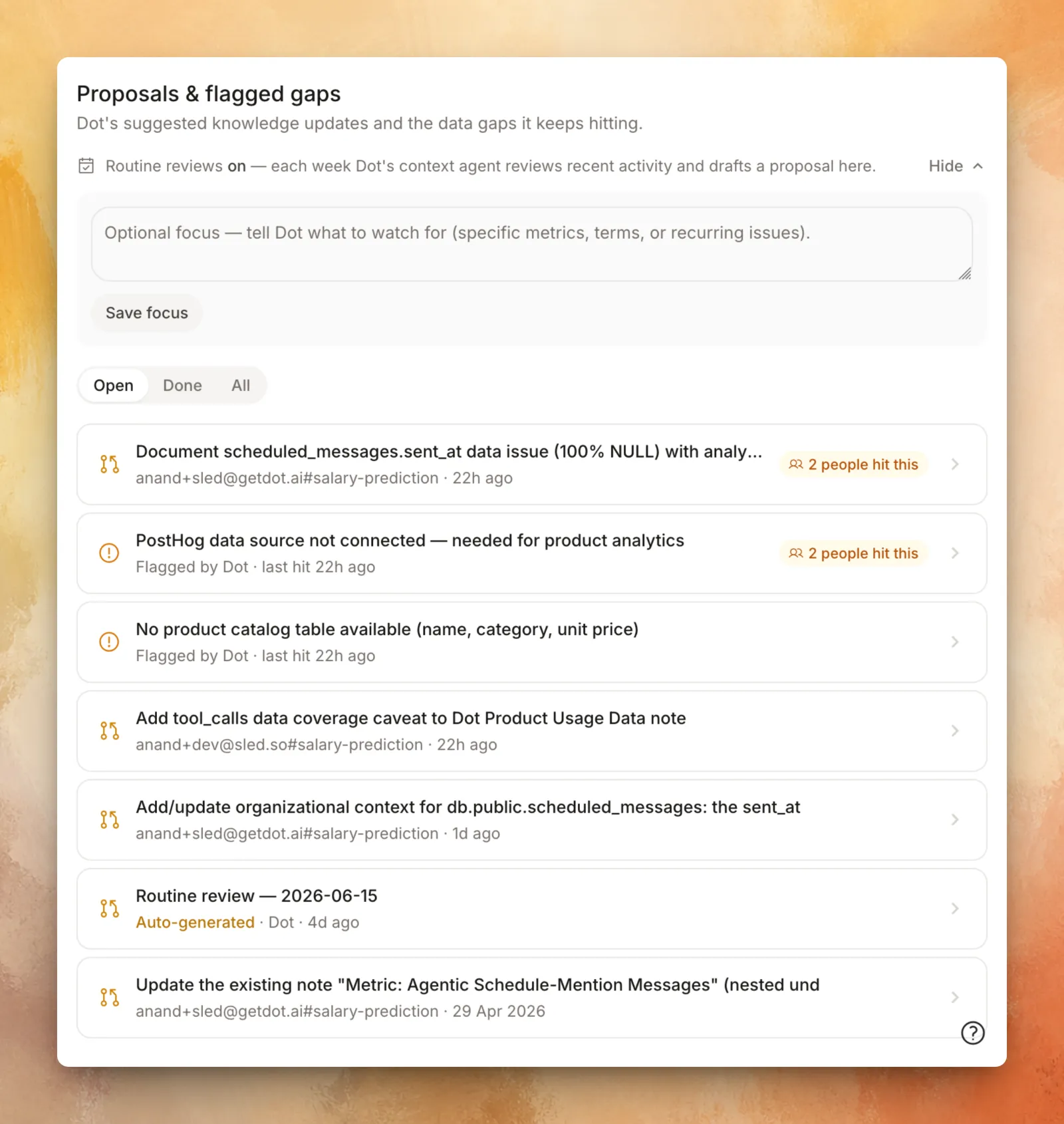
Auto-reviews are also built to be steerable via the 'focus' option.
Teach Dot Skills
Dot supports the open agent skills standard. A skill is a small package of instructions and, when needed, supporting files.
Dot has a bunch of skills by default and a marketplace with some prebuilt ones for you to explore.
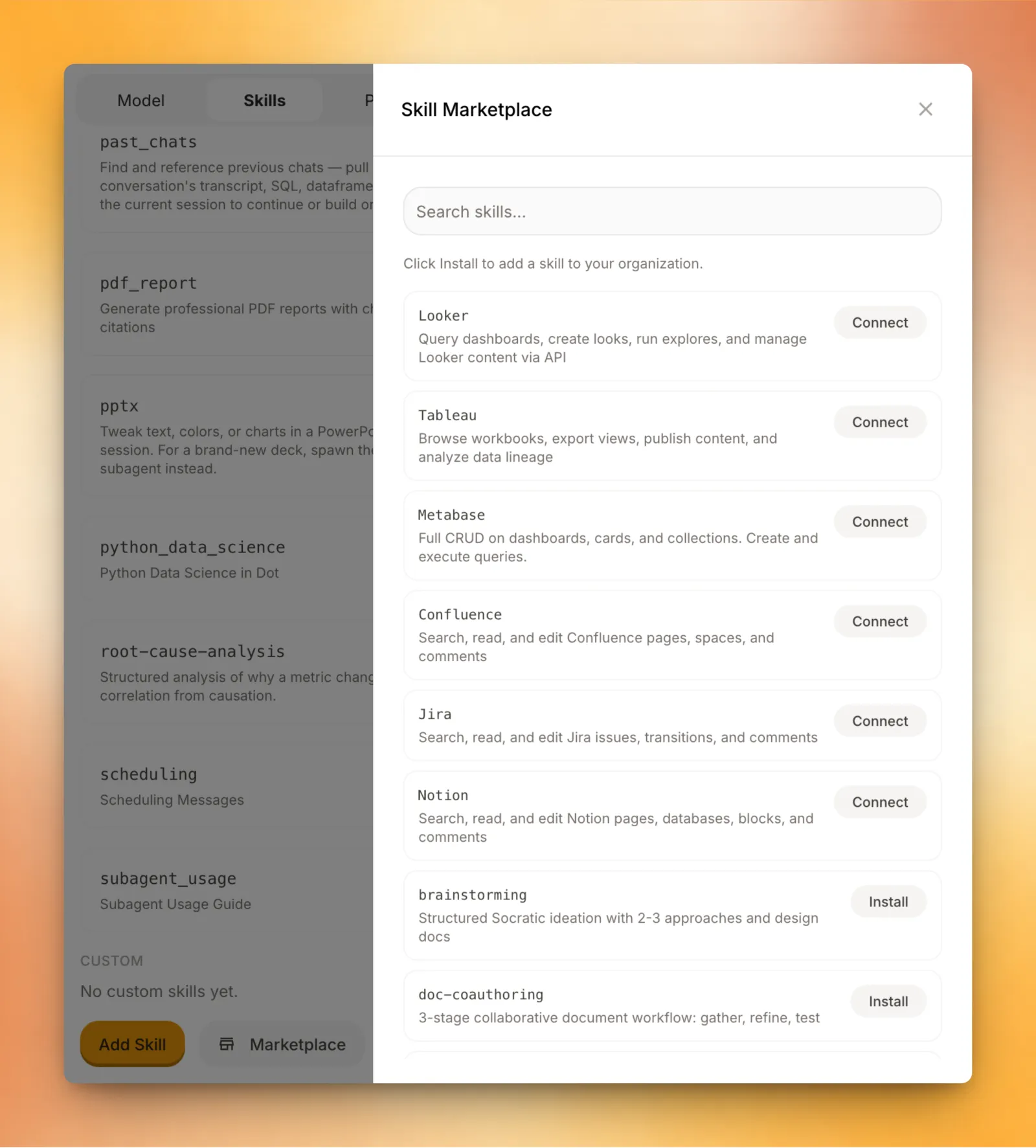
But since this is an open standard, you can and should create custom skills for your use cases. Some we have seen:
- Giving access to realtime logs in a server via a secured tunnel.
- Custom A/B testing infra which gives Dot a way to get info about the various experiments running and their results.
- Hooks to query and send messages into custom internal services.
You can also create skills within Dot itself, inside the context agent.
Give Dot more to work with
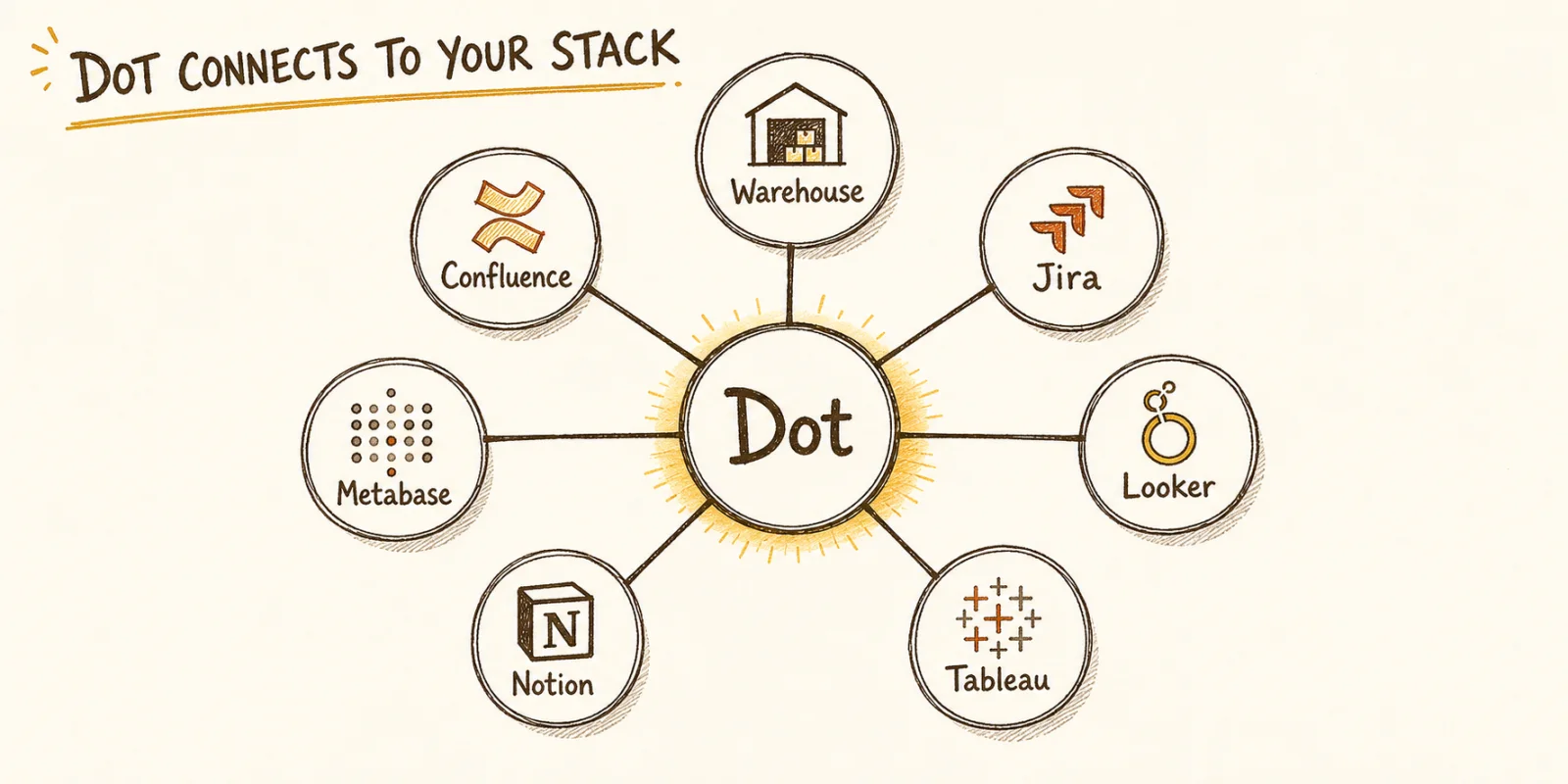
Like any other AI agent system, Dot can do better work when it has access to more data. Beyond the obvious sources in your warehouse, Dot can connect to Confluence, Jira, Looker, Tableau, Notion, Metabase, and more.
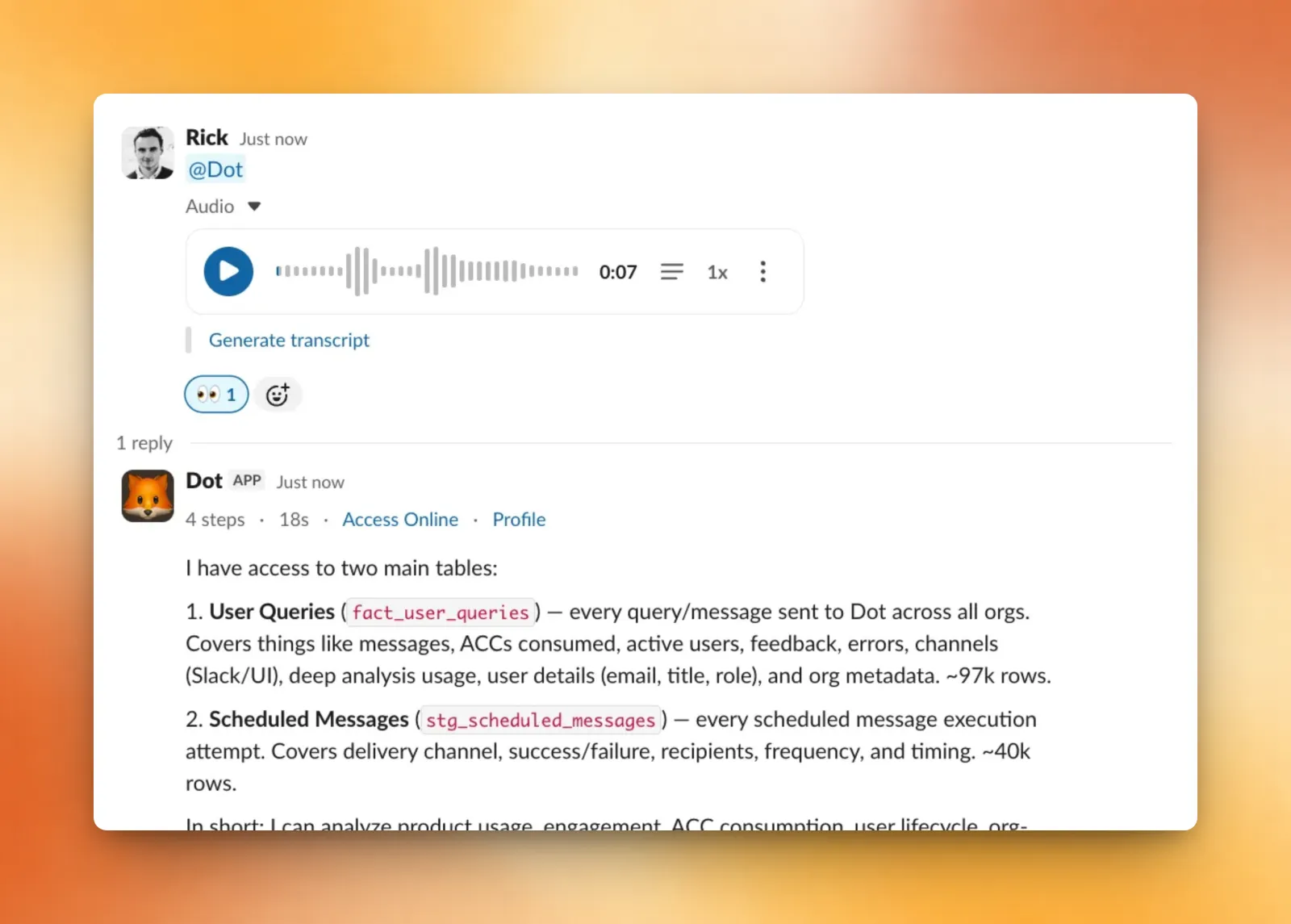
Beyond connections, another pattern we have found helpful is talking to Dot: voice notes instead of text. Voice gives the unedited version of your thoughts. You say things like, "I think this happened after the onboarding change, but maybe only for self-serve users, and I remember someone mentioning it in Slack." That sentence is annoying to type but natural to say. It is also exactly the kind of context that helps an agent do better work.
Dot supports sending voice notes in both Slack and the Web UI.
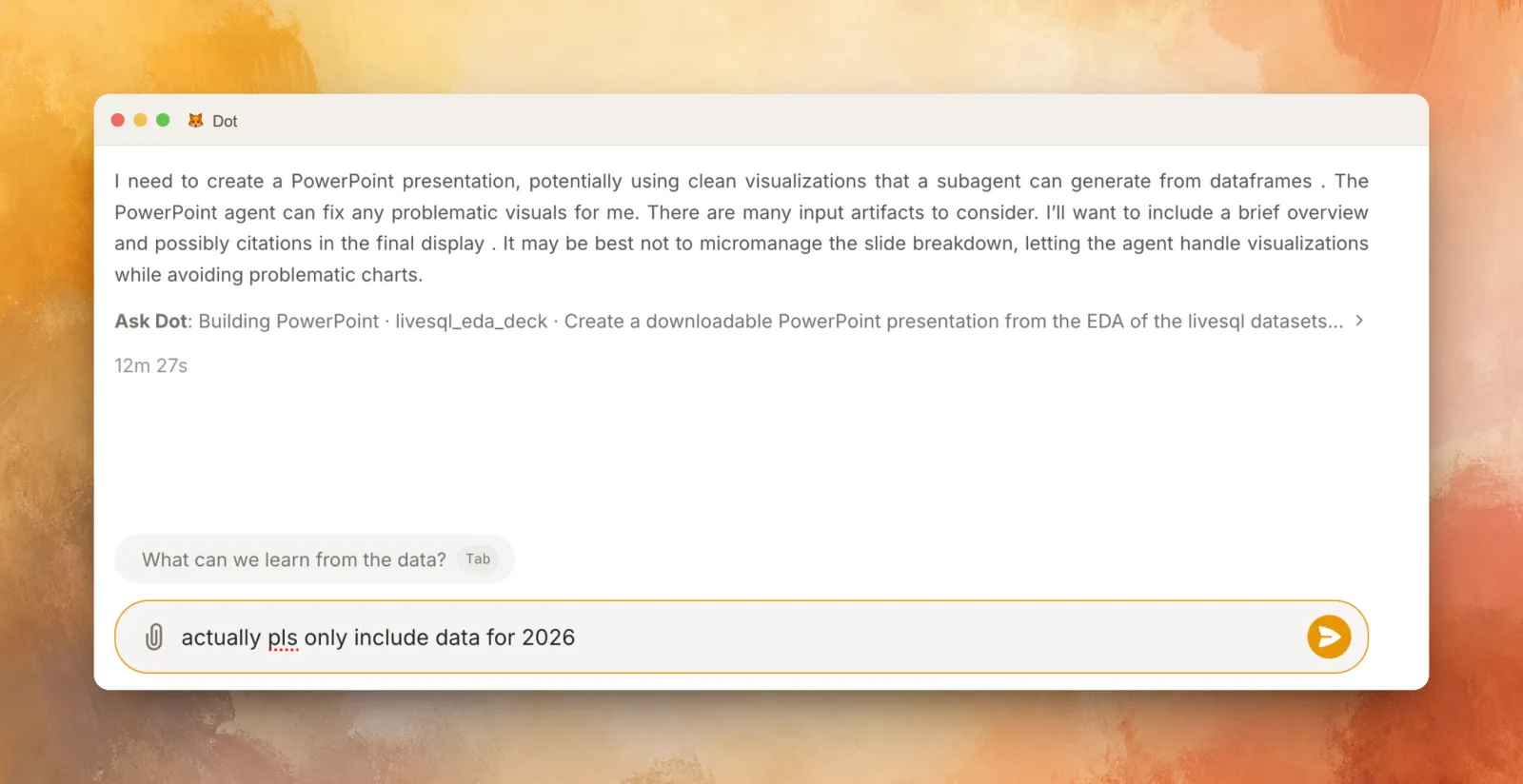
You can also give corrections while Dot is working. If it looks at the wrong segment, say so. If it misunderstands the metric, correct it immediately.
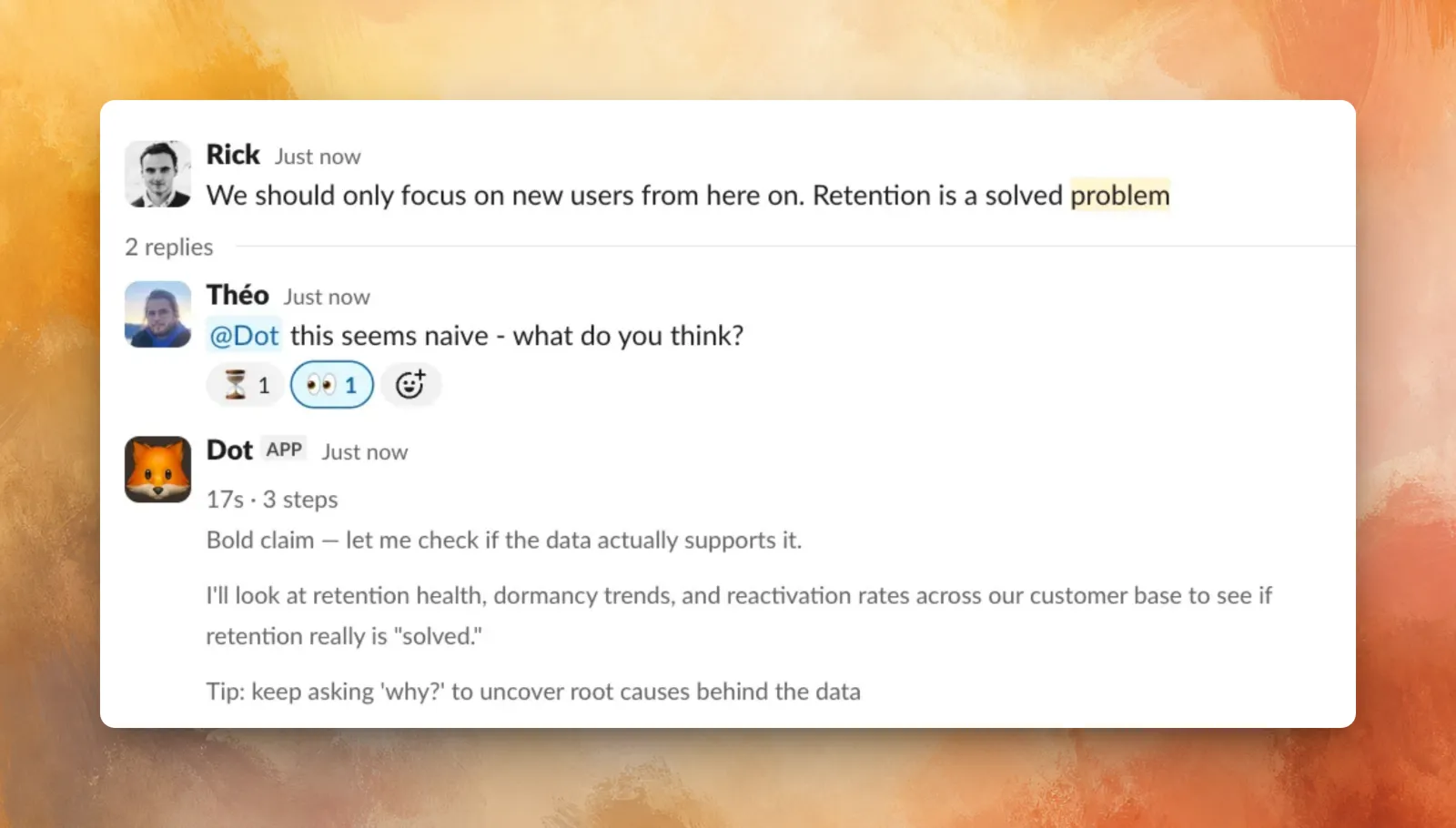
Dot can be invoked from a Slack thread and it will have the full thread context. This means when your co-workers make a dubious statement you can spot-check them.
Keep the thread going
Durable threads are one idea that has been getting more and more popular. Instead of creating new chats, you continue using one chat that accumulates history, preferences, and old decisions.
These long chats aren't free. Each new message costs more and takes longer. Over the past few months we've made them cheaper to keep going, with better compaction and more durable memory.
We now have users regularly having chats with >200 messages over multiple weeks and months.
You can also get similar benefits by having Dot reference past conversations. It can read old chats and even reuse artefacts from them. This means you can ask something like
- Hey pls look into the analysis in chat X and redo it for me.
- We had this chat about finding revenue per customer last week. can you find it and remind me of the top ones ?
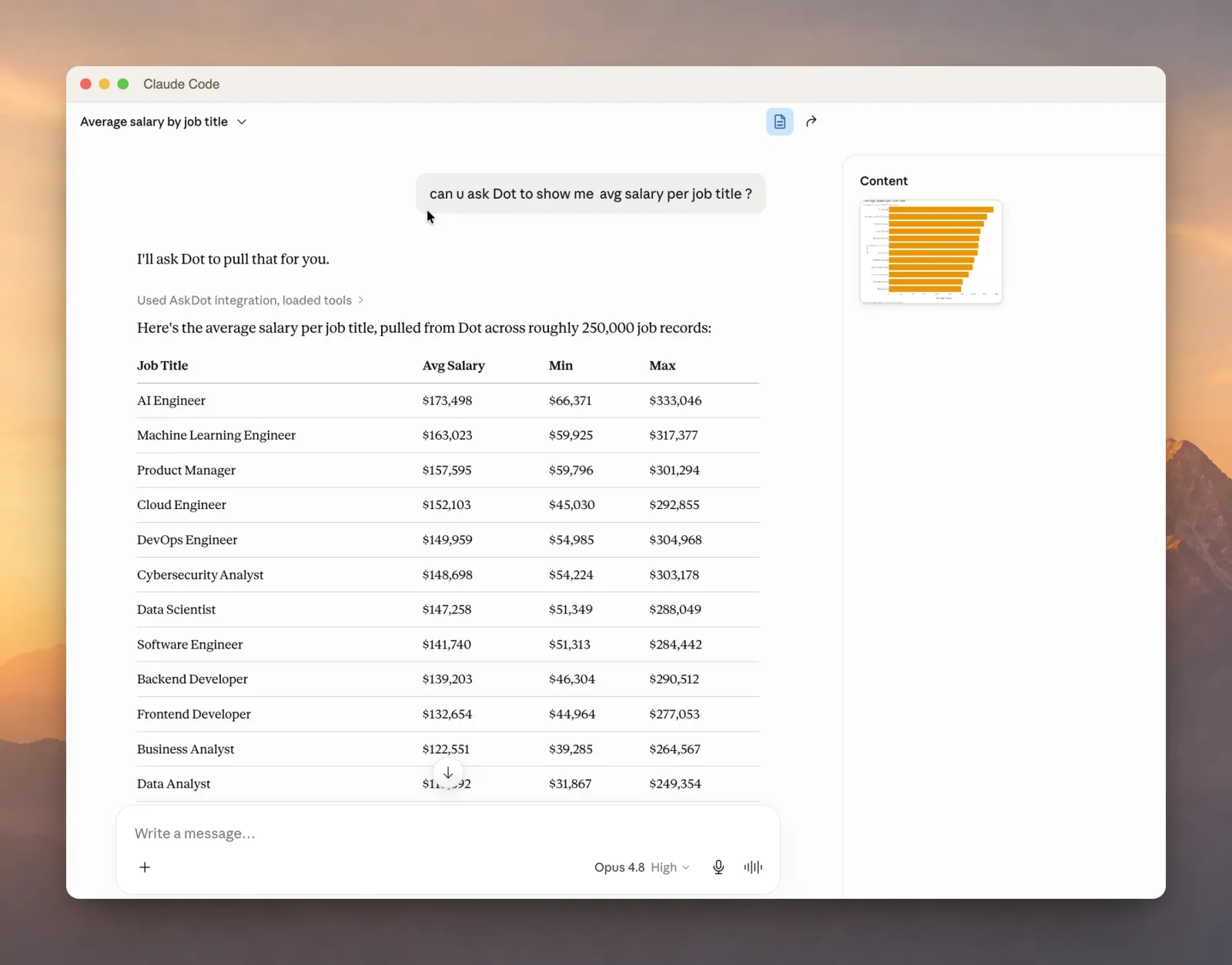
You can also bring Dot into other places you work using our MCP / CLI or the raw API.
A year ago, Dot could answer a question. Now it can run an investigation, build a dashboard, or set up an alert. It still gets things wrong, and it still needs you to point it the right way. But what it can do on its own keeps growing. A lot of what's here was rough six months ago. A lot of what's rough today won't be in six more.
Anand Ani
Anand is a co-founder of Dot. He builds the AI systems that turn natural language into trustworthy data answers. Before Dot, he spent years making complex data pipelines feel simple.