
Conversational Analytics: What It Is & How To Do It In 2026
This guide explains what conversational analytics is and walks you through setting it up with Dot in five steps, from connecting your warehouse to rolling it out in Slack and Teams.
TL;DR
- Conversational analytics lets anyone in your company ask data questions and get a governed answer back in seconds, with the chart, the written explanation, and the SQL included.
- What separates it from a generic chatbot pointed at your warehouse is governance, meaning curated context that the data team controls.
- Setting it up with conversational analytics software like Dot takes five steps: connect your data, brief the Context Agent, curate the model, test and train, then roll out to Slack and Teams.
- Once live, it answers the harder "why" questions through Deep Analysis and sends scheduled reports that only arrive when they have something worth saying.
- Traditional self-service methods such as dashboards and spreadsheet exports still have a place, but each carries a gap that conversational analytics closes.
What is conversational analytics?
Conversational analytics is a way of working with data where you ask questions in everyday language and get back a real analysis: the chart, the numbers, a written explanation, and the query that produced them.
You ask, the system answers, and you then ask a follow-up.
Picture a marketing manager typing "how many active buyers did we have in Paris in March, per week" into Slack.
A few seconds later, they have a chart and a short written summary, with the exact SQL one click away.
Under the hood, a conversational analytics platform does four things in sequence:
- Interprets the question using business context, so "active buyers" maps to the definition your company has agreed on.
- Writes and runs a query against your warehouse or semantic layer.
- Returns the result as a visualization with a written answer.
- Shows its work, so anyone can audit the logic behind the number.
A proper conversational analytics setup runs on curated context that spells out which tables matter, what each column means, how metrics are defined, and where joins can go wrong.
Your data team controls that context, which is what makes the answers trustworthy enough to act on.
Older BI tools shipped natural language search bars years ago, and those work fine for quick lookups against pre-built data structures.
Conversational analytics goes further.
It operates with a back-and-forth dialogue, handles follow-ups, investigates multi-step questions, and meets people in the messaging apps they check all day.
It feels like speaking to an AI data analyst.
Conversational analytics vs. traditional self-service methods
Self-service analytics isn't a new goal, and the table below shows how the conversational approach compares with the toolkit companies have relied on for two decades:
Method | Where it works well | Where it falls short |
Conversational analytics | Questions you’d normally ask an AI data analyst answered in seconds, governed by the data team, delivered in Slack, Teams, email, or a web app | Needs curated context up front before the answers earn trust. |
Dashboards | Monitoring known metrics at a glance. | New questions become change requests. |
Ad-hoc requests to the data team | Expert-checked answers with full quality control. | Queues grow faster than headcount, so answers take days. |
Spreadsheet exports | Flexible, personal analysis everyone knows how to do. | Numbers freeze on download, and formulas drift from the official definitions. |
SQL training for business users | Great skills for the people who stick with it. | Some never get fluent since they can’t invest the necessary time to learn it. |
How to set up conversational analytics with Dot?
The most reliable way to do conversational analytics is with a dedicated platform built to run on top of the data stack you already have.
Tools in this category typically:
- Connect to your warehouse or semantic layer without moving any data.
- Translate questions into governed queries.
- Return charts and written answers, with the underlying SQL exposed for auditing.
- Deliver answers in chat tools and email on top of the web app.
Below, we'll walk through the setup using Dot, an AI data analyst that:
- Answers business questions in Slack, Teams, email, and a web app.
- Digs into the harder "why" questions with its multi-step Deep Analysis mode.
- Sends scheduled reports that explain the movement behind the numbers.
- Keeps a version-controlled knowledge base that your data team curates.
Here's how to get conversational analytics running in five steps, plus an optional sixth 👇
Step 1: Connect your data sources
Dot reads from your existing stack. The first move is pointing it at the right sources.
To connect one:
- Go to Settings and then Connections.
- Pick your source, whether that's a warehouse, a semantic layer, a BI tool, or a plain database.
- Authorize with a technical user that has read access.
- Hit sync and let Dot pull metadata about your schemas and tables.
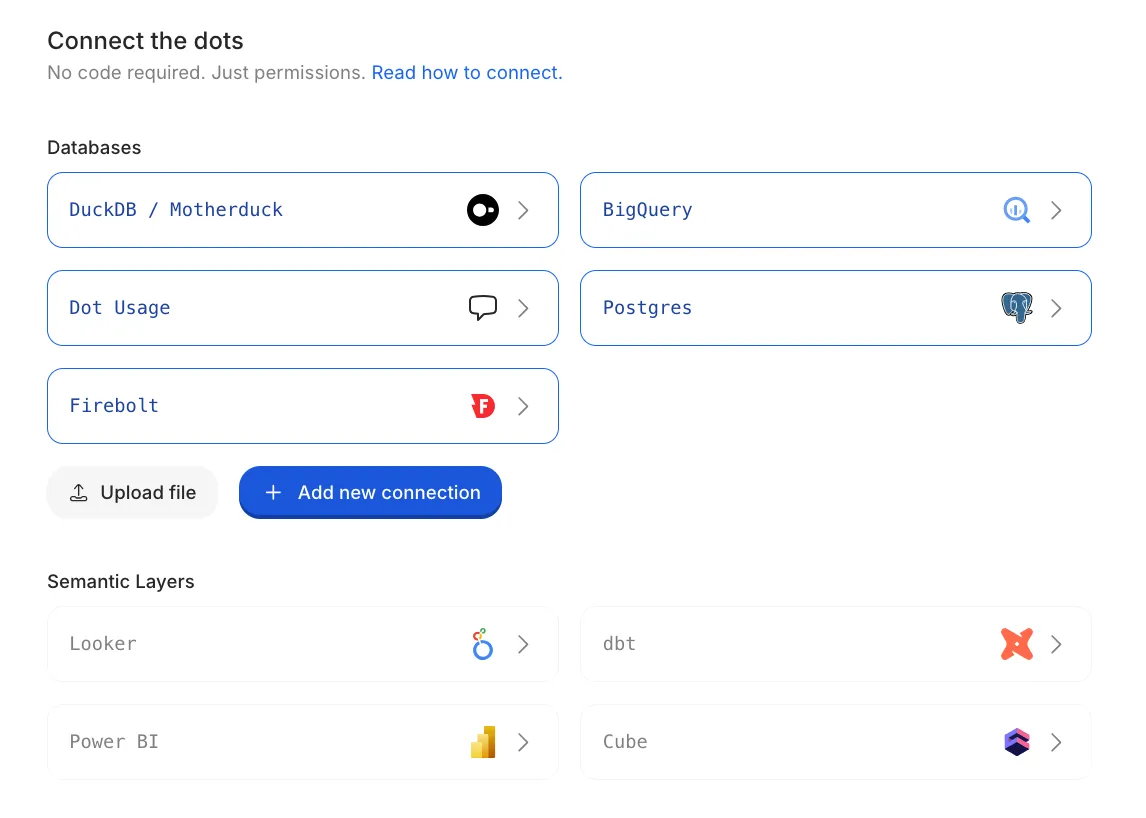
Supported warehouses include Snowflake, BigQuery, Redshift, and Databricks, along with databases such as Postgres and SQL Server.
If you already maintain a semantic layer in dbt, Looker, or Power BI, you can connect that too.
Dot will reuse the metric definitions maintained there, so years of modelling work carries over.
💡 Note: There's no data migration involved. Dot queries the warehouse directly, and nothing gets copied out.
Step 2: Describe your use case to the Context Agent
Dot ships with Root, a Context Agent that builds the kind of knowledge base most teams would otherwise spend months writing by hand.
To put it to work:
- Open Context Agent from the sidebar
- Tell it what you're trying to accomplish, in plain language
- Answer its interview questions about your metrics and processes
- Review the documentation it drafts, then merge what's correct
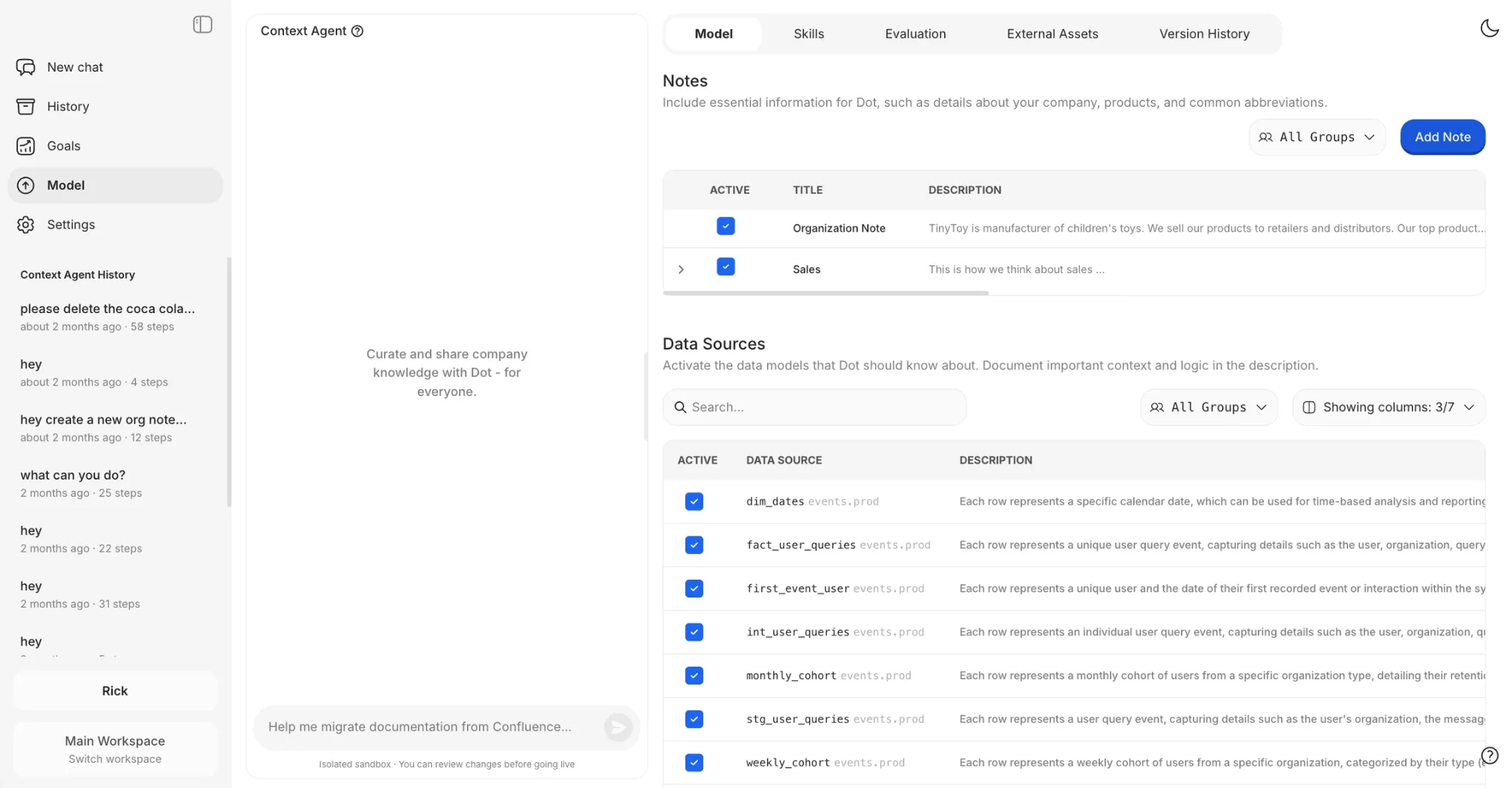
Root can also pull business logic out of systems your team trusts.
Your team can point it at your most reliable Tableau or Metabase dashboards and ask it to turn their calculations into a metric glossary.
Or hand it your Confluence documentation and have it extract the key business definitions into notes Dot can use.
You don't need everything documented before launch. You can start with a single use case and grow from there.
Step 3: Curate what Dot knows
In the Model space, the data team decides exactly what Dot can see and how to interpret it:
- Pick the data sources and tables Dot is allowed to search
- Select the fields within each table it should know about
- Describe what each table and column represents (the suggest button drafts documentation and fetches sample values for you)
- Define relationships between tables by specifying foreign key references
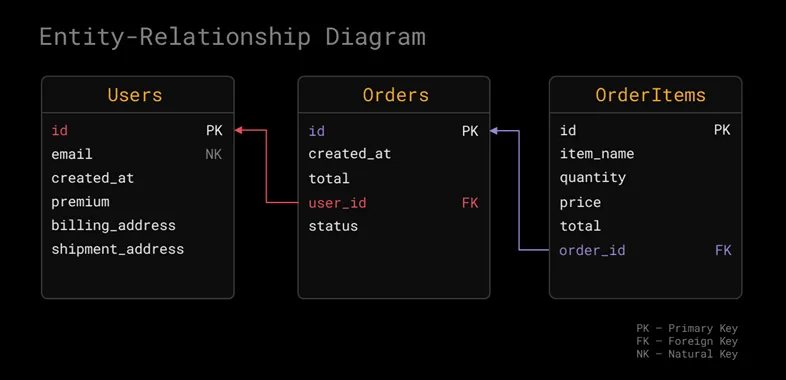
Predefined joins keep Dot away from classic analytical traps like join fan-outs, where a bad join quietly doubles your revenue numbers.
You specify once that orders.user_id references users.id, and every future query benefits.
💡 Pro tip: Resist activating hundreds of tables on day one. Twenty well-documented tables beat three schemas of mystery columns every time.
Step 4: Test with real questions and train Dot
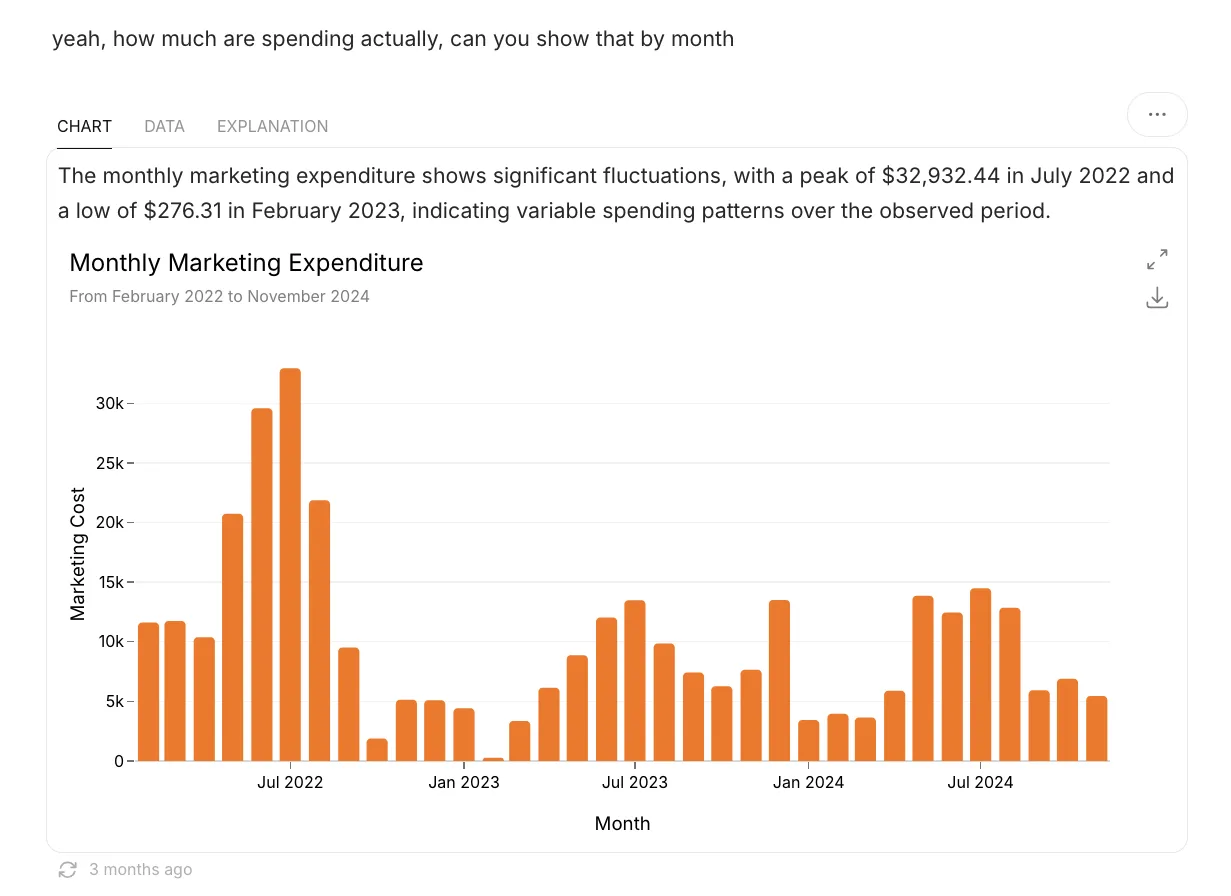
Before the whole company shows up, pressure-test the setup with questions you already know the answers to.
Ask something like "what was supplier revenue in euros for July, per region" and check the result against a dashboard you trust.
When something's off, fix it at the source:
- Say "try again", and Dot will often take a different analytical route on the second attempt
- Give a thumbs down so admins can trace which tables and SQL were used
- Tell Dot "remember that our fiscal year starts in April" and it drafts a knowledge base update for an admin to approve
- Open any disappointing chat and click Investigate, and Root will diagnose what went wrong and propose a fix
Nothing changes without a human merging it, so the knowledge base improves without drifting.
💡 Note: For bigger remodeling work, Dot supports isolated environments.
Each one is a git-backed branch of Dot's knowledge where you can test changes against real questions before merging to production.
Step 5: Bring Dot into Slack and Teams
We knew that adoption of conversational analytics would happen inside the conversations your team is having anyway, instead of forcing your entire company to work out of yet another web app that needs to be opened.
All you have to do is install the Dot app for Slack or Microsoft Teams and add it to the channels where data questions naturally come up.
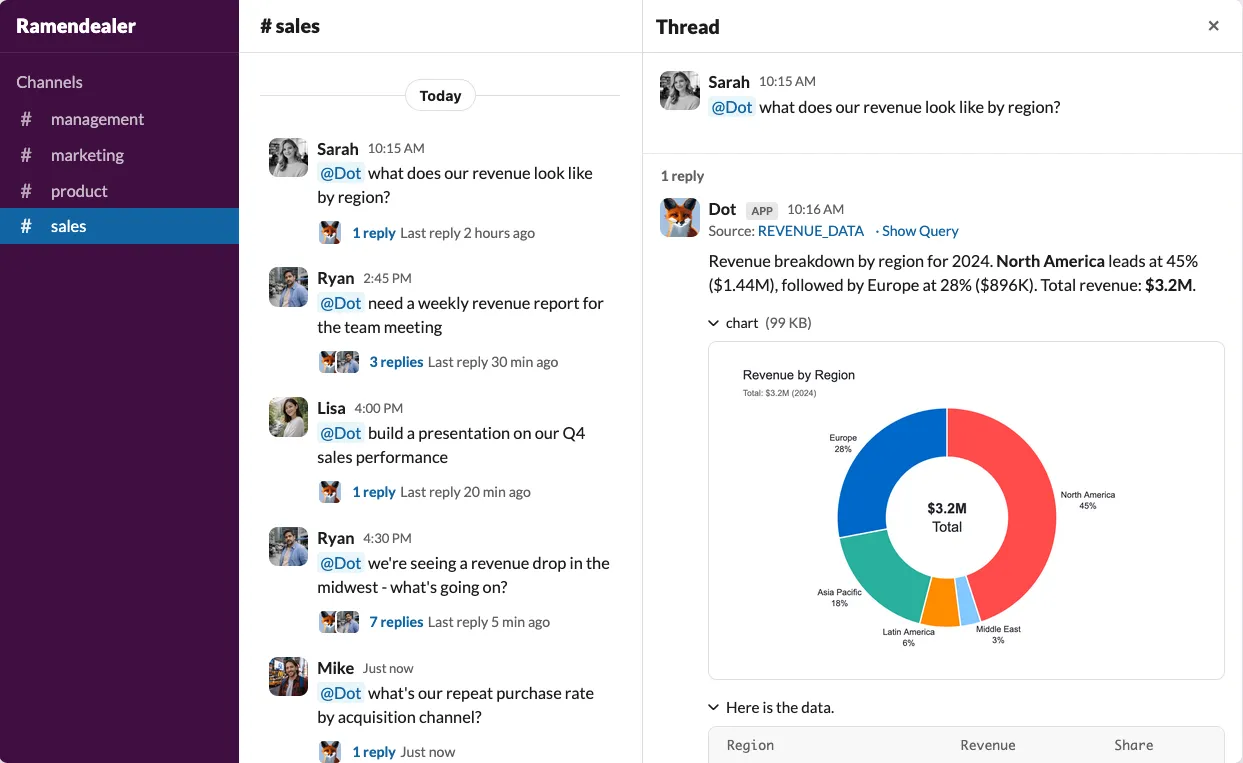
If different teams use separate data, route each channel to its own workspace.
From then on, anyone can ask Dot a question in a thread and get an answer with a chart in seconds, with no SQL or BI training required.
(Optional) Step 6: Schedule automated business reports
If your team preps for the same Monday meeting every week, this step pays for itself fast.
- Run a Deep Analysis on the question you keep answering, like "what changed in sales last week and why"
- Click Schedule on the response
- Pick a delivery channel such as Slack or email, add recipients, and set the frequency
- Send a test, then confirm
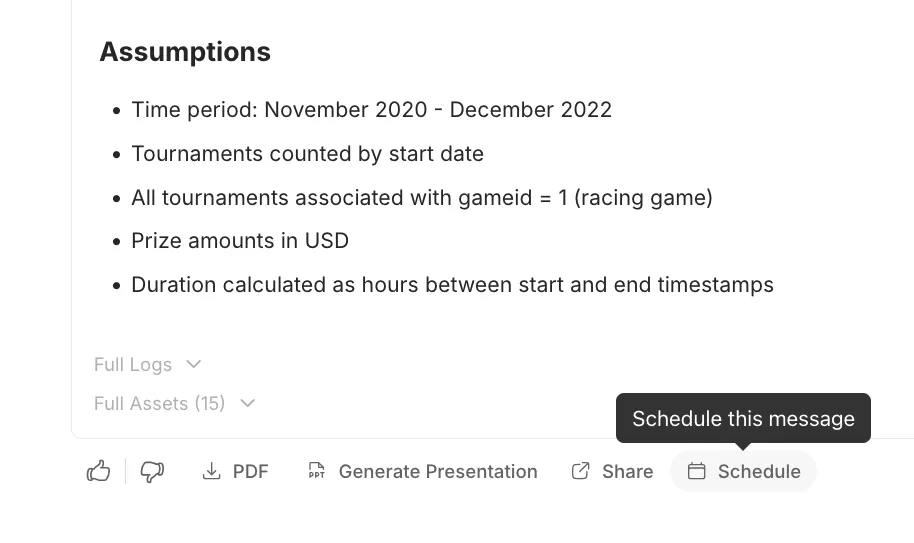
You can also add conditions:
- A work gate checks your database first and skips the run entirely when nothing new has happened.
- A result gate runs the full analysis but only delivers the report when it matters, like when monthly revenue drops by more than 5%.
How to get the best out of conversational analytics?
Once the setup is done, the interesting part starts, which is actually using conversational analytics day-to-day.
Here's what you can do with it:
1. Ask why, not just what
Chat handles the quick lookups. Deep Analysis is for the questions behind the questions.
You can switch to Analysis mode and ask something like "why did Enterprise sales decline in Q4 versus Q3", and Dot stops answering and starts investigating.
It runs a series of queries, checks potential root causes from several angles, validates what it finds, and assembles a structured report.
The report leads with a single quantified headline and backs it up with charts and supporting sections.
It closes with recommendations and the assumptions it made along the way.
Each finding stays tied to its source data, and you can export the whole thing as a PowerPoint for your next leadership meeting.
A typical investigation takes one to five minutes.
Compare that with the week it takes when the same question lands in a ticket queue.
2. Let reporting come to you
Most reporting workflows point in the wrong direction: a human goes to the data, every single time.
Scheduled Deep Analysis reverses that.
Your Monday revenue review arrives in Slack before the meeting, already explaining what moved and which anomalies are worth discussing.
The gates keep it quiet.
A pipeline health check can hold off until the ETL job finishes, then report only when the error count crosses your threshold.
The channel stays silent until a report has something to say.
3. Make the system smarter every week
A conversational analytics setup is never finished, and the teams that get the most out of Dot treat training as a habit.
The people closest to the data catch mistakes first, so encourage them to tell Dot "remember this" the moment they spot a renamed table or a misdefined metric.
Admins review each proposal as a clear diff and merge it with one click.
Once a month, ask Root to scan recent conversations for recurring failures and propose fixes for the top patterns.
That turns troubleshooting from reactive cleanup into steady improvement, and it compounds.
4. Take it beyond your own team
Conversational analytics doesn't have to stop at your org chart.
Dot can be embedded in your own product through an iframe, with your colors, your own suggested prompts, your placeholder text, and access scoped to a single data source.
Your customers get to chat with their data without ever leaving your app.
Developers get a full API, a CLI, and an MCP server, which means coding agents and internal tools can ask Dot questions programmatically.
Some teams wire it straight into dbt workflows.
They build a model in a dev schema, sync the docs into an isolated Dot environment, verify the answers, and merge both together.
Start conversational analytics with Dot
We hope this guide gave you a clear path from "what is conversational analytics" to a working setup your team will actually use.
If you want to try it,Dot's free plan comes with 300 one-time credits and full access to Pro features, which is plenty to connect a warehouse and run the five steps above.
And if you'd like a hands-on introduction first, book a demo with the Dot team and bring your hardest data question along.
Theo Tortorici
Theo writes about AI-powered analytics, data tools, and the future of business intelligence at Dot.