
10 Best AI Data Integration Tools and Software In 2026
Are you looking for the right AI data integration tool to connect your data sources, unify your metrics, and actually get answers from your data?
In this article, I'll go over the 10 best AI data integration tools for 2026, including their top features, pricing structure, and pros and cons.
TL;DR
- Dot offers the best AI data integration platform with its warehouse-native connectivity, AI-powered narrative analysis, and automated business reporting capabilities.
- Supaboard, Tellius, and Omni are strong picks for teams that want AI-native analytics with built-in data connectors and natural language querying without traditional BI overhead.
- Domo, ThoughtSpot, Qlik Sense, and Zoho Analytics are enterprise-grade platforms that combine deep data integration with governed dashboards and AI-assisted exploration, while Fivetran and Airbyte focus specifically on moving, syncing, and preparing data across your stack.
What Are The Best AI Data Integration Tools In 2026?
The best AI data integration tools are: Dot, Supaboard, Tellius, and Omni.
Here's a breakdown:
Tool | Use Case | Price |
Dot | AI data analyst that connects to your warehouse, answers business questions with narrative insights, and automates executive-ready reports. | Free plan; paid from $180/month (Pro). |
Supaboard | No-code AI analytics with trainable agents and auto-generated dashboards for teams without dedicated data engineers. | From $85/month (Individual); 14-day free trial. |
Tellius | Conversational analytics with automated root cause analysis and explainable AI for enterprise data teams. | Custom pricing (Premium and Enterprise tiers). |
Omni | Semantic-layer BI with AI-powered exploration and spreadsheet-like analysis on live warehouse data. | Custom pricing; free trial available. |
Domo | All-in-one cloud BI with built-in data ingestion from hundreds of sources, dashboards, and AI-driven automation. | Custom pricing; 30-day free trial. |
ThoughtSpot | AI-driven natural language search and automated dashboards for fast, self-service data exploration. | From $25/user/month (Essentials, billed annually). |
Qlik Sense | Associative analytics engine for exploring complex data relationships with AI-augmented insights and strong governance. | Custom pricing. |
Zoho Analytics | Budget-friendly BI with 250 data transformations, AI assistant, and deep integration with the Zoho ecosystem. | From $60/month (Standard). |
Fivetran | Automated data movement platform with 700 managed connectors, reverse ETL, and pre-built data models. | Free plan (500K rows); paid plans at custom pricing. |
Airbyte | Open-source ELT platform with 600 connectors, AI-assisted connector builder, and flexible cloud or self-hosted deployment. | Free (open source); cloud from $10/month (Standard). Agent Engine from $0/month. |
What are the best AI-native platforms for connecting and analyzing your data?
If your team is tired of building dashboards that nobody reads, these platforms take a different approach.
They connect to your data sources, use AI to run the analysis, and return answers instead of charts you have to interpret yourself.
Here are the best AI-native data integration and analytics platforms in 2026:
#1: Dot
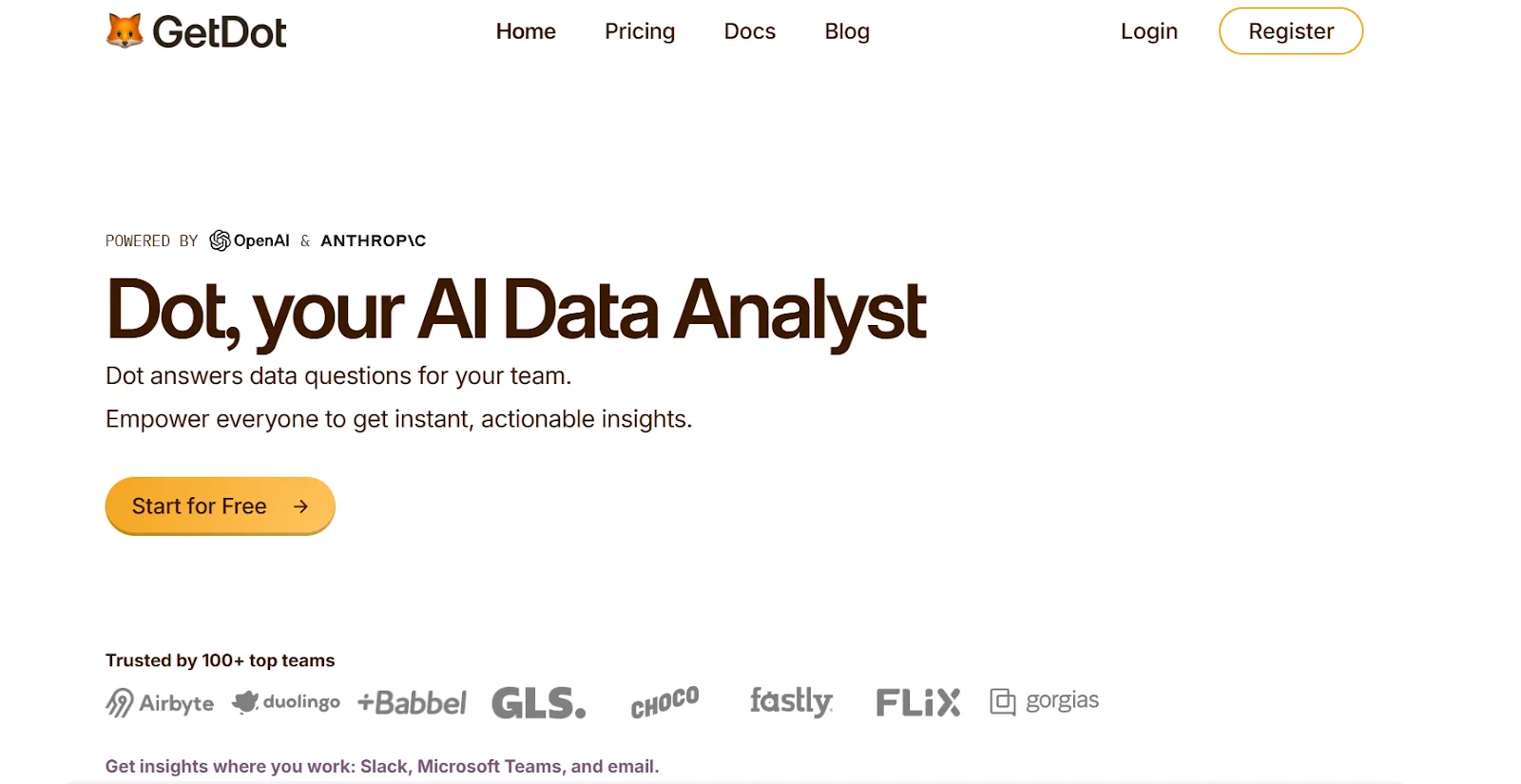
Dot offers the best AI data integration tool on the market that lets you connect your data warehouse, ask business questions in plain English, and get back narrative insights with recommendations instead of static dashboards.
However, we're not trying to add to the noise of other data integration tools on the market.
Our solution aims to replace the manual loop of building dashboards, maintaining reports, and waiting on analysts with an AI data analyst that connects directly to your warehouse and does the thinking for you.
Let's go over the features that make Dot the ideal choice for data-driven teams: 👇
Ask questions in Slack or Teams and get a full analysis back in minutes
Most data integration tools stop at "your data is connected."
But connecting data isn't the hard part anymore.
The hard part is getting answers from it without waiting days for an analyst or building yet another dashboard.
Dot lets any stakeholder ask plain-English business questions directly in Slack or Microsoft Teams.
Not just simple lookups. I'm talking about questions like "Why did conversion drop in EMEA last week?" or "Which product segments grew fastest this quarter and what's driving it?"
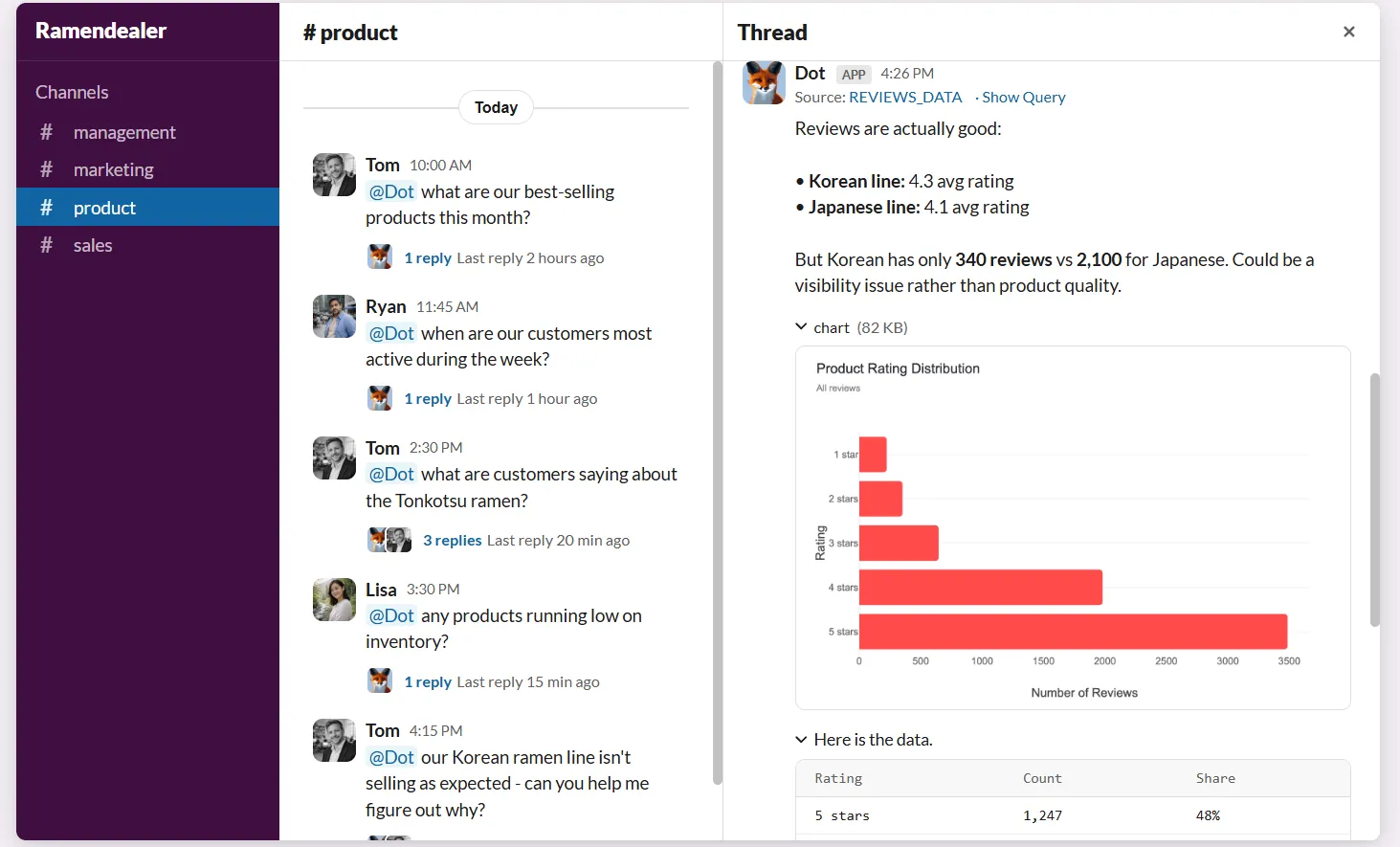
The response comes back in minutes with a full breakdown: what happened, why it likely happened, and which segments or metrics are behind the change.
For data teams, this means fewer ad-hoc interruptions.
For business users, it means they stop waiting in an analyst queue just to understand what their own data is telling them.
💡 Emerge, a logistics company, saw its team save 2,000 hours yearly after switching to Dot for ad-hoc analysis.
Their team described the first time someone asked Dot a question in Slack and got an answer in seconds as "honestly amazing."
Automated business review reports that build themselves
Every week, someone on the data team spends hours pulling metrics, formatting slides, and writing up summaries for leadership.
Dot replaces that entire process.
It generates executive-ready business review reports on a set schedule, directly from the warehouse.
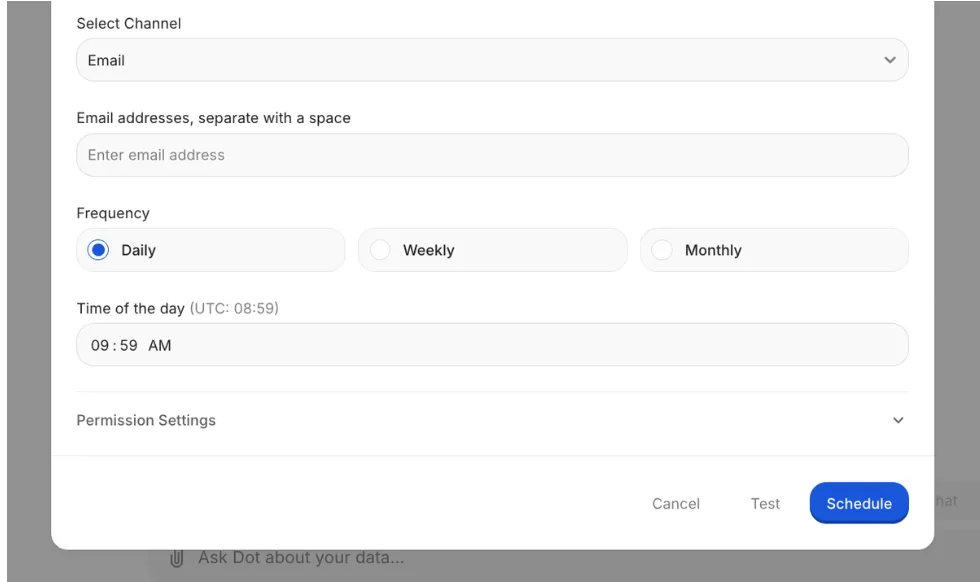
Raw metrics become a written narrative explaining what happened, what changed compared to previous periods, and where attention is needed.
Leadership gets a consistent, readable update without interpreting dashboards. And the data team stops spending a third of its time producing the same reports over and over.
Persistent business context that keeps everyone on the same page
Metric drift is one of those quiet problems that slowly erodes trust in data.
Revenue gets defined in three different ways across four dashboards. Someone builds a new report with slightly different filters. And soon, meetings turn into "which number is right?" debates instead of decisions.
Dot's Context Agent learns and maintains business definitions, metric logic, and documentation across your data environment.
It pulls context from your existing systems, creates missing documentation, flags inconsistencies, and keeps definitions aligned to a single source of truth.
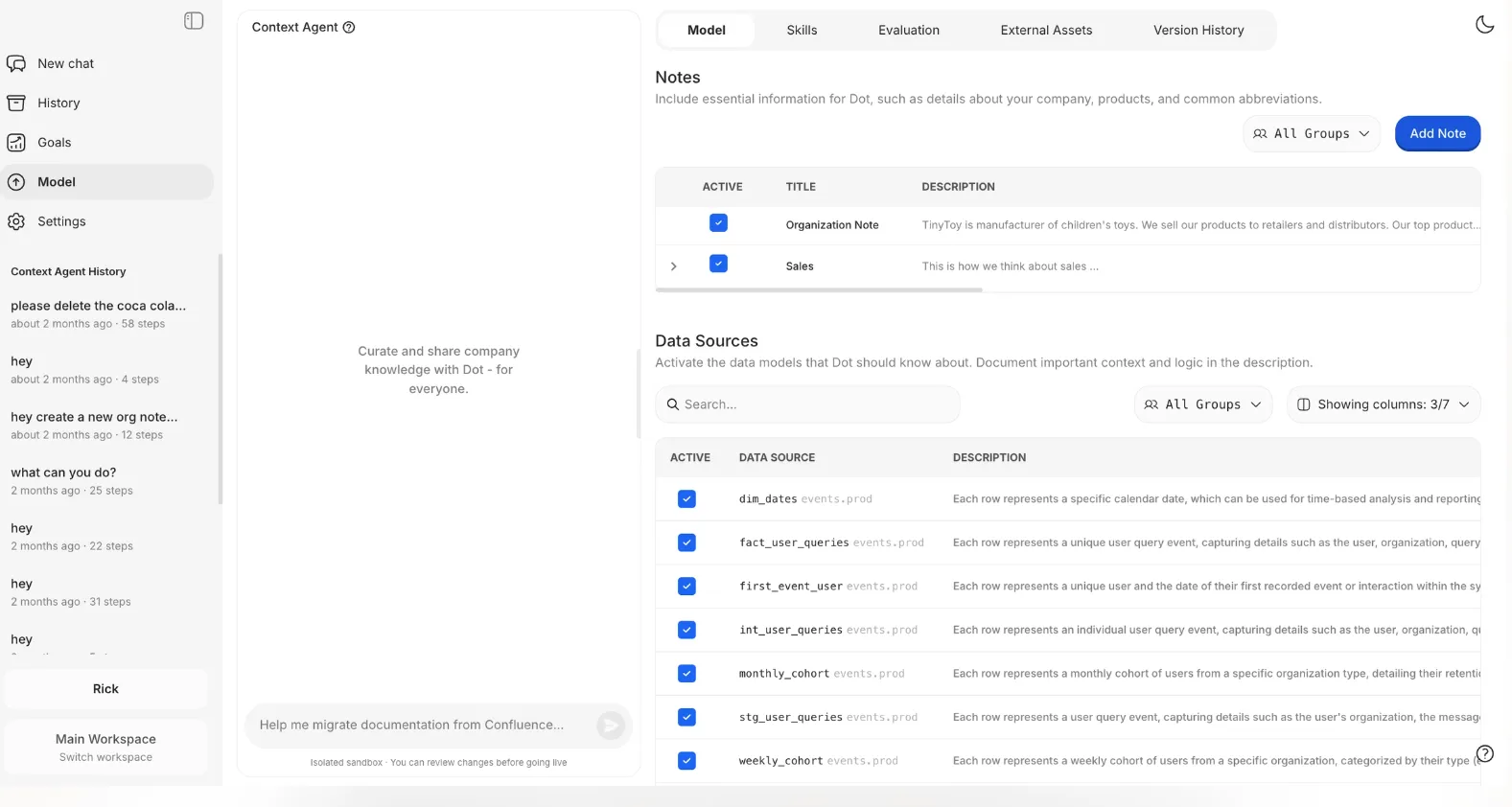
That means every insight Dot produces uses the same logic, regardless of who's asking or where the answer shows up.
Full audit trail on every insight
One frustration I've seen across BI setups is the black box problem.
Dashboards show numbers, but not always how they got there. When a metric looks wrong, teams dig through models, refresh logs, and formulas, trying to figure out what happened.
Dot attaches a complete audit trail to every insight it produces.
Each answer links directly back to the underlying SQL queries, Python logic, and datasets used. Everything is inspectable. No guessing, no "trust the dashboard."
This matters for data leaders who need to stand behind the numbers they present to executives.
Dot's integrations
Dot works on top of the tools teams already use rather than forcing data into a new model.
It connects directly to modern data warehouses like Snowflake, BigQuery, Redshift, and Databricks. It also supports operational databases like Postgres, MySQL, and SQL Server.
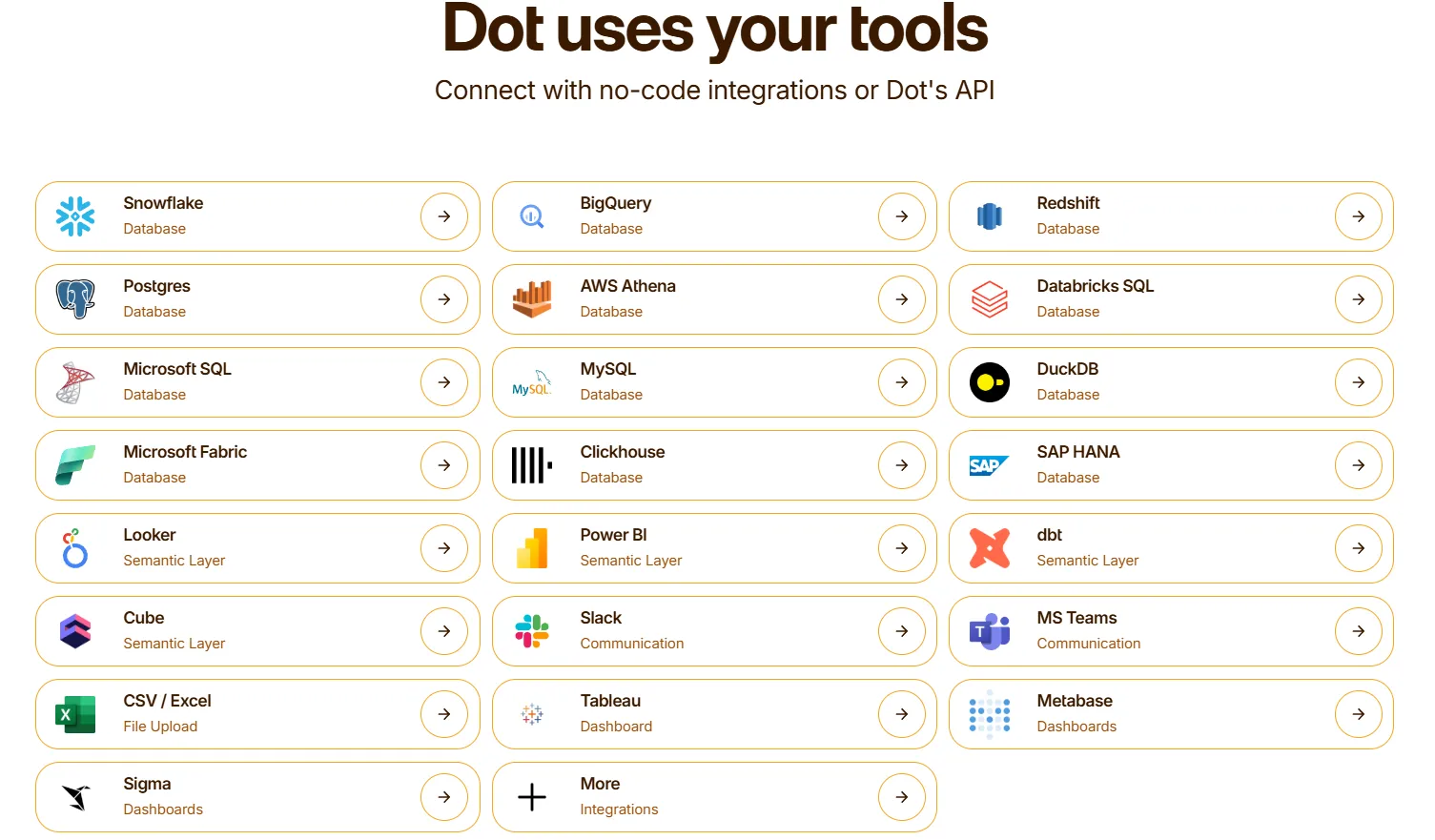
Beyond raw data access, Dot integrates with semantic layers and transformation tools like dbt, Looker, Power BI models, and Cube. That means it reuses your existing business logic instead of asking you to rebuild it.
Insights show up where work actually happens: Slack, Microsoft Teams, email, or the web app.
And Dot sits alongside existing BI tools like Tableau, Metabase, or Sigma, complementing them rather than ripping everything out.
What makes Dot different from other AI data integration software
Most AI data integration tools fall into one of two camps.
- Some focus on moving data: syncing tables, managing pipelines, making sure the right numbers land in the right warehouse.
- Others focus on visualizing data: dashboards, charts, and drag-and-drop exploration.
Dot does neither of those things.
Instead of asking you to interpret charts or maintain pipelines, Dot reads your data, understands your business context, and produces decision-ready analysis with clear recommendations.
Where a traditional BI tool says, "here's a chart, figure it out," Dot says, "conversion dropped 12% in EMEA last week, driven primarily by a 23% decline in mobile checkout completions in Germany, and here's what you should look at."
At a practical level, the difference comes down to this: most tools in this list help you see data or move data. Dot helps you understand it and act on it.
And because every insight carries a full audit trail back to the exact SQL and datasets used, there's none of the "where did this number come from?" friction that plagues traditional BI setups.
Dot pricing
Dot offers a free plan with 300 one-time credits and access to the full set of Pro features, so you can test it without committing.
There are three paid plans:
- Pro: $180/month, includes 150 credits per month, $1.80 per credit overage, and unlimited users.
- Team: $720/month, includes 800 credits per month, $1.44 per credit overage, SSO, row-level security, embedded analytics, BI migration support, and dedicated support.
- Enterprise: Custom pricing, includes unlimited credits, volume discounts, self-hosted deployment, audit logs, SLA guarantees, and a dedicated account manager.
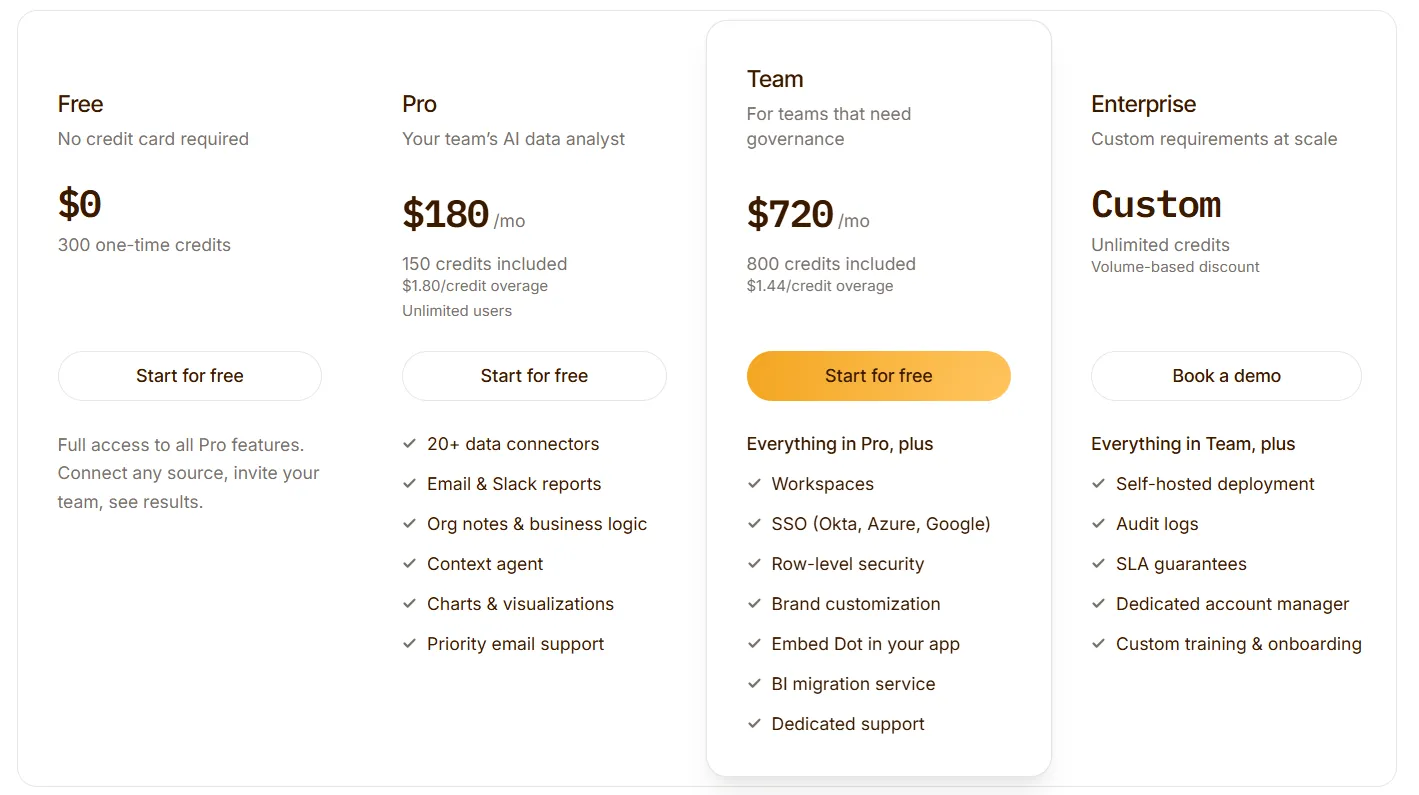
Annual billing saves 10% across all plans.
➡️ Dot uses a credit-based model, which means your cost scales with actual usage rather than per-seat licensing. A team of 5 or 50 can run on the same plan.
Dot pros and cons
✅ Answers business questions with narrative analysis and recommendations, not just charts.
✅ Automated business review reports replace hours of manual reporting work.
✅ Full audit trail on every insight.
✅ Connects to your warehouse and reuses existing dbt, Looker, and Power BI logic.
✅ Credit-based pricing with unlimited users on every plan.
❌ Not a traditional dashboarding tool, so teams that need heavy custom visuals may want to pair it with a BI tool.
❌ Credit-based pricing requires some upfront estimation of your usage.
#2: Supaboard
Best for: Teams that want AI-generated dashboards and natural language analytics without SQL or data modeling.
Similar to: Dot, Tellius.
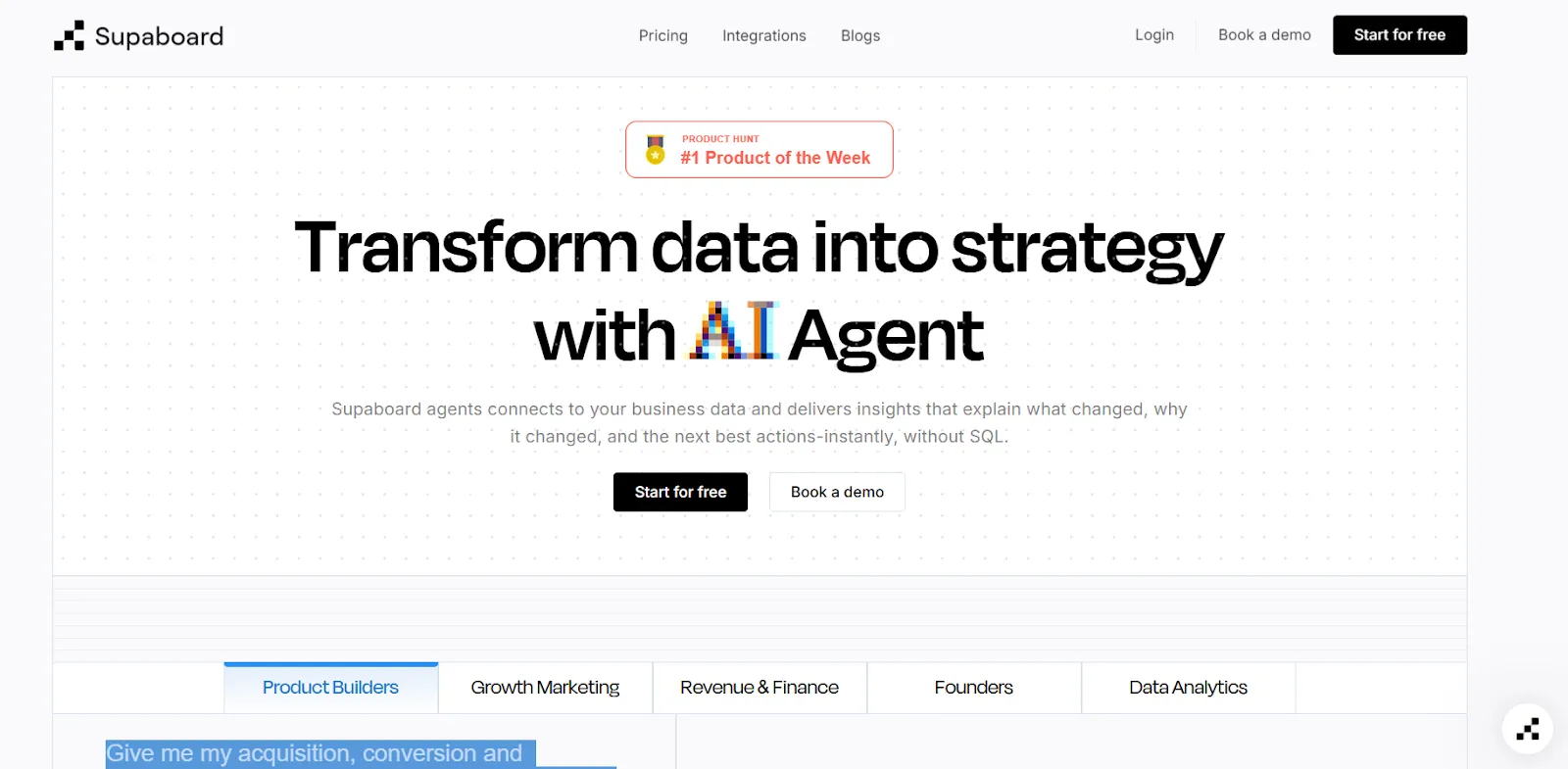
Supaboard connects to your data sources and automatically builds dashboards, insights, and reports using AI.
It's designed for business users who want to ask questions in plain English and get visual answers without depending on a data team.
Supaboard's top features
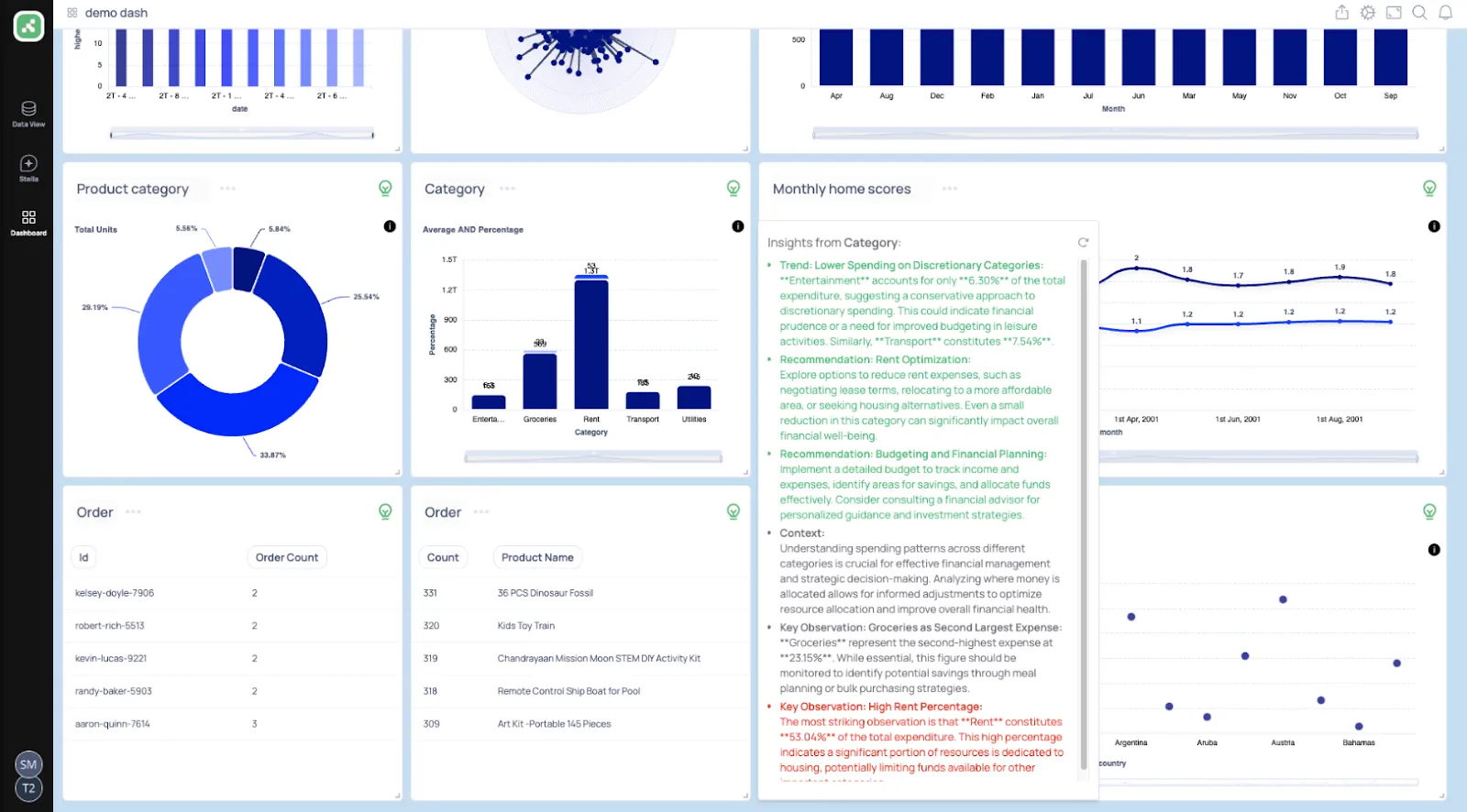
- Trainable AI agents: Build AI agents trained on your business logic, rules, and definitions so that insights come back with context, not just raw numbers.
- Natural language data chat: Ask a question in plain English and get metrics, charts, and recommended actions instantly.
- AI-generated dashboards: Describe what you need, and Supaboard builds interactive dashboards, KPIs, and tables that update in real time.
Supaboard pricing
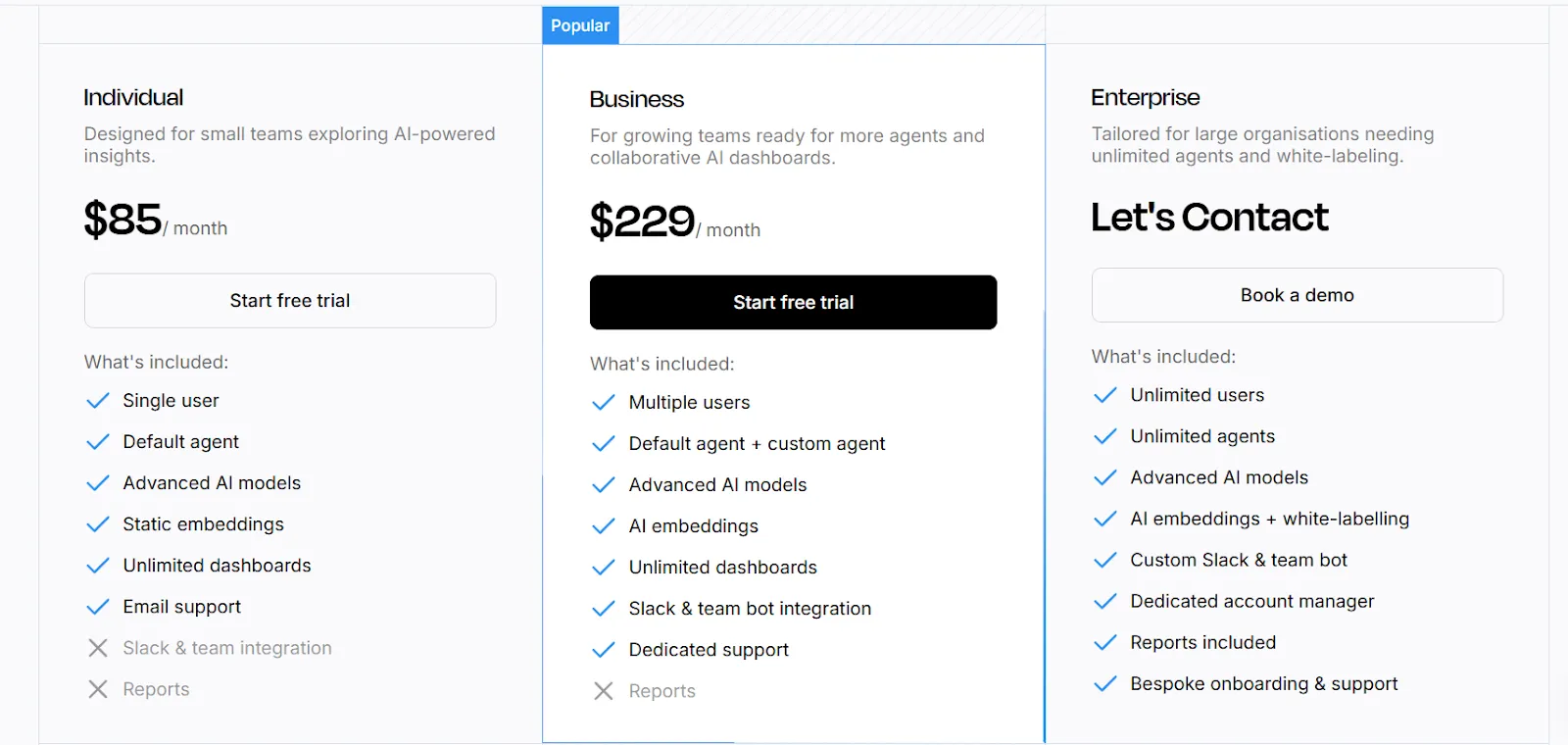
Supaboard has three plans with a 14-day free trial on the first two:
- Individual: $85/month, includes a single user, default AI agent, advanced AI models, unlimited dashboards, and email support.
- Business: $229/month, includes everything in Individual, with multiple users, custom agents, Slack and team bot integration, and dedicated support.
- Enterprise: Custom pricing, includes everything in Business, with unlimited users and agents, white-label embeddings, a dedicated account manager, and bespoke onboarding.
Supaboard pros and cons
✅ Very easy to connect data sources and get started fast.
✅ Natural language querying that actually works for non-technical users.
❌ Limited dashboard customization compared to traditional BI tools.
❌ Still a newer platform, so the feature set is thinner than more established options.
#3: Tellius
Best for: Enterprise analytics teams that need automated root cause analysis and explainable AI insights across large datasets.
Similar to: Dot, ThoughtSpot.
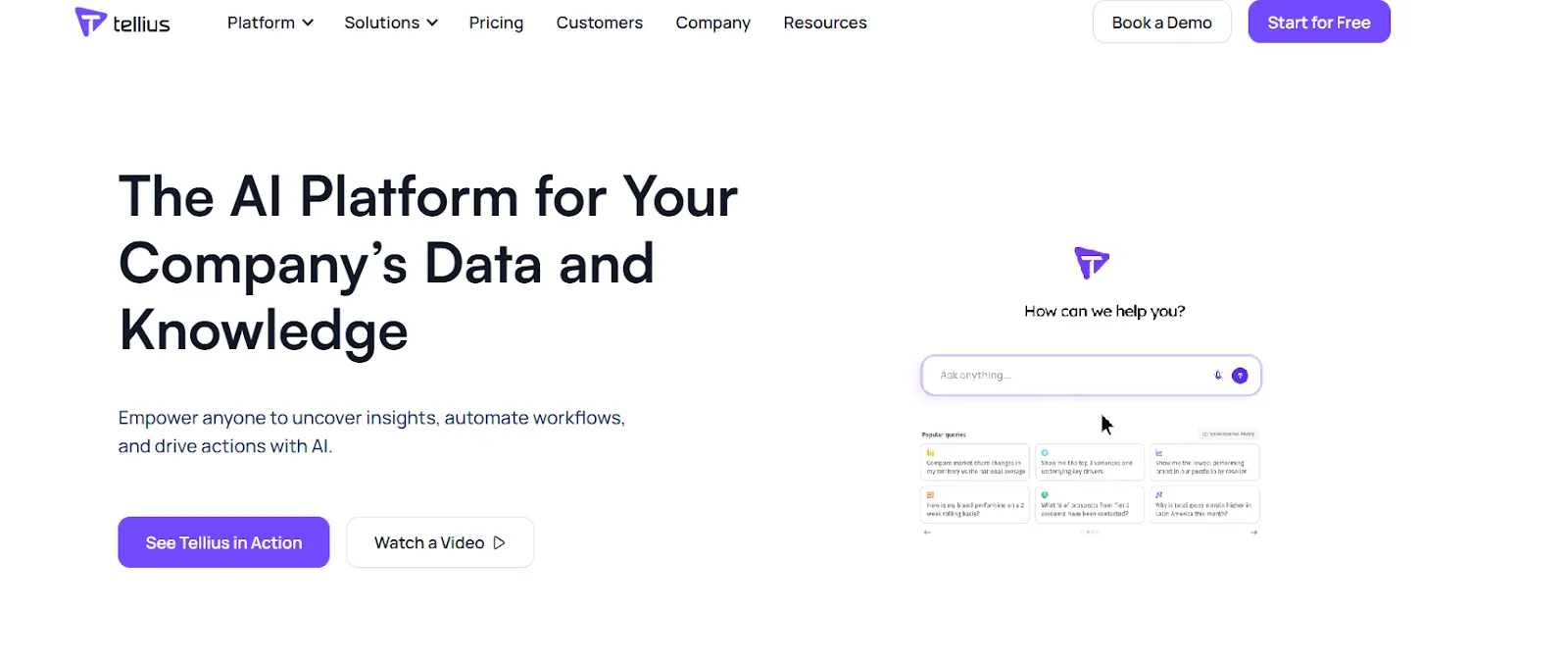
Tellius lets users ask natural language questions across enterprise data and get instant answers backed by automated key driver and root cause analysis.
It goes deeper than basic text-to-SQL by running thousands of queries and statistical tests to explain why a metric changed.
Tellius's top features
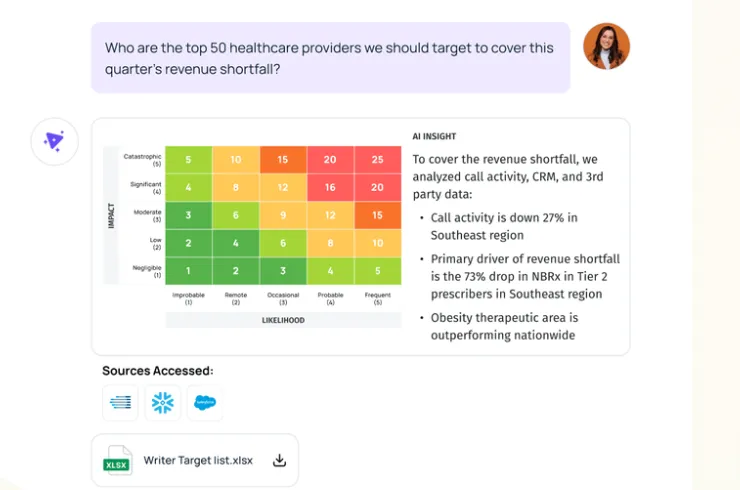
- Conversational analytics: A ChatGPT-style interface on top of governed enterprise data that handles complex business questions, not just simple lookups.
- Automated AI insights: Surfaces root causes, key drivers, trends, and anomalies across billions of data points with explainable reasoning behind every finding.
- Visual narratives: Turns complex analyses into interactive visualizations and AI-generated narrative summaries that teams can explore and share.
Tellius pricing
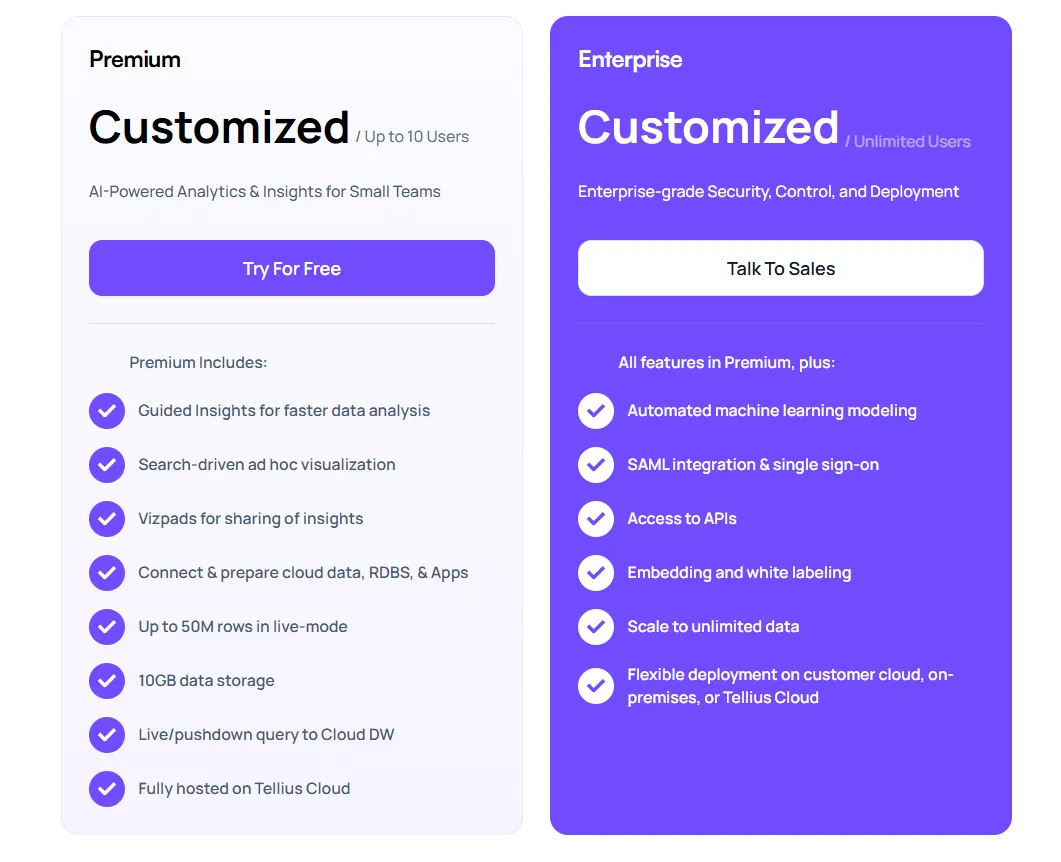
Tellius has two plans, both with custom pricing:
- Premium: For up to 10 users, includes conversational analytics, guided insights, visualizations, live queries to cloud data warehouses, data prep, up to 50M rows, and Tellius Cloud hosting.
- Enterprise: Unlimited users, includes everything in Premium, with automated ML modeling, SSO, API access, embedding, unlimited data scale, and flexible deployment options.
You'll need to contact their sales team for actual numbers.
Tellius pros and cons
✅ Intuitive, visual-first interface.
✅ Strong explainable AI that goes beyond surface-level answers.
❌ Pricing can be steep for smaller teams.
❌ Requires meaningful data volume to justify the investment.
#4: Omni
Best for: Data teams that want a modern semantic layer with self-service exploration and AI-powered analysis on live warehouse data.
Similar to: Looker, Sigma.
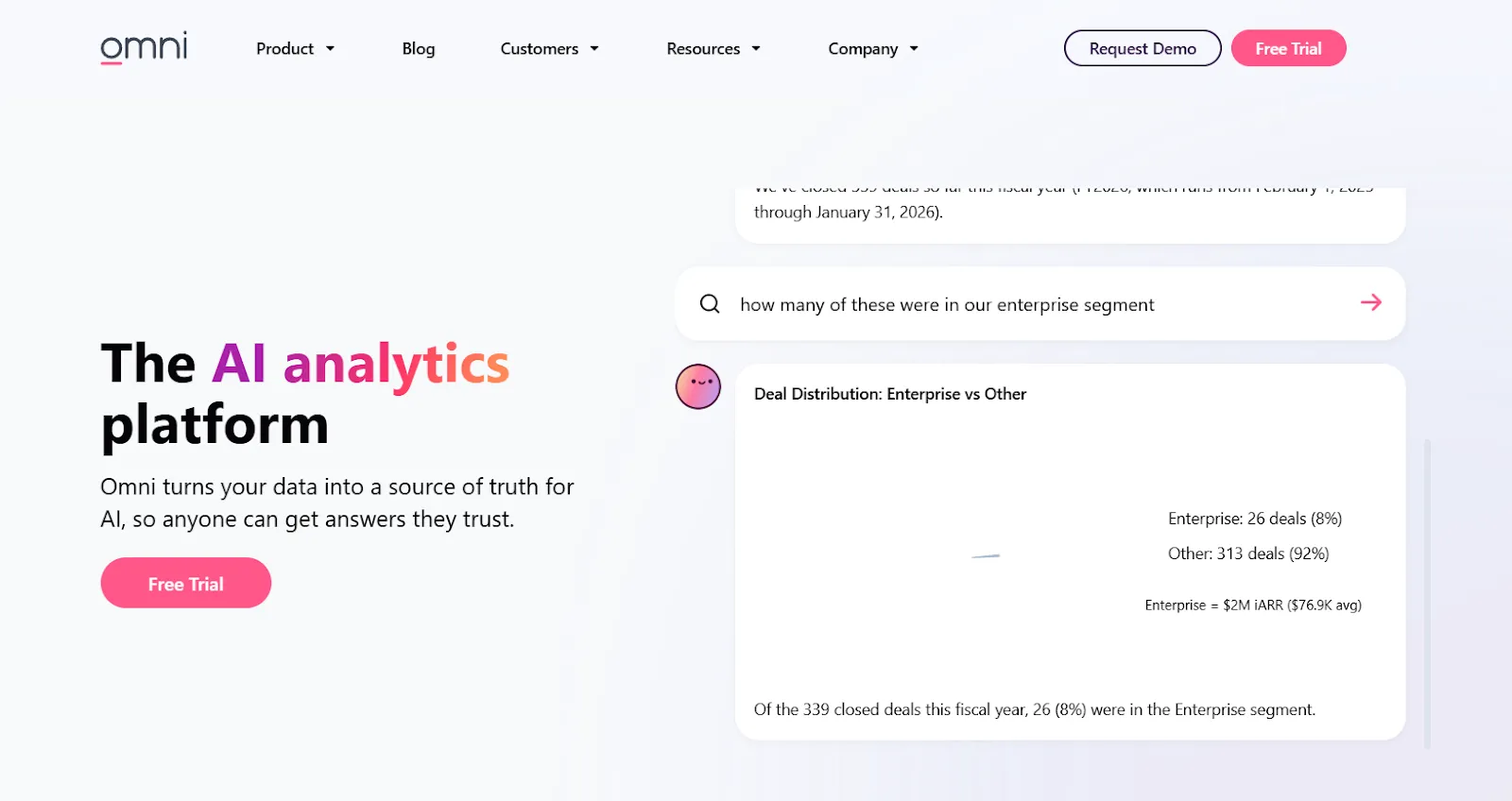
Omni is built around a centralized semantic model that keeps metrics consistent while letting both technical and business users explore data freely.
The platform connects directly to cloud warehouses and avoids the rigid modeling workflows that make traditional BI tools slow to iterate on.
Omni's top features
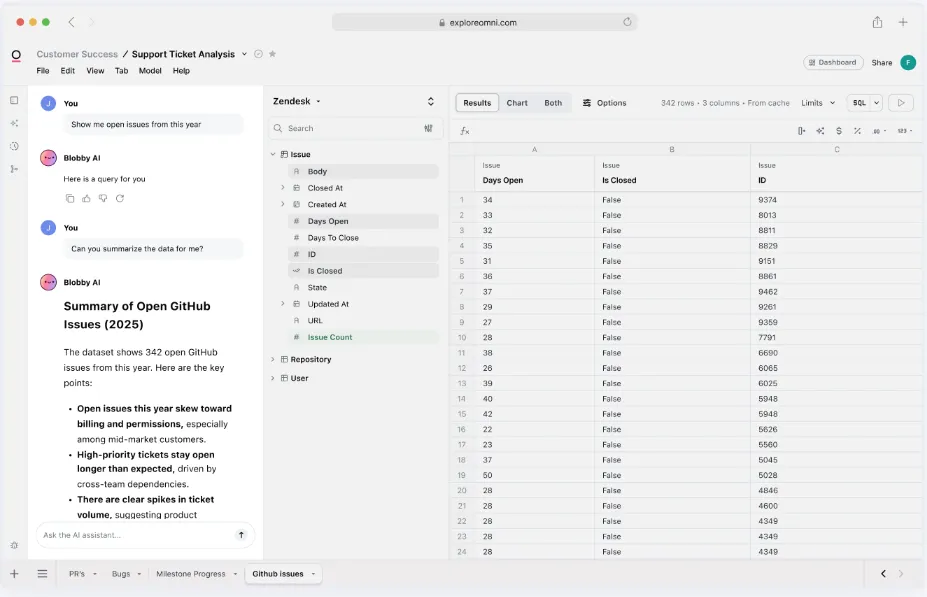
- Metrics-first modeling: Define metrics once in a centralized model with governed, reusable calculations that don't require rigid LookML-style workflows.
- AI in dashboards and workbooks: AI built into the exploration layer can summarize charts, generate queries, explain trends, and recommend next steps.
- Spreadsheet-like exploration: Analyze live warehouse data through a familiar spreadsheet interface while keeping governed metrics intact.
Omni pricing
Omni doesn't publish subscription pricing. You can request a free trial on their website and get a quote from their team.
Omni pros and cons
✅ Intuitive drag-and-drop interface.
✅ Strong dbt integration and direct warehouse querying.
❌ The platform is still evolving, with occasional rough edges and missing features that more mature platforms already cover.
What are the best enterprise BI platforms with AI data integration?
Some teams need more than a lightweight AI tool.
They need a platform that can ingest data from hundreds of sources, govern it at scale, and layer AI on top for exploration and decision-making.
These enterprise platforms combine built-in data connectivity with AI-powered analytics:
#1: Domo
Best for: Mid-to-large teams that want an all-in-one BI platform combining data ingestion, dashboards, automation, and AI-driven actions.
Similar to: Qlik Sense, Zoho Analytics.
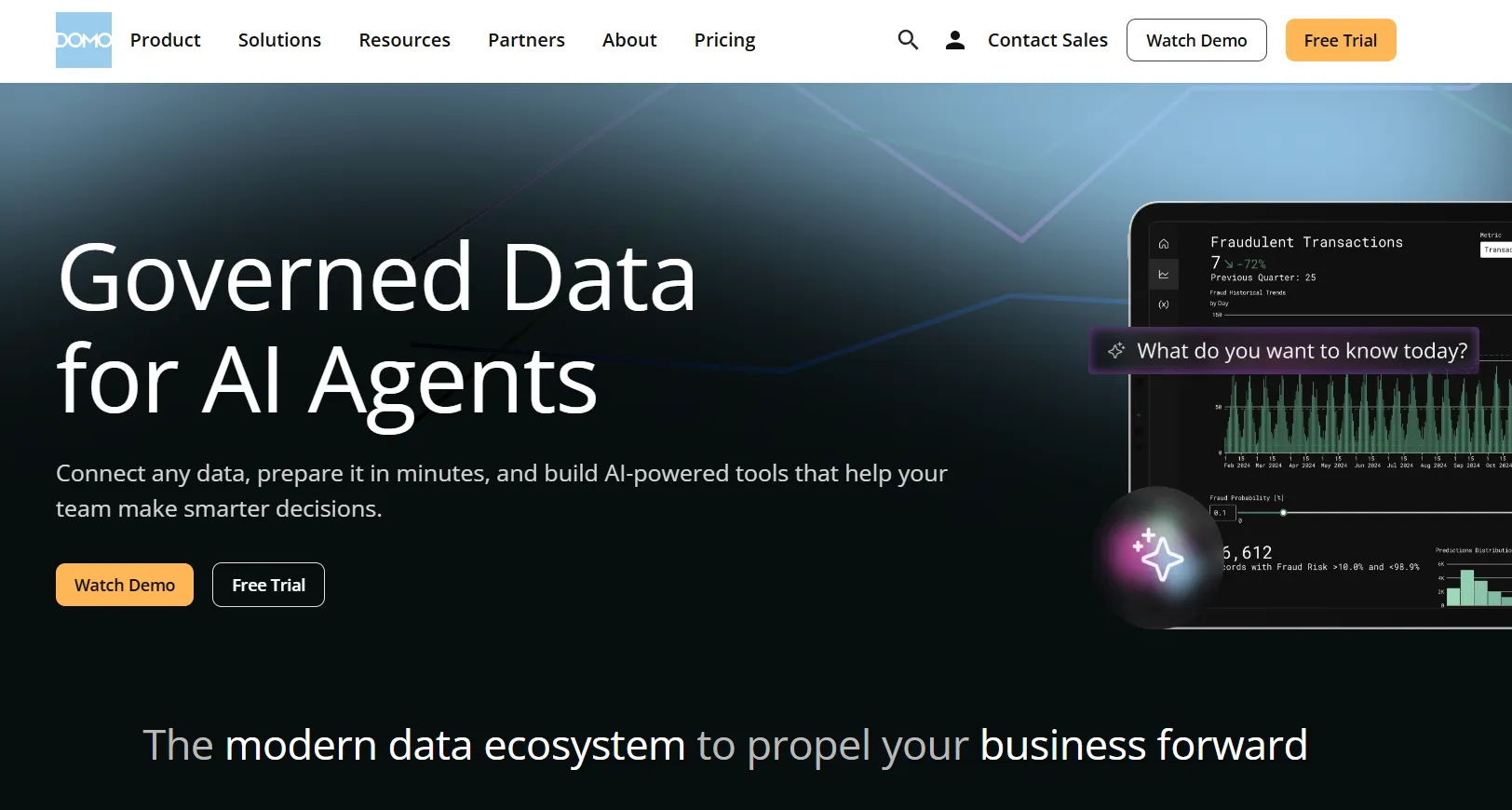
Domo is an end-to-end analytics platform that connects data from virtually any source and turns it into interactive, real-time dashboards.
It goes beyond reporting by combining automation and built-in AI to help teams act on insights.
Domo's top features
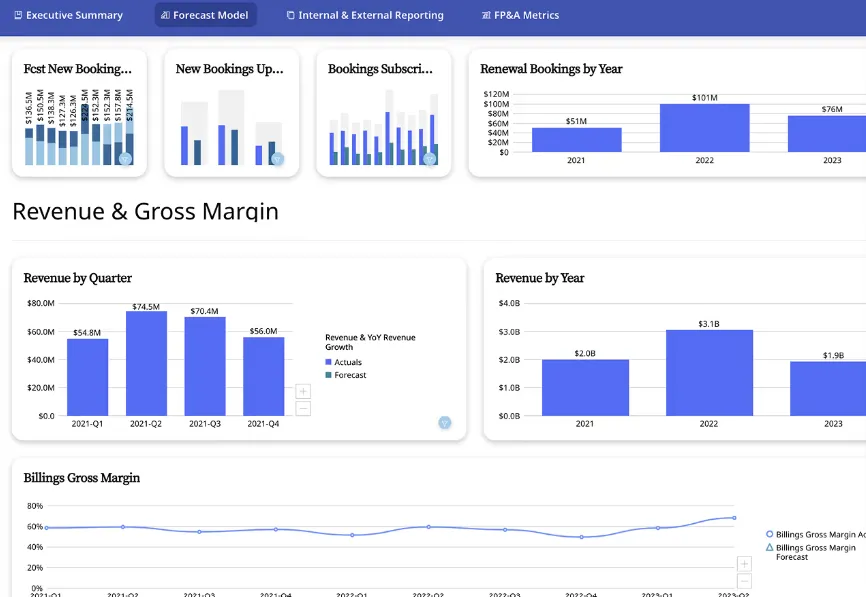
- Interactive dashboards and sharing: Build real-time dashboards that are easy to explore, share, and embed across teams or customer-facing apps.
- No-code analytics apps: Create custom, data-driven apps tailored to business workflows without writing code.
- AI-powered insights and chat: Ask questions in natural language, surface hidden trends, and use AI agents to automate decisions from dashboards.
Domo pricing
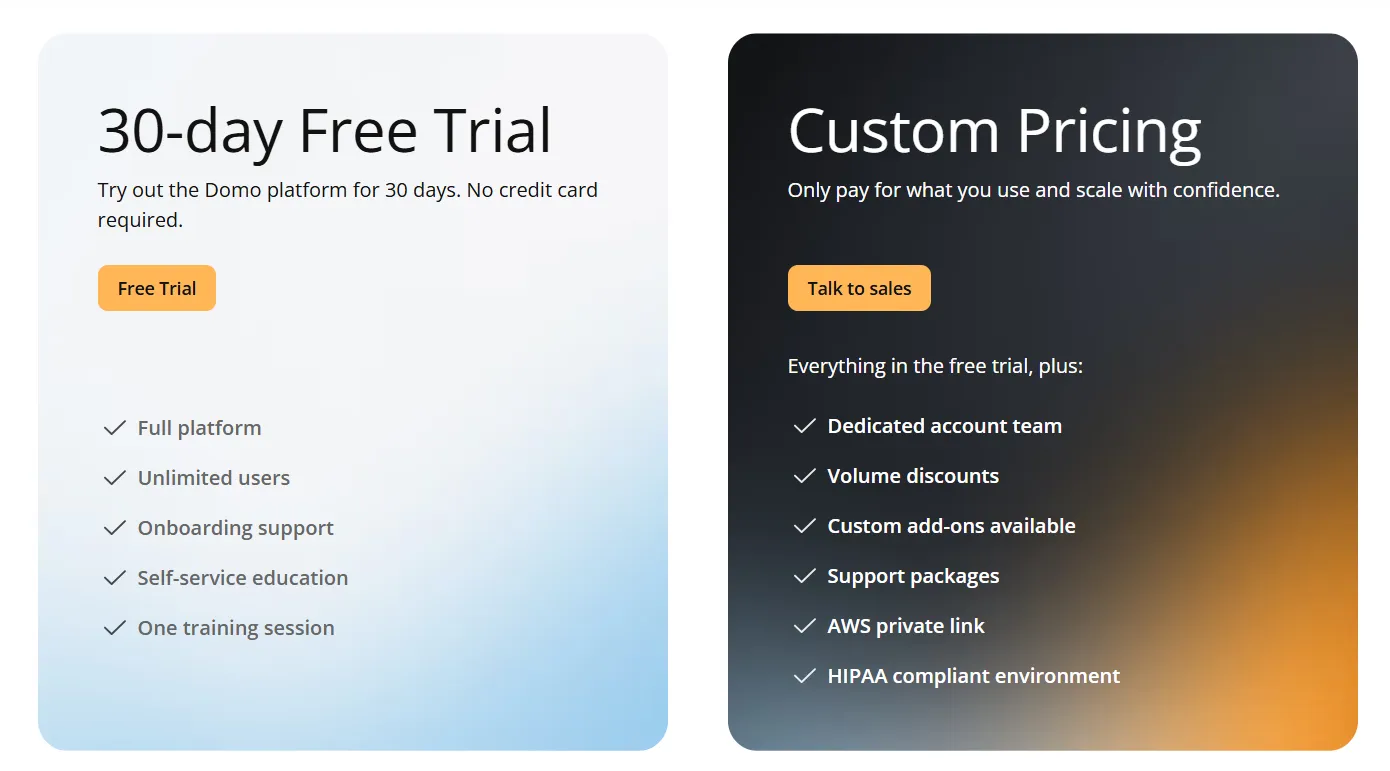
Domo has one paid plan and a free 30-day trial.
The trial includes unlimited users, full platform access, onboarding support, and one guided training session.
The paid tier is usage-based and scales with your analytics needs. It includes a dedicated account team, volume discounts, custom add-ons, and HIPAA-compliant hosting.
You'll have to contact sales for actual pricing details.
Domo pros and cons
✅ Very easy to use for non-technical teams.
✅ Hundreds of connectors for centralizing data from many sources in one place.
❌ AI features feel uneven and sometimes get pushed before they're ready for real workflows, which is why some teams have been looking forDomo alternatives.
❌ Pricing transparency is low.
#2: ThoughtSpot
Best for: Organizations that want AI-powered, self-service analytics with natural language search and automated dashboards.
Similar to: Tellius, Dot.
ThoughtSpot is built around the idea that anyone should be able to ask a question in plain language and get an instant answer from live data.
Its newer Spotter AI agent can automatically generate analyses, dashboards, and insights from unstructured prompts.
ThoughtSpot's top features
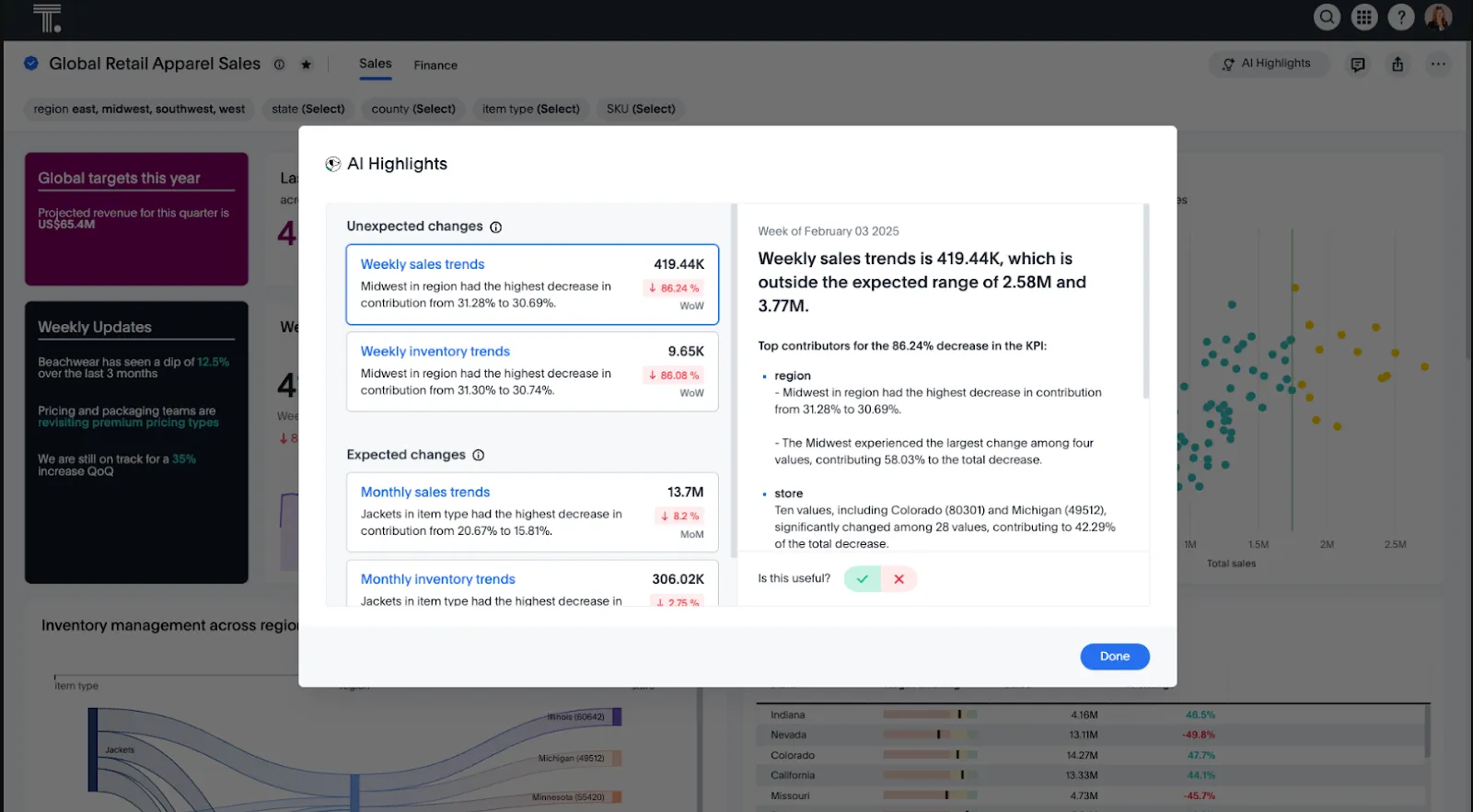
- Natural language analytics: Ask questions in plain English and get instant, governed answers from live data without navigating dashboards.
- Spotter AI agent: Automatically generates analyses, dashboards, and insights from prompts, reducing manual exploration.
- SpotterViz automated dashboards: You can turn data into complete, styled dashboards instantly without manual layout or formatting work.
- Embedded analytics: The Developer tier can give your team a year of free embeddable analytics with APIs and SDKs, which makes it a solid option as aPower BI alternative for teams building customer-facing data products.
ThoughtSpot pricing
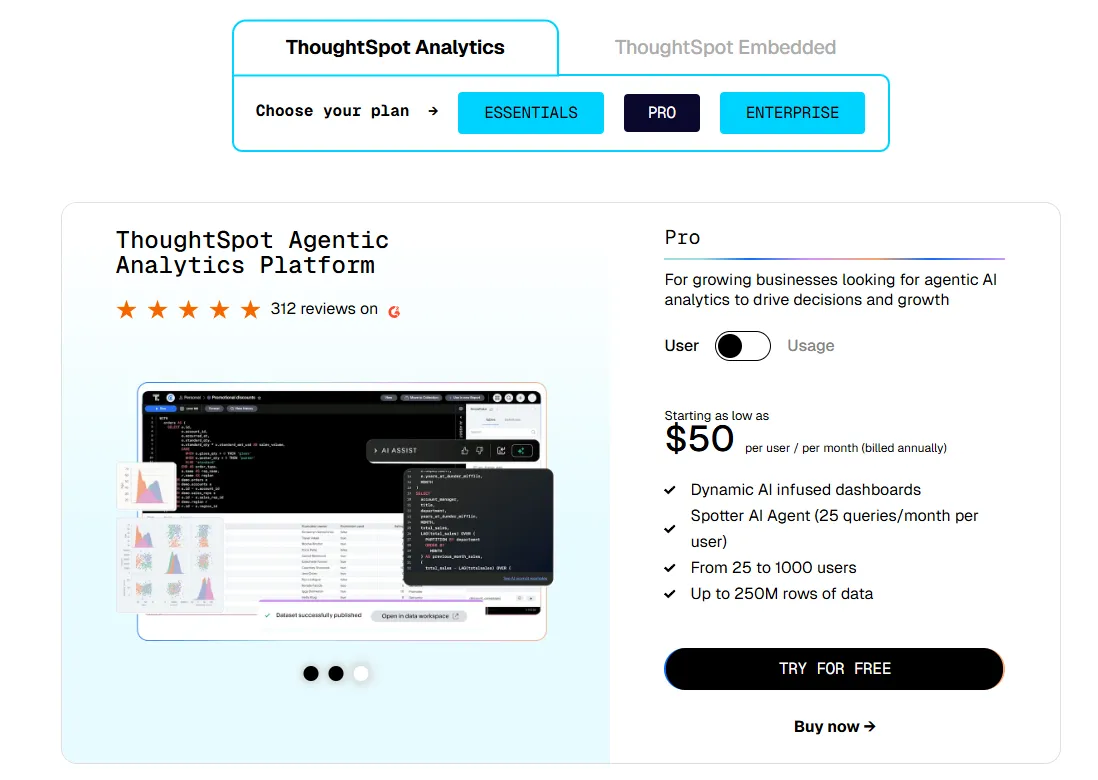
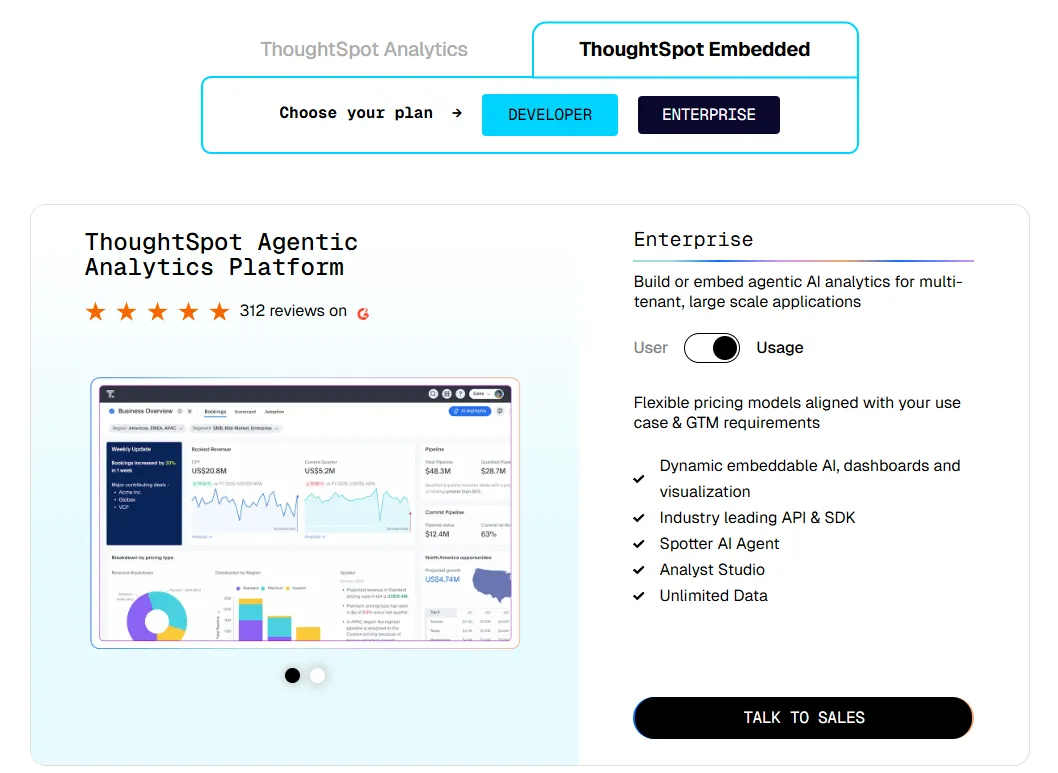
ThoughtSpot offers two separate products - ThoughtSpot Analytics for internal BI and ThoughtSpot Embedded for building analytics into applications - each with flexible pricing depending on scale and usage:
- ThoughtSpot Analytics:
- Essentials: From $25 per user per month (billed annually), for teams of 5-50 users, includes dynamic interactive dashboards and AI-powered insights and supports up to 25M rows of data.
- Pro (per user pricing): From $50 per user per month (billed annually), for 25–1,000 users, includes everything in Essentials, plus AI-infused dashboards and Spotter AI Agent (25 queries per user/month), and supports up to 250M rows of data.
- Pro (usage-based): From $0.10 per query, includes everything in Pro per user, and adds Analyst Studio.
- Enterprise (user or usage-based): Custom pricing, includes everything in Pro, plus unlimited users and data.
- ThoughtSpot Embedded:
- Developer: Free for 1 year, includes embeddable AI analytics, dashboards, and visualizations, APIs and SDKs, up to 10 users and 25M rows of data.
- Enterprise (user-based): Custom pricing, includes everything in Developer, plus unlimited data.
- Enterprise (usage-based): Custom pricing, everything in Enterprise, plus Spotter AI Agent and Analyst Studio.
ThoughtSpot pros and cons
✅ Easy for non-technical users to get started with.
✅ AI surfaces patterns and explanations faster than traditional dashboards.
❌ Custom and usage-based pricing makes costs hard to predict at scale.
❌ Can feel limited once you move beyond standard search-style analytics.
#3: Qlik Sense
Best for: Organizations in highly governed industries that want powerful, interactive data exploration with strong on-prem deployment options.
Similar to: Domo, ThoughtSpot.
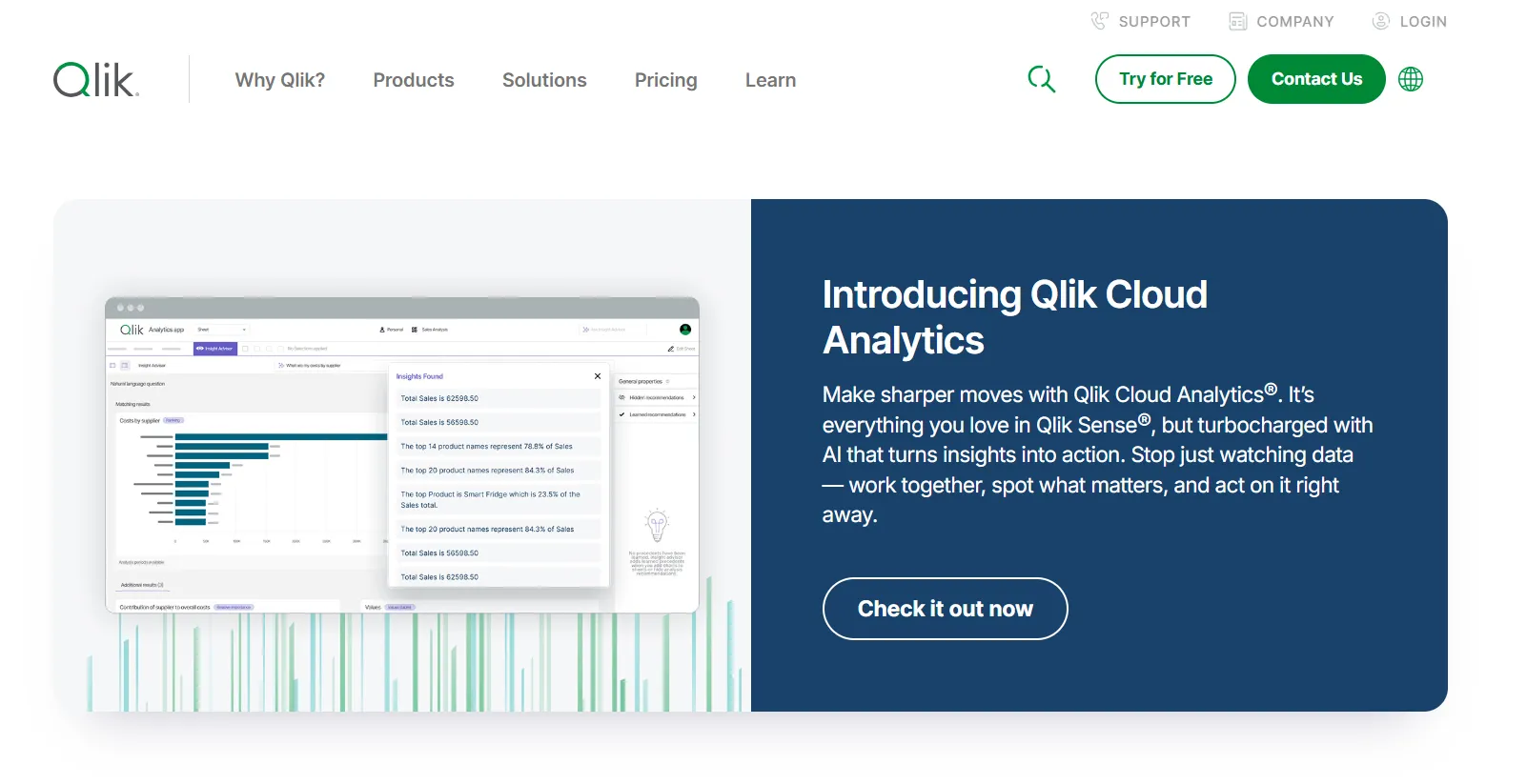
Qlik Sense is known for its associative analytics engine, which lets users explore data in any direction without being locked into predefined queries.
It's a good fit for teams dealing with complex, cross-functional datasets where relationships between variables aren't always obvious upfront.
I’d think of it as a solid pick for teams evaluating alternatives to tools like MindsDB that want enterprise-grade analytics with built-in AI.
Qlik Sense's top features
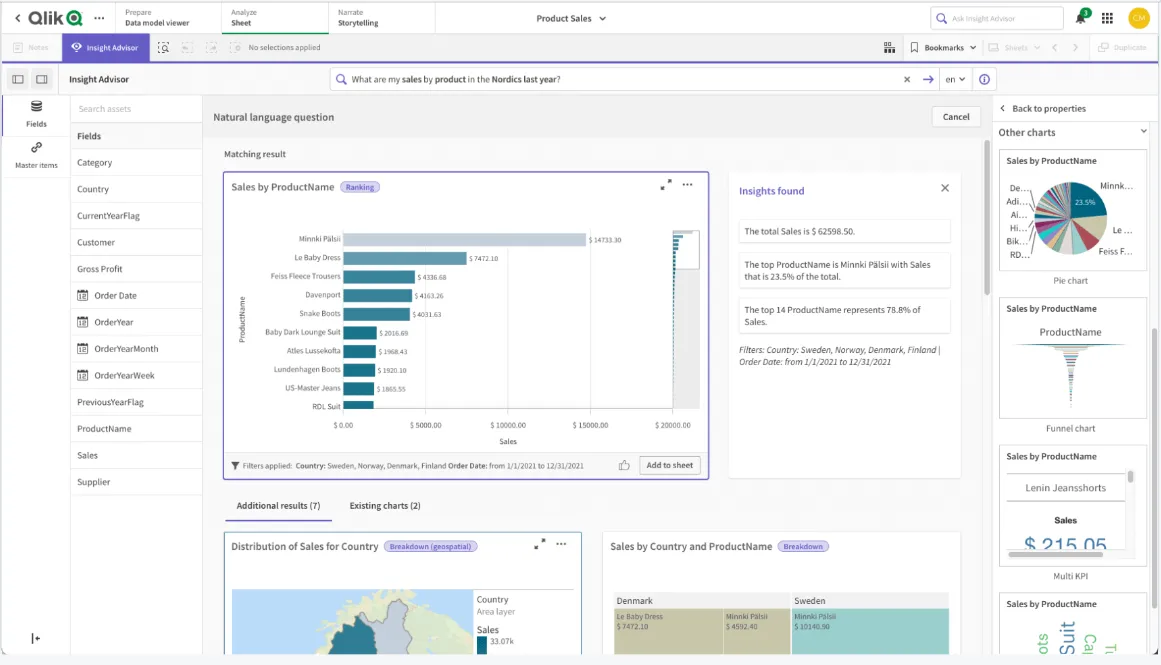
- Associative analytics engine: Select values across charts and tables, and the engine instantly recalculates everything in context, showing both related and unrelated data.
- AI-powered augmented analytics: Built-in AI generates insights automatically, supports natural language search, and enables predictive analytics.
- Real-time alerts and automation: Monitor data changes with intelligent alerts and trigger automated actions when thresholds are crossed.
Qlik Sense pricing
Qlik doesn't publish pricing for Qlik Sense. You'll need to contact their sales team for a custom quote.

Qlik Sense pros and cons
✅ Highly flexible and customizable.
✅ Scales well for enterprise use with large data volumes.
❌ Expensive, especially for broader rollouts.
❌ Steeper learning curve than some modern BI alternatives.
What are the best AI-powered data pipeline and integration tools?
Not every team needs another analytics layer.
Some need to solve a more fundamental problem: getting the right data into the right place, cleaned up and ready for whatever comes next.
These tools focus on moving, syncing, and preparing data across your stack:
#1: Zoho Analytics
Best for: Teams that want a budget-friendly BI platform with strong data preparation, AI features, and tight integration with Zoho apps.
Similar to: Domo, Supaboard.
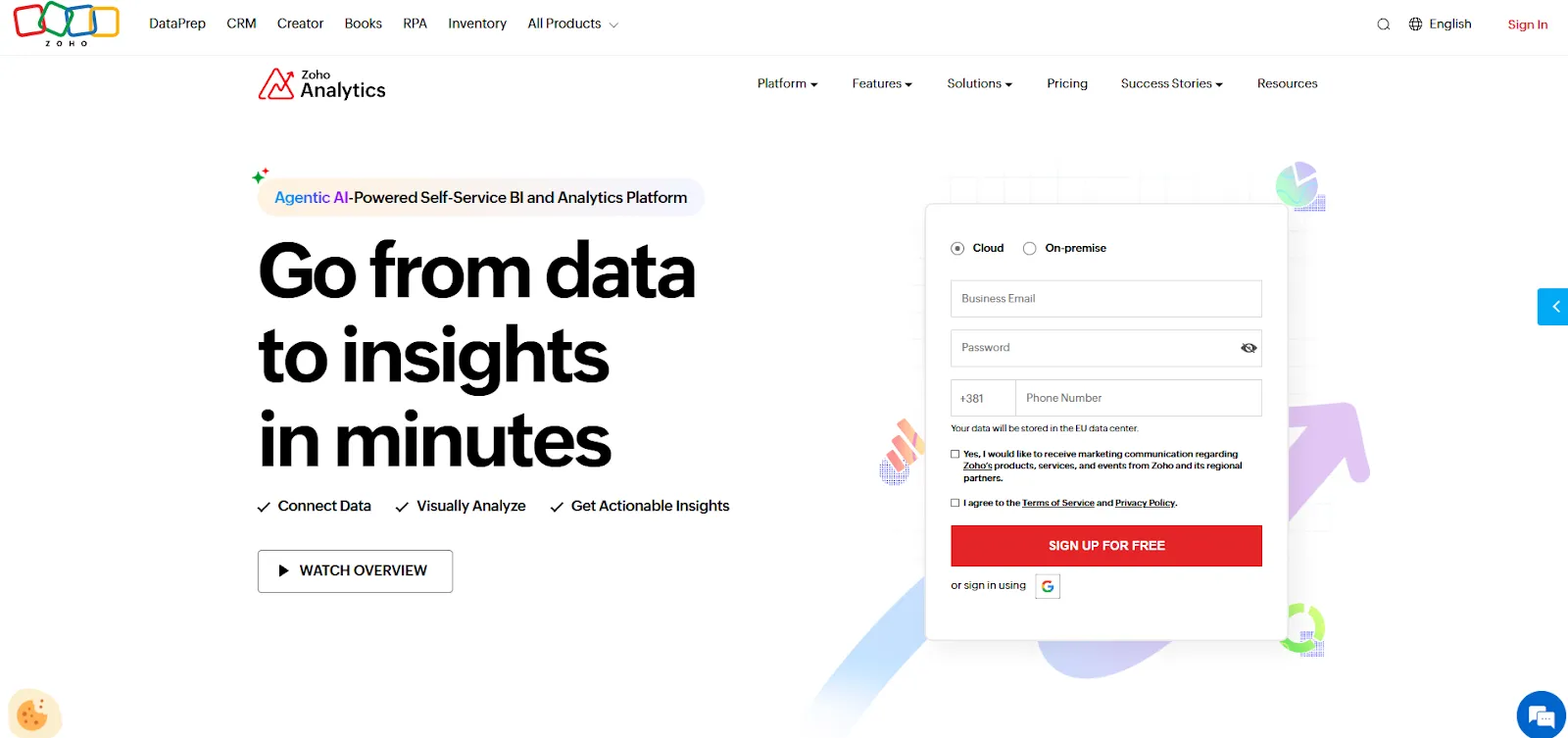
Zoho Analytics sits at the intersection of data integration and analytics.
It pulls data from a wide range of sources, offers 250 no-code transformations for cleaning and preparation, and layers AI-powered dashboards and reporting on top.
Zoho Analytics's top features
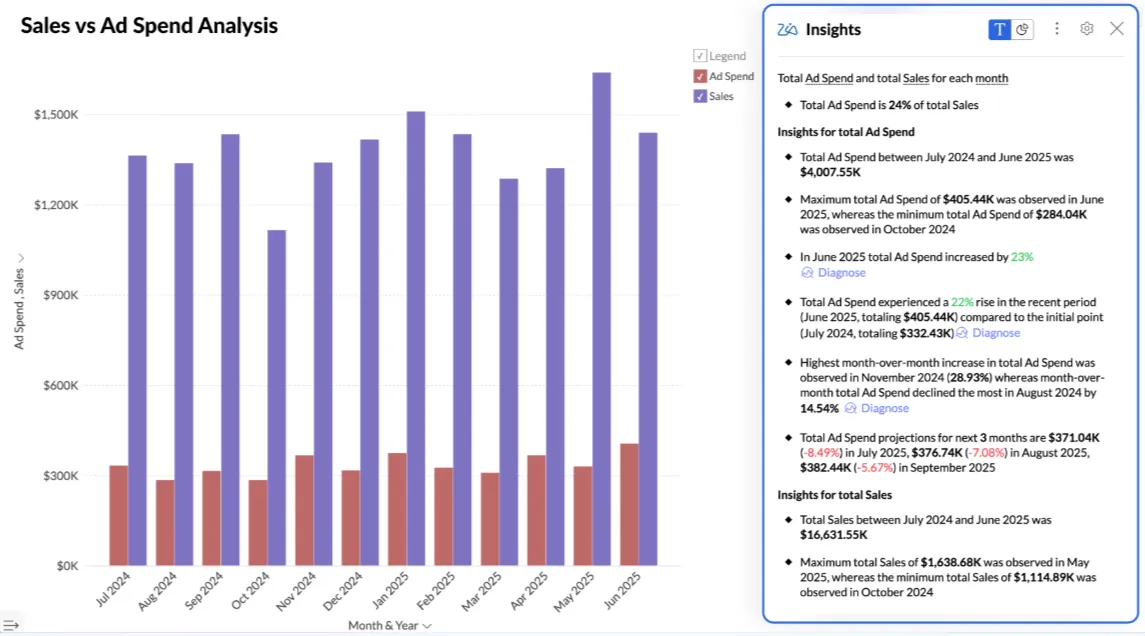
- Ask Zia (conversational AI): Analyze data, build reports, and get predictions and recommendations through natural language queries.
- Data preparation and metrics layer: Clean, transform, and model data with 250 no-code transformations while managing business metrics centrally.
- Flexible dashboards and embedded BI: Build interactive dashboards with 50 visualization types and embed analytics into apps or customer-facing products.
Zoho Analytics pricing
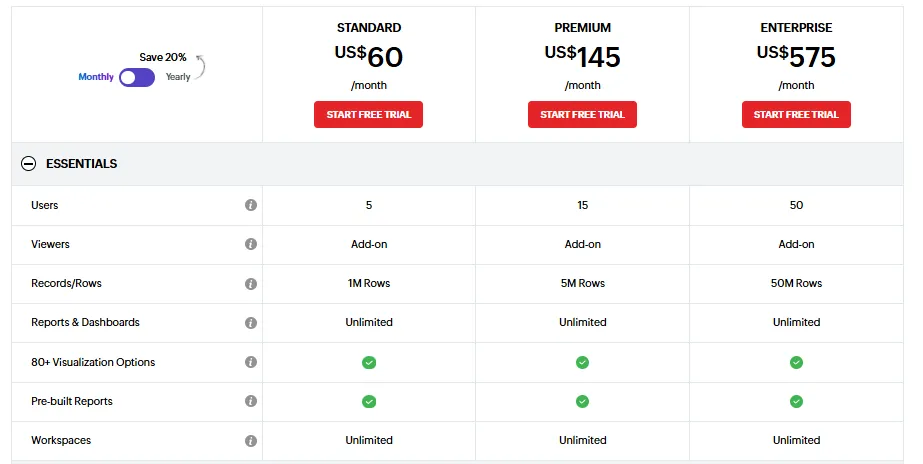
Zoho Analytics has three plans:
- Standard: $60/month, includes up to 5 users, 1M rows, unlimited workspaces, reports, dashboards, and basic AI features.
- Premium: $145/month, includes up to 15 users, everything in Standard, 5M rows, more advanced data integration, and all AI features except AI studio.
- Enterprise: $575/month, includes up to 50 users, everything in Premium, 50M rows, advanced governance and security, and AI studio.
Zoho Analytics pros and cons
✅ Good value for money with a clean interface.
✅ Tight integration with Zoho apps and popular third-party tools.
❌ The user interface is not top-notch, according to a G2 review.
#2: Fivetran
Best for: Data teams that want automated, managed data pipelines with hundreds of pre-built connectors and minimal engineering maintenance.
Similar to: Airbyte, Domo.
Fivetran is a data movement platform that automates the sync between your SaaS apps, databases, and data warehouse.
It doesn't analyze data or answer questions, but it makes sure the data feeding your analytics tools is accurate, fresh, and reliable.
Fivetran's top features
- Automated data enrichment and transformations: The platform enriches and prepares data before activation, ensuring tools receive analytics-ready datasets.
- Reverse ETL and data activation: Push transformed warehouse data back into operational tools like CRMs, marketing platforms, and support systems.
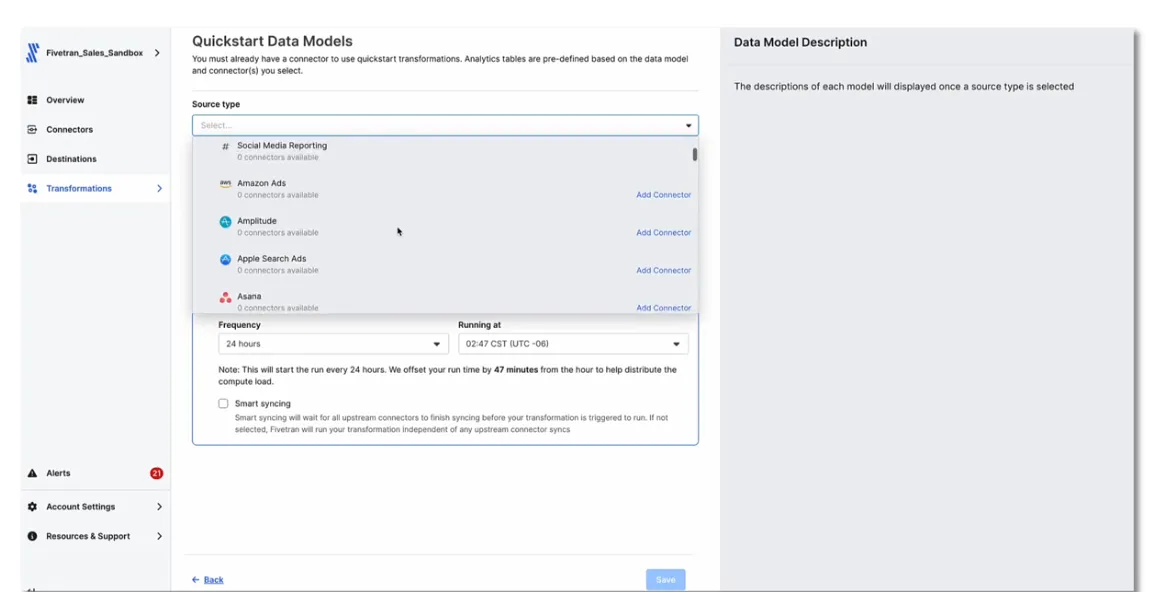
- Pre-built Quickstart data models: Ready-made data models that turn raw app data into clean, analytics-ready tables without SQL or dbt setup.
Fivetran pricing
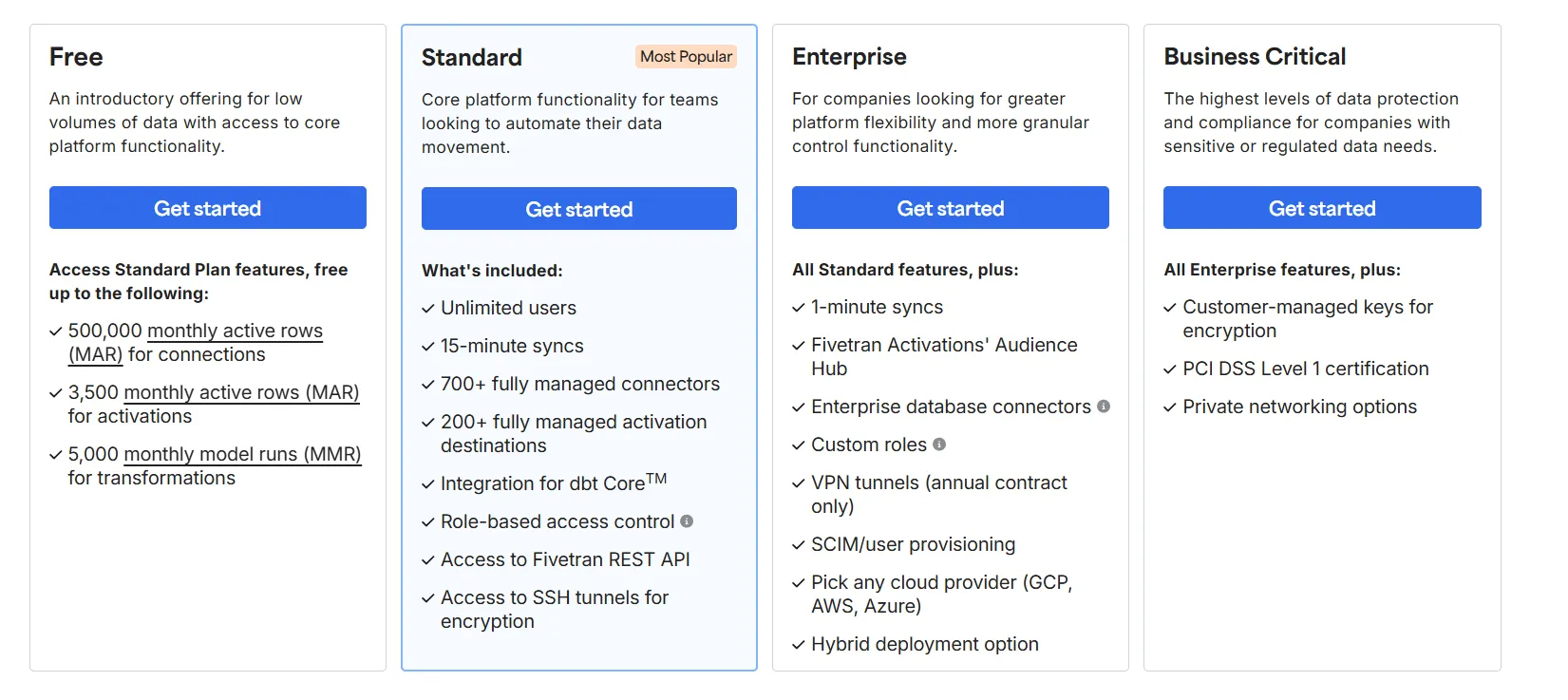
Fivetran uses usage-based pricing with a free plan that includes 500,000 monthly active rows for data connections and 3,500 for activations.
There are three paid tiers, all at custom pricing:
- Standard: Includes unlimited users, 15-minute syncs, 700 connectors, 200 activation destinations, dbt Core integration, RBAC, and API access.
- Enterprise: Adds 1-minute syncs, Audience Hub, enterprise database connectors, custom roles, and hybrid deployment.
- Business Critical: Adds customer-managed encryption keys, PCI DSS Level 1 certification, and private networking.
Since none of the paid plans publishes prices, you'll have to contact sales.
Fivetran pros and cons
✅ Very easy to set up, even without dedicated data engineers.
✅ Massive connector library for centralizing data from many sources.
❌ Not built for answering questions or generating insights. It only moves data.
❌ Pricing can escalate quickly as data volumes grow.
#3: Airbyte
Best for: Technical teams that want open-source, customizable data pipelines with control over deployment and cost.
Similar to: Fivetran, Zoho Analytics.
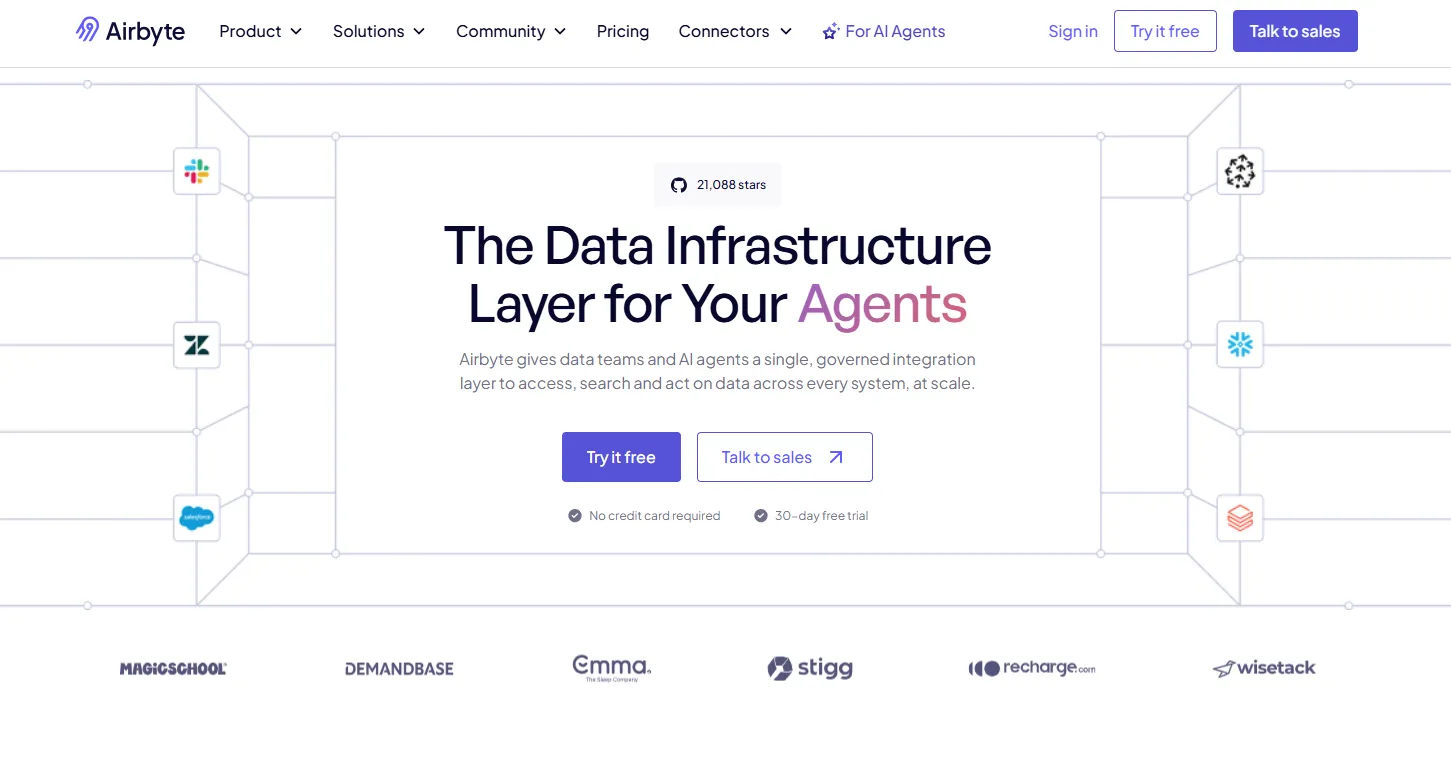
Airbyte is an open-source ELT platform designed for teams that want full control over how their data moves between sources and destinations.
With 600 connectors and an AI-assisted connector builder, it covers both batch replication for analytics and real-time agent-ready data infrastructure.
Airbyte's top features
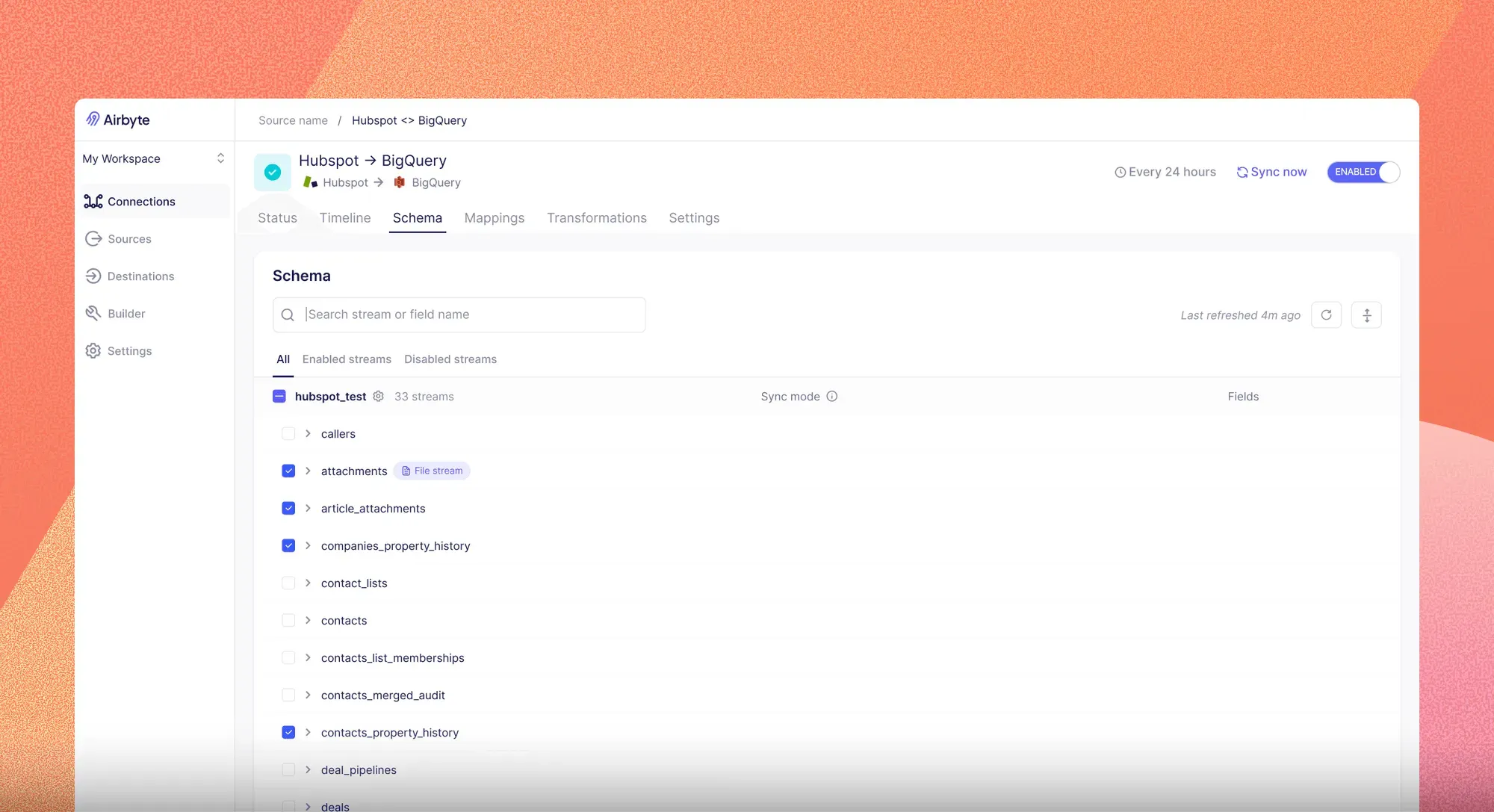
- 600 connectors with open-source flexibility: Pre-built integrations for SaaS tools, databases, APIs, and even vector databases for AI workloads, all backed by an Apache-licensed codebase you can extend.
- AI-assisted connector builder: Turn an API spec or a plain-language prompt into a production-ready connector in minutes, with automatic schema mapping and self-healing when upstream changes break things.
- Flexible deployment: Run Airbyte as a managed cloud service, self-hosted in your own infrastructure, or in a hybrid setup for teams with data residency requirements.
Airbyte pricing
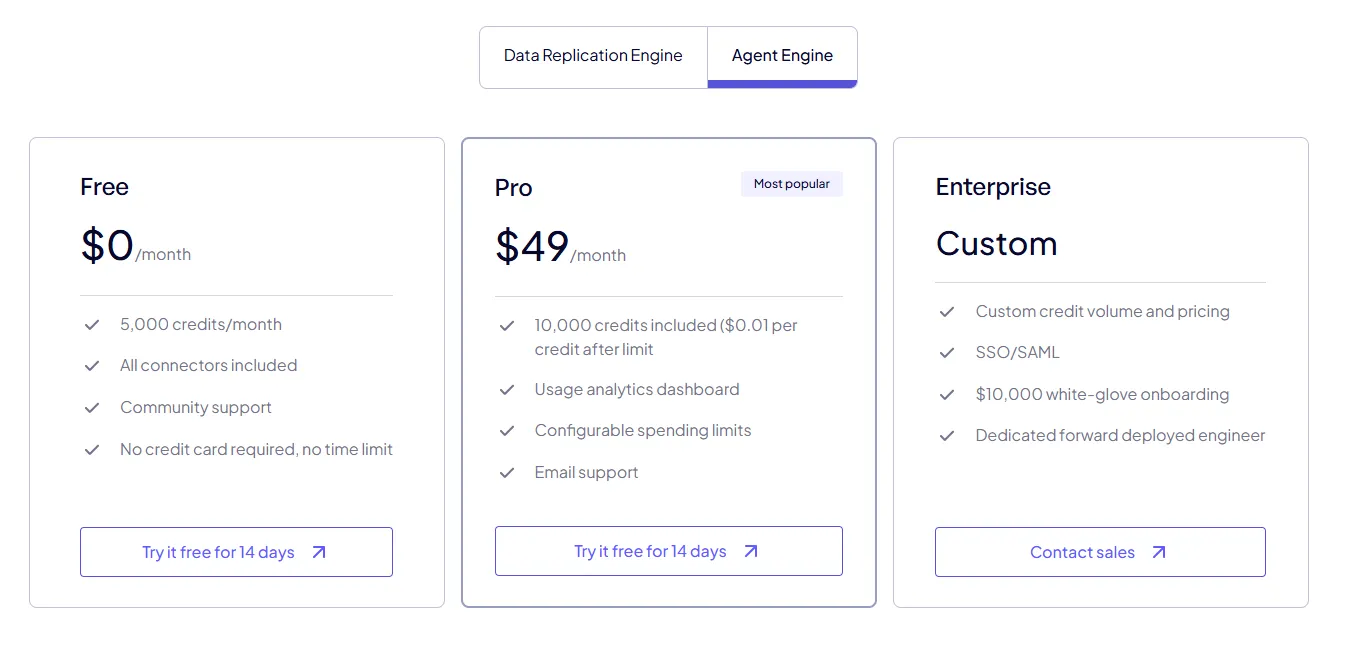
Airbyte has two separate product lines, each with its own pricing: the Data Replication Engine (for ELT pipelines) and the Agent Engine (for AI agent data infrastructure).
Data Replication Engine:
- Core: Free forever, self-managed open-source deployment. You run the infrastructure yourself.
- Standard: From $10/month, fully managed cloud hosting with volume-based pricing. Best for practitioners who want to deploy quickly.
- Plus: Custom pricing (sold through sales), fully managed cloud with volume-based pricing, accelerated support, and annual billing. Built for small teams that want predictable costs.
- Pro: Custom pricing (sold through sales), fully managed cloud with capacity-based pricing via Data Workers, multiple workspaces, SSO, RBAC, and premium support.
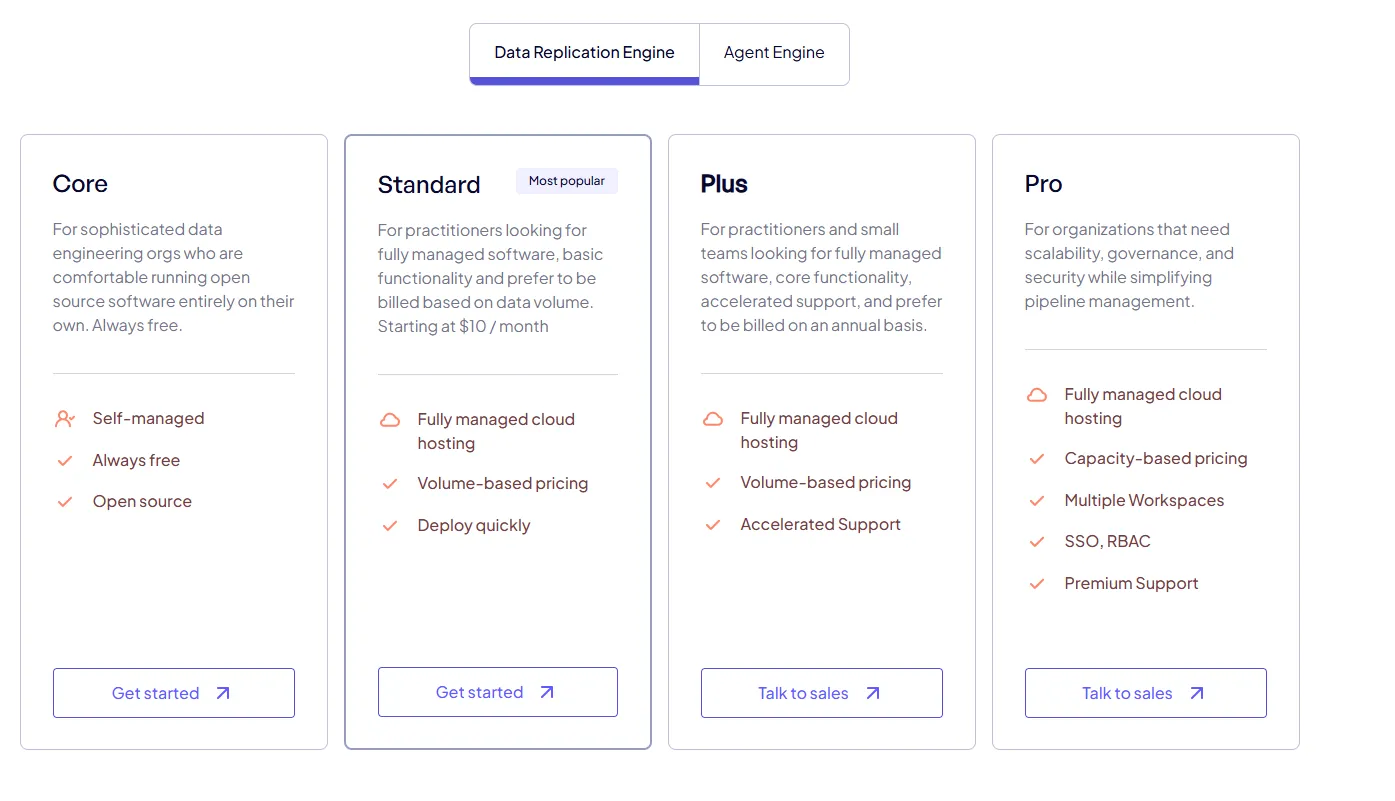
The Standard plan charges based on the data volume moved.
Plus and Pro use a capacity model built on Data Workers, which are dedicated compute units that power your pipelines.
Your cost depends on how many pipelines you run in parallel rather than how much data passes through.
Agent Engine:
- Free: $0/month with 5,000 credits per month, all connectors included, and community support.
- Pro: $49/month with 10,000 credits included, then $0.01 per credit after the limit. Includes usage analytics and email support.
- Enterprise: Custom pricing with custom credit volume, SSO and SAML, $10,000 white-glove onboarding, and a dedicated forward-deployed engineer.
Airbyte pros and cons
✅ Genuinely free open-source option with full codebase access.
✅ Huge connector library that keeps growing.
✅ AI-assisted builder makes custom connectors fast to create.
❌ Connector reliability varies across the library.
❌ Plus and Pro pricing for the Replication Engine aren't published, so budgeting requires a sales conversation.
Get answers from your data, not just pipelines
That covers the 10 best AI data integration tools for teams that want to connect their data, make sense of it, and actually get value out of it.
Some of these platforms focus on moving data reliably.
Others focus on governing it at an enterprise scale. And a few focus on turning connected data into real answers.
Dot sits in that last group.
Instead of building more dashboards or maintaining more pipelines, Dot connects directly to your warehouse, learns your business context, and delivers analysis with recommendations.
Every insight carries a full audit trail, so you can trace it back to the exact SQL and datasets used.
If your team spends more time preparing reports and waiting on analysts than it does making decisions, Dot is built for that exact problem.
Here's what you get when you sign up for Dot:
- An AI data analyst that answers complex business questions in Slack, Teams, or the web app in minutes.
- Automated executive-ready business review reports delivered on the schedule you set.
- A Context Agent that maintains shared business definitions and flags inconsistencies across your data.
- Connections to Snowflake, BigQuery, Redshift, Databricks, Postgres, MySQL, and more.
- Integration with your existing dbt, Looker, and Power BI logic so you don't rebuild anything.
- MCP support for connecting Dot to Claude, ChatGPT, Cursor, and other AI assistants.
Get started for free with Dot's free plan, or schedule a demo to see how it works with your data.
Theo Tortorici
Theo writes about AI-powered analytics, data tools, and the future of business intelligence at Dot.