
Take work from analysis to action with personal connectors, use Dot inside your favorite AI tools, and make your credits go further.
Take the work from analysis to action
Personal connectors help Dot analyze with full context and keep the results organized. Bring the documents, notes, and conversations around your work into Dot, alongside your warehouse.
For example, ask Dot to review inventory and past spend together with the supplier contract in Google Drive. Then have it build a PowerPoint deck for the negotiation and save it to a new negotiation folder in Drive, together with the supporting material. The analysis can move straight into the work it was meant to support.
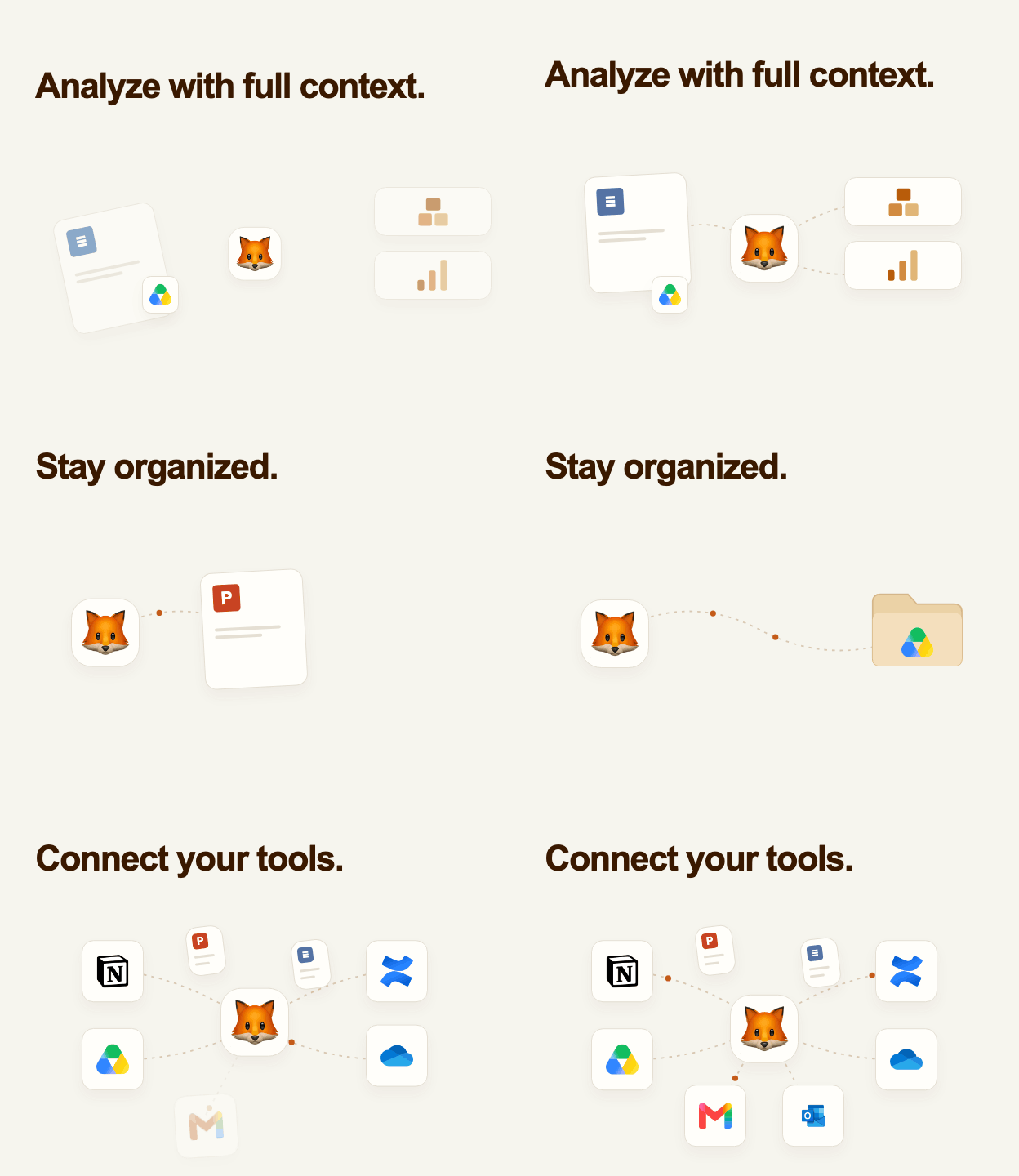
Connect Notion, Confluence, Google Drive, OneDrive, Gmail, or Outlook from Profile → Connectors. Your connections are personal: only you can use them, and each connector shows what Dot can read before you connect. They are read-only by default. If your admin allows a connector to write, you see a preview and approve each action before it runs. Slack, Teams, Google Calendar, Zoom, SharePoint, Dropbox, Box, Jira, and the new Linear connector are available too. When a question needs a connection you have not made yet, Dot can offer a Connect button right in the chat.
Dot works inside the conversation you already have open
You can use Dot from Claude, Cursor, or Codex. With MCP Apps, clients that support them now show Dot's progress, charts, tables, and interactive apps directly in the conversation. In Claude, you can ask a data question, follow up from Dot's answer, change a dashboard's filters, or build and publish an app without opening a second tab.

Open Profile → Use Dot elsewhere for the setup for your client. The MCP connection uses your existing Dot permissions.
Frontier is about 40% cheaper
We made Frontier about 40% cheaper and Balanced about 30% cheaper over the past month, measured in credits for the same work. The new rates already apply, so your existing credits go further without changing your plan. Economy pricing is unchanged.
Keep the dashboards. Retire the licenses.
If a few dashboards are keeping a BI subscription alive, move them into Dot Apps. Dot can rebuild dashboards from Tableau, Power BI, Mixpanel, Metabase, and Sigma, using your connected warehouse. It recreates the charts, filters, and tabs, compares the result with the source, and reports any remaining differences.
Connect the source and the underlying warehouse, then send Dot a dashboard link and ask it to migrate it. Once you have checked the result, share it with unlimited users in Dot and retire the corresponding BI licenses. Mixpanel is the newest addition, so the workflow now reaches your product analytics boards too.
PowerPoint decks follow your brand template more closely and use fewer credits. Dot checks the slides for overlapping text, clipped content, and broken tables before handing them over.
App tables now support expandable hierarchies and pivot columns. Viewers can drill into rows, sort, resize columns, copy the current view, or export it as CSV. A new hierarchy filter lets you pick a whole category or individual items from one dropdown.
Proposals have a dedicated review page with file diffs and partial merges. You can filter the inbox by who started a proposal, date, or data gaps, and use Test in environment to ask Dot questions against a proposed change before merging it.
Also, Dot can answer questions about how to use the product from its documentation. Schedules can run every weekday, and dashboard emails can show the dashboard directly in the message with an optional PDF. Admins can connect additional sources through their own MCP servers, and connection credentials can live in their own AWS Secrets Manager.