
10 Best MindsDB Alternatives & Competitors In 2026
In this article, I’ll take an honest look at which MindsDB alternatives make more sense depending on how your team actually works with data.
TL;DR
- Dot offers the best alternative to MindsDB if your real bottleneck is turning warehouse data into clear answers and actions, instead of training more models. It connects directly to your data warehouse, explains what changed and why in plain language, automates recurring business reviews, and delivers decision-ready insights via Slack, Teams, or email without dashboards, SQL, or ML workflows.
- MindsDB is powerful for bringing machine learning closer to the database, but many teams outgrow it once analytics needs shift from building models to explaining what’s happening and why. As usage scales, teams often hit friction around operational complexity, technical ownership, and the gap between model outputs and decision-ready insights for the business.
- Most other MindsDB alternatives fall into two camps: AI-assisted analytics platforms (ThoughtSpot, Tellius, DataGPT, Zenlytic) that focus on self-serve exploration and governed insights, and traditional or warehouse-native BI tools (Metabase, Mode, Sigma, Power BI) that prioritize reporting, analyst workflows, and standardized dashboards rather than end-to-end decision support.
Why do some teams eventually move on from MindsDB?
To be clear upfront: MindsDB is doing something genuinely important.
It lowers the barrier to machine learning-powered analytics by letting teams run predictive models directly on top of their existing databases, often using natural language or light SQL instead of full ML pipelines.
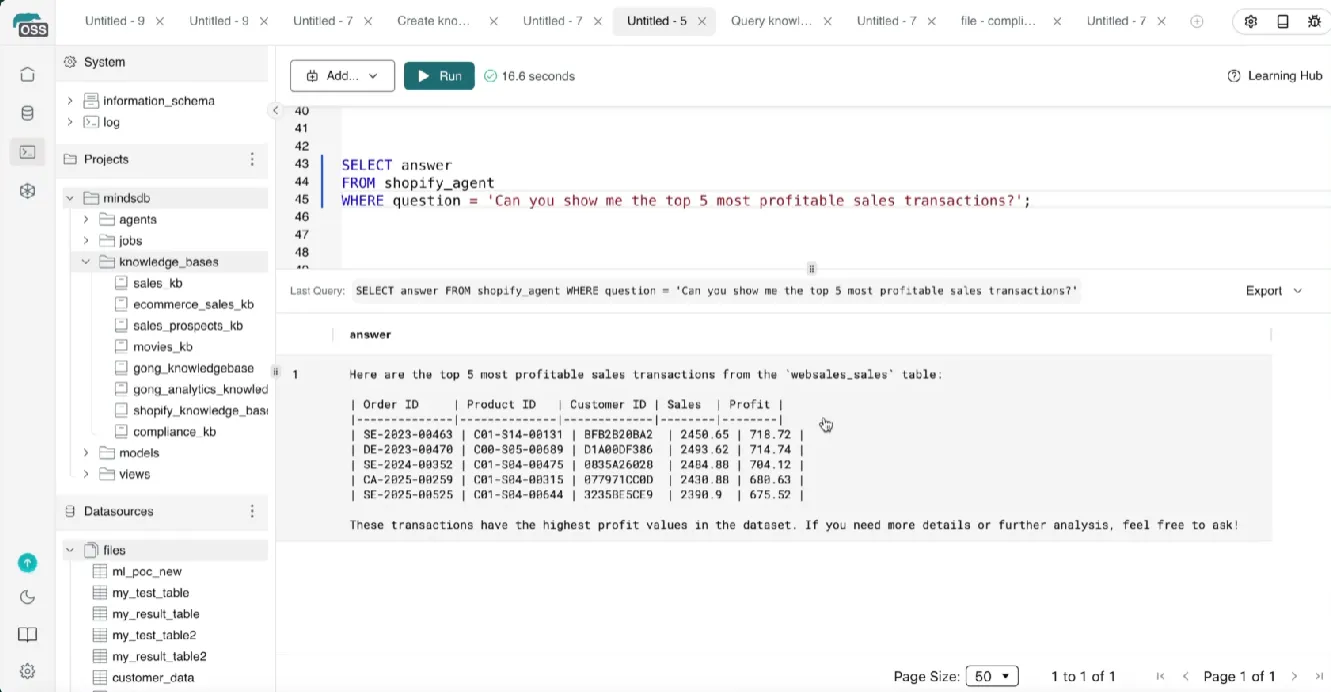
For developers, analysts, and ML-curious teams, it’s a fast way to experiment with AI-powered analytics without standing up heavy infrastructure or learning new frameworks.
That said, once teams move beyond experimentation and try to operationalize insights across the business, a few recurring friction points tend to show up.
1. It’s great for models, but less great for everyday business questions
MindsDB shines when the goal is building or invoking models close to the data.
Training is fast, predictions are accurate, and the database-native approach is elegant.
Where some teams struggle is when usage shifts from “Can we predict X?” to “Why did this metric change, and what should we do about it?”
Business users often want:
- Explanations, not just outputs.
- Context across metrics, time periods, and teams.
- Clear takeaways they can act on immediately.
MindsDB can answer questions, but many teams find that turning model results into decision-ready insight still requires analyst interpretation, follow-up queries, or downstream tooling.
In practice, this means it’s powerful for technical users, but less opinionated about helping non-technical teams consistently move from data → insight → action.
2. Architecture and deployment can feel rigid as usage grows
Several users point out that while MindsDB’s open-source offering is accessible, its container-based architecture can become limiting in real-world setups.
Common concerns include:
- Components packaged into a single large Docker container.
- Limited ability to scale individual parts independently.
- More manual work to adapt the system to complex or evolving environments.
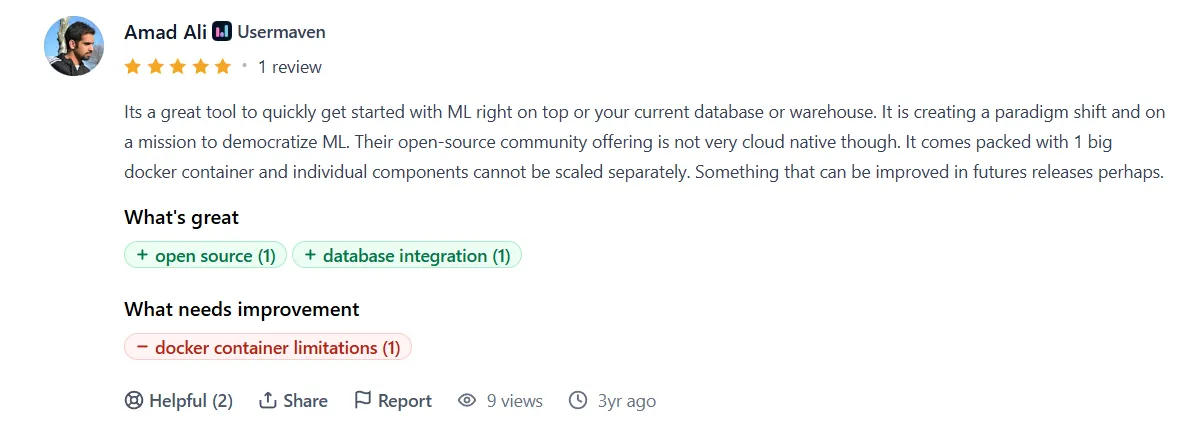
“Its a great tool to quickly get started with ML right on top or your current database or warehouse. It is creating a paradigm shift and on a mission to democratize ML. Their open-source community offering is not very cloud native though. It comes packed with 1 big docker container and individual components cannot be scaled separately. Something that can be improved in future releases perhaps.” - Product Hunt Review
For teams experimenting locally or running small projects, this isn’t a dealbreaker.
But for organizations trying to scale AI analytics across multiple teams, data sources, or use cases, the lack of modular scalability can start to slow things down.
This is especially noticeable for teams that expect the platform to adapt as quickly as their business questions change.
3. Customization and advanced use cases still require technical depth
MindsDB positions itself as democratizing ML, and to an extent, it does.
Basic use cases are beginner-friendly, and many users highlight how easy it is to get started.
However, reviews and real-world feedback suggest that:
- More complex setups still demand solid technical knowledge.
- Advanced customization isn’t always straightforward.
- Business logic, governance, and evolving context often need manual handling.
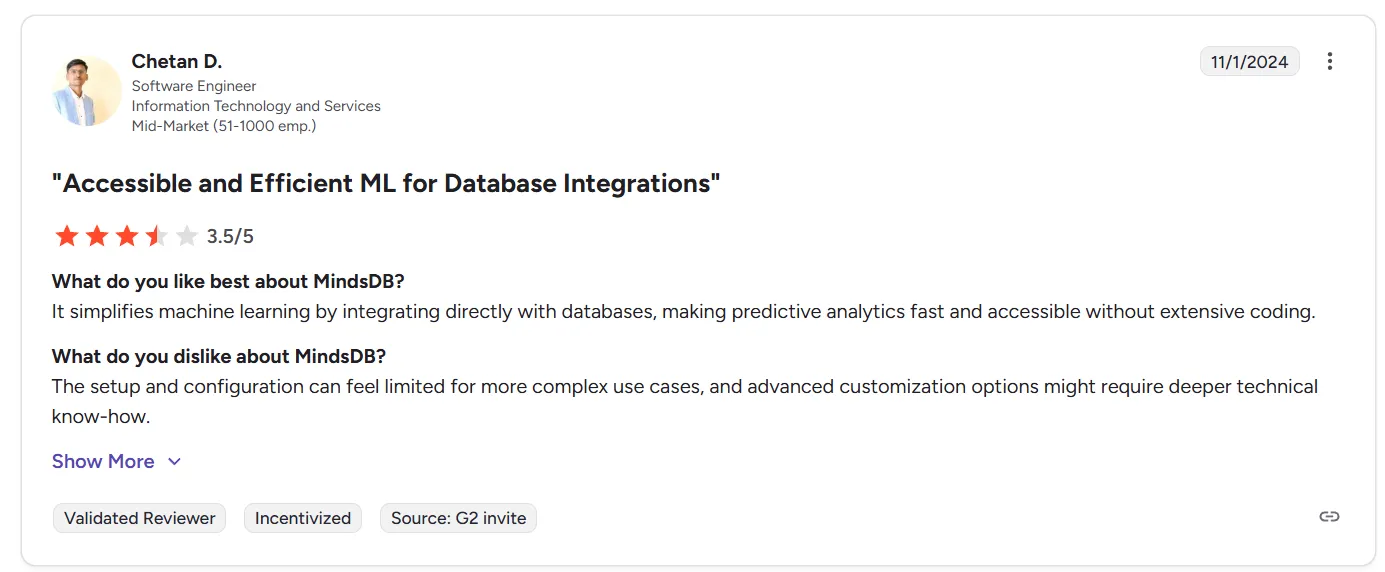
“The setup and configuration can feel limited for more complex use cases, and advanced customization options might require deeper technical know-how.” - G2 Review
In other words, while MindsDB removes some barriers, it doesn’t fully eliminate the need for technical ownership, especially once teams rely on it for ongoing decision-making rather than isolated predictions.
What are the 10 best MindsDB alternatives & competitors in 2026?
The best three MindsDB alternatives are Dot, ThoughtSpot, and Sigma.
Other alternatives include the following:
Tool | What it’s best at | Pricing |
Dot | An AI analytics agent that connects directly to your data warehouse and explains what’s happening in your business, why it’s happening, and what to do next without manual analysis. | Free plan; Paid from $180/month. |
ThoughtSpot | Search- and AI-driven analytics that lets business users ask questions in natural language on top of governed enterprise data. | From $25/user/month |
Sigma | Spreadsheet-style analytics on live warehouse data, popular with finance and ops teams that want hands-on exploration without SQL. | Custom pricing |
Tellius | AI-powered root-cause, trend, and key-driver analysis for answering complex “why” questions without heavy dashboards or SQL. | Custom pricing |
Fivetran | Activating warehouse data inside operational tools (CRM, marketing, support) via reverse ETL rather than answering questions directly. | Free tier available, paid plans are usage-based (custom pricing) |
DataGPT | Analyst-grade conversational analytics that runs multi-step investigations to explain why metrics change, not just what happened. | From $2,750/month (annual), pilots from $10k / 3 months |
Zenlytic | Governed, explainable self-serve analytics with consistent metrics, citations, and AI answers you can verify and trust. | Custom pricing |
Metabase | Open-source BI for fast dashboards and lightweight self-serve analytics with minimal setup. | Free (Open Source), Cloud from $100/month |
Mode | Collaborative, code-first analytics combining SQL, Python/R notebooks, and dashboards for analyst-led workflows. | Free (Studio), paid plans at custom pricing |
Microsoft Power BI | Standardized dashboards and reporting tightly integrated with the Microsoft ecosystem for broad organizational adoption. | Free, $14/user/month (Pro) |
#1: Dot
Dot offers the best alternative to MindsDB with its AI analytics agent that connects directly to your data warehouse and turns raw data into clear, business-ready explanations and recommendations.
Instead of dashboards, models, or manual analysis, it delivers written insights based on natural language questions that explain what changed, why it changed, and what actions teams should take.
Compared to MindsDB’s model-centric approach, Dot is built for teams that want answers and decisions first without having to think about machine learning and how things run in the background at all.
Let’s take a look at some of the features that make it such a strong MindsDB alternative.
1. Ask questions in plain language and get instant, usable answers
One of Dot’s biggest advantages over MindsDB is how easy it is for non-technical teams to actually use it day to day.
Instead of building models or working inside a separate analytics interface, teams can ask questions in plain language directly in tools they already use, like Slack or Microsoft Teams.
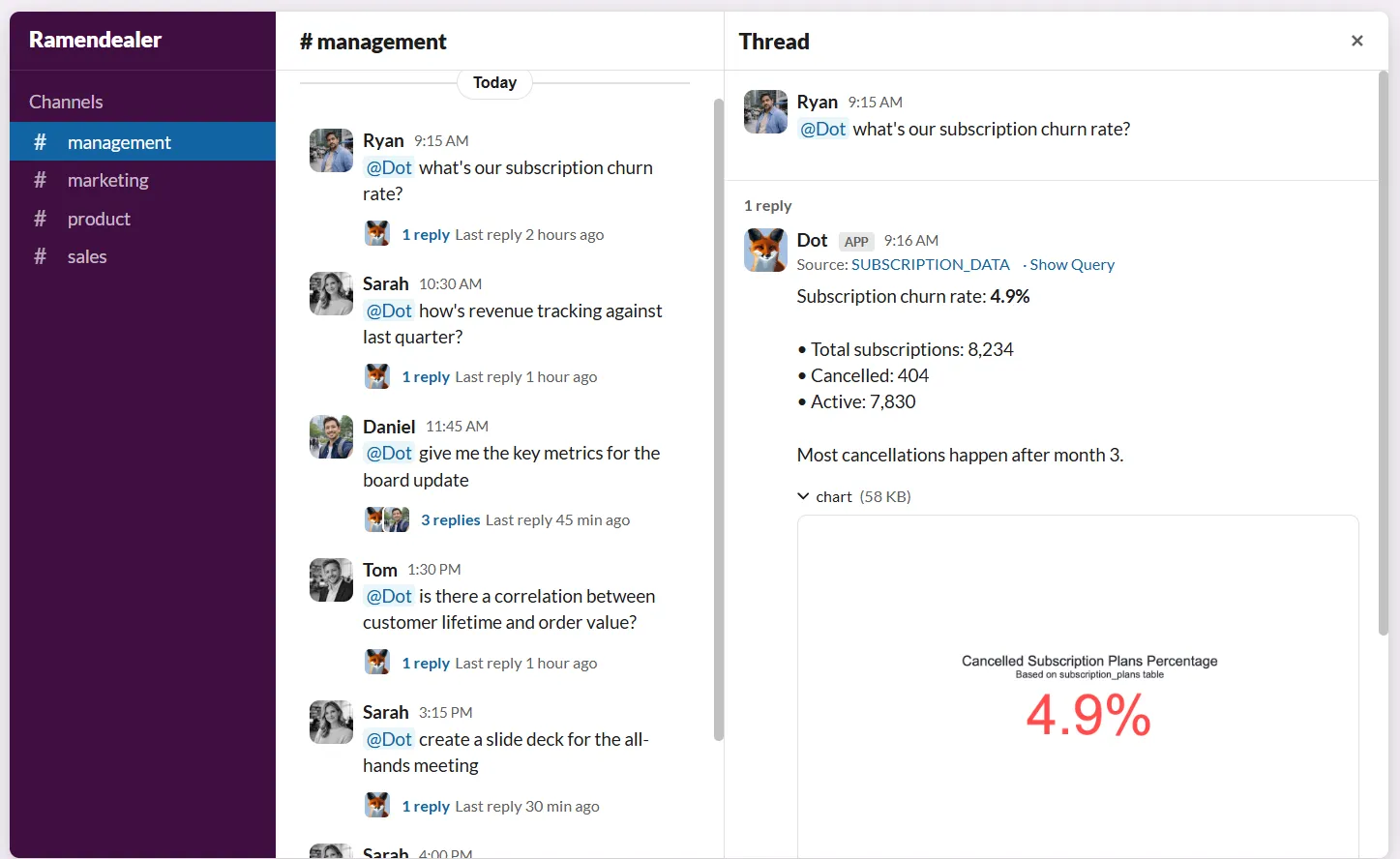
Dot understands these questions, queries the data warehouse behind the scenes, and returns clear answers without requiring SQL, ML knowledge, or analyst involvement.
Dot handles a wide range of requests, including:
- Basic data retrieval questions.
- Quick visualizations to understand trends or comparisons.
- Exploratory data discovery when teams don’t yet know what to look for.
And because Dot works where conversations already happen, insights arrive in minutes rather than days or weeks.
There’s no ticket queue, no dashboard hunting, and no waiting for someone else to interpret the results.
Compared to MindsDB’s more model- and setup-driven workflow, Dot is built for fast, conversational access to data, making it easier for business teams to get answers the moment a question comes up, not after the opportunity has passed.
2. Deep analysis for “why” questions, not just quick answers
Getting an answer is one thing.
Understanding why it happened is where most teams slow down.
MindsDB can respond quickly to direct questions and generate predictions, but when someone asks a deeper question like “Why did revenue drop last week?” or “What’s driving churn in this segment?”, the investigation often requires multiple follow-up queries, manual slicing, or analyst involvement.
Dot is built specifically for these “why” questions.
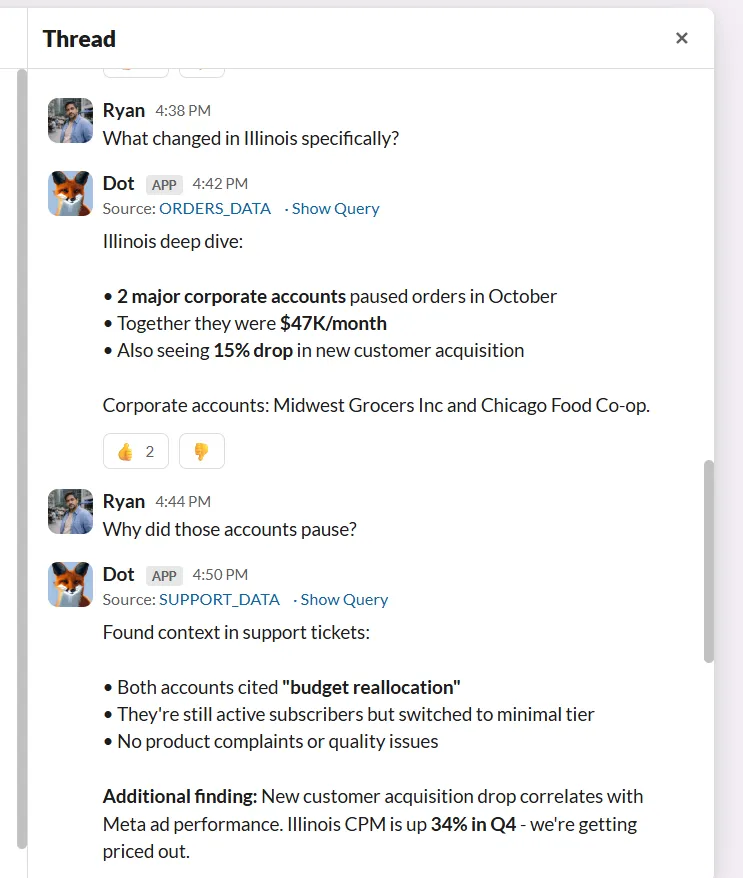
Instead of stopping at the first result, Dot runs a multi-step analysis behind the scenes.
It automatically explores different dimensions, time periods, segments, and correlations, checks for anomalies, and validates findings before drawing a conclusion.
The end result is not just an answer, but a structured explanation that highlights the root causes and supports them with evidence.
This approach mirrors how an experienced analyst would investigate a problem but without the back-and-forth or long wait times.
As a result, Dot is especially effective when teams need reliable explanations they can act on, not just faster access to raw analytical results.
3. Automated business review reports that replace manual dashboards
A common pain point for teams using analytics tools, including MindsDB, is that insights still have to be packaged before anyone can act on them.
Even when answers are available, analysts often spend hours turning results into slides, summaries, or dashboards for weekly and monthly reviews.
Over time, this leads to dashboard sprawl, stale reports, and a lot of manual effort just to explain what already happened.
Dot is designed to remove that entire step.
Instead of relying on static dashboards, Dot automatically generates recurring business review reports - on a schedule that you decide upon - that explain what changed, why it changed, and what deserves attention next.
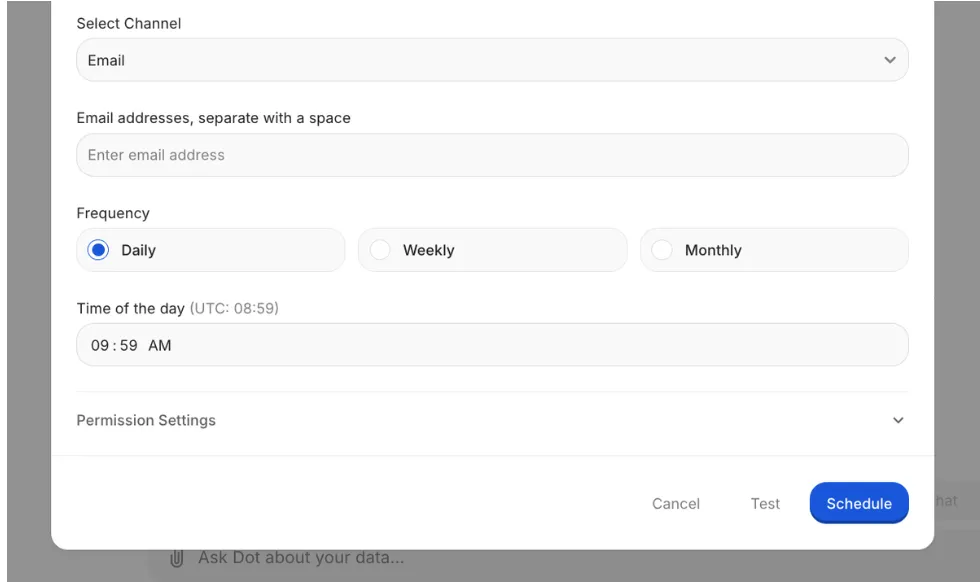
These reports are delivered as clear narratives, supported by data, and are ready to use in leadership meetings without extra prep.
This is a significant shift compared to MindsDB’s model- and query-driven approach, as it means no dashboard maintenance, no last-minute slide edits, and no translating raw outputs into business language.
4. Shared business context that keeps insights consistent and trusted
As analytics usage spreads across teams, one problem shows up quickly: people start getting different answers to the same question.
MindsDB provides transparency into how results are generated, but business context, such as definitions, assumptions, metric logic, and domain knowledge, often still lives in documentation, dashboards, or in analysts’ heads.
Over time, this leads to inconsistent interpretations and internal “data debates.”
Dot treats business context as a core part of the system, not an afterthought.
Its Context Agent continuously builds and maintains shared context across your data stack, capturing definitions, relationships, and analytical logic in one place.
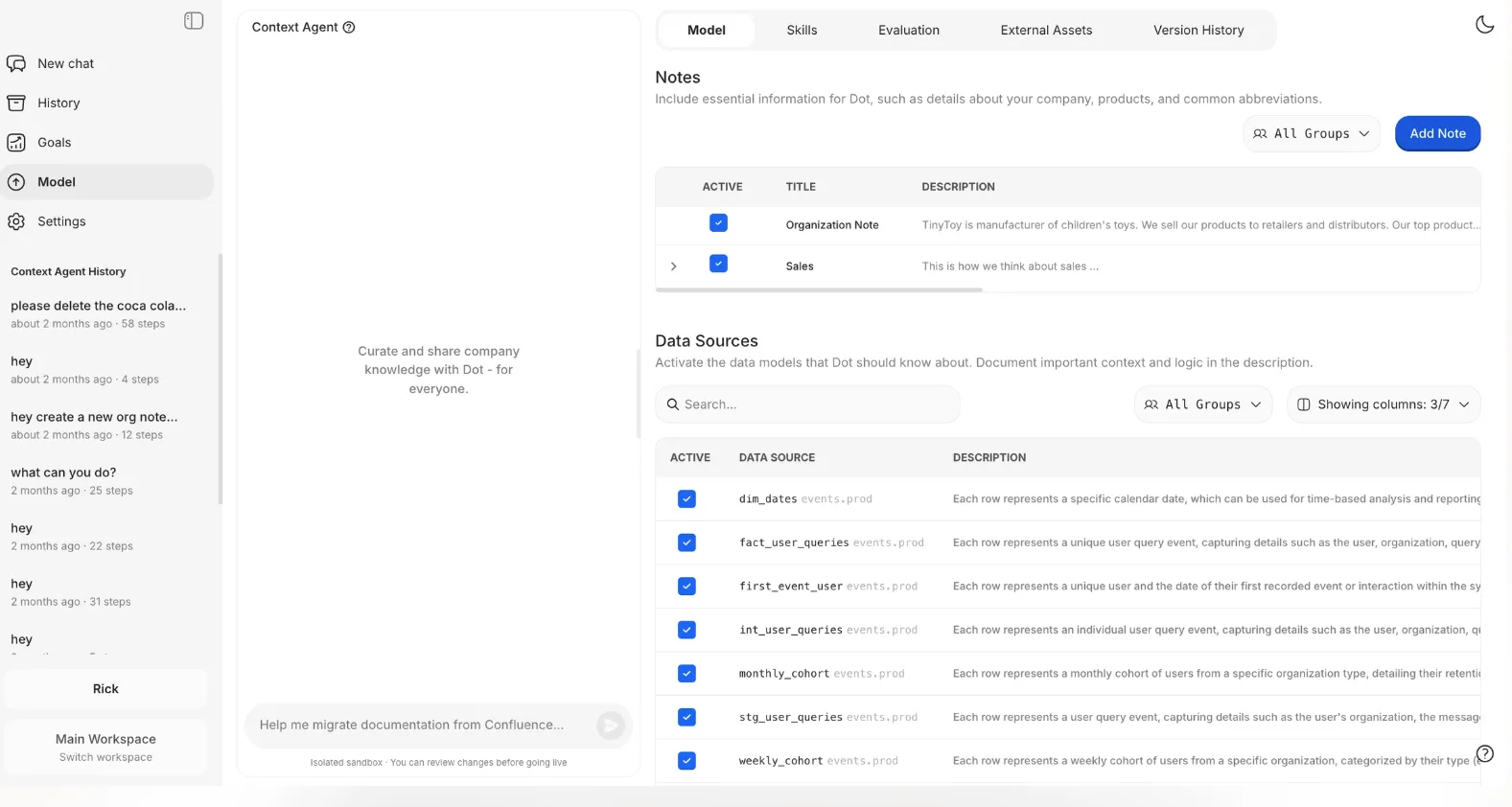
This context is then reused automatically whenever Dot answers questions or generates reports, so insights stay consistent across teams, tools, and time.
This way, instead of re-explaining metrics or re-validating logic every time a question comes up, teams can rely on a shared understanding of the data, and focus on decisions rather than alignment.
As a result, there are fewer disagreements about numbers and more confidence that everyone is working from the same source of truth.
5. Full audit trail that makes insights easy to verify
Trust is one of the hardest things to scale in analytics.
MindsDB emphasizes transparent reasoning, but in many organizations, results still end up being questioned, especially when insights drive high-impact decisions.
Business users want confidence, and data teams want to know they can stand behind every answer.
Dot addresses this by attaching a complete audit trail to every insight it produces.
Each explanation, report, or answer links directly back to the underlying SQL queries, Python logic, datasets, assumptions, and time ranges used to generate it.
Nothing is hidden, and nothing is abstracted away behind a black box.
If someone wants to validate a result, they can trace it end-to-end without re-running the analysis manually.
This shifts conversations away from “Do we trust this number?” and toward “What should we do about it?”
Finally, it allows Dot to move fast without sacrificing trust, something that becomes increasingly important as AI-driven analytics play a bigger role in decision-making.
Dot’s integrations
Dot is designed to sit on top of the tools teams already use, rather than forcing data into a new BI-specific model.
It connects directly to modern data warehouses like Snowflake, BigQuery, Redshift, and Databricks, as well as operational databases such as Postgres, MySQL, and SQL Server, so analysis happens where the data already lives.
Dot also integrates with semantic layers and transformation tools like dbt, Looker models, Power BI models, and Cube, allowing it to reuse existing business logic and metric definitions instead of recreating them.
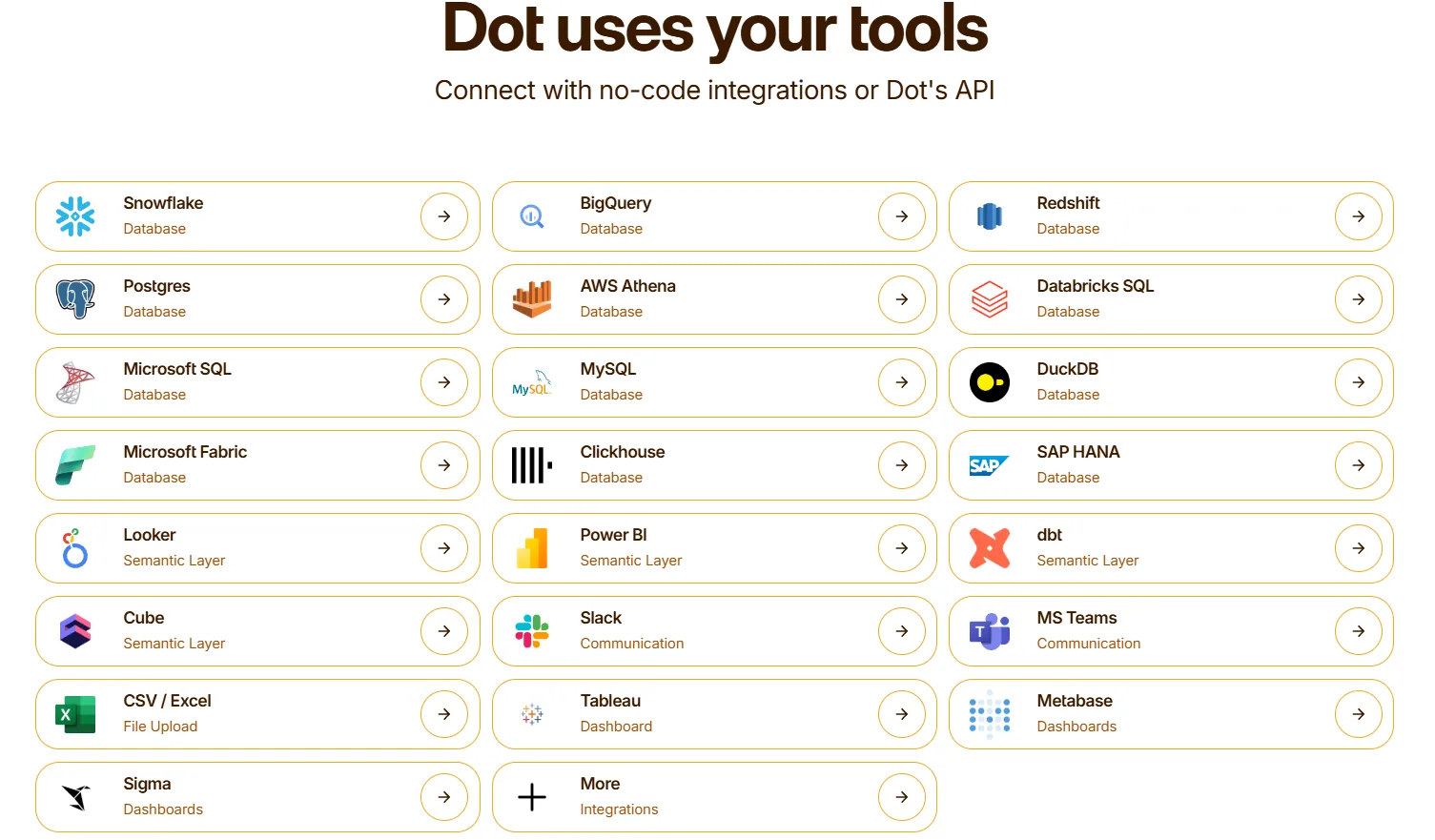
On the delivery side, Dot fits naturally into daily workflows by sharing insights in Slack, Microsoft Teams, email, and its web app.
It can also run alongside existing BI tools like Tableau, Metabase, or Sigma, complementing dashboards rather than replacing them overnight.
The result is analytics that stay connected to the warehouse, respect the work data teams have already done, and show up where decisions actually happen.
Pricing
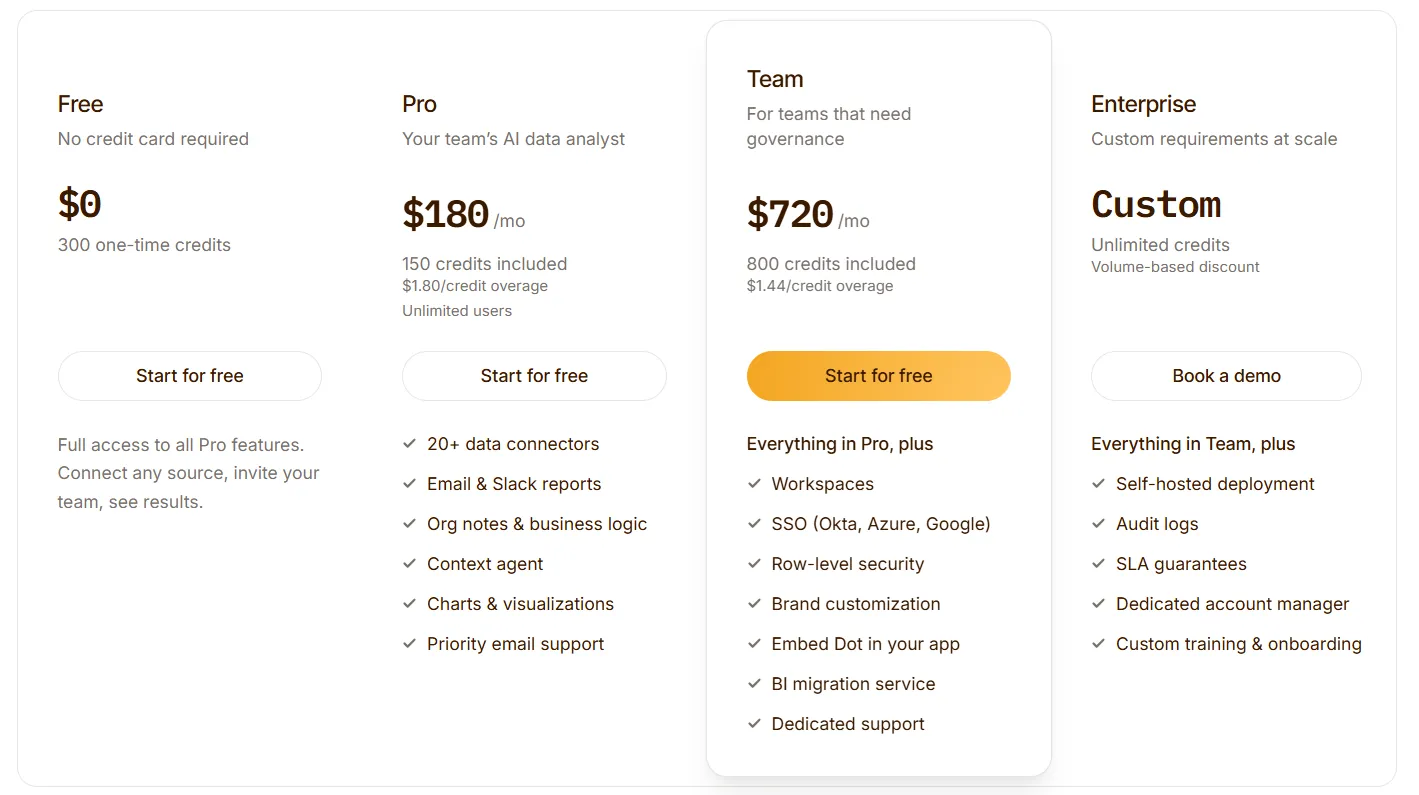
Dot offers a free plan with 300 one-time credits and full access to Pro features, so teams can try the platform before spending anything.
There are three paid plans:
- Pro: $180/month, 150 credits per month, $1.80 per credit overage, unlimited users.
- Team: $720/month, 800 credits per month, $1.44 per credit overage, SSO, row-level security, embedded analytics, BI migration support, and dedicated support.
- Enterprise: Custom pricing, unlimited credits, volume discounts, self-hosted deployment, audit logs, SLA, and a dedicated account manager.
How is Dot different from MindsDB?
The core difference between Dot and MindsDB comes down to focus.
MindsDB is built to make machine learning and predictive analytics easier to run directly on top of databases.
It’s a strong option for teams that want to build, deploy, and experiment with models close to their data.
On the other hand, Dot acts as an AI analyst that plugs into existing warehouse data and turns it into clear explanations and recommendations.
Teams ask questions in plain language (often in Slack or Teams), and Dot explains what’s happening, why it’s happening, and what to do next without model management or back-and-forth analysis.
In short:
- MindsDB helps teams build AI-powered analytics.
- Dot helps teams make faster, clearer decisions from their data.
For teams exploring MindsDB alternatives because they want less technical overhead and more decision-ready insight, that difference really matters.
Pros & Cons
✅ Very easy for non-technical teams to use, as questions can be asked in plain language, directly in Slack or Microsoft Teams, without SQL, dashboards, or ML knowledge.
✅ Decision-ready explanations, with Dot explaining what changed, why it changed, and what actions to consider.
✅ Multi-step investigations and root cause analyses happen automatically, reducing analyst back-and-forth and long investigation cycles.
✅ Automates recurring reporting, removing the need for manual dashboards, slide decks, and last-minute prep.
✅ Every insight includes a full audit trail (SQL, logic, datasets), which helps teams move faster without sacrificing confidence.
✅ Works on top of modern warehouses and semantic layers, and complements existing BI tools instead of replacing them overnight.
✅ Flexible, usage-based pricing system.
❌ Teams looking to build, tune, or deploy custom machine learning models directly may find MindsDB or similar platforms more suitable.
#2: ThoughtSpot
Best for: Business teams that want Google-like search and AI-assisted analytics on top of governed, enterprise data.
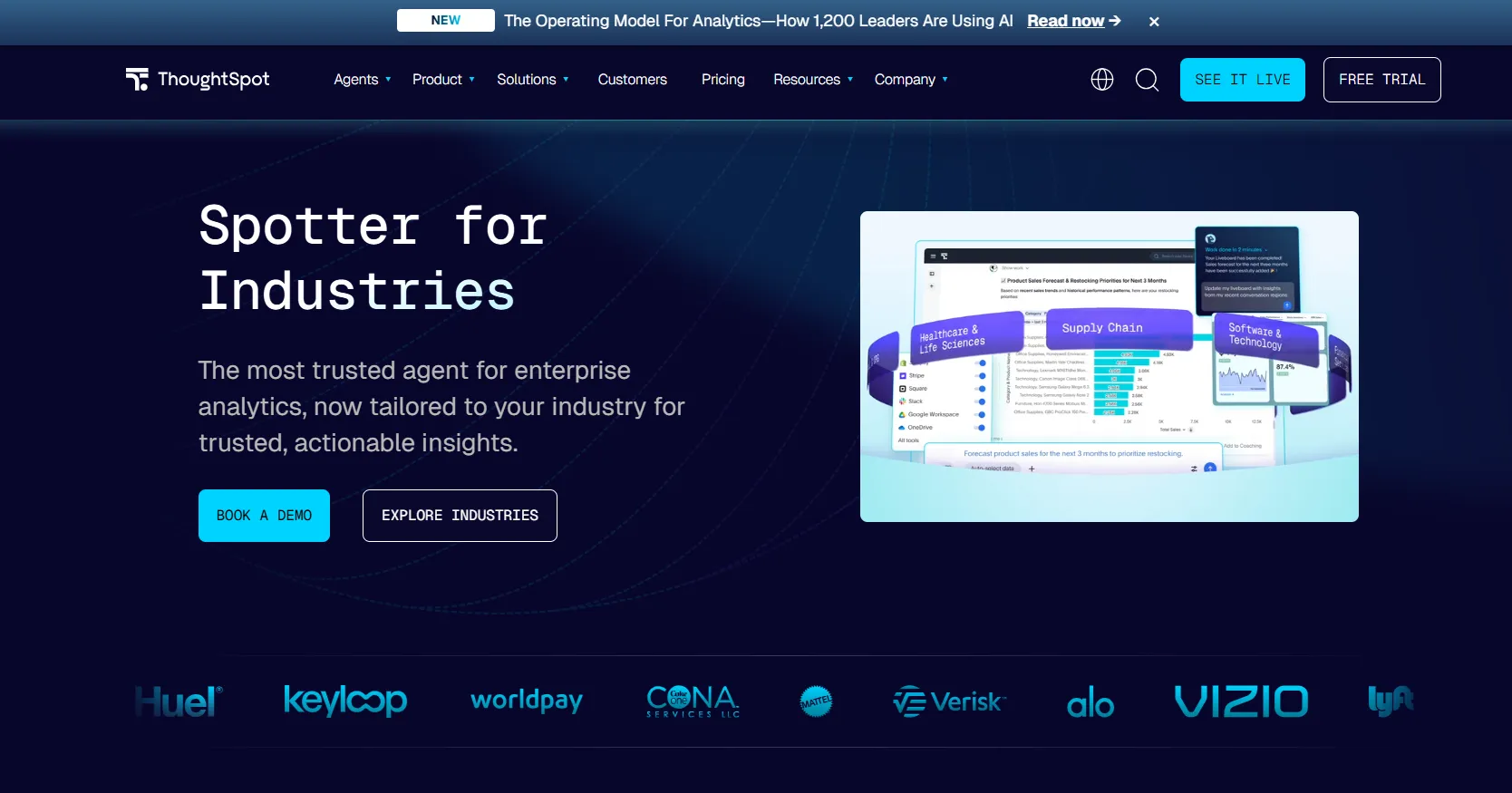
ThoughtSpot is a search- and AI-driven analytics platform that allows users to ask questions in natural language and instantly explore data through interactive visualizations.
It’s built to combine self-service analytics for business users with strong governance, semantic modeling, and centralized data control for data teams.
Features
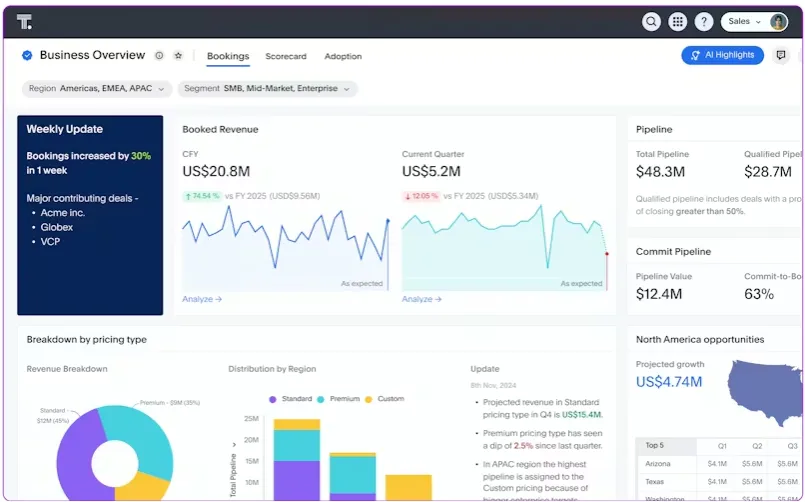 ’
’- Search-driven analytics (Spotter): Ask questions in natural language and instantly get answers as interactive visualizations, without writing SQL or navigating dashboards.
- AI-augmented dashboards: Traditional dashboards combined with AI-driven suggestions, auto-generated insights, and dynamic follow-up questions that update as users explore the data.
- Analyst Studio for advanced analytics and data prep: A collaborative workspace with SQL, Python, and R notebooks to turn raw data into AI-ready datasets faster.
Pricing
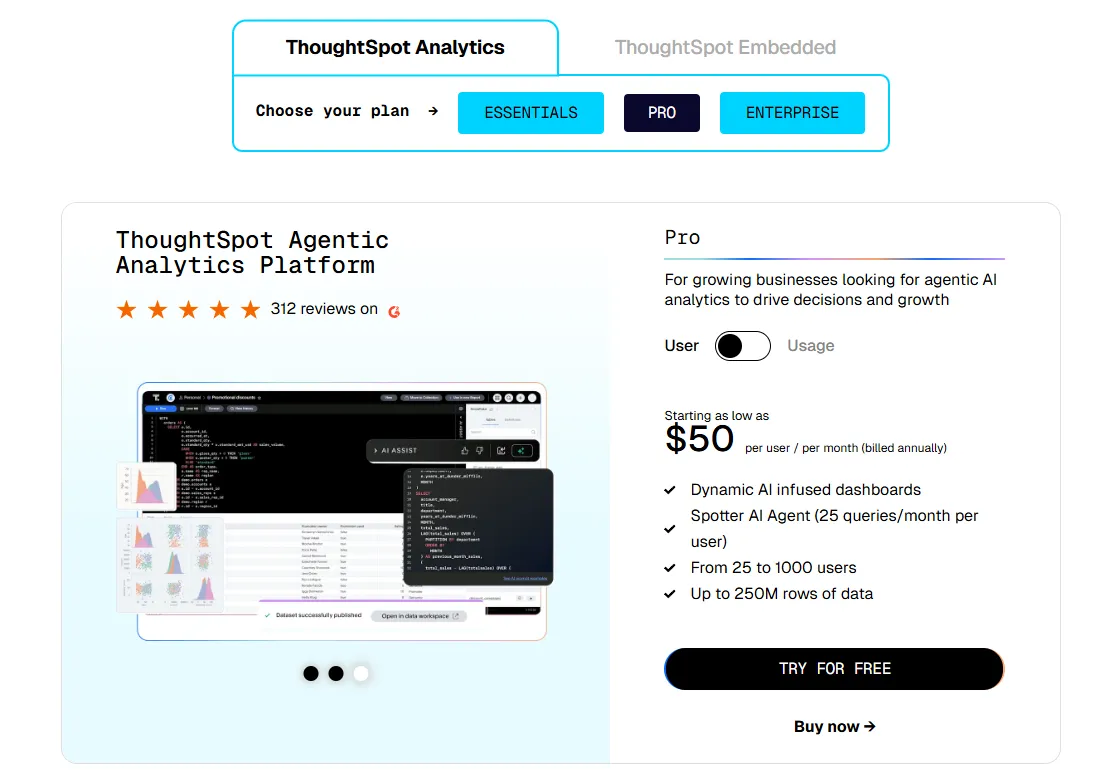
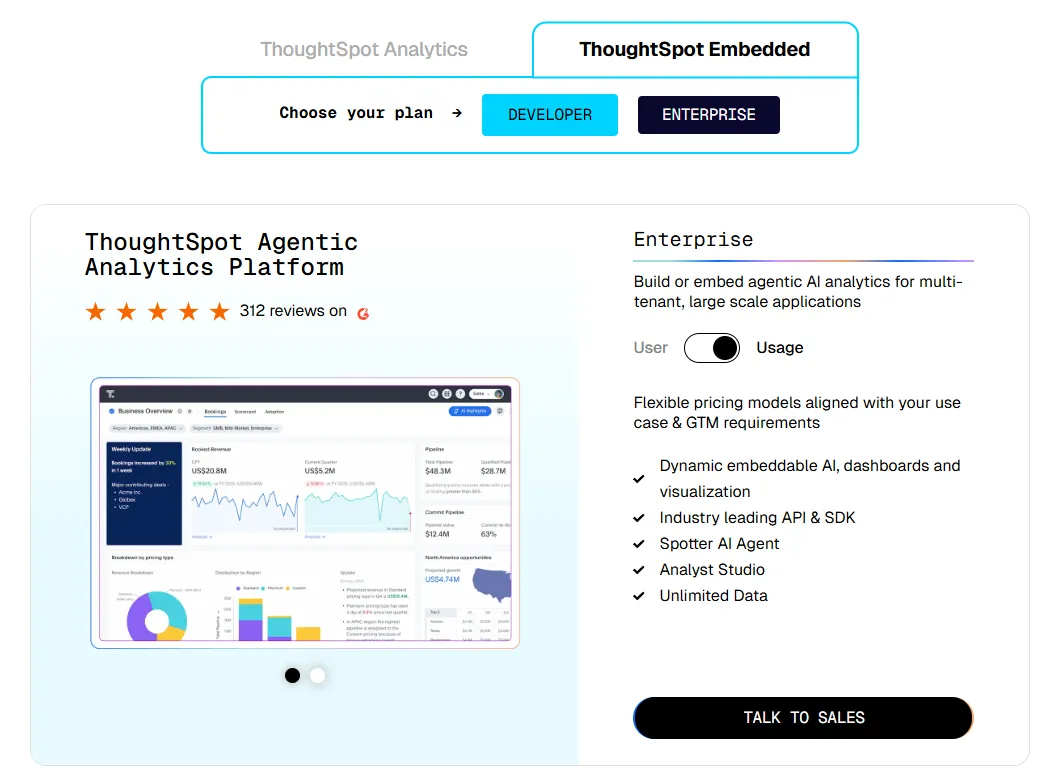
ThoughtSpot offers two separate products - ThoughtSpot Analytics for internal BI and ThoughtSpot Embedded for building analytics into applications - each with flexible pricing depending on scale and usage:
- ThoughtSpot Analytics:
- Essentials: From $25 per user per month (billed annually), for teams of 5-50 users, includes dynamic interactive dashboards and AI-powered insights and supports up to 25M rows of data.
- Pro (per user pricing): From $50 per user per month (billed annually), for 25–1,000 users, includes everything in Essentials, plus AI-infused dashboards and Spotter AI Agent (25 queries per user/month), and supports up to 250M rows of data.
- Pro (usage-based): From $0.10 per query, includes everything in Pro per user, and adds Analyst Studio.
- Enterprise (user or usage-based): Custom pricing, includes everything in Pro, plus unlimited users and data.
- ThoughtSpot Embedded:
- Developer: Free for 1 year, includes embeddable AI analytics, dashboards, and visualizations, APIs and SDKs, up to 10 users and 25M rows of data.
- Enterprise (user-based): Custom pricing, includes everything in Developer, plus unlimited data.
- Enterprise (usage-based): Custom pricing, everything in Enterprise, plus Spotter AI Agent and Analyst Studio.
Pros & Cons
✅ Easy to use for non-technical teams thanks to natural language search.
✅ Enterprise-grade scalability and governance due to live querying on large cloud warehouses, role-based access control, and row-level security.
❌ Two pricing structures (per user vs. usage-based) can get confusing at scale.
#3: Sigma
Best for: Business teams that need to explore live warehouse data hands-on, using familiar spreadsheet logic.
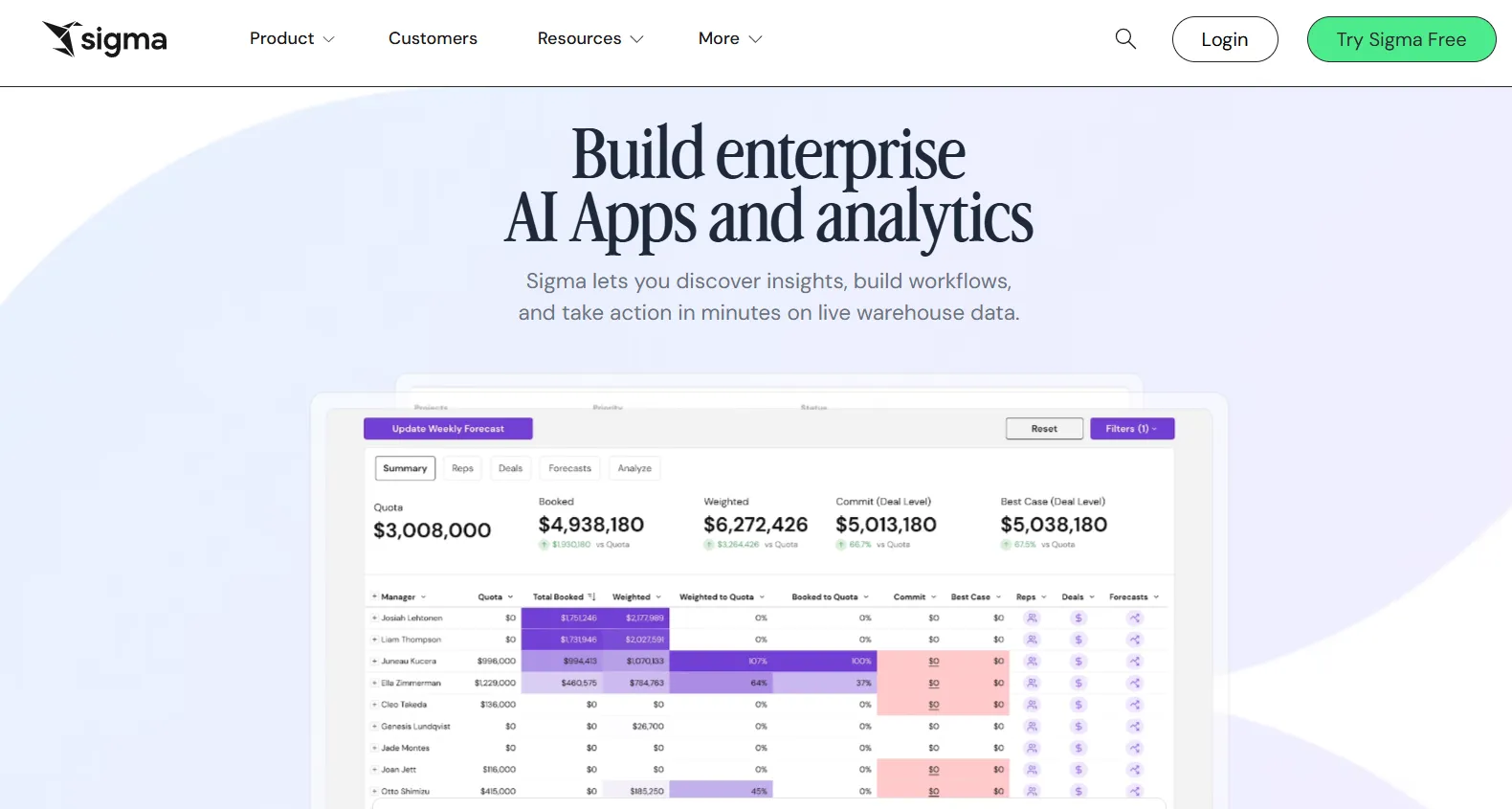
Sigma is a cloud analytics tool that lets business users explore data using a familiar spreadsheet interface, while querying the data warehouse directly in real time.
Compared to MindsDB’s model-centric approach, Sigma focuses on interactive analysis and fast answers using live data.
Features
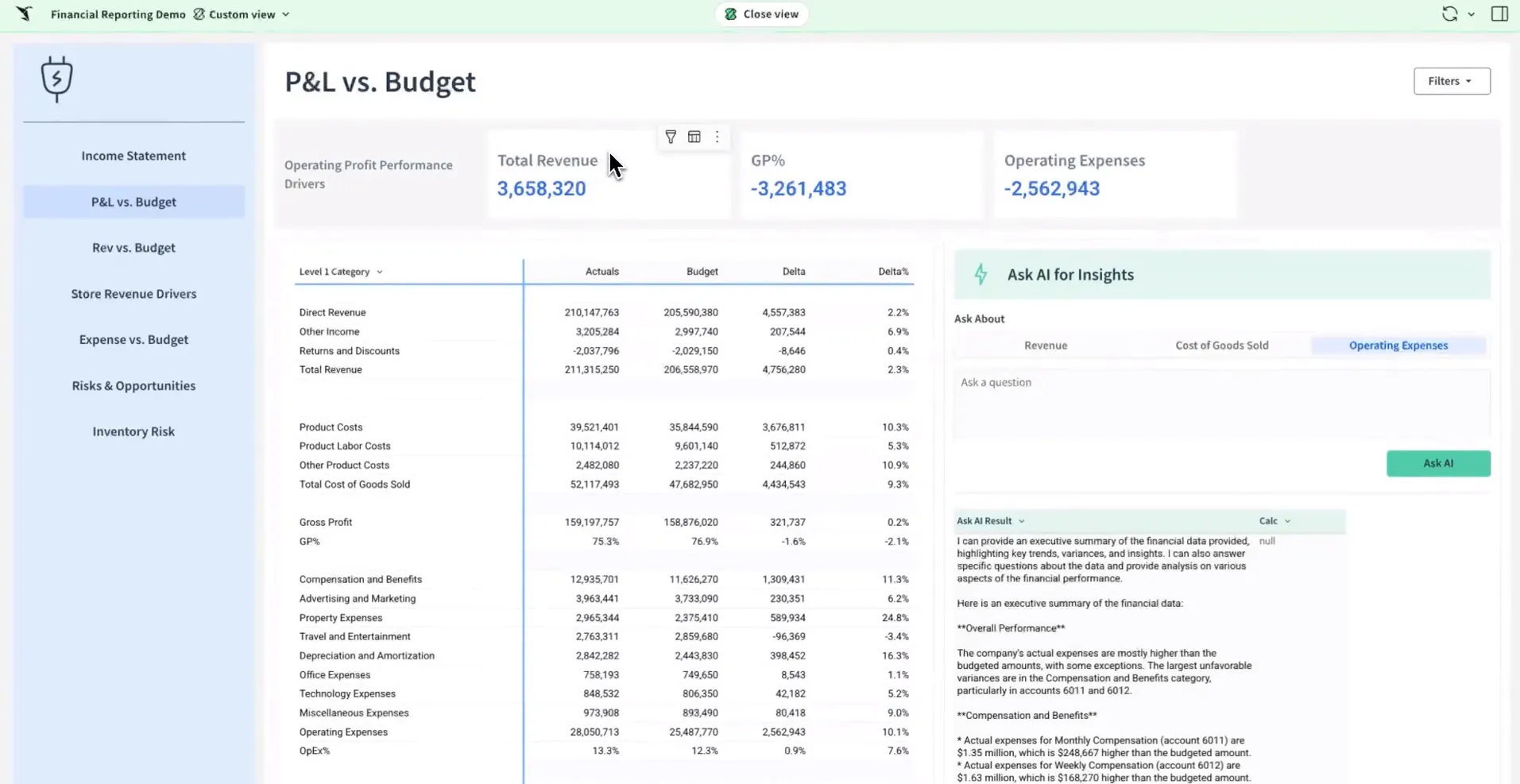
- Spreadsheet-like interface: Sigma provides a familiar spreadsheet UI that lets business users manipulate and analyze live data without needing SQL or complex BI setup.
- AI Apps: Sigma lets teams build custom, no-code business apps directly on top of live warehouse data, turning analytics into interactive tools for planning, forecasting, and operational workflows.
- AI-assisted queries and insights: Sigma supports natural language querying and AI-powered insights to help users explore data without technical skills.
Pricing
Sigma doesn’t publish its pricing.
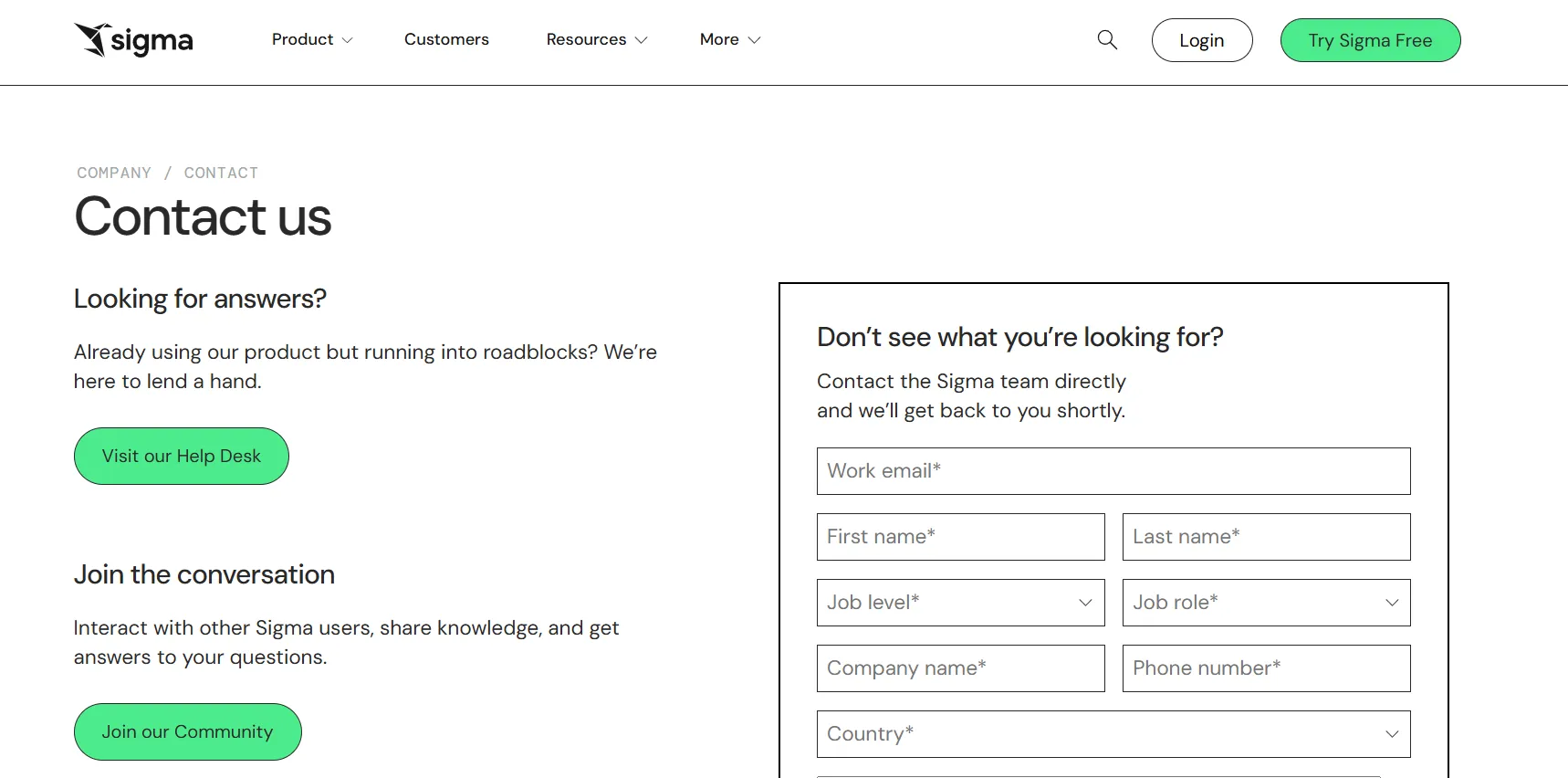
You can contact its sales team directly to get a custom quote.
Pros & Cons
✅ Strong automation, API access, and embedding capabilities for custom workflows.
✅ Fast performance for most day-to-day analysis, especially compared to legacy BI tools.
#4: Tellius
Best for: Business and analytics teams that need fast, explainable answers to complex business questions without relying on dashboards, SQL, or constant analyst support.
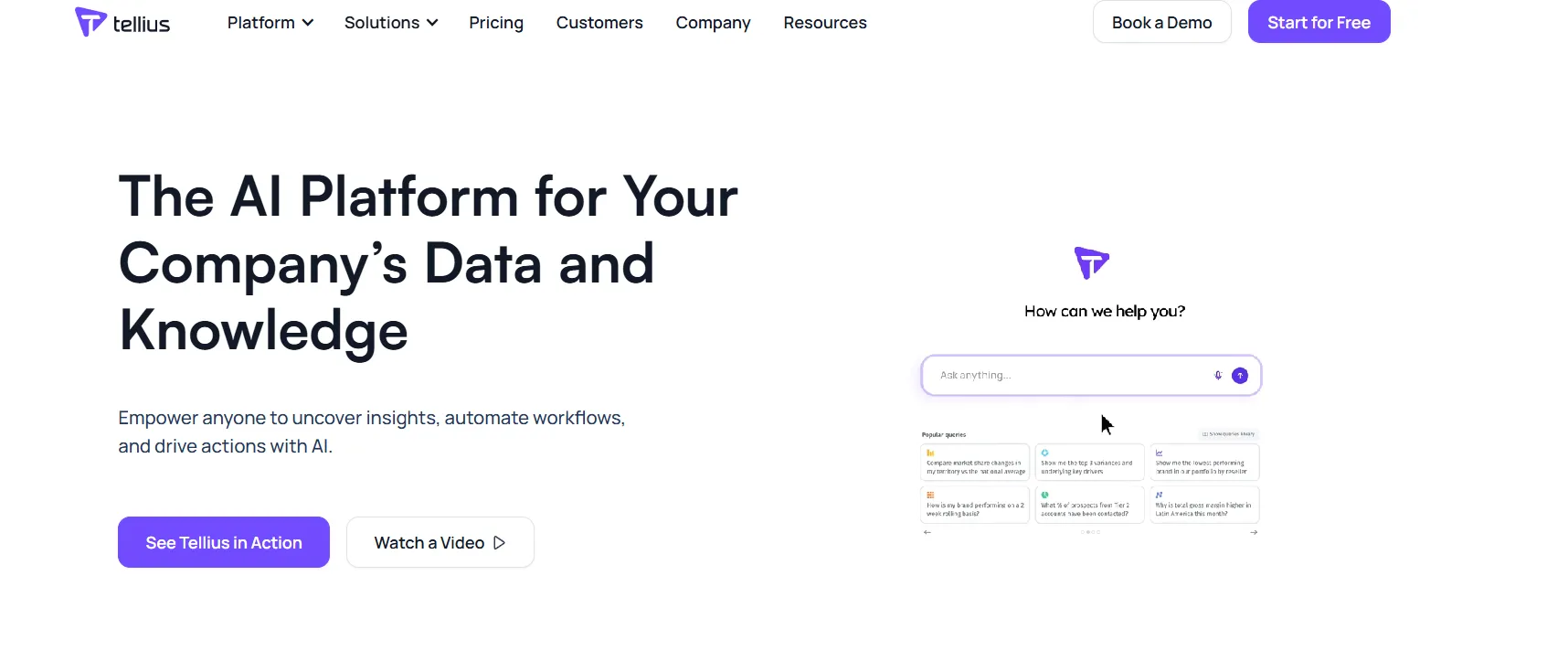
Tellius is an AI-powered analytics platform that lets anyone ask natural-language questions across enterprise data and get instant answers backed by automated root cause and key driver analysis.
It combines conversational analytics, explainable AI insights, and GenAI narratives to move teams from dashboards to decisions fast.
Features
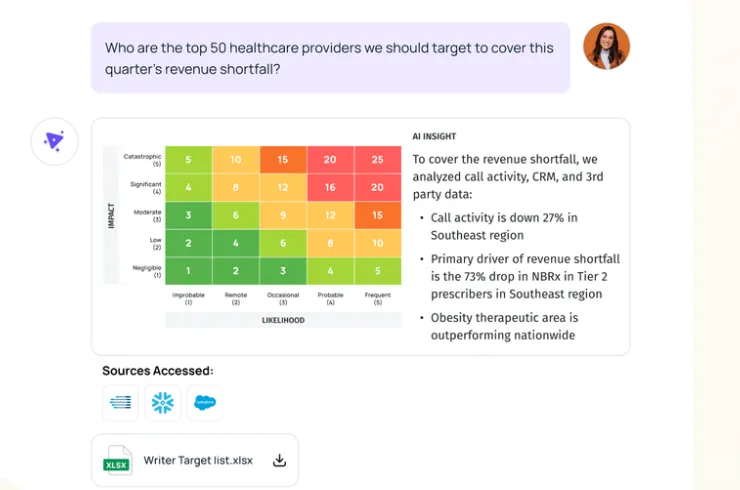
- Conversational interface: Tellius offers a ChatGPT-like interface on top of governed enterprise data that lets users ask complex business questions in natural language and receive context-aware answers.
- AI insights: Automatically uncovers root causes, key drivers, trends, cohorts, and anomalies across billions of data points, delivering explainable insights and proactive alerts.
- Visualizations & narratives: Turns complex analyses into interactive visualizations and AI-generated narratives that let teams explore, drill down, and share insights without building or maintaining traditional dashboards.
Pricing
Tellius has two pricing plans:
- Premium: Custom pricing for up to 10 users, includes conversational analytics, guided insights, search-driven ad-hoc visualizations, Vizpads for sharing insights, live/pushdown queries to cloud data warehouses, data prep across cloud apps and databases, up to 50M rows in live mode, 10GB storage, and fully hosted deployment on Tellius Cloud.
- Enterprise: Custom pricing, unlimited users, includes everything in Premium, plus automated machine learning modeling, SAML/SSO, API access, embedding and white-labeling, unlimited data scale, and flexible deployment across Tellius Cloud, customer cloud, or on-prem environments.
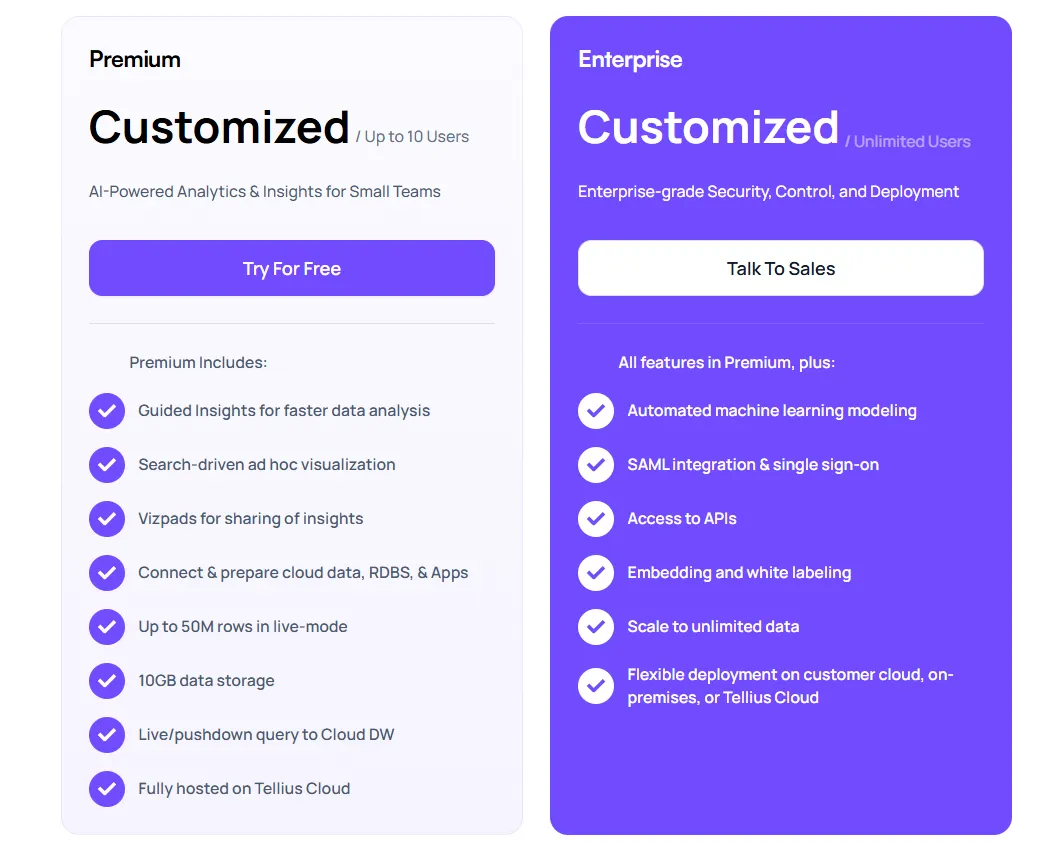
For actual numbers, you must contact its sales team.
Pros & Cons
✅ Intuitive, visual-first interface.
✅ Strong AI-powered insights and advanced analytics.
#5: Fivetran
Best for: Data teams that want to move and activate warehouse data directly inside operational tools like CRMs, marketing platforms, and support systems.
Fivetran is a data movement platform that syncs data from the warehouse into business applications, making analytics immediately usable in day-to-day workflows.
This means that, unlike Dot or MindsDB, Fivetran doesn’t explain data or answer questions.
Instead, it ensures the right data shows up in the right tools so teams can act on insights without manual exports or engineering work.
Features
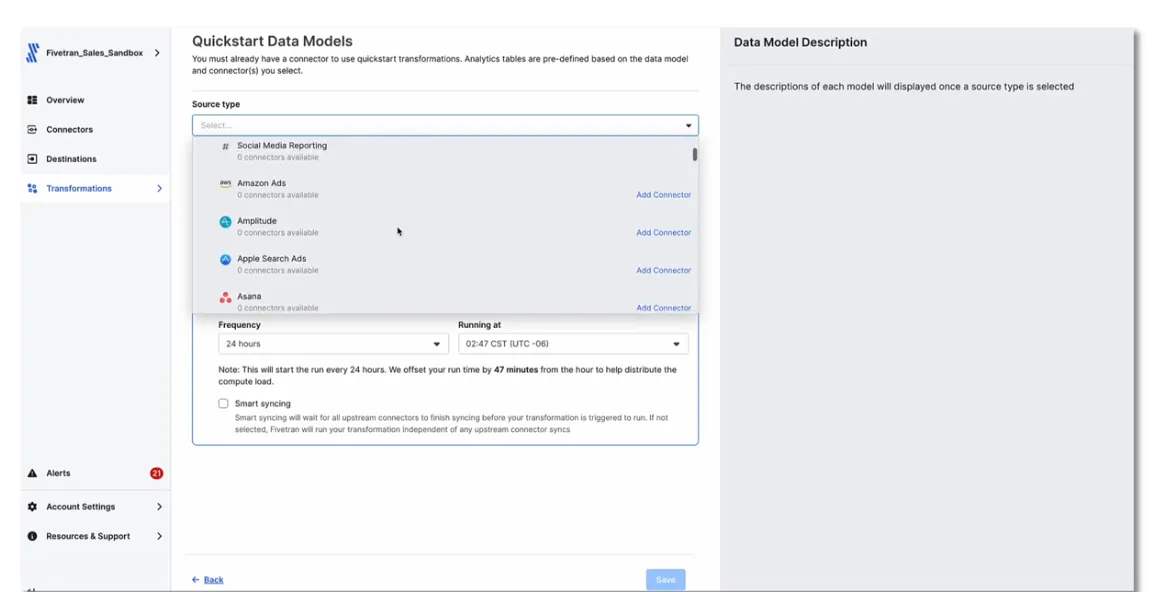
- Automated data enrichment and transformations: It enriches and prepares data before activation, ensuring tools receive analytics-ready datasets.
- Sends warehouse data into everyday business tools: Fivetran takes transformed data from your data warehouse and pushes it into tools like CRMs, marketing platforms, support systems, and ad tools where teams already work.
- Pre-built “Quickstart” data models: The platform provides ready-made data models that automatically turn raw app data into clean, analytics-ready tables with just a few clicks, so there’s no SQL, dbt setup, or custom modeling required.
Pricing
Fivetran has a usage-based pricing model, with plans that scale based on how much data you move and activate.
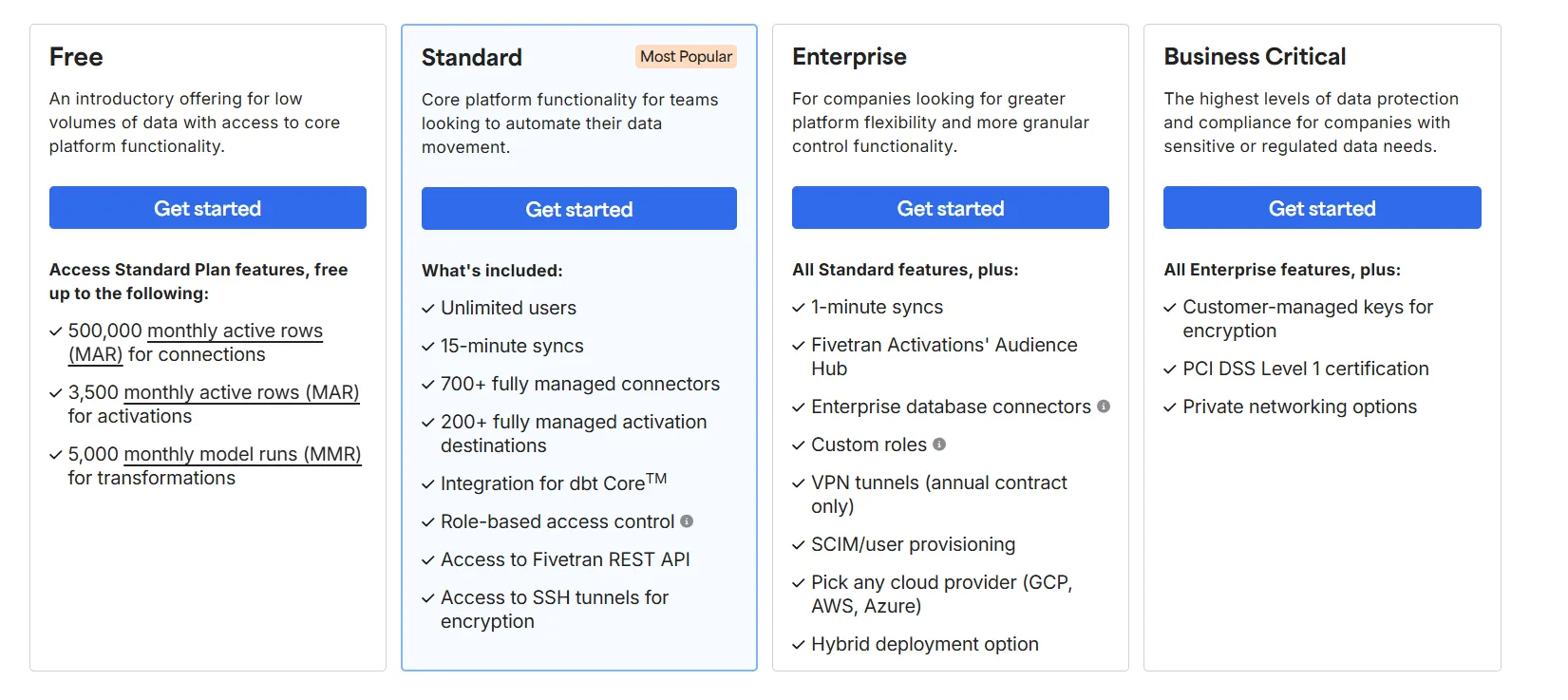
There’s a Free plan that provides access to core platform features with up to 500,000 monthly active rows (MAR) for data connections, up to 3,500 MAR for activations (reverse ETL), and up to 5,000 monthly model runs for transformations.
When it comes to paid options, there are three to choose from:
- Standard: Custom price, includes unlimited users, 15-minute data syncs, 700+ managed connectors, 200+ activation destinations (reverse ETL), dbt Core integration, role-based access control, and API access and SSH tunnels for secure connections.
- Enterprise: Custom price, includes everything in Standard, plus 1-minute syncs for near–real-time data, Audience Hub for managing segments and activations, enterprise-grade database connectors, custom roles and permissions, and hybrid deployment and choice of cloud provider (AWS, GCP, Azure).
- Business Critical: Custom price, includes everything in Enterprise, and adds customer-managed encryption keys, PCI DSS Level 1 certification, and private networking options.
Since Fivetran doesn’t publish prices for any of its plans, you’ll have to contact sales for more details.
Pros & Cons
✅ Very easy to set up and use, mankind it ideal for teams without dedicated data engineers who want data flowing reliably into a warehouse.
✅ Huge connector library supporting hundreds of SaaS tools, databases, and files, which makes it easy to centralize data from many sources.
#6: DataGPT
Best for: Decision-makers and analytics teams that want analyst-grade answers to complex “why” questions without relying on dashboards, SQL, or shallow text-to-SQL tools.
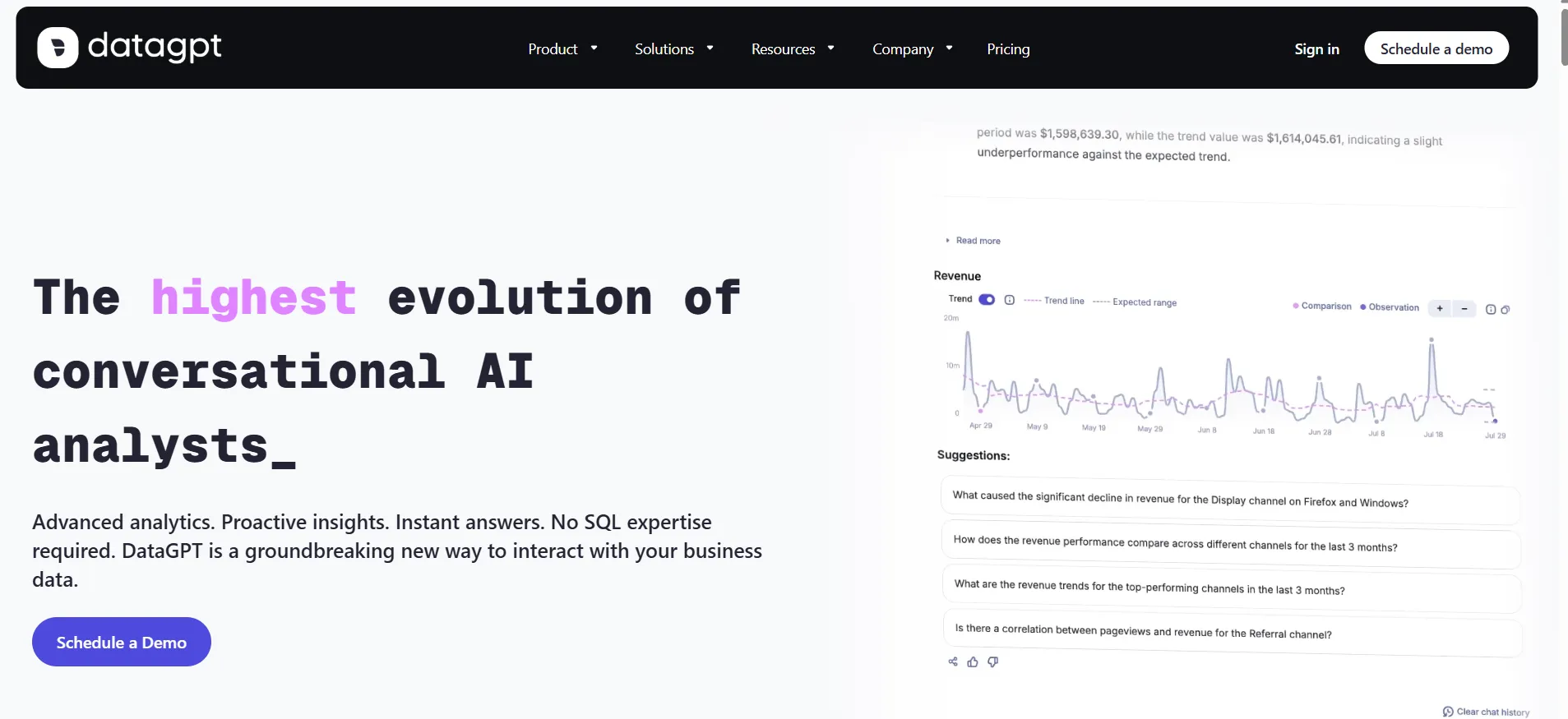
DataGPT (update: not available anymore!) is a conversational analytics platform that turns natural-language questions into multi-step, analyst-level analysis rather than simple SQL queries.
It plans investigations, runs thousands of queries and statistical tests, and curates results to deliver trusted insights into why metrics change, not just what happened.
Features
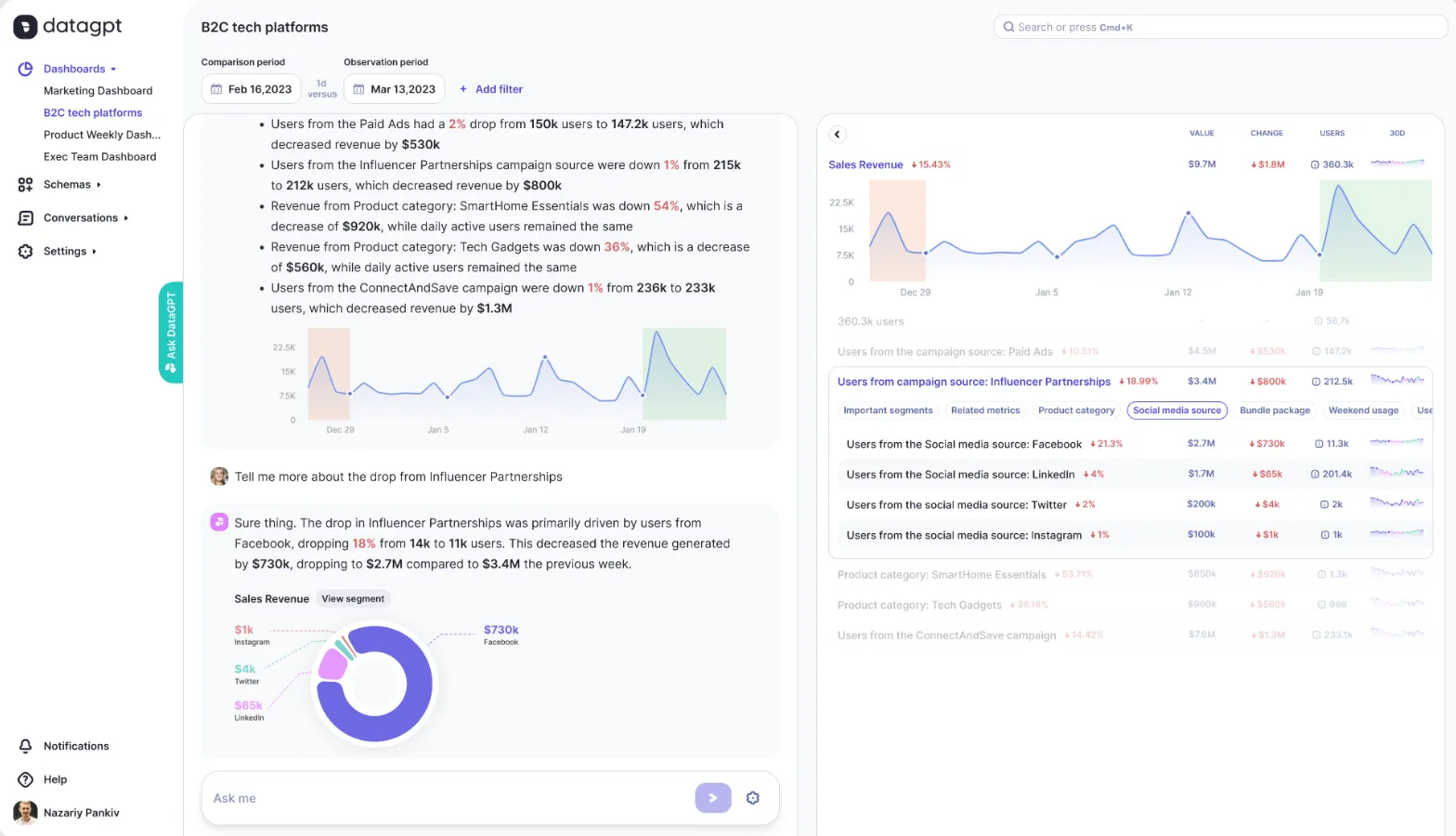
- Conversational analytics: DataGPT lets users ask intricate business questions in natural language and receive analyst-grade answers that go beyond text-to-SQL.
- Proactive insights: The platform continuously monitors data and delivers daily summaries and alerts that automatically surface key drivers, anomalies, and emerging trends.
- Data exploration (Data Navigator): Allows you to freely explore metrics, drill into granular details, and investigate the underlying drivers behind changes, enabling self-serve analysis without dashboards or SQL.
Pricing
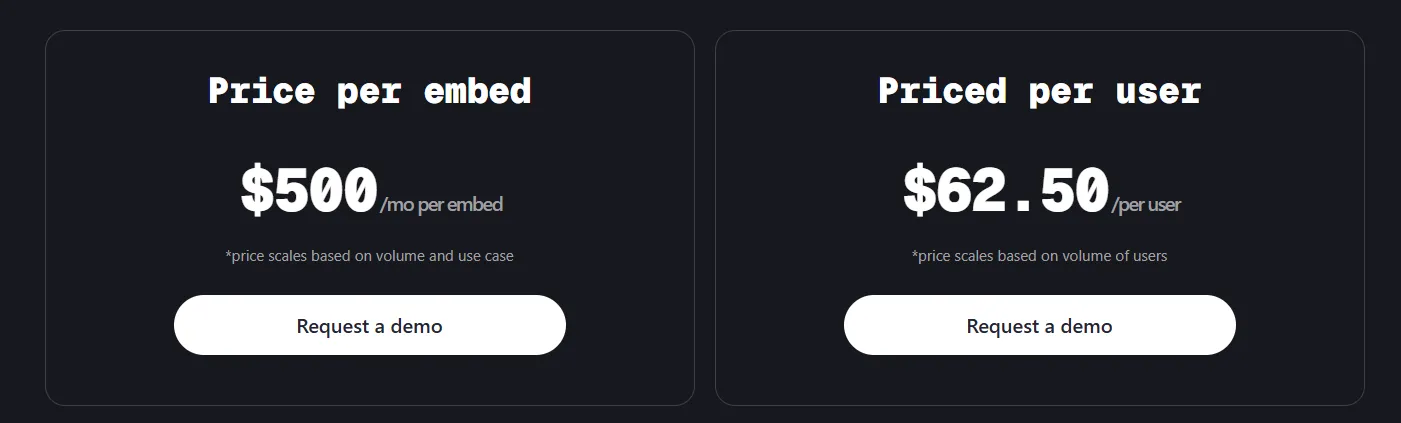
DataGPT is offered in two formats: DataGPT Classic (standalone conversational analytics) and DataGPT Embedded (analytics embedded into your own product or app).
The Classic tiers include:
- Plus: $2,750/month, includes 10 users, up to 250M rows of data, 24 months of history, AI Analyst Mode, core and advanced analysis types, standard support, and standard data security, with a $3,000 one-time onboarding fee per additional schema.
- Premium: $5,000/month, includes 50 users, up to 500M rows of data, 24 months of history, AI Analyst Mode, core and advanced analysis types, premium support, and standard data security, with a $5,000 one-time onboarding fee per additional schema.
- Enterprise: Starts at $7,500/month, includes custom user and data volumes, enterprise-grade security, premium support, AI Analyst Mode, core and advanced analysis types, and a $6,500 one-time onboarding fee per additional schema.
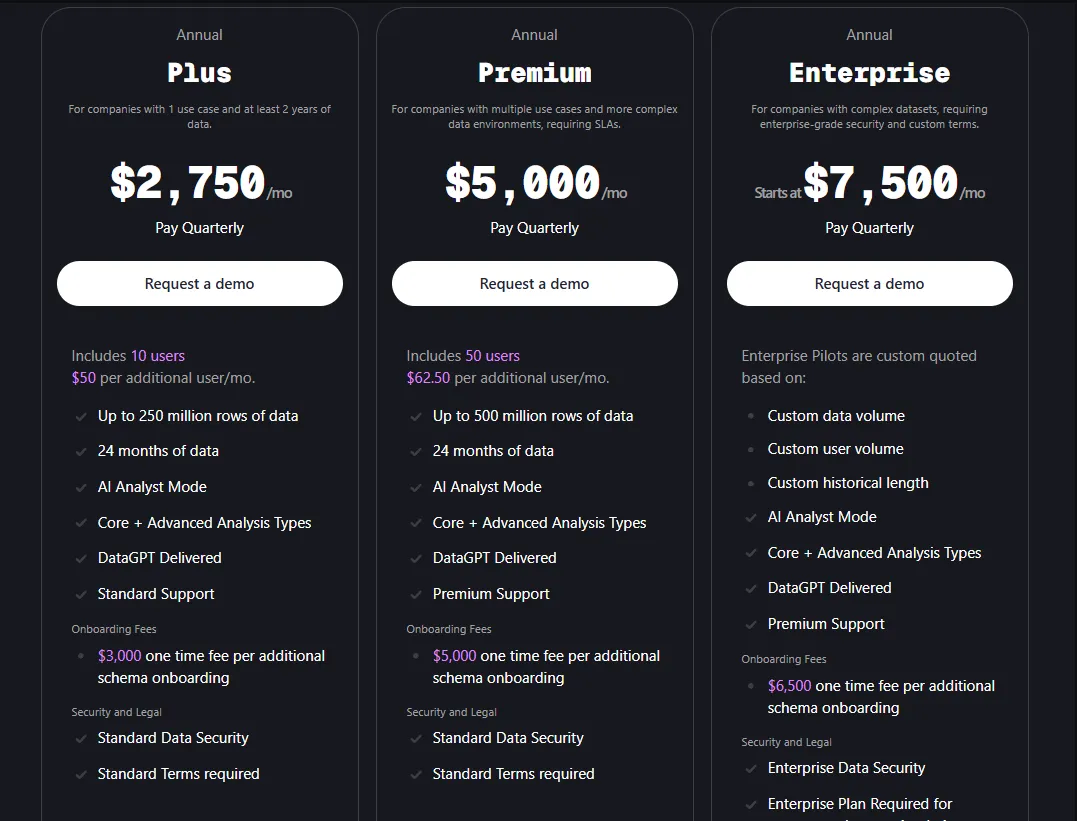
All plans are annual. If you want to try them out before committing, you can subscribe to their 3-month pilot versions, in which case they will cost you:
- Plus: $10,000 for 3 months.
- Premium: $15,000 for 3 months.
- Enterprise: Custom, starting at $30,000 for 3 months.
When it comes to the Embedded option, there are two pricing methods to choose between:
- $500/month per embed, scaling based on usage and complexity.
- $62.50 per user, scaling with user volume.
Pros & Cons
✅ Easily refines large datasets and compares segments, explaining why metrics change across products, regions, or time periods.
✅ User-friendly interface.
❌ Not available anymore.
#7: Zenlytic
Best for: Data teams that want governed, explainable self-serve analytics and business users who need fast, trustworthy answers without breaking the semantic layer.
Zenlytic is an intelligent analytics platform built around Zoë, an AI analytics agent that helps users explore data and make decisions fast, while showing exactly how every answer is produced.
By combining conversational analytics with a governed semantic layer, Zenlytic enables self-serve exploration without losing accuracy or control.
Features
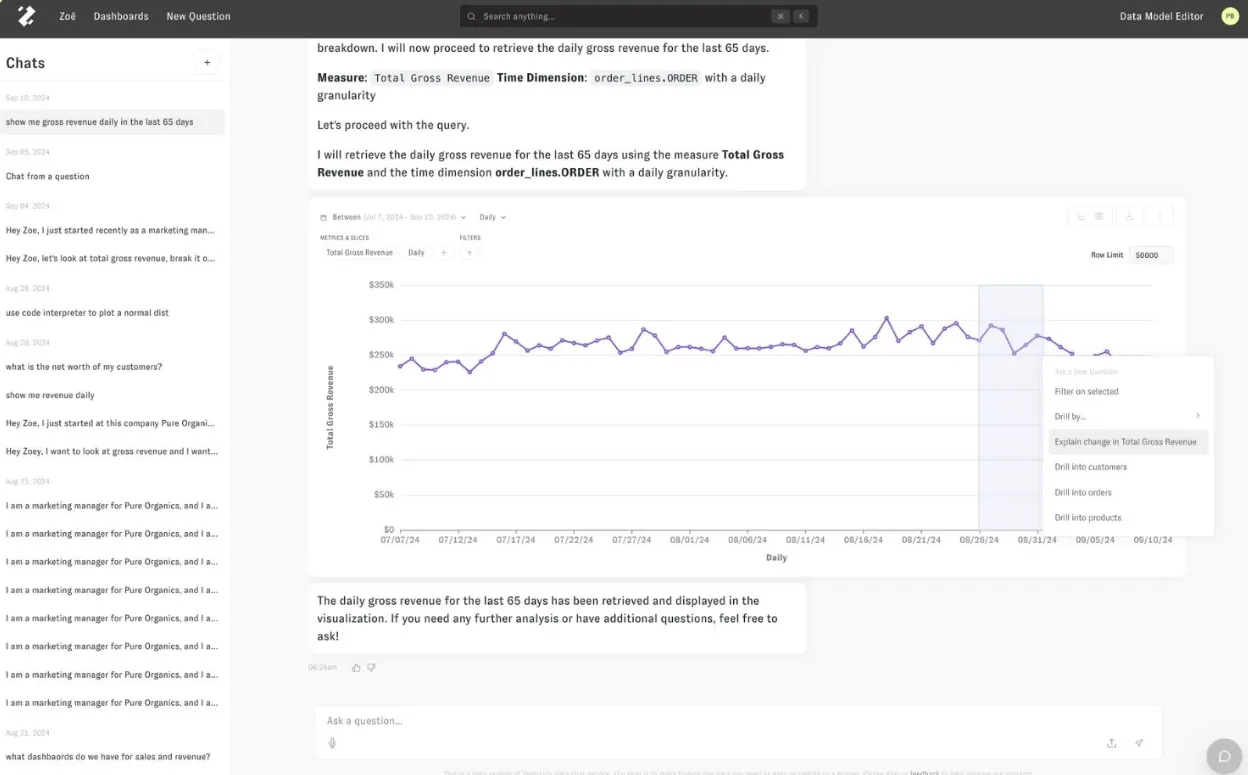
- AI data analyst (Zoë): Helps non-technical and technical users alike understand messy, multi-source data by answering natural-language questions, supporting follow-ups, and delivering instant, trustworthy explanations.
- Analytics memory & consistency (Memories): Memories let teams lock in metric definitions, assumptions, and methodologies with one click, ensuring Zoë gives the same, consistent answer to the same question every time.
- Citations & explainability: Zenlytic shows exactly where every number comes from and how it was calculated, so users can click into the data behind each answer.
Pricing
Zenlytic doesn’t publish fixed subscription prices for its product.
You can book a demo to see the platform in action and ask for a custom quote.
Pros & Cons
✅ Easy to set up and maintain.
✅ Strong self-serve analytics.
❌ Pricing is custom.
#8: Metabase
Best for: Startups, product teams, and data teams that want fast, affordable, open-source analytics with light AI assistance.
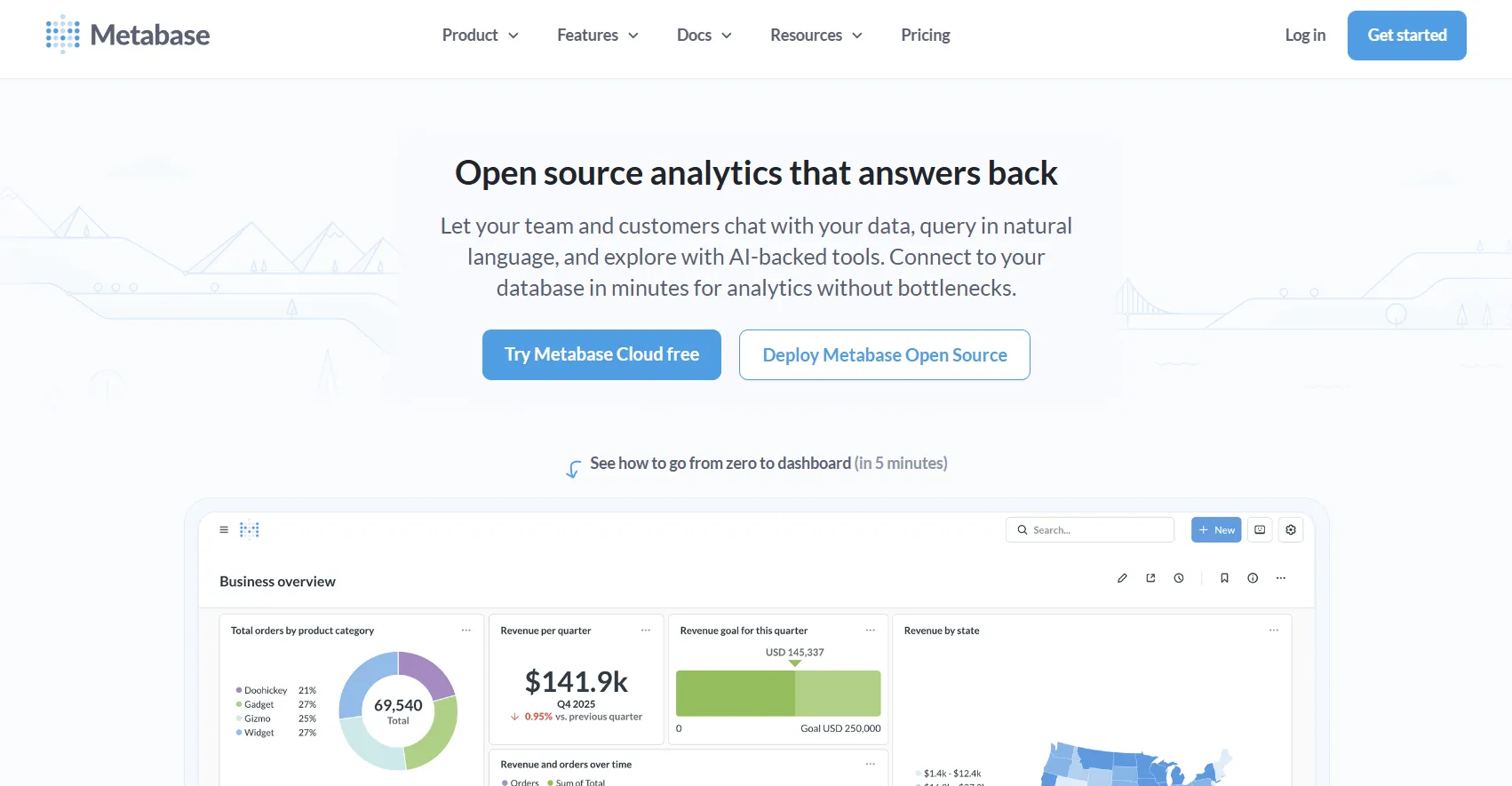
Metabase is an open-source analytics platform that lets teams explore data, build dashboards, and ask questions in natural language using AI-backed tools.
It focuses on providing practical, production-ready BI with basic AI assistance.
Features
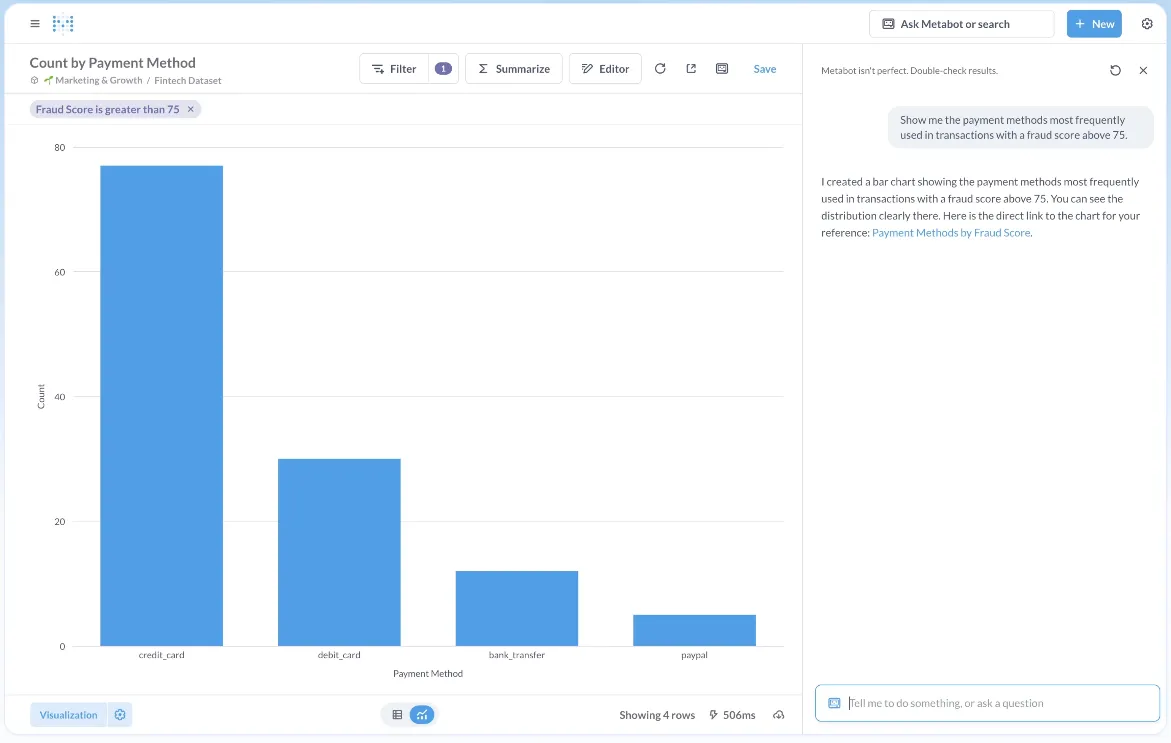
- AI-assisted data querying: Metabot AI lets users ask questions in plain English and generates queries and visualizations to speed up data exploration without requiring SQL.
- Visual query builder: Non-technical users can build queries using a no-code interface, while advanced users can drop into raw SQL whenever deeper control is needed.
- Dashboards & sharing: Teams can create interactive dashboards, filter and drill into data, and easily share or embed reports internally or in customer-facing products.
Pricing
Metabase offers two pricing options depending on how you use the product: internal business intelligence or customer-facing embedded analytics.
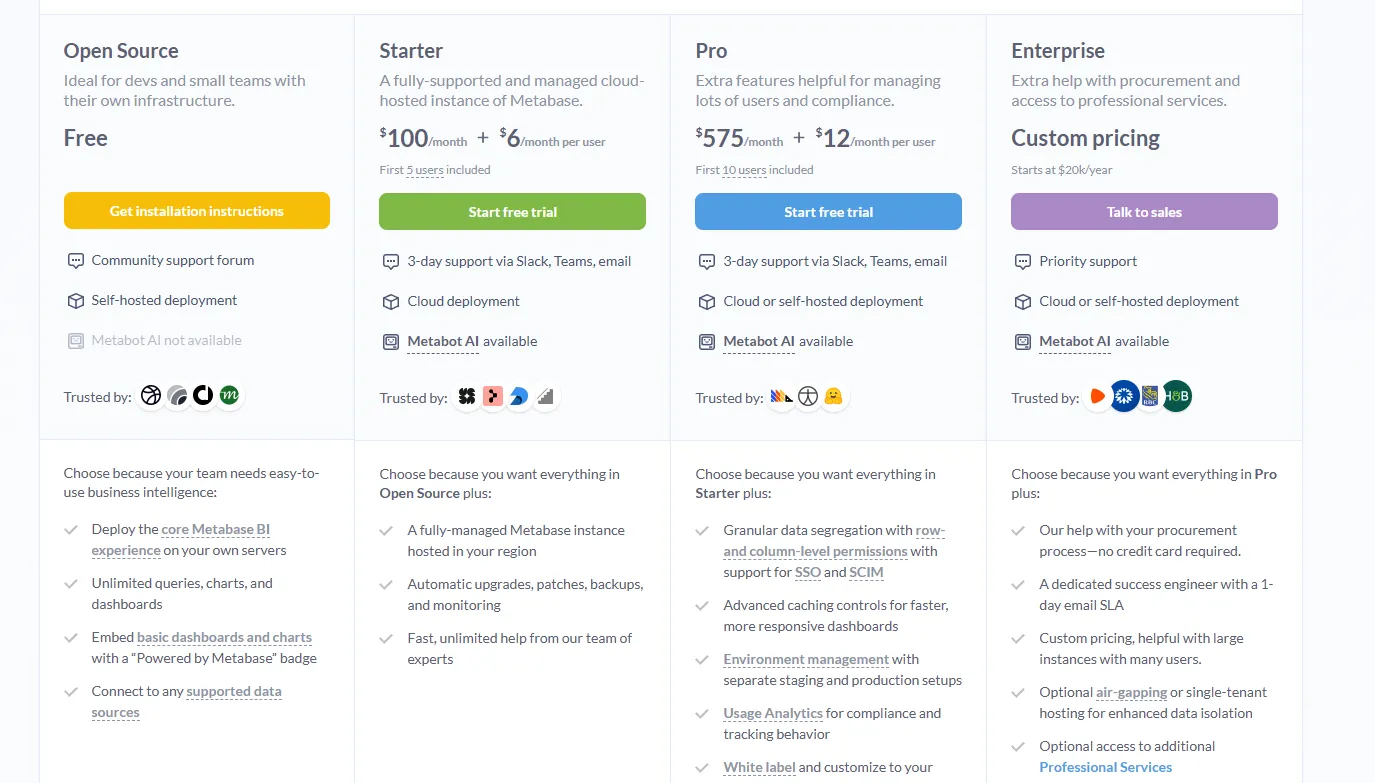
- Business Intelligence:
- Open Source (Self-hosted): Free, self-hosted deployment, includes unlimited queries, charts, and dashboards, connects to all supported data sources, basic embedding with “Powered by Metabase” branding, community support only.
- Starter (Cloud-hosted): $100/month + $6/user/month, first 5 users included, includes everything in Open Source, plus option to include Metabot AI (charged extra), automatic upgrades, backups, and monitoring, support via Slack, Teams, and email (3-day SLA).
- Pro: $575/month + $12/user/month, first 10 users included, cloud or self-hosted deployment, includes everything in Starter, plus row- and column-level permissions, SSO and SCIM support, advanced caching and performance controls, staging + production environments, usage analytics and audit visibility, white-labeling, and embedded analytics capabilities.
- Enterprise: Custom pricing (starts at $20k/year), includes everything in Pro, plus priority support, dedicated success engineer (1-day email SLA), optional single-tenant or air-gapped deployment, and optional professional services.
- Embedded Analytics pricing:
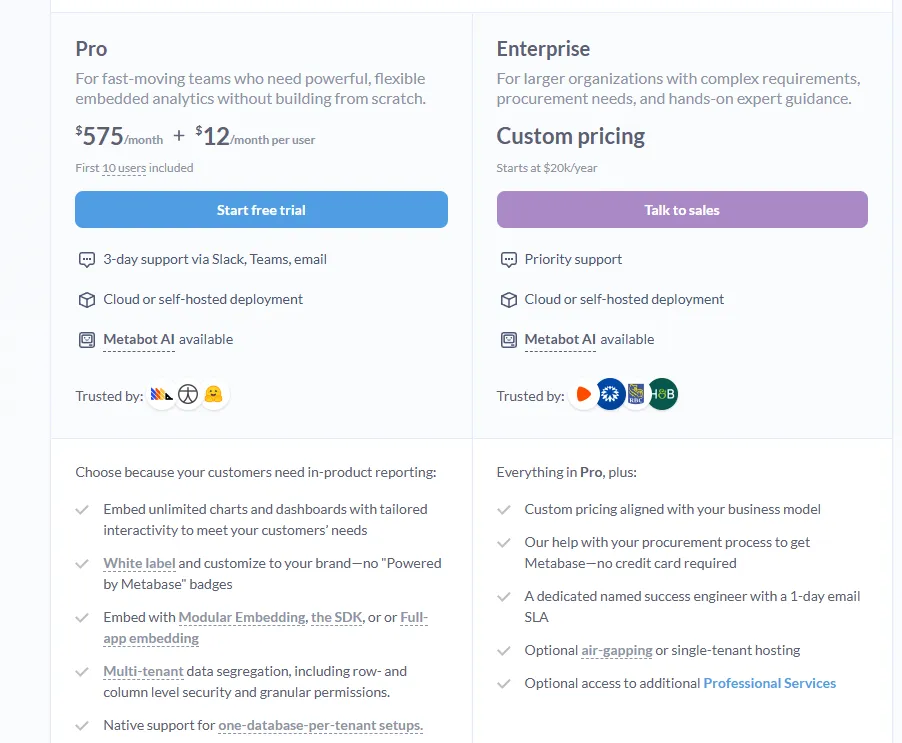
- Pro: $575/month + $12/user/month, first 10 users included, includes unlimited embedded dashboards and charts, full white-labeling, modular embedding, SDK, or full-app embedding, multi-tenant security (row- and column-level), one-database-per-tenant support, staging + production environments, usage analytics, internal BI for your team, and option to include Metabot AI (charged extra).
- Enterprise: Custom pricing (starts at $20k/year), includes everything in Pro, plus a dedicated success engineer, priority support, optional single-tenant or air-gapped hosting, and optional professional services.
Pros & Cons
✅ Easy to use for both technical and non-technical users.
✅ Fast setup and lightweight deployment.
❌ A user on G2 believes that Metabase could benefit from having an AI assistant that understands the databases and assists in building queries
#9: Mode
Best for: Analytics and data teams that want a collaborative workspace for SQL analysis, Python notebooks, and dashboards.
Mode is an analytics platform built for teams that analyze data using SQL, Python, and notebooks, then share insights through interactive dashboards and reports.
It focuses primarily on collaborative, code-first analytics rather than conversational AI or autonomous analysis.
Features
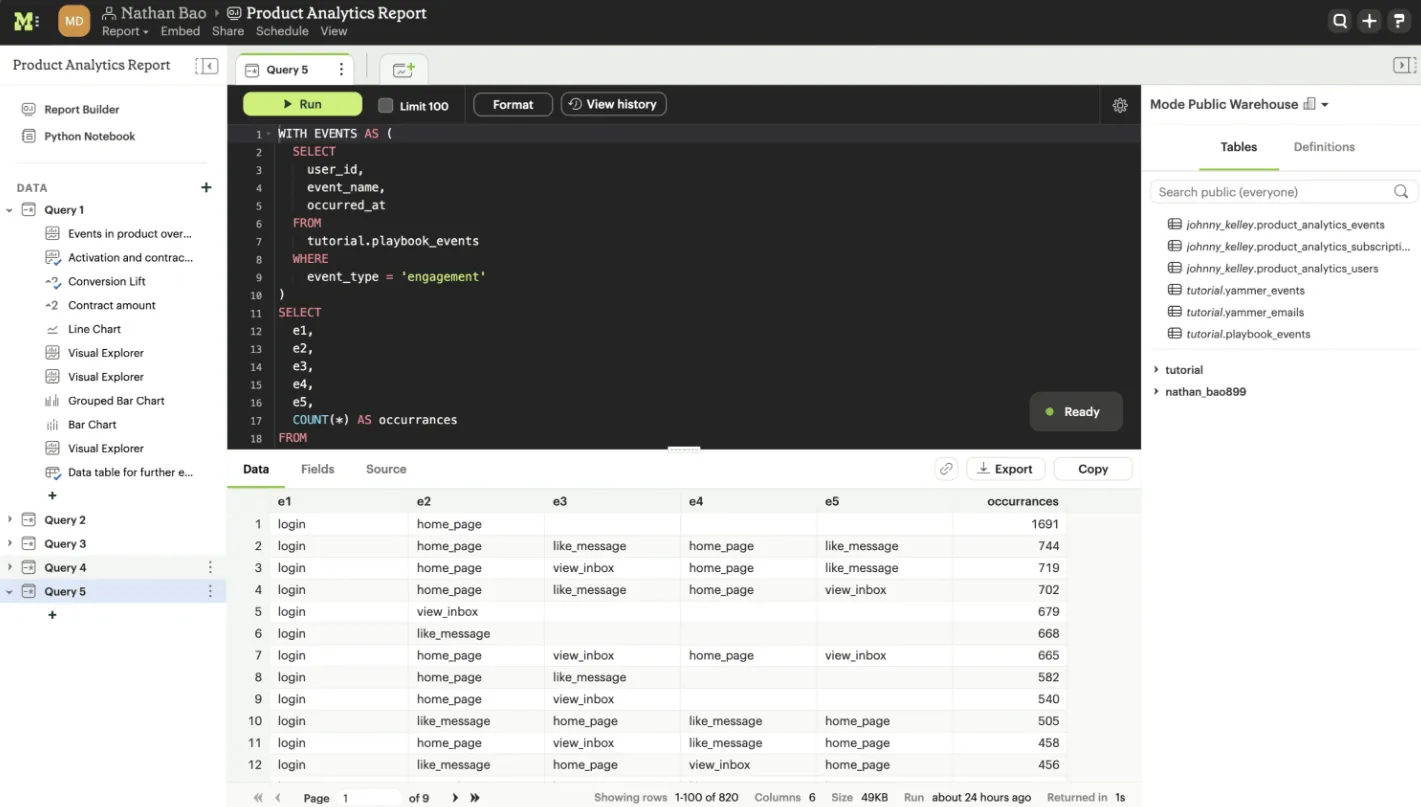
- SQL editor: Mode provides a powerful, collaborative SQL editor that connects directly to cloud data warehouses, allowing analysts to write, run, and iterate on production-grade queries together.
- Interactive dashboards: Mode lets teams turn queries and notebooks into interactive dashboards that business users can explore without touching the underlying code.
- Python notebooks: Analysts can extend SQL analysis with Python notebooks for deeper exploration, statistical analysis, and data transformations in the same workspace.
Pricing
Mode offers three pricing tiers, starting with a free plan for individual analysts and scaling up to enterprise-grade analytics for large organizations:
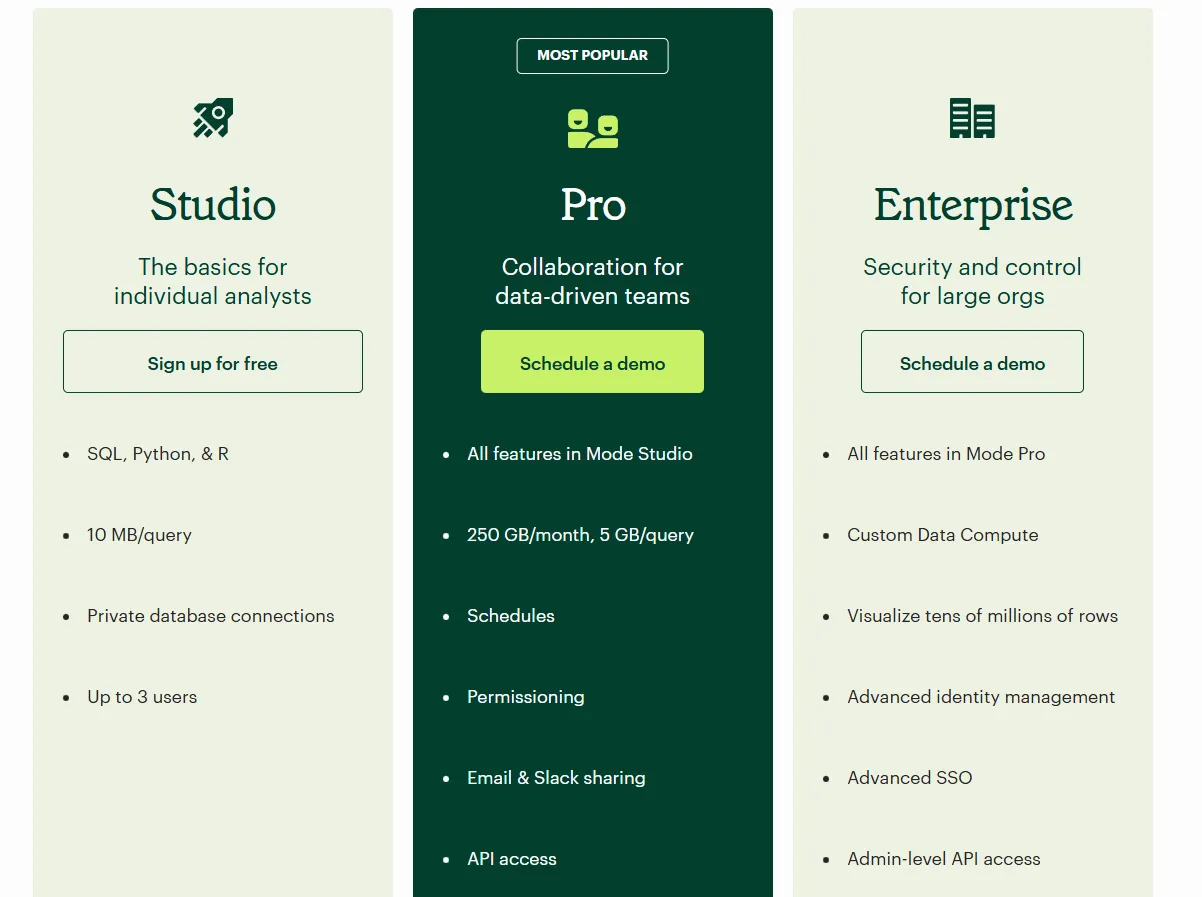
- Studio: Free plan, includes SQL, Python, and R, private database connections, support for up to 3 users, and query limits of 10 MB per query.
- Pro: Custom price, includes everything in Studio and adds team collaboration features like scheduled reports, permissions, Email and Slack sharing, API access, higher data limits (250 GB per month, 5 GB per query), and standard support.
- Enterprise: Custom price, extends Pro with custom data compute, support for very large datasets, advanced identity management and SSO, admin-level API access, and premium support.
Pros & Cons
✅ Powerful code-first analytics.
✅ Clean UI with role-based access.
#10: Microsoft Power BI
Best for: Organizations already invested in the Microsoft ecosystem that want standardized dashboards, reporting, and self-service analytics at scale.
Microsoft Power BI is a business intelligence platform for creating interactive dashboards, reports, and visualizations on top of structured data sources.
It focuses on standardized reporting and broad organizational adoption, with analytics built around predefined models and visual dashboards.
Features
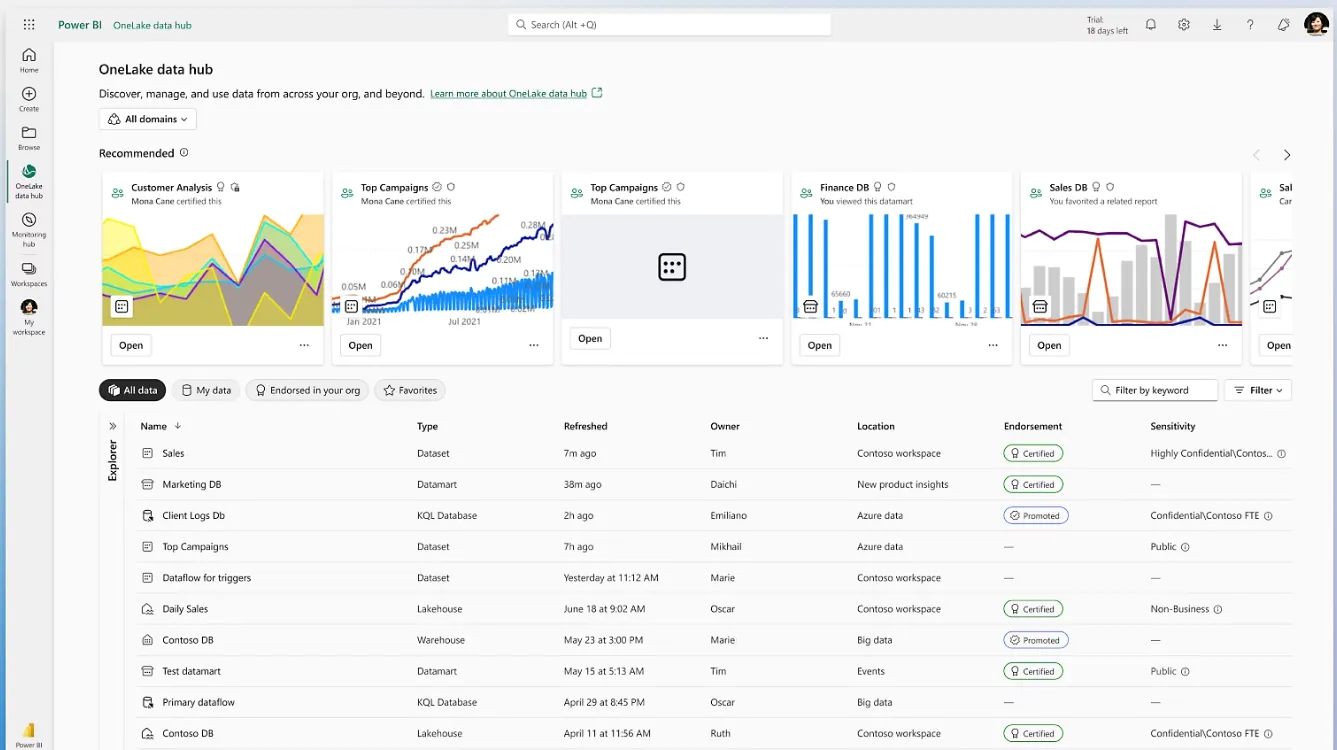
- Interactive dashboards & reports: Lets users build interactive dashboards and reports that combine multiple visuals, filters, and drill-downs to explore data across teams.
- Enterprise governance & security: Role-based access control, row-level security, data sensitivity labels, and Microsoft Entra ID integration help organizations manage access and compliance at scale.
- AI-assisted insights: Offers AI features such as Copilot, quick insights, forecasting, and anomaly detection to help surface patterns and trends within reports.
Pricing
Power BI uses a per-user and capacity-based pricing model, with different tiers depending on how reports are created, shared, and scaled across the organization.
There’s a Free plan, best for individual users exploring data on their own that includes building reports and dashboards for personal use, but no sharing or collaboration features.
The paid options include the following:
- Power BI Pro: $14/user/month, includes report publishing, sharing dashboards, collaboration in workspaces, and embedding in Microsoft Teams and SharePoint.
- Power BI Premium Per User: $24/user/month, includes everything in Pro, plus larger model sizes, more frequent refreshes, paginated reports, and advanced AI features.
- Power BI Embedded: Custom pricing, lets you create customer-facing reports, dashboards, and analytics in your own applications.
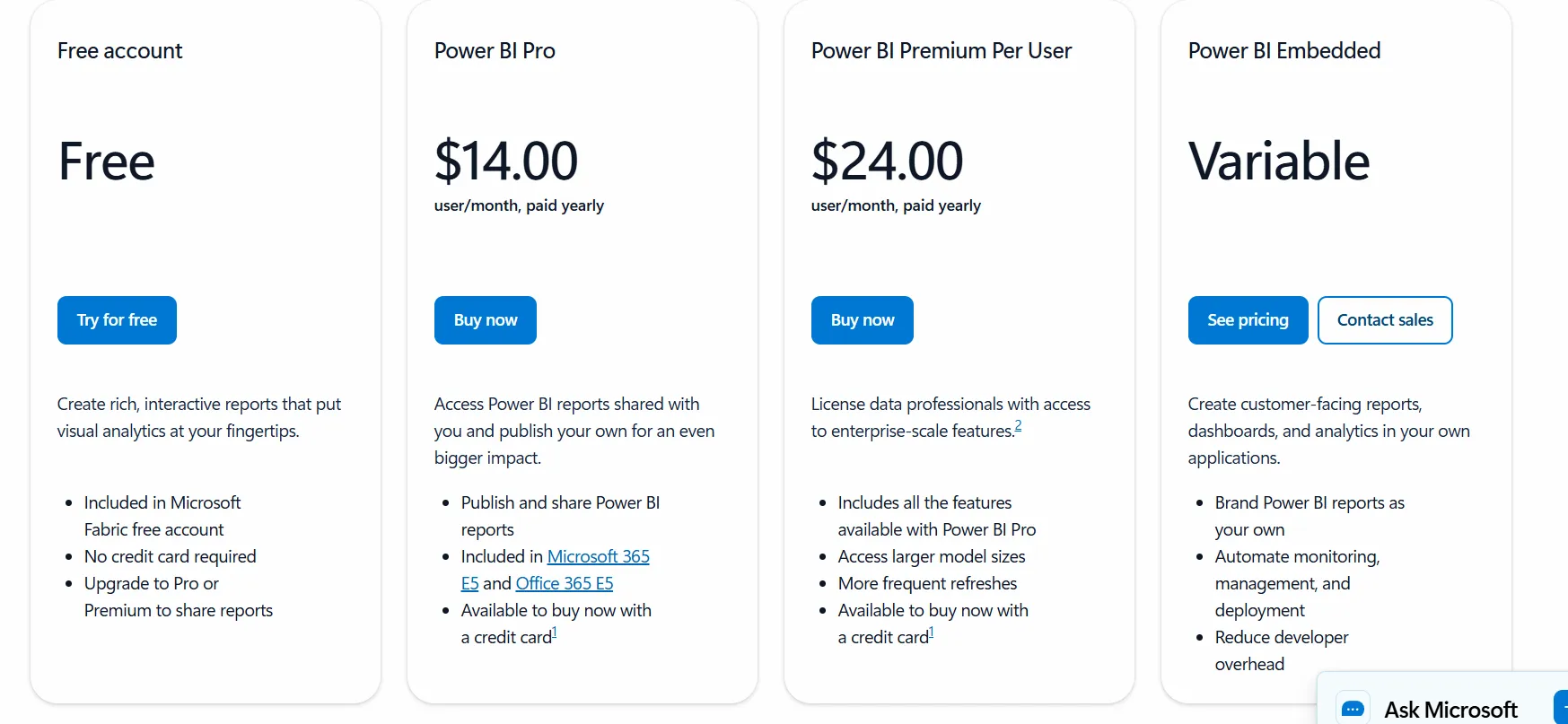
All plans are annual.
Pros & Cons
✅ Strong dashboarding and visualization.
✅ Deep Microsoft ecosystem integration.
❌ For beginners, the learning curve can feel steep, particularly when you start working with data modeling and DAX formulas, according to a G2 review.
So… which MindsDB alternative should you actually choose?
MindsDB is great for building predictions close to the database.
But many teams move on because predictions don’t equal decisions.
So, if your problem is dashboards, tools like Power BI, Metabase, or Sigma make sense.
On the other hand, if your problem is governed by self-serve, ThoughtSpot or Zenlytic fits better.
However, if your real issue is that you have the data, but it still takes too long to understand what changed, why it changed, and what to do next, that’s where Dot stands out.
Dot doesn’t ask you to think in models, dashboards, or schemas.
It plugs into your warehouse and explains your business in plain language, with full traceability, so teams can move from question → explanation → action without friction.
Interested?
Sign up for Dot’s free trial to see what it surfaces from your warehouse in real workflows, or book a demo if you want help mapping it to your metrics, teams, and reporting cadence.
Theo Tortorici
Theo writes about AI-powered analytics, data tools, and the future of business intelligence at Dot.